






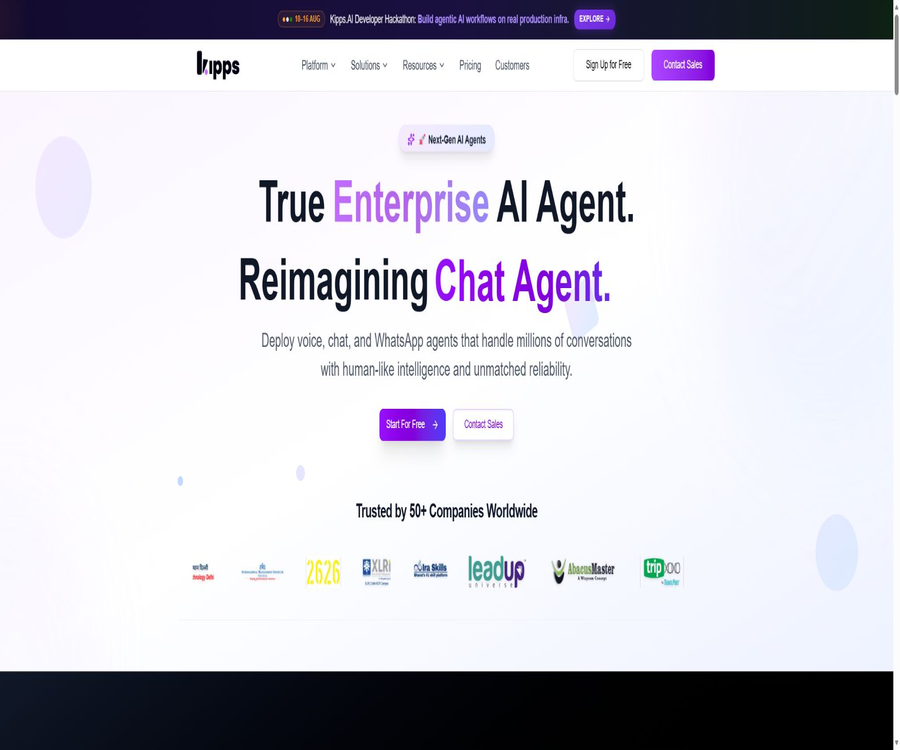
Kipps.AI
Kipps.AI, an intelligent tool focused on AI programming.
Tags:AI programming toolsA one-sentence summary
Kipps.AI is a code-free multi-channel AI Agent platform that allows companies to create website chat, phone voice, and WhatsApp agents within the same workspace, and to connect them to knowledge bases, CRM systems, calendars, and internal workflows.
What is Kipps.AI?
Kipps.AI is operated by the Indian company Derived Mind Technologies Private Limited; it offers support, sales, and operational automation services for clients ranging from individual entrepreneurs to corporate teams. The platform emphasizes visual configuration, eliminating the need for users to write code, and it provides REST APIs and Webhooks for technical teams.
The three core products are AI Voice Agent, AI Chat Agent, and WhatsApp AI Agent. They can be deployed independently, or they can share business knowledge, contacts, events, analytics, and a unified inbox.
Overview of Core Competencies
| Product or module | Primary channels | Main tasks | Typical output |
|---|---|---|---|
| AI Voice Agent | Incoming and outbound calls | Answering calls, qualification screening, scheduling, reminders, and surveys | Records of calls, actions, and outcomes |
| AI Chat Agent | Websites, web applications, and mobile applications | Q&A, lead generation, meeting scheduling, and system operations | Conversations, clues, and tasks |
| WhatsApp Agent | WhatsApp Business | Sales, support, events, and voice messages | Personalized sessions and follow-ups |
| Knowledge Base | Multiple Agents share it | Provide business expertise to answer questions. | Document-based response |
| Kipps Inbox | WhatsApp, chats, text messages, voice calls, and emails | Uniformly handle customer sessions | Allocation, notes, takeover, and performance |
| Campaigns | Voice and WhatsApp | Bulk outreach and automatic follow-up | Activity execution and analysis |
| Developer API | Backend system | Manage agents, contacts, activities, and usage. | REST responses and Webhook events |
AI Voice Agent
A Voice Agent can answer incoming calls as well as make outbound calls to contacts; it can use natural language to determine the suitability of leads, answer questions, handle objections, and schedule appointments. It is able to update the CRM during calls, send follow-up messages, invoke APIs, or transfer calls to human agents.
- Answer customer calls and identify their intentions.
- Standardization issues are raised regarding potential clues.
- Query the knowledge base to get answers to product and policy questions.
- Schedule a meeting, demonstration, or service appointment.
- Send a text message or a follow-up message via WhatsApp.
- Trigger CRM and external interfaces during calls.
- Low-confidence or complex issues are referred to human agents.
- Record call results and analysis metrics.
Voice agents should not make bulk calls without consent, nor should they take high-risk decisions on their own in medical, financial, or contractual contexts. Companies need to address issues related to the disclosure of recordings, marketing communications, number reputation, exit mechanisms, and human intervention when needed.
Phone access and providers
A Voice Agent can be connected to existing corporate phone numbers, or it can be integrated using Twilio, Plivo, LiveKit, SIP, or mobile dialing methods. Voice models, telephone lines, and platform credits may be charged separately; therefore, it is necessary to determine the full cost structure before deployment.
| Access project | Optional methods | Confirmation is needed. |
|---|---|---|
| Phone number | Existing number or new virtual number | National, inbound, and outbound calling permissions |
| Telephony | Twilio, Plivo, SIP, etc. | Unit price per line, concurrency, and recording |
| STT | Default platform or BYOK | Language, real-time latency, and recognition rate |
| LLM | Platform default or proprietary model keys | Quality, Token costs, and data region |
| TTS | Default or proprietary voice keys of the platform | Voice authorization, language, and unit price |
| Manual transfer | Call routing and escalation | Opening hours, queues, and error handling |
AI Chat Agent
A Chat Agent can be deployed on a website through embedded code, or it can be incorporated into web pages or mobile applications. It not only answers common questions but also collects information, determines user intentions, schedules meetings, updates CRM systems, sends messages, and invokes external APIs during conversations.
- Set tone and behavior rules based on the brand.
- Use business knowledge to answer open-ended questions.
- Collect names, contact information, and specific requirements.
- Enter qualified leads into the CRM.
- Make reservations through the calendar.
- Triggers backend operations and automated workflows.
- One-click transfer to a human agent with full context.
Users should limit the actions that a Chat Agent is allowed to perform to only what is necessary, and implement secondary verification for tasks such as refunds, account changes, medical advice, and payments. Generative dialogue systems are more flexible than rule-based robots, but they also require additional mechanisms for handling refusal requests and preventing unauthorized actions.
WhatsApp AI Agent
WhatsApp Agent utilizes the WhatsApp Business API to handle sales, customer service, scheduling, and event-related messages; it is capable of understanding voice messages from customers and responding in text form or via AI-generated voice. It also supports carrying out bulk campaigns and automated follow-ups based on responses, using approved message templates.
| Ability | Working method | Key compliance aspects |
|---|---|---|
| Natural language question answering | Respond by combining the context of the conversation with the knowledge base. | Accuracy and manual intervention |
| Voice message | Identify the customer’s audio and generate a response. | Recording, language, and privacy |
| Live broadcast | Batch sending via approved templates | User consent, frequency, and cancellation |
| Automatic follow-up | The next step is triggered based on the user’s response. | Avoid harassment and repetitive messages |
| Reservation | Connect to the calendar creation period | Time zones, duplicate appointments, and confirmation |
| CRM update | Write customer information into the business system | Field mapping and minimum permissions |
Using the official Business API and approval templates can reduce the risk of violations, but it does not guarantee that the numbers will remain unrestricted. The quality of messages, customer complaints, proof of eligibility to join, and local marketing regulations are still the responsibility of the company.
Knowledge Base knowledge repository
The Knowledge Base provides unified business knowledge for Chat, Voice, and WhatsApp Agents; it supports various formats such as websites, Sitemaps, PDFs, Markdown, text, Notion, and Google Docs. A single knowledge base can be shared among multiple Agents, and any updates or retraining applied to it will affect all associated Agents.
| Content type | Handling method | Precautions |
|---|---|---|
| Website and Sitemap | Capture a page or discover pages in bulk | Check for duplicate pages, login pages, and outdated content. |
| PDF and Markdown | Extract text and vectorize it in segments. | Complex tables and two-column layouts may result in loss of information. |
| Scan PDF | Extracted via OCR | Image quality affects the accuracy of recognition. |
| Text | Paste text or Q&A directly. | Up to 50,000 characters per entry |
| Notion | Connect and import the page | Control the scope of authorization for the workspace. |
| Google Docs | Import document snapshot | After the original text is updated, it needs to be imported again. |
| CSV | Import structured data | The fields and encoding need to be cleaned up first. |
The uploaded content is only stored in the data repository; it is necessary to click on \"Train\" and wait for the vectorization process to be completed before the Agent can retrieve that information. Deleting files or text also requires retraining in order to prevent the old knowledge from being used in responses.
Knowledge base configuration process
- Create separate Knowledge Bases by department, product, or use case.
- Enter a clear name, description, and scope of application.
- Import websites, documents, text, Notion, or Google Docs.
- Check the number of characters extracted, the status, and any defective materials.
- Enable OCR for scanned PDFs or convert them to readable text first.
- Click Train and wait for the vectorization of all content to be completed.
- Link the knowledge base to Chat, Voice, or WhatsApp Agent.
- Use common questions, conflicting data, and unknown issues for testing.
- Fix error pages, duplicate content, and response rules.
- After updating the data, retrain and conduct regression testing.
Kipps Inbox
Kipps Inbox brings together WhatsApp, web chats, text messages, voice calls, and email conversations in a single collaborative interface. AI can automatically respond to messages and route them based on intent, while team members can assign tasks to various conversations, add internal notes, mention colleagues, and view performance metrics.
- View multiple channel sessions in the same list.
- Automatic routing based on intent, customer, and priority.
- Messages with low confidence levels are flagged for manual processing.
- Take over with one click and retain the full conversation history.
- Assign a responsible person and add internal notes.
- Track the performance of individuals and teams in responding.
- Write the processing results back to the customer’s system.
Campaigns and bulk outreach
The platform supports Voice Campaigns and WhatsApp Campaigns; it allows users to upload contact lists, initiate bulk calls or use template messages, and take further actions based on the responses received. It is suitable for sending appointment reminders, following up on leads, delivering service notifications, and conducting feedback surveys.
| Activity phase | Platform capabilities | Operational control |
|---|---|---|
| Preparing the list | Import contacts and fields | Agree to recording, deduplication, and blocked contact list |
| Scripts and templates | Configure dialog tasks or WhatsApp templates | Brand, language, and legal review |
| Send | Perform outbound calls or send messages based on activities. | Time zone, frequency, and concurrency |
| Interaction | Identify intentions and take automatic follow-up actions. | Exit words and manual upgrade |
| Action | Appointments, CRM updates, or API calls | Field validation and idempotency |
| Review | View usage and results | Costs, conversion rates, complaints, and reasons for failure |
Models and BYOK
Kipps.AI offers default AI processing; it also allows users to connect language models, speech recognition, speech synthesis, and vector databases using the Bring Your Own Key approach. It supports LLM providers such as OpenAI, Google AI, Anthropic, and Groq, and it is possible to use default models or fine-tune them.
- Language model key control answers and reasoning.
- The STT key controls real-time speech recognition.
- The TTS key controls voice and audio providers.
- Vector database key control knowledge is embedded in the storage.
- Multiple keys can be assigned to different Agents.
- The key is encrypted and stored by the platform, with its display hidden on the interface.
- The provider’s fees are deposited directly into the corresponding account.
BYOK facilitates model selection, regional control, and cost transparency, but it increases supplier billing, quota requirements, and responsibilities related to fault management. Deleting a provider’s key has an immediate impact on the Agents that rely on it; it is therefore necessary to check the associated configurations one by one before proceeding with such actions.
Integration capability
Kipps.AI connects more than 7,000 applications via Zapier, offering integrations with HubSpot, Zoho CRM, Salesforce, LeadSquared, Calendly, Cal.com, Google Calendar, Shopify, and Google Sheets. Other systems can be connected through REST APIs and Webhooks.
| Integrated categories | Representative system | Common uses |
|---|---|---|
| CRM | HubSpot, Zoho, Salesforce, LeadSquared | Write clues, update phases, and tasks |
| Calendar | Calendly, Cal.com, Google Calendar | Query period, reservations, and reminders |
| E-commerce | Shopify | Product FAQs, order and after-sales processes |
| Table | Google Sheets | Contacts, activities, and lightweight data exchange |
| Automation | Zapier | Connect to common SaaS workflows |
| Phone | Twilio, Plivo, LiveKit, SIP | Numbers, inbound and outbound calls |
| Custom system | REST API and Webhook | Trigger tasks and exchange business events |
Developer API
Developers can generate an account-level Developer API Key from the Dashboard, which they can use to manage Agents, query messages, upload contacts, trigger Campaigns, and check usage levels. The full key is displayed only once, and one account can have only one valid developer key at a time.
- Generate an account-level API Key in the Developer section.
- Copy it when displayed for the first time and save it in the key management service.
- It should be used only in backend services via the Api-Key request header.
- Call the Agent, Contact, and Campaign endpoints in accordance with the API documentation.
- Sign verification, retry, and idempotency for Webhooks.
- Handle 401 authentication errors and 429 rate-limiting responses.
- Regularly check the usage logs and abnormal calls.
- When a key is leaked, the old key is deleted and a new one is generated.
Developer keys do not expire automatically – they become invalid immediately after being deleted; the specific rate limits vary depending on the subscription plan. Do not embed these keys in browser scripts, mobile applications, or code that can be downloaded publicly.
Prices and plans
The price information was verified on August 23, 2026; the actual amounts, taxes, exchange rates, and discounts may vary, and the final figures will be those displayed on the settlement page.
Kipps.AI offers a free version that does not require a credit card; the current FAQ indicates that the paid version costs 49 dollars per month, with the cost increasing depending on the number of sessions, the channels used, and the extent of integration. Meanwhile, the product page has recently shown a Scale plan priced at 59 dollars per month, which suggests that the billing structure may be undergoing adjustments due to version changes or regional differences.
| Plan or presentation | Public price | Publicly disclosed equity interests | Suitable for users | Confirm before purchasing |
|---|---|---|---|---|
| Free | $ | It is possible to create and test the first Agent; some of the recent pages list 100 Credits, 1 Chatbot, 1 Voicebot, and 1 knowledge base. | Testing and proof of concept | Real-time Credits, concurrency, and limits per channel |
| Paid starter plan | $ | Permissions are extended by session, channel, and integration. | Formally established small teams | Plan name, monthly usage, and additional fees |
| Scale display | Some of the recent pages list $59 per month. | It once listed 6,000 Credits, multiple Chatbots, Voicebots, and a knowledge base. | Growth Team | Is it still available for the current account? |
| Enterprise | Custom quote | High credit limits, SLAs, dedicated support, custom deployment and integration | High concurrency and regulated organizations | Private cloud, white labeling, security, and minimum commitments |
Since the public page shows both a starting price of 49 dollars and a Scale pricing option of 59 dollars, the catalog should not present one of these prices as the only applicable rate in all regions. Before completing the transaction, it is necessary to obtain written confirmation from the sales representative regarding the price per credit, the cost per minute of voice calls, the cost of phone lines, the cost of models, the cost of WhatsApp usage, and the rules regarding unused balances.
Credits and additional costs
Credits can be used for voice calls, chats, and WhatsApp interactions; the amount consumed may vary depending on the model, voice engine, and channel used. In the BYOK mode, third-party models, voice services, vector databases, and telephone costs are charged separately by the respective providers.
| Cost items | Possible billing party | Monitoring is required. |
|---|---|---|
| Platform subscription or Credits | Kipps.AI | Plans, balances, and per-item consumption |
| LLM Token | Model provider or platform | Models, input/output quantities, and cache |
| STT and TTS | Voice provider or platform | Minutes, language, and voice |
| Telephone line | Twilio, Plivo, etc. | Number, inbound calls, outbound calls, and country |
| Meta and service configuration | Templates, sessions, and regions | |
| Vector database | Own infrastructure | Storage, querying, and regions |
| Implementation and support | Platform or partner | Getting started, customization, and SLA |
Cancellation and refund
FAQ indicates that the subscription is provided on a monthly basis and can be canceled at any time without any penalty; the terms state that payments can be made monthly or annually, and unless otherwise specified, no refunds are given. Before purchasing an annual contract or corporate service, it is necessary to determine the date when cancellation will take effect and how the remaining amount will be handled.
Security and data
The platform claims to use industry-standard encryption for both transmission and in static states, and it relies on infrastructure services such as AWS, Google Cloud, and Microsoft Azure. Its privacy policy covers data related to accounts, businesses, payments, devices, logs, cookies, conversations, and AI training data.
The company retains ownership of the conversation and clue data collected by its agents; the terms require users to grant the platform a non-exclusive license necessary for providing services. The BYOK vector database allows knowledge to be stored within the company’s own infrastructure.
- Do not write the provider key in the frontend or shared documents.
- Use different keys to isolate production, testing, and customer projects.
- Remove sensitive information such as identification documents, payment details, and health data from the knowledge base.
- Restrict the Agent’s permissions to access CRM, calendars, and APIs.
- Set the retention period for sessions, recordings, and clue data.
- Audit records are retained for manual takeover and administrator actions.
- When making purchases, enterprises confirm the data region, SLA, and incident notification procedures.
Which users are it suitable for
- SaaS and e-commerce companies that need an AI customer service system for their websites.
- A sales team that conducts phone screenings and follows up on leads.
- Indian and global companies that use WhatsApp to serve their customers.
- It is necessary to unify the Inbox and the customer service team that handles inquiries manually.
- Educational institutions that require multilingual admission counseling.
- Medical service providers that handle appointments and basic inquiries.
- Operational teams that require CRM, calendar, and automation integration.
- Developers who wish to create custom Agent workflows using APIs.
- Large organizations that require BYOK, private data, and enterprise deployment.
Product advantages
- Voice calls, web chats, and WhatsApp are all available on the same platform.
- The code-free interface allows business teams to configure things quickly.
- The knowledge base can combine websites, documents, Notion, and Google Docs.
- Kipps Inbox supports multiple channels, assignment, notes, and manual takeover.
- BYOK covers LLM, STT, TTS, and vector databases.
- It supports multiple Indian languages and international scenarios.
- REST APIs, Webhooks, and Zapier offer capabilities for extension.
- It can be connected to CRM, calendars, e-commerce platforms, and phone systems.
- The free version can be tested without a credit card.
Main limitations
- On the public page, there are differences in the presentation of the options priced at $49 and $59.
- Voice calls, models, phone services, and WhatsApp can result in multiple layers of fees.
- After the knowledge base is uploaded, it must be retrained for it to take effect.
- Generative Agents may still give incorrect answers, act beyond their authority, or perform actions wrongly.
- Deleting the Provider Key will cause the dependent Agent to stop working immediately.
- A single account can have only one Developer API Key.
- The specific API throttling rules are determined based on the relevant plan; there are no unified, publicly available values.
- The terms generally do not provide a refund for amounts already paid.
- It has not been confirmed that the core platform will be released under an open-source license.
GitHub and the open-source status
It has not been confirmed that Kipps.AI’s core Agent platform, voice engine, Inbox, or Campaign system are released under open-source licenses. The REST API and Webhook are commercial interfaces, and GitHub projects with the same names cannot be associated with this product in the absence of an official affiliation.
| Project | Current status | Correct understanding |
|---|---|---|
| The core Kipps.AI platform | Closed-source SaaS | Available through accounts and subscriptions |
| Developer API | Public documents, account keys | Allowing calls does not equate to open source. |
| Webhooks | Support | Used to receive business events |
| BYOK | Support | Users control the provider’s keys rather than owning the platform’s source code. |
| Official full GitHub | Not confirmed | Do not mark it as an open-source product. |
| Enterprise private deployment | It may be provided according to a customized plan. | The deployment format is not equivalent to the open-source license. |
Pre-deployment checklist
- Choose a low-risk customer service or booking scenario as a pilot.
- Test the actual needs of Chat, Voice, and WhatsApp separately.
- Remove outdated and sensitive information from the knowledge base.
- Set up refusal responses, manual takeover, and double confirmation for operations.
- Check all the costs related to phone calls, WhatsApp, models, and the platform.
- On the settlement page, verify the current applicability of the $49 or $59 option.
- Verify field mapping and idempotency using the test CRM and calendar.
- Save all APIs and Provider Keys in a key management service.
- Complete recording, outbound calls, as well as privacy and sensitive industry reviews.
- After going live, monitor wrong answers, handovers to human agents, complaints, as well as costs and conversion rates.
Frequently Asked Questions
Is Kipps.AI free?
A free option without the need for a credit card is available, allowing users to create and test their first Agent. The specific limits regarding Credits, concurrency, and channels are determined by the current account settings.
How much is the paid plan?
The FAQ states that the pricing plan is 49 dollars per month; some recent pages also mention a Scale plan at 59 dollars per month. At the time of purchase, it is necessary to verify on the payment page the name of the current plan, the available Credits, and the total cost.
Which Agents are supported?
It supports AI Voice Agents, website AI Chat Agents, and WhatsApp AI Agents, and offers a unified Inbox, knowledge base, Campaign options, as well as the possibility of human intervention.
Is Chinese supported?
The public page lists English, Hindi, Tamil, Telugu, Marathi, Kannada, Malayalam, and Bengali, but it does not mention Chinese. It is advisable to conduct a practical test using Chinese speech and text before making a purchase.
Can I connect my own model?
Yes. BYOK supports LLMs such as OpenAI, Google AI, Anthropic, and Groq, as well as custom STT, TTS, and vector database keys.
Does Kipps.AI offer an API?
REST APIs and Webhooks are provided to manage Agents, contacts, Campaigns, messages, and usage levels. The account-level developer key is displayed only once.
Is Kipps.AI open source?
It is not an open-source platform that has been verified. The availability of APIs, Webhooks, and BYOK does not mean that the source code for the core Agent, Inbox, and voice system is made public.
Can I be connected to a human customer service representative?
Yes. Both Chat and Voice support manual intervention; Kipps Inbox retains the full context, so customers do not need to repeat their instructions.
Summary
Kipps.AI is suitable for companies that wish to deploy AI agents across phones, websites, and WhatsApp. Its features such as a knowledge base, an inbox, campaign management, manual intervention options, BYOK support, APIs, and business integrations enable it to handle everything from simple question-and-answer interactions to complex customer processes that can be carried out automatically.
Before official adoption, it is necessary to address issues such as differences in public prices, costs associated with combined usage, compliance with regulations regarding outbound calls and WhatsApp, management of model keys, and control of high-risk actions. All automated responses and system operations must be subject to human oversight, along with logging mechanisms and shutdown capabilities.
Tools similar to Kipps.AI



 Guigong Network Security Registration No. 45132202000164