






Interactive Demo & Training Video Software
Interactive Demo & Training Video Software – an intelligent tool focused on AI programming
Tags:AI programming toolsA one-sentence summary
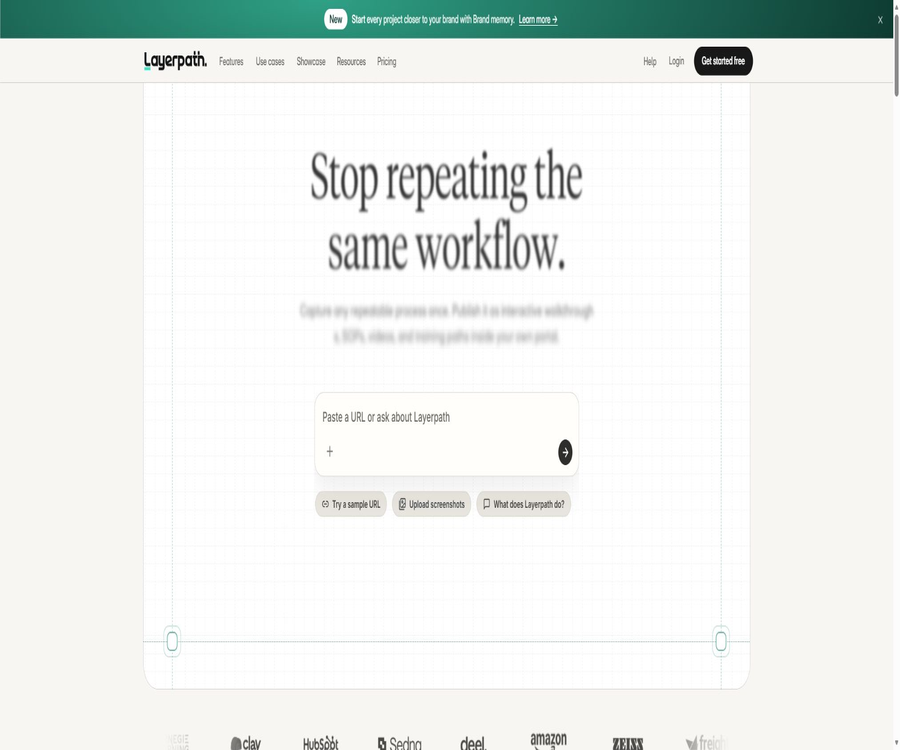
Layerpath is an AI-based presentation platform designed for product education, customer training, and internal process documentation; it enables the conversion of a single screen recording or existing media into interactive tours, readable guides, and watchable videos.
Tool Introduction
Layerpath is operated by Layerpath Inc.; its core product, Studio, helps teams document software processes, organize steps, add explanations and voiceovers, and then deliver this content to users with different learning preferences via links, embeddables, PDFs, or videos.
It adopts a structure based on \"a single, editable tour as the unified source of content.\" When the product interface changes, creators can modify the steps, screenshots, text, or paths, without having to record everything from scratch for each output format.
Core content model
| Hierarchy | Meaning | Relationship with other levels |
|---|---|---|
| Workspace | Workspaces for projects, folders, members, brands, and analytics | Containers for team content and permissions |
| Project | A specific process or training topic | Each item contains an editable Tour. |
| Tour | The main source of content, organized in order. | Both the guide and the videos use these same steps. |
| Step | An ordered step within a tour | It can be used for the opening, image, video, blank, or closing step. |
| Guide | Step-by-step presentation suitable for reading and scanning | Mirror Tour: no separate editor is used |
| Video export | The viewing version rendered by Tour | Suitable for asynchronous training and content distribution |
This model is suitable for teams that need to maintain help documents, product demonstrations, and training videos simultaneously. Any changes should first be made within Tour, after which the various output formats should be reviewed again.
Two ways of creation
Create with Agent
When materials are already available, users can upload images or videos, select content from the workspace’s media library, or import content from Loom if it is available. The user then specifies the target audience and the task to be completed, after which the Agent generates a draft of the initial steps.
Record your screen
When it is necessary to demonstrate actual browser operations, the process can be recorded using a Chrome extension. Each successful click constitutes a step, and the page status, the location of the click, the title, and the text of visible controls help the system to organize the content.
| Starting point | Suitable situations | Main inputs | Results |
|---|---|---|---|
| Agent creation | There are already screenshots, images, or Loom videos available. | Media, links, and creative goals | Editable initial Tour |
| Chrome recording | It is necessary to demonstrate the entire browser process again. | Page clicks, optional narration, and page status | Generate steps in order of operation. |
Screen recording mechanism
The expansion uses a click as the main boundary for defining steps; input, focus changes, and scrolling only serve as supplementary signals and do not constitute separate steps on their own. An optional microphone narration provides additional context regarding terms, intentions, and sequence.
- It is possible to record the entire sequence of operations, from the start to the outcome, within a regular Chrome webpage.
- During recording, you can view the number of steps, as well as pause, continue, finish, or abort.
- Once completed, the expansion will submit the materials and open the project processing page.
- A project is considered ready only when its processing status is Done and Edit is available.
- Creators need to verify the sequence of steps, highlights, instructions, narration, and page status.
It expands the processing of user activities and webpage content; information visible on the page can be captured as screenshots. Even if the tool does not save the actual characters typed, the values of the forms that appear on the page can still be recorded.
Interactive Tour
Tour allows viewers to click or advance step by step, making it suitable for product demonstrations, feature introductions, and hands-on training. Creators can indicate the next action using hotspots, areas, and callouts, but these cues do not represent additional steps.
- Used for sales demonstrations, allowing potential customers to experience the key processes without needing a real account.
- It is intended for new customers, explaining the configuration steps and the path to first success in sequence.
- Used for internal training to demonstrate system operations and standard procedures.
- It is used to support content by breaking down complex steps into interactive pathways that can be viewed repeatedly.
Step Guide
The guide transforms the same tour into a set of steps that are easy to read, scan, and copy, making it useful for help centers and standard operating procedures. The steps in the guide can be copied or downloaded in PDF format.
Guide and Tour share the same content; there is no separate editable version. To make changes to the text, order, or screenshots, it is necessary to modify Tour and then recheck the appearance of the document.
Video output
Video output transforms steps, transitions, explanations, and narration into a continuous stream of content, making it suitable for training courses, asynchronous presentations, and help pages. The free version allows for the export of 5 videos with watermarks per month, while the paid plans offer exports without watermarks.
AI voice synthesis
Creators can paste scripts, divide them into scenes, and generate AI narration. The platform supports 28 languages and over 100 voices; after generation, it is still necessary to check the pronunciation, pauses, numbers, and brand names.
Live narration
The microphone can also be turned on during recording, so that a human voice can explain the intended actions and help the system understand them. The audio played on the page may be captured as well; irrelevant media and calls should be turned off before recording.
AI editing capabilities
Edit with Agent and Magic editor allow users to rewrite steps using prompts, adjust Callouts, remove noise, or improve the wording. AI can reduce the time needed for making individual modifications, but the generated text still needs to be compared step by step with the actual interface.
- Adjust the instructions to be more concise or more detailed depending on the target audience.
- Standardize terms, titles, and action verbs to reduce inconsistencies.
- Remove irrelevant steps and reorganize the sequence of the process.
- Add narration to existing steps or rewrite Callouts.
- After the product is updated, replace screenshots, text, and paths locally.
Brand memory and brand consistency
Brand memory is used to store the team’s tone, colors, terminology, and styles, helping new projects to adhere more closely to the unified brand guidelines. The free version can be used for evaluation purposes, while Pro and Team editions offer this feature as a standard part of their services.
Brand settings can help reduce the need for repeated adjustments, but creators should not overlook the requirements related to readability and accessibility. Color contrast, font clarity, and multilingual terminology still require manual review.
Sharing and Embedding
The content can be added to pages on one’s own portal, learning management system, help center, Notion, etc., through public links or by embedding it. Both the Pro and Team versions come with a custom domain name, while the free version only provides a customizable Layerpath subdomain.
| Distribution method | Suitable scenarios | Precautions |
|---|---|---|
| Shared link | Send quickly to customers, potential users, or employees | Verify whether the access scope and content contain sensitive information. |
| Web embedding | Product page, help center, and customer portal | Check the page width, loading speed, and mobile experience. |
| Guide or PDF | SOPs, offline reading, and knowledge base | After the update, the old file needs to be exported again. |
| Video | Courses, asynchronous training, and marketing content | It will not be automatically updated along with the tour after export. |
| Custom domain name | Branded external demonstration entry point | The Pro and higher plans include one. |
Insights viewing analysis
Insights is used to view information on viewers, completion rates, engagement levels, leads, replays, and the points at which viewers drop off. Teams can use this tool to identify which steps are too lengthy, poorly explained, or fail to motivate viewers to continue.
- Compare the start rates and completion rates of different demonstrations.
- Identify the steps at which viewers often quit or watch repeatedly.
- Check the unfinished steps in the training path.
- Shorten the process and improve Callouts based on actual viewing behavior.
The analyzed data reflect user behavior, but it does not directly indicate the effectiveness of learning or willingness to purchase. Important decisions should also take into account task completion, support tickets, sales conversions, and user feedback.
Standard creation process
- Define the audience, tasks, and desired outcomes to keep the first project on a clear path.
- Choose to import existing media or record the actual process using a Chrome extension.
- Wait for the processing to be completed, then check the steps and page status in the editor.
- Modify the title, callouts, highlights, narration, brand, and order of steps.
- Preview the Tour, Guide, and video separately to ensure that each format can be understood on its own.
- Publish via links, embeds, PDFs, or videos, and use Insights for continuous optimization.
Preparations before recording
- Use a test account and simulated data, and turn off private messages, notifications, the password manager, and any unrelated tabs.
- Preview the entire process to ensure that each key page displays properly when clicked.
- Remove passwords, access tokens, payment information, health data, and real customer details.
- Turn on the microphone only when a narration is needed, and turn off the audio from other tabs.
- Use a regular Chrome webpage as a starting point, avoiding pages within the browser or its extensions.
Which users are it suitable for
- A product marketing team is needed to create product tours, feature demonstrations, and sales examples.
- A Customer Success team is needed to create introductory tutorials, help center content, and customer training materials.
- An operations and training department that is responsible for maintaining standard operating procedures, providing system training, and establishing learning paths for various positions.
- Teams that need to generate interactive content, documents, and videos using the same set of steps.
- SaaS companies that frequently update their software interfaces and prefer to make partial modifications rather than re-recording content.
Typical use cases
| Scene | Recommended format | Primary value |
|---|---|---|
| Product sales demonstration | Interactive Tour | Allow potential customers to experience the key benefits step by step. |
| Customer Onboarding | Tour plus Guide | Meets both the needs for operation and quick reference. |
| Internal system training | Videos plus learning pathways | Facilitates asynchronous learning and progress tracking |
| Help Center | Guide or embedded Tour | Combine textual descriptions with the actual interface. |
| Standard operating procedure | Guide and PDF | Create replicable and archivable step-by-step materials |
| Product update notification | Short videos or partial tours | Only update the affected steps. |
Price packages
The price information was verified on August 23, 2026; the actual amounts, taxes, exchange rates, and discounts may vary, and the final figures will be those displayed on the settlement page.
| Package | Price | Billing cycle | Core benefits or quota | Suitable for users |
|---|---|---|---|---|
| Free | $ | Free for a long time | 1 Creator, unlimited drafts, possibility to publish 3 demonstrations at the same time, 5 videos with watermarks per month, as well as usage limits for AI and branding features. | Personal trials and limited demonstrations |
| Pro monthly plan | $ | On a monthly basis | 1 Creator, unlimited uploads, watermark-free videos, brand visibility, 1 custom domain name, reasonable use of AI and voiceovers | Individuals who continuously create content |
| Pro annual subscription | $ | That’s equivalent to 39 dollars per month. | The rights are the same as those in Pro; up to 2 additional Creators can be added. | Identify small teams for long-term use |
| Team Monthly Plan | $ | On a monthly basis | 5 creators, shared workspace, folders, roles, unified billing, brand kit, limited introductory support | Collaborative content team |
| Team annual plan | $ | That’s equivalent to 400 dollars per month. | Full Team benefits, including annual commitments | Departments or enterprises with stable usage |
| Team Pilot | 1500 dollars | 3 months | Team software is available with limited introductory support; those who meet the criteria can switch to an annual payment plan, which allows them to get a full refund of the pilot fee. | Teams that require formal verification |
| Enterprise | $ | Custom contract | Customize Creator capacity, Workspace, secure purchasing, support, and business terms | Companies with procurement and security requirements |
The annual payment page shows a discount of around 20%. Prices, taxes, guidelines for the proper use of AI, and any additional fees for creators may change; it is necessary to check the final billing page and the contract before subscribing.
Key differences between various packages
| Ability | Free | Pro | Team | Enterprise |
|---|---|---|---|---|
| Draft | Infinity | Infinity | Infinity | According to the agreement |
| Release the demonstration at the same time | 3 | Infinity | Infinity | According to the agreement |
| Video export | 5 successfully rendered images with a watermark per month | Includes and has no watermark | Includes and has no watermark | According to the agreement |
| Creator | 1 person | 1 person, with a maximum of 2 additional persons allowed. | 5 people, with the possibility of adding more. | Customize |
| Additional Creator | It cannot be increased. | $ | $ | According to the agreement |
| Custom domain name | Not included | 1 | 1 | Includes |
| Workspace | Foundation | 1 | 1 shared space | As required |
| AI and voice acting | Evaluate usage amount | Reasonable use | Reasonable use | Scope of the agreement |
| Initial support | Self-service | Self-service | Limited range | Contract definition |
Members who only view the content do not consume any of the Creator quota. Only those who need to create or edit content should be included in the paid Creator plan; when purchasing a plan for a team, the number of seats required should be calculated based on the actual roles involved.
Team Pilot rules
Team Pilot offers three months of software use along with limited introductory support for 1,500 dollars. If a subscription to the annual Team plan at 4,800 dollars is purchased within 30 days after the trial period ends, the cost of the trial can be fully deducted from the amount of the annual contract.
The objectives of a pilot project should be quantified in advance, including monthly output, production time, completion rate, costs associated with content updates, and team collaboration. Without clear evaluation criteria, such pilots tend to focus only on determining whether the solution can be used, without allowing an assessment of whether it is worth purchasing on a long-term basis.
Subscriptions and refunds
- Paid subscriptions are billed according to the fees stated on the pricing page or in the contract.
- Unless required by law or explicitly stipulated in the terms, no refunds will be given for any fees.
- Any price adjustment must be notified at least 30 days in advance; continuing to use the service constitutes acceptance of the new prices.
- Payments are processed by third-party payment services such as Stripe and Chargebee.
- Free trials and beta features are provided as they are currently available; the platform may modify or discontinue them at any time.
The Team Pilot discount is not equivalent to a general refund policy. Before making a purchase, it is necessary to distinguish between self-service subscriptions, pilot contracts, and enterprise agreements, and to understand how cancellations, effective dates, and unused periods are handled.
Platform and expansion
| Platform | Support status | Explanation |
|---|---|---|
| Web Studio | Support | Create, edit, organize, analyze, and publish projects |
| Chrome extensions | Support | Record normal web page workflows and optional narration. |
| Recording with other browsers | Not confirmed | The currently being recorded document is bounded by Chrome. |
| Public links and embeds | Support | It can be placed on portals, LMS platforms, help centers, or web pages. |
| Guide and PDF | Support | Steps can be copied or guides can be downloaded. |
| Video export | Support | The free version has limits on the number of uses and includes watermarks. |
| Native mobile apps | Not confirmed | The creation process is primarily designed for desktop browsers. |
Recording restrictions
- Simply hovering does not create a step, nor does typing or scrolling alone result in the creation of a step.
- Dragging, canvas controls, and briefly appearing page states may not be captured reliably.
- Drop-down menus and pop-ups are more likely to constitute effective steps only when they become visible upon being clicked.
- The content in embedded frameworks may be incomplete, especially in cases of cross-site embedding.
- Pages that are restricted, such as Chrome settings, the extensions page, and the app store, cannot be recorded.
- Recordings that are shorter than three seconds or lack valid clicks may not allow a project to be created.
The completion of animation recording does not mean that the cloud-based processing was successful. It is necessary to view the Layerpath processing page and wait for the \"Done\" status as well as the appearance of the \"Edit\" button before proceeding with the verification.
Privacy and sensitive information
Chrome extensions handle user activities and website content; recordings may also include screenshots, visible form values, page titles, addresses, control text, and optional audio. Every page that is captured should be treated as material that might be made public.
- Use test accounts and fictional records; do not use real customer data during recording.
- Turn off the password manager, notifications, private messages, and unrelated tabs.
- Do not enter passwords, tokens, payment details, health information, or trade secrets.
- Zoom in step by step to examine screenshots, callouts, audio, and the page background.
- When sensitive information is detected, delete the affected steps and, if necessary, re-record them using secure data.
The platform states that it will not sell customer data, and it allows customers to manage, export, or delete their data in accordance with relevant product and legal requirements. Organizations still need to assess whether screen recording of employees, handling of customer information, and cross-border data transfers are in compliance with their internal policies.
Content copyright and commercial use
The interactive demonstrations, guides, and recorded content created by users remain the property of those users. To provide its services, the user grants Layerpath a limited license to host, store, and display such content solely for that purpose.
- Record only the software, accounts, materials, and data that you have the right to display.
- Confirm the rights to use third-party brands, interfaces, images, videos, and voiceovers.
- Remove internal paths, test keys, and unreleased product information before releasing to the public.
- The Layerpath service itself must not be resold or redistributed without authorization.
- The AI-generated instructions may not be accurate; important training content must be verified manually.
API, GitHub, and open-source status
| Project | Current situation | Conclusion |
|---|---|---|
| Public developer API | Not confirmed | It cannot be assumed that projects can be created in bulk through the API. |
| Official SDK | Not confirmed | No confirmed generic development package. |
| Official GitHub | Not confirmed | The projects with the same name that are found do not represent Layerpath. |
| Open-source product | No | The complete code for Studio and its extensions is not made public, along with the open-source licensing terms. |
| Local deployment | Not confirmed | It primarily operates on hosted web platforms. |
Support for web embedding and custom domain names does not equate to the provision of public APIs or private deployment options. If a company requires automatic publishing, single sign-on, data retention, or a dedicated environment, these requirements must be agreed upon separately during the contract negotiation phase.
Product advantages
- A single creation can generate an interactive tour, a readable guide, and a video, thereby reducing the need for repeated work.
- It allows you to record new processes, as well as create drafts using existing images, videos, or Loom recordings.
- AI editing and multilingual dubbing can speed up content modification and internationalization.
- Brand memory, custom domain names, and watermark-free exports are suitable for official public release.
- Insights enables the identification of drop-offs, replays, and completion rates, facilitating ongoing optimization.
- The free version offers unlimited drafts and a limited number of publications, allowing users to test the workflow first.
Usage restrictions and precautions
- Chrome recording is based on clicks; complex dragging, canvases, and cross-site frameworks may cause distortion.
- A Project has only one main Tour; the Guide does not provide an independently editable copy.
- The free version allows only 3 demonstrations to be published at a time; the videos are watermarked, and there is a limit of 5 successful renderings per month.
- There are no fixed numerical values specified in the price list regarding the appropriate use of AI and voiceovers.
- Payment fees are generally non-refundable, and Team and Enterprise plans also involve contractual commitments.
- Screen recording may reveal visible data on the page, so it must be checked carefully before being published.
Frequently Asked Questions
Is Layerpath free?
There is a free plan that includes 1 Creator, unlimited drafts, the ability to publish 3 demonstrations at the same time, and 5 watermarked video exports per month. AI voiceovers and brand-related features are available only for evaluation purposes.
How much is Pro for monthly and annual payment?
The monthly Pro plan costs 49 dollars; the annual plan costs 468 dollars, which is equivalent to 39 dollars per month. Both plans include unlimited uploads, videos without watermarks, brand branding, and a custom domain name.
In what situations is Team suitable?
The Team plan includes 5 Creators, shared workspaces, folders, roles, a unified billing system, and limited introductory support. The cost is $499 per month or $4,800 per year.
Is it possible to generate multiple versions of content from the same recording?
Yes. An editable tour can be presented as an interactive demonstration, a readable guide, or in video format, thereby reducing the need to record content repeatedly for different channels.
Is Chinese voiceover supported?
The platform offers 28 languages and over 100 voices, though the list of specific languages and voices may change. It is advisable to listen to them first when using Chinese brand names, numbers, and technical terms.
Can any web page be recorded?
No. It is not possible to record pages within Chrome, extension pages, the app store, and other restricted pages; moreover, embedded frameworks, drag-and-drop functions, and canvas interactions may not work properly.
Is Layerpath open source?
It is not an open-source product. There is currently no official core GitHub repository, public SDK, or complete open-source license available.
Summary
Layerpath is suitable for teams that need to create product demonstrations, introductory materials for customers, SOPs, and training content on a frequent basis. With just one maintenance effort yielding three main types of outputs, it significantly reduces the repetitive work involved in creating interactive content, documents, and videos.
When selecting a package, it is important to take into account the number of creators, the requirements for simultaneous publishing, video export options, the brand domain name, and team support. Before starting actual use, it is necessary to verify the recording capabilities using secure test data, as well as establish a process for gradual review and updates.
Tools similar to Interactive Demo & Training Video Software



 Guigong Network Security Registration No. 45132202000164