






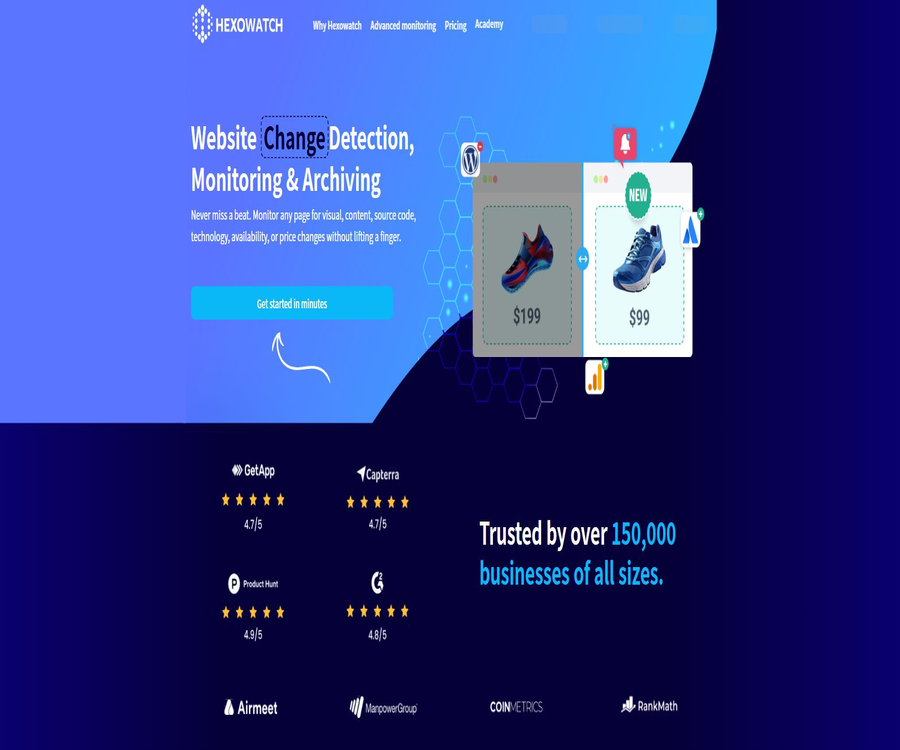
Hexowatch
Hexowatch, an intelligent tool focused on AI programming.
Tags:AI programming toolsA one-sentence summary
Hexowatch is a cloud-based tool for monitoring and archiving changes on websites; it can periodically check the visual elements, text, components, code, technology stack, prices, availability, and domain information of a page, and send alerts whenever changes are detected.
Tool Introduction
Hexowatch is operated by the company Hexact, Inc. located in Delaware, United States; it belongs to the same group of commercial products as Hexometer and Hexomatic. Users do not need to deploy crawlers or manage servers – they only need to provide the pages that are to be monitored and set the frequency as well as the criteria for detecting changes.
The product brings together ordinary difference comparisons, browser interactions, web page archiving, proxy access, APIs, and automated notifications in a single console. It is suitable for monitoring public pages, but it cannot guarantee the ability to bypass login requirements, verification codes, anti-automation measures, or regional access restrictions.
Main types of monitoring
| Monitoring type | Object of detection | Common uses | Main limitations |
|---|---|---|---|
| Visual surveillance | Changes in the screenshot of an entire page or section | Page redesign, issues with advertising spaces, and design problems | Dynamic sliders and personalized content can generate noise. |
| HTML element monitoring | Specify button, price, inventory, or field | Product prices, quotas, and key indicators | Changes in the page structure can cause selectors to stop working. |
| Main text monitoring | Readable text on the page | Policies, announcements, terms, and news updates | The content loaded by the script may not be extracted reliably. |
| Keyword monitoring | Appearance, update, or deletion of keywords | Brands, risk-related terms, and compliant wording | Matching only words does not allow for an understanding of the full context. |
| Source code monitoring | HTML or specified code snippet | Labels, scripts, and technical changes | The hash generated under normal conditions can also change frequently. |
| Technology stack monitoring | Analysis tools, frameworks, and services | Observation of competing products’ technologies, migration processes, and security assets | Fingerprint recognition may miss detections or make errors. |
| Availability monitoring | Page response and online status | Alerts for site failures and service interruptions | It is not a complete application performance monitoring solution. |
| Price monitoring | Product or package price field | Tracking of price reductions, increases, and promotions | It is necessary to select the appropriate elements accurately and take currency fluctuations into account. |
| Domain name monitoring | Registration, expiration, DNS, and status fields | Asset expiration and domain name changes | Registration information may be protected by privacy laws. |
| Sitemap monitoring | Add or remove pages on the site map | Tracking of content volume and releases by competitors | The polling interval varies depending on the package. |
| API monitoring | Interface responses and conditions | Changes in status, fields, and values | Authentication information and request data must be properly protected. |
| Backlinks and RSS | Changes in links or subscription streams | SEO and content publishing tracking | Page blocking and irregular feeds can have an impact. |
| Automatic AI monitoring | Important page changes identified by the platform | Reduce manual selection of changing areas | The algorithm may overlook important minor changes or generate false positives. |
Main functions
Visual differences and screenshot archiving
The system takes screenshots based on the specified devices and page ranges, compares the previous and current versions, and highlights the changes. It is useful for detecting issues with layout, images, and design, but ads, dates, animations, and random content need to be excluded.
Specify element extraction
Users can click on the price, inventory level, title, or other elements on the page to track only the values of those areas. The history also saves shorter field values for subsequent export and automation purposes.
Browser interaction actions
Advanced element monitoring allows one to click on elements, enter data in forms, wait, refresh the page, hide certain elements, or set cookies, before capturing the target content. It is suitable for pages that require menu expansion or waiting for scripts to be executed, but it should not be used to bypass authentication and security measures.
Change threshold and event type
For visual monitoring, thresholds can be set based on the degree of change; text and technical monitoring enable the detection of any kind of change, as well as additions, updates, or deletions. Too low thresholds can lead to an excessive number of alerts, while too high thresholds may result in the failure to detect important changes.
Inspections of multiple locations and devices
The paid plans allow you to choose the server location, device size, and proxy location in order to observe differences based on region or device. Residential proxies require additional premium points, and the access results are also affected by cookies, login status, and personalization settings.
Time range and pause rules
For monitoring, it is possible to set the frequency as well as the start and end dates; moreover, it can be configured to pause once a change is first detected. Different strategies can be employed for one-time activities and ongoing tracking of competitors.
Bulk discovery of site maps
Sitemap monitoring is used to detect newly added, deleted, or modified pages, thereby reducing the need to add website addresses one by one. The minimum scanning intervals for the free, Pro, and Business tiers are 24 hours, 6 hours, and 3 hours respectively.
Change history and archiving
The console keeps a record of each check and of any changes detected, which facilitates the comparison of different page versions. The public pricing scheme does not specify a fixed retention period for historical data related to various packages; it is necessary to consult support for this information and to export the data regularly before conducting thorough audits.
Team notifications and automation
Changes can be sent via email, Slack, Telegram, Discord, Microsoft Teams, Webhook, and automation platforms. The availability of these notification channels depends on the plan selected and the account settings.
Developer API
The API allows for the creation of monitoring setups, reading integration and monitoring lists, pausing or immediately checking tasks, as well as obtaining logs and scan results. The interface relies on account API keys, and certain tools, frequencies, proxies, and server locations are subject to restrictions imposed by the plan.
Which users are it suitable for
- E-commerce management: Monitoring product prices, inventory levels, promotions, and competitors’ websites.
- Marketing and Brand Team: Monitors competitor landing pages, information, events, and public relations updates.
- SEO team: Identifies changes in site maps, content, technology stack, and backlinks.
- Compliance and legal staff: Keep records of any changes to terms, policies, announcements, and regulatory pages.
- Product and Quality Team: Monitors the launch pages, key elements, and any visual abnormalities.
- Purchasing and sales team: Monitors supplier prices, tender processes, partners, and industry information.
- Development and operations personnel: Check availability, API responses, as well as any changes in code and technical dependencies.
- Agent: Manages monitoring and notification processes for multiple clients in a centralized manner.
Typical use cases
| Scene | Recommended monitoring | Remind conditions | Methods to reduce false positives |
|---|---|---|---|
| Competitor’s version update | Visuals and text | Changes in layout or key information | Block ads, dates, and sliders |
| Product price reduction | HTML elements or prices | The value is below the target. | Fixed currency and product specifications |
| Inventory restoration | Elements or keywords | The out-of-stock message disappears or the purchase button appears. | At the same time, verify that the button is clickable. |
| Policy update | Main text and source code | Specify paragraph changes | Maintain complete snapshots and timestamps. |
| New page published | Site map | A new address has appeared. | Filter Parameters Page and Duplicate Pages |
| Technology migration | Technology stack | Add or remove specific technologies | Confirm fingerprints using multiple results. |
| Interface exception | API and availability | The status or field does not meet the requirements. | Set retries to avoid single fluctuations |
| Domain name expiration | Domain name information | Number of days specified before the expiration date | Used in conjunction with automatic renewal by registrars |
Basic usage tutorial
- After registering an account, choose a non-sensitive, public page to conduct small-scale testing first.
- Select visual elements, text, keywords, code, price, or other monitors based on the goal.
- Enter the page and select the entire page, a specific area, an element, or a particular field.
- Configure actions such as clicking, typing, waiting, Cookies, devices, and proxies as needed.
- Set the inspection interval, type of changes, thresholds, start and end times, as well as the rules for pausing after the first change occurs.
- Connect to the email or team notification channels to first trigger a manually controlled change verification.
- After observing the results of several rounds, disable dynamic content and adjust the thresholds before increasing the number of items under monitoring.
- Regularly export important historical data, remove expired tasks, and verify the monthly inspection quotas.
Configuration process to reduce false positives
- First, manually navigate through the pages in sequence to identify advertisements, sliders, timestamps, recommendations, and random content.
- Try to monitor stable elements or the main text area; by default, the entire page is not compared.
- Hide Cookie banners, chat boxes, animations, and login prompts.
- Set an appropriate rate of variation for visual tasks, and specify exactly what should be added or removed for keyword tasks.
- Change from an immediate update to notifying after a recheck, in order to prevent business actions from being triggered as a result of network failures.
- Maintain the testing period and check the logs to ensure that the notifications contain sufficient page and time information.
Prices and packages
Hexowatch is categorized based on the number of checks per month, the minimum interval between checks, the frequency of site mapping, and advanced features. The settlement parameters as of August 23, 2026, are listed below; the currency used is the US dollar. Promotions and the account’s location may result in different values being displayed on the page.
| Package | Monthly payment | Annual total amount | Monthly inspection | Shortest inspection interval | Suitable for users |
|---|---|---|---|---|---|
| Free | $ | $ | 75 times | 12 hours | Light trial version and infrequently accessed pages |
| Pro | 29 dollars | $ | 4500 times | 15 minutes | Individual and small-scale monitoring projects |
| Business | 55 dollars | 550 dollars | 10,000 times | 5 minutes | Multi-page and team automation |
| Business+ | 99.99 dollars | 999 dollars | 25,000 times | 5 minutes | High-frequency and large-scale monitoring |
| Enterprise | Contact sales | Custom quote | Customization | In accordance with the contract | Organizations that need training, setup assistance, and consulting services |
Comparison of package capabilities
| Ability | Free | Pro | Business | Business+ |
|---|---|---|---|---|
| All monitoring types | Finite | Support | Support | Support |
| Minimum interval for sitemap updates | 24 hours | 6 hours | 3 hours | 3 hours |
| Webhooks and API keys | Not included | Includes | Includes | Includes |
| Integration and browser actions | Not included | Includes | Includes | Includes |
| Device type setting | Not included | Includes | Includes | Includes |
| Geographical location check | Not included | Not listed as standard entitlements | Includes | Includes |
| Residential agent | Not included | Available, but points must be purchased separately | Available, but points must be purchased separately | Available, but points must be purchased separately |
| Enterprise services | None | None | None | No, Enterprise is required. |
The annual Pro and Business plans cost approximately 24.17 dollars and 45.83 dollars per month on average, while the Business+ plan costs 999 dollars annually, which amounts to about 83.25 dollars per month on average. The actual amount charged is the annual total; the average monthly price should not be mistaken for a monthly payment.
Advanced points for residential agents
| Project | Public price or consumption | Available content | Precautions |
|---|---|---|---|
| Advanced Points Bonus Package | Starting at $9.99 per month | Used for residential geographic proxying | Separate from the cost of the main package |
| Data usage | 0.12 advanced points are consumed per MB. | Deduction based on the captured traffic volume | Images and complex pages increase traffic. |
| 105 Advanced Points | Corresponds to 875MB of data usage | Residential agent bandwidth | It’s not 875 page checks. |
| Server location | Page privileges offered by Business. | Select the operation area. | Not the same as residential agents |
How are the number of checks consumed?
A scheduled check usually consumes the quota for that month; the greater the number of pages and the more frequent such checks are, the faster the quota is used up. Whether complex tasks generate additional requests, how failed attempts are counted, and the price for additional quota should be checked on the account settlement page.
Subscriptions, upgrades, and refunds
The upgrade takes effect immediately, and a fee may be charged based on the remaining time of the current membership; a downgrade usually takes effect during the next renewal cycle. In principle, no refunds are given for any charges, but users can submit a request for a refund, and the platform states that it will review such requests within five working days – though this does not constitute an assurance of approval.
The terms impose strict consequences for banks that refuse to process payments: they may suspend the account and charge fees for such refusals. In case of disputes over these fees, it is necessary to contact support first and keep the receipt; businesses should also record in advance the dates for renewal and cancellation.
Notifications and Integration
| Channels | Uses | Configuration method | Precautions |
|---|---|---|---|
| Personal change reminders | Select the email address for notifications within the account. | High-frequency tasks may lead to an accumulation of alerts. | |
| Slack | Team channel notifications | Connect to workspace application | Restrict the channels that robots can access |
| Telegram | Real-time alerts on mobile devices | Connect to the official robot | Do not disclose the subjects under surveillance in public groups. |
| Discord | Reminders from the community or team | Add an integration and select a channel. | The Webhook address should be protected as a secret key. |
| Microsoft Teams | Enterprise collaboration reminders | Generate and paste the Webhook | The organization may restrict incoming Webhooks. |
| Zapier | Trigger cross-application automation | Connect using an email address and API key | Check the costs of third-party tasks and the data scope. |
| Pabbly Connect | Connect to other business applications | Create a change trigger | Retrying after a failure may cause the action to be executed again. |
| Custom Webhook | Push to internal system | Configure the receiving address | The request must be verified to prevent replay attacks. |
| API | Programmatic creation and reading of monitoring data | Use the account API key | Both key permissions and plan restrictions need to be checked. |
API capabilities
- Read the notification integrations that have been configured for the account.
- Create visuals, elements, keywords, technology stacks, code, text, domain names, and other monitoring elements.
- Set the frequency, level of variation, tags, Webhook, proxy, device, and server region.
- Obtain the monitoring task ID, address, name, and operating status.
- Suspend, resume, or immediately check specified tasks in bulk.
- Read the change log in pages, returning only the results of events that were detected.
- Read the specific results based on the scan number and tool type.
API security reminder
The official examples pass the API key as a request parameter; such keys can end up in the browser’s history, proxy logs, and server logs. Developers should avoid saving them in public code or chat records, limit the amount of logging that is done, and replace the keys immediately in case of a leakage.
Privacy and data processing
Hexact handles account email addresses, company and team information, facilitates communication, as well as device and usage data; it also relies on third-party payment services to manage card information. The company claims that it does not store or access the full details of credit cards, but administrators can view the status of transactions.
The platform monitors third-party pages designated by the customer, and it also saves screenshots, HTML content, field values, as well as records of any changes. The customer is responsible for ensuring that they have the authority to monitor, retrieve, save, and forward this information, especially the pages accessed after logging in and personal data.
| Data matters | Public rules | User suggestions |
|---|---|---|
| Account information | Provide services, support, and bill management | Only invite the necessary team members. |
| Payment details | Collected by PCI-compliant processors | Verify the account holder and renewal cycle. |
| Monitoring snapshot | Used for comparison and archiving | Do not collect unnecessary personal or confidential data. |
| Use analysis | Use technologies such as Google Analytics. | Manage cookies and browser settings as needed |
| Third-party integration | The data will be sent to notification and automation services. | Check their permissions, reservations, and regions one by one. |
| Retention period | Determined based on purpose, account relationship, and legal obligations. | Important historical data is exported regularly on a scheduled basis. |
| Account termination | There may be a loss of access to reports and data. | Complete export and key revocation before cancellation. |
| Individual rights | In the applicable regions, it is possible to request access, correction, deletion, or removal. | Submit through the official privacy channel and verify identity. |
Compliance and proper use
- Only publicly accessible pages and interfaces for which explicit authorization has been granted are monitored.
- Comply with the terms of the target website, robot rules, copyright laws, database rights, and restrictions on frequency of access.
- Interactive actions must not be used to bypass login processes, verification codes, paywalls, or security measures.
- Customer, employee, medical, and financial information of users who have logged in should not be automatically included in the monitoring archive.
- Price and inventory alerts are provided for assistance in making decisions; it is still necessary to check the actual page before making a purchase.
- Compliant archiving should retain the time, scope, and complete context, and should not merely include only the favorable portions.
- Automated ordering and public posting should be accompanied by manual approval and repetition protection before shutdown.
- When monitoring the websites under your management, it is also necessary to inform the relevant teams and control access to screenshots.
Product advantages
- The types of monitoring cover aspects such as visual elements, text, components, code, technology, usability, and domain names.
- There is no need to deploy a browser or crawler; even non-technical users can set up monitoring.
- Page interaction actions can handle common dynamic scenarios such as expansion, waiting, and Cookies.
- The inspection frequency, change threshold, devices, regions, and pause time for the first change can all be configured.
- Emails, messaging tools, Webhooks, automation platforms, and APIs together form a complete notification chain.
- The free account allows for the verification of basic processes, while the paid version provides an increased frequency and volume of such verifications.
- Charging based on the number of inspections makes it easier to assess the cost associated with frequency compared to charging only based on the number of pages.
Usage restrictions and precautions
- The free version allows only 75 checks per month, with a minimum interval of 12 hours between checks.
- Dynamic ads, timing, recommendations, and personalized pages generate a large number of false positives.
- Changes in the structure of the target page can render element selectors and interactive actions ineffective.
- Verification codes, login processes, anti-robot measures, and geographical restrictions can cause the checks to fail.
- Residential agents earn additional premium points, and the bandwidth for complex pages can be consumed quickly.
- Automatic AI monitoring does not disclose its accuracy rate; for critical tasks, clear rules and manual verification are still necessary.
- The public pricing does not specify a unified retention period for snapshots and historical records.
- The content on third-party pages and registration information may be incomplete, delayed, or protected.
- API keys placed in request parameters can easily end up in logs, so additional protection is needed.
- Subscriptions are generally non-refundable, and bank rejections can lead to account suspension and additional fees.
- Access to reports and data may be lost immediately upon termination, and the platform has no obligation to retain them for an extended period.
- The platform is not a dedicated, full-fledged APM, security scanner, or legal evidence preservation system.
API, GitHub, and open-source status
Hexowatch offers official web APIs and Webhooks, but no official SDK, self-hostable version, or open-source core code approved by the product’s website has been found. API access is subject to paid plans, account keys, monthly checks, and functional permissions.
The product itself is a closed-source SaaS solution. Open-source website monitoring projects available on the Internet might include Hexowatch as a comparison tool, but this does not mean that they are maintained by Hexact or that they are compatible with its accounts.
Basic information
| Project | Content |
|---|---|
| Tool name | Hexowatch |
| Development and operation | Hexact, Inc. |
| Tool type | Website change monitoring, page archiving, and automated alerts |
| Main monitoring | Visuals, elements, text, keywords, code, technology stack, price, availability, domain names, and APIs |
| Use the terminal | Web console, notification integration, and network APIs |
| Price pattern | Free quota, monthly payment, annual payment, advanced agent points, and enterprise customization |
| Minimum age | 18 years old |
| Whether API is provided | Yes |
| Whether to provide a Webhook | Yes |
| Is it open source? | No |
| Is it self-hosted? | No |
Frequently Asked Questions
Is Hexowatch free?
A free account is provided, offering 75 checks per month; the minimum interval between checks is 12 hours, and the minimum time between updates to the site map is 24 hours. Webhooks, API keys, integrations, and advanced features are not included in the free package.
What does a check-up mean?
It usually indicates that the system visits and compares a monitoring task once, as scheduled. The number of pages, the frequency of monitoring, and the number of repeated tasks together determine the monthly consumption.
Is it possible to monitor prices and inventory?
Yes. It is possible to use HTML elements, prices, or keywords to monitor specific fields, and to receive notifications when there are changes in the values or text; however, it is still necessary to manually check the actual page before making a purchase.
Is it possible to monitor dynamic pages that require clicking?
The paid plan offers options such as clicking, typing, introducing delays, using Cookies, and blocking elements. It cannot serve as a legitimate substitute for authorization, nor does it guarantee success in bypassing verification codes and anti-automation mechanisms.
Is API and Webhook support available?
Supported. Paid accounts can use APIs to create and manage monitoring tasks, read logs, and use Webhooks to push updates to their own systems.
Is a residential agent included in the package?
It’s not a complete inclusion. Users on Pro and higher tiers can connect to residential proxies, but they need to purchase premium credits for data usage, with a starting price of 9.99 dollars per month.
Can I still view the history after cancellation?
It cannot be assumed that this is possible. The terms permit the cessation of data access after termination, and there is no obligation to continue storing the data; important records should be exported before cancellation.
Is Hexowatch open source?
No. It offers commercial APIs and integration options, but the core platform does not have any open-source code or a self-hosted version available.
Summary
The advantage of Hexowatch is that it enables the automated detection of various changes on websites, browser interactions, archiving, and notifications, all within a platform that requires no programming. It is suitable for e-commerce, marketing, SEO, compliance, and technical teams that need to keep an eye on public pages on a continuous basis.
When selecting a solution, the cost should be estimated based on the number of inspections rather than the number of monitoring pages, and the proxy score should be calculated separately. Before going live, issues such as false alerts related to dynamic content, access authorization, permissions for third-party notifications, API keys, historical data export, as well as restrictions on renewal and refunds, must also be addressed.
Tools similar to Hexowatch



 Guigong Network Security Registration No. 45132202000164