






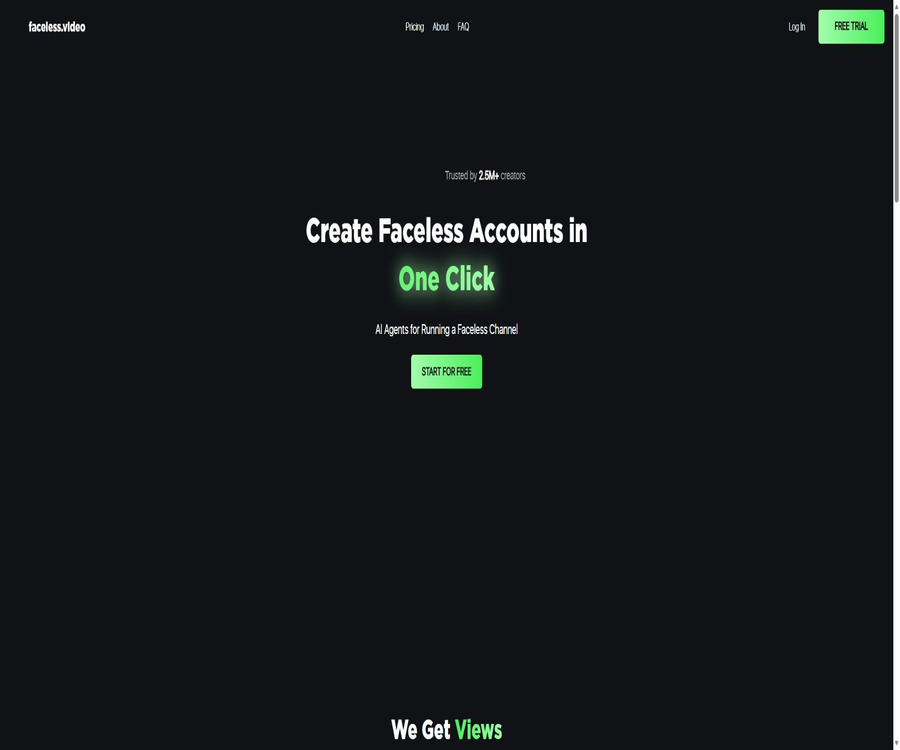
Faceless.video
Faceless.video: an intelligent tool focused on AI programming.
Tags:AI programming toolsA one-sentence summary
Faceless.video is an AI platform that automatically creates and publishes short videos without showing faces. Once users provide a theme or text, the system combines scripts, narration, visual elements, and subtitles to produce the video, which is then published on TikTok, YouTube Shorts, and Instagram Reels as scheduled.
Tool Introduction
Faceless.video is designed for creators who wish to maintain short-video channels on a continuous basis but do not want to appear in person or engage in manual editing of each video. It integrates topic selection, video creation, editing, scheduling, and multi-account publishing into a single automated process, rather than generating just a single video file.
This product was launched in 2023, and public team information indicates that Jacob Seeger was one of its founders. The official website does not provide, on its legal page, clear and complete information about the company’s legal status; therefore, it is necessary to check the details of the contracting party in the billing statements and terms before making any commercial purchases or large-scale subscriptions.
| Stage | Platform tasks | The user needs to make a decision. | Main risks |
|---|---|---|---|
| Planning | Generate scripts and series of content based on the theme. | Sub-niches, tone, audience | Factual errors, repetitive content |
| Production | Generate narration, visuals, subtitles, and scenes. | Video type, audio, visual style | Rights to the material, image distortion |
| Edit | Provides a full-screen preview and editable elements | Whether to rewrite or replace the segment | Automatic results lack brand consistency. |
| Publish | Connect to social media accounts and post content as scheduled. | Platform, account, time, and public status | Misdelivered messages, account authorization, and platform policies |
| Operation | Continuously generate and publish to multiple accounts | Frequency, budget, and manual review | Low-quality bulk content affects recommendations and monetization. |
Main functions
Generate faceless videos from text
Users can enter a theme, a story, or some text, and the system will create short videos that do not require any human presence within a few minutes. The resulting output includes a script, AI-generated narration, background visuals, subtitles, and a pacing format suitable for vertical viewing.
- Suitable for content driven by narration, such as stories, knowledge, motivational material, opinions, and lists.
- Different video types share the same account points, allowing creators to produce content of various types within the same package.
- Automatic generation lowers the barriers to basic editing, but it cannot replace the decision-making process regarding topic selection and fact-checking.
- When generating multiple pieces on the same topic, repeated expressions may arise; therefore, it is necessary to manually add unique perspectives and materials.
Scripts, narration, and subtitles are automatically combined.
The platform converts text content into speech and aligns the narration with the visuals and subtitles. This process is suitable for quickly testing ideas for short videos, but names, numbers, foreign words, and technical terms may still be pronounced incorrectly or with unnatural phrasing.
Scenario-based videos
Some video types organize their footage by scene, and each scene requires the same amount of points as the first scene. The system displays the total cost before finalization, so for longer scripts it is advisable to first determine the number of scenes and then decide whether points should be deducted.
Online editing and regeneration
The official website presents creation, editing, and publishing as a cohesive workflow; once the content is generated, it can be adjusted within the platform. In cases of factual errors, subtitle overflow, or a mismatch between the visuals and the narration, partial modifications should be made rather than relying on automatic publishing.
Scheduled posts on social media
Social Media Scheduler allows videos to be posted on TikTok, YouTube Shorts, and Instagram Reels. After the user connects their account and sets a schedule, the platform can carry out these postings on a daily basis or at a frequency specified by the user.
- It supports three major short-video platforms, reducing the need to upload content repeatedly for each platform.
- The Daily and Double plans include unlimited social media accounts, making them suitable for managing multiple channels.
- Connecting an account grants publishing rights; it is necessary to regularly check permissions, member access, and unauthorized logins.
- A manual approval step should be maintained before automatic publication, to prevent incorrect content from being made public directly.
Multiple accounts and high-frequency production
Starter is more suitable for low-frequency content creation, while Daily and Double offer higher monthly points as well as unlimited social media accounts. Double also provides a priority rendering queue, which is ideal for users who manage multiple channels or publish multiple pieces of content per day.
Carry forward of points
The unused points from a paid plan can be retained and will not be cleared immediately on the monthly settlement date. After canceling the subscription, the remaining points are still valid for 90 days; any further actions regarding them will be determined according to the instructions provided in the account.
Complete workflow
- Determine the channel’s theme, target audience, and platform; avoid covering too many unrelated areas from the start.
- Enter a specific topic or script, and choose the video type, narration, and visual style.
- Check the estimated points before confirming generation; for scenario-based videos, it is particularly important to verify the number of scenarios.
- After it is created, watch the complete video to correct facts, pronunciation, subtitles, pacing, and any inappropriate visual elements.
- Connect to the target social account, set the title, publication time, and visibility settings.
- Release a small amount first and observe completion rates, interaction levels, and any violations, then adjust the topic and production volume accordingly.
Usage tutorial
Create the first video
- Register an account and go to the creation page; first, select the video type that best fits the content’s objectives.
- Enter a clear topic, target audience, and the main message you wish to convey; avoid using only a vague keyword.
- After the system generates the script, remove generic introductions, repetitive sentences, and data without evidence.
- Select the narration and visuals, check the points required for this generation, and then confirm.
- Check the subtitles and visuals segment by segment; if necessary, regenerate individual scenes or rewrite the script.
- Download it for archiving or test it in a private manner first; once everything is confirmed to be correct, release it officially.
Create an automatic publishing schedule
- In the social media account settings, connect only to the official channels that require automatic posting.
- Check the permissions requested for the platform; do not grant additional account rights that are not related to publishing tasks.
- Set an appropriate frequency for each platform to prevent the mechanical repetition of the same content in a short period of time.
- After enabling scheduling, observe the situation for a week first, and set aside time for manual review before each release.
- In the event of authorization failures, platform warnings, or incorrect content delivery, pause the automation process and first identify the cause.
- After the project is completed, revoke the permissions for accounts that are no longer in use, and back up the finished footage that needs to be retained.
Which users are it suitable for
- Channel creators who do not show their face: they wish to continue creating Shorts, Reels, or TikTok videos using narration, subtitles, and visual elements.
- Content entrepreneurs: It is necessary to quickly test multiple specific topics before deciding on which ones to develop with human effort.
- Small marketing team: Aims to turn knowledge points, product information, or brand stories into short videos published at regular intervals.
- Social media managers: They are responsible for managing multiple accounts and coordinating the timing of their creation and publication.
- Behind-the-scenes team for a personal brand: It’s not necessary for the person in question to appear on camera, but consistent content updates are still desired.
- Educators and knowledge creators: They can turn brief explanations into videos, but professional facts must be verified manually.
Typical use cases
- Turn a set of original short stories into a series of short videos, which are released at regular intervals.
- Rewrite common questions, term explanations, or troubleshooting tips into 30 to 60 second long knowledge pieces.
- Generate different scripts, audio, and visual styles for multiple niche channels, while coordinating their scheduling.
- Quickly test the performance of a given topic in terms of viewership, and then pass on the promising topics to a human team for further development.
- Break existing original articles down into key points for short videos, but avoid directly copying content protected by copyright from third parties.
- Create short-term promotional content for events, product updates, or course topics.
Product advantages
- Complete workflow: Everything, from text creation to social media posting, is done on the same platform.
- No live appearance required: suitable for creators who find it difficult to film or wish to maintain their privacy.
- Multi-platform scheduling: It allows coverage of TikTok, YouTube Shorts, and Instagram Reels simultaneously.
- Points can be carried over: When production levels fluctuate, the unused quota does not become invalid immediately at the end of the month.
- Video types can be used interchangeably: one point balance can be allocated across different content formats.
- The advanced version supports an unlimited number of social accounts and prioritized rendering, making it more suitable for multi-channel operations.
Usage restrictions and precautions
- AI scripts may contain factual errors, outdated information, or unfounded claims; knowledge and news content must be verified.
- The automatically selected images, music, sounds, and text may be subject to copyright, trademark, portrait rights, or platform licensing restrictions.
- The fact that users retain ownership of the content they enter does not mean that all third-party materials and AI-generated outputs can enjoy exclusive copyright rights.
- The platform does not guarantee that channels will achieve high viewership, a large number of fans, advertising opportunities, or revenue; automation is not a guarantee of financial profit.
- Social media platforms may restrict content that lacks originality, is repetitive, generated in bulk, or is misleading; the user remains responsible for such content.
- Automatic publishing has external implications; scripts, titles, facts, and the scope of public visibility must be manually verified before scheduling.
- Scenario-based videos incur higher cost per point as the number of scenarios increases, and longer scripts may consume more resources than expected.
- The official website does not provide information on the stable model used, resolution, maximum duration, or language accuracy; it is necessary to test the target format before making a purchase.
- The information regarding legal entities, data retention, and model training is not transparent enough; confidential scripts or unpublished business information should not be uploaded.
- There are many third-party products and mobile applications with the same name; before registering or making a payment, it is necessary to verify the domain name of the product as well as the identity of its developer.
Prices and packages
The following are the official dollar rates as of August 22, 2026. The actual taxes, discounts, and benefits for monthly and annual payments may vary; the details listed on the settlement page shall prevail.
| Package | Monthly price | Annual payment conversion | Monthly points | Primary interests |
|---|---|---|---|---|
| Starter | $ | 14 dollars per month | 30 points | All video types, unused points carried over |
| Daily | 35 dollars per month | $ | 60 points | Starter benefits, unlimited social accounts |
| Double | $ | $ | 120 points | Daily benefits, priority rendering queue |
How to understand integration
- The balance of points can be used for all video types; there is no need to purchase separate packages for each format.
- The specific cost of a video will be displayed before its creation is confirmed; it’s not possible to simply equate one point with one video.
- Each scene in a scenario-based video is charged using the same scoring system as the first scene.
- Unused points can be carried over, making them suitable for creators whose monthly production volume is unstable.
- After cancellation, the points remain valid for 90 days; it is recommended to export the completed videos within that period.
- The official website does not specify a fixed price for additional points that can be purchased separately; it is necessary to check the account’s purchase options before increasing the quantity temporarily.
Refunds and cancellations
The terms of service allow users to contact the platform within 30 days after a deduction to request a discretionary refund, but it is clearly stated that no guarantee is given that such a request will be approved. It is advisable to first test the quality of the videos, the target language, and the connection to social media accounts on a small scale before subscribing.
Supported platforms and outputs
| Platform or capability | Support status | Primary uses | Precautions |
|---|---|---|---|
| Web page version | Support | Creation, editing, scheduling, and account management | Registration and an internet connection are required. |
| TikTok | Supports automatic publishing | Vertical short videos | Comply with the platform’s AI, copyright, and community rules. |
| YouTube Shorts | Supports automatic publishing | Operation of short-video channels | It is also subject to YouTube’s terms and Google’s data policies. |
| Instagram Reels | Supports automatic publishing | Brands and creators’ short videos | It is necessary to have a proper connection to a professional or usable account. |
| Video download | Support | Manual review, backup, or manual release | Even after downloading, it is still necessary to keep a record of the licensing details for the materials. |
| Native mobile apps | Not confirmed | There is no reliable official information available regarding the app. | Do not consider third-party applications with the same name as official products. |
| API | An entry point appears on the page. | It may be used for automated generation. | No complete public documents or fixed packages were found; it is necessary to get in touch for confirmation. |
Copyright and platform compliance
The terms state that users retain the intellectual property rights to the content they provide, but when posting it on YouTube, they must also comply with YouTube’s terms of service. Creators need to ensure that they have the right to use any text, brand materials, images, music, and voice recordings they include.
- Do not repost others’ articles, videos, or social media posts after making minor alterations to them.
- When real people are involved, do not forge their voices, statements, or identities, nor create misleading endorsements.
- Retain material licenses, purchase records, prompt words, and manual modification records to facilitate handling of copyright complaints.
- Label AI-generated or synthesized content in accordance with the requirements of the target platform.
- A large number of approximate videos may be classified as repetitive or of low value, which affects recommendations and the generation of revenue from ads.
- Medical, financial, legal, and news videos require more rigorous fact-checking and risk warnings.
Privacy and account security
The privacy policy states that the platform may collect names, email addresses, and content entered by users. The available information does not clearly specify all of the AI suppliers, the methods used for training, or the retention periods for different types of data; therefore, it is not suitable for submitting confidential customer information, unreleased strategies, or sensitive personal data.
Check before connecting to social accounts
- Use dedicated brand accounts and team email addresses; do not share the password to your personal account.
- On the authorization page, verify the platform name, the permissions being requested, and the channels that can be managed.
- Only grant permissions to the accounts that need to publish content, and assign the minimum level of access to the members.
- Regularly check the scheduling, published content, and unusual login attempts; if any errors are detected, stop the process immediately.
- After stopping use, revoke the authorization from the social platform’s security settings, rather than just canceling the subscription.
APIs, GitHub, and open source status
The official website features a link to API access, but as of the time of verification, no complete list of available interfaces, authentication methods, rate limits, or separate pricing details were available. Teams that need to integrate these services on a bulk basis should consult the authorities to determine what is feasible and what service commitments are available; the requests made through the website itself should not be considered public APIs.
No GitHub organizations, SDKs, or open-source licenses that can be verified as belonging to Faceless.video were found. The repositories for video generation with identical names that appeared in the search are third-party projects; the Faceless.video product itself should be considered a commercial, closed-source service.
Basic information
| Project | Content |
|---|---|
| Tool name | Faceless.video |
| Tool type | Platform for generating and automatically publishing short videos with AI without showing faces |
| Main inputs | Theme, text, script, and channel settings |
| Main output | Short videos with narration, visuals, and subtitles |
| Publication platform | TikTok, YouTube Shorts, Instagram Reels |
| Price pattern | Monthly or annual point subscription |
| Free plan | The long-term free plan has not been confirmed. |
| Is registration required? | It is necessary. |
| Chinese support | No public commitments regarding the quality of full Chinese text generation and speech output. |
| API | An entry point is available on the page, but no complete public documentation exists. |
| Official SDK | Not confirmed |
| Is it open source? | No |
| Main platforms | The web interface is connected to social media platforms. |
Recommendation score
Recommendation score: 3.9 / 5. Faceless.video offers a comprehensive set of functions for creating short videos, managing points, handling multiple accounts, and automating uploads; it is suitable for transforming channels that do not feature any visible faces from occasional content creation to regular, consistent publishing.
The main shortcomings are the limited alignment of the model with output specifications, APIs, privacy handling practices, and transparency regarding legal entities; in addition, automated content is subject to risks related to copyright issues, duplicate content on the platform, and errors in distribution. Its most appropriate role is that of a creation assistant, rather than a completely autonomous system for generating profit.
Frequently Asked Questions
What is Faceless.video used for?
It automatically creates faceless short videos based on a theme or text, and it can be connected to TikTok, YouTube Shorts, and Instagram Reels for scheduled posting.
Is Faceless.video free?
The currently available pricing options are mainly Starter, Daily, and Double subscription plans; there is no confirmed long-term free plan. The registration page may offer a trial or demonstration, but such temporary experience cannot be considered a permanent free option.
How many points are required for a video?
There is no fixed answer; the type of video and the number of scenes affect the cost. The platform shows the required points before generation, and an additional charge is applied for each extra scene in a scenario-based video.
Do the points expire?
Unused points during the subscription period can be carried over. The remaining points after cancellation can still be used for 90 days; it is recommended to complete the generation and export of these points within that time frame.
Can different video types be created by mixing together?
Yes. The points remaining in a package can be used for all types of videos, so users do not need to subscribe separately for different content formats.
Which platforms can it be sent to automatically?
The official scheduling tool lists TikTok, YouTube Shorts, and Instagram Reels explicitly. The rules for the platforms as well as the requirements regarding account types may change; it is necessary to check the current authorization instructions when making connections.
Can it not be made public for now?
Creators should preview, edit, or download the final version before publishing it, and choose between draft, private, or public mode depending on the settings of the social platform. Not all automatically generated content is suitable for immediate publication.
Can the generated content be used for commercial purposes or turned into revenue?
Users retain the right to their own input content, but they must also have legitimate permission for all materials and brand elements, and their content must comply with the platform’s AI and monetization policies. The platform does not guarantee any income.
What is the refund policy?
You can apply for a discretionary refund within 30 days after the deduction, but it is up to the platform to decide whether to approve it. Testing the desired content with the lowest package first can help reduce the risk of mismatch.
Will canceling the subscription remove access to the social account?
Automatic cancellation cannot be set as the default option. After canceling, it is necessary to go to the security or app authorization pages on various social media platforms to check and remove any connections that are no longer in use.
Are APIs provided?
The official website provides an API Access option, but no comprehensive public documentation or clear information regarding pricing is available. Before carrying out a formal integration, it is necessary to consult the authorities regarding the interfaces, authentication procedures, quotas, and the scope of support offered.
Is Faceless.video open source?
It is not open source. No official GitHub repository or open-source license for the product was found, and third-party repositories with the same name do not represent this commercial platform.
Is it suitable for completely unattended use?
It is not suitable. The facts contained in the script, copyright issues, subtitles, audio, visuals, and the scope of public availability all need to be reviewed; automatic publishing should be accompanied by a mechanism for manual approval and the ability to disable such automatic releases in case of abnormalities.
Summary
Faceless.video is suitable for creators who do not want to show their face and wish to post content on Shorts, TikTok, or Reels at a regular frequency. It combines text-to-video conversion with scheduling across multiple platforms, and its point system makes it easy to cope with fluctuations in production volume.
When using it, originality, copyright issues, accuracy of facts, and account security should take precedence over the speed of automation. Start by testing the target language and the performance of the channel with a small number of videos; establish a manual review process before increasing the frequency of content generation and publication.
Tools similar to Faceless.video



 Guigong Network Security Registration No. 45132202000164