






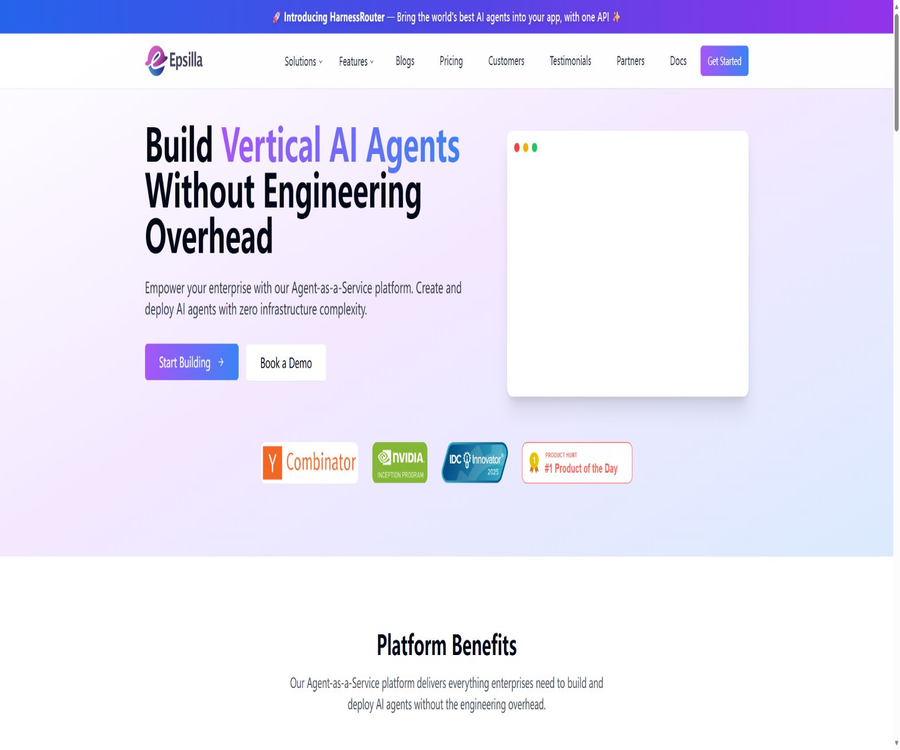
Epsilla
Epsilla, an intelligent tool focused on AI programming
Tags:AI programming toolsA one-sentence summary
Epsilla is a platform designed for creating AI agents, private knowledge bases, and RAG applications; it offers both visual cloud services tailored for business users, as well as open-source vector databases that can be hosted locally.
Tool Introduction
Epsilla brings together data ingestion, parsing and segmentation, vector retrieval, model invocation, agent configuration, evaluation, and deployment in a single workspace. Users can first establish a knowledge base, and then create chat agents or intelligent search applications.
The product currently consists of two components that need to be understood separately: Epsilla Cloud is a commercial AI agent along with a RAG platform, while Epsilla Vector Database is an open-source vector database. The fact that the database and its client are open source does not mean that the entire cloud platform is open source.
| Product composition | Primary uses | Delivery method | Open-source status |
|---|---|---|---|
| Epsilla Cloud | Knowledge base, AI agents, workflows, evaluation and deployment | Web-based cloud services | It has not been confirmed whether the source code of the cloud platform is available publicly. |
| Epsilla Vector Database | Vector storage, semantic retrieval, and hybrid retrieval | Docker self-hosted or managed services | The core repository uses GPL-3.0 |
| Official client | Managing vector databases through programs | Python, JavaScript, Ruby, and others | Different client licenses are verified separately. |
| Examples and Integration | Q&A, chat, and video search for presentation documents | Code repository and framework compatibility | Some warehouses use MIT or Apache-2.0. |
Main functions
1. Visual creation of AI agents
Users can create AI agents for specific domains within the web interface, and configure prompts, knowledge materials, models, and retrieval processes. For basic tasks, it is not necessary to develop a complete backend from scratch.
- The Chat Agent is used for continuous Q&A and dialogue based on private data.
- The Smart Search Agent is used to retrieve information from a knowledge base and organize the responses.
- Advanced workflows allow the combination of retrieval, modeling, tools, and conditional processing steps.
- Version control is used to keep track of changes in the application’s configuration, thereby reducing the risk of having difficulty reverting to a previous version after changes are made.
- The preview feature allows you to check the answers, sample questions, and interactive elements before publishing.
2. Multi-channel RAG knowledge base
Epsilla can integrate local files, websites, and enterprise content systems into a knowledge base; after processing these elements through parsing, segmentation, vectorization, and indexing, they serve as the retrieval context for responses generated by intelligent agents.
| Data channels | Support status | Typical uses |
|---|---|---|
| Local files | Support | Manuals, reports, systems, and product documentation |
| Website | Support | Help center, public materials, and content sites |
| Google Drive and Notion | Support | Team documentation and collaborative knowledge |
| S3 and Google Cloud Storage | Support | Business files in object storage |
| Azure Blob Storage | Support | Data in Microsoft’s cloud environment |
| SharePoint and Confluence | Support | Corporate portal and internal knowledge |
| Jira | Support | Project, issue, and ticket details |
3. Data parsing, segmentation, and automatic synchronization
The knowledge base offers options for parsing, segmentation, embedding models, metadata handling, and automatic synchronization. Teams can adjust the way content is divided based on its structure, and use metadata to limit the scope of searches.
- Auto Sync is used to continuously synchronize changes from external data sources into the knowledge base.
- Data Parsing determines how to extract readable text from files or pages.
- Data Chunking controls the way text is divided into chunks, and it affects the granularity of results retrieved as well as the length of the context.
- The Embedding settings determine how the knowledge content is converted into a vector representation.
- Hypothetical Questions can generate hypothetical questions for content, helping to improve the retrieval of answers in Q&A systems.
- Webhooks and programmatic management capabilities enable the integration of knowledge base updates into business processes.
4. Private data retrieval and hybrid search
The underlying vector database supports filtering by vector fields and metadata, as well as mixed retrieval that combines dense vectors with sparse vectors. It is suitable for tasks such as semantic search, document question answering, recommendation, and long-term memory in large models.
Databases incorporate common management concepts such as databases, tables, and fields; vectors are just one type of field. Developers can store business-related fields simultaneously, and retrieval can yield both raw text and structured data.
5. Integration of models with search services
The platform’s documentation lists major model providers such as OpenAI and Anthropic, and it supports embedding services like GPT, Claude, Mistral, as well as Jina AI and Voyage AI. The available models vary depending on the supplier and account permissions.
Users can use their own model keys; the costs and usage limits associated with model calls are handled by the respective suppliers. The document also mentions Tavily as a web search service that provides agents with up-to-date information from the internet.
6. Application evaluation
Epsilla provides evaluation projects, evaluation runs, and historical records to compare the performance of agents or retrieval processes. Previous public updates listed metrics such as ROUGE and Token Overlap; the specific metrics available depend on the current console.
7. Publication, Embedding, and Dialogue Analysis
After completing the configuration, users can preview and publish the application, as well as embed the chat interface on a website. The publishing settings allow for the use of themes, logos, Markdown, and LaTeX.
The platform includes tools for analyzing user interactions, allowing users to see how the application is being used. Before implementing it in a business environment, it is necessary to determine the criteria for analysis, the duration for which data is stored, and the rules regarding the handling of personal information.
8. Project and Team Management
Projects are used to group agents, knowledge bases, evaluation tools, and integration resources, as well as to assign access rights to team members. Project-level keys enable programmed access to these resources; once created, they need to be stored securely and rotated regularly.
Epsilla Vector Database
Vector database capabilities
- It supports similarity retrieval based on embedded vectors.
- It supports management operations such as databases, tables, fields, insertion, updating, deletion, and querying.
- It supports metadata filtering, which makes it easier to narrow down the range of results based on user, time, category, or permissions.
- It supports hybrid search that combines dense and sparse vectors.
- It supports built-in embedding, enabling natural language input and output in certain scenarios.
- It offers capabilities related to separate computing and storage, Serverless architecture, and multi-tenant models.
Deployment and client side
Developers can start the database service using Docker, and mount the data directories to persistent storage. Python client libraries can be used to create databases and tables, insert records, and execute semantic queries.
| Access method | Uses | Public status |
|---|---|---|
| Docker image | Deploy the Epsilla Vector Database service | Official quick-start guide available |
| Python client | Database management and querying | The official warehouse continues to provide it. |
| JavaScript client | Integration with Node.js or web backend | Available from the official warehouse |
| Ruby client | Integration of Ruby applications | Available from the official warehouse |
| REST API | Use standard network requests to manage the database. | Vector database documentation listed |
| LangChain and LlamaIndex | Integrate with the RAG application framework | There is official or ecosystem integration available. |
Complete workflow
- Create an Epsilla account and navigate to the default project to verify the team requirements, data compliance rules, and budget constraints.
- Select a local file, website, or cloud-based content system to create a knowledge base and complete the authorization process.
- Set the parsing, chunking, embedding, metadata, and synchronization policies, then wait for the data to be indexed.
- Create a Chat Agent or Smart Search Agent, select a model, and associate it with a knowledge base.
- Configure prompt words, retrieval steps, tools, and output methods, and test real-world problems in a preview environment.
- Establish evaluation data and indicators to review the accuracy of answers, the cited content, and failed cases.
- Save the application version, and choose between web publishing, embedding, or programmatic invocation to make it available online.
- The knowledge base and workflows are continuously adjusted by using analyses, evaluation records, and user feedback.
Usage tutorial
Create the first knowledge base Q&A agent
- Create a knowledge base within the project, and select a data source for which usage rights are available.
- Upload a small number of representative files; first, use the default parsing and chunking settings to create the index.
- Create a chatbot and link it to that knowledge base, specifying the scope of responses and the approach to take when questions cannot be answered.
- Prepare factual questions, cross-document questions, and unanswered questions, and check each item to verify the retrieved content and responses.
- After confirming the effectiveness, expand the scope of the data and enable automatic synchronization suitable for the data source.
Connect to custom model keys
- Select the model provider in the integration settings.
- Create a model key with minimized permissions, and complete the verification in Epsilla.
- Assign the required models to agents or tasks, in order to avoid using costly models by default.
- Check the Epsilla resource usage and the model provider’s billing separately, as the two may be billed independently.
- Set up budget alerts and establish a key rotation process, so that keys can be revoked promptly in the event of an employee leaving the team or a key being leaked.
Self-hosted vector database
- Prepare a server that is capable of supporting Docker, and plan for the persistent data directories, ports, and backup strategies.
- The pull server retrieves the vector database image, mounts the data directory, and then starts the service.
- Install the official client, connect to the database, and create table structures as well as vector indexes.
- Write a small number of test records to verify semantic queries, metadata filtering, and the fields returned.
- Before going live, implement identity verification, network isolation, monitoring, upgrade, and disaster recovery solutions.
Which users are it suitable for
- Corporate knowledge management team: Utilizes information scattered across documents, websites, and collaboration systems for internal Q&A.
- Product and customer service teams: Create product assistants, a search function in the help center, and intelligent customer support agents.
- Developers: Build RAG applications by utilizing open vector databases, clients, and APIs.
- Consulting and professional services team: Develop domain-specific agents based on industry data, regulations, and project documents.
- Data and AI team: Testing the partitioning, embedding, retrieval workflows, and answer evaluation methods.
- Teams that require private deployment: self-host vector databases and integrate the application layer with existing systems.
Typical use cases
- Internal system Q&A: Allows employees to find answers in policies, procedures, and operation manuals.
- Customer support: Integrate product documentation and frequently asked questions into the chat assistant to reduce repeated inquiries.
- Intelligent in-site search: Search the help center or content library based on semantics rather than just keywords.
- Project Knowledge Assistant: Synchronize project data from Drive, Notion, Confluence, or Jira.
- Document research: Search for and summarize multiple reports, while retaining traceable pieces of information.
- Developer retrieval base: Provides vector storage for chatbots, recommendations, search, and large model memory.
Product advantages
- The process, from data ingestion to the release of intelligent agents, is fairly complete, which reduces the need for configuration tasks across various separate services.
- It meets both the visual setup needs of business staff, as well as the database, client, and programmatic management requirements of developers.
- The knowledge base connectors cover common files, websites, cloud storage, and enterprise collaboration systems.
- Settings such as segmentation, embedding, metadata, hypothetical questions, and automatic synchronization are suitable for the continuous optimization of RAG.
- It supports projects, members, versions, and evaluations, facilitating team management of multiple applications.
- The source code of the underlying vector database is available publicly, allowing developers to examine its implementation and host it on their own in accordance with the license terms.
Usage restrictions and precautions
- RAG responses may still omit information, cite it incorrectly, or provide inaccurate summaries; key business outcomes require manual verification.
- The quality of a knowledge base depends heavily on the original documents, the results of parsing, the chunking strategy, the embedding models, and the permission settings.
- External models, search services, and data sources may incur separate costs; therefore, the total cost cannot be estimated solely based on the Epsilla package.
- Free and Starter come with clear restrictions on the number of members and projects, making them unsuitable for complex multi-departmental permission structures.
- Web scraping, cloud storage synchronization, and enterprise connectors are affected by third-party permissions, speeds, and content formats.
- A self-hosted vector database is not equivalent to a fully privatized cloud platform; the agent interface, evaluation mechanisms, and connectors need to be verified separately.
- GPL-3.0 imposes obligations regarding the distribution and creation of derivative works; prior to commercial integration, it must be reviewed by both technical and legal teams.
- Public information does not provide a complete description of all options related to data retention, model training, and data storage areas; contract approval is required before sensitive data is made available.
Prices and packages
The Epsilla cloud platform is available in four tiers: Free, Starter, Professional, and Enterprise. The public documents that are currently available specify the limits regarding the number of members and projects, but they do not provide up-to-date figures that can be relied on with certainty; therefore, it is not advisable to refer to past screenshots or prices from third parties.
| Package | Current public price | Team members | Number of projects | Suitable for users |
|---|---|---|---|---|
| Free | The display on the console is the authoritative source. | 1 person | 1 | Personal trials and proof of concept |
| Starter | The display on the console is the authoritative source. | Up to 2 people | 1 | Small collaborative teams |
| Professional | The display on the console is the authoritative source. | Up to 20 people | Up to 10 | Multiple application or departmental projects |
| Enterprise | Contact sales | No restrictions | No restrictions | Enterprises that need customized security, capacity, and support |
On the billing page of the console, you can view the current plan, resource usage, payment methods, and past invoices; you can also request an upgrade. The actual costs, file capacity, number of applications, message limits, and corporate benefits are subject to the details provided on the purchase page or in the contract.
Additional costs
- When using your own large model keys, the costs for text generation and embedding are charged separately by the model provider.
- Web search services may require a separate account and call quotas.
- Object storage, cloud platform traffic, and enterprise content systems can incur third-party fees.
- Self-hosted databases incur costs for computing, storage, backup, monitoring, and maintenance.
Platform support and integration
| Platform or integration | Support status | Explanation |
|---|---|---|
| Web console | Support | Knowledge base, agents, evaluation, team, and billing management |
| Docker | Support | Self-hosted Epsilla Vector Database |
| Windows, macOS, and Linux | Indirect support | The cloud platform can be accessed via a browser, and the deployment of databases depends on the Docker environment. |
| Native mobile apps | Not confirmed | No official iOS or Android clients have been identified. |
| Model provider | Support | It can be connected to services such as OpenAI and Anthropic. |
| Enterprise data sources | Support | Drive, Notion, S3, SharePoint, Confluence, and Jira, etc. |
| Web search | Supports integration | The document lists Tavily; a corresponding key is required. |
| Website embedding | Support | The agent, once published, can be placed on a web page. |
APIs, SDKs, and open-source status
Epsilla Cloud enables the management of API keys within projects, and offers capabilities such as the automated management of knowledge bases. Project keys should be saved securely as soon as they are displayed only once; in a production environment, minimum permissions, key rotation, and access auditing are also necessary.
The main repository of Epsilla Vector Database is licensed under GPL-3.0, with its core components implemented in C++. The official Python and JavaScript clients are licensed under Apache-2.0, while sample applications and some integration repositories use the MIT license; it is necessary to check each specific project’s license details.
| Components | Is it open source? | License or instructions |
|---|---|---|
| Epsilla Cloud platform | Open source not confirmed | Commercial cloud services cannot be assumed to be open source just because they are based on database repositories. |
| Epsilla Vector Database | Yes | GPL-3.0 |
| Python client | Yes | Apache-2.0 |
| JavaScript client | Yes | Apache-2.0 |
| Ruby and other clients | Partially public | The licenses and maintenance status should be checked on a per-warehouse basis. |
| Application examples | Yes | The example repository uses MIT. |
Privacy, security, and copyright
- Before uploading to the knowledge base, it is necessary to verify the access permissions for files, websites, and cloud data, in order to prevent customer or employee information from falling into the hands of unauthorized persons.
- Connecting to third-party models involves sending the necessary inputs to the respective supplier; the purposes for which the data is used and the rules regarding its retention must be checked in the supplier’s agreement.
- Project keys, model keys, and data source authorization credentials should not be included in public code, prompts, or shared documents.
- The team should establish a minimum level of access for the project, and revoke permissions promptly when there are changes in the roles of its members.
- Public information does not fully clarify whether all customer data is used for model improvement; mechanisms for excluding and deleting such data in sensitive scenarios should be specified in the corporate contracts.
- The responsibility for applying patches to self-hosted databases, ensuring network isolation, performing backups, managing logs, and carrying out recovery tasks lies with the party that deploys them.
Basic information
| Project | Content |
|---|---|
| Tool name | Epsilla |
| Core products | AI agent platform, RAG knowledge base, and vector database |
| Main application types | Chat Agent, Smart Search Agent, and custom workflows |
| Knowledge materials | Files, websites, cloud storage, and enterprise collaboration systems |
| Price pattern | Free tier, tiered subscriptions, and enterprise customization |
| Is registration required? | Cloud platforms are required; self-hosted databases do not depend on cloud accounts. |
| Chinese support | It can handle Chinese content; a full Chinese interface requires actual verification. |
| API | Both cloud projects and vector databases offer programming capabilities. |
| SDK or client | Python, JavaScript, Ruby, and others |
| Is it open source? | Vector databases are open-source; cloud platforms cannot be labeled as entirely open-source. |
| Main platforms | Web, Docker, and developer clients |
Recommendation score
Recommendation score: 4.3 / 5. Epsilla is suitable for teams that wish to integrate a knowledge base, RAG, agent development, evaluation, and deployment within the same platform, as well as for developers who need an open-source vector database foundation.
The main drawback is that the currently disclosed pricing information is not transparent enough, and the boundaries between cloud platforms and open-source databases can be easily misunderstood. Before proceeding with a purchase, it is necessary to verify the actual data sources, the quality of search results, the costs associated with third-party models, as well as the terms related to corporate data.
Frequently Asked Questions
Is Epsilla free?
The cloud platform offers a free tier suitable for personal verification; the official documentation indicates that both the number of members and the number of projects allowed are limited to 1. Other plans require payment through the control panel or based on corporate pricing.
Is Epsilla just a vector database?
No. The vector database is one of its underlying and open-source products; currently, Epsilla also offers knowledge bases, AI agents, workflows, evaluation tools, deployment functions, and team management capabilities.
Is Epsilla open source?
A separate assessment is required. The Epsilla Vector Database is released under the GPL-3.0 license, and the source code for several clients and examples is also available publicly; however, the Epsilla Cloud platform cannot be considered an entirely open-source solution based on this.
What types of files can be uploaded?
Local files, websites, Google Drive, Notion, S3, SharePoint, Confluence, Jira, and various cloud object storage services can be used. The specific file formats and size limits are determined by the current plan and the parser in use.
Is team collaboration supported?
It supports project and member management. The Free plan allows up to 1 person, the Starter plan up to 2 people, the Professional plan up to 20 people; the Enterprise plan does not specify a limit on the number of members.
Is it possible to integrate one’s own model?
Yes. The platform allows for the configuration of model provider keys, while the costs associated with invoking models as well as the rate limits are managed by the respective providers.
Is an API provided?
It offers programmable capabilities. Cloud projects allow for the management of API keys and knowledge base resources; in addition, the vector database provides REST interfaces as well as clients in multiple languages.
Is private deployment supported?
Open-source vector databases can be hosted using Docker, but this does not mean that the entire Epsilla Cloud application layer can be deployed privately. Companies that wish to have their agent platforms in a private environment should consult the official team to determine the scope of such deployment.
Is the generated response reliable?
The quality of the responses depends on the data, analysis, segmentation, retrieval methods, and the models used. Even with RAG in place, omissions or incorrect conclusions can occur; therefore, it is necessary to use evaluation sets and manual checks to verify important results.
Will the data be used for training?
The available public information, which can be verified at present, is not sufficient to fully address the purposes of training using customer data. Before uploading sensitive information, companies should obtain written guidelines regarding the exclusion, retention, deletion of such data, as well as the data areas involved.
Summary
Epsilla integrates multi-channel knowledge bases, RAG retrieval, AI agents, workflows, evaluation, and deployment into a cohesive application workflow, while also maintaining an open-source vector database that can be self-hosted.
Individuals can use the Free tier to test their knowledge in question-and-answer scenarios, while teams should choose a suitable package based on the needs of their members, projects, and available resources. Before making a purchase or going live, it is essential to verify the current prices, the costs associated with models and external searches, data compliance requirements, as well as the actual boundaries of the cloud platform and open-source components.
Tools similar to Epsilla



 Guigong Network Security Registration No. 45132202000164