






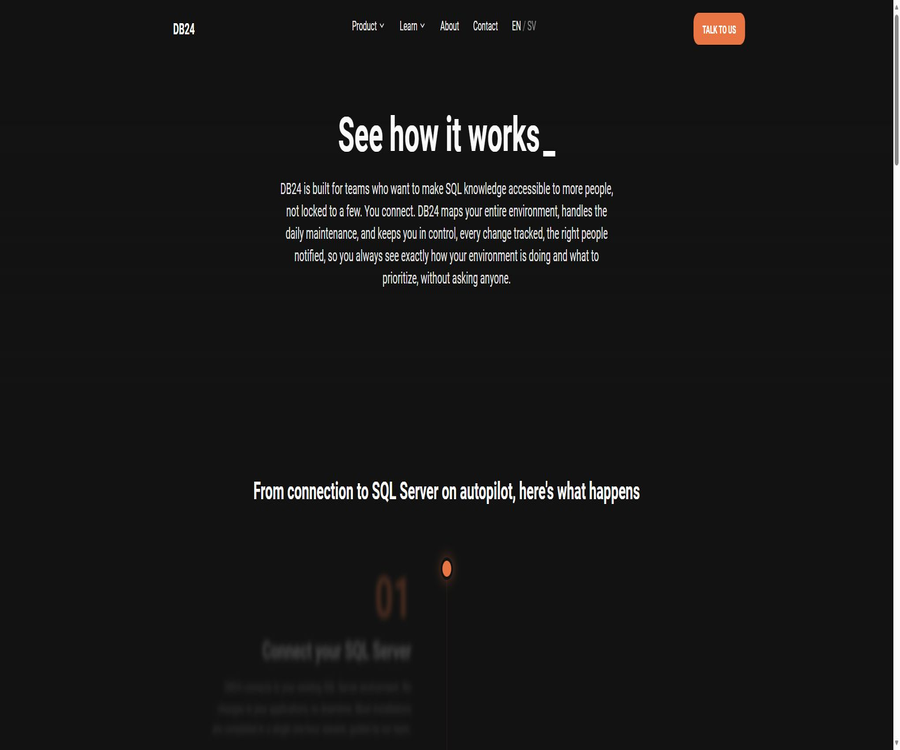
db24.ai
db24.ai, an intelligent tool focused on AI programming
Tags:AI programming toolsA one-sentence summary
DB24 is an intelligent operations platform that can be deployed within existing Microsoft SQL Server environments in enterprises; it automates backup and routine maintenance tasks, provides centralized monitoring of database health, tracks changes in configurations and permissions, and uses an AiQ score ranging from 0 to 10 to indicate which issues require priority attention.
Tool Introduction
DB24 was developed by the Swedish company DB24 AB; it is designed to serve as a substitute for SQL Server on autopilot. It transforms the processes of monitoring, maintenance, backup, and fault detection, which previously relied on a small number of database administrators, into configurable and trackable automated tasks.
It is not an online AI assistant designed for generating SQL statements in natural language or for creating business databases, nor is it a hosted database service. The software is installed in the customer’s local environment as DB24 CORE, and it operates through a central Datastore, a Runtime component on each instance, and a Web Portal.
Product architecture
| Components | Deployment location | Main responsibilities | Data flow direction |
|---|---|---|---|
| Datastore | Customer SQL Server environment | Aggregate data from multiple instances, save historical records, and generate reports and notifications. | Proactively connect to the Runtime and retrieve data. |
| Runtime | Each managed SQL Server instance | Collecting metrics, performing maintenance tasks, receiving configurations | Pulled by Datastore on a scheduled basis |
| Portal | Web management interface | Check health, automate configurations, manage instances, and generate reports. | Read the centralized information in the Datastore. |
| SQL Agent Jobs | Managed instances and Datastore | Scheduled collection, maintenance, notification, and configuration synchronization | Execute according to the task plan. |
| API Views | API architecture of Datastore | Provide a stable read-only view for internal integration. | External systems read data through SQL queries. |
Central Datastore
The Datastore is responsible for aggregating the information collected by multiple Runtimes and storing historical data, thereby providing information on instances, databases, backups, capacity, jobs, and security status in one place. The official documentation states that the Datastore runs on SQL Server, or it can be deployed as a sidecar on existing instances.
Local Runtime
Runtime is a proxy component that is installed on each managed SQL Server instance; it consists of a small Runtime database, SQL Server Agent jobs, and stored procedures. It collects health and performance metrics locally, and carries out maintenance tasks such as backups, index creation, and statistics updates.
Web Portal
Portal serves as a unified management interface through which teams can view insights, configure automation, and manage the entire SQL Server environment. It allows IT managers, system administrators, and DBAs to use the same set of data, eliminating the need to check the logs of each individual server separately.
Main functions
Automatic discovery in SQL Server environment
Once connected, DB24 creates a centralized list of instances, databases, and configurations, which helps teams identify databases that have been forgotten, are rarely used, or lack a designated owner. The results of this list should still be cross-verified with the CMDB, business owners, and the processes for disabling databases.
AiQ Database Health Score
Aggregated Instance Quality assigns a score ranging from 0 to 10 to each instance, based on criteria such as configuration, storage, security, performance, and backup and recovery. This score is used to determine the order in which inspections should be carried out, and it also provides specific suggestions for improving the score.
- View the current scores of all instances at once to identify environments with a higher risk level first.
- Compare the current score with the historical and initial scores to observe whether the improvement is sustained.
- Drill down further by main category, subcategory, and parameters, rather than just looking at the total score.
- Compare the inspection results with Microsoft’s standards and industry practices to create a list of actions for improvement.
Automated database backup
DB24 allows for the scheduling of full backups on a per-instance basis, as well as optional differential backups and transaction log backups; it also automatically retries failed tasks. Even if an enterprise uses other backup solutions, the platform can still provide a centralized view of the status of those backups.
- It supports backup compression, and integrity verification can be performed upon completion.
- Complete, differential, and log backups can be scheduled based on the recovery mode and database size.
- Large databases can be split into multiple backup files to improve throughput.
- The cleanup rule will delete old files only when a new successful backup of the same type is created.
- Databases that are temporary or not required to be included in the DB24 backup can be excluded.
- Notifications can be triggered in cases of backup failure, expiration, abnormal size, or incorrect path.
Indexing, statistical information, and integrity maintenance
The platform integrates index reconstruction or reorganization, statistical information updates, database integrity checks, and file size monitoring into a unified maintenance engine. Each operation leaves behind records of the commands used, the start and end times, the duration of the operation, as well as any error messages, which facilitates auditing.
Real-time monitoring and early warning
DB24 continuously monitors the health of the instance, the status of backups, disk capacity, permissions, and any error messages, sending warnings to the appropriate personnel. Notifications should be configured based on severity, the instance to which they relate, and business hours, in order to avoid alert fatigue.
Change tracking and auditing
The platform uses DDL triggers to record changes in objects such as databases, schemas, and stored procedures, and to link these changes with the execution time, username, and commands used. Security views also provide information on instance logins, database users, roles, as well as the permissions that have been granted or denied.
Patching and lifecycle recommendations
Patch Advisor is used to compare the current SQL Server patches with the recommended targets, while LifeCycle Advisor shows the release dates of various versions as well as Microsoft’s support status. Before a patch is deployed, it is still necessary to test its compatibility in a testing environment and to determine appropriate rollback procedures.
Capacity and licensing optimization
DB24 aggregates information on instance size, CPU usage, memory usage, disk usage, as well as historical changes in capacity, thereby helping teams identify underused databases and over-configuration. The decision to reduce server or SQL Server licenses should be based on actual load levels, availability requirements, and contractual considerations.
Database usage insights
Database Engagement data is used to determine the latest activity levels of a database as well as trends in connection usage, and it can provide insights for making decisions regarding archiving, integration, or decommissioning. Low activity does not mean that the database has no business value; before decommissioning, it is necessary to obtain confirmation from the system owner and to have a restoreable backup available.
How does DB24 work?
- Identify the SQL Server instances, network areas, service levels, and responsible persons that need to be under management.
- Run the Environment Readiness Wizard to verify the server, account, network, and dependent conditions.
- Deploy Datastore, Portal, and the Runtime required for various instances in the customer’s environment.
- Datastore connects to Runtime on a scheduled basis to centrally retrieve configuration, health, and maintenance data.
- View the environment list, AiQ score, backup status, and risk notifications in Portal.
- Enable backup, indexing, statistics, integrity, and capacity maintenance for each business window.
- Route the notification to the appropriate team and use historical data to verify the effectiveness of the corrective actions.
- When it is necessary to integrate with a CMDB or generate reports, data is retrieved through supported read-only SQL views.
Installation and Getting Started Guide
Preparations before installation
- Confirm that this project is intended for Microsoft SQL Server only, and list all instances to be connected.
- Read the prerequisites, permissions, and installation documentation that correspond to the target version.
- The Runtime Environment Preparation Wizard fixes missing components, network access issues, or account permissions.
- Plan the firewall, name resolution, and credentials for the connection from Datastore to Runtime.
- Specify the Datastore deployment instance, Portal certificate, backup directory, and notification recipients.
- Complete installation, uninstallation, and restoration drills for the testing environment before making any production changes.
Deploy DB24 components
- Download the official installer for the current unified version; do not use different release versions together.
- First, deploy the central Datastore and Portal, and verify that the management interface is accessible.
- Install the Runtime components on the first low-risk SQL Server instance.
- Verify that the Datastore is able to retrieve Runtime data, and that the configurations are delivered correctly.
- Check the status of SQL Server Agent jobs, Runtime databases, and service accounts.
- After completing the small-scale verification, add the remaining instances in batches.
- Save the version, installation parameters, account details, certificates, and rollback steps.
Enable automatic maintenance
- First, examine the existing backup, indexing, integrity, and statistics tasks to avoid running them repeatedly.
- Select full, differential, and log backup strategies based on the recovery point objective.
- Set the backup path, compression, verification, retention period, and threshold for splitting large databases.
- Define business maintenance windows for indexing, statistical information, and integrity checks.
- First, enable it on the non-critical instances and observe changes in duration, lock waits, as well as CPU and storage usage.
- Once the results are confirmed to be stable, gradually expand the scope while retaining the database-level exclusions.
Establish a closed-loop alarm system
- Map instances and databases to specific business and technical owners.
- Define notification levels based on backup, security, capacity, performance, and version risk.
- Set rules for email or team delivery to prevent all events from being sent to everyone.
- Set time limits for confirmation, escalation, handling, and review for each type of severe alert.
- Regularly check for invalid recipients, duplicate events, and issues that have not been resolved for a long time.
- Use the AiQ historical trends and maintenance logs to confirm whether the issue has been truly resolved.
Which users are it suitable for
- System administrator: Performs standardized SQL Server maintenance in the absence of a dedicated DBA.
- Database Administrator: Centralized management of multiple instances, reducing redundant scripts and routine inspections.
- DevOps and platform teams: Integrate database health, versioning, and capacity into a unified operational process.
- IT Manager: Use AiQ and reports to identify risks, resources, and priorities for corrective actions.
- Hosting service providers: Serve multiple clients or separate environments under unified rules.
- Public sector and regulated organizations: Retain backups, permissions, and audit evidence of changes.
- Medium to large enterprises: Managing a growing number of SQL Server assets with dispersed owners.
Typical use cases
| Scene | Usage features | Main results | Manually controlled points |
|---|---|---|---|
| SQL environment without ongoing maintenance | Runtime and automatic maintenance | Execute key tasks as planned. | First, eliminate any existing duplicate tasks. |
| The backup status is not transparent. | DB24 Backup and Notifications | View successfully processed, expired, and abnormal items in one place. | Conduct regular real-world recovery drills. |
| Multi-instance health inspection | AiQ score | Arrange the processing order according to risk. | Judgment is made based on the business importance. |
| Permission and architecture auditing | Users, logging in, and DDL tracking | Keep track of who changed what and when. | Restrict log access and set a retention period. |
| SQL license optimization | Use capacity insights | Identify idle or over-allocated resources | Verify peak load and contract details |
| Patch and version management | Patch and LifeCycle Advisor | Create a list of candidates for upgrading | First, test compatibility and perform a rollback. |
| Enterprise report integration | Versioned API Views | Read-only extraction of operation and maintenance data | Fix the view version and take control. |
Product advantages
- It covers monitoring, maintenance, backup, changes, and security information at the same time, thereby reducing the number of separate tools.
- Runtime executes tasks locally on managed instances, while the central Datastore aggregates historical data in a unified manner.
- AiQ transforms complex assessments into scalable health scores ranging from 0 to 10.
- It automatically maintains reservation commands, duration information, and error records, facilitating auditing and review.
- It can manage DB24’s own backups as well as monitor the status of backups created by third parties.
- Supported, versioned, read-only SQL views are provided to facilitate integration with internal systems.
- The local installation mode is suitable for organizations that require the database management components to remain within their own enterprise environment.
Usage restrictions and precautions
- The product is designed specifically for Microsoft SQL Server and is not a platform that works with multiple databases.
- It is necessary to install components such as databases, jobs, stored procedures, and Portal in the customer’s environment.
- Automated maintenance can affect production loads; it is necessary to evaluate the available time windows and resources before enabling it.
- The Datastore needs to be able to connect to various Runtimes; when it is deployed across different network segments, network settings and permissions must be configured in advance.
- All DB24 services should be on the same version; running mixed versions is not supported.
- AiQ is an auxiliary indicator for determining operational priorities; it cannot replace business impact analysis or the judgments of DBAs.
- Backup verification does not equate to actual recovery; companies still need to conduct regular recovery drills.
- The official website does not disclose information regarding the free version, the duration of the free trial period, or the price of the standard package.
- The licensing terms prohibit decompilation, modification, and copying; the product itself is not open-source software.
- When ceasing use, it is necessary to uninstall the DB24 database and SQL Agent jobs in accordance with the contract.
Price and licensing options
As of August 22, 2026, DB24 does not have a fixed price list that can be purchased directly. The official website asks companies to contact the support team to obtain quotes based on the scale of their environment, with the licensing fees determined by the number of software instances in use.
| Plan or cost item | Public price | Billing method | Core content | Suitable for users |
|---|---|---|---|---|
| DB24 CORE software license | Custom quote | It is calculated based on the connected instances, and payment is usually made in advance on an annual basis. | Local software usage rights and specified functions | Companies that have an SQL Server environment |
| Add new managed instances | Custom quote | Include in annual instance accounting | Expand the scope of managed SQL Server. | Organizations in the process of expansion |
| Additional services | Custom quote | As stipulated separately in the main agreement | Installation, uninstallation, or other professional services | Enterprises that need support implementation |
| Free version or public trial | Not disclosed | Not disclosed | The official website does not guarantee a fixed free quota. | To evaluate users, it is necessary to contact the team. |
DB24 allows for a True-Up to be performed annually in order to verify the number of connected instances, and customers are also required to keep this information accurate throughout the duration of the agreement. When placing an order, the billing criteria applicable to testing, disaster recovery, cluster nodes, and temporary instances should be included in the quote.
What needs to be confirmed before quoting?
- Count the number of instances for production, testing, disaster recovery, and decommissioned candidates respectively.
- Verify whether annual licensing, implementation, training, upgrades, and support are charged separately.
- Understand how high-availability clusters, passive nodes, and short-term instances are billed.
- Specify the contract duration, renewal adjustments, payment currency, and taxes.
- Confirm the additional cost for the new instance and the schedule for the annual True-Up.
- Clarify the responsibility boundaries for uninstallation assistance, data export, and post-termination tasks.
Version and Download
The official installation page identifies DB24 2026.2.3 as the latest version during verification, while still offering several installation packages from the 2026.1 and 2025 series. New instances must be installed with a version that is identical to the existing DB24 environment.
| Version | Public status | Applicable scenarios | Precautions |
|---|---|---|---|
| 2026.2.3 | Current latest | First installation or unified upgrade | First, read the corresponding release notes. |
| 2026.1.3 | History available for download | Match the existing environment of the same version | Do not use it in combination with other versions. |
| 2025.5.2 | History available for download | Scaling or maintenance of the old environment | Evaluate upgrades and security updates |
| 2025.4.5 | History available for download | Used only for version consistency. | It should not be considered as a recommendation for the new version. |
| 2025.3.4 and 2025.2.3 | History available for download | Specific old environment | Confirm support, patches, and upgrade paths |
Data, Privacy, and Security
The centralized data listed in the official technical documentation includes instance and database configurations, backup records, connection activities, jobs, login information and permissions, capacity details, error logs, maintenance records, and ratings. Before deployment, enterprises should verify which fields will be included in the Datastore, as well as who will have access to them through the Portal or integrated views.
DB24’s privacy policy applies to personal data of website visitors, contacts, and individuals in business relationships; it also states that the company may act as a processor in customer relations. The policy specifies that personal data is retained only for as long as it is necessary to achieve the intended purposes, and it is either deleted or securely anonymized after regular reviews.
- Adhere to the principle of least privilege by configuring separate service accounts for Datastore, Runtime, and Portal.
- Protect the Portal with trusted TLS certificates and restrict the network range of the administrative access points.
- Implement role isolation for views that contain login names, permissions, and command text.
- Define the retention periods required for operational data, change logs, and error logs based on business needs.
- Confirm the contractual arrangements regarding suppliers, sub-processors, cross-border data transfers, and data retention.
- Regularly check accounts, SQL Agent jobs, triggers, and configuration changes.
- Integrate platform alerts into the existing event response and auditing processes.
- Critical databases still require separate offline or immutable backup strategies.
Integration, APIs, and openness
The APIs mentioned in the DB24 documentation refer to versioned SQL views within the Datastore’s API framework, and not to public Web interfaces. These views provide structured data in a read-only manner, ensuring that the columns and their semantics remain consistent across different versions.
| Integrated data | Representative view | Primary uses | Notes on versions |
|---|---|---|---|
| Health score | AiQ scoring views at various levels | Dashboard and trend analysis | It allows reading current and historical ratings. |
| Backup | Backups and BackupStatus | Backup auditing and alerts | Covers records from different backup vendors |
| Assets and Allocation | Instances and Databases | CMDB and environment inventory | Read the latest version via stable synonyms |
| Safety | Logins and DatabaseUsers | Permission audit | Strictly restrict queries to specific accounts. |
| Change | Changes | DDL change history | Contains the login name and command. |
| Maintenance | MaintenanceLogs | Maintenance results and error statistics | Retain the execution command and duration |
| Capacity | Volumes and VolumeHistory | Capacity trends and expansion plans | Suitable for periodic reports |
| Connection | Connections | Activity usage analysis | 2026.2 should use the current v2 structure |
Process for accessing read-only views
- Identify the fields that are truly necessary for the reports or CMDB, in order to avoid accessing all sensitive information.
- Create a dedicated SQL login or service identity with the minimum required permissions in Datastore.
- Only the API architecture views supported by the official sources are queried; no direct reliance is placed on internal tables.
- When a stable contract is required, a view with a version suffix should be used.
- It is hoped that official synonyms will be used when the latest structure is obtained as part of an upgrade, and that changes will be monitored.
- Verify the new version of the view in the testing environment before updating it in the production setup.
- Record the query frequency, entities that access the data, its destination, and the retention period.
GitHub, SDKs, and open-source status
As of the time of verification, the official website and official documentation did not provide any confirmed official GitHub organization, public source code repository, or development language SDK. The database projects with the same name that were found cannot be considered related to DB24 AB on this basis.
DB24 CORE is commercial software designed for local deployment; its licensing terms reserve ownership of the software and related intellectual property rights, and prohibit decompilation, modification, and copying without written permission. Therefore, this product should be classified as non-open source.
| Project | Public information | Correct understanding |
|---|---|---|
| DB24 CORE source code | Not disclosed | Commercial closed-source local software |
| Official GitHub | No findings were detected. | It is not possible to use a repository with the same name as a replacement. |
| Official SDK | No findings were detected. | There are no verifiable language packs available. |
| Public Web API | No findings were detected. | Do not confuse it with the SQL view interface. |
| Datastore API Views | Already provided | Versioned read-only SQL views in the customer’s environment |
| Private deployment | Support | DB24 CORE is installed in the customer’s local environment. |
Supported platforms
| Platform or environment | Support status | Uses | Explanation |
|---|---|---|---|
| Microsoft SQL Server | Core support | Runtime, Datastore, and automatic maintenance | It does not mean support for other database engines. |
| Web browser | Support | Visit the DB24 Portal | It is necessary to configure Portal and TLS. |
| Windows desktop app | No findings were detected. | No independent client. | It is primarily managed through the Portal. |
| macOS desktop app | No findings were detected. | No independent client. | The Portal can be accessed via a browser. |
| iOS and Android Apps | No findings were detected. | No public native applications available. | Mobile devices are not the primary method for management. |
| Datastore SQL view | Support | Internal reports and system integration | Read-only, versioned interface |
| Public Web API | No findings were detected. | No public developer calls available | It is necessary to contact the authorities to confirm the possibility of customization. |
Basic information
| field | Content |
|---|---|
| Tool name | DB24 |
| Product name | DB24 CORE |
| Development company | DB24 AB |
| Location of the company | Gothenburg, Sweden |
| Tool type | SQL Server Intelligent Automation Operations Platform |
| Core functions | Monitoring, maintenance, backup, AiQ scoring, changes, and security auditing |
| Deployment method | Deployment in the customer’s local environment |
| Main platforms | Microsoft SQL Server and Web Portal |
| Current version | 2026.2.3 |
| Price pattern | The pricing is customized based on the connected instances, and payment is usually made in advance on an annual basis. |
| Is it free? | No public free version or fixed trial policy available |
| Is registration required? | It requires procurement, deployment, and account configuration by the enterprise. |
| Chinese support | The official website and documentation are primarily in English; there is no Chinese interface description. |
| Integrated interface | Versioned read-only SQL views in Datastore |
| Public Web API | No public interfaces were found. |
| Official SDK | No findings were detected. |
| Official GitHub | No findings were detected. |
| Is it open source? | No |
Recommendation score
The recommendation score is 4.2 out of 5. DB24 combines functions such as environment detection, automatic maintenance, backup, scoring, permission management, and change logging for SQL Server; it is suitable for enterprise operations teams that wish to reduce reliance on manual intervention while still maintaining control over their systems.
The main barriers are local deployment, the requirement to use SQL Server, the lack of transparency regarding prices, and the risk that automatic maintenance can introduce changes to the production environment. Before making a purchase, it is necessary to conduct limited-scale technical tests, recovery drills, and to have a clear understanding of how costs are calculated for the instances in question.
Frequently Asked Questions
Is DB24 an AI tool for generating SQL?
No. DB24 is primarily used to automate the monitoring, backup, maintenance, evaluation, and auditing of Microsoft SQL Server; it is not a chat tool that generates query statements using natural language.
Is DB24 free?
The official website does not disclose any information regarding a free version, a free usage quota, or a fixed trial period. Companies need to contact the authorities in order to obtain a quote based on the number of managed instances and any additional services required.
How is DB24 priced?
The licensing fee is based on the number of SQL Server instances connected to the software; it is usually paid in advance on an annual basis, with the quantity possibly being verified through an annual adjustment. The actual unit price and billing criteria are determined according to the company’s quotes and the main agreement.
Does DB24 need to be installed locally?
It is necessary. DB24 CORE is deployed locally and includes a central Datastore, a Web Portal, as well as Runtime components installed on managed SQL Server instances.
Will DB24 replace database administrators?
It can automate a large number of repetitive maintenance tasks and centralized inspections, but it cannot replace architectural design, assessments of business impacts, handling of complex failures, or approval processes for changes. Critical operations still require supervision by personnel with experience in SQL Server.
Which databases are supported by DB24?
The current official documentation and specifications focus on Microsoft SQL Server. There is no reliable evidence indicating that it can manage MySQL, PostgreSQL, Oracle, or other databases.
What does the AiQ score represent?
AiQ assigns a score ranging from 0 to 10 based on assessments of storage, security, performance, backup, and recovery, and provides recommendations for improvement. It is used to determine priorities, but it does not constitute a guarantee of availability or a certification of compliance.
Does DB24 provide APIs?
What is provided are versioned, read-only SQL view interfaces within the customer’s Datastore, which can be used for generating reports and integrating with internal systems. No public Web API or developer console has been found.
Is DB24 open source?
It is not open source. The licensing terms state that the intellectual property rights to the software belong to DB24 or its licensors, and they restrict decompilation, modification, and copying.
What happens after it is stopped being used?
Upon the termination of the license, use must be ceased and the DB24 software components, including the related databases and SQL Agent jobs, must be deleted or destroyed; it is specified that the customer’s own data should remain unchanged. The specific procedures for uninstallation and data export shall be defined in the contract.
Summary
DB24 is suitable for enterprises that manage a large number of or critical Microsoft SQL Server instances, as it enables the consolidation of asset discovery, health scoring, backup, maintenance, change management, and permission information into a trackable operations framework. Its value lies in standardizing processes and reducing reliance on individual contributors, rather than in generating business data or replacing all DBA decisions.
Before making a choice, it is essential to verify the permissions for local deployment, the impact on production loads, the actual recovery capabilities, the scope of the data, version consistency, and the pricing per instance. If an enterprise needs Web API access, support for multiple databases, or open-source code, then other options need to be considered or evaluated separately.
Tools similar to db24.ai



 Guigong Network Security Registration No. 45132202000164