






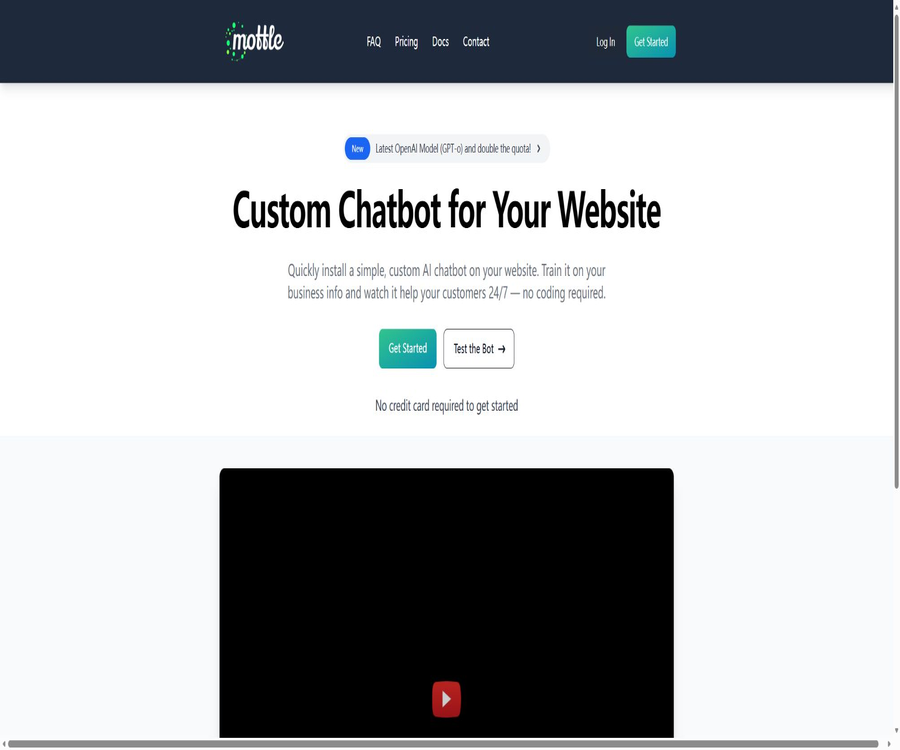
Custom ChatGPT for Your Website
Custom ChatGPT for Your Website, an intelligent tool focused on AI programming
Tags:AI programming toolsA one-sentence summary
Mottle is a programming-free platform for creating AI-based knowledge base robots for websites; once users upload corporate information, it generates customer service assistants that can be tested, adjusted, and integrated into websites.
Tool Introduction
Mottle is aimed at small and medium-sized enterprises, website operators, and service teams; it addresses the issue that the standard ChatGPT does not have access to corporate-specific information. The platform first searches for relevant snippets in the uploaded content, and then passes those snippets along with the questions to the model to generate answers.
The current payment options include GPT-4o, web embedding, Zapier, and API. The official website allows testing to be started without a credit card, but the published pricing does not indicate the duration of any permanently free subscription plans; therefore, it is not possible to describe the trial option as a permanently free one.
Main functions
Upload corporate information to train robots
Users can add FAQ, policies, product descriptions, case studies, and other textual materials, so that the robot can provide answers based on the specified knowledge. The quality of these materials, their frequency of updating, and the scope of coverage directly influence the accuracy of the responses.
Snippet knowledge segments
Mottle breaks down the data into searchable snippets; each snippet can hold around 450 model tokens, which is equivalent to approximately 1,800 English characters. Special delimiters can be added to the text to help the system divide it into sections based on topics.
Robot personality and fixed context
On the settings page, it is possible to modify the robot’s name, its personality, the Sticky Context, as well as the error message that is displayed when a question cannot be answered. The Sticky Context is intended for storing information related to the company’s identity and behavioral rules; it should not contain large amounts of data that are prone to change.
Answer debugging
Debug Answers displays recent issues along with the knowledge snippets used to generate the answers. Administrators can use this information to identify missing content, incorrect segments, or similar issues, and then modify the relevant materials before uploading them again.
Website chat component
The release page provides chat widgets that can be embedded on websites, without the need to host model services oneself. After installation, it is necessary to check the loading speed, any overlay issues, privacy-related warnings, and the options for contacting support on both desktop and mobile devices.
JSON API
The API accepts the Bot ID, Secret, and the question, and returns a JSON response; it also offers Conversation and Email modes. The Secret should be stored only on the server side and must not be exposed in public web scripts or client code.
Zapier integration
Mottle can be integrated with Slack, Discord, Microsoft Teams, Facebook Pages, and email through Zapier Webhooks. Some of the integration methods outlined in the official tutorials are still labeled as indirect solutions; they should not be considered as full-native integration methods.
Multilingual Q&A
The official website claims to offer multilingual support, and the quick tutorials are tested using Chinese questions. The availability of a language does not guarantee reliable professional translation; important terms, numbers, and policies need to be verified in the target language separately.
Working principle
- The administrator uploads text material, and the platform breaks down the content into searchable knowledge segments.
- Visitors submit questions through website components or external integrations.
- The system searches the knowledge base for the segments most relevant to the question.
- The relevant snippets, robot commands, and questions are all submitted to the OpenAI model for processing.
- The robot generates responses, or returns a predefined error message when insufficient information is available.
- The administrator views the segments that were matched on the debugging page and continuously improves the knowledge base.
Create a robot in five minutes
- Log in using a Google, Microsoft, or GitHub account and create an empty bot.
- Set the robot’s name, role, fixed background, and a message to display when it cannot answer.
- Compile a short, accurate FAQ document organized by topic.
- Upload the document from the Training page and wait for the system to complete the processing.
- Testing is carried out using correct questions, ambiguous questions, out-of-bound questions, and Chinese questions.
- In Debug Answers, you can see which snippets were used for each answer.
- Release the website component or call the API after correcting the data.
Website embedding tutorial
- First, complete at least one round of the response test and set clear failure messages.
- Go to the Publish or API page to obtain the embedding code for the current robot.
- Insert the code in the appropriate location of the website template or tag management system.
- Check the positioning, hierarchy, and loading performance on desktops, tablets, and smartphones.
- Test whether anonymous visitors can see internal information that should not be made public.
- Add a privacy notice and a live customer service option, and gradually make them available to actual visitors.
- Regularly check the issue log and add frequently occurring unanswered questions to the knowledge base.
Channels and access methods
| Channels | Access method | Primary uses | Restrictions |
|---|---|---|---|
| Corporate website | Official embedded Widget | Visitor Q&A and basic customer service | It is necessary to check front-end privacy and compatibility. |
| Own applications | JSON API | Integrate the answers into the product or internal system. | Protect Bot Secret |
| Slack | Zapier and Webhook | Internal knowledge Q&A | It is not a complete native integration. |
| Discord | Zapier and Webhook | Community Q&A | Robot messages must be filtered to avoid loops. |
| Microsoft Teams | Zapier and Webhook | Team channel Q&A | Delays and timeouts may occur. |
| Facebook Page | Zapier and Messenger actions | Responses via social media channels | The real user ID must be mapped correctly. |
| Zapier Email and API Email modes | Automatic email Q&A | Complex emails and attachments require separate handling. |
Which users are it suitable for
- SME websites: Provide round-the-clock basic support through products, policies, and frequently asked questions.
- SaaS team: Answers questions regarding features and accounts on the help center and product pages.
- E-commerce operators: Explain products, delivery, returns and exchanges, as well as pre-sales inquiries.
- Internal support team: Convert institutional and procedural documents into knowledge robots for employees.
- Course and community administrators: Provide self-service access to teaching materials or rules.
- Developer: Integrate knowledge Q&A into their own interface via a simple API.
Typical use cases
- Visitors ask about operating hours, scope of services, return policies, or contact information.
- Customers can use the product documentation to identify common setup and usage issues.
- Employees can query internal procedures, and turn to a human supervisor when the available answers are insufficient.
- Issues are received via Slack or Teams, and then forwarded to Mottle by Zapier.
- Record unanswered questions and improve the FAQ and help center accordingly.
- Use the API to display responses on mobile devices, in the member area, or within a customized chat interface.
Prices and packages
As of August 2026, Mottle has announced three monthly subscription plans priced in dollars. Any unused monthly query quota does not carry over to the following month, and users who opt for an annual subscription receive a certain amount of time for implementation support.
| Package | Price | Number of robots | Each robot snippet | Total queries per month | Annual consultation fee |
|---|---|---|---|---|---|
| Hobby | $ | Up to 2 | Up to 4,000 | Up to 4,000 times | 30 minutes |
| Pro | $ | Up to 5 | Up to 10,000 | Up to 20,000 times | 2 hours |
| Business | $ | Up to 10 | Up to 30,000 | Up to 100,000 times | 4 hours |
| Custom | Contact the authorities. | As required | As required | As required | In accordance with the contract |
All three available solutions include GPT-4o, Zapier, APIs, website widgets, and email support. Additional implementation consulting is charged at $300 per hour; the final price, taxes, and fees are specified on the purchase page.
How to choose a package
| Demand | Suggested solution | Reason for selection | Upgrade signal |
|---|---|---|---|
| Single website or small FAQ | Hobby | 2 robots and 4,000 monthly queries are usually sufficient for a trial run. | Queries that are close to the upper limit or contain more than 4,000 segments |
| Multiple products or moderate volume of customer service requests | Pro | 5 robots and 20,000 queries | Sustained growth across teams or during peak periods |
| Multiple brands and a large number of visitors | Business | 10 robots and 100,000 queries | More robots, quotas, or contractual support are needed. |
| Special capacities and corporate procurement | Custom | Negotiate as needed | Security, SLA, or custom implementation are required. |
Refund and credit limit rules
- The website’s FAQ offers a 60-day money-back guarantee without any need for a reason; to request this refund, you need to contact support.
- The number of unused queries is not carried over to the next month.
- The query quota is calculated as a total across all robots, while the Snippet limit is determined on a per-robot basis.
- The consultation time included with the annual payment should not be construed as being included in the monthly payment as well.
- Customized plans, taxes and fees, as well as the dates for renewal and cancellation, must be confirmed prior to payment.
Data and Privacy
- The official FAQ states clearly that uploaded documents are stored in Google Cloud and Pinecone, which are used by Mottle.
- The document is transmitted to OpenAI during embedding or when answering, so that OpenAI can process the relevant content.
- Mottle cites the policy according to which the OpenAI API is not intended for training purposes, and data obtained through it is deleted after 30 days; however, customers should verify this in accordance with the current service agreement.
- Do not upload passwords, payment data, medical records, identification documents, or unauthorized customer information.
- Deleting a robot will immediately remove its documents and query logs, and this action is irreversible; it is necessary to create a backup separately before proceeding.
- Website visitors may enter personal information; companies should provide privacy notices and restrict access to logs.
Answer quality and debugging
- Create short, self-contained Snippets for each policy or issue, to avoid having a single segment that covers multiple topics.
- Specify the date, applicable regions, exceptions, and contact information in the documentation.
- Admit your lack of knowledge using failure messages; do not force the robot to guess.
- Check the retrieval fragments on the debugging page, rather than just modifying Personality.
- Add synonymous expressions and direct answers for questions that are prone to confusion.
- Update the information and retest after any change in products, prices, or policies.
- High-risk issues are referred to human agents; robots are not allowed to issue legal, medical, or financial decisions on their own.
API usage process
- Obtain the Bot ID and Bot Secret on the Publish or API page.
- Store the Secret in the server environment or a key management system, rather than including it in the browser code.
- The server sends JSON questions and handles the answers as well as any error fields.
- Use the current Conversation mode when continuous dialogue is required, and save the necessary session state.
- Set rate limits for users, channels, and time windows to prevent abuse of the quota.
- Log errors and delays, but do not include secrets or other sensitive information in the logs.
- Before going live, test for timeouts, empty answers, exhausted quotas, and failures in the upstream models.
APIs, SDKs, and open-source status
| Ability | Support status | Explanation | Precautions |
|---|---|---|---|
| JSON API | Support | Query the robot using the Bot ID and Secret. | Secret is only used on the server side. |
| Conversation mode | Support | Used for continuous Q&A | Verify the status of the current document. |
| Email mode | Support | Customize email text | Attachments and complex threads require testing. |
| Official SDK | No findings were detected. | The document provides examples of JavaScript, Python, and command-line requests. | Examples are not equivalent to SDKs that are under maintenance. |
| Official GitHub | No core official organizations or warehouses were found. | The document cites individual example Gists. | Do not confuse it with projects of the same name. |
| Is it open source? | No | The core platform provides hosted business services. | The availability of APIs does not mean that the source code is available. |
Product advantages
- Creating paths is simple, making it suitable for teams that lack experience in model deployment and vector databases.
- The debugging page displays the segments used in the answer, making it easier to identify knowledge gaps.
- The three packages clearly specify the limits for robots, Snippets, and queries.
- All paid plans include website components, APIs, and Zapier integration.
- It supports multi-language Q&A, and allows the setting of a fixed context and error messages.
- A 60-day refund guarantee provides a longer period for verification during the official trial.
Usage restrictions and precautions
- There is no publicly disclosed limit for long-term free plans, and the testing interface should not be confused with paid subscriptions.
- All knowledge-based Q&A responses may still contain illusions, and the official troubleshooting documents also acknowledge that it is impossible to completely avoid this.
- The query quota is shared across different robots, and any unused amount at the end of the month is not carried over.
- Model and vector storage are handled by third parties, and they are not suitable for sensitive data that has not yet passed compliance audits.
- Tutorials for Slack, Teams, Discord, Facebook, and email primarily rely on Zapier; they are not all natively integrated.
- Zapier Webhooks may time out due to a 30-second limit or model latency, and may fail silently.
- Deleting a robot is irreversible; it will remove both the data and the query logs.
- The documents and some of the integration tutorials were updated quite some time ago; they should be verified again on the current interface before actual deployment.
Supported platforms
| Platform | Support methods | Main functions | Notes |
|---|---|---|---|
| Web management interface | Native | Training, testing, debugging, and deployment | Log in using a third-party account |
| Corporate website | Widget | Visitor chat | No need for self-hosting |
| Own applications | JSON API | Query robot | The Secret needs to be protected on the server side. |
| Slack and Discord | Zapier | Channel Q&A | Filter robot messages to avoid loops |
| Microsoft Teams | Zapier | Team channel Q&A | It might be slower. |
| Facebook Page | Zapier | Reply to page messages | Proper permissions and user ID are required. |
| Zapier and Email mode | Questions and answers on sending and receiving emails | Check timeout and privacy settings | |
| Native mobile apps | No findings were detected. | It can be accessed through the website. | Do not write it as an iOS or Android app. |
Basic information
| Project | Content |
|---|---|
| Tool name | Mottle |
| Tool type | Website AI knowledge base and customer service robots |
| Model | The paid plans currently list GPT-4o. |
| Knowledge structure | The document is split into Snippets. |
| Minimum price | Hobby costs $19.95 per month. |
| Login method | Google, Microsoft, or GitHub |
| Website embedding | Yes |
| API | Yes, JSON API. |
| Zapier | Yes |
| Official SDK | No findings were detected. |
| Is it open source? | No |
Recommendation score
The recommendation score is 4.0 out of 5. Mottle is easy to use; its price and pricing limits are clear, and its function for debugging snippets is more practical than that of simple robots which only provide black-box responses.
The main shortcomings are that the data passes through multiple cloud services, integration relies heavily on Zapier, queries are not carried over from one session to another, and some pages of the official documentation are outdated. It is suitable for Q&A systems on websites with low to moderate levels of sensitivity.
Frequently Asked Questions
Is Mottle free?
The official website allows testing to be started without a credit card, but it does not disclose the fixed limit of the long-term free plan. The official pricing starts at $19.95 per month.
What is included in the lowest package?
Hobby costs $19.95 per month; it allows up to 2 robots, 4,000 Snippets per robot, and a total of 4,000 queries per month for all robots combined.
Is an OpenAI API key required?
It is usually not necessary; Mottle includes model integration. Some advanced features may allow or require users to provide their own keys.
Will the uploaded document be sent to OpenAI?
Yes. The official FAQ states clearly that these documents are intended for use with OpenAI’s embedding and response APIs; therefore, a compliance assessment must be carried out before uploading any sensitive information.
Is Chinese supported?
Multiple languages are supported, and the official tutorials include tests in Chinese. Professional Chinese materials still require verification regarding word segmentation, terminology usage, and the accuracy of the responses.
Can it be placed on a website?
Yes, all current paid plans include website embeddable widgets. Before going live, failure messages, privacy notices, and options for manual transfer should be configured.
Are APIs provided?
It offers a simple JSON API, and the documentation includes examples in JavaScript, Python, and the command line. No officially maintained SDK is available.
Is Mottle open source?
It is not open source; its core product is a commercial hosting service. Do not confuse it with tools of the same name available on GitHub or with other Mottle projects.
How long is the refund period?
The website’s FAQ provides a 60-day money-back guarantee without any need for a reason. Details such as the application process, whether it applies to first-time purchases or renewals, etc., should be confirmed before making the payment.
Can it be restored after deleting the robot?
No. Deletion will immediately remove the robot’s documentation and query logs; it is necessary to export or retain the original data before proceeding.
Summary
Mottle provides a straightforward approach to establishing a knowledge support system, through document snippet retrieval, visual debugging tools, website widgets, and a simple API – making it suitable for small and medium-sized teams that wish to launch such a system quickly.
What truly determines the effectiveness is the structure of the data and its ongoing maintenance. It is recommended to start with FAQs that involve low levels of sensitivity, in order to test search functions and responses in a limited scope; thereafter, a suitable package can be chosen based on the volume of queries, privacy requirements, and channel needs.
Tools similar to Custom ChatGPT for Your Website



 Guigong Network Security Registration No. 45132202000164