






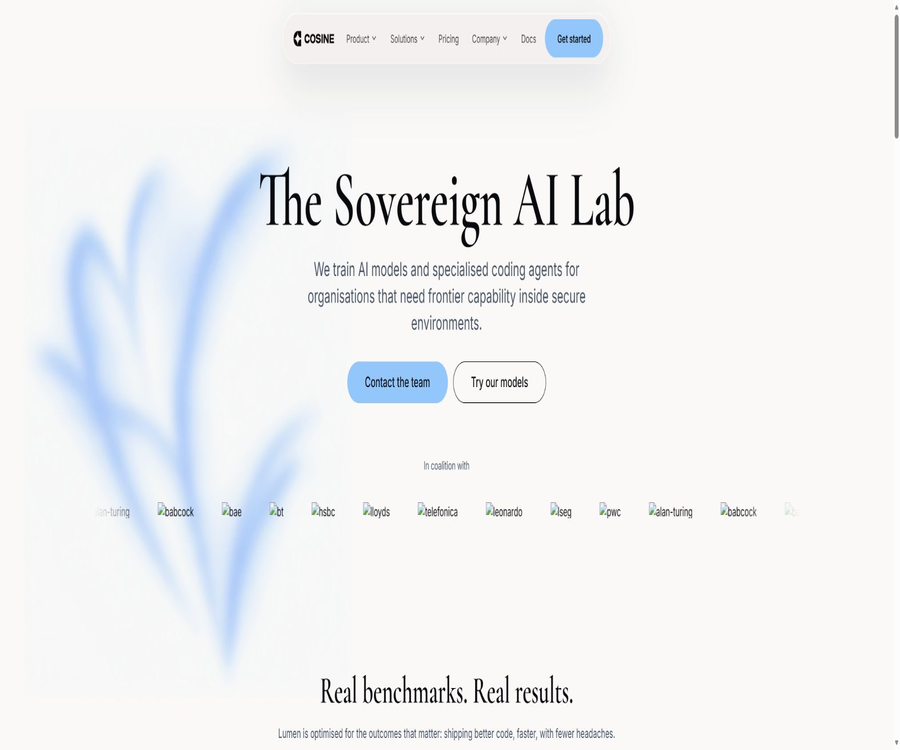
Cosine
Cosine, an intelligent tool focused on AI programming
Tags:AI programming toolsA one-sentence summary
Cosine is an AI programming agent designed for real-world software engineering tasks; it can understand codebases, create plans, modify files, execute commands, and deliver review-ready code changes on the cloud, via the command line, and on desktop systems.
Tool Introduction
Cosine is operated by the British company Buildt AI Limited; in its early stages the product was known as Genie, but now the official website uses Cosine as the unified brand name. It doesn’t just help complete individual lines of code – it organizes the entire development process around tasks, sessions, environments, and code reviews.
Developers can use proxies to handle minor defects, as well as to carry out tasks such as developing cross-file functions, performing restructurings, testing, and migrations. Companies can also seek advice regarding the deployment of private, sovereign, or isolated networks; however, the specific scope of delivery needs to be assessed separately.
Main functions
Understand the existing codebase
Cosine will read the project files, retrieve the relevant implementations, and analyze the dependencies; it is useful for understanding the architecture, identifying the authentication processes, or finding points where changes can be made. The results still depend on the repositories, configurations, and operating environment to which the agent has access.
Planning and executing development tasks
The agent can first create a plan, then modify the code, run builds or tests, and proceed with further iterations based on the results. Users should specify clear acceptance criteria and check their permission levels before executing high-risk commands.
Bug fixing and feature development
The product can be used to fix interface issues, add tests, develop new functions, and adjust existing logic. Complex tasks should be broken down into verifiable stages to avoid making too many changes at once.
Code review and reversible commits
The command-line tool can create Agent Commits at the end of each editing session, so that the changes remain visible, auditable, and reversible. Developers can disable this feature, but it is not recommended to bypass the team’s existing review processes and continuous integration procedures.
Cloud proxy
Cosine Cloud can be connected to GitHub repositories; it allows projects to be cloned in a remote environment and tasks to be executed there, with the resulting changes returned for the user’s review. The cloud environment is suitable for team coordination and parallel work, but it requires that the code be placed on approved remote infrastructure.
Local command line
Cosine CLI provides an interactive terminal interface in the current project directory; it also supports one-time prompts, background tasks, historical sessions, and project association. It is suitable for developers who are accustomed to using terminals and prefer to work with local toolchains.
Desktop application
The desktop version allows users to link to local folders; on the same interface, it is possible to view plans, timelines, code differences, as well as use a terminal and a built-in browser. Certain automation functions may require additional features or permission for screen recording, and permissions should be minimized to what is necessary for each specific task.
Multi-agent and Swarm modes
The Swarm mode is used to distribute tasks among multiple agents and coordinate the resulting outputs; it is more suitable for complex tasks that can be clearly divided into smaller parts. Parallel agents increase the workload related to scoring, model invocation, and review, and they do not guarantee the generation of correct results automatically.
Connecting custom capabilities with tools
The official documentation lists Skills, Plugins, Hooks, Memory, Modes, browser automation, the LSP manager, and MCP configuration, which enable the integration of project rules and external tools into the workflow. The permissions for each connector as well as the destination of the data must be reviewed separately.
Model selection and proprietary subscriptions
Cosine offers its own models as well as various proxy mechanisms; it also allows users who work from the command line to utilize routing inference through existing ChatGPT or Claude Max subscriptions. Availability and the actual pricing depend on the account details, the login method, and the rules set by the model provider.
Comparison of the three usage methods
| Usage method | Code location | Main advantages | Suitable scenarios | Precautions |
|---|---|---|---|---|
| Cloud | Remote environment | Team management, warehouse connection, and parallel tasks | Remote development and collaboration | Verify warehouse authorization and cloud data rules. |
| CLI | Local projects | Terminal operations, scripting, and existing toolchains | Personal development and local debugging | Agents can run commands and modify files. |
| Desktop | Local projects | Plans, discrepancies, browsers, and terminals are displayed together. | Visual review and local work | System-level auxiliary permissions may be requested. |
Supported work scenarios
- Read unfamiliar warehouses and explain the directories, modules, and call relationships.
- Identify defects, modify the implementation, and add targeted tests.
- Develop cross-file functions based on the acceptance criteria.
- Restructure the duplicate code and run existing tests to verify behavior.
- Perform framework upgrades, interface migrations, and bulk mechanical modifications.
- Organize the changes, generate a submission, and submit it for manual code review.
- Parallel tasks that can be separated independently through multi-agent processing.
- Evaluate private or isolated deployments in environments with high security requirements.
Standard workflow
- Select Cloud, CLI, or Desktop, and grant permissions only for the repositories and environments required by the current task.
- Describe the problem, objectives, areas that are prohibited from being modified, test commands, and acceptance criteria.
- Let Cosine analyze the code first and come up with a plan; changes will be made only after the direction has been confirmed.
- Monitor file modifications, command outputs, test results, and proxy submissions.
- Examine the differences on a file-by-file basis, and add boundary testing, static analysis, and security scanning.
- It is approved, merged, and deployed by authorized developers, with a rollback path maintained.
Cloud Usage Tutorial
- Create a Cosine account and team, and select a plan based on the expected usage.
- Activate the subscription through the settlement process, then access the cloud workspace.
- Connect to GitHub and select precisely the organizations and repositories to which access is allowed.
- Check the project settings, environment variables, and continuous integration rules after importing them into the warehouse.
- Create a task, specify the objectives and acceptance criteria, and wait for the agent to execute it in the remote environment.
- Review the returned changes and test results, and only after confirming their accuracy should you merge the pull request.
CLI Installation and Usage Tutorial
| System | Official installation method | Preparations before startup |
|---|---|---|
| macOS | Install via Homebrew | Prepare the Git repository and perform browser login. |
| Linux | Through Homebrew or the official installation script | Check the script channels and execution permissions. |
| Windows | Install via Winget | Prepare the supported terminal and Git environment. |
- Install Cosine CLI using the official package management tool of the corresponding system, and check the version to confirm that the installation is complete.
- Follow the login process to connect to your Cosine account in the browser; you can also configure subscriptions for supported custom models as outlined in the documentation.
- Enter the target code repository; if necessary, initialize the repository-level configuration or associate it with a Cosine project.
- To launch the interactive interface, first ask the agent to explain the repository and confirm whether its understanding is correct.
- Submit a small task with clear boundaries to review plan, commands, and code differences.
- Run the existing tests for the project and check the Agent Commit, then decide whether to retain, modify, or cancel it.
Suggestions for use on the desktop version
- For the first use, associate a test project that contains no sensitive information in order to become familiar with the permissions and review interface.
- Grant accessibility and screen recording permissions only when a browser or desktop control is required.
- Track agent actions through timelines and code differences; do not rely solely on the final summary.
- Maintain version control, backups, and separate testing processes for the local environment.
- When working with production warehouses, restrict the accessibility of credentials, keys, and deployment commands.
Packages and prices
Cosine offers three public subscription tiers – Starter, Team, and Enterprise – on a monthly basis, with usage measured in credits. The official website also states that enterprises and those opting for private deployment may be subject to different pricing due to infrastructure, support, and security requirements.
| Package | Starting price | Included each month | Additional points per unit price | Suitable for users |
|---|---|---|---|---|
| Starter | $ | 4 million credits | $ | Individual developers and side projects |
| Team | $ | 47 million credits | $ | A growing team for continuous delivery |
| Enterprise | $ | 240 million credits | $ | Regulated organizations that place a high value on privacy |
| Private or custom deployment | Contact sales | Determined by project | As determined by the plan | Isolated networks and special security environments |
Credits cover proxy services, model calls, and cloud execution; the actual consumption varies depending on the scale of the task, the model selected, and the execution time. Additional credits can be purchased for all available plans, with prices and taxes as indicated on the settlement page.
Billing, renewal, and refunds
- The listed prices generally do not include applicable sales tax, value-added tax, or other fees, unless otherwise specified on the page.
- The current terms specify that the initial duration of the agreement is one month, with automatic renewal on a monthly basis.
- To avoid renewal in the subsequent cycle, the terms require notification at least seven days before the end of the current month.
- The official terms state that any fees paid cannot be refunded under any circumstances.
- Exceeding the limits of fair use may result in a suspension or termination of access; additional quotas do not imply unlimited use.
- Enterprises and private deployments may use sales contracts, and the rules regarding billing and cancellation shall be determined by the documents signed.
Model and agent architecture
| Project | Currently available public information | How should it be understood? |
|---|---|---|
| Lumen Scout | The Cosine models listed on the official website | Specific capabilities, context, and per-use costs are subject to the console settings. |
| Lumen Outpost | The Cosine models listed on the official website | The appropriate deployment options and permissions should be determined in accordance with the official instructions. |
| Lumen Sovereign | The Cosine models listed on the official website | The name does not imply that local or sovereign deployment is inherent by default. |
| Third-party models | The privacy policy lists OpenAI and Anthropic. | Some functions may be provided by external models. |
| Log in with your own subscription | The CLI supports ChatGPT or Claude Max paths. | Costs and availability are subject to third-party subscription rules. |
| Swarm | Execution modes for multiple agents working together | It will increase the amount used and require more stringent integration of results. |
Integration and expansion
- GitHub repository connection, project import, and pull request workflow.
- Continuous integration checks in project settings and repository-level workflows.
- Team collaboration tools such as Jira, Linear, and Slack; the specific features available depend on the account.
- The MCP server is used to connect supported data and functionalities.
- Skills, Plugins, Hooks, and Memory are used to reuse project rules and processes.
- Development tools such as browser automation, LSP managers, and Instant Sites.
Data and Privacy
Cosine handles account details, device or browsing information, usage records, as well as information from third-party platforms for which the user has given explicit permission. The service providers listed in the privacy policy include those that offer cloud infrastructure, payment services, code hosting, analysis tools, monitoring solutions, email services, modeling capabilities, and web search functions.
The terms state that the data provided by users is used solely for delivering the product, while allowing Cosine to collect anonymized data for use in improving both the business and the product. The privacy policy also specifies that usage patterns will be analyzed, and companies should determine the boundaries regarding code, messages, and logs based on the contract and the specific implementation methods.
Security and Deployment
| Deployment format | Data and execution location | Applicable requirements | Key points for verification |
|---|---|---|---|
| Cosine Cloud | Remote environment managed by Cosine | Fast access and team collaboration | Warehouse permissions, retention period, and third-party processors |
| Local CLI | User’s local projects and terminal | Use the existing development environment | Command permissions, model routing, and telemetry |
| Desktop | User’s local device | Visualize the local proxy workflow | File, screen, and accessibility permissions |
| Private deployment | Determined according to the sales plan | Regulated or highly secure organizations | Network boundaries, upgrades, auditing, and support responsibilities |
| Isolated network deployment | Determined according to the enterprise plan. | Strict firewall or environment without access to the external internet | Are the models, licenses, and offline dependencies complete? |
- Do not write the actual keys, customer personal information, or production data directly into the prompt.
- Apply the principle of least privilege to GitHub applications and local proxies, and regularly revoke access rights for those that are no longer in use.
- Limit the deployment, database, and infrastructure commands that agents can execute.
- Use branch protection, code owners, automated testing, and manual approval to control merges.
- The regulatory team should obtain the relevant security, data processing, and compliance materials prior to going live.
Code and intellectual property
According to the official terms, Cosine does not claim any intellectual property rights over the products it generates, but users still need to ensure that the input code, dependencies, and the resulting content do not violate third-party rights. AI-generated code can also raise issues related to licensing, security, and originality.
The terms require users to check the output themselves, and it is specified that the platform will not automatically merge the results into the repository on their behalf. Even when the automatic acceptance or high-automation mode is enabled, the responsibility for ensuring compatibility and for deploying the results remains with the user.
GitHub and the open-source status
Cosine has an official GitHub organization that has undergone domain verification, and it provides public CLI tools, desktop applications, installation instructions, evaluation experiments, as well as various tool repositories. The degree of completeness of the source code, the purpose of each repository, and the licensing terms vary, so it is necessary to examine each one individually.
The fact that a repository is made public does not mean that the Cosine platform, its own models, and the entire proxy system have been made open source. The open source status of the products listed in that directory should be indicated as either not open source or as having only some of their components made available publicly; an accessible installer, release files, or test results cannot be considered equivalent to the complete source code.
Product advantages
- It offers Cloud, CLI, and Desktop options, allowing support for both remote and local development practices.
- Organize the processes around real warehouses, tasks, environments, testing, and code differences.
- Agent Commit makes it easier to review and revert each round of modifications.
- It supports various working modes such as planning, automatic execution, and multi-agent collaboration.
- It can be connected to GitHub, team tools, MCP, and project-specific custom functionalities.
- The public package lists the monthly fee, as well as the price of points included and additional points.
- Companies can further evaluate the deployment of private, sovereign, or isolated networks.
Usage restrictions and precautions
- Code generated by AI may contain logical errors, security vulnerabilities, outdated dependencies, or inappropriate architectural choices.
- The amount of credits consumed is influenced by the scale of the task, the model used, and the runtime; a fixed monthly fee does not mean unlimited usage.
- Cloud tasks require authorization from the repository, and sensitive code must first pass the organization’s data and security reviews.
- The desktop version and CLI allow for file modification and command execution; insufficient authorization can affect the local environment.
- While enhancing parallel processing capabilities, Swarm also increases costs, conflicts, and the complexity of oversight.
- The terms stipulate that no refunds will be given for payments already made, and there are restrictions regarding fair use and automatic renewal.
- While there are public components available on the official GitHub, the core commercial products and models cannot be considered open source based on that.
- The official regulations impose constraints on public statements regarding product performance; the team must obtain approval before citing such metrics externally.
Which users are it suitable for
- Individual developers who wish to have agents handle tasks related to the code repository directly.
- Software teams that need to manage AI development tasks, repositories, and review processes in a unified manner.
- An engineering organization that carries out large-scale restructuring, migration, or additional testing.
- Developers who are accustomed to terminal-based workflows and wish to retain their local toolchain.
- Users who require desktop visualization for review, as well as integration between browsers and terminals.
- Regulated enterprises with specific requirements regarding private deployment, isolated networks, and auditing.
It’s not very suitable for which situations
- Only light code completion is required; there is no desire for the proxy to modify multiple files or run commands.
- Production projects that lack version control, testing, and human review capabilities.
- The code cannot be transferred to any third-party models or cloud services, as an appropriate deployment solution has not yet been acquired.
- The budget requirements are completely fixed, and it is not acceptable for the resource consumption to vary depending on complexity.
- Teams that wish to have a fully open-source, self-hosted solution, with the ability to freely modify all the model and platform source codes.
Basic information
| field | Content |
|---|---|
| Tool name | Cosine |
| Early product name | Genie |
| Operating company | Buildt AI Limited |
| Tool type | AI programming agents and software engineering platforms |
| Main interface | Cloud, CLI, Desktop |
| Support system | Windows, macOS, and Linux |
| Code hosting integration | GitHub |
| Price pattern | Monthly subscriptions, credits, and corporate customization |
| Public starting price | Starter costs $19 per month. |
| Private deployment | You can consult the sales staff. |
| Public API | No separate public API pricing available for general developers was found. |
| Official GitHub | Yes |
| Is it open source? | The core product is not open source; some components and experiments are available publicly. |
Recommendation score
The recommendation score is 4.3 out of 5. Cosine offers comprehensive Cloud, CLI, and Desktop options, making it suitable for developers and teams that wish to take AI beyond simple question-answering tasks to the execution of actual warehouse operations.
Its main barriers are the credits that vary depending on the tasks, the extensive permissions required for execution, and the ongoing costs associated with manual review. When dealing with sensitive warehouses, it is necessary to clarify aspects such as deployment, third-party models, log retention, and permission controls.
Frequently Asked Questions
What is the relationship between Cosine and Genie?
Genie was the product name that was widely used in the early days of Cosine; currently, the official website and documentation use Cosine as the standard term. The features and prices associated with Genie in older materials may have changed.
Is Cosine free?
The pricing page currently displayed shows the paid plans, with the Starter plan starting at $19 per month. Any available trial periods or free credits are subject to the information shown on the page after registration.
What is the minimum credit included in the basic package?
The starter package includes 4 million credits per month; an additional 1 million credits can be purchased for 6.50 dollars. The number of tasks that can be completed actually depends on the model, scale, and runtime.
Is it compatible with Windows?
Yes, the official CLI documentation provides instructions for installation using Winget. For the specific installation packages and system requirements for the desktop version, please refer to the current release page.
Can it be used in the local code repository?
Yes, both the CLI and the Desktop can be connected to local projects directly. Proxies may read, write, and execute commands; therefore, version control should be used and sensitive credentials should be restricted.
Is it necessary to connect to GitHub?
Cloud workflows require a connection to a GitHub repository, while the local CLI can do without such a cloud-based repository connection. Project association and certain collaboration features still may require an account.
Can I use my own model for subscription?
The official CLI documentation provides the instructions for logging in using ChatGPT or Claude Max. The available models, costs, and limitations are subject to the current rules of the respective subscription service.
Will Cosine automatically merge code?
The terms state that the product will not automatically merge the generated output into the code repository; it is up to the user to check it and decide how to incorporate it. The team should still use review processes, testing, and branch protection mechanisms.
Is Cosine open source?
The core platform and proprietary models are not fully open-source products. The official GitHub site provides several repositories for CLI tools, desktop applications, installation procedures, experiments, and various utilities; it is necessary to consider the license associated with each repository.
Can I get a refund after making the payment?
The official terms state that payments made are non-refundable. The rules regarding automatic subscription renewal may differ from those of corporate contracts; it is necessary to check the conditions for payment and cancellation before making a purchase.
Summary
Cosine organizes AI programming capabilities into software engineering agents that can run on the cloud, local devices, and desktop applications; these agents are suitable for code understanding, bug fixing, feature development, testing, refactoring, and team collaboration.
The evaluation focuses not only on the generation speed but also on the cost associated with scoring, warehouse permissions, the paths for models and data, test coverage, and manual review. Teams with high security standards should complete deployment and contract verification before integrating actual code.
Tools similar to Cosine



 Guigong Network Security Registration No. 45132202000164