






Coolaiid
Coolaiid, an intelligent tool focused on AI programming.
Tags:AI programming toolsA one-sentence summary
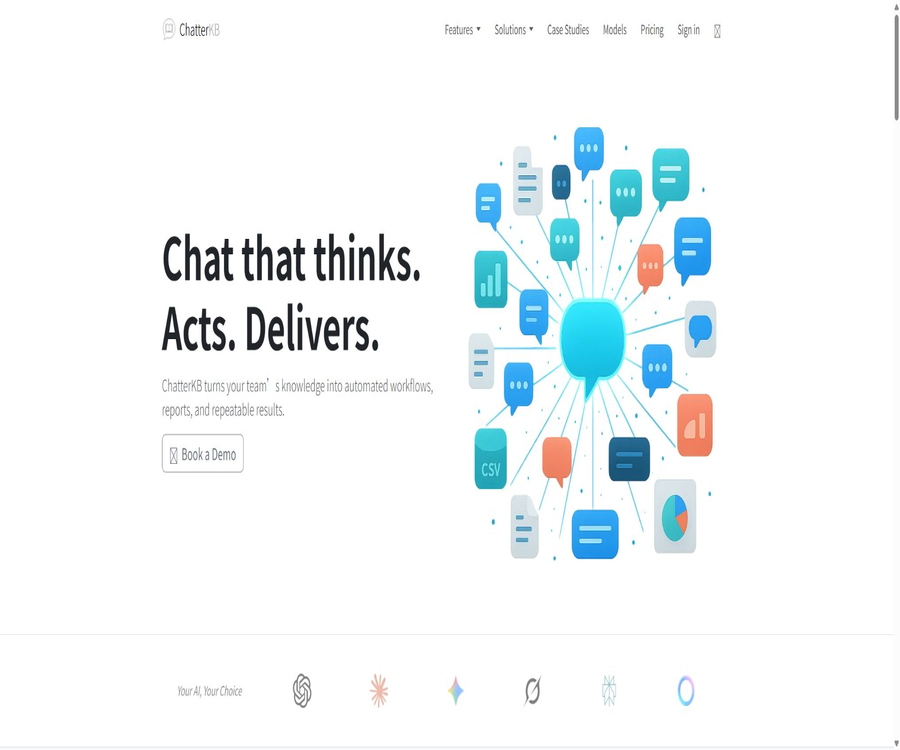
CoolAIid was originally an AI tool for interior design and virtual layout creation, but the current version of this application only displays acknowledgments and information regarding the development of a new version, while directing users to ChatterKB. ChatterKB is an AI knowledge base, a platform for answering questions based on documents, and a workflow management tool – it is not a tool for creating interior designs.
Current status of the product
As of August 22, 2026, the old version of CoolAIid no longer offers functions for interior design editing, rendering, or subscription services; moreover, there is no clear announced date for the release of a new version. Users should no longer consider it to be a fully functional AI tool for home design.
The old page stated that the team had also created ChatterKB, a tool for converting complex documents into simple, executable reports, and provided a link to access this product. This only indicates an official recommendation; it does not mean that old accounts, creations, points, or subscriptions will be transferred automatically.
| Name | Current status | Product direction | Can it be used as a direct replacement? |
|---|---|---|---|
| CoolAIid | The original service is no longer available for public use. | AI interior design and virtual layout | Current services that cannot be verified |
| ChatterKB | Normal operation | AI knowledge base, chat, workflows, and Boards | It cannot replace interior design in its creation. |
Can the original CoolAIid still be used?
It is not possible at the moment to determine whether the original CoolAIid can still be used to create room designs or access previous projects. The public application page only displays messages thanking users, information about the development of the next version, and recommendations for ChatterKB; it does not provide a design workspace.
- There is no verifiable current entry point for generating interior designs.
- The release date of the new version or a list of its features have not been made public.
- There are no verifiable current CoolAIid packages and prices available.
- It does not specify how old works, accounts, and paid subscriptions should be handled.
- ChatterKB’s role has shifted to that of enterprise knowledge and automation.
What is ChatterKB?
ChatterKB, operated by Beatspoken LLC, is an AI-powered knowledge workspace designed for teams and enterprises. It connects documents, notes, external tools, chat functions, automated processes, and updatable dashboards; users can pose questions regarding internal information and transform the resulting answers into editable knowledge.
The platform supports a variety of model services; the official website currently lists Claude, ChatGPT, Gemini, Grok, Perplexity, Meta, as well as some other models. The available versions and the number of points required for each conversation vary depending on the model and the complexity of the task.
Main functions
Corporate knowledge base
Users can create knowledge bases and upload files such as PDF, Word, Excel, PowerPoint, CSV, JSON, Markdown, and plain text. The system processes the content of these files to make it available for retrieval, question answering, comparison, and use in subsequent workflows.
Document Q&A and Channel Search
The chat assistant searches for relevant information in the knowledge base and connected data sources to generate responses. Enterprise RAG solutions emphasize providing answers along with their sources and identifying the relevant document segments, but critical conclusions should still be verified by referring to the original documents.
Chat memories and accumulated knowledge
Personal conversation memories are stored within the same knowledge base, and users can highlight, delete, or organize these memories. The conclusions that need to be shared can be saved as documents in the knowledge base; however, personal chat histories are not made available to other members automatically just because the knowledge base is shared.
Natural language workflows
The user describes the goal in plain language, and the system generates steps that include models, tools, sequences, and conditions. The workflow can be executed immediately or scheduled to run at a later time; it can be paused when human judgment is required, waiting for input.
Boards dynamic dashboard
Reports, charts, and summaries generated in conversations can be fixed on a Board and refreshed whenever the data is updated. Boards are suitable for providing client reports, business summaries, and ongoing monitoring; however, the quality of the output depends on the updates to the data sources and the settings of the workflow.
Synchronize files with external materials
Currently, it is possible to import data from sources such as Google Drive, Notion, Slack, and YouTube, as well as to upload local files. According to the official guidelines, synchronization is triggered manually by the user by default, and the original files are not modified directly by the platform.
Model and tool selection
Each knowledge base allows different tools to be enabled or disabled, in order to reduce unnecessary use of permissions and resources. The platform also provides various internal tools such as web search, web parsing, file reading and writing, table analysis, Python execution, report saving, and notifications.
MCP connection
ChatterKB can connect to a large number of external applications through Zapier MCP; it also provides a Local MCP Bridge that enables MCP services running on the local machine to be integrated into the chat functionality. Companies can also make use of dedicated MCP hosting services, but these services come with their own pricing plans and should not be confused with the price of the main product.
Enterprise RAG and private deployment
The enterprise services support customers’ own cloud environments, dedicated VPCs, or on-premises deployment solutions, and they can also be integrated with existing knowledge systems. The official website highlights features such as proprietary AWS environments, tenant isolation, audit logs, and access control; however, the actual architecture and responsibility boundaries must be specified in the project contract.
- Build a searchable knowledge base using team documents and connected data sources.
- Ask questions, compare across multiple documents, and generate structured results.
- Save valuable conversation content as editable knowledge.
- Create, run, and schedule workflows using natural language.
- Fix reports, charts, and summaries as refreshable Boards
- Based on the knowledge base management model, internal tools, and MCP permissions
- Offers customized RAG options, as well as client-hosted and on-premises deployment options for enterprises.
Document and data source support
| Channel or format | Currently supported | Instructions for use |
|---|---|---|
| PDF and plain text | Support | Used for question answering, summarization, and retrieval of long documents |
| Word and PowerPoint | Support | Extract the content from documents and presentations and add it to the knowledge base. |
| Excel and CSV | Support | Tables can be analyzed using natural language processing to generate charts. |
| JSON and Markdown | Support | Suitable for structured data and editable knowledge content |
| Google Drive | Support | The user selects a file and manually initiates the synchronization. |
| Notion | Support | It is possible to import specified pages or partitions while retaining the infrastructure. |
| Slack | Support | Select a channel to import key discussions and decisions. |
| YouTube | Support | Process subtitle content through videos or playlists |
| Enterprise systems | Custom support | It can be connected to SharePoint, Confluence, object storage, and custom interfaces. |
Usage tutorial
Create the first knowledge base
- After registering for ChatterKB, create a knowledge base that focuses on a single topic and give it a clear name.
- First, upload a small number of representative files that contain no sensitive information, in order to check whether the titles, tables, and paragraphs are parsed correctly.
- Select the appropriate model and enable only the necessary tools such as retrieval and reading, in order to reduce the consumption of permissions and credits.
- Pose questions that include specific documents, time ranges, and output formats, and require answers to indicate the sources.
- After verifying each key conclusion individually, the reliable information is saved back to the knowledge base.
Connect to external data
- In the knowledge base connection settings, select Google Drive, Notion, Slack, or any other desired channel.
- Adopt the principle of least privilege, granting access only to the necessary files, pages, channels, or workspaces.
- After the initial import is completed, randomly check the number of files, update times, permission inheritance, and duplicate content.
- When the source content changes, manually resynchronize and record the scope and time of this synchronization.
- After changes to member permissions, verify the access rights to ChatterKB to ensure that the replica cannot still be read after permissions are revoked in the original system.
Create a natural language workflow
- Describe the goal in one sentence, and then specify the input data, frequency of execution, output format, and intended recipients.
- Review each step, model, tool, and conditional branch generated by the system, and remove unnecessary permissions.
- First, run it manually using test data; if an error is detected, the process will be paused instead of continuing to write to the downstream system.
- Verify the results of reports, charts, or notifications, and add a manual approval step for high-risk conclusions.
- After the test becomes stable, set up scheduled executions to continuously monitor scores, failure records, and changes in data sources.
Connect to the local MCP tool
- Download the Local MCP Bridge from the knowledge base settings, and extract it to run on a controlled Mac or Windows computer.
- Add the required MCP services on the bridging configuration page; after saving, check the list of tools and the scope of permissions.
- Copy the local connection address and add it to ChatterKB; do not send the access token to public chats or code repositories.
- Create a new dialogue and first run the read-only tool list test to confirm that the connection comes from the intended device.
- Write-oriented tools are being made available gradually, and manual verification, logging, and rollback mechanisms are in place for sensitive operations.
Which users are it suitable for
- Consulting and Research Team: Aggregates multiple client datasets to produce reusable reports
- Marketing and Sales Team: Convert brand materials, case studies, and customer information into workflows
- Legal and Compliance Team: Retrieves contract, policy, and regulatory documents under access control.
- Finance and Operations Team: Analyze tables, generate operational summaries, and create dynamic dashboards
- Knowledge managers: Consolidate individual experience and create knowledge that can be accessed by the team.
- Automation Lead: Managing cross-tool processes through a combination of MCP and connectors
- Regulated enterprises: Evaluate customer hosting, VPC, or on-premises deployment options
Typical use cases
| Scene | Suggested configuration | Main outputs |
|---|---|---|
| Internal Policy Q&A | Policy knowledge base with search tool | Responses supported by evidence along with the location of relevant documents |
| Customer Research Report | Multi-document and web search workflow | Structured summary, comparison, and recommendations |
| Sales Information Center | Brand knowledge base plus public sharing | Customer self-service Q&A and lead information |
| Weekly report automation | Scheduled workflow with data connection | Reports and Board can be refreshed. |
| Table data analysis | Excel or CSV with Python tools | Trends, anomalies, charts, and explanations |
| Local tool orchestration | Local MCP Bridge | Invoke controlled desktop tools during chatting |
Product advantages
- Combine the knowledge base, chat, workflows, and dynamic dashboards in one product.
- Multiple model options are supported, allowing switching based on quality, speed, and integral consumption.
- Covers common office documents, tables, external knowledge sources, and web page content
- Natural language workflows lower the barrier to automation for non-technical teams.
- Personal memories are separated from the active sharing of knowledge, which facilitates the team in building up experience over time.
- MCP, Zapier, and enterprise integration expand external operational capabilities.
- Offers DPA, a list of sub-processors, and enterprise hosting options
Usage restrictions and precautions
- The old interior design features of CoolAIid can no longer be used, and ChatterKB is not suitable for room rendering.
- The amount of integral consumption varies depending on the model, memory, number of tools, and complexity of the workflow; the budget is not fixed.
- Current self-service packages are designed for 1 user; true team collaboration may require a customized Business solution.
- The number of knowledge bases displayed on the monthly and annual payment pages is different; the information on the settlement page should be taken as the reference before making a purchase.
- External material synchronization is primarily triggered manually by the user, and the content may be behind that of the source system.
- The copied version after import may result in permissions that differ from those of the original source, requiring separate management.
- AI responses, table analyses, and automated actions can still make mistakes; outputs with high risk must be reviewed.
- Enabling write-type tools, web tools, or MCP increases the risk of privilege escalation and prompt injection.
- Business, enterprise RAG, and MCP hosting fall under different service categories; quotes must be obtained separately for each one.
Prices and packages
As of August 22, 2026, ChatterKB offers five main subscription tiers: Free, Plus, Pro, Pro XL, and Business. Points are allocated based on the actual amount of work performed; simple conversations require a small number of points, while automated workflows generally result in a significantly higher consumption of points.
| Plan | Monthly price | Knowledge base | Monthly points | User |
|---|---|---|---|---|
| Free | $ | 1 | 20 | 1 person |
| Plus | 20 dollars | 3 | 300 | 1 person |
| Pro | 50 dollars | 5 | 800 | 1 person |
| Pro XL | 100 dollars | 10 | 1600 | 1 person |
| Business | Starting at $250 per month | Customization | Customization | Customization |
The annual payment page shows a 20% discount; the costs for Plus, Pro, and Pro XL are 16, 40, and 80 dollars per month respectively, resulting in annual totals of 192, 480, and 960 dollars. The amount of knowledge access available under annual payment is 7, 10, and 15 items respectively, which differs from the figures shown on the monthly payment page.
| Plan | Monthly price equivalent to annual payment | Annual total price | Annual page knowledge base |
|---|---|---|---|
| Plus | $ | $ | 7 |
| Pro | $ | $ | 10 |
| Pro XL | $ | $ | 15 |
| Business | Starting at $250 per month | Customization | Customization |
The official pricing details can be updated or changed at any time. An upgrade takes effect immediately, while a downgrade is applied in the next billing cycle. The annual payment option includes a 30-day refund guarantee; refunds are generally not provided after those first 30 days. Details regarding cancellation and refunds for monthly payments should be confirmed again before making the payment.
How to calculate integrals and models
The number of points required is not fixed; the same task can demand different amounts of points depending on the model used, the length of the context, the tool employed for communication, and the steps involved in execution. According to the information available on public pages, a simple conversation typically requires 1 to 5 points, while workflows usually need more than 10 points. On average, the points required for a workflow are about 12 times those needed for a regular conversation.
| Factors affecting it | Why increase consumption? | Optimization methods |
|---|---|---|
| High-cost model | The average integral for each model varies. | First, use a lightweight model for screening, and then upgrade it for critical tasks. |
| Long-term dialogue memory | Carry more context per round | Split topics and eliminate outdated memories |
| Multiple connection tools | It is necessary to retrieve and process more channels. | Disable unrelated tools based on the knowledge base. |
| Multi-step workflow | Each step may invoke models and tools. | Merge duplicate steps and limit retries |
| Large number of files | The scope for indexing, analysis, and comparison is larger. | Upload in batches and limit the search range. |
Platforms and integration
| Platform or integration | Current status | Explanation |
|---|---|---|
| Web version | Support | Knowledge base, chat, workflows, and the main Boards interface |
| Mac and Windows | Supports bridging tools | Used to connect to the local MCP service. |
| Google Drive | Support | Select the file and synchronize it manually. |
| Notion and Slack | Support | Import page or channel content |
| Zapier MCP | Support | Expansion to a large number of third-party applications |
| Enterprise systems | Customization | It can be connected to knowledge platforms, object storage, and custom interfaces. |
| Customer cloud and on-premises deployment | Enterprise solutions | It needs to be implemented in accordance with infrastructure and compliance requirements. |
| Mobile apps | No findings were detected. | No official native client was found. |
Privacy and security
In the context of GDPR, ChatterKB regards customers as data controllers and the platform as a data processor, and it provides DPA agreements as well as standard contract clauses. The security measures in place include transmission and static encryption, logical tenant isolation, principle of minimum privileges, key protection, monitoring, and incident response.
The official statement specifies that customer data will not be used for training, fine-tuning, or improving models outside of customer accounts. The terms also grant the platform the permission to store and process user content in order to provide and improve its services; the specific boundaries are defined through the DPA and order documents.
| Project | Public explanation | What should the user do? |
|---|---|---|
| Content ownership | The user retains ownership of the uploaded content. | Make sure you have the right to upload the relevant materials. |
| Model training | Not used for training or fine-tuning models | Retain this commitment in the contract. |
| Data location | Part of the processing is carried out in the United States, and storage in some EU countries can be requested. | Select a region in accordance with compliance requirements. |
| Delete and Export | Terminate or, upon written request, delete or return it. | Confirm the specific retention period and export format. |
| Sub-processor | Public cloud platforms, identity management services, object storage solutions, and model provisioning services | Subscribe to change notifications and assess cross-border data transfers. |
| Customer hosting | Enterprise solutions support proprietary infrastructure. | Clarify responsibilities for operation, backup, and incidents. |
API, MCP, GitHub, and open-source status
ChatterKB exposes its internal tools, Zapier MCP, Local MCP Bridge, and standalone MCP hosting capabilities, but no complete public REST API reference or official SDK available for all users has been identified. The names of these internal tools or the download links for the bridging programs cannot be considered equivalent to an open platform API.
At present, no official GitHub repositories or open-source licenses belonging to ChatterKB or CoolAIid have been found, so neither of these products should be classified as open source. The Chatterbox speech model and community projects that appear in the search results belong to other teams.
| Project | Conclusion | Explanation |
|---|---|---|
| ChatterKB web platform | Commercial closed-source services | The complete source code is not made public. |
| Local MCP Bridge | Download available | Used to connect to the local MCP service; the open-source license has not been verified. |
| Zapier MCP | Support | Extend external tools through a third-party MCP |
| MCP hosting | Independently paid services | Dedicated instances and call volume packages are charged separately. |
| Public APIs and SDKs | Not fully made public | Production integration requires confirmation from the authorities. |
| Official GitHub | No findings were detected. | It is not possible to replace it with a community project with the same name. |
Basic information
| field | Content |
|---|---|
| Original tool name | CoolAIid |
| Original tool type | AI interior design and virtual layout |
| Original tool status | Public services have been discontinued; the old page now only contains explanatory information. |
| Officially recommended products | ChatterKB |
| Current product types | AI knowledge base, document Q&A, workflows, and RAG |
| Operating entity | Beatspoken LLC |
| Free plan | 1 knowledge base, 20 points, 1 user |
| Minimum payment amount | Plus costs $20 per month or $192 per year. |
| Main platforms | On the web interface, there is also a local MCP bridge for Mac and Windows. |
| Enterprise deployment | Customer cloud, VPC, or on-premises solution |
| Is it open source? | No, no official source code license was found. |
Recommendation score
If users are looking for AI-based interior design tools, CoolAIid currently has a rating of 1.0 point; the old version of this tool is no longer functional, and there is no clear timeline for the release of a new version. It is better to choose similar tools that are still in use, whose rendering quality can be verified, and whose commercial terms are clear.
If users need an enterprise knowledge base along with automation capabilities, ChatterKB receives a rating of 4.1 points. Its features such as knowledge accumulation, workflows, Boards, multiple modeling options, and MCP integration are noteworthy; however, issues related to score fluctuations, self-service package options for individual users, and permission synchronization need to be assessed in advance.
Frequently Asked Questions
Can CoolAIid still generate interior designs?
There is no verifiable design workspace available at the moment; the old application page only displays acknowledgments and information regarding the preparation of the new version. Do not assume that the historical functions are still available for use.
Has CoolAIid been renamed to ChatterKB?
The public page only confirms that the old team recommended ChatterKB; it does not indicate that this is simply a name change with continued functionality. The two options serve completely different purposes, and there are no instructions available regarding the public migration of accounts, data, and subscriptions.
Can ChatterKB be used to design rooms?
No. ChatterKB is used for documents, knowledge bases, chat, workflows, and reports; it does not offer functions for generating verifiable interior renderings or for creating virtual layouts.
Is ChatterKB free?
There is a free plan that includes 1 knowledge base, 20 points per month, and 1 user. It is suitable for trying out basic chatting; complex workflows will cause the points to be used up more quickly.
How much is the lowest priced subscription plan?
The monthly fee is 20 dollars, with an annual total of 192 dollars. With a monthly subscription, 3 knowledge bases are available, while with an annual subscription 7 knowledge bases are available; the final number of available knowledge bases shall be as indicated on the settlement page.
Which AI models are supported?
It currently covers Claude, OpenAI, Gemini, Grok, Perplexity, Meta, and some other models. The specific versions, availability, and average cost per unit will be adjusted dynamically.
Can the data be synchronized automatically?
According to the official documentation, the synchronization of external materials is currently carried out manually by users. For processes that require real-time updates, synchronization checks should be incorporated into the workflow or operational procedures.
Can it be deployed privately?
The enterprise RAG solution supports deployment in the customer’s own cloud, a dedicated VPC, or on-premises; the homepage also displays information related to the customer’s own AWS environment. The specific cloud platform, the scope within which no data is transferred outside, and the responsibilities for maintenance all need to be determined separately.
Does ChatterKB provide APIs?
The platform offers internal tools, MCP, and enterprise integration capabilities, but no complete and publicly available documentation for general APIs and SDKs has been found. Before starting development and integration, it is necessary to verify with the official sources the scope of support and associated costs.
Is CoolAIid or ChatterKB open source?
No official source code repository with a clear ownership or open-source license was found; therefore, it should be classified as a closed-source commercial service. The availability of bridge tools or support for MCP does not mean that the platform is open source.
Does ChatterKB use customer data to train the model?
The trust page and the DPA clearly state that customer data will not be used for model training, fine-tuning, or for improving products other than those related to the customer’s account. Companies should still retain the applicable version of the DPA and the order terms.
Summary
CoolAIid can no longer be recommended as a viable AI tool for interior design; the old version’s page does not indicate any date for a new release. Users should consider it a product that is no longer in use, rather than mistaking ChatterKB for an upgraded version of a home decoration tool.
ChatterKB is a stand-alone enterprise knowledge and automation platform, suitable for creating chats, workflows, and dynamic reports based on internal information. When choosing it, it is important to pay attention to points consumption, team seats, synchronization mechanisms, tool permissions, and the deployment agreement.
Tools similar to Coolaiid



 Guigong Network Security Registration No. 45132202000164