






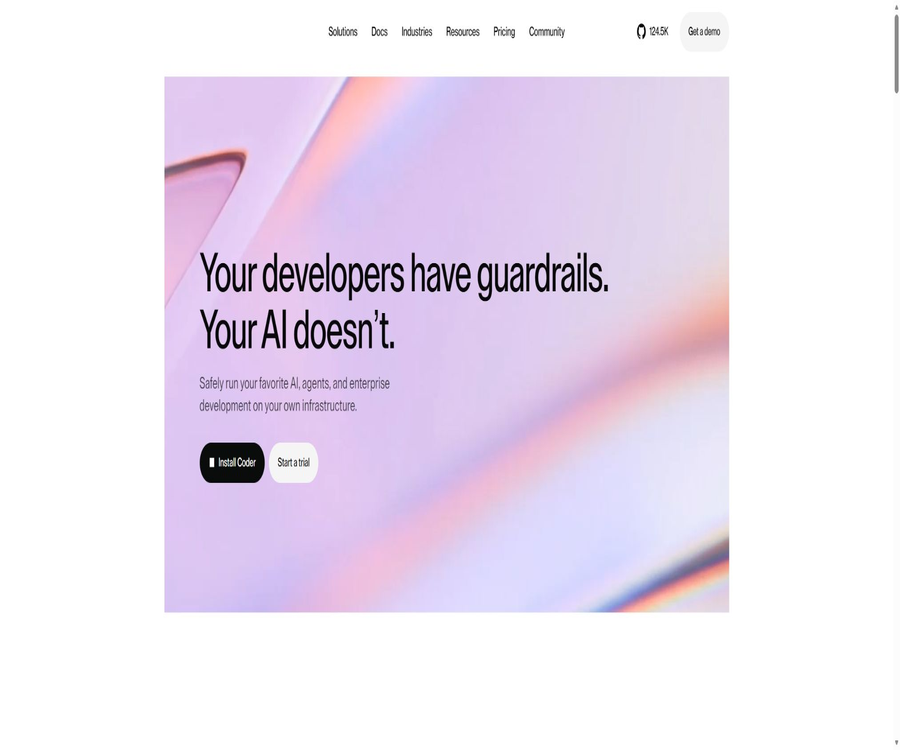
Coder
Coder, an intelligent tool focused on AI programming.
Tags:AI programming toolsWhat is a Coder?
Coder is a self-hosted cloud development environment platform offered by Coder Technologies, Inc.; it is used to create, manage, and access development workspaces on an organization’s own infrastructure. It also integrates AI programming agents into the same identity, template, networking, and permission framework.
Developers can continue to use the familiar desktop or web-based IDEs, while the platform team manages computing resources, software images, code access, and the code’s lifecycle through templates. Coder is not merely a simple hosting service for online code editors, nor is it equivalent to the code-server project maintained by the same organization.
A one-sentence summary
Coder enables teams to deploy standardized development environments and AI Coding Agents on their own cloud, data centers, or local devices, making them available to developers through a web interface, command line, and REST APIs.
Product composition
| Components | Function | Primary users | Current status |
|---|---|---|---|
| Coder Community | Self-hosted workspaces, templates, web interface, CLI, and API | Individuals, small teams, and open-source users | Free and open source |
| Coder Premium | Corporate governance, expansion, cost control, and support | Medium to large organizations | For annual payment per user, contact sales. |
| Coder Workspaces | Create an isolated development computing environment using a template. | Developers and platform teams | Official features |
| Coder Agents | Run native AI programming agents in the control plane | Teams that require a controlled Agent workflow | Beta |
| AI Governance Add-On | AI Gateway and Agent Firewall | Premium customers that require auditing and policy control | Authorize users individually |
| code-server | Run VS Code in a browser | Individual and remote developers | Independent MIT open-source project |
Coder Workspaces form the foundation of the platform, while Coder Agents represent the native agent experience that is built on top of it. code-server can be used as a web-based IDE within these workspaces, but it comes with its own repository, its own version control, and its own licensing terms; therefore, the functions and pricing of these two options should not be mixed together.
Main functions
Standardized cloud development workspace
Administrators use templates to define the computing resources, storage, images, tools, IDEs, and startup scripts required for the development environment, after which developers create their own personal workspaces based on the assigned permissions. The environment can be located on a local server, in a private data center, or on any cloud platform chosen by the team.
- Reduce differences in the environments among different developers by using a unified template.
- Parameters such as CPU, memory, disk, region, and instance type are provided on a project basis.
- Keep the source code and development computations within the infrastructure under the organization’s control.
- It supports lifecycle operations such as starting, stopping, rebuilding, and deleting workspaces.
- The browser terminal, port forwarding, IDE, and application entry points can all be gathered on the workspace page.
Terraform templates and Template Builder
The Coder template uses standard Terraform to describe the underlying infrastructure. This document recommends using the Template Builder, which allows for the creation of functional templates by combining basic templates from sources such as Docker, Kubernetes, AWS, and Registry modules; it is also possible to manage these coded templates via the CLI.
Templates can include custom images, disk sizes, instance specifications, regions, JetBrains IDE, RDP, dotfiles, and Dev Containers, among other features. Teams can also place templates under version control and use CI/CD processes for reviewing, testing, and deploying changes.
Multiple IDEs and remote access
The workspace can be connected to VS Code, Cursor, JetBrains, IntelliJ, Jupyter, and other desktop or web development tools. Developers typically access the remote environment through a browser, Coder CLI, SSH, port forwarding, or IDE plugins.
| Access method | Suitable for tasks | Precautions |
|---|---|---|
| Web interface | Create, start, and manage workspaces | It is necessary to have access to the self-hosted Coder address. |
| Web IDE | Development that does not require the installation of a full desktop client. | The browsing experience depends on the network and template settings. |
| Desktop IDE | Maintain the editing habits of the local editor. | Appropriate plugins or connection methods are required. |
| SSH and terminal | Command-line development, debugging, and automation | Administrators can impose restrictions in accordance with security policies. |
| REST API and CLI | Platform automation and batch management | Tokens, permissions, and audit controls are required. |
Work area planning and cost control
The platform allows for the automatic start and stop of workspaces; Premium also offers features such as forced scheduling, automatic shutdown when idle, quotas for user or organizational resources, and the ability to eliminate workspaces that are not used for an extended period. The actual amount of savings depends on the underlying cloud resources, the templates used, and the habits of the team.
Identity and Organization Management
Community includes OpenID Connect for single sign-on and support for an unlimited number of members within a single organization. Premium adds multi-organization access control, synchronization of groups and roles, fine-grained role definitions, resource quotas, as well as integration with more external identity providers and Git systems.
Coder Agents – native programming agents
Coder Agents offer a chat interface and APIs; after a user describes a development or research task, the agents can select approved templates, create workspaces as needed, read and edit files, execute commands, and return results. It is a native agent implemented in Go, and it is not a wrapper around Claude Code or Codex.
- The proxy loop runs on the Coder control plane, rather than being installed in the workspace.
- The model API key is stored in the control plane and does not need to be injected into the workspace.
- When no code needs to be processed, it is possible to discuss or develop plans directly; a workspace is created only when tasks need to be carried out.
- Chat status is stored in the Coder database, allowing sessions to be retained even after the workspace is stopped, deleted, or rebuilt.
- It supports message queuing, scheduled mode, file modification, command execution, and difference review.
- Sub-proxies can be used to handle independent code exploration or implementation tasks in parallel.
- PNG, JPEG, GIF, and WebP image attachments are supported; the size of a single file should not exceed 10 MB, and the model must be capable of processing visual input.
As of August 21, 2026, the official v2.36.1 documentation still classifies Coder Agents as Beta, indicating that they are suitable for evaluation and controlled pilot projects. Before being used in production environments, it is necessary to verify compatibility with existing systems, the scope of audits, mechanisms for recovering from failures, and any restrictions imposed by the model providers.
Model provider connection
Administrators can configure Coder Agents to use Anthropic, OpenAI, Google, Azure OpenAI, AWS Bedrock, OpenRouter, Vercel AI Gateway, as well as endpoints that are compatible with the OpenAI interface. It is possible to define custom base addresses, which enables connection to corporate proxy gateways or internal model endpoints.
| Connection method | Credential location | Cost attribution | Applicable scenarios |
|---|---|---|---|
| Official model API | Coder control plane | Charged by the corresponding model provider | Quickly use models such as Claude, GPT, or Gemini. |
| Cloud platform model | Coder control plane | Billed through cloud accounts such as Azure or AWS | Existing enterprise cloud procurement and permission system |
| OpenAI-compatible endpoints | Coder control plane | It depends on the operator of the endpoint. | Enterprise gateways, proxies, or compatible services |
| Self-hosted model endpoints | Services for organizational control | Hardware and operational costs | Emphasize data paths and model control. |
The Coder subscription does not include costs associated with calling third-party large models, nor does it provide licenses for Claude Code, Cursor, or other commercial AI tools. Teams need to verify separately the model’s input/output capabilities, data retention policies, regional availability, speed limits, and commercial terms.
Coder Tasks and external Agents
Previously, Coder allowed third-party agents such as Claude Code and Codex to run within the workspace through Coder Tasks; the API keys and agent software were also located in that workspace. The current documentation lists Coder Agents as a new recommended approach, while still providing a comparison between the two architectures.
Legacy Tasks workflows may still exist in existing deployments, license metrics, and documentation. When upgrading, do not assume that Tasks configurations will be automatically converted to Coder Agents; instead, check the templates, credentials, chat status, and Agent Workspace Build metrics for the current version.
AI Gateway and Agent Firewall
The AI Governance Add-On is intended for Premium customers and offers AI Gateway and Agent Firewall. It is available as a separate user license and is not included automatically in regular Premium subscriptions.
- AI Gateway provides centralized management of model authentication, audit of prompts and tool calls, as well as Token and cost metrics.
- AI Gateway allows for centralized configuration of the MCP servers and policies that are permitted to be used.
- The Agent Firewall restricts, on a per-process basis, the domain names that an agent can access and the actions it can perform.
- Governance capabilities are suitable for the promotion of regulated codebases and large-scale AI tools.
- Starting from v2.30, AI Gateway and Agent Firewall are officially available features in this additional license.
High availability and global access
Premium offers multiple replicas of Coder services, as well as additional features such as an external Provisioner and Workspace Proxy. Teams based in different locations can use these proxies to shorten the connection path to their workspaces; however, for production deployments, it is still necessary to arrange for databases, load balancing, certificates, backups, and disaster recovery solutions on one’s own.
How Coder works
- The platform team deploys the Coder control plane and PostgreSQL on its own servers or Kubernetes clusters.
- Administrators have access to identity providers, Git code platforms, cloud accounts, and organizational security policies.
- Administrators use Terraform templates to define the infrastructure, images, parameters, and IDE interfaces for a workspace.
- After logging in, the developer selects the authorized template and enters the parameters for the instance, region, or project.
- The Coder invokes the Provisioner to create the corresponding computing resources, disks, network connections, and startup scripts.
- Developers access the remote workspace through a web IDE, a desktop IDE, SSH, or the terminal.
- Workspaces are stopped, reconstructed, or deleted as planned, and the persistence of data is determined by the template policy.
- Administrators maintain control over the environment through metrics, logs, quotas, and versioning policies.
Coder Agents workflow
- The administrator configures, in the control plane, the allowed model providers, models, and credentials.
- Prepare specialized workspace templates and network rules with minimized permissions for Agent tasks.
- Developers describe tasks in the chat interface and choose between plan mode or direct execution.
- The proxy first analyzes the request on the control plane; no workspace is created if no code is required.
- When it is necessary to read, write code or execute commands, the proxy selects the template to which the user has access and creates a workspace.
- The control plane sends the prompt to the model, which then utilizes the existing workspace connections to invoke the relevant tools.
- Developers check plans, commands, file differences, tests, and the final submission.
- The chat history is stored in the Coder database, allowing the workspace to be restarted later to continue with the tasks.
Installer Coder tutorial
Installation for local use or small teams
- First, prepare a controlled test host and decide whether to use an internal database or an external PostgreSQL database.
- Obtain the Coder installation package or binary files compatible with the operating system from official distribution channels.
- Linux and macOS can use the official installation scripts, while Windows can use installers, standalone programs, or Winget.
- Start the Coder Server and note down the access address that appears for the first time.
- Create the first administrator account in the browser, and then set the official access address and TLS.
- Log in to the deployment using Coder CLI and create a test workspace that does not contain sensitive data.
- Verify the terminal, IDE, port forwarding, as well as the stop and restart functions.
- Before allowing multiple users to access it, switch to an external database, implement backups, monitoring, and use a principle of minimum permissions.
The official Docker introductory documentation requires a Linux host, and it is recommended to have at least 2 CPU cores and 4 GB of memory available. This configuration is suitable only for basic use on a small scale; for tasks such as workspace computing, database management, and ensuring high availability of resources, separate planning is necessary.
Kubernetes production deployment
- Prepare a Kubernetes cluster, domain names, certificates, and network endpoints that meet the organization’s security requirements.
- Create an independent namespace and a production-grade PostgreSQL instance, and set up backup and recovery drills.
- Save the database connection details as a Kubernetes Secret; do not include them in public configuration repositories.
- Use the official Helm Chart to install a Coder version that is compatible with the current version.
- Configure the access address, OIDC, Git authentication, Provisioner, and the necessary Workspace Proxy.
- Set resource requests, limits, health checks, monitoring, logging, and upgrade policies.
- First, verify the templates, plugins, APIs, and rollback mechanisms in the temporary environment, before upgrading to the production environment.
- Use a regular developer account to carry out end-to-end tests for permission and workspace isolation.
Tutorial on creating workspace templates
- Select basic templates for Docker, Kubernetes, or cloud platforms from the Template Builder or the official Starter Templates.
- Determine the images, CPU, memory, disk, region, and persistence strategy required for the project.
- Add VS Code, JetBrains, Jupyter, or other required IDE modules.
- Configure Git authentication, startup scripts, dependency caching, and the necessary methods for key injection.
- Set reasonable default values, ranges, and descriptions for adjustable parameters to prevent users from creating overly large resources.
- Create a workspace in the test organization to verify startup, shutdown, reconstruction, and data retention.
- Include the template code in version control and CI checks, and have it reviewed by colleagues.
- Release a new version of the template, and then decide whether to force existing workspaces to update based on compatibility.
Enable Coder Agents tutorial
- Confirm that the deployed version supports Coder Agents, and read the current Beta limitations and upgrade instructions.
- Add a model provider in the management settings, using API credentials with restricted permissions and budget alerts.
- Select the default model, and only enable those models that have passed security and procurement reviews.
- Create a template specific to agents, in order to restrict access to network exits, code repositories, and cloud credentials.
- Use the low-risk testing repository to initiate tasks for explanation, testing, or minor modifications.
- First, enable the scheduled mode and check the templates, commands, and files that the agent is intended to use.
- Manually review discrepancies and run tests, static checks, and dependency security scans.
- Expand the pilot phase only after confirming chat retention, logging, model billing, and the process for handling abnormal shutdowns.
Which users are it suitable for
- Platform engineering team: Transform multi-project development environments into reusable and auditable templates.
- Medium to large R&D organizations: unified identity management, permissions, IDEs, cloud resources, and workflow lifecycle management.
- Regulated enterprises: Keep code computation and Agent tool execution within their own infrastructure.
- Remote and distributed teams: Connecting to development environments that are close to the code and data from various locations.
- Open-source teams and small teams: Use Community to create self-hosted platforms with no restrictions on templates or workspaces.
- AI engineering team: Run Cursor, Claude Code, or native Coder Agents in a controlled workspace.
- Education and laboratories: Provide a consistent environment quickly for courses, sandbox environments, or research tasks.
Typical use cases
- New employee onboarding: After logging in, create a development environment with the installed dependencies and IDE using a template.
- Development of large single-unit warehouses: brings computing and code closer to the internal network, thereby reducing the load on local devices.
- Short-term project environment: Workspaces are created as needed and automatically stopped when they are no longer in use, in order to control cloud costs.
- Controlled AI programming: Provides agents with isolated workspaces, limited credentials, and auditable execution paths.
- Cloudy and hybrid infrastructure: Kubernetes, Docker, or cloud instances are made available using various templates.
- Developer portal integration: Create environments and integrate them with the internal platform via REST API or CLI.
- Teaching and training: Provide trainees with the same set of tools on a bulk basis, while still allowing them to have their own personal workspaces.
Product advantages
- The Community core platform is truly open-source, allowing it to be installed and audited on one’s own infrastructure.
- Terraform templates incorporate the environment, IDE, parameters, and lifecycle rules into code management.
- Developers are not forced to change their editors; it is possible to connect with various desktop and web IDEs.
- The web interface, CLI, and REST API cover both manual operations and platform automation.
- The native Agents move the model keys out of the workspace and reuse the existing identity and template permissions.
- Premium offers multi-organization, high availability, proxy, quota, auditing, and enterprise support.
- The self-hosted architecture allows teams to decide on the location of the code, the network boundaries, and how data should be stored.
Usage restrictions and precautions
- Coder is a self-hosted platform; the user is responsible for its installation, database management, certificates, backups, monitoring, and upgrades.
- The fact that Community is free does not mean there are no costs; computing power, storage, networking, and maintenance still require payment.
- Neither Premium nor AI Governance has a fixed disclosed amount; it is necessary to contact sales to verify the terms and benefits outlined in the contract.
- Coder Agents is still in Beta, and its interfaces, behaviors, tools, and compatibility may change across different versions.
- Agents can edit files and execute commands; error messages or malicious content in repositories can cause damage.
- By default, the Agent workspace inherits the network settings and permissions of a regular workspace; it may still have access to the Internet unless restrictions are set in the template.
- Hints, code snippets, and tool results are sent to the configured model provider; self-hosting cannot be considered equivalent to being completely offline.
- Improperly designed Terraform templates may delete persistent disks, expose keys, or create expensive resources.
- The official documentation and the main management interfaces are primarily in English; it has not been verified whether a complete Chinese localization exists.
- The AGPL license imposes an obligation to make the source code available for modified web services; a license assessment must be conducted before carrying out any further development or providing such services to others.
- Different release channels and plugins have version compatibility requirements; it is not advisable to upgrade in a production environment without first conducting testing in a temporary environment.
- Code-server and the Coder platform are separate projects; installing one of them does not grant access to all the features of the other.
Price and version
The information below was verified on August 21, 2026. The official website only indicates that the Community version is free; no fixed prices are shown for the Premium and AI Governance versions. All details regarding commercial licenses, discounts, minimum order quantities, and trial terms are subject to the sales quotes and contracts.
| Version or fee item | Price | Billing method | Core rights and interests | Suitable for users |
|---|---|---|---|---|
| Community | Free | Open-source self-hosted | No restrictions on workspaces or templates; no limits on the number of members within a single organization; available via Web interface, CLI, REST API, OIDC, as well as community support. | Individuals, small teams, testing, and open-source deployment |
| Premium | Contact sales | Annual payment per user | All of Community’s capabilities, including organization management, auditing, high availability, Workspace Proxy, quotas, governance, and SLA support. | Organizations that require scaling and corporate governance |
| Premium Trial | Apply for a trial version | The trial terms will be confirmed separately. | Evaluate the Premium features | Corporate team preparing to make a purchase |
| AI Governance Add-On | Contact sales | Premium customers are authorized on a per-user basis. | Usage of AI Gateway, Agent Firewall, and extended Agent workspaces | Enterprises that need AI-based auditing, strategy management, and cost control |
| Underlying infrastructure | Based on actual resources | Charged by cloud service providers or on-premises data centers | Computing, storage, networking, databases, backup, and monitoring | All deployments |
| Models and third-party Agents | Decided by the supplier. | API usage or standalone subscription | External services such as model inference, Cursor, Claude Code, etc. | Teams that utilize AI capabilities |
Key differences between Community and Premium
| Ability | Community | Premium |
|---|---|---|
| Work area and templates | No restrictions | No restrictions |
| Member of a single organization | No restrictions | No restrictions, and multi-organization governance is supported. |
| Web interface, CLI, REST API | Support | Support |
| OpenID Connect | Support | Support and enhance synchronization between groups and roles. |
| Integration of Git with external authentication | One limit per item | No restrictions |
| High availability and Workspace Proxy | Not included | Includes |
| User and organization resource quotas | Not included | Includes |
| Audit logs and command logs | Does not include full corporate capabilities. | Includes |
| Support services | Community support on GitHub and Discord | Global ticket support and SLA |
| AI Governance | Not included | An additional license still needs to be purchased separately. |
The official AI Governance documentation states that both Community and Premium deployments include 1,000 Agent Workspace Builds each, which are used primarily for the proof of concept of Coder Tasks as well as for basic processes. As the Agents product is in the process of being upgraded and improved, the actual names, scopes, and rules regarding usage limits should be referred to on the current deployment license page.
Supported platforms and deployment methods
| Platform or method | Support status | Explanation |
|---|---|---|
| Linux server | Support | Suitable for local and hosted deployments |
| macOS | Support | It can be installed individually or in a lightweight manner. |
| Windows | Support | Provides installer, standalone program, and package management installation options. |
| Docker | Support | Suitable for beginners and single-machine testing; the official introductory guides focus on Linux hosts. |
| Kubernetes and Helm | Support | Recommended for production-grade multi-user deployments. |
| Private cloud and data centers | Support | The team is responsible for preparing the computing resources, networking infrastructure, and databases on its own. |
| AWS, Azure, Google Cloud, etc. | Support | Define corresponding cloud resources through templates. |
| Web console | Support | Manage deployments, templates, users, and workspaces |
| VS Code, Cursor, JetBrains, Jupyter | Support | The specific entry point is configured through templates and plugins. |
| CLI and REST API | Support | Used for logging in, working with workspaces, and automating the platform |
| Native iOS and Android apps | No findings were detected. | It is usually accessed through a browser or remote development tools. |
Privacy and security
The Coder control plane, workspaces, and chat logs of Agents can all be deployed on an organization’s own infrastructure, but this does not mean that all data remains within that environment. When external models are used, the control plane still sends prompts, necessary context, and tool results to the respective model providers.
- Telemetry is enabled by default; administrators can disable it using environment variables or startup parameters.
- Telemetry does not collect parameters, environment variables, or ordinary user emails, but it does collect the administrator’s email address as well as certain usage data.
- Model keys should be stored in the control plane or a dedicated key management system, and not saved in templates or repositories.
- Special templates are used for Agents to restrict network exits, cloud permissions, Git scopes, and executable commands.
- Enable TLS, OIDC, principle of least privilege, log retention, database backups, and regular recovery drills.
- Configure static encryption for sensitive values in the database, and manage the encryption keys properly.
- In the production environment, official security announcements are monitored, and versions that address high-risk vulnerabilities are upgraded first.
- Before using third-party IDE plugins, MCPs, and models, review their data retention and training policies respectively.
- The code, dependencies, and commands generated by the Agent must undergo manual review, testing, and security scanning.
API, CLI, and open-source status
Coder offers a complete REST API as well as a unified command-line tool, which can be used for token authentication, workspace management, template handling, user management, and system administration. Agents can also interact via the web interface and API; the specific endpoints should be referred to in the API documentation corresponding to the deployed version.
The core repository of Coder Community is licensed under the GNU Affero General Public License v3.0, making it a true open-source, self-hosted product. Premium and AI Governance provide additional features through commercial licenses; just because the core repository is open source does not mean that all enterprise features are available for free.
| Project | Primary uses | License or status | Relationship with the Coder platform |
|---|---|---|---|
| coder/coder | Cloud development environment and Agents control plane | AGPL-3.0 | Core platform repository |
| coder/code-server | VS Code in the browser | MIT | A standalone project that can be used as an IDE |
| Coder REST API | Platform automation and management | Interfaces are provided alongside the deployment. | Controlled by user tokens and permissions. |
| coder CLI | Server startup and client operations | Released along with the open-source project | The server and client share the command line. |
| Premium and AI Governance | Corporate governance and AI strategies | Commercial licensing | Unlock additional capabilities in self-hosted deployments |
At the time of verification, the main document indicated version 2.36.1; version 2.36 was released in August 2026. Production users should choose a version by taking into account the main release channel and stable release channels, as well as the support period and their own testing needs, rather than simply upgrading to the latest tag available in the repository.
Basic information
| field | Content |
|---|---|
| Tool name | Coder |
| Development company | Coder Technologies, Inc. |
| Tool type | Self-hosted cloud development environment and AI programming agent infrastructure |
| Core products | Coder Workspaces, Coder Agents |
| Price pattern | Community is available for free as open-source software; Premium requires a quote for annual subscription, while AI Governance needs a separate quote. |
| Deployment method | Local, server, Docker, Kubernetes, private cloud, and public cloud |
| Main IDEs | VS Code, Cursor, JetBrains, IntelliJ, Jupyter, etc. |
| Identity verification | OIDC: Premium offers enhanced synchronization and governance capabilities. |
| API | Provides REST API |
| CLI | Provides the coder command-line tool. |
| Official GitHub | Yes |
| Is the product open source? | Community is primarily open-source, under AGPL-3.0. |
| Corporate functions | Premium and AI Governance are for commercial licensing. |
| Coder Agents status | Beta |
| Chinese support | Models that support Chinese can be used; however, the full Chinese interface and Chinese documents have not been verified. |
Recommendation score
The recommendation score is 4.5 out of 5. Coder is suitable for organizations that wish to have their development environment and AI agents hosted on their own infrastructure, with the platform team taking charge of managing templates, identities, networks, and the lifecycle of these elements.
The main barriers include self-managed operations, the use of Terraform and the costs associated with infrastructure design; quotes are also required for Premium and AI Governance. Coder Agents is still in beta version, so its use in production should start with small-scale trials under strict access controls.
Frequently Asked Questions
Is Coder free?
Coder Community is free and open-source; there are no restrictions on workspaces or templates, and it allows an unlimited number of members within a single organization. The costs related to servers, cloud computing, storage, databases, networking, and maintenance still remain the responsibility of the user.
How much is Coder Premium?
The official website does not specify a fixed price; it only indicates that payment is made on an annual basis and that a trial request can be submitted. The specific price per unit, the minimum number of seats required, any discounts available, as well as the range of support services must be confirmed by contacting the sales team.
Is AI Governance included in Premium?
It is not included. The current official documentation classifies it as an additional license that must be purchased separately by Premium customers; the price for such a license needs to be determined by contacting the customer support team.
Can Coder Agents replace an IDE directly?
It’s not possible. It is a chat and API interface designed for organizing and carrying out development tasks; developers can still connect to IDEs such as VS Code, Cursor, and JetBrains to examine, modify, and complete their code.
Are Coder Agents a wrapper for Claude Code or Codex?
No. Coder Agents are native agents implemented in Go, running in a loop within the Coder control plane; third-party agents such as Claude Code and Codex represent another way of operating within a workspace.
Has Coder Agents been officially released?
As of August 21, 2026, the v2.36.1 documentation still labels it as Beta. It can be evaluated and tested on a pilot basis, but the current interfaces and functions should not be considered permanent.
Which models does Coder support?
Native Agents can connect to Anthropic, OpenAI, Google, Azure OpenAI, AWS Bedrock, OpenRouter, Vercel AI Gateway, as well as endpoints that support the OpenAI interface. The available models and associated costs are determined by the administrator and the supplier’s account settings.
Will the Coder upload the code to the cloud?
The workspace and control plane can be self-hosted, but when external models are used, relevant prompts and context are sent to the model provider. If it is necessary to keep the data within the same environment, an approved internal gateway or a self-hosted model must be used, along with verification of the actual network path.
Does Coder collect telemetry by default?
It is enabled by default. Administrators can turn off telemetry; according to the official documentation, no parameters, environment variables, or ordinary users’ email addresses are collected, but the administrator’s email address and certain information related to product usage are gathered.
What is the difference between Coder and code-server?
Coder is a comprehensive platform for managing workspaces, identities, templates, and AI agents; it is based on the AGPL-3.0 license. code-server, on the other hand, is an independent MIT-open source project that allows VS Code to run in the browser; it can be used alongside workspaces but is not the same product.
Does Coder support Chinese?
The main interface of Coder and its official documentation are primarily in English; a complete localization into Chinese has not been verified. Whether Coder Agents can handle Chinese properly depends on the models and project datasets configured by the administrator.
Can workspaces be created automatically via API?
Yes. Coder provides REST APIs and a CLI that can be used for managing workspaces, templates, users, and the system as a whole; automated accounts should make use of tokens with the minimum required permissions, and procedures for token rotation, auditing, and revocation should be in place.
Is it suitable for individual developers?
It is suitable for individuals who are willing to manage the environment themselves and wish to access a remote development environment from multiple devices; however, the costs associated with installation and maintenance are higher than those of ordinary online IDEs. If all that is needed is a browser along with VS Code, code-server could also be considered as an option.
Summary
Coder brings together reusable cloud development environments, IDEs familiar to developers, and AI programming agents within a single self-hosted control plane. Community is suitable for testing basic functionalities, while Premium and AI Governance are designed for use in multi-organization settings, providing audit capabilities, high availability, and AI policy management.
Before purchasing or deploying, it is necessary to assess separately the licensing costs, underlying resource fees, model costs, security aspects, and maintenance responsibilities. When using Coder Agents, it is also important to clarify the beta status, the path where model data is stored, and the permissions for working areas; moreover, manual review of the final code should be carried out.
Tools similar to Coder



 Guigong Network Security Registration No. 45132202000164