






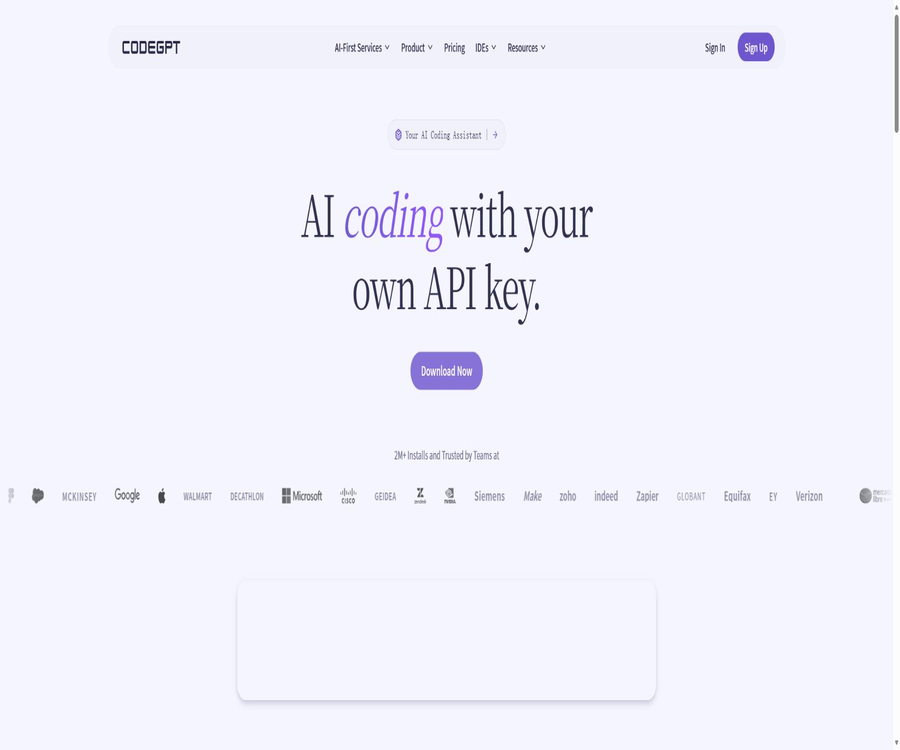
CodeGPT
CodeGPT, an intelligent tool focused on AI programming.
Tags:AI programming toolsWhat is CodeGPT?
CodeGPT is an AI programming assistant and Agentic development platform launched by CodeGPT LLC; its main product is an extension for Visual Studio Code. Developers can use this tool to chat within the editor, complete code, understand projects, and enable agents to read and modify multiple files.
Initially, the product gained attention as a multi-model programming plugin; it has since been expanded to include team management, the ability to use custom model keys, local models, MCP tools, and enterprise-specific services. It is not a single GPT model, nor is it an official OpenAI product.
A one-sentence summary
CodeGPT allows developers in VS Code to choose their own quota for CodeGPT, use their own cloud model keys or local models, and it enables functions such as code querying and answering, code completion, editing across files, task scheduling, and team usage management.
Product composition
| Product or capability | Primary users | Primary use | Fee structure |
|---|---|---|---|
| VS Code extensions | Individual developers and teams | Chat, Agent, Completion, and Smart Diff | Free, Professional, or Teams |
| CodeGPT Credits | Users who do not want to manage model keys | Use the Premium model on a pay-as-you-go basis | Welcome credit and top-ups available |
| BYOK | Developers who already have model accounts | Directly call more than 20 providers | CodeGPT is free; the model provider charges separately. |
| Local model | Users who value local reasoning | Connect to Ollama, LM Studio, or Docker models | The software can be used for free; the hardware needs to be provided by the user. |
| MCP | Users who need tools and data connections | Connect APIs, documentation, databases, and external tools | It depends on the plan and external services. |
| Teams | R&D team | Shared quota, unified billing, and management statistics | Subscribe by seat |
| AI-First Services | Corporate clients | Custom Agents, Voice, Omnichannel, and Self-Hosting | Contact sales |
Core functions
AI chat within the editor
CodeGPT offers a project-context chat in the VS Code sidebar, which can explain selected code, help diagnose errors, generate implementations, and answer questions related to architecture. Users can also include specific project files in the conversation by using file references.
- Ask about current projects and programming issues using natural language.
- Use the Fix command to identify and correct code errors.
- Use Explain to illustrate the function of the selected code.
- Use Refactor to improve readability and maintainability.
- Use Document to generate code documentation.
- Use Unit Testing to draft unit tests.
- Provide clear context through file name references.
Agent pattern and Planning
The Agent pattern allows complex tasks to be broken down into individual steps: it involves reading code libraries, creating or editing multiple files, and then proceeding with further iterations based on the results obtained. The Professional solution includes an Agentic Mode with planning capabilities, which is suitable for functional development, cross-file restructuring, and documentation tasks.
Agents can perform a wider range of actions than just chatting; therefore, it is necessary to review the plan and any differences before making each change. When project instructions are unclear, testing is insufficient, or the tools have excessive permissions, automatic execution can exacerbate the impact of errors.
Smart Diff
Smart Diff displays the differences in real time before any AI-driven modifications are applied, allowing developers to accept, reject, or proceed with further editing. It keeps track of all changes made by the Agent, thereby reducing the risk of directly overwriting code.
Intelligent code completion
Autocomplete predicts entire lines or code blocks based on the context of the codebase, the current file, and the coding style. Professional and Teams offer unlimited autocomplete functionality, and this service does not consume the user’s own API tokens or purchased credits.
Unlimited usage refers to interactive personal programming; it does not mean that it can be used for parallel automation or batch API tasks. The official website states that each account allows only one concurrent interactive session.
Multiple models and BYOK
CodeGPT can connect to providers such as OpenAI, Anthropic, Google, Mistral, Groq, DeepSeek, Azure, AWS Bedrock, and Vertex AI. In the self-owned key mode, the user selects the model themselves and is responsible for paying the associated fees and dealing with any speed restrictions imposed by the provider.
| How to use the model | Is a CodeGPT subscription required? | Cost attribution | Main features |
|---|---|---|---|
| Free Economy interactions available every day | Free is enough. | The quota is provided by CodeGPT. | 10 times a day, with a reset each day |
| CodeGPT Premium Credits | Top-up is available directly. | Purchase credits from CodeGPT | There is no need to manage model keys manually. |
| BYOK | Free is enough. | Charged by the model provider | The number of interactions is not limited by CodeGPT; it is restricted by the provider’s speed limits. |
| Professional Premium allowance | Professional is required. | Includes the monthly quota for Premium tasks. | The specific amount used varies depending on the model and the task at hand. |
| Local model | Free is enough. | The user is responsible for the hardware and operational maintenance. | More suitable for local inference and custom models |
The official website states that BYOK keys are stored locally in encrypted form, and the extensions directly invoke the provider. Even without going through the CodeGPT model gateway, the code and prompts remain subject to the rules, training processes, and regional policies set by the chosen model provider.
Local model
It provides extended support for local model methods such as Ollama, LM Studio, and Docker. Model inference can take place on the local device, making it suitable for offline experiments, internal applications, and developers who wish to control the model version.
The local model mode does not mean that all functions of CodeGPT are completely offline; logging in, updating, performing telemetry tasks, as well as using team or Credits services may still require an internet connection. Users who have high privacy requirements should also check the extension settings, network traffic, and permissions related to local model services.
MCP tool connection
CodeGPT allows for the configuration of MCP servers, enabling Agents to access APIs, documents, databases, or other tools. Users can add servers in the settings and decide which tools to activate depending on the task at hand.
- Link project documentation to internal knowledge.
- Call development or business APIs.
- Read databases or structured data.
- Add external tools to the Agent workflow.
- Control commands, parameters, and credentials separately for each server.
MCP tools may have read, write, or execute permissions. Before using them, it is necessary to check the server channels, the range of commands available, how credentials are handled, and the mechanisms for manual verification; it cannot be assumed that all MCP services are secure.
Team quotas and management
The Teams solution expands the features available to Professional users by including shared Credits, a unified billing system, and statistics on usage in the management dashboard. The official website states that there is no limit on the number of team members, but the subscription cost is still calculated based on the number of seats; it should not be assumed that one seat can be used by an unlimited number of users.
Customized enterprise services
AI-First Services are designed for companies that need a customized AI-driven transformation, covering various communication channels such as voice agents, chat, voice calls, email, and text messages. Support is also available for SSO, enterprise security, self-hosting or cloud deployment, as well as implementation assistance.
How does CodeGPT work?
- Install CodeGPT from the VS Code extensions marketplace and check the publisher.
- Log in using Google or GitHub, or choose the extension option that allows use without logging in, depending on your needs.
- Choose from the daily free quota, CodeGPT Credits, an external API key, or a local model.
- Select the files and folders that need to be included in the context for the project.
- Describe the task in Chat or Agent mode, and check the Agent’s plan.
- Review additions, deletions, and modifications item by item using Smart Diff.
- Run tests, formatting, type checking, and security scans.
- After confirming the results, submit them to version control and document the model as well as any significant manual adjustments.
Installation and Getting Started Guide
- Open the Extensions page in Visual Studio Code.
- Search for CodeGPT: Chat & AI Agents, and check the extension identifier.
- After installation, open CodeGPT from the sidebar.
- Log in to your account using Google or GitHub.
- Open a test project that does not contain sensitive information.
- First, use the daily free interactions to request explanations or tasks for modifying a single file.
- Check Smart Diff and reject incorrect changes.
- Once satisfied, configure the paid model, BYOK, or local model.
Tutorial on configuring BYOK
- Create a separate API key with the selected model provider.
- Restrict key permissions and set usage budgets or alerts.
- Open CodeGPT’s settings and go to Model Provider Management.
- Select the appropriate provider and paste the key.
- Select a model and use short questions to test the connection.
- Go to the provider’s console to check the actual calls made and the associated costs.
- Do not submit keys to project files, logs, or version control.
- When use is discontinued, the local configuration should be deleted simultaneously, and the provider key should be revoked.
Tutorial for configuring local models
- Install Ollama, LM Studio, or a compatible local model service.
- Download the appropriate model based on memory, video memory, and task complexity.
- Start the local service and ensure that it listens only on the required network interfaces.
- Select the local provider in the CodeGPT model settings.
- Select the downloaded model and send a simple coding question.
- Check the response speed, context length, and generation quality.
- Disable unnecessary cloud providers to prevent sensitive tasks from being sent to online models by mistake.
- Regularly update the models and the runtime environment, and maintain project testing.
Tutorial on Using the Agent Development Feature
- First, submit or save the current code temporarily to ensure that the changes can be reverted.
- Explain the goal, boundaries, and immutable parts in one or two sentences.
- The Agent is required to first create a plan; large-scale changes should not be implemented immediately.
- Check the files, commands, and dependencies involved in the plan.
- Allow the Agent to make small modifications and view Smart Diff step by step.
- Run relevant tests and address any failures.
- Manually check safety, exception handling, performance, and licenses.
- Only submit the final code that has been understood and verified.
Which users are it suitable for
- Individual developers: Use the daily free quota or BYOK to handle everyday coding questions and answers.
- Full-stack engineer: Compares the results of generation, debugging, and refactoring across various models.
- Users who already have a cloud model account can continue to use OpenAI, Anthropic, Google, or their enterprise cloud keys.
- Teams that place emphasis on local inference: they use Ollama or LM Studio to process some of their internal code.
- Software team: Share Credits, have a unified billing statement, and view each member’s usage.
- Enterprise Platform Team: Discussing SSO, self-hosting, hybrid deployment, and custom agents.
- Users learning programming: they ask for explanations, examples, and tests, but they need to understand the concepts rather than just copy what is given.
Typical use cases
- Code explanation: Understanding the relationships between unfamiliar functions, classes, and modules.
- Bug fixing: Analyze the error and compare possible causes.
- Functional development: Enables the Agent to plan and modify multiple files.
- Refactoring: Improving structure, naming, and maintainability.
- Test generation: Draft unit tests and boundary cases.
- Document completion: Generation functions, module, and interface descriptions.
- Code completion: Predict entire lines or code blocks based on the project pattern.
- Internal tool integration: Connect documents, APIs, and databases via MCP.
Product advantages
- Free offers 10 Economy interactions per day, and it is not a one-time trial.
- BYOK supports over 20 model providers, reducing platform model lock-in.
- Supports local models from Ollama, LM Studio, and Docker.
- Chat, Agent, Planning, Smart Diff, and Autocomplete cover the entire development process.
- Users can choose between subscription, pay-per-usage credits, and model-based billing.
- Teams offers shared quotas, a unified billing system, and management statistics.
- Companies can negotiate self-hosting, cloud-based, or hybrid deployment options.
- VS Code has a high number of extensions installed, as well as numerous resources for documentation and issue reporting.
Usage restrictions and precautions
- Free allows only 10 interactions with CodeGPT Economy per day, so complex Agent tasks may run out of opportunities quickly.
- Although BYOK does not impose restrictions on interactions with CodeGPT, the model provider still charges fees and imposes speed limits.
- The number of unified tokens available for Premium task allowances is not listed on the public pricing page.
- The specific unit price for purchasing Credits and the amount of resources consumed by the models should be confirmed within the expansion.
- The Economy model, without any restrictions, is suitable only for single-user interactive use and does not support parallel batch processing.
- An Agent can modify multiple files, and such changes must be reviewed using Smart Diff and version control.
- MCP servers can pose risks related to file, command, database, and network permissions.
- The accuracy, speed, and context handling of local models are affected by the user’s hardware.
- The old help page still shows an AutoComplete Add-on price of $6.67 to $8, which is different from the current price page.
- The list of models changes rapidly, and the specific models available in the extension store cannot be considered a guarantee for the long term.
- CodeGPT collects usage metrics such as the number of prompts, duration of use, and the number of tokens exchanged.
- When using cloud models, the code and prompts are also subject to the policies of third-party providers.
- The terms do not allow the uploading of data that is subject to special protection regulations such as HIPAA, PCI-DSS, or GLBA.
- AI outputs may contain errors, vulnerabilities, biases, outdated dependencies, or licensing issues.
Prices and packages
The prices listed below were checked on August 21, 2026, based on CodeGPT’s current pricing page; the currency used is the US dollar. The old help page still shows lower prices for the AutoComplete Add-on, so it is necessary to refer to the current pricing page and the benefits available in the account when making a purchase.
| Package | Monthly payment | Annual payment | Primary interests | Suitable for users |
|---|---|---|---|---|
| Free | $ | $ | 10 Economy interactions per day, $1.50 in welcome credits, BYOK, local models, and pay-as-you-go pricing | Personal experiences, BYOK, and local model users |
| Professional | 10 dollars per month | $ | No restrictions on the Economy model, no restrictions on completion; Premium model includes Allowance and Planning Agent. | High-frequency individual developers |
| Teams | $ | $ | All rights related to Professional, shared Credits, a unified billing system, and management statistics. | R&D team |
| AI-First Services | Custom quote | Custom quote | Voice and omnichannel agents, SSO, enterprise security, self-hosted or cloud deployment, and implementation support | Corporate clients |
Free quota and additional fees
| Cost items | Included scenarios | Explanation |
|---|---|---|
| Economy daily interactions | Free: 10 times per day | It is reset on a daily basis; no accumulation, and this is indicated as not being public. |
| Welcome, Credits | Free includes $1.50 | Used for the Premium model; consumption is calculated based on the actual model. |
| BYOK call | Model fees are not included. | The fee will be charged separately from the user’s model provider account. |
| Premium task allowance | Professional and Teams are included | The public page does not display a unified quota figure. |
| Credits top-up | Optional | No subscription is required; the amounts and model usage are determined based on the details on the expansion page. |
| Autocomplete | Unlimited for Professional and Teams | No BYOK Tokens are consumed, nor are Credits required for purchase. |
| Local model | CodeGPT can be connected for free. | The user is responsible for hardware, storage, power, and maintenance. |
Subscriptions are automatically renewed, and it is necessary to cancel them before the renewal date in order to avoid a charge for the next period. According to the terms of service, fees are generally not refundable, unless required by law or as explicitly stated on the page.
Supported platforms
| Platform or method | Support status | Explanation |
|---|---|---|
| Visual Studio Code | Core support | The main product entry points on the current official website, documentation, and pricing pages |
| Cursor | Listed in the old version of the installation documentation | It is compatible with VS Code extensions, but the current version should be tested. |
| JetBrains IDE | Installation materials were provided. | The current main server is not focusing on this version; it is necessary to check the download and compatibility. |
| Visual Studio | Publisher extensions are available. | It is a separate entry from VS Code extensions; the functions and versions need to be checked individually. |
| Open VSX | There are extended entries. | Suitable for some compatible editors |
| Windows, macOS, and Linux | Use it through VS Code | It depends on the editor and the local model environment. |
| Ollama, LM Studio and Docker | Support | Used for local model connection |
| Cloud model providers | Supports over 20 types | BYOK, Credits, or a subscription allowance are required. |
| MCP server | Support | It is necessary to configure tools, commands, and credentials separately. |
| Enterprise self-hosting | Contact sales | It is not the default benefits included in individual packages. |
Privacy and data security
Version 1.2 of CodeGPT’s privacy policy came into effect on March 4, 2025, and applies to the website, VS Code extensions, and the Playground. The platform may collect information such as account details, billing data, uploaded files, device information, cookies, VS Code user identifiers, click data, estimated location data, and usage metrics.
- The metrics used include the number of prompts, usage duration, and the number of exchanged tokens.
- Analysis and marketing may make use of services such as Hotjar, Mixpanel, Brevo, and Google Analytics.
- The login credentials may come from Google, GitHub, and Microsoft.
- Data can be shared with payment, hosting, analytics, LLM, and other service providers.
- For data transfers outside Europe, adequacy decisions, contracts, or other mechanisms are used.
- Account-related information is typically retained for 12 months after the user becomes inactive; legal requirements may extend this period.
- Users can request access to, export, correct, delete, restrict, or object to processing.
- Security measures can only reduce risks; policies do not guarantee absolute security for networks or data storage.
Code, indexes, and model data
The terms state that the user retains ownership of the User Content and Indexed Code, and grants CodeGPT a limited license to host, store, transmit, and process them in order to provide the service. The Indexed Code must be encrypted both during transmission and at rest, but the user remains responsible for any risks associated with using the indexing functionality.
When a user selects a third-party model, CodeGPT can pass the relevant information to that service; once it is sent, CodeGPT no longer has any control over how the third party handles that information. Companies that require stronger privacy or security measures should contact the Enterprise team before enabling code indexing.
Secure List for Sensitive Code
- Confirming code ownership, customer contracts, and confidentiality obligations grant permission to use AI tools.
- Delete keys, tokens, personal information, and production data.
- Choose the BYOK, local model, or enterprise deployment option.
- Check the data retention and training settings of the model provider.
- Restrict the file and command permissions of MCP servers and Agents.
- Verify the indexing, difference, and rollback processes in the test repository.
- Regularly clean up accounts, indexes, Credits, and API keys that are no longer in use.
API, SDK, and open-source status
The latest terms of service include the API as part of the CodeGPT service; the earlier developer program also provided an Agent interface along with a Node.js library named judini. On the current personal pricing page, the number of public API calls is not listed as a standard benefit, and when integrating this service into business systems, it is necessary to follow the developer documentation and the confirmation provided by sales.
The official CodeGPT organization has made available repositories containing documents, examples, WordPress integrations, benchmark tests, and older Node libraries; the document repository is now hosted by the diffbot organization and is licensed under the MIT license. However, no official open-source code for current VS Code extensions, commercial platforms, or a complete backend has been found.
| Project | Is it available? | Open source status and maintenance | Explanation |
|---|---|---|---|
| Service API | It is included in the terms. | Business services | Integration must be carried out in accordance with the current developer documentation and account permissions. |
| Judini Node.js library | There are historical warehouses. | No license was specified; the final push was made earlier. | It should not be considered a ready-to-use SDK that can be utilized freely. |
| Document repository | Yes | MIT | The open-sourcing of the documentation does not mean that the product is open-source. |
| WordPress integration and examples | Yes | Each warehouse’s license must be checked separately. | It belongs to the surrounding projects. |
| VS Code extension source code | No complete, officially available repository was found. | Closed-source distribution | Free installation via Marketplace does not mean it is open source. |
| Models and business backend | Not open source | Business services | Private deployment cannot be carried out solely using GitHub. |
| Enterprise self-hosting | Negotiable | Commercial delivery | Unlike the self-deployment of open-source software |
| The entire product is open source. | No | Some documents and related projects are available. | It should be labeled as a non-open-source product. |
Generated code and copyright
The terms transfer CodeGPT’s rights regarding Suggestions to the user, but they also note that different users may receive identical or similar outputs. Users still need to verify their rights to input data, the terms applicable to third-party models, the open-source licenses, and ensure that the generated code does not violate anyone’s rights.
- Do not submit customer code that is not authorized to be processed by the model.
- Check whether the generated code copies the restricted implementation.
- Check whether the dependent versions and licenses are suitable for the project.
- Retain records of manual modifications, testing, and review.
- High-risk systems cannot rely solely on AI outputs.
Basic information
| field | Content |
|---|---|
| Tool name | CodeGPT |
| Operating entity | CodeGPT LLC |
| Tool type | AI programming assistant and Agentic development platform |
| Main entrance | Visual Studio Code extensions |
| Core functions | Chat, Agent, Planning, Smart Diff, and code completion |
| Price pattern | Free tier, subscriptions, Credits, BYOK, and enterprise quotes |
| Free quota | 10 Economy interactions per day and $1.50 in welcome Credits |
| Minimum payment amount | Professional: $10 per month or $108 per year |
| Model provider | Over 20 cloud providers and local models |
| Local model | Ollama, LM Studio and Docker |
| Chinese support | The selected model can process Chinese text, while the product interface is primarily in English. |
| MCP | Support |
| API | There are terms of service and information on previous developers; the current quota needs to be verified. |
| Official GitHub | There are documents and related projects. |
| Is it open source? | The product is not open source; some documents and projects are open source. |
| Enterprise deployment | Self-hosting, cloud-based, or hybrid options are available for discussion. |
Recommendation score
The recommendation score is 4.3 out of 5. CodeGPT’s advantages lie in its flexible options for selecting models and for payment; the Free, BYOK, local model, Credits, and subscription options cater to different budget levels. Agent and Smart Diff are also suitable for modern tasks involving multiple files.
The main drawback is that the current pricing page differs from some of the older documentation; the usage of Premium Allowances and Credits is not clearly displayed, and the product as a whole is not open-source. Companies using this product need to further verify the code indices, model providers, MCP permissions, and self-hosting agreements.
Frequently Asked Questions
Is CodeGPT free?
There is a free plan that provides 10 interactions with the Economy model per day, as well as 1.50 dollars in welcome credits. Users can also set up BYOK or local models for free; however, the cost of third-party models and the expense of local hardware have to be borne by the user themselves.
How much is Professional?
The cost is $10 per month, or $108 per year, which amounts to $9 per month. It includes unlimited use of the Economy mode, unlimited code completion, access to the Premium models, and the Planning Agent.
How much is Teams?
The monthly cost is $30 per seat, while the annual cost is $324 per seat, which amounts to $27 per month. It adds shared Credits, a unified billing system, and management statistics on top of the Professional version.
Why do the old help pages show lower prices?
The old plan documents still show an AutoComplete Add-on price ranging from $6.67 to $8; the current pricing page lists options for Professional and Teams. The price shown on the checkout page should be taken as the official price.
Can I use my own API key?
Yes, Free supports BYOK and can connect to more than 20 different model providers. CodeGPT does not impose any limits on the number of interactions, but the service providers charge according to their own pricing, quotas, and rates.
Is local modeling supported?
It supports methods such as Ollama, LM Studio, and Docker. Using local inference alone can reduce the amount of code that needs to be sent to cloud-based models, but account and extended telemetry settings still need to be checked separately.
Can an Agent automatically modify files?
Yes, the Agent can read, create, and edit multiple files. Users should first review the Planning plan, and then accept or reject each modification using Smart Diff.
Is MCP supported?
Support is available; it is possible to add MCP server connections, APIs, documentation, databases, and tools. When it comes to writing or executing commands, permissions should be restricted and human confirmation required.
Are APIs provided?
The terms of service cover APIs, and the official sources also provide information on previous developers as well as Node libraries. The pricing page for individual users does not specify a clear quota for API usage; it is necessary to check the current documentation and account permissions before carrying out formal integration.
Is CodeGPT open source?
The entire product is not open source. The vendor has made available documentation, examples, and some related repositories, but no open source code for the extensions, model services, or the complete commercial backend has been found.
Does CodeGPT save code?
When code indexing is enabled, the terms allow the platform to store and process Indexed Code in order to provide its functions, and it is stated that such data is encrypted both during transmission and when stored statically. When third-party models are used, the relevant content may also be sent to those providers.
Can the generated code be used for commercial purposes?
CodeGPT transfers to the user its rights regarding the suggestions it provides, but it does not guarantee that the output will be unique, accurate, or free from infringement. It is still necessary to review the code, dependencies, licenses, and the terms related to third-party models before using it in commercial purposes.
Summary
CodeGPT is suitable for developers who wish to freely combine different platform quotas, custom keys, local models, and multi-file Agents within a VS Code extension. The free tier makes it easy to get started, while the Professional and Teams versions include features such as code completion, planning tools, and team management as part of the subscription.
When selecting a solution, don’t consider only the monthly cost; you should also take into account the model Credits, BYOK calls, and the costs associated with team seats. Before processing private code, it is necessary to clarify the data pathways for indexes, third-party models, MCP tools, and telemetry, and always maintain Smart Diff, version control, and manual review processes.
Tools similar to CodeGPT



 Guigong Network Security Registration No. 45132202000164