






Chapterme
Chapterme, an intelligent tool focused on AI programming.
Tags:AI programming toolsWhat is ChapterMe?
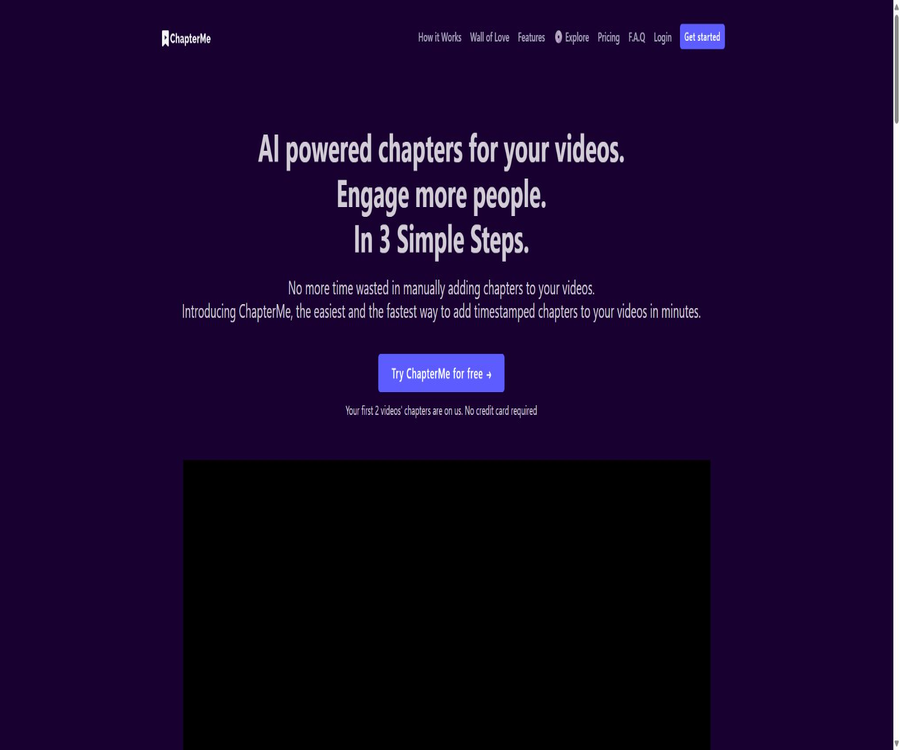
ChapterMe is an online tool that automatically creates video and audio chapters; its AI functionality is called ChapterGPT. Once the user provides the video content, the system identifies changes in theme and generates chapter titles along with the corresponding timestamps, which can then be reviewed, modified, and published by the user.
It primarily addresses the issues of difficulty in browsing long videos, the time-consuming nature of manually marking sections, and the lack of structure in videos embedded on websites. In addition to automatic sectioning, the paid version also offers tools for manual sectioning, a branded player, interactive analytics, and video A/B testing.
A one-sentence summary
ChapterMe allows long videos or podcasts to be divided into editable timestamped chapters, which can then be used in YouTube descriptions, podcast episode descriptions, or website players with a branded style.
Main functions
AI automatically generates timestamped sections.
After the user submits a video link and selects AI processing, the system analyzes the content and creates chapter titles as well as time markers. The results generated can be edited or deleted, which helps to reduce the need for playing the video segment by segment and for manual recording.
Manual chapter editing
The Premium plan allows the use of editing tools with keyboard shortcuts to manually add chapters to an unlimited number of videos. It is suitable for situations where the AI-generated content needs further refinement, where the video’s language is complex, or when the user already has a chapter outline.
YouTube chapters and video descriptions
The generated chapters can be formatted as text with timestamps, which can then be added to the description of a YouTube video. The chapter titles should accurately reflect the content of each segment; they should not be written merely to include search terms, even if that means using titles that do not correspond to the actual content of the video.
Podcast chapters and show descriptions
The official pricing page lists podcast platforms such as Spotify, Castbox, and Apple, and indicates that it is also possible to work with podcast episodes or descriptions using RSS feeds. The format of episodes and the permissions for publishing vary across different platforms, so the actual method of integration should be confirmed before submission.
White-label embedded player
Paid users can embed a chapter-based player on their own websites, and use custom logos as well as their own brand colors. Visitors can go directly to the sections they are interested in, which helps them understand the structure of courses, product demonstrations, or interviews more quickly.
Chapter and Interaction Analysis
The Premium plan provides advanced analytics on views, shares, drop-off rates, and interactions, which help determine which segments are the most popular. The results of these analyses can assist in optimizing the structure of the content, but it is not possible to draw general conclusions based solely on data from a single viewing session.
Video A/B testing
Website operators can compare two or more versions of a video to determine which one is more suitable for the particular page and its conversion goals. It is important to keep the traffic sources, page locations, and observation periods as consistent as possible; otherwise, the results may be affected by other variables.
How ChapterMe works
| Phase | Enter | Processing results | Check before publishing |
|---|---|---|---|
| Submitted content | Video link or content from the agreed platform | Create pending video tasks | Confirm that the video is accessible and that you have the permissions to handle it. |
| AI analysis | Video audio and thematic structure | Generate chapter titles and timestamps | Check language recognition and topic boundaries. |
| Manual editing | AI-generated chapters or custom chapters | Adjust the title, position, and quantity. | Avoid chapters that are too dense, too sparse, or have misleading titles. |
| Published on the platform | Timestamp text | Used for video or podcast descriptions | Follow the chapter formatting requirements of the target platform. |
| Website embedding | Player code and brand settings | Display an embedded player with chapters. | Check the mobile version, loading speed, and privacy settings. |
| Effect analysis | Viewing and interaction data | Check segment performance and churn. | Use sufficient samples and combine them with business objectives for explanation. |
Steps to generate automatic sections
- Register for a ChapterMe account and check whether there is a free quota available or if there is still some video duration left in the current subscription.
- Prepare a video link that is accessible, and first remove any sensitive content that does not need to be published.
- Submit the video in the background and select AI-generated chaptering, then wait for the task to be completed.
- Click on each timestamp to review the starting point of each section, and correct spelling errors, proper nouns, as well as the way topics are categorized.
- Copy the final chapter to the target video’s description, or use the ChapterMe player to embed it on the website.
- After it is published, click at each specified time to verify that the format, page transitions, and display on mobile devices are all proper.
Steps for manually optimizing a chapter
- First, read through the list of chapters generated by AI and remove those that are redundant or ineffective, lasting only a few seconds.
- Change the title to a specific topic that the audience can understand, avoiding exaggerated or irrelevant search terms.
- Move the time point to the natural points where the theme changes, avoiding jumps in the middle of a sentence or a few seconds before a transition.
- Standardize the length of headings, capitalization, terminology, and numbering style to make the entire list of chapters easier to scan.
- Play the beginning of all chapters again and check the required duration for the first chapter as well as the minimum interval specified by the target platform.
Steps for embedding a player on a website
- In the paid account, select the videos for the chapters that have been completed, and open the player or the embedding settings.
- Configure the brand colors and chapter text that are allowed to be used, in order to ensure contrast and readability.
- Copy the embedding code provided by the system and add it to the location in the content management system where codes can be inserted.
- Test the playback, chapter navigation, full-screen mode, and page loading performance on desktops and mobile devices.
- Before initiating analysis or A/B testing, determine the target metrics and comply with the website’s Cookie and privacy policies.
Which users are it suitable for
- YouTube creators: Quickly generate chapters for tutorials, interviews, live stream replays, and long videos.
- Online course team: Allows learners to navigate based on specific knowledge points, and integrates course videos into the teaching website.
- Podcast producer: Organizes the program’s topics, timing, and descriptions, thereby reducing the workload associated with manual transcription.
- Marketing and Product Team: Add a navigable structure to presentations, webinars, and customer cases.
- Corporate content team: Manages website videos using white-label players, interactive analytics, and A/B testing.
- Editors and operators: First use AI to create a draft, and then conduct a thorough review of the titles, terminology, and timing of publication.
Typical use cases
- Divide the one-hour interview into distinct sections such as an introduction to the guest, key points, examples, and Q&A.
- Mark steps such as installation, configuration, operation demonstration, and troubleshooting for software tutorials.
- Add a table of contents with key concepts to the course videos, allowing learners to review specific ideas directly.
- Organize the podcast content into copyable timestamped episode descriptions to facilitate easy navigation for listeners.
- Embed a chapter player with the brand’s color on the product page, and compare different video versions.
- Analyze viewing, sharing, and drop-off patterns to identify segments that need to be shortened or re-edited.
Product advantages
- Automatic chapter creation, manual editing, publishing, and website display form a relatively complete workflow.
- The free plan does not require a credit card and is suitable for verifying identification through two videos as well as assessing the quality of the chapters.
- Premium offers both an automatic quota system and a manual chaptering tool that allows for an unlimited number of videos.
- White-label players, brand colors, analytics, and A/B testing are suitable for corporate website scenarios.
- The official price page lists over 60 languages, including Mandarin, English, Japanese, and Korean.
- The text from the chapters can be reused in video descriptions and podcast descriptions, thereby reducing the need for repeated formatting.
Usage restrictions and precautions
- The home page of the official website states that self-service products are currently available for YouTube only; support for other video and podcast platforms needs to be confirmed separately.
- The free version includes only two videos totaling about one hour; when automatic tasks are busy, it may take around 24 hours.
- The default monthly quota for Premium is 10 videos or approximately 5 hours of video content; if this quota is exceeded, it is necessary to inquire about ways to obtain additional access.
- AI may misclassify topics, identify incorrect proper nouns, or choose unnatural timing; manual review is necessary before publication.
- Player embedding, analysis scripts, and third-party video platforms may involve cookies, access logs, and privacy notices.
- Video SEO and viewing duration are influenced by factors such as the topic chosen, the title, the cover image, the target audience, and the quality of the content; chapter structure does not guarantee rankings or conversions.
- The information provided on the pricing page regarding processing speed does not always match that on the home page; the actual delivery time should be determined based on the status of backend tasks and the current plan.
- The previous version of the privacy policy and terms was last updated in 2023; enterprise customers should request confirmation regarding the current data processing and security measures.
Prices and packages
The prices listed below were verified on August 21, 2026, from ChapterMe’s current public pricing page; the currency is the US dollar. Subscription fees, processing charges, discounts, and enterprise-level options may vary, and the final amounts shall be as indicated on the payment page or in the written quotation.
| Package | Price | Billing cycle | Automatic chapter limit | Primary interests | Suitable for users |
|---|---|---|---|---|---|
| Free | $ | Free | 2 videos, totaling about 1 hour | Automatic timestamping section; processing time is around 24 hours during busy periods | First test and low-frequency individual users |
| Premium | 24 dollars | Monthly | 10 videos per month, for a total of about 5 hours | Fast processing, unlimited manual chapters, white-label embedding, A/B testing, and advanced analytics | Channels and companies that release videos on a weekly basis |
| Enterprise | Custom quote | In accordance with the contract | It is possible to specify unlimited automatic processing. | Includes Premium features and additional automation tools | Large volumes of content, complex platforms, or organizational procurement |
The pricing page indicates that startups, non-profit organizations, and educational institutions are eligible for discounts, but no specific percentage for those discounts is provided. Paid subscriptions are billed on a monthly basis with automatic renewal; the terms also state that payment processing fees may apply, and refunds are generally not offered for the current subscription period.
Comparison between the free version and Premium
| Ability | Free | Premium |
|---|---|---|
| AI automatic chaptering | 2 videos, about 1 hour | 10 videos per month, approximately 5 hours |
| Automatic processing speed | Around 24 hours during peak times | The pricing card indicates that one hour of content corresponds to about 20 minutes. |
| Manual chapter | Not listed as a free benefit. | No restrictions on videos; keyboard shortcuts are supported. |
| White-label player | Not included | Includes |
| Website embedding | Not listed as a free benefit. | Includes white-label player and embedding. |
| Video A/B testing | Not included | Includes |
| Advanced analytics | Not included | Watching, sharing, loss, and interaction, etc. |
How to understand processing speed and quota?
The pricing information on the official website states that the processing time for the free version is around 24 hours, while for the Premium version it is around 20 minutes per hour. The FAQ section on the site claims that Premium can process a one-hour video within 5 minutes; there is therefore a discrepancy between these two figures, and the fastest processing time should not be regarded as a guarantee of service quality.
| Indicators | Public explanation | Practical usage suggestions |
|---|---|---|
| Total free quota | 2 videos, about 1 hour | First, test with representative languages and content. |
| Premium monthly quota | 10 videos, about 5 hours | Check both the number of entries and the total duration at the same time; don’t focus on just one of them. |
| Free turnover | Approximately 24 hours when the server is busy | Do not schedule tasks on the last day before publication. |
| Premium turnover | There are two statements regarding the time it takes for the page to appear: about 20 minutes and usually 5 minutes. | Estimate on a non-guaranteed basis and reserve time for manual review. |
| Enterprise quota | An unlimited number of videos can be agreed upon. | Specify the document length, concurrency, and SLA in the contract. |
Supported platforms and formats
The homepage of the official website clearly states that YouTube videos are supported at present, while the FAQ on the pricing page lists Brightcove, Video.js, Wistia, Vimeo, as well as various podcast platforms. It can be reasonably assumed that the main self-service interface is focused on YouTube, with other platforms possibly being accessed through descriptive text, RSS feeds, embed codes, or with the assistance of a team.
| Platform or method | Public support status | Suggestions before use |
|---|---|---|
| YouTube | The homepage of the official website explicitly supports it. | Submit the accessible link and verify the chapter format in the description. |
| Vimeo | The pricing FAQ states that a timestamp can be added to the description. | Confirm whether support is available for self-generation at the moment or only text output. |
| Brightcove, Video.js, Wistia | The pricing FAQ is listed for the major video platforms. | Confirm with the team the connection details, players involved, and the scope of analysis. |
| Podcasts such as Spotify, Apple, Castbox, etc. | The pricing FAQ lists the supported options. | Confirm whether to use RSS, program descriptions, or native chapters. |
| Website embedding | Premium offers a white-label player. | Test the content management system, responsive layout, and scripting strategies. |
| Windows, macOS, Linux | Available through the website backend | No standalone desktop client was found. |
| iOS and Android clients | No standalone mobile apps were found. | It can be accessed via a browser, but the experience of editing on mobile devices needs to be tested by oneself. |
Language support
The current pricing page lists over 60 languages, including Mandarin, English, Japanese, Korean, French, Spanish, Arabic, as well as various languages from Europe and Asia. The fact that a language appears on this list means it can be processed, but it does not imply that equal accuracy will be achieved for all accents, terms, and mixed languages.
Chinese videos require special attention to names, company names, numbers, English abbreviations, and long sentences that lack pauses. Audio quality, multiple people speaking at the same time, background music, and dialects can all affect transcription and the identification of chapter boundaries.
Privacy and data security
ChapterMe will handle the names and email addresses provided by users voluntarily, and it will also keep records of IP addresses, browsers, pages visited, times of access, as well as any technical issues that occur. The privacy policy permits the disclosure of necessary data to hosting providers, storage services, analysis tools, advertisers, contractors, and other service providers.
The terms state that enterprise-level security measures and end-to-end encryption are employed, and it is stated that user data is not sold. The privacy policy also points out that electronic transmission and storage cannot guarantee absolute security. Before uploading internal videos, companies should be asked to specify the locations where the video files, subtitles, generated chapters, backups, and logs are stored, as well as the schedule for their deletion.
| Risk points | Possible data involved | It is recommended to exercise control. |
|---|---|---|
| Account registration | Name, email address, and login details | Use an organizational email address and enable available account security measures. |
| Video processing | Video audio, visuals, subtitles, and links | First, obtain authorization and delete sensitive information related to customers, employees, or trainees. |
| Website embedding | Playback, interaction, sharing, and churn data | Update the privacy notice and check third-party scripts. |
| Pay for subscription | Payment methods and transaction records | Restrict financial permissions and save invoices |
| Corporate procurement | A large amount of internal content and usage logs | Sign the terms regarding data processing, security, deletion, and event notification. |
APIs, integration, and open source status
The current official website does not provide public developer API documentation, a page for requesting API keys, an official SDK, or any information regarding rate limits. The subdomains listed on the site are used for hosting and sharing product content; therefore, it cannot be concluded that there are public APIs available for use by third parties.
The Enterprise solution mentions automated tools, but it does not specify the exact types of connectors and interfaces used. When it is necessary to submit requests in bulk, to automatically upload content to YouTube or to integrate with corporate video platforms, it is essential to clarify the authentication methods, concurrency levels, callback procedures, error retry mechanisms, and who is responsible for providing support during the quotation stage.
No official GitHub organization for ChapterMe, nor its product source code or open-source license was found. The projects on GitHub that have similar names and are related to video chapter generation are independent third-party projects; therefore, the ChapterMe product should be labeled as not being open source.
Ways to improve the quality of chapters
- Priority should be given to videos with clear voice narration, low background music, and distinct theme transitions.
- Design segments in advance within the script, so that the speaker can use clear transition phrases when changing topics.
- Chapter titles should directly describe the content of that section, avoiding repetition of the video’s overall title or the use of vague terms.
- Merge overly short sections and split those with excessive content volume, so that the table of contents remains concise while also serving as a useful navigation tool.
- Check the seconds before and after each time point to ensure that the beginning of the new track can be heard in its entirety after clicking.
- After publication, the sections are adjusted based on viewing data; the structure generated by AI in its first attempt is not considered the final version.
Basic information
| Project | Information |
|---|---|
| Tool name | ChapterMe |
| Name of the AI feature | ChapterGPT |
| Tool type | AI video chapters, timestamps, podcast program descriptions, and embedded players |
| Primary users | Video creators, podcasters, course teams, marketers, and corporate content teams |
| Current self-service focus areas | YouTube videos |
| Expansion platform | The official website’s FAQ lists various video and podcast platforms; specific integration requirements need to be confirmed. |
| Free quota | 2 videos, totaling about 1 hour |
| Paid price | Premium costs $24 per month; Enterprise pricing is custom. |
| Chinese support | Mandarin is supported; the accuracy level depends on actual audio testing. |
| Web version | Support |
| Independent mobile apps | No findings were detected. |
| Public API | No public documents were found. |
| Official SDK | No findings were detected. |
| Official GitHub | No findings were detected. |
| Is it open source? | No |
Recommendation score
Its rating is 4.1 out of 5 points. ChapterMe combines AI-powered chaptering, manual editing, a white-label player, analytics, and A/B testing; it is suitable for teams that need to publish long videos on a regular basis and wish to improve the viewing experience on their website.
The main shortcomings are that the automatic credit limit for Premium is not high, the descriptions of the platform’s support and processing speed vary across different sections of the official website, and no public API is available. Individual creators should first test it using two free videos, while companies should verify the connection and data-related terms before making a purchase.
Frequently Asked Questions
Is ChapterMe free?
There is a free option that can process the first two videos, for a total of about one hour; no credit card is required to sign up for this trial. The processing of free tasks may take around 24 hours when the servers are busy.
How many videos can Premium process per month?
The standard package includes 10 automated chapter videos per month, for a total of about 5 hours of content. It also offers a tool for creating manual chapters without any limit on the number of videos, but manual processing does not mean unlimited automatic generation by AI.
Does ChapterMe only support YouTube?
The homepage of the official website lists YouTube as the currently supported platform for uploading videos manually, while the pricing FAQ mentions other video and podcast platforms. Before using Vimeo, Wistia, Brightcove, or podcast RSS feeds, it is necessary to check with the team to understand the specific procedures in use.
Does it support Chinese videos?
Yes, the current list of languages includes Mandarin. Dialects, multiple voices speaking at the same time, low audio quality, and a large number of proper nouns can still reduce the accuracy of chapters and transcriptions.
Can AI-generated timestamps be published directly?
It is not recommended to publish without checking first. One should click through each time point to verify the topic changes, titles, proper nouns, and the format suitable for the target platform.
Can chapters be added manually?
Yes, the Premium package includes manual chaptering tools and keyboard shortcuts that allow for an unlimited number of videos; such features are not included in the options available with the Free plan.
Is a branded player available?
Premium includes a white-label player and website embedding options, along with the possibility to set brand colors. Even after embedding, it is still necessary to check the responsive layout, loading speed, as well as the Cookie and privacy policies.
Can I cancel my subscription?
Cancellation can be done through the subscription portal; it takes effect after the current billing cycle ends, and the account is downgraded to a free account. The cost for the current cycle is generally not refunded, and in cases of repeated charges or incorrect payments, you can contact support for assistance.
Does ChapterMe provide an API?
No public API documentation, developer keys, or SDKs were found. Enterprise mentioned automated tools; for requirements related to batch integration, it is necessary to contact the team for confirmation.
Is ChapterMe open source?
It is not an open-source product, and no official source code repository has been found. The code used for generating third-party video chapters cannot be considered part of the official ChapterMe project.
Can automatic chaptering definitely improve a video’s ranking?
There is no guarantee. Chapters assist with structure and navigation, but search rankings and viewing performance are also influenced by factors such as content quality, title, cover image, audience relevance, and the platform’s algorithms.
Summary
ChapterMe is suitable for organizing long videos and podcasts into scrollable content with timestamps, which can then be used in platform descriptions or website players. Its true value lies not only in the AI-generated drafts but also in the editing, embedding, analysis, and testing processes.
Before making a choice, it is advisable to use the free quota to assess the quality of the language and chapters involved; thereafter, decide between Premium and Enterprise based on the number of videos produced each month. In cases involving platforms other than YouTube, batch processing, or internal videos, it is necessary to verify the scope of integration, processing speed, and data protection requirements.
Tools similar to Chapterme



 Guigong Network Security Registration No. 45132202000164