






Build Custom AI Agents
Build Custom AI Agents – intelligent tools focused on AI programming
Tags:AI programming toolsA one-sentence summary
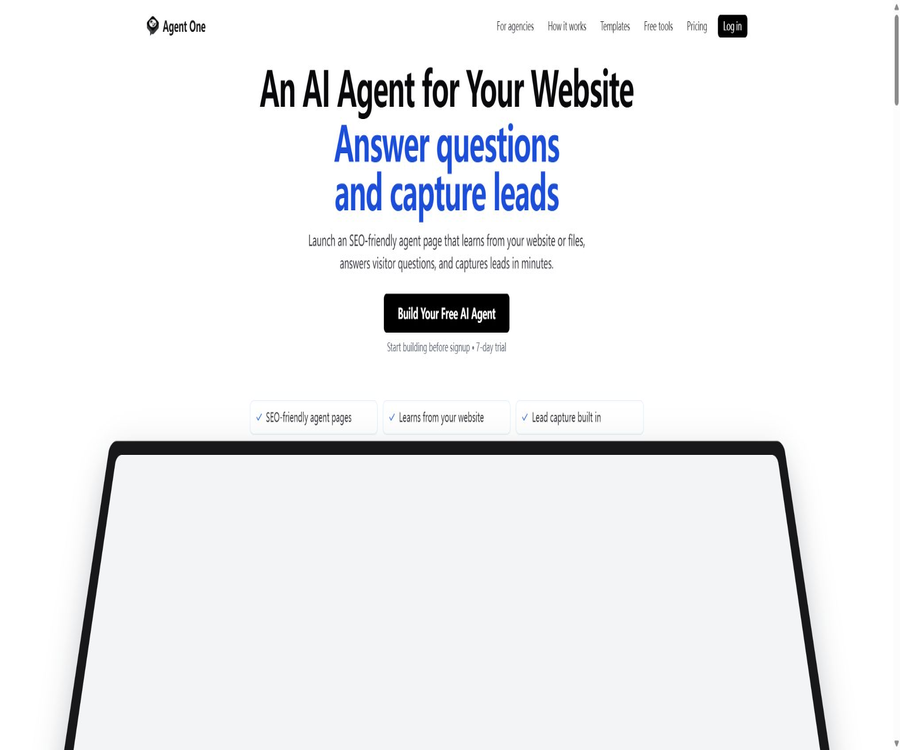
Agent One is a code-free platform for creating, hosting, and managing brand AI agents; it allows knowledge-based queries, website customer service, lead collection, and business tools to be presented as separate pages or embedded chat windows.
It places particular emphasis on SEO-friendly public Agent pages, custom domain names, and the analysis of visitor inquiries, allowing the agent to serve both as an entry point for services and as a source of measurable marketing content.
What is Agent One?
Agent One also makes use of the AGNT.ONE domain name and branding; its products are primarily aimed at website owners, small businesses, marketing agencies, support teams, and internal knowledge management scenarios. Users can configure Agent using a conversational builder or templates, without having to set up their own model services or chat interfaces.
The Site within the platform serves as the deployment environment for agents; it can use either a subdomain of the platform or a custom domain name, and it can host one or more agents. Each agent can be made publicly accessible and embedded in websites, or it can remain private and available only to members of the workspace.
Main functions
Website and file training
Agents can read pages from public websites, and they can also create knowledge bases from PDFs, documents, and text files. Multiple sources of information can be used together, but it remains the responsibility of the creator to ensure that the content is up-to-date, that there are proper permissions, and that searches yield accurate results.
SEO-friendly Agent page
With Starter, it is possible to create a public Agent page and associate it with one’s own domain name. The pages that are available after payment and have been officially released are indexed by search engines, whereas trial, draft, and free versions of such pages should not be considered as reliable assets for natural search.
Chat component and full-page deployment
Agents can be embedded as chat bubbles within existing websites, or they can be displayed as separate pages or within embedded frames. The deployment options provide a domain name and various interface parameters, making it possible to add a Q&A section without having to rebuild the original website.
Q&A and multilingual support
The platform takes into account factors such as the intelligence level of response file management, the depth of reasoning, speed, and relative cost, and it translates these factors into actual models. Agents can provide responses based on files, websites, and GitHub repositories; they also support multi-language interaction, with the quality of those responses depending on the models and knowledge sources used.
Clue collection
A simple email collection tool can ask for an email address at the beginning or end of a conversation, while a full Lead Capture Form allows for the collection of name, phone number, email address, and custom text. The form can be displayed blocking the chat interface, or it can be requested by an agent at the appropriate moment.
Analysis and dialogue logs
The Basic plan and higher-tier plans include Agent and Site analysis, allowing access to metrics such as sessions, messages, feedback sentiment, page views, visitors, channels, countries, and bounce rate. Dialogue logs help identify knowledge gaps and misunderstandings, but they cannot replace the defined business conversion metrics.
Voice mode
Basic and Standard versions support voice input and voice output; visitors can speak and hear the responses from the agents. The browser requires microphone permissions, and the accuracy of recognition may vary depending on accent, dialect, noise, and less common languages.
Convert images to videos
The Basic plan and higher plans include a feature that allows videos to be created from uploaded images and text descriptions; this function can be used to turn the content on the Agent page into short video material. The official website does not disclose information regarding the number of videos that can be produced per month, their resolution, or the details related to commercial use, so these details should be checked in the account before using this feature.
- The answers are based on sources such as websites, public pages, PDFs, documents, texts, and GitHub repositories.
- Use a template or a blank Agent to configure the name, welcome message, behavior instructions, tone, and restrictions.
- Publish public Agent pages, website chat components, full-page agents, or private workspace agents.
- Use a custom domain name, logo, colors, and fonts to maintain brand consistency.
- Collect email addresses or obtain names, phone numbers, and business requirements through a drag-and-drop form.
- View sessions, messages, feedback, visitor channels, and traffic changes over the past 30 days.
- Through code interpreters, file searches, web searches, charts, APIs, and MCP extension tools.
- The Standard package includes real-time chat and intelligent human takeover.
How to create the first Agent
- Define the single purpose of the Agent, such as answering product questions, filtering sales leads, or supporting internal staff.
- Create an account and a site; choose a subdomain for the platform or prepare your own domain name.
- Start with a template or create a blank Agent, and set the name, description, icon, and welcome message.
- Specify the role, tone, topics allowed for responses, boundaries for rejection, and conditions for transferring to a human agent.
- Add websites, files, or other knowledge sources, and remove outdated, conflicting, or inaccessible materials.
- Enable the desired search, code, chart, email, form, API, MCP, or voice tools.
- Test common issues, unanswered questions, malicious prompts, and privacy-sensitive requests in the preview.
- Publish it as a standalone page or embed it on a website, then continuously monitor the logs and update the knowledge.
Public Agent deployment tutorial
- Create public Agents in the Site, and verify the number of Agents and Sites allowed by the package.
- Set the logo, colors, font, thumbnails, and page descriptions to maintain consistency with the original website’s brand.
- Select a subdomain for the platform or set up custom domain name resolution, and wait until the certificate and the domain status are normal.
- Check whether the page title, overview, scope of knowledge, and hint suggestions are suitable for public display.
- Before publishing, the mobile version was not tested in a browser; there are no answers, loading failures, and issues with the form processing.
- If the chat component is used, place the official snippet at the bottom of the website page and verify its opening, closing, and scrolling functionality.
- After going live, check the index status, conduct page analysis, and address visitors’ questions in order to continuously fill any gaps in accurate knowledge.
Public pages are exposed to unknown visitors and search engines; therefore, internal documents, customer data, and confidential instructions should not be included in the information that is available for retrieval. Private Agents and public Agents require different sets of data and access strategies.
Knowledge base organization methods
- List the most common questions from visitors regarding products, prices, delivery, support, and eligibility.
- Select materials that are publicly available and still valid, drawn from the official website, documentation, and formal policies.
- Remove navigation noise, duplicate paragraphs, outdated activities, and conflicting old versions.
- Provide clear titles, context, dates, and scope for important facts.
- After uploading a file or training the website, test the retrieval using different phrasings of the same question.
- In cases where no answer can be found, the Agent is required to acknowledge that the information is unknown and provide a way to get in touch with someone manually.
- After each update to prices, policies, or products, re-synchronize and conduct random checks on key responses.
Clue collection and manual takeover
Email collection is suitable for low-friction subscriptions or follow-up communications, while structured forms are appropriate for quotes, appointments, support tickets, and eligibility screening. Forms support fields such as Text, Email, Phone, Number, and Textarea, and they also record the page from which they were submitted.
Standard includes real-time chat and intelligent human assistance, making it suitable for passing complex issues on to a team for further handling. Before transferring the call, it is necessary to collect only the essential information, and to inform the caller whether they are being routed to an automated or manual processing channel.
| Method | Collect content | Trigger method | Suitable scenarios |
|---|---|---|---|
| Email Collection | The conversation starts or ends. | Subscription and light follow-up communication | |
| Lead Capture Form | Name, email, phone number, digits, and custom text | Blocking when opened or requested by the Agent | Quotations, reservations, and eligibility screening |
| Live Chat | Dialogue context and automated responses | Team access | Complex support and sales communication |
| Human Handoff | Session summary and collected information | Intelligent or rule-based routing | High-value issues that require manual judgment |
Blocking forms improves data integrity, but it may also cause visitors who are unwilling to provide information to leave immediately. Fields that are not necessary should be made optional, and email functions together with duplicate email fields should be avoided.
Analysis and optimization of workflows
- Check the total number of sessions, messages, and user feedback on a weekly basis; do not consider an increase in traffic as an indication of improved response quality.
- Randomly inspect likes, dislikes, and conversations with no feedback, and identify incorrect answers, knowledge gaps, and misinterpretations of intent.
- High-frequency issues can be classified into three categories: those for which no existing answer exists, those for which the website lacks relevant content, and those that require manual handling.
- After adding additional knowledge or rewriting the instructions, test again using a fixed regression problem.
- Determine which Agent pages generate effective demand by considering page views, channels, countries, and bounce rates.
- External business metrics should be established for form submissions, reservations, tickets, and sales, to avoid optimizing only the number of conversations.
Agent analysis and Site analysis display data from the last 30 days; site statistics are updated on an hourly basis and may be cached. Teams that need long-term trends should regularly export lead and business data, or integrate with validated external analysis tools.
Tools, APIs, and MCP
Agents can enable code interpreters, file searching, real-time web search, interactive charts, email collection, custom API functions, and external MCP servers. The greater the permissions of a tool, the more necessary it is to establish boundaries to prevent unnecessary calls, prompt injection, and side effects.
The documentation for creating documents at present specifies that custom API functions require an interface that is not subject to authentication and can be accessed publicly; moreover, only GET requests are supported. Such interfaces are suitable for secure read-only queries, but not for performing tasks such as making payments, deleting data, sending secrets, or any other high-risk write operations.
| Tools | Main function | Key constraints |
|---|---|---|
| File Search | Search for answers from the uploaded materials | Data quality and permissions determine the risk associated with responses. |
| Web Search | Obtain real-time public information | The results may still be incorrect or outdated. |
| Code Interpreter | Computation, coding, and data processing | It is necessary to prevent the processing of sensitive or untrusted files. |
| Rich Media | Generate bar, line, area, donut, and scatter plots | The conclusions drawn from charts must be verified against the data. |
| Custom API Function | Call external read-only interfaces | Currently, only public GET endpoints that require no authentication are supported. |
| MCP Server | Discovering and invoking external MCP tools | The server, tool permissions, and the data returned should be reviewed. |
| Voice Mode | Speech to text and text to speech | Basic and Standard are available. |
Integration capability
The official integration catalog lists platforms such as Slack, Notion, Zapier, HubSpot, Salesforce, Microsoft Teams, Discord, Google Sheets, Gmail, WordPress, Shopify, Intercom, Zendesk, GitHub, and Google Drive. The catalog page serves to display available capabilities; the actual methods of connection, as well as the packages and permissions offered, need to be checked individually.
- Communication and teamwork: Slack, Microsoft Teams, and Discord.
- Knowledge and documents: Notion, Google Drive, and GitHub.
- Automation and data: Zapier, Google Sheets, and Gmail.
- Customer relationships: HubSpot and Salesforce.
- Websites and e-commerce: WordPress and Shopify.
- Customer support: Intercom and Zendesk.
- Advanced extensions: Custom API functions and external MCP servers.
Before integrating third-party accounts, it is necessary to check the minimum permissions, the scope of synchronization, as well as the procedures for storing and revoking tokens. The presence of a name in the marketing directory does not mean that all such accounts can be activated with just one click; for production projects, it is essential to follow the guidelines provided in the dashboard and the relevant documentation.
Prices and packages
As of August 20, 2026, the official website’s pricing is as follows: Starter costs $8 per month, Basic costs $50 per month, and Standard costs $150 per month. The Starter plan includes a 7-day free trial; the website does not disclose any information regarding prices for additional purchases or rules for automatic upgrades.
| Package | Monthly fee | Message quota | Primary interests | Suitable for users |
|---|---|---|---|---|
| Starter | 8 dollars | 500 message points per month | 7-day trial, 1 SEO-friendly public agent page, website and file training, lead collection, embedded chat, custom domain name | Single website or the first Agent page |
| Basic | 50 dollars | 5,000 message points per month | All rights of Starter, advanced analysis, image to video conversion, multiple agents per site, complete chat history, 100 agents, brand removal, priority support, voice functionality | Marketing team and enterprise client projects |
| Standard | 150 dollars | 15,000 message points per month | Basic full equity, real-time chat, intelligent human takeover, unlimited agents, unlimited sites, and team-level support processes | Multiple locations and customer service teams |
The other pages on the official website that list historical solutions may still show older options such as a price of $99, a 14-day trial period, and 10,000 messages – options that differ from those displayed on the current homepage. When making a choice, it is necessary to refer to the main pricing section and the checkout page, and to understand the rules regarding message credits, additional fees, taxes, cancellation policies, and historical data retention.
How to choose between Starter, Basic, and Standard?
| Demand | Recommended solution | Reason |
|---|---|---|
| Publish a Q&A page or a page for attracting customers | Starter | Low cost, with options for a custom domain name, as well as file training and embedding. |
| It is necessary to review the complete historical data and marketing analysis. | Basic | Enable advanced analysis and access to all chat records |
| Multiple agents are required, as well as the removal of the platform’s brand. | Basic | Supports 100 agents and white-label display. |
| It is necessary to convert speech or images into video. | Basic and above | The help documentation lists it as a feature of the premium package. |
| Manual intervention is required in real time. | Standard | Includes Live Chat and intelligent Handoff |
| Managing multiple client websites | Standard or approved institutional scheme | Infinity Agents and Sites are more suitable for large-scale management. |
The “unlimited” term in the package usually refers to the number of Agents or Sites; it does not mean that messages, storage, model calls, and support are all unlimited. Organizations should assess whether Standard is sufficient by considering the number of customers, the average length of sessions, peak loads, and the amount of manual intervention required.
Which users are it suitable for
- Small business website: Uses public agents to answer questions regarding services, prices, and appointments, as well as to gather leads.
- Marketing agencies: They create Agent pages with custom domain names for clients, thereby providing services that can be displayed and whose performance can be tracked.
- Customer service team: Uses the knowledge base to handle repetitive questions and routes complex conversations to human agents.
- Independent developers: Create support interfaces and private knowledge assistants for multiple products.
- Sales team: Uses forms and conversations to gather requirements, budgets, timelines, and contact information.
- Internal team: Upload policies, training, and operation documents, and create Agents that are accessible only to team members.
- Content team: Identifies topics based on frequently asked questions from visitors, and creates subsequent content by converting images into videos.
Typical use cases
- Product FAQ: Allows visitors to find information on features, prices, delivery times, and common issues using the details available on the official website.
- Acquiring clients through local services: Ask about the type of service, location, urgency, budget, and timeline, then pass the information on to the sales team.
- Pre-booking screening: Answer basic questions and collect contact information, but no confirmed available times are guaranteed at this stage.
- Delivery for institutional clients: Create separate brands, domain names, knowledge bases, and agent pages for different clients.
- Internal employee Q&A: Allows members to access procedures and policies, while keeping sensitive information separate from public sites.
- Content needs analysis: Identify key issues, pages, and channels to address, in order to supplement the content missing from the website.
- Voice Q&A: Provides voice input and verbal responses for mobile and accessible environments.
Product advantages
- Knowledge Agents can be created quickly from websites and documents, without the need for the team to develop a chat interface.
- The public Agent page, custom domain names, and embedded components offer a variety of deployment options.
- Email collection, structured forms, and manual intervention to manage the process from responding to following up.
- Basic offers session and site analysis, making it easy to improve the content through real questions.
- It responds to the choice of hiding underlying models; non-technical users can configure it based on speed, inference capabilities, and cost.
- It supports extended capabilities such as web search, charts, read-only APIs, MCP, and voice.
- The package tiers and the monthly message quota are clearly stated on the current main pricing page.
Usage restrictions and precautions
- AI responses may be incorrect, incomplete, or inappropriate for specific users; for important questions, an option for manual verification must be provided.
- The Starter plan provides only 500 message credits per month, and the traffic on public pages may quickly exhaust this quota.
- The precise definition of message points, the price per additional unit, and the rules for carrying over unused credits are not fully explained on the main page.
- Custom API functions currently only support unauthenticated public GET endpoints, and are not suitable for sensitive or write-oriented operations.
- Training on public web pages will inherit the outdated, conflicting, and exaggerated marketing content from the original website.
- Complete session logs, emails, and forms contain personal data; access rights and retention periods need to be managed.
- Speech transcription, web search, MCP, and third-party integration create additional data processing pathways.
- In medical, legal, financial, security, and other high-risk scenarios, decisions cannot be made solely by Agents.
- Old prices are still available on various historical pages of the official website; the current main pricing and those displayed on the checkout page should be taken as the reference.
Data privacy and training rules
The privacy policy explains that account information, bills, Agent settings, uploaded files, website-related knowledge, conversations, attachments, leads, feedback, as well as device and usage data are all handled. Messages and search contexts may also be transmitted to AI models, hosting services, databases, analysis tools, and other service providers.
Agent conversations controlled by customers will not be sold as separate datasets, nor will they be used to train generic third-party models without permission, explicit consent, or another legitimate basis. The platform may still use aggregated, anonymized, or minimized data for internal analysis, evaluation, benchmarking, and product improvement.
- The agent creator must provide a privacy notice to their visitors and obtain the necessary consent.
- Health, financial account, government identification, child, or credential data should not be collected without appropriate rights and protection.
- The rules for improving conversations controlled by the customer differ from those applicable to the data handled by Agent One’s own tools.
- The privacy page states that the data will be processed in the United States and may be transferred internationally.
- Data is retained during account activity and as long as it is necessary to provide services; legal, backup, and security purposes may extend the period of retention.
- Users can request access to, update, delete, export, restrict, or object to certain processing activities, depending on their location.
- After enabling MCP, API, and third-party integrations, it is also necessary to review the terms of the respective services.
The current content on the privacy page features paragraphs from both the old and new versions; one of those paragraphs mentions only OpenAI and Vercel Postgres, while the newer version covers a range of model types and infrastructure providers. Before handling sensitive tasks, it is necessary to obtain the latest agreements regarding subcontractors, data retention, training methods, and data processing.
Key points of the terms of service
The terms of service were updated on July 3, 2026. Users retain ownership of their content, while granting Agent One the authority to host, process, display, analyze, maintain records of it, and use it to improve the services as well as ensure compliance with security standards. Users must confirm that they have the right to upload websites, files, messages, and end-user information.
Paid plans are automatically renewed based on the billing cycle, and can be canceled at any time; unless required by law or otherwise specified, payments are generally not refundable. The total liability cap usually does not exceed the amount paid for services in the 3 months prior to the occurrence of the incident. Business clients should decide whether an additional contract is necessary, taking into account the associated risks.
APIs, GitHub, and open source status
The Agent One terms include APIs within the scope of the service, and the organization’s website also promotes API access; however, the current public help center provides detailed information on how to use Agents to call external APIs, rather than offering a comprehensive reference for managing APIs across the platform. When it is necessary to programmatically create Agents, read logs, or export leads, it is necessary to consult the authorities first to determine the specific endpoints and packages available.
The platform supports connection to external MCP servers, but this does not mean that Agent One is released as an open-source MCP project. At present, there is no official public GitHub repository corresponding to this product; commercial platforms should be labeled as non-open source.
| Ability | Current status | Boundary |
|---|---|---|
| Commercial Agent Platform | Officially available | Closed-source hosting services |
| External API functions | There are public help documents available. | Currently, it is required to be public, unauthenticated, and use only GET requests. |
| Platform management API | Mentioned on the Terms and Institutions page | No complete public reference has been found yet. |
| MCP connection | Officially available | Connect to a third-party server and invoke its tools |
| Official SDK | No findings yet. | There is no public documentation for supported languages and software packages. |
| Official GitHub | No findings yet. | GitHub can serve as a source of knowledge or for integration purposes; it is not equivalent to a product repository. |
| Open-source product | No | The complete platform source code and license have not been made available. |
Basic information
| Project | Content |
|---|---|
| Tool name | Agent One |
| Brand spelling | Agent One, AGNT.ONE |
| Tool type | Code-free AI Agents, website customer service, and lead generation platforms |
| Main entrance | Web workstation, public Agent page, and embedded chat component |
| Knowledge materials | Websites, files, public pages, and GitHub resources supported |
| Price pattern | 7-day trial and monthly subscription |
| Starting price | Starter costs $8 per month. |
| Is registration required? | It is necessary. |
| Chinese support | Multiple languages are supported; the performance in Chinese requires verification using actual business samples. |
| Custom domain name | Available from the starter version. |
| Voice | Basic and Standard are available. |
| API | External read-only functions are supported; the scope of the platform API needs to be confirmed. |
| MCP | Supports connection to external MCP servers. |
| SDK | No findings yet. |
| Is it open source? | No |
Recommendation score
Its rating is 4.2 out of 5 points. Agent One combines knowledge training, public pages, domain names, embedding capabilities, leads, analysis tools, and manual intervention to create a comprehensive website management solution; its Starter version is also suitable for testing it in single-use scenarios.
The deductions are mainly due to incomplete information related to the platform management API and excessive billing, ongoing discrepancies on the historical prices page, and the coexistence of old and new content on the privacy page. Low-risk customer service and customer acquisition scenarios are suitable for trial use, while industries with high sensitivity should first conduct reviews of contracts and data.
Frequently Asked Questions
Is Agent One free?
The current Starter version offers a 7-day free trial, after which the cost is $8 per month. The official website does not list any permanently free version available for regular use.
What are the differences between the three packages?
Starter includes a public Agent page; Basic adds 5,000 messages, advanced analytics, videos, 100 Agents, and a brand-free interface; Standard adds 15,000 messages, real-time chat, human assistance, as well as an unlimited number of Agents and Sites.
Can I use my own domain name?
Yes, Starter already includes a custom domain name. It is also possible to use the platform’s subdomain, or to integrate the chat component into an existing website.
Can it learn automatically from a website?
Public websites can be scraped and combined with knowledge sources such as documents. The timeliness of synchronization in case of changes to those websites, as well as the exact scope of data extraction, should be verified in the dashboard; key prices and policies still require manual verification.
Can it collect sales leads?
Email addresses can be collected, and names, phone numbers, numbers, and text can be obtained using custom forms. The creator must specify the purpose of data collection, determine which fields are required, and comply with local privacy and marketing regulations.
Is voice support available?
Basic and Standard support voice input and voice responses; they can be used in modern desktop and mobile browsers. Visitors need to grant permission for access to the microphone, and the quality of speech recognition for less common languages and dialects may vary.
Analysis available?
Plans Basic and above offer advanced analytics, allowing access to information on sessions, messages, feedback, page views, visitors, channels, countries, as well as trends over the past 30 days. These metrics should be combined with data on lead quality, appointments, and sales.
Is API support available?
Agents can call custom external APIs, but the documentation currently only supports public GET interfaces that require no authentication. Although full platform management APIs are mentioned on some pages, specific details regarding them and the available packages still need to be confirmed.
Is MCP supported?
It is possible to add the address of an external MCP server, so that the Agent can discover and utilize the tools provided by that server. Before enabling this feature, it is necessary to assess the reliability of the server, its permissions, the input data, and any potential side effects.
Is Agent One open source?
It is not an open-source product, and no corresponding official public source code repository has been found. The ability to integrate with GitHub Knowledge and MCP does not mean that the platform itself is open source.
Are dialogues used for training?
Agent conversations controlled by customers will not be used to train general third-party models in the absence of permission, an explicit choice to participate, or other legitimate grounds. The platform may still use aggregated, anonymized, or minimized data for internal improvements and evaluations.
Can it be used for medical or legal advice?
It should not be used as a substitute for professional advice. Such agents can only provide reviewed general information and security redirection; they must also come with clear disclaimers, human oversight, and procedures for handling emergencies.
Tools similar to Build Custom AI Agents



 Guigong Network Security Registration No. 45132202000164