






Blaze
Blaze, an intelligent tool focused on AI programming
Tags:AI programming toolsWhat is Blaze AI?
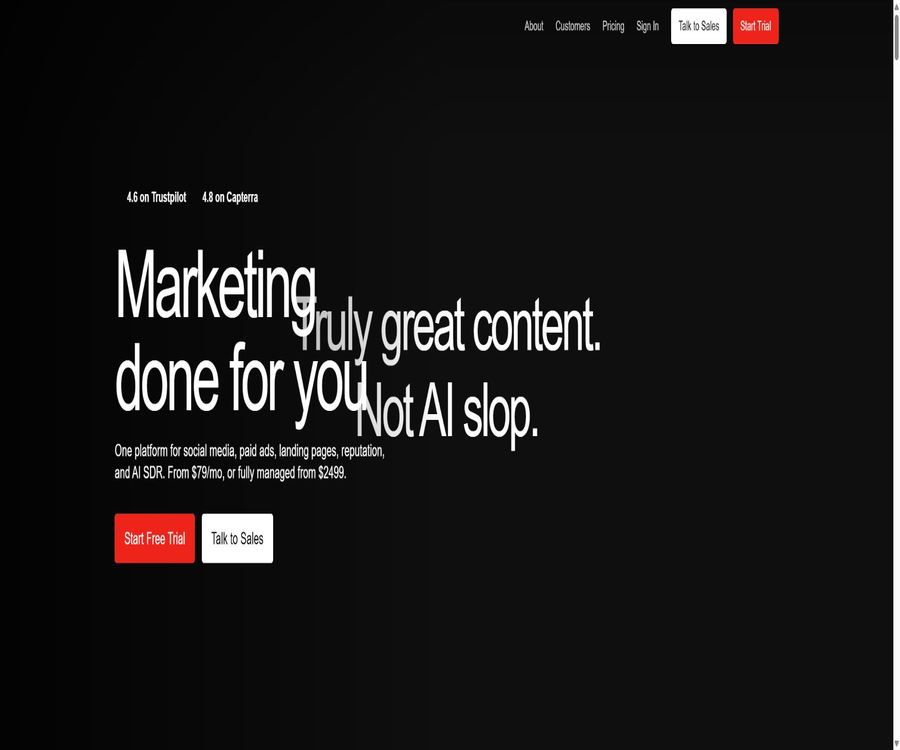
Blaze AI is an AI-based marketing platform designed for businesses, entrepreneurs, and marketing teams; it allows for the planning of campaigns, the creation of content, the design of visual materials, and their automatic distribution across various channels. Its focus is not on writing copy on a one-time basis, but rather on creating a continuous workflow that connects brand assets, content calendars, approval processes, publishing tasks, and performance analysis.
The product is managed by Almanac Labs; it currently offers a web platform, the Blaze AI mobile app, and a separate Blaze Studio image editing tool. Users can customize and review their marketing content on their own, or they can opt for a premium fully managed service that includes website management, advertising, lead management, and review handling.
Product composition
| Product or module | Key capabilities | Typical input | Main output | Suitable for users |
|---|---|---|---|---|
| Blaze AI Web | Marketing campaign planning, content creation, scheduling, and analysis | Websites, brand materials, objectives, and channels | Posts, blogs, emails, ads, and calendars | Entrepreneurs and marketing teams |
| Brand Kit | Learn the tone of written text and visual norms. | Websites, documents, accounts, images, and videos | Brand profile, tone, colors, fonts, and asset library | Teams that need to maintain brand consistency |
| Campaigns | Generate marketing plans based on goals and timelines. | Audience, objectives, frequency, and channels | Activity timeline and package content | Users who maintain multiple channels in operation |
| Designer and Documents | Edit visual and long-form content | AI drafts, images, and manual edits | Social design, blogs, emails, and metadata | Content editors and reviewers |
| Blaze AI app | Mobile management activities and content | Accounts, Brand Kit, and Calendar | Preview, edit, and publish on the go | Users who need to handle marketing tasks at any time |
| Blaze Studio | AI image enhancement, styling, and video generation from images | iPhone photo and style selection | Brand images or short videos | Creators and small businesses |
Main functions
Website analysis and Brand Kit
During the initial setup, Blaze can analyze a company’s website and create a brand profile by identifying elements such as positioning, tone, colors, fonts, logos, and suitable images. Users need to review each of these elements manually, as automatic extraction might miss the latest products, misinterpret the tone, or select materials that are not appropriate for public use.
Brand information and source materials
The team can add websites, social media accounts, text excerpts, documents, images, videos, and Google Drive files as brand materials. Videos are transcribed to help understand the business; any new materials added will only affect future generations of content, while existing content must be regenerated manually.
Marketing campaign planning
Campaigns create content plans based on goals, target audience, timing, and channels, and generate content automatically on the specified dates. Starter allows only the execution of one campaign with planning done in advance, while Growth enables management of multiple campaigns across a longer time period.
Generation of multiple types of content
The platform can generate over 70 different types of content, including social posts, blogs, emails, advertisements, marketing briefs, and videos. Points are deducted for each time content is created or regenerated, depending on its type; however, ordinary manual edits made within the editor generally do not result in any additional cost.
Visual design and Visual Styles
Designer allows for the adjustment of text, layout, logos, and brand elements, while Visual Styles is used to rewrite images using predefined photography and font styles. Currently, Visual Styles is primarily intended for use in social media visuals; it does not support applying these features consistently to images on blogs or in emails.
Content calendar and automatic publishing
The generated content is added to the calendar, where users can view it in list, weekly, or weekday views, and they can adjust the timing, schedule publications across different platforms, and manage the associated materials. Automatic publication is possible once the relevant channels are connected, but account permissions, platform reviews, and interface issues can still lead to failures.
Approval and team collaboration
The Growth plan includes a feature for approvals; once this is enabled, all future posts must receive explicit approval before they can be published automatically. Content that is rejected is moved back to the project or to the latest posts, making it possible to make further changes, regenerate it, or reschedule it.
Insights and Learning Loop
Insights aggregates the performance data from connected social platforms, websites, and emails, and displays the content with the best performance as well as data from various time periods. It usually takes several business days for this data to become available after it has been integrated, and the scope of functionality offered by Learning Loop is still being adjusted in stages.
Meta Ads and Marketing Automation
Blaze can be connected to Meta Ads, enabling the creation and management of paid campaigns within the same brand and content framework. Its automation capabilities allow tasks such as article generation, content publishing, or other cross-application processes to be triggered via Zapier.
Comparison of Starter and Growth features
| Project | Starter | Growth | Selection hint |
|---|---|---|---|
| Primary users | Individual entrepreneurs and small teams | Multi-member growth team | Select by publishing account, collaborators, and number of events. |
| Posting account | Up to 3 | Up to 10 | Different homepages on a single platform may have their own separate counts. |
| Monthly points generated | 600 | 1500 | All members share the workspace balance. |
| Number of users | 1 person | No restrictions on users | Visitor and member permissions need to be managed in the workspace. |
| Event planning | One is in progress and one is pending planning. | Multiple activities and annual planning periods | Long-term, active operation is more suitable for Growth. |
| Content approval | Not listed as a standard capability | Support | Teams that require signature confirmation before publication should give priority to Growth. |
| Automatic advertising campaigns | Support | Support | Advertising media budget is not included in the subscription fee. |
| Trial | 7 days | 7 days | The official website currently states that a credit card is not required. |
Complete marketing workflow
- Identify a brand, target audience, marketing goals, release date, and the channels that need to be utilized for promotion.
- Submit the company website and create a Brand Kit, then verify each element of the brand identity including tone, colors, fonts, and logos.
- Upload the latest product information, sales materials, common questions, and authorized media assets.
- Create a Campaign, and set the goals, target audience, content frequency, channels, and schedule.
- Have Blaze create the campaigns and initial content, after which the business staff will verify the facts, prices, promises, and copyright issues.
- Modify text, visuals, metadata, tags, and publication date in Designer or Documents.
- Connect to the publishing account; based on the level of risk, decide whether to schedule the publication directly or to enable approval before automating the release.
- Wait for the channel data to become available, compare the performance in Insights, and adjust the next round of campaigns.
New users create their first Brand Kit
- Register a workspace and enter the current brand’s website; then wait for the system to analyze the textual and visual information.
- Check the captured flags, colors, fonts, and images, and remove any outdated, low-quality, or unauthorized materials.
- Edit the Brand Profile by adding information on target customers, product differences, prohibited statements, and an accurate brand positioning.
- Adjust the Brand Voice and visual style to ensure that the example sentences are in line with the company’s actual way of communicating.
- Add Source Materials such as product pages, sales materials, brand guides, press releases, and training materials.
- Generate a draft using a low-risk topic, check the facts and tone before launching the official campaign.
Create and launch marketing campaigns
- Go to Campaigns and create a new campaign, then fill in the campaign’s title, objectives, target audience, background, and date range.
- Choose between social media, blogs, email, or advertising as the channels, and set an appropriate frequency for each type of content.
- Check the automatically generated topics and timeline, and remove any duplicate, irrelevant, or unverifiable themes.
- Confirm the points required, then generate the content and preview each item in the calendar.
- Modify the copy, images, design, and metadata to ensure that the appropriate length and format are used across different channels.
- Connect the publishing account and set a time; Growth users can enable Approvals to wait for team approval.
- After publishing, check the channel status and the actual page; if failure is detected, do not send the request repeatedly.
Use Zapier to create automation.
- On the Blaze integration page, open the Zapier card and obtain the API key for the current workspace.
- In Zapier, select the Blaze app and establish a controlled connection using the workspace key.
- Select the Publish Document trigger, or use the Ideas, Articles, and Outlines generation actions.
- Configure the target workspace, project, title, additional notes, brand tone, and SEO keywords.
- Run it once using non-sensitive test data to verify that the content appears in the correct item and is not made publicly available automatically.
- Restrict key access and keep track of the persons responsible for automation; rotate the keys promptly when employees leave or processes are discontinued.
Use Blaze Studio to create brand images.
- Install Blaze Studio on the iPhone, and log in using your existing Blaze account or by subscribing separately.
- Import images for which you have usage rights from a photo library or a web page, and then select a visual style that suits the brand.
- Check the stylized results and make further adjustments using parameters such as dialogue editing, text tools, and brightness.
- When dynamic content is needed, convert the image into a video and check the required points before confirming.
- Download the finished product and upload it to the core Blaze workspace, as the material libraries on both ends are not automatically synchronized in their entirety at the moment.
Which users are it suitable for
- Individual entrepreneurs: Use a single workspace to establish the brand’s tone and ensure consistent updates across a limited number of channels.
- Small businesses: Place the topic selection, copywriting, design, scheduling, and performance data in the same marketing calendar.
- Marketing team: Invite multiple members to work on Growth, manage various campaigns, and handle approval processes for releases.
- Content operators: Create sets of drafts for social media posts, blogs, emails, advertisements, and short videos.
- Agents and consultants: Separate work areas are created for different clients to prevent the mixing of brand materials and publishing accounts.
- Local service companies: Choose All-In-One to get website management, search advertising, lead response, and review management.
- Automation specialists: Use Zapier to link content creation and publishing to spreadsheets, CMS platforms, or internal processes.
Typical use cases
- Create a one-month plan for social media, blog, email, and advertising content to promote the product launch.
- Extract the tone from the brand’s website and materials to create consistent, yet not entirely identical, content for various channels.
- Rewrite the key points from the blog into LinkedIn posts, short video scripts, and email summaries.
- Allow customers or managers to review all content scheduled for release in advance before it is automatically published.
- Connect to Meta Ads and use the same brand assets to create and manage ad creatives.
- Use performance data to identify topics with high interaction, and then adjust the proportion of subsequent campaigns and content.
- View the calendar on mobile devices, modify the Brand Kit, and handle temporary approvals.
Product advantages
- It covers strategies, creation, visuals, calendars, publishing, and analysis, reducing the need to transfer data between various marketing tools.
- The Brand Kit not only stores the tone of voice but also includes information on positioning, channels, media, colors, and fonts.
- It supports over 70 content formats, making it suitable for expanding an event into multi-channel materials.
- It can be connected directly to major social media, blogging, email, advertising, and analysis platforms.
- The unlimited number of users, along with the long-term planning and approval processes associated with Growth, are more suitable for formal team workflows.
- The cost associated with points usage will be displayed before generation; no additional fees are charged automatically when the balance is zero.
- The core Web platform, iOS apps, and Blaze Studio support creation on both desktops and mobile devices.
Usage restrictions and precautions
- AI may generate incorrect product information, outdated prices, or inappropriate promises; manual verification is required before such information is published.
- Starter and Growth levels are determined based on points, and these points are deducted when they are regenerated; repeated attempts to try different approaches can quickly deplete the balance.
- Points that have not been used, as well as those obtained through purchases or recommendations, will not be carried over to the next period; cancelling the subscription also results in the loss of these points.
- One workspace corresponds to only one Brand Kit; managing multiple brands requires creating multiple workspaces.
- Starter has only one user and three publishing accounts, making it unsuitable for teams that require a formal approval process.
- The interfaces, permissions, and content rules vary across different platforms; a successful scheduling does not guarantee that the content will be published successfully on the third-party platform.
- The visual style will redraw the original image; characters, products, packaging, and text may become distorted, so it is necessary to check each element carefully before using it for commercial purposes.
- The user is still responsible for verifying the commercial rights related to third-party materials, music, fonts, logos, and AI-generated content.
- The language of the Chinese content can be customized, but the official app store currently only lists the English interface; to experience the Chinese version, one must try it out first.
Prices and packages
The following are the direct packages available on the official website as of August 20, 2026; the currency used is the US dollar. There may be differences between the current content on the official website and some older FAQ pages, promotional pages, as well as the packages offered within the application, so it is necessary to refer to the settlement page of the actual purchase channel.
| Package | Price | Billing cycle | Core credit limit and benefits | Suitable for users |
|---|---|---|---|---|
| Starter | 79 dollars | Monthly payment | 3 publishing accounts, 600 points per month, 1 user, automatic advertising campaigns | Individual entrepreneurs and small teams |
| Growth | 149 dollars | Monthly payment | 10 publishing accounts, 1,500 points per month, unlimited users, annual planning window, and approval process | Multi-channel Growth Team |
| All-In-One | $ | Monthly payment | Websites, content, search ads, AI reception, lead filtering, reviews, analysis, and reports | Local businesses that need a complete managed marketing system |
| Pioneer | It is no longer available to new users. | Old account subscription | For regular content, a maximum of 25 posts per channel per week are allowed; there are no restrictions on the accounts used for publishing or on the integration methods. The new visual features require additional points. | Early users who retained their historical eligibility |
Both Starter and Growth offer a 7-day trial period, and the official website states that no credit card is required. The terms of service still include the general rule that a free trial may turn into a paid subscription; users should check their trial status and renewal date on their account’s billing page.
Points rules
| Content or rules | Current method of consumption or processing | Explanation |
|---|---|---|
| Static social posts | 1 point | The basic consumption amounts listed on the official website’s current pricing page |
| 3 points | Consumption occurs upon initial creation; regular editing does not incur any additional charges. | |
| Blog posts | 3 points | Regenerating will consume it again. |
| AI video | The pricing page lists 15 points. | Some of the Visual Styles help pages award 20 points; the value displayed on the actual interface takes precedence. |
| Visual Styles images | 5 points | Charging is applied each time a new stylized image is generated. |
| Cross-platform release | Only the first creation is taken into account. | The same content, when shared multiple times, does not result in duplicate counting of points. |
| Generation failed. | No points will be deducted. | A system error condition needs to occur. |
| The balance is exhausted. | Pause new creation | The existing content can still be edited, scheduled, and published. |
| Unused and purchased points | Do not carry forward | It expires according to the workspace cycle; annual payments are also issued on a monthly basis. |
Price of Blaze Studio
| Plan | Price | Includes quota | Explanation |
|---|---|---|---|
| Image Only | $ | 90 points | Used for AI image style and enhancement |
| Image + Video | $ | 120 points | Includes AI video generation |
| 100-point package | 9.99 dollars | 100 points | Additional purchases currently displayed in the U.S. app store |
| Current Starter or Growth users | No need to purchase a separate Studio subscription. | Use core account points | Use the same email address to log in at both ends. |
The standalone subscription to Blaze Studio does not include the core Blaze marketing platform; users with a core subscription can use their existing credits in Studio. Different countries and app stores will display local prices, taxes, and annual subscription options.
Platforms and integration
| Platform or channel | Support status | Primary uses |
|---|---|---|
| Web browser | Support | Complete Brand Kit, Campaigns, Calendar, Generation, Integration, and Analysis |
| Blaze AI iOS app | Support | Management activities, Brand Kit, content preferences, previews, and cross-platform distribution |
| Blaze Studio iOS app | Support | Image enhancement, stylization, dialogue editing, and image-to-video generation |
| Native Android apps | No official version was found. | The Web platform can be accessed using a mobile browser. |
| Social media platforms | Support | Instagram Business, Facebook, TikTok, X, YouTube, LinkedIn, and Google Business Profile |
| Blog platform | Support | WordPress, Wix and GoHighLevel; Shopify is still marked as upcoming. |
| Email and Media | Support | Mailchimp, Google Drive |
| Advertising and Analytics | Support | Meta Ads and Google Analytics, as well as Google Search Ads, are still marked as upcoming. |
| Automation | Support | Zapier triggers the publication and invokes the content generation action. |
APIs, SDKs, and GitHub
Blaze provides workspace API keys for Zapier integrations, which enable the initiation of document publishing as well as the execution of actions related to the creation of ideas, articles, and outlines. The terms of service cover this API as well; however, no complete public REST API reference or official SDK documentation was available at the time of verification.
The official website and the help center do not point to any official open-source repositories belonging to Almanac Labs or Blaze AI, and the projects with similar names that appear in search results lack any proof of their official affiliation. Therefore, such products should be labeled as non-open source, and Zapier keys cannot be considered equivalent to those of general developer platforms.
Data, privacy, and AI training
The privacy policy states that Blaze processes data related to accounts, contacts, transactions, brand content, user-generated content, devices, usage patterns, as well as data from connected third-party accounts. This data may be handed over to services responsible for hosting, generative AI, analysis, plagiarism detection, payments, advertising, and other purposes; it may also be transferred across borders.
The AI supplementary terms specify that the platform will not use customer data to train machine learning models used to provide services, nor will it allow third parties to do so; such data can only be used to improve the models with the user’s explicit consent or feedback. This commitment does not mean that the platform does not process any content or anonymized operational data at all.
- Connect only the social, advertising, email, and analytics accounts that are necessary for business operations, and regularly remove any permissions that are no longer in use.
- Before uploading customer information, sales materials, and internal documents, verify the member permissions and the sensitivity level of the content.
- Third-party large models, payment, advertising, and analytics services all have their own boundaries regarding data processing.
- The privacy policy does not specify a uniform retention period for all data; instead, it determines such periods based on the purpose of the data, the associated risks, and legal requirements.
- Deleting a workspace is an irreversible action; before doing so, it is necessary to export the contents, invoices, and any relevant brand materials.
- The privacy labels in app stores are submitted by developers, and they cannot replace the company’s own security and privacy audits.
Copyright and commercial usage notes
The AI terms classify inputs and outputs generated as part of compliant use as customer data; however, they note that the outputs may not be unique, as other users could obtain the same or similar results. Users remain responsible for their inputs, outputs, any publications they make, and any commercial use of such content.
- Do not upload unauthorized images, music, fonts, trademarks, customer reviews, or materials related to competitors.
- Before publishing, check the facts, individuals involved, product appearance, prices, promises, copyright, and the platform’s advertising policies.
- AI-generated content must not be misleadingly presented as being entirely created by humans.
- The AI provisions prohibit the use of such tools to generate spam or to disseminate content related to elections.
- When the output is used in the medical, financial, or legal fields, it should be verified independently and a disclaimer should be added as required.
- Before running an ad, ensure that the final assets and landing page comply with the rules of the respective platform, industry, and region.
Basic information
| field | Content |
|---|---|
| Tool name | Blaze AI |
| Development and operation | Almanac Labs, Inc. |
| Tool type | AI-driven marketing content, campaign planning, automatic publishing, and performance analysis |
| Main products | Blaze AI, Blaze Studio, All-In-One marketing system |
| Price pattern | 7-day trial, monthly subscription, point generation, and fully managed solutions |
| Is registration required? | Yes |
| Chinese content | The language of the content can be selected, but the quality of the generated output needs to be tested. |
| Chinese interface | The official app store currently only lists in English. |
| Main platforms | Applications compatible with the Web, iPhone, and Macs with Apple chips |
| Public API | Zapier includes workspace keys; no complete, universal public API was found. |
| Official SDK | Not disclosed |
| Official GitHub | No open-source organizations that have been certified by the official website were found. |
| Is it open source? | No |
| Multiple brands | One brand per workspace; it is necessary to create a separate workspace for each one. |
Recommendation score
The comprehensive recommendation score is 4.4 out of 5 points. Blaze AI effectively integrates brand understanding, campaign planning, copywriting, visual elements, scheduling, approval processes, and performance data, making it particularly suitable for small businesses that do not have a dedicated content team.
The main barriers are the monthly fee and the requirement for points; multiple brands, multiple users, and formal approvals usually necessitate more advanced solutions. Before automatic publication, it is still necessary to conduct reviews of facts, brands, copyrights, and channel rules – AI-driven marketing cannot be treated as a process that operates without any oversight.
Frequently Asked Questions
Is Blaze AI free?
There is no long-term free version available for new users; the Starter and Growth plans offer a 7-day free trial. The official website states that a credit card is not required, but users should still check the billing page to see when the trial ends and whether renewal will take place.
How much is the current package?
The current monthly prices on the official website are $79 for Starter, $149 for Growth, and $2499 for All-In-One. Older FAQs, previous Pioneer accounts, and in-app purchases may show different prices.
Will the points be carried over?
No. The points earned through subscriptions, purchases, and recommendations expire at the end of each workspace cycle; users who pay annually also receive new points on a monthly basis.
Will a charge be deducted automatically once the points are used up?
No extra fees are charged automatically. New creations and re-creations will be paused, but existing content can still be edited, scheduled, and published; it is also possible to purchase more credits manually.
Is it possible to manage multiple brands at the same time?
Yes, but only one Brand Kit can be used per workspace. Separate workspaces must be created for different brands; for managing more than five brands, please inquire about custom pricing.
What content types are supported?
It can generate over 70 different formats, including social media posts, blogs, emails, advertisements, marketing briefs, as well as images and videos; these can be combined into multi-channel campaigns within Campaign.
Will the content be published automatically?
After connecting to a publishing account, automatic scheduling can be enabled. Growth users can opt in for approval processes, so that each piece of content is published only after it has received explicit approval.
Is Chinese supported?
Content preferences offer language options, including the possibility to generate content in Chinese. The official iOS app currently lists only the English language; before it is put into use, it is necessary to test the Chinese text, fonts, and layout.
Is Blaze Studio included in the subscription?
Starter and Growth users can log in to Blaze Studio using their original accounts and existing points. Subscribing only to Studio does not grant access to the core marketing platform.
Are APIs provided?
The Zapier integration provides workspace API keys as well as specific triggers and actions, but no complete, public API reference is available.
Is Blaze AI open source?
It is not open source. The official website does not disclose the source code of the platform, nor are there any officially recognized public GitHub repositories or SDK stores available.
Will the platform use customer content to train models?
The AI supplementary clause states that customer data will not be used to train the models used by the service, unless the user provides feedback voluntarily or gives explicit permission. Companies should still review, in light of their privacy policies, how third parties handle, store, and transfer such data across borders.
Can the generated content be used for commercial purposes?
When used in compliance, the input and output data constitute customer data; however, the output may not be unique. Users still need to verify the licensing of the materials, as well as relevant facts, trademarks, advertising rules, and the terms of third-party platforms.
Tools similar to Blaze



 Guigong Network Security Registration No. 45132202000164