






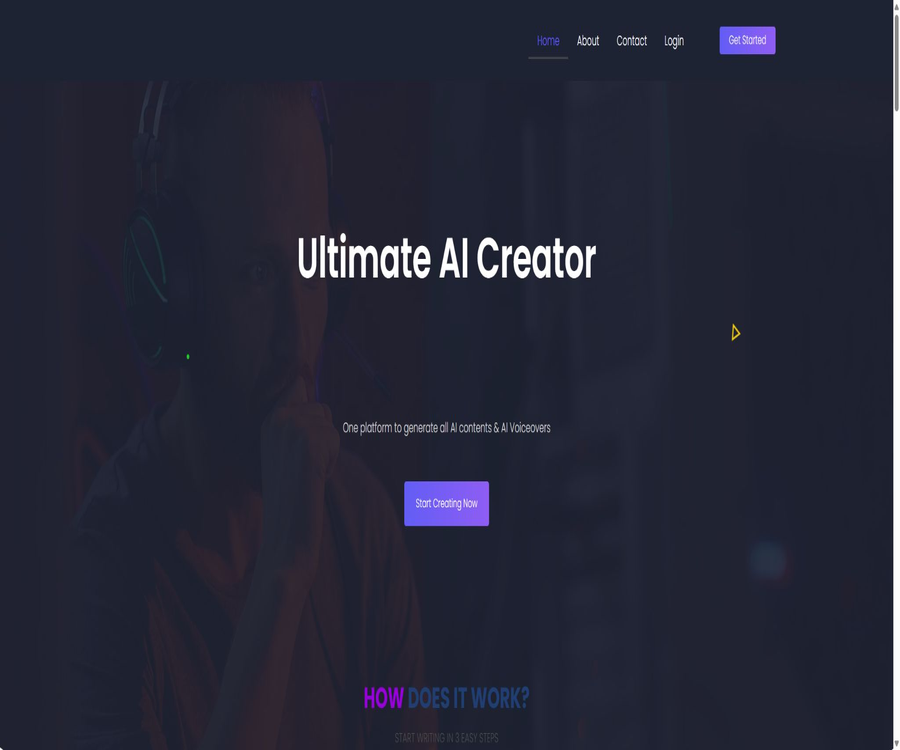
Best AI Writer, Content Generator, Copywriting Assistant
Best AI Writer, Content Generator, Copywriting Assistant – an intelligent tool focused on AI programming.
Tags:AI programming toolsA one-sentence summary
CannyPen is an online creation platform that integrates AI-powered writing, chatting, image and video processing, voice synthesis, transcription, voice cloning, code generation, and content verification.
Tool Introduction
CannyPen is designed for writers, marketers, bloggers, students, businesses, and multimedia creators; it offers over 70 writing templates as well as tools for handling text, images, and audio. Users select the appropriate tools and describe their needs, after which the system generates content that can be further edited.
The product emphasizes the ability to carry out various creative tasks within a single account, thereby reducing the need to switch between writing, voice-over, transcription, and visual tools. It is suitable for creating drafts and preliminary materials, but it cannot replace fact-checking, professional editing, copyright verification, or final quality control.
Main functions
AI Writer writing template
CannyPen offers templates for articles, blogs, advertisements, social media posts, resumes, job descriptions, emails, and web pages. After the user enters the topic, target audience, tone, and other details, the system generates a draft that matches the structure of the template.
AI Smart Editor and Rewriter
- Expand brief ideas and fragmented sentences.
- Rewrite the existing paragraphs and adjust the phrasing.
- Improve grammar, clarity, and structure.
- Shorten overly long texts or add necessary details.
- Adjust the tone to suit different audiences.
- Organize the draft into a format more suitable for publication.
AI Chats virtual assistant
The platform offers virtual AI assistants designed for various tasks; its official website states that these assistants combine industry-specific knowledge with skills related to conversion. Users should consider the responses as suggestions only, and not as certified professional advice.
AI images and vision
Premium includes AI image capabilities; AI Vision can be used to understand the content of images or to carry out tasks based on visual input. Images generated and visual descriptions may misrepresent people, text, trademarks, and product details, so human verification is necessary for important applications.
AI video
The Premium package includes AI Video, which can be used to create video-based content. The official website does not provide detailed information regarding resolution, duration, models, export formats, or concurrency limits; these details should be checked in the account before making a purchase.
AI Voiceover narration
CannyPen offers more than 540 neural voices and over 144 languages or accents, and claims to allow the mixing of up to 20 different voices in a single synthesis task. These voices are suitable for use in advertisements, courses, podcasts, and short videos; however, their level of naturalness and pronunciation need to be tested by listening to them.
Speech to Text transcription
The platform can transcribe audio in various formats, supports multilingual recognition, and offers the option to translate content into English. Errors may still occur with names, numbers, technical terms, cases of multiple voices speaking at once, and low-quality recordings.
AI Voice Clone – voice cloning
Premium includes voice cloning capabilities, which allow for the creation of synthetic voices based on authorized voices. To use a voice that does not belong to one’s own, explicit permission must be obtained, and it is necessary to avoid creating content that is intended to deceive or is done without consent.
AI Code code generation
CannyPen can generate code in languages such as Python, Flutter, PHP, JavaScript, and Ruby based on natural language input. The generated code undergoes code review, testing, dependency verification, and security scanning; it cannot be deployed directly in production environments.
Content detection and plagiarism checking
The package includes the AI Content Detector and the Plagiarism Checker, which are used to identify potential AI-related features or text similarities. These tools can only provide indicative signals; they cannot confirm the authorship of a piece of text, its originality, or the absence of any copyright infringement.
Web Chat – web-based messaging
AI Web Chat is used for conversations on web pages or for interacting with related content. The official website does not disclose the details regarding how it can be integrated fully into websites, the number of visitors allowed, the methods used for training, or the rules regarding data retention; companies need to conduct verification before implementing it.
Content management capabilities
- Advanced Analytics is used to view and control AI usage.
- Brand Voice helps maintain a relatively consistent brand expression across different content.
- Project Management is used to organize creative tasks and materials.
- Customize Templates allows you to create custom templates that fit the team’s processes.
- Multilingual generation covers over 54 languages.
- Sound Studio offers Premium users more capabilities for sound production.
Three-step quick creation
- Select a task from the options of writing, chatting, images, audio, video, or code tools.
- Enter the topic, goal, audience, tone, format, and details that must be included.
- After generating the content, edit it, verify it, and export it; do not publish it directly without review.
Article Writing Tutorial
- Clarify the article’s theme, target audience, search intent, and the actions you expect readers to take.
- Select an article or blog template, and enter the main points and facts that need to be verified.
- Generate an outline first, and remove sections that are repetitive or lack a basis.
- Generate content in sections, incorporating real cases, data, and personal experiences.
- Use the smart editor to standardize the tone, length, and paragraph structure.
- Check facts, sources, copyright, keyword stuffing, and AI clichés.
- Complete the title, description, images, Alt text, and final manual review.
Dubbing production tutorial
- Complete the already-proofread voice-over script, and indicate the pronunciation for numbers, abbreviations, and names.
- Choose the language, accent, voice, speech speed, and emotional tone.
- Multiple users’ content can be assigned different voices, but the maximum number of voices that can be mixed at one time is determined by the account settings.
- First, synthesize short segments to check for pauses, stress, numbers, and specialized terms.
- A complete audio file is generated after revising the script and punctuation.
- Check the music, sounds, characters, and commercial licenses before publishing.
Speech transcription tutorial
- Prepare clear audio and ensure that the participants agree to the recording and transcription.
- Select the correct language and upload a supported audio file.
- After generating the transcription, organize the content by speaker, time, and paragraph.
- Check each item carefully: name, company, date, amount, and technical terms.
- If an English version is required, carry out the translation again and have it reviewed by a bilingual specialist.
- Delete the original recordings that do not need to be saved, as well as the sensitive transcriptions.
Voice cloning tutorial
- Confirm that the voice belongs to the individual themselves, or that a verifiable license for cloning and commercial use has been obtained.
- Prepare training samples with no music, no echo, and clear pronunciation.
- Create separate audio projects in the Premium account.
- Use short scripts without sensitive content to test similarity and comprehensibility.
- Set permissions for users, uses, and export approvals for the team.
- When releasing content to the public, synthetic audio must be disclosed in accordance with the requirements of the platform and relevant laws.
Which users are it suitable for
- Content marketers: Create blogs, ads, emails, and social media posts in bulk.
- Small businesses: Handle basic text and multimedia content on a single platform.
- Bloggers and website editors: create outlines, articles, and revised versions.
- Course creator: Convert scripts into multilingual voiceovers.
- Podcast and interview team: Transcribe recordings and prepare summaries.
- Short-video creators: Combine text, images, videos, and audio.
- Developer learner: Generates a preliminary version of code based on natural language.
- Multilingual team: Creates text and voice-over versions in different languages.
Typical use cases
- Create ads, emails, product descriptions, and social media posts for new product launches.
- Break a long article down into short posts, summaries, and voiceover scripts.
- Transcribe the recordings of the webinars and organize them into a blog.
- Create narration in different languages and for various characters for the course.
- Establish a consistent tone and custom writing templates for the brand.
- Use image and video tools to create candidates for marketing materials.
- Identify potential similar content in the initial draft and rewrite it again.
- Generate code examples, algorithm drafts, and explanatory text.
Product advantages
- Bring text, images, videos, audio narration, and transcripts together in one account.
- More than 70 templates are available to make it easier to get started from a blank page.
- It covers over 54 languages for the text content and over 144 languages or accents for voiceovers.
- Over 540 neural sounds are available for use in content targeting multiple characters and markets.
- Brand tone, custom templates, and project management are suitable for teams to reuse.
- It also provides services for editing, rewriting, plagiarism checking, and content analysis assistance.
- The prices of the two package options are clearly stated, and the differences in features are relatively easy to understand.
Usage restrictions and precautions
- The official website states that there are no limits on the number of characters or minutes, but it does not provide details regarding reasonable usage, concurrent connections, and speed limits.
- There are no public free plans or complete trial instructions that require no payment.
- There is limited publicly available information on the technical specifications for images, videos, audio, and transcripts.
- AI-generated content may contain errors, repetitions, biases, and unnatural expressions.
- AI detectors cannot reliably determine whether text was created by AI.
- The plagiarism check results do not guarantee the absence of copyright or trademark infringement.
- Voice cloning involves issues related to rights to one’s voice, identity fraud, and the risk of deception.
- Code generation can introduce vulnerabilities, outdated dependencies, and licensing issues.
- The privacy policy states that personal data is not shared with third parties, but the details regarding the processing of such data in cloud services still need to be confirmed.
- Refunds are available only under specific conditions, which are not fully listed on the public page.
Price comparison between Pro and Premium
The following are the monthly fees for the official website as of August 20, 2026. The price page indicates that there is no limit on the number of characters and minutes used in either plan; however, the actual amount that can be used, the speed of generation, and the rules against abuse are subject to the account settings and the latest terms and conditions.
| Package | Price | Main functions | Suitable for users |
|---|---|---|---|
| Pro | $ | Writing, editing, rewriting, chatting, voiceovers, transcription, visual tasks, detection, plagiarism checking, web chatting, and coding | Creators who primarily use text and audio. |
| Premium | $ | All Pro features, including voice cloning, AI-generated images, AI videos, and a sound studio | Users who need complete multimedia production |
Common functions
| Functions | Pro | Premium | Explanation |
|---|---|---|---|
| No limit on characters or minutes | Includes | Includes | The fair use rules still need to be confirmed. |
| AI Writer and Smart Editor | Includes | Includes | Text generation and editing |
| AI Chats | Includes | Includes | Multitask virtual assistant |
| AI Voiceover and Transcription | Includes | Includes | Generating and recognizing speech |
| AI Vision | Includes | Includes | Direction of visual understanding |
| Detection and plagiarism checking | Includes | Includes | Used only as an auxiliary signal |
| AI Code | Includes | Includes | The code needs to be tested and reviewed. |
Premium exclusive features
- AI Voice Clone: Create a synthetic version of an authorized voice.
- AI Images: Generates visual content based on descriptions.
- AI Video: Content creation in the video domain.
- Sound Studio: For more comprehensive sound creation and processing.
Notes on payments and refunds
- Confirm whether the monthly fee includes taxes and what currency the bill is issued in.
- Check whether the subscription is automatically renewed and the effective date for cancellation.
- Check the refund conditions and application deadline before making the payment.
- Does the so-called unlimited option include all models, languages, and export formats?
- Check whether there are any additional limits or queue constraints for voice cloning, as well as for images and videos.
- Retain payment, cancellation, and support ticket records.
Language and vocal abilities
| Ability | Public scope on the official website | Practical usage suggestions |
|---|---|---|
| Text generation | Over 54 languages | First, test Chinese facts and naturalness. |
| AI voice synthesis | Over 144 languages and accents | Listen to the pronunciation, pauses, and tone. |
| Neural sound | Over 540 species | Verify business authorization and audio stability. |
| Multiple audio mixing | A maximum of 20 per session. | For multi-person scripts, test them by assigning roles first. |
| Audio transcription | Multilingual | Manual verification of technical terms and numbers |
| Translate | Multilingual to English translation | Important content is sent to bilingual staff for review. |
Content detection and originality
The CannyPen official website states that its algorithm generates unique content, but it also advises users to review and customize it. The content produced may not be word-for-word identical, yet it can still contain common expressions, incorrect facts, or a structure similar to that of the training materials.
- Treat the detector scores as probabilities or hints, and not as the sole basis for disciplinary or academic sanctions.
- When checking for plagiarism, near-synonymous rephrasing, structural imitation, and unmarked citations are all examined.
- Realistic sources are retained for research, news, medical, legal, and financial content.
- Add original analysis, experience, testing, and editorial judgment.
- Save drafts, revision histories, and manual contributions to facilitate proof of the creation process.
Code generation security
- Break down the requirements into smaller modules and clarify the language, version, input, and expected output.
- Let the system first explain the design, and then generate the minimal executable code.
- Check credentials, network requests, file operations, permissions, and third-party dependencies.
- Run static analysis, unit tests, and boundary tests.
- Check the dependency licenses, maintenance status, and known vulnerabilities.
- It must be reviewed by developers before being merged; direct deployment of unknown code is prohibited.
Voice cloning security
- It is not allowed to clone the voices of unauthorized celebrities, colleagues, clients, or relatives.
- Save the purposes, duration, and methods for withdrawing consent agreed upon by the sound provider.
- It is prohibited from being used for verification codes, financial transactions, identity authentication, or impersonation in communications.
- Add synthetic voice identifiers to external content.
- Restrict access to training samples, models, and exported audio.
- Upon detecting any unauthorized use, the audio is immediately revoked and the affected individuals are notified.
Data privacy
CannyPen’s public privacy policy was updated in December 2023; when registering, a name and email address are collected, and optionally, company information, address, website, country, and job title may also be provided. The policy states that these data are used for providing services, carrying out marketing activities, and improving products, and it allows users to view, modify, or delete their personal information.
- Do not upload confidential client data, as well as unpublished financial, medical, or identity information.
- Obtain the lawful consent of the recording participants prior to transcription.
- Voice cloning samples should be regarded as identifiable sensitive biometric data.
- Ask the service provider about the retention period for input data, generated results, and audio files.
- Confirm the sub-processing relationships among the underlying model, payment, hosting, and analysis services.
- After the account is closed, requests can be made to delete content, sound models, logs, and backups.
- The platform restricts use to users over 18 years old.
Supported platforms
| Platform | Support status | Explanation |
|---|---|---|
| Web page version | Support | Main creations and account environment |
| Windows | Through a browser | No instructions for standalone desktop applications are available. |
| macOS | Through a browser | No instructions for standalone desktop applications are available. |
| iOS and Android | Unpublished standalone applications | The experience with mobile browsers needs to be verified by the user themselves. |
| Browser extensions | Not disclosed | The official website does not list any official extensions. |
| API | Not disclosed | There are no self-service developer documentation or key access points. |
API, GitHub, and open-source status
The CannyPen official website does not provide access to developer APIs, SDKs, or an official GitHub repository; its core text, image, audio, and video services are not open source. The generic template text stating \"free and open-source software\" on the page cannot be used as evidence to conclude that the CannyPen product is open source.
The Canopy, Pen, or other projects found through searches have no official relationship with CannyPen. The open-source status in the catalog should be marked as \"no\", unless official repositories and licenses are provided in the future.
Basic information
| field | Content |
|---|---|
| Tool name | CannyPen |
| Tool type | One-stop AI platform for creating text, images, videos, and audio content |
| Writing template | Over 70 species |
| Written language | Over 54 types |
| Dubbing language and accent | Over 144 types |
| Neural sound | Over 540 species |
| Multiple audio mixing | A maximum of 20 per session. |
| Price pattern | Pro and Premium monthly subscriptions |
| Minimum age | 18 years old |
| API | Not disclosed |
| Is it open source? | No |
| Main platforms | Web |
Recommendation score
The comprehensive recommendation score is 4.0 out of 5 points. CannyPen offers a wide range of functions; text, audio, transcription, as well as images and videos are all available on one platform, and the public monthly fees make it easy to make comparisons.
However, the technical specifications, guidelines for proper use, refund policies, information on sub-processors, and API details are not transparent enough; many high-risk functions require rigorous manual review. It is most suitable for individuals and small teams who wish to integrate their creative workflows, but it is not appropriate for using the detection or generation results in high-risk decision-making processes.
Frequently Asked Questions
What is CannyPen?
It is an online platform that combines AI-powered writing, chatting, editing, image and video handling, voice synthesis, transcription, and coding functions.
How much is CannyPen?
Pro costs $29 per month, while Premium costs $49 per month.
Are both packages unlimited?
The official website states that there are no limits on the number of characters or minutes, but the specifics regarding concurrency, queues, abuse prevention, and model limitations are subject to the account rules.
What does Premium have more of than Pro?
Premium adds voice cloning, AI-generated images, AI videos, and Sound Studio.
Is Chinese supported?
The official website states that text support is available in over 54 languages, while voiceovers are available in more than 144 languages and accents; however, the naturalness of the Chinese translation needs to be tested first.
Is it possible to create multiple voiceovers?
Yes, according to the official website, a single text synthesis can combine up to 20 different voices.
Are the results of AI detection reliable?
It can only serve as an auxiliary signal; it cannot on its own prove whether the text was created by AI or by a human.
Is it possible to clone anyone’s voice?
No, only one’s own voice or a voice for which explicit permission has been obtained can be used.
Is the generated content guaranteed to be original?
No guarantee is provided; users still need to check for duplication, verify facts, and examine copyrights and trademarks.
Are APIs provided?
As of the time of verification, there were no public API documents or self-service key interfaces available.
Is CannyPen open source?
The core platform is not open source, and no official GitHub repository has been found.
What is the refund policy?
The official website states that a refund is possible under certain conditions; the detailed terms should be checked in the latest regulations prior to making the payment.
Tools similar to Best AI Writer, Content Generator, Copywriting Assistant



 Guigong Network Security Registration No. 45132202000164