






Ask Command
Ask Command, an intelligent tool focused on AI programming
Tags:AI programming toolsWhat is Ask Command?
Ask Command is a lightweight command-line tool that generates Linux commands using natural language. The user enters the task they want to carry out in the terminal; the program sends this description to an OpenAI model, which then outputs a command suggesting how to carry out the task, without any explanations.
This project was developed by an individual developer using Rust; its purpose is to demonstrate how to integrate large models into Linux terminals, rather than to serve as a complete operational platform. It does not analyze the status of the current system, nor does it automatically check whether the generated commands are safe or correct.
Current available status
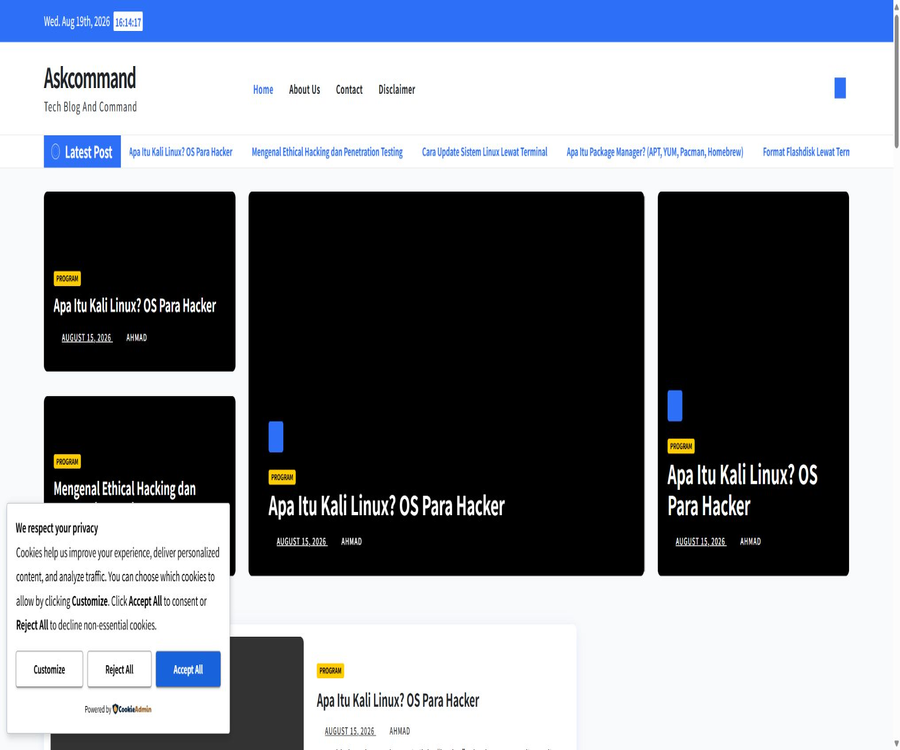
The Ask Command website, which was previously listed in the catalog, has now become a programming technology blog in Indonesian; it no longer provides an AI command generator. The product information available for verification currently comes mainly from the GitHub repository with the same name.
| Verification items | Current status | Impact on users |
|---|---|---|
| Original official website | It has become another technology blog. | It can no longer be used as the entry point for the Ask Command tool. |
| GitHub repository | It remains publicly accessible. | It is possible to view and compile the source code manually. |
| Final code submission | December 2023 | There have been no visible updates to the project for a long time. |
| Release package | No public release available. | It is necessary to create the executable file by oneself. |
| Online services | Not found | It cannot be used directly on web pages. |
Main functions
- Natural language to commands: Combine the terminal parameters into a single task description and send it to the model.
- Linux command generation: The system explicitly requests that the model generate Linux commands.
- Concise output: Only the command should be returned, without any lengthy explanations.
- Terminal invocation: After compilation, it can be installed as the ask command for use in Linux environments such as Ubuntu.
- Asynchronous requests: Use the Rust asynchronous runtime and the OpenAI client to send chat completion requests.
- Environment variable authentication: Reads the OpenAI API key from the system environment.
Working principle
- After entering the ask command, the user specifies the Linux task to be carried out.
- The program reads and combines all command-line arguments.
- The system indicates that the model should generate only Linux commands, without providing any explanations.
- The user’s description and the system prompts are sent to the designated OpenAI model.
- The program reads the content of the first response and prints it to the terminal.
- The user should review the output themselves and manually execute it only after confirming that it is safe.
What use cases are suitable?
- Find files: Use search commands based on a combination of name, type, date, or text content.
- Text processing: Generates examples for searching, sorting, deduplication, replacement, and pipeline combinations.
- Permission check: Commands to assist in recalling information regarding permissions, owners, and process status.
- Log filtering: Use a combination of time, keywords, and contextual criteria to locate logs.
- Compression and archiving: Generates common packaging, decompression, and format conversion commands.
- Learning Linux: Convert specific goals into command keywords that can be found in manuals for further reference.
- Rust teaching: Refer to the implementation of a minimal large-model command-line client.
Which tasks are not suitable for it?
- A large number of files were deleted, overwritten, or moved without verification.
- Directly modify the boot settings, partitions, network configuration, firewall settings, and system permissions.
- Automatically execute the commands generated by the model on the production server.
- It is necessary to understand the complex operational tasks related to warehouses, systems, or container contexts.
- Requests that contain passwords, keys, customer information, and other sensitive data.
- Enterprise scenarios that require auditability, multiple rounds of explanation, approval processes, or team permission management.
Installation requirements
| Project | Requirements | Explanation |
|---|---|---|
| Operating system | Using Ubuntu and Linux as primary examples | No official installation instructions are available for Windows and macOS. |
| Rust environment | The Cargo and Rust toolchain are required. | Used to download dependencies and compile the program |
| OpenAI account | A valid API key is required. | It is not possible to use ordinary chat applications as a substitute for logging in. |
| Model permissions | The code is fixed as gpt-4. | If the account or interface does not support this model, it is necessary to modify the source code. |
| Internet | Access to the model API is required. | It cannot be run directly in an offline environment. |
| Installation permissions | Admin privileges are required to copy it to the system commands directory. | It can also be run from the user’s directory. |
Ubuntu installation guide
- Install the Rust toolchain and verify that Cargo works properly.
- Obtain the Ask Command source code from the official repository.
- Enter the project directory and check the dependency configuration as well as the main program code.
- Compile the project using Cargo’s release mode.
- Copy or rename the generated askcommand executable file to ask.
- Place the executable file in the user or system command search path.
- Set the OpenAI API key as an environment variable, and avoid storing the key in the repository.
- First, test the output using non-destructive query tasks.
Guide to safe use
- Start using it in test virtual machines, containers, or non-production environments.
- Clearly describe the operating system, target path, and read-only requirements.
- Have the tool generate only commands, without automatically passing the output to the Shell.
- Check each command, parameter, variable, wildcard, and redirection target one by one.
- First, use the help, trial run, or read-only options to verify the behavior.
- Create a backup of the file modification task and determine the recovery method.
- When administrator privileges are required, review the situation again to avoid unnecessary elevation of rights.
- After execution, check the exit status and actual changes; do not rely solely on the surface output.
Price and usage costs
The Ask Command repository does not charge any subscription fee, nor does it offer any commercial plans or online payment pages. To operate it, it is necessary to use the OpenAI API; therefore, the actual cost depends on the models available in the account, the input and output tokens, as well as the pricing of the real-time API calls.
| Cost items | Charging status | Explanation |
|---|---|---|
| Ask Command source code | Available publicly | The warehouse does not have a payment feature. |
| OpenAI API | Charging is based on the actual API rules. | The cost is not included in Ask Command. |
| Rust compilation toolchain | Free | Local compilation takes up a small amount of time and storage. |
| Servers and networks | Bear the cost yourself. | Running it only on the local machine usually results in lower costs. |
| Maintenance and upgrades | Bear the cost yourself. | Projects that have not been updated for a long time may require modifications to their dependencies and model configurations. |
The model names in the code come from the implementation from 2023; therefore, it is not possible to determine the current price or availability of those models. Users should first check their API console and set usage limits for their test keys.
Open source and licenses
The Ask Command code is available in a public GitHub repository, where it can be viewed, copied, and compiled on one’s own. The README states that the project is distributed under the MIT license, but there is no actual LICENSE file in the repository’s file structure, and GitHub does not identify any license applied to it.
The absence of a license file results in an incomplete basis for authorization to redistribute or use the material commercially. It is advisable to obtain confirmation of the licensing terms from the author, or to wait until the license file is available before using the material beyond the scope of reading and personal testing.
GitHub project status
| Project indicators | Verification results |
|---|---|
| Nature of the warehouse | Personal public repository |
| Primary language | Rust |
| Number of submissions | 7 times |
| Submit finally | December 2023 |
| Version release | No Release |
| License detection | Not identified |
| Main code size | A single main program file; it represents an experimental implementation. |
Product advantages
- It has a small code size, which makes it easy to understand how the command-line client of large models works.
- After building with Rust, a single executable program is generated, allowing for straightforward use on a daily basis.
- The input method is simple; there is no need to learn a complex web interface.
- The output is kept brief, making it suitable for quick recall of unfamiliar Linux commands.
- The source code is available publicly, allowing one to examine the prompts, model names, and the logic behind data transmission.
Usage restrictions
- The original website no longer offers this tool; the entry point to the product as well as its brand affiliation have changed.
- The project has not been updated for a long time, so its dependencies and API call methods may be outdated.
- The model name is fixed, and it is not possible to select the currently available model through parameters.
- Only a single request is allowed; follow-up questions, explanations, or corrections to the context are not supported.
- It does not read the current directory, files, operating system version, or the results of command execution.
- The output lacks grammar validation, risk grading, confirmation messages, or sandbox execution.
- Error handling is simple; the program may terminate directly when a request fails.
- The status of the README file does not match that of the repository’s license file.
Security risks
| Risk | Possible consequences | Ways to reduce it |
|---|---|---|
| Delete or overwrite command | Files and configurations cannot be restored. | Read-only testing, backup, and manual verification of paths |
| Privilege escalation command | Expand the impact of errors or attacks | Administrator privileges are not used by default. |
| Command substitution and redirection | Executing an unexpected sub-command or entering the wrong target. | Check variables, quotes, and redirects character by character. |
| The hint contains sensitive information. | The content is sent to an external model service. | Use placeholders and anonymized descriptions. |
| Hallucination parameters | The command fails or behaves erratically. | Consult the system manual and verify in a testing environment. |
| Automatic execution of output | Model errors have a direct impact on the system. | Always keep generation and execution separate. |
Difference from a full AI terminal assistant
| Comparison dimensions | Ask Command | Complete AI terminal assistant |
|---|---|---|
| Interaction method | Single command parameter | Multiple rounds of sessions are typically supported. |
| System context | Do not read | It may read the directory, Shell, and repository status. |
| Command explanation | It is not provided by default. | Typically, interpretable risks and parameters |
| Execution control | Print only text | It may offer confirmation, a sandbox, or direct execution. |
| Team governance | None | Corporate products may offer permissions and auditing capabilities. |
| Maintenance status | Experimental projects that have not been updated for a long time. | Usually maintained on a continuous basis |
Basic information
| Project | Content |
|---|---|
| Project Name | Ask Command |
| Tool type | AI Linux Command Generator |
| Operation mode | Local Rust command-line program |
| Model integration | OpenAI chat completion API |
| Code to specify the model | gpt-4 |
| Main platforms | Linux; the README uses Ubuntu as an example. |
| Price | The project is free; API fees are charged separately. |
| Open-source status | The code is public, but the repository lacks actual license files. |
| Current status | The original website is no longer functional, and its code has not been updated for a long time. |
Recommendation score
The comprehensive recommendation score is 2.6 out of 5. Ask Command is suitable for reading source code and learning how to implement minimal AI command-line interfaces, but it is not appropriate as a tool for production operations; ordinary users should prefer terminal assistants that are still under maintenance and come with security features.
Frequently Asked Questions
Can Ask Command still be used online?
No online entry that is still in operation was found; the original domain name is now used by other technical blogs.
Will it automatically execute the generated commands?
No, the current source code only prints the model’s response to the terminal.
Does it support Windows commands?
The project system indicates that Linux commands are required, and the README only provides examples for Ubuntu.
Is an OpenAI API key required?
It is necessary; the program reads the key via environment variables and then calls the model interface.
Is Ask Command free?
The project itself is free of charge, but the model API incurs fees based on the actual amount of usage per account.
Is it open source from MIT?
The README states this, but the repository does not contain an actual license file; therefore, the authorization status is incomplete.
Why might it fail to run?
Model permissions, old dependencies, API changes, as well as network or key configurations can all lead to failures.
Can it be used on the production server?
It is not recommended to use it directly, and the output from unverified processes must not be executed automatically.
Who is it suitable for?
Suitable for developers who want to understand Rust, OpenAI clients, and the approach to generating Linux commands.
Tools similar to Ask Command



 Guigong Network Security Registration No. 45132202000164