






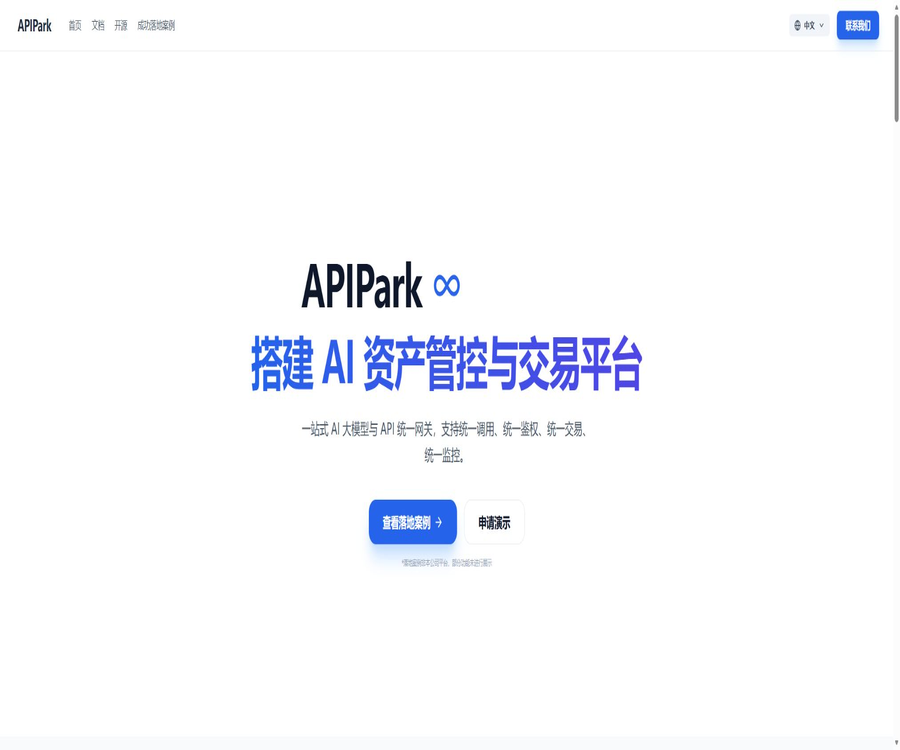
APIPark
APIPark, an intelligent tool focused on AI programming
Tags:AI programming toolsWhat is APIPark?
APIPark is an open-source AI gateway and API developer portal designed to provide centralized access to large models, REST APIs, and internal enterprise services. It was developed by the Eolink team, targeting developers and enterprises that need unified model invocation, permission management, and API asset management.
The project is licensed under the Apache 2.0 license; the open-source version can be installed locally and used for commercial purposes in accordance with this license. The enterprise version offers more advanced governance capabilities, customized solutions, and professional technical support.
Core positioning
- Provides a unified interface for calling various large models.
- Package the model and prompts into a standard REST API.
- Centralized management of applications, consumers, and API keys.
- Establish an internal API catalog and subscription process for the company.
- Forwarding, load balancing, and failover are carried out through the gateway.
- Log call details, traffic, and cost data.
- Manage both AI APIs and traditional business APIs at the same time.
Unified access to multiple large models
According to the APIPark documentation, it is possible to integrate with more than 100 AI models, including those from OpenAI, Anthropic, AWS Bedrock, Google Gemini, as well as various domestic model services. The pre-integrated platforms and available models are determined by the management interface of the current version.
Unified Model API
- Establish a consistent request and response structure for different suppliers.
- Reduce the reliance of business code on a single model SDK.
- Different suppliers and models can be selected by adjusting the model parameters.
- Try to maintain the stability of the upper-layer application interfaces when switching models.
- Centralize the management of supplier certification information and default models.
- Include model invocations in the unified logging and cost tracking.
Prompt to API
The team can combine the model with fixed prompts to create standalone AI services, such as translation, sentiment analysis, or data analysis interfaces. Business systems only need to call these stable APIs, without having to maintain the prompts repeatedly in each application.
AI model management
- Add online model providers and access credentials.
- Select the default supplier and model for AI services.
- View model authorization and consumption status in one place.
- Use a key resource pool to manage multiple keys from the same supplier.
- Configure model load balancing and failover.
- Integrate self-hosted models to provide unified services to external users.
Full lifecycle management of APIs
- Design APIs along with their requests, responses, and documentation.
- Deploy the service to the testing or production environment.
- Manage versions, callers, and subscription relationships.
- Monitor operation status and errors.
- Inform consumers and complete the migration before shutting down.
- Retain records of changes, calls, and approvals.
API Developer Portal
The developer portal is used to organize disparate APIs into a service catalog that can be searched for and requested by teams. Consumers can view documentation, submit subscription requests, and obtain authorization, while platform administrators are responsible for approving requests and managing permissions.
Subscription and approval
- Show consumers the API services that are available for application.
- Submit subscription requests by application or tenant.
- The purpose of use is reviewed by the service supervisor.
- After approval, the call credentials are generated or associated.
- Restrict the services that certain consumers can access.
- Revoke or adjust subscriptions when permissions change.
Multi-tenant management
APIPark enables multiple teams or business units to share the same platform, while keeping their respective services, applications, and subscriptions isolated from one another. Companies need to define tenant boundaries based on their organizational structure in order to avoid mixing testing privileges with production privileges.
MCP service capabilities
The current update records indicate that APIPark supports MCP capabilities at both system and service levels, and it allows defining the scope of services that are accessible to specific consumers. It is suitable for providing enterprise APIs to AI agents in a controlled manner.
Traffic management and high availability
- External and internal requests are uniformly forwarded through the gateway.
- Load balancing among multiple upstream or model providers.
- Switch to a backup model when the original supplier is unavailable.
- Use cluster nodes to handle larger volumes of traffic.
- View call details by service and consumer.
- Use diagnostic information to reduce the time required to locate faults.
Logs and observability
- Log AI and traditional API request logs.
- Analyze the number of calls by service, consumer, and time.
- Check the model usage and token consumption.
- Output logs to a third-party logging platform.
- Identify abnormal traffic and failed calls through charts.
- Provides data for capacity planning and cost allocation.
Which users are it suitable for
- AI teams that make use of multiple large-scale models simultaneously.
- Enterprise technical departments that need to build their own model gateways.
- Organizations that wish to manage their internal API assets in a centralized manner.
- Teams that develop AI agents and require controlled tool calls.
- Platforms that require model failover and cost tracking.
- Companies that wish to carry out further development based on open-source solutions.
Typical use cases
- Provides a unified large-model interface for multiple business applications.
- Fast switching between model providers and disaster recovery.
- Package common prompt words into a team service.
- Establish an internal API market and application process within the company.
- Make approved business tools available to agents.
- Aggregate the model invocation counts and costs across various departments.
- Manage traditional microservices and third-party APIs.
It’s not very suitable for which situations
- Personal projects that use only one model and have no governance requirements.
- Teams that lack the capabilities for Linux, container, and database operations.
- Users who wish to obtain a one-stop chat service that includes model quotas.
- Organizations that cannot afford the costs associated with maintaining their own infrastructure.
- Critical production systems that require commercial support but lack a procurement budget.
- Confusing open-source gateways with projects provided by large model suppliers.
Quick Deployment Tutorial
- Prepare a supported Linux server and check the CPU, memory, and disk.
- Back up the existing database and container configurations on the same host.
- Read the current version of the deployment documentation and change logs.
- Execute the official quick installation script or choose Docker Compose.
- Set a strong administrator password, database password, and internal token.
- After completion, bind it and check the API gateway node.
- Restrict public access to management ports and enable security policies.
- Verify forwarding, logging, and recovery after restart through API testing.
Tutorial on Connecting to Large Models
- Go to AI Model Management in the system settings.
- Select the model provider to be used.
- Create a supplier API key with the minimum required permissions.
- Save the credentials in APIPark and select the default model.
- Create an AI service and link suppliers with models.
- Define unified request parameters and response formats.
- Publish the service and complete the subscription approval for the testing application.
- Check the call logs, tokens, and supplier invoices.
Tutorial on creating prompt API
- Choose a business task with clear boundaries.
- Create reusable system prompts and input variables.
- Configure the target model, temperature, and output requirements.
- Save the combined prompt as an AI service.
- Generate and review the API documentation.
- Testing is carried out using normal, abnormal, and injected inputs.
- After publication, limited permissions are assigned to consumers.
- Iterate on prompts through version control without breaking existing calls.
Deployment configuration requirements
According to the 1.9-beta documentation, the minimum configuration required is a 2-core CPU, 4GB of memory, and 200GB of storage; the recommended configuration is an 8-core CPU, 16GB of memory, and 200GB of storage. It supports both AMD64 and ARM64 architectures, and is primarily designed for use in Linux or Mac environments.
| Project | Minimum configuration | Recommended configuration |
|---|---|---|
| CPU | 2 cores | 8 cores |
| Memory | 4GB | 16GB |
| Disk | 200GB | 200GB or expansion based on log growth |
| System | Linux or Mac | Linux versions that have undergone official testing |
| Architecture | AMD64 or ARM64 | Select by image and load. |
Software dependencies
| Components | Document requirements | Primary uses |
|---|---|---|
| MySQL | 5.7 or higher | Platform configuration and business data |
| Redis | 6.2 or higher | Caching and runtime support |
| InfluxDB | 2.6 or higher | Time-series indicator data |
| Docker and Compose | Prepare according to the deployment method. | Containerized installation |
| Loki and Grafana | The combined deployment includes | Log query and display |
Prices for the open-source version and the enterprise version
The open-source version can be used freely and for commercial purposes under the Apache 2.0 license, but costs still arise for servers, maintenance, model invocation, and third-party services. No fixed price is specified for the enterprise version; it is necessary to contact the team to obtain a demonstration, a proposal, and a quote.
| Version or cost | Public price | Explanation |
|---|---|---|
| Open-source version | Software license is free. | Self-deploy, maintain, and bear the costs of infrastructure. |
| Enterprise Edition | Contact sales | Advanced capabilities, customized solutions, and professional support |
| Large model invocation | Charged by the model provider | APIPark is not equivalent to including model quotas. |
| Servers and databases | Charged based on on-premises or cloud resources | Storage, traffic, backup, and high availability need to be taken into account. |
| Implementation and operation and maintenance | Internal costs or project quotes | Production clusters, security, and upgrades require human effort. |
Procurement and cost assessment
- Statistically track the peak request volume, concurrency, and Token size.
- Evaluate the storage growth of logs, metrics, and backups.
- Calculate the costs of gateway resources and upstream models separately.
- Confirm the enterprise features, SLAs, and scope of upgrade support.
- Take into account multi-region considerations, disaster recovery, and security audit costs.
- Allocate maintenance staff for version upgrades and fault resolution.
Safety precautions
- Do not write the model keys directly into the business code or public repositories.
- Implement rotation and access auditing when using key resource pools.
- Restrict the management backend, database, and gateway management ports.
- Configure the minimum permissions for tenants, consumers, and applications.
- Test for prompt injection, sensitive output, and unauthorized tool calls.
- Transmission encryption, backup, and alerts are enabled in the production environment.
Version and document notes
APIPark’s documentation retains multiple beta versions, and older pages will prompt users to navigate to the newer documentation. When deploying and configuring, it is important to ensure that the images, documentation, and database structure are all from the same version, in order to avoid using outdated tutorials.
GitHub and the open-source status
Both the core repository and the documentation repository of APIPark are publicly available; the main project is licensed under Apache 2.0. Companies can view the code, submit issues, and carry out further development, but they must still comply with the license terms, the licensing rules for third-party components, and trademark regulations.
Product advantages
- It is open-source and allows free commercial use under its license.
- It covers both AI gateways and traditional API governance.
- Unified access to multiple models and reduced adaptation work.
- It supports the serviceization of prompts and a developer portal.
- It features multi-tenant support, subscription approval, and permission management.
- It provides logging, statistics, load balancing, and failover.
- It is possible to build one’s own systems in order to enhance control over data and infrastructure.
Usage restrictions
- Self-deployed systems require ongoing maintenance.
- Some documents and versions still carry a beta label.
- Just because the software is free does not mean that the models and servers are free as well.
- There may still be differences in the semantics and parameters of different models.
- Advanced enterprise capabilities and support require a separate quote.
- Incorrect configuration of the gateway or keys can increase security risks.
- It is necessary to verify data migration and compatibility before upgrading production.
Basic information
| Project | Content |
|---|---|
| Tool name | APIPark |
| Development team | Eolink and APIParkLab |
| Tool type | AI gateway, API gateway, and developer portal |
| Current document version | 1.9-beta |
| Model support | Over 100 models are available, with the current version being the one in effect. |
| Deployment method | Fast scripts, Docker Compose, and gateway clusters |
| Open-source license | Apache 2.0 |
| Price of the open-source version | Software license is free. |
| Enterprise version price | Custom quote |
| Suitable for users | AI application teams, platform teams, and medium to large enterprises |
Recommendation score
The comprehensive recommendation score is 4.5 out of 5 points. APIPark is suitable for teams that need to create their own unified model interface, API catalog, and organizational governance structures; however, before putting it into production, it is essential to verify the stability of the versions, the security settings, and the long-term operational costs.
Frequently Asked Questions
Is APIPark free?
The open-source version of the software is available free of charge, while the enterprise version, as well as model invocation and infrastructure services, require additional payment.
Is APIPark open source?
Yes, the core project is licensed under the Apache 2.0 license.
Which large models are supported?
It can connect to various online and self-hosted models, both domestic and international; according to the official documentation, more than 100 models are supported.
Can the OpenAI interface be replaced?
It can provide a unified model interface, but the model parameters and outputs still require testing on the application side.
What configurations are required for deployment?
The minimum requirements are around 2 cores, 4 GB of memory, and 200 GB of disk space; for production environments, it is recommended to use a higher configuration.
Is MCP supported?
The current update record includes system-level and service-level MCP capabilities, and supports limiting the scope by consumer.
How much is the enterprise version?
There is no fixed public price; a quote must be requested based on advanced features, scale, and support requirements.
Does APIPark provide free model credits?
In the absence of such unified commitments, the cost of the model is usually charged by the respective supplier.
Can it be used for commercial purposes?
It can be used under the Apache 2.0 license, but it is still necessary to comply with the terms regarding third-party dependencies and model providers.
Tools similar to APIPark



 Guigong Network Security Registration No. 45132202000164