






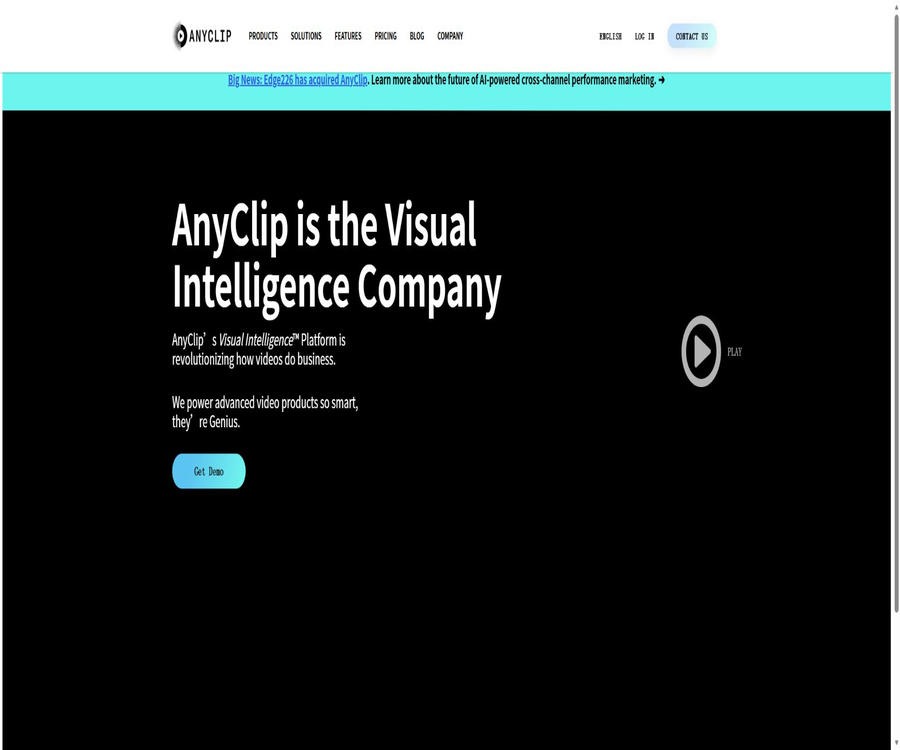
AnyClip
AnyClip, an intelligent tool focused on AI programming
Tags:AI programming toolsWhat is AnyClip?
AnyClip is an enterprise-grade AI video management and distribution platform that focuses on visual intelligence. It integrates video uploading, understanding, retrieval, playback, interaction, analysis, and monetization into a single workflow.
The platform is better suited for media outlets, sports organizations, publishers, and corporate teams that possess a large number of video assets, rather than being a one-click short-video generator intended for individual creators.
Core product positioning
- Collect scattered videos into a manageable video library.
- Use AI to identify people, brands, objects, actions, text, and speech in videos.
- It allows users to search for specific videos as well as exact segments within those videos.
- Distribute content to websites or internal teams through players, channels, and a video center.
- Leverage interactive components, recommendations, and advertising tools to enhance the value of viewing.
- Use unified reports to analyze content performance and audience behavior.
Genius video platform
Genius is AnyClip’s video platform designed for an external audience, offering features such as content management, viewing experience enhancements, recommendations, live streaming, interaction tools, and revenue generation options. Media and publishing teams can create a branded video experience on their own websites.
GeniusWork Corporate Video Space
GeniusWork is designed for internal knowledge sharing and corporate communication; it allows for the centralized storage of training materials, meeting records, events, as well as knowledge-related videos. It offers access control, single sign-on, internal commenting functions, channels, and advanced search capabilities.
AI video understanding
- Identify characters, brands, objects, and actions frame by frame.
- Extract text from the footage and identify the voice in the video.
- Analyze content categories, emotions, and brand security risks.
- Automatically generates tags, descriptions, summaries, and video chapters.
- Generate highlight segments and theme clusters based on the content.
- Use a custom classification system to adapt the industry content library.
AI Workbench editing workflow
- Automatically generates video descriptions and chapters.
- Create summaries, translations, and content categorization.
- Extract and splice the highlight segments from long videos.
- Share clips and add timestamped comments.
- Enable editors, operators, and reviewers to collaborate in the same space.
Video search and discovery
AnyClip doesn’t only search based on titles and manual tags; it can also locate content by voice, text in the video, as well as characters and scenes. Viewers can go straight to the specific moments in the relevant videos from the search results, thus reducing the time spent scrolling through long videos.
Video management features
- Manual upload, batch integration, and automatic import from third-party sources.
- Video hosting, transcoding, and adaptive bitrate streaming.
- Management of video libraries, playlists, channels, and thumbnails.
- Multilingual subtitles, playback speed, and asset downloading.
- Administrator roles, content permissions, and single sign-on controls.
- Connect enterprise content processes through the management interface.
Player and distribution
- Embed individual videos, playlists, and recommended players.
- It offers a responsive, floating, or docked playback experience.
- It supports brand customization, subtitles, and advanced playback controls.
- Set up an independent video center and use your own domain name.
- Distribute content to social media platforms and support mobile SDKs.
- Use intelligent recommendations to continuously display relevant videos.
Live streaming and event content
- Embed live streaming on websites or video platforms.
- Configure registration, single sign-on, chat, and subtitles.
- Add interactive buttons and calls to action in the live broadcast.
- View real-time and post-event viewing analytics.
- Automatically break the live stream into short clips that can be distributed again.
- Configure advertising and sponsorship options for live streams and replays.
Interaction and video marketing
- Add shopping links and action buttons to the video.
- Insert forms, voting, and subscription links.
- Relevant interactions are triggered automatically based on the scene tags.
- Use a story-based player to organize sequential content.
- Collect reviews, shares, and internal feedback.
- Link video viewing behavior to the marketing process.
Advertising and commercialization
The platform offers an advertising market, the ability to target content based on specific contexts, and bid-based connection options; it allows for the combination of videos, interactive elements, and display ads. Companies can also integrate their own advertising needs or make use of third-party advertising channels.
- Match more relevant ads based on the video context.
- Connected to Google, Amazon, and various supplier platforms.
- It supports pre-roll, mid-roll, and other video advertising formats.
- It provides targeted capabilities for brand sponsorship and content collaboration.
- Leverage interactive components to boost conversions and subscriptions.
Analysis and Reporting
- View views, watch time, and interaction scores in one place.
- Compare performance by title, topic, channel, and search terms.
- Analyze user behavior and content to discover paths.
- View the video library, video center, and live streaming reports.
- Create custom dashboards and regular email reports.
- Connect to the enterprise data system via the reporting interface.
Which users are it suitable for
- Media and entertainment companies that possess large video libraries.
- Sports organizations that need to manage live game broadcasts and highlight clips.
- Publishers who wish to generate revenue from videos on their websites.
- Companies that need internal training and the ability to search for knowledge videos.
- Manage the communication team responsible for online meetings and event recordings.
- Operations departments that require video brand security and content classification.
Typical use cases
- Automatically match relevant videos for news and media websites.
- Quickly generate highlight clips from event broadcasts.
- Allow employees to search for specific topics within the meeting recordings.
- Create a corporate video center with a brand-specific design.
- Break long videos into chapters, summaries, and short clips.
- Use interactive buttons to guide viewers to the purchase or registration page.
- Place ads based on the content context and monitor the revenue performance.
It’s not very suitable for which situations
- Individual users who only want to create a short social video.
- Small teams that need to make fixed low-price packages available publicly.
- Developers who wish to download and deploy the complete source code privately.
- Companies that only need basic cloud storage and do not require video analysis.
- Projects that do not have the necessary permissions to process facial data, voice recordings, and employee videos.
- Scenarios where high-risk content review relies entirely on AI-generated results.
Tutorial on creating a video library
- First, identify the sources of the videos that need to be imported and the scope of permissions required.
- Contact sales to confirm the Genius or GeniusWork product option.
- Create administrator, editor, and viewer roles.
- Import videos by uploading, using a content source, or through third-party integration.
- Configure the brand appearance, channels, and content categories.
- Check whether the AI tags, subtitles, and chapters are accurate.
- The video publishing center can either display the player or embed it on the target page.
Tutorial on configuring AI search
- Select a set of representative videos as the test set.
- Enable voice, on-screen text, and analysis of people and objects.
- Establish a labeling and categorization system that is in line with the business’s language.
- Randomly check automatic subtitles, character recognition, and brand labeling.
- Correct misidentifications and add necessary manual labels.
- Configure the search entry and the way in which results are redirected.
- Invite real users to test whether accurate segments can be identified.
Tutorial for launching a video player
- Determine whether the player should display a single video or a list of recommendations.
- Set the size, brand color, subtitles, and playback controls.
- Configure content recommendations, interactive buttons, and advertising rules.
- Deploy the generated embedding configuration to the test page.
- Check the loading and adaptation effects on both desktop and mobile devices.
- Verify statistical events and privacy consent mechanisms.
- Publish it on the official page after the review is completed.
Genius Public Plan
Genius offers three tiers: Essential, Growth, and Business; however, it does not specify fixed prices – quotes must be obtained by contacting sales. The main differences lie in the amount of analysis capacity allowed, the number of administrators, the number of live broadcasts, as well as the level of integration and support provided.
| Package | Video analysis quota | Key capabilities | Public price |
|---|---|---|---|
| Essential | 20 hours | 1 administrator, 1 live broadcast, 1 video center | Contact sales |
| Growth | 50 hours | 3 or more administrators, 3 or more live broadcasts, as well as tools for integration, editing, and generating revenue | Contact sales |
| Business | Over 250 hours | More than 5 administrators, over 10 live broadcasts, mobile SDK and dedicated support | Contact sales |
Comparison of GeniusWork versions
GeniusWork also adopts a pricing approach based on the specific needs of each enterprise; on its official page, the options Essential, Growth, and Enterprise are listed. The monthly amount of analysis time provided is 120 minutes per user for the Essential option, 300 minutes per user for the Growth option, and 600 minutes per user for the Enterprise option. The specific number of seats, storage capacity, and scope of services need to be confirmed as part of the quotation.
| Version | Monthly analysis volume | Suitable for teams | Public price |
|---|---|---|---|
| Essential | 120 minutes per user | Small in-house video team | Contact sales |
| Growth | 300 minutes per user | Organization of ongoing training and communication activities related to production | Contact sales |
| Enterprise | 600 minutes per user | Large enterprises that require permissions, integration, and professional services | Contact sales |
Trial and purchasing recommendations
- The public page offers a free trial option, but the eligibility and duration must be confirmed by the team.
- Before providing a quote, calculate the total duration of the videos, the number of new videos added each month, and the viewing traffic.
- Confirm the method for calculating the AI analysis time in minutes and the upload duration.
- Check the number of live broadcasts, administrators, video centers, and integrations.
- Inquire about costs for excess usage analysis, storage, traffic, and professional services.
- The contract specifies the support levels, data processing methods, and procedures for exiting the migration process.
API and integration capabilities
AnyClip lists video analysis, video library management, and reporting interfaces publicly, and it also provides an SDK for mobile devices. The platform supports integration with services such as single sign-on, Zoom, WordPress, CRM, marketing automation, and social networks.
GitHub and the open-source status
No public source code repository for AnyClip’s core Visual Intelligence platform has been found. Examples of players or ad integration in third-party projects do not demonstrate that the platform is open-source; businesses continue to rely on hosted services, SDKs, and official APIs for using it.
Data and Privacy Considerations
- The video may contain faces, voice, on-screen text, and employee information.
- Before enabling automatic recognition, it is necessary to confirm the criteria for data collection and processing.
- Internal corporate videos should be configured with minimum permissions and single sign-on.
- Before distributing it externally, it is necessary to check for copyright issues, portrait rights, and confidential content.
- Interactive forms and viewing analytics may involve user data.
- When making purchases, it is necessary to verify the data location, retention period, and deletion process.
The limitations of AI recognition
- Noisy voices reduce the accuracy of subtitles and keywords.
- Obstructions, low-resolution images, and fast camera movements can affect object recognition.
- Mistakes may occur in the identification of characters, brands, and emotional tags.
- Industry terminology often requires custom classification and manual correction.
- Brand safety results are suitable as supplementary indicators rather than the sole basis for evaluation.
- Automatic highlights may not meet the requirements of narrative editing and copyright regulations.
Product advantages
- It covers the entire process of video management, understanding, searching, playback, and monetization.
- It is possible to locate specific scenes and moments within long videos.
- It supports two types of uses: media websites and internal corporate knowledge.
- It offers the ability to convert live broadcasts into replays as well as automatic highlight generation.
- The player, recommendation, interaction, and advertising tools are quite comprehensive.
- It features centralized analysis capabilities as well as enterprise integration capabilities.
Usage restrictions
- The price is not disclosed; it is necessary to contact the sales team.
- Deploying and establishing a classification system requires investment from the company.
- AI tags, subtitles, and review outcomes still require manual verification.
- The full set of capabilities may vary depending on the package, quota, and integration.
- The core platform is not open-source software.
- When handling sensitive videos, robust permission and compliance procedures are necessary.
Changes in the company and its products
The announcements on AnyClip’s current website state that the company has been acquired by Edge226; the products are still offered under the AnyClip brand and via the Visual Intelligence platform. When making long-term purchases, it is necessary to verify whether there have been any changes in the contracting party, the product lineup, or the level of support provided.
Basic information
| Project | Content |
|---|---|
| Tool name | AnyClip |
| Tool type | Enterprise AI video management and distribution platform |
| Core products | Genius, GeniusWork, and Visual Intelligence |
| Key capabilities | Video analysis, search, player, live streaming, interactivity, monetization, and analysis |
| Target users | Media, sports, publishers, and internal communication teams in companies |
| Price pattern | Custom quotes for businesses |
| Free trial | An application portal is provided; the specific requirements need to be confirmed. |
| Whether API is provided | Provides interfaces for video analysis, video libraries, and reporting. |
| Is it open source? | The core platform is not open source. |
| Current company updates | It has been acquired by Edge226. |
Recommendation score
The comprehensive recommendation score is 4.2 out of 5 points. AnyClip is suitable for organizations that wish to turn large video libraries into searchable, interactive, and monetizable assets; however, small teams should first assess the custom pricing, implementation costs, and the amount of AI analysis available.
Frequently Asked Questions
Is AnyClip an AI video generator?
It is primarily a platform for managing and analyzing corporate videos; it can generate chapters, summaries, and highlights, but it is not a tool for creating videos from text intended for individuals.
Can AnyClip search for video content?
Yes, the platform is able to locate videos and specific segments based on voice, text, people, objects, and scenes.
Is there a free version of AnyClip?
The public page offers an application for a free trial, but it does not show the specific benefits that come with a permanent free version.
How much is AnyClip?
Both Genius and GeniusWork offer multiple enterprise versions; the specific prices need to be obtained by contacting sales for a quote.
Is live streaming supported?
It supports live streaming, subtitles, registration, chatting, interaction, and post-event analysis; it is also possible to convert the content of live streams into highlight clips.
Is support for internal knowledge videos available?
GeniusWork is designed specifically for internal communication, training, and knowledge sharing, and it offers permission controls as well as single sign-on functionality.
Is an API provided?
It provides interfaces for video analysis, video library management, and report generation; the specific scope of these functions depends on the enterprise solution in use.
Is AnyClip open source?
The core platform does not have its source code made public; it is primarily used through hosting platforms, SDKs, and APIs.
Do AI recognition results need to be reviewed manually?
It is necessary, especially in scenarios related to brand security, person recognition, subtitles, and commercial releases.
Tools similar to AnyClip



 Guigong Network Security Registration No. 45132202000164