






Aide
Aide, an intelligent tool focused on AI programming
Tags:AI programming toolsWhat is Aide?
Aide was an open-source, AI-native code editor developed by CodeStory AI; it was built on top of VS Code and utilized a local Sidecar process to connect large language models with coding tools. It integrated features such as chat, cross-file editing, in-line modifications, code completion, and automatic repairs into a single desktop development environment.
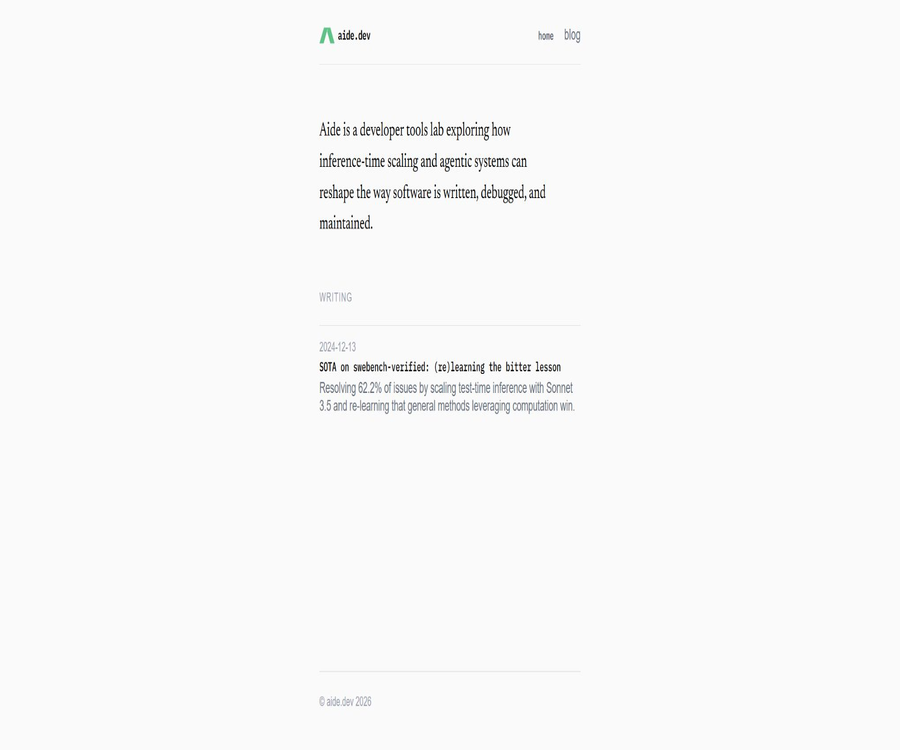
Maintenance of this editor has now been discontinued. The official Aide repository was archived on February 25, 2025, and the Sidecar repository was archived on June 3, 2026; the current website has become a homepage for a laboratory dedicated to researching AI-native development tools, inference extensions, and agent systems.
Current project status
| Project | Current status | Final status description |
|---|---|---|
| Aide Desktop Editor | Stop maintenance | Official repository read-only archive |
| Sidecar agent backend | Stop maintenance | Official repository read-only archive |
| Old version of the user documentation | Some are still accessible. | The content may correspond to the archived version. |
| Old prices page | Expired | The official website no longer displays the editor packages. |
| Aide official website | Still accessible | It is now designated as a laboratory for AI-native development tools. |
| Source code | It is still available. | Both core warehouses use AGPL-3.0 |
Why can’t it introduce the tools that are currently on sale?
Aide used to offer downloadable editors and solutions for invoking models, but the official website no longer provides any options for downloading products, registering for accounts, or viewing valid prices. It should be listed in the catalog as an open-source project that is no longer under maintenance, rather than as a commercial AI programming tool that is still being updated.
- No more commitments regarding bug fixes and version updates.
- Old installation packages may lack compatibility with the current system.
- Online services and account features may be unavailable.
- Old documents and price information do not reflect the services available for purchase at present.
- Security vulnerabilities need to be assessed and fixed by the users themselves.
- It is more suitable for studying source code, experiencing archiving, and developing community branches.
Core capabilities of the original editor
- An integrated workflow for chatting and editing.
- Code modification across files.
- Proactive Agent based on a language server.
- In-line instruction editing component.
- Context-aware code completion.
- Code navigation based on a syntax tree.
- Files, symbols, terminals, and diagnostic context.
- Configurable model providers and built-in keys are available.
Chat and cross-file editing
Developers can discuss issues in the assistant panel, citing files, code snippets, or symbols as context. Once a solution is devised through this dialogue, the AI can apply the changes to multiple files; however, users still need to examine each change individually.
- Explain unfamiliar code libraries.
- Discuss the implementation plan.
- Generate cross-file modifications.
- Restructure relevant functions and types.
- Continue to adjust the patch based on feedback.
- Manually check for differences before submission.
Proactive Agent
The active agent of Aide reads the errors, definitions, and references provided by the language server, and uses this information to locate the relevant code. It can continue to monitor the diagnostic results after making modifications, in an effort to resolve issues related to compilation or static analysis.
- Read the editor diagnostic information.
- Jump to symbol definition.
- Find all references.
- Provide the additional context needed to complete the task.
- Iterate further based on the error.
- Ask the developer for more information if necessary.
In-line editing
Users can use the inline command component in the editor to make changes to the currently selected code or to the code surrounding it. This approach is suitable for making local modifications, adding error handling, and creating small functions, without the need to leave the file being edited.
- Modify the selected code.
- Implementation using generating functions.
- Add types and annotations.
- Simplify repetitive logic.
- Add input validation.
- Answer based on the context of the current document.
Intelligent code completion
Aide used to provide context-aware suggestions for inline code, and it drew upon the implementations of open-source code completion projects. The official documentation states that this feature was no longer maintained in later stages of the project; as a result, it cannot be expected to offer optimal compatibility with current versions of languages, models, and editors.
Syntax tree and code navigation
The editor can use the language server and syntax structure to navigate through code blocks, and it provides the Agent with symbol definitions, references, and diagnostic information. Compared to sending the entire file to the model, this approach helps in identifying the code that is directly related to a particular task.
- Locate code by function and class.
- Identify the path where symbols with the same name are located.
- Find the locations of calls and references.
- Add the accurate code block to the model context.
- Reduce the amount of context occupied by unnecessary files.
- Develop a repair plan based on the diagnostic results.
Context selection
The older version of the documentation stated that users could select codes, files, and symbols through the context entries available in the assistant’s input field. It is recommended to use language server extensions for symbols; as a result, the availability of such features varies depending on the programming language being used.
- The code currently selected.
- One or more files.
- Functions and classes in the workspace.
- Editor diagnostics and errors.
- Project structure and repository mapping.
- Information related to the terminal or task.
How Sidecar works
Officially referred to as the AI brain of the Aide editor, Sidecar is a local process implemented primarily in Rust. It is responsible for organizing prompts, invoking models, providing coding tools, creating repository mappings, and returning the results generated by the agents to the editor.
- Management model invocation.
- Tools available for maintaining intelligent agents.
- Understand code at the symbol level.
- Construct a warehouse mapping using the PageRank approach.
- Process prompts and context.
- Communicate with the local Aide editor.
Multi-model configuration
The older version of Aide’s documentation allowed users to configure different language models and providers, and it also supported the use of one’s own model keys. The documentation recommended open-source models of the Qwen type for self-hosted scenarios, but the actual performance depended on the version of the model, the length of the context, and the capabilities of the coding tools used.
- Select the model service offered by CodeStory at that time.
- Configure your own model provider key.
- Connect to compatible self-hosted models.
- Assign different models for chatting, editing, or completion.
- Control call costs and the scope of data transmission.
- Evaluate the model quality in a real warehouse.
SWE-bench studies
In December 2024, the Aide team published the results of the SWE-bench Verified experiments; using Sonnet 3.5 and inference-based extension methods, they were able to solve 62.2% of the benchmark problems. These results pertain to research conducted with specific models, tools, and evaluation environments, and they do not mean that the Archiver editor can achieve the same level of problem resolution in all real-world projects.
Extension method for reasoning
The experiment had the Agent explore the same problem multiple times, with rewards and alternative actions being generated based on the quality of the tool steps; up to five different paths could be created in this way. The team found that running multiple relatively simple paths in parallel was more efficient than the complex tree-search methods tested at that time.
- List the files.
- Open the code file.
- Search for code text.
- Replace the target content.
- Use a terminal environment.
- Submit candidate solutions.
- Generate observations and alternative actions for each step.
Which users are it suitable for
- Developers who study the architecture of AI-native editors.
- Engineering teams that wish to read about the implementation using VS Code branches.
- Rust developers who learn about the backend of local agents.
- Open-source contributors ready to maintain community branches.
- People who study code symbols, repository mappings, and tool calls.
- Researchers who need to implement experimental programming agents.
Typical use cases
- Read the source code of the AI editor.
- Study the interaction process from chatting to cross-file editing.
- Analyze the communication between the Sidecar tool and the model.
- Build internal experimental code agents.
- Reimplement the features of the old editor.
- Community branches are created and released under the AGPL license.
It’s not very suitable for which situations
- Users who need a stable main IDE for their daily development work.
- Companies that require continuous security updates.
- Teams wishing to purchase official technical support.
- Beginners who are reluctant to handle building and dependency issues on their own.
- Developers who need the latest models ready to use out of the box.
- Commercial products that are unable to meet the AGPL open-source requirements.
- Users who prepare for a long-term subscription based only on the old plan.
Current price and cost
The Aide official website does not currently have a valid page showing the prices of the editors; the previous subscription plans can no longer be used as reference prices for sales. The archived source code is available under the AGPL-3.0 license, but there are still actual costs associated with building it yourself, using models, leveraging GPUs, as well as for storage and maintenance.
| Usage method | Software price | Main costs | Current availability |
|---|---|---|---|
| Visit the official website to read research articles. | Free | No mandatory costs | Accessible |
| Read the archived source code | Free | Learning and auditing time | Accessible |
| Build Aide on your own | No license fee is required. | Construction, maintenance, and security repairs | It needs to be handled by the user themselves. |
| Run Sidecar independently | No license fee is required. | Model interface or local computing power | It needs to be handled by the user themselves. |
| Original official subscription | No longer public | It is not possible to purchase at the old price. | The price page is invalid. |
| Corporate support | The current plan is not provided. | A third party or an internal team is required. | It should be assessed separately. |
Stop using the old package.
The search results may still show information regarding the previous free version, personal version, or details on model usage, but the price information on the official website indicates that no such data is available. Since the product is no longer being maintained, the tool catalog should not list the historical prices from the search cache as current prices.
Tutorial on building Aide from source code
- Confirm that the project has been archived and the risk of self-maintenance is accepted.
- Read the repository license, build instructions, and security documentation.
- Clone a fixed commit in an isolated development environment.
- Install the Node, package manager, and platform tools required by the repository.
- Install dependencies according to the contribution documentation and run the build.
- Run the tests first, then start the development version editor.
- Record all local patches and dependent versions.
Run Sidecar tutorial locally
- Select the Sidecar submission that is compatible with the Aide version.
- Prepare the Rust toolchain required by the warehouse.
- Check the code for dependencies and external model connections.
- Build the local service binary for Sidecar.
- Start the process in a restricted testing environment.
- Configure Aide to prioritize connecting to the local Sidecar.
- Use a small warehouse without sensitive information to verify the tool calls.
- Monitor logs, permissions, and model costs.
Use the built-in model key.
- Choose a model provider that is supported and still available.
- Create a project with low permissions dedicated to testing.
- Set cost limits and enable call alerts.
- Enter the key in the configuration of the older Aide model.
- Restrict the sending of sensitive warehouse and customer data.
- Test chatting, editing, and tool invocation separately.
- Rotate or revoke the key after the testing is completed.
Secure code task workflow
- First, save a clean baseline in an independent branch.
- Specify the scope of files and tasks that can be modified.
- Only the context required to complete the task is provided.
- Review each of the differences proposed by the Agent.
- Run formatting, static checks, and automated tests.
- Check dependencies, keys, and data migration changes.
- Merge only after approval by the code owner.
Migrate to other tools
- List the currently available chat, completion, Agent, and model capabilities.
- Export workspace settings and common prompts.
- Choose an alternative tool that is still under maintenance and meets the license requirements.
- Test the context and editing quality in non-critical warehouses.
- Verify privacy, model costs, and team permissions.
- Migrate projects gradually while retaining a read-only backup of the old environment.
- Stop running the archiving software once it is confirmed that the alternative solution is stable.
Safety and privacy
- Archiving software does not receive continuous security updates.
- Model requests may include source code and development context.
- Self-managed keys should use dedicated projects and cost limits.
- Limit process permissions before running terminal tools.
- Do not allow the Agent to read the key files and production credentials.
- The data retention rules for third-party models need to be reviewed separately.
- Enterprise source code must be authorized before it can be incorporated into external models.
- Vulnerability scanning should be conducted when creating old dependencies.
Risks of AI programming
- The generated code may compile successfully, but the business logic contains errors.
- Cross-file refactoring may miss implicit dependencies.
- The Agent may modify content outside the scope of the task.
- Incorrect terminal operations may damage the local environment.
- A successful test does not mean there are no security issues.
- The baseline scores cannot directly predict the actual performance of the warehouse.
- Multi-track reasoning significantly increases the cost of the model.
- Integrated systems that are not maintained are more likely to become dysfunctional as interfaces change.
Product advantages
- Integrate chatting, editing, and proactive agents into the IDE.
- Based on VS Code, the interaction method is familiar to developers.
- Use the language server to obtain symbols and diagnostic information.
- It supports modifications across files as well as inline commands.
- Sidecar runs on the local machine, with clear architectural boundaries.
- Both the editor and the agent’s backend source code are publicly available.
- The AGPL license allows modification and distribution upon meeting the conditions.
- Research articles expand on ideas when presenting reasoning.
Product restrictions
- The Aide editor is no longer being maintained.
- Sidecar has also entered a read-only archival state.
- The official website no longer provides valid prices or purchase options.
- Old documents may be incompatible with the current system and models.
- The original in-line completion feature is no longer maintained before archiving.
- Building it on your own requires high engineering skills.
- Archiving dependencies may pose security risks.
- AGPL imposes clear obligations regarding network services and distribution.
- It is not suitable as a production tool that requires official support.
Open-source license
Both the Aide editor repository and the Sidecar repository are licensed under the GNU Affero General Public License v3.0. Users are allowed to study, modify, and redistribute them, but they must comply with the relevant requirements regarding the provision of source code, copyright statements, and software related to network interactions.
Before a company plans to offer the modified version as a web service or integrate it into its commercial products, it should have its legal team and those responsible for open-source governance review the specific methods of release. The AGPL license does not mean that there are no compliance costs associated with it, nor does it automatically cover licensing for trademarks, models, and third-party dependencies.
GitHub repository
| warehouse | Uses | License | Archiving status |
|---|---|---|---|
| codestoryai/aide | VS Code branches and the Aide editor | AGPL-3.0 | Archived in February 2025 |
| codestoryai/sidecar | Local agents and model tool backend | AGPL-3.0 | Archived in June 2026 |
| codestoryai/website | Historical website project | Refer to the warehouse documents. | It needs to be checked separately. |
| codestoryai/prompts | Some prompt-related materials | Refer to the warehouse documents. | It needs to be checked separately. |
Supported platforms
The History Aide editor is built around a desktop development environment, and its source code includes components specific to Windows, macOS, and Linux. Since official development and maintenance of this tool have been halted, whether it can be installed properly on a particular system should be determined based on the archived releases, build instructions, and actual tests.
Basic information
| Project | Content |
|---|---|
| Tool name | Aide |
| Development team | CodeStory AI |
| Tool type | AI-native code editor |
| Technical foundation | VS Code branches and local Sidecar |
| Project status | Stop maintenance |
| Current positioning of the official website | AI Native Development Tools Lab |
| Current price | No valid packages available for purchase. |
| Source code | Public |
| License | AGPL-3.0 |
Recommendation score
Recommendation score: 3.2 / 5. Aide remains a valuable open-source example of an AI-based editor and local code agent, but it is no longer suitable for everyday development tasks where stability, security updates, and official support are of primary importance.
Ordinary users would be better off choosing programming assistants that are still under maintenance; if developers wish to reuse the Aide source code, they must take on the responsibilities of building it, fixing bugs, adapting the models, and ensuring compliance with the AGPL license.
Frequently Asked Questions
Can Aide still be used normally?
The archived source code and some older versions are still available, but official support has been discontinued; compatibility with the current system for online services is not guaranteed.
Is Aide still being updated?
No further updates will be made; both the editor’s main repository and the Sidecar repository have been set to read-only mode.
How much is Aide now?
The official website does not have a valid page showing current prices, so it is not possible to refer to past subscription amounts.
Is Aide open-source software?
Yes, the editor and Sidecar source code are available publicly, under the AGPL-3.0 license.
What is the relationship between Aide and VS Code?
Aide is a branch of VS Code that adds AI chat, editing, and proactive agent capabilities to the familiar editing experience.
What is Sidecar?
Sidecar is an AI backend that runs on the local machine; it is responsible for model invocation, code tools, symbol understanding, and repository mapping.
Can I use my own model key?
The older version supported configuring model providers and using built-in keys, but it is necessary to verify whether the archived version can connect to the current interfaces.
Is it suitable for use in industrial production?
It is not recommended for use in production environments that require official maintenance, unless the company has the capability to take care of security, model, and platform maintenance.
Can new products be developed based on Aide?
It can be studied and modified, but the AGPL and the licenses of any third-party dependencies must be complied with, and responsibility for maintenance lies with the user.
Tools similar to Aide



 Guigong Network Security Registration No. 45132202000164