






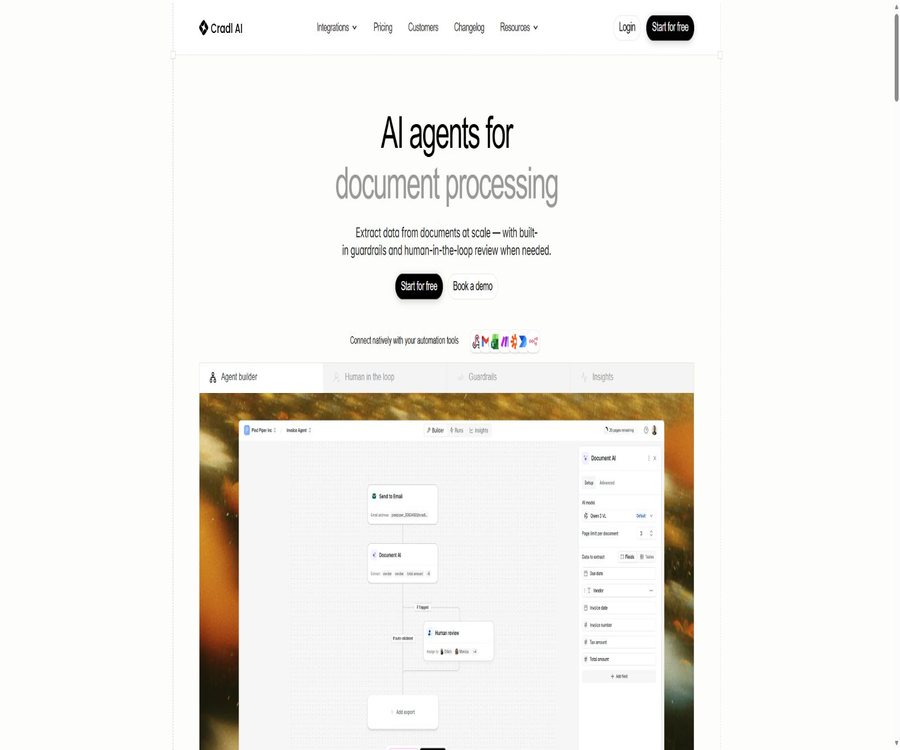
AI Agents for Document Processing
AI Agents for Document Processing – intelligent tools focused on AI programming
Tags:AI programming toolsWhat is Cradle AI?
Cradl AI is an AI Agent platform designed for document data extraction and automated workflows; it can convert PDFs, images, invoices, contracts, and tables into structured data. By utilizing confidence levels, validation rules, and manual review, the platform reduces the risk of erroneous results being fed into downstream systems.
It is suitable for low-code automation teams, business operators, and developers, and it can be connected to tools such as n8n, Zapier, and Power Automate. Cradle AI is not a simple OCR tool; rather, it is a system designed for extraction, verification, review, and export within production processes.
A one-sentence summary
Cradl AI connects document recognition, field extraction, business validation, manual review, and automated export into a monitorable production process.
Core processing workflow
| Phase | Main tasks | Output |
|---|---|---|
| Ingest | Receive PDFs, images, emails, or automated inputs | Documents to be processed and context |
| Extract | Identify fields, tables, and detail rows | Structured prediction results |
| Validate | Operation confidence and business rules | Pass, fail, or abnormal status |
| Human Review | Manual inspection of low confidence and exceptions | Corrected and approved data |
| Export | Send results in JSON or via integrated actions | Available data for downstream systems |
| Learn | Continuous improvement through manual corrections and feedback | An Agent more suitable for business samples |
Supported document types
- Digital and scanned PDF versions
- Invoices, receipts, and purchase documents
- Contracts, application forms, and business forms
- Reports, statements, and financial documents
- Images and scans containing text
- Documents with tables and multiple rows of details
- Handwritten or partially handwritten materials
- Similar files with different templates and layouts
Agent Builder
Users can define in Agent Builder the fields to be extracted, the data types, descriptions, and the processing procedures. Clear field definitions along with representative samples are the basis for accuracy.
- Create single-value fields, arrays, and nested structures.
- Define date, numeric, text, and enum types
- Describe the meaning of fields and their common locations.
- Configuration table and row item extraction
- Add business validation and exception handling.
- Set the conditions that trigger manual review.
- Run sample tests before releasing a new version
Data extraction
Cradl AI can automatically extract the key data from documents and deliver it in a structured JSON format to automation tools. It focuses on understanding fields regardless of their layout, rather than relying solely on fixed coordinate templates.
- Identify suppliers, customers, and document numbers
- Extract the date, currency, amount, and tax amount.
- Read address, terms, and contract information
- Parsing tables and multi-row product details
- Handle differences in scan quality and layout.
- Retain field-level confidence and its association with the original document.
Table and detail extraction
All public packages include Table Extraction, which can be used for invoice line items, statements, and structured lists. Complex merged cells and multi-page tables still require separate testing.
- Extract the product, quantity, unit price, and total amount for each row.
- Maintain the structural relationship between columns and rows.
- Handling variable numbers of rows and multi-page details
- Perform consistency checks on the totals and row items.
- Output the details as an array for further processing.
- Tables with low confidence levels are sent for manual review.
Confidence score
Each prediction receives a confidence score ranging from 0 to 100, and automation developers can set thresholds to determine whether manual review is necessary. These thresholds should be set based on the risk level of each field.
- Automated transfer of data that has a high degree of confidence and meets the relevant rules.
- Fields with low confidence are placed in the manual review queue.
- Stricter thresholds are applied to fields related to large amounts, accounts, and identities.
- Looser thresholds can be used for regular description fields.
- Adjust according to the actual error rate, rather than blindly pursuing automation.
- Record the pass/fail status for each field along with the reasons for review.
Guardrails and anti-ilusion
The platform offers built-in Guardrails and anti-ilusion checks to detect anomalies before erroneous outputs become part of the business data. Companies can also add their own validation logic.
- Check whether required fields are missing.
- Verify the date, currency, and number format.
- Verify the relationship between the subtotal, tax amount, and total amount.
- Limit enum values and reasonable value ranges
- Compare document fields with external master data
- Detect values that are fabricated by the model but do not exist in the original text
- Stop automatic writing in case of failure and request a review.
Manual review
Documents with low confidence levels or those that fail verification are routed to a dedicated Human Review interface, where reviewers can view the original text, modify the relevant fields, and approve them. Reviewers may have only the authority to conduct checks without control over the entire process.
- View exceptions and uncertain documents in one place
- Identify fields with low confidence and the corresponding original text.
- Modify incorrect fields and table details
- Proceed with downstream automation after the approval is granted.
- Record the reviewer, time, and changes made
- Use corrective feedback for the Agent’s continuous learning.
Self-learning mechanism
Cradl AI utilizes manual corrections to improve the performance of subsequent extractions, enabling the Agent to gradually adapt to corporate documents. Companies still need to prevent incorrect corrections from being regarded as high-quality feedback.
- Collect approved field corrections
- Learning about new suppliers and layout changes
- Reduce the repeated entry of similar exceptions into the queue.
- Establish consistent operating procedures for reviewers.
- Regular random checks automatically confirm the results to prevent drift.
- Re-establish the baseline when document rules change.
Workflow Builder
Workflow Builder is available in all available packages; it enables the combination of extraction, verification, review, and output steps to create a complete workflow. Enterprises should define clear outcomes for each possible abnormal scenario.
- Configuration document entry and processing sequence
- Route to different Agents based on document type
- Set validation, thresholds, and manual inspection.
- Design branches for success, failure, and timeout.
- Send structured data to downstream tools
- Retain the status and logs for each process execution.
Native integration
| Integration | Primary uses | Apply attention. |
|---|---|---|
| Gmail | Receiving attachments and documents from email. | Sender filtering and duplicate emails |
| Excel | Receive or output structured table data | Column mapping and data types |
| Zapier | Connect to common SaaS workflows | Task quota and error retries |
| Make | Build visual automation | Scene concurrency and exception branches |
| Power Automate | Connect to Microsoft Business Processes | Environment, connectors, and permissions |
| n8n | Self-hosted or cloud-based workflows | OAuth, Webhook, and node version |
| Webhook | Receive and process events and results | Signing, Idempotency, and Retries |
n8n community nodes
The official N8N nodes allow for the uploading of new documents or the reference to existing ones; they wait for the processing to be completed and for any events that require manual intervention. Webhook callbacks support HMAC signature verification.
- Upload document from workflow binary data
- Dynamically select the configured Cradle Agent
- Pass in custom JSON variables and context.
- Wait for the result of asynchronous processing before proceeding.
- Monitoring completed or events require manual review.
- Automatic registration and management of Webhooks
- Verify HMAC signatures to prevent fake callbacks
API and Python SDK
Cradl AI is designed with APIs as its core element; developers can manage models, documents, and predictions using the official Python SDK. This SDK can be installed via pip, and authentication is carried out using the API credentials stored in the account.
| Developer capabilities | Main operations | Typical uses |
|---|---|---|
| Documents API | Upload, read, and delete documents | Create custom entry points and lifecycle management |
| Predictions API | Create and query predictions | Asynchronous extraction process |
| Models or Agents | List and select configurations | Route by document type |
| Webhooks | Receipt status and review events | Event-driven automation |
| Python SDK | Encapsulates common API operations | Backend services and batch processing |
| n8n node | Low-code invocation and triggering | Operations team workflow |
Invoice processing scenarios
- Receive supplier invoices from the email address or the upload portal.
- Extract the invoice number, date, supplier, and currency.
- Read the net amount, tax amount, total amount, and line items.
- Verify the total amount, tax rate, and purchase order.
- Submit the abnormal invoices to the accounts payable staff for review.
- Write the approval result into the ERP or accounting system.
- Retain the original document, fields, and audit trail for approvals.
Contract and form scenarios
- Extract the parties, date, and key terms from the contract.
- Identify renewal, termination, and amount information
- Process application forms, claim forms, and registration documents
- Check that the signature, required fields, and attachments are complete.
- Transfer high-risk or ambiguous clauses to manual handling.
- Output structured data to CRM, case, or document systems
Logistics and document control scenarios
- Extract the waybill, packing list, and delivery documents.
- Match the number with the order or shipment master data.
- Handle different formats from various carriers and suppliers
- Identify missing pages, duplicate documents, and abnormal amounts.
- Create a manual exception queue for the document center.
- Send the results to the archiving and operation systems.
Which teams are suitable?
- Automation teams that use n8n, Zapier, or Power Automate
- Financial and operational departments that need to extract structured data from documents
- Companies that wish to upgrade from an OCR prototype to a production process
- High-risk transactions that require manual review and a complete audit trail
- A team capable of maintaining fields, validation rules, and the exception queue
- Developers who create custom document processing products using APIs
Cradl AI price
Cradl AI offers versions Free, Builder, Pro, and Enterprise. On its official website, it is possible to choose between monthly or annual payment; the annual rate is lower than the monthly rate. The prices listed below do not include any applicable taxes.
| Package | Monthly price | Monthly price equivalent to annual payment | Pages per month | Agent and Seat |
|---|---|---|---|---|
| Free | $ | $ | 50 pages | 1 Agent, 1 seat |
| Builder | $ | $ | 500 pages | 2 Agents, 2 Seats |
| Pro | $ | $ | 5000 pages | 5 Agents, 5 Seats |
| Enterprise | Custom quote | Custom quote | Customize | Customize |
Comparison of package features
| Ability | Free | Builder | Pro | Enterprise |
|---|---|---|---|---|
| Table extraction | Includes | Includes | Includes | Includes |
| Workflow Builder | Includes | Includes | Includes | Includes |
| All standards integrated | Includes | Includes | Includes | Customizable |
| Chat support | Includes | Includes | Includes | Includes |
| Priority support | Not included | Includes | Includes | Includes |
| SLA | Not included | Not included | Includes | Includes |
| Data retention control | Not included | Not included | Includes | Includes |
| Role permissions and SSO | Not included | Not included | Partial or without | Includes |
| Dedicated account manager | Not included | Not included | Not included | Includes |
Page count and capacity planning
- The bill is based on the number of pages processed rather than the number of files.
- Multi-page PDFs will consume resources based on the actual number of pages.
- To determine whether testing, failures, and reprocessing are subject to charging, check the account rules.
- First, count the number of pages in normal months and peak months.
- Maintain the capacity for manual review staff, rather than focusing solely on AI throughput.
- For more than 5,000 pages or when a large number of agents are required, consult Enterprise.
- Confirm the excess unit price and whether processing will stop automatically before making a purchase.
Quick Start Tutorial
- Register for a Free account and select a high-frequency document.
- Collect representative samples from different suppliers, in various formats and of different quality levels.
- Define the fields and data types that are truly required downstream.
- Fields, tables, and instructions for configuring in Agent Builder.
- Run the sample and verify each prediction against the original text.
- Add confidence thresholds and business validation rules.
- Configure manual review before connecting to the downstream system.
- After achieving the quality goals, gradually increase the number of pages and the types of documents.
Invoice Agent Tutorial
- Create fields for invoice number, supplier, date, currency, and amount.
- A row item is defined as an array containing description, quantity, unit price, and amount.
- Add rules for consistency between tax amounts, net amounts, and total amounts.
- Match with the supplier data or main purchase order data.
- Set high confidence thresholds for account, tax ID, and high-value fields.
- Transfer duplicate, conflicting, and mismatched invoices to manual processing.
- After approval, it is exported to the ERP testing environment.
- Maintain financial approval for the results prior to actual payment.
n8n Integration Tutorial
- Install the official Cradl AI community node and prepare the OAuth credentials.
- Complete account authorization in the credential settings.
- Retrieve document binary data from emails, forms, or storage nodes.
- Select Extract Data From Document and the target Agent.
- Pass in the necessary variables and wait for the results.
- Verify the HMAC signature of the Webhook.
- Create branches for completed tasks, manual reviews, and failed events.
- Use test data to verify idempotency, retry, and downstream writing.
API Development Tutorial
- Create and securely store API credentials in the account.
- Install the official Python SDK or prepare a standard interface client.
- Upload the document and save the returned document ID.
- Select an Agent or a model to create a prediction task.
- Poll the status or use a Webhook to receive completion events.
- Check the confidence level, validation results, and review status.
- Only the approved data is written to the official business system.
- Delete documents in accordance with the retention policy and record the processing logs.
Security and data governance
Cradl AI allows customers to configure data retention policies and to access or delete data via APIs; customer documents are not used to train shared models, nor are they exposed to other users. Companies still need to verify the contract as well as the regional and sub-processing partners.
- Upload only the minimum number of documents required to complete the process.
- Regularly rotate API credentials, OAuth tokens, and Webhook keys.
- Use HMAC to verify all asynchronous callbacks.
- Separate permissions for administrators, developers, and reviewers.
- Control data retention in Pro or Enterprise configurations
- Use full log tracking to extract, correct, and trigger actions.
- Implement additional protection for identity, financial, and contract data.
- Export results before terminating the service and verify that the data has been deleted.
Effect evaluation
| Indicators | Key points of evaluation | Suggested method |
|---|---|---|
| Field accuracy | The degree of consistency between each field and the original text | Statistical analysis by field risk separately |
| Document pass rate | The percentage that can be achieved without any manual intervention | Only results that meet the quality threshold are taken into account. |
| Manual review rate | Proportion of documents that enter the review queue | Analysis by cause and layout |
| Exception capture rate | Was the error prevented by rules or thresholds? | Use a known abnormal test set |
| Processing time | Time since the structured output was received | Distinguish between AI waiting and human waiting |
| Cost per page | Total cost of subscriptions, automation, and manual processing | Calculated based on the actual number of pages. |
| Downstream error rate | Whether incorrect data has been entered into the business system | Monitor rollback and financial impacts |
Product advantages
- Covers the entire process of extraction, verification, manual review, and export.
- Field-level confidence facilitates the setting of automated thresholds based on risk levels.
- Anti-illusion and business rules help to prevent the spread of erroneous data downstream.
- Manual adjustments can be used to continuously improve the performance of the Agent.
- Supports tables, detailed lists, scanned documents, and various complex documents.
- It can be connected directly to n8n, Zapier, Make, and Power Automate.
- API is given priority, along with an official Python SDK and n8n nodes.
- The free version allows for 50 pages to be used for verifying genuine business samples.
- The Enterprise version offers permissions, SSO, auditing, and dedicated support.
Usage restrictions and precautions
- The free version allows only 50 pages per month, 1 agent, and 1 seat.
- There is a significant difference in price and capacity between Builder and Pro.
- Scanned images that are blurry, handwritten text, and complex multi-page tables may still be misidentified.
- A high confidence level does not guarantee that the field is correct; sampling for verification is required.
- Human-induced feedback errors can lead to deviations in subsequent learning.
- The production quality depends on representative samples and clear field definitions.
- Automatic writing downstream requires idempotency, rollback, and permission control.
- Role permissions and SSO are mainly available in Enterprise.
- The rules regarding excess page counts and failed retry charges need to be confirmed before making a purchase.
- The core platform is closed-source; the fact that the SDKs and nodes are open-source does not mean it is possible to host the entire system independently.
GitHub and open source
Cradl AI has an official GitHub organization, which makes available the Python SDK as well as n8n community nodes. The Python SDK is licensed under the Apache-2.0 license and can be used for uploading documents, generating predictions, and accessing APIs.
The source code of the n8n nodes is available publicly; it offers OAuth, document extraction, event triggering, and HMAC verification. Meanwhile, Cradl AI’s models, Agent Builder, manual review interface, and cloud control platform remain as commercial, closed-source services.
| Official repository or components | Open-source status | Uses |
|---|---|---|
| cradl-sdk-python | Apache-2.0 | Python interface client |
| n8n-nodes-cradlai | The source code is publicly available, but the repository metadata does not specify a standard license. | n8n extraction and Webhook nodes |
| Cradl AI API | Open interface | Connect to business cloud services |
| Agent Builder and Review UI | Commercial closed-source | Configuration and manual review |
| Core models and platform | Not open source | Managed document processing service |
Basic information
| field | Content |
|---|---|
| Tool name | Cradl AI |
| Product type | AI document extraction and automated agent platform |
| Main documents | PDFs, invoices, contracts, forms, images, and tables |
| Primary users | Automation team, operations, finance, and developers |
| Free quota | 50 pages per month |
| Price pattern | Free, monthly, annual billing, and enterprise customization |
| Developer capabilities | API, Python SDK, Webhooks, and n8n nodes |
| Manual review | Built-in Human Review interface |
| Is it open source? | The core platform is not open source; the Python SDK is open source. |
Recommendation score
4.7 / 5. Cradle AI is suitable for teams that need to integrate document extraction into automated processes in a reliable manner; it offers solid features such as confidence levels, Guardrails, manual review options, and official integrations. However, the high cost per page, issues related to the accuracy of complex documents, and risks associated with data writing downstream require verification through actual samples.
Frequently Asked Questions
What does Cradle AI do mainly?
It extracts structured data from documents, and ensures its usability in subsequent processes through rules, confidence levels, and manual verification.
What is the difference between Cradle AI and regular OCR?
While standard OCR mainly outputs text, Cradl AI also handles field structure, validation, exceptions, manual review, and automated delivery.
Which documents is Cradle AI capable of supporting?
It supports digital and scanned PDFs, invoices, receipts, contracts, forms, reports, images, tables, and handwritten documents.
Is Cradle AI free?
A permanent free version is available, allowing the processing of up to 50 pages per month; it includes 1 agent and 1 license.
How much does Cradle AI cost?
Builder costs $50 per month, or $40 when paid annually; Pro costs $300 per month, or $240 when paid annually.
Can it be sent for manual review?
Yes, results with low confidence or verification failures can be automatically routed to the Human Review interface.
Does Cradle AI provide APIs?
It provides APIs, an official Python SDK, Webhooks, and n8n community nodes.
Are customer data used to train shared models?
According to the official statements, customer data will not be used for training shared models; nevertheless, companies should still verify the contract and the scope of data processing.
Is Cradle AI open source?
The core platform is not open source, but the official Python SDK is licensed under the Apache-2.0 license, and the source code for n8n nodes is also available publicly.
Tools similar to AI Agents for Document Processing



 Guigong Network Security Registration No. 45132202000164