






Agenthost
Agenthost, an intelligent tool focused on AI programming.
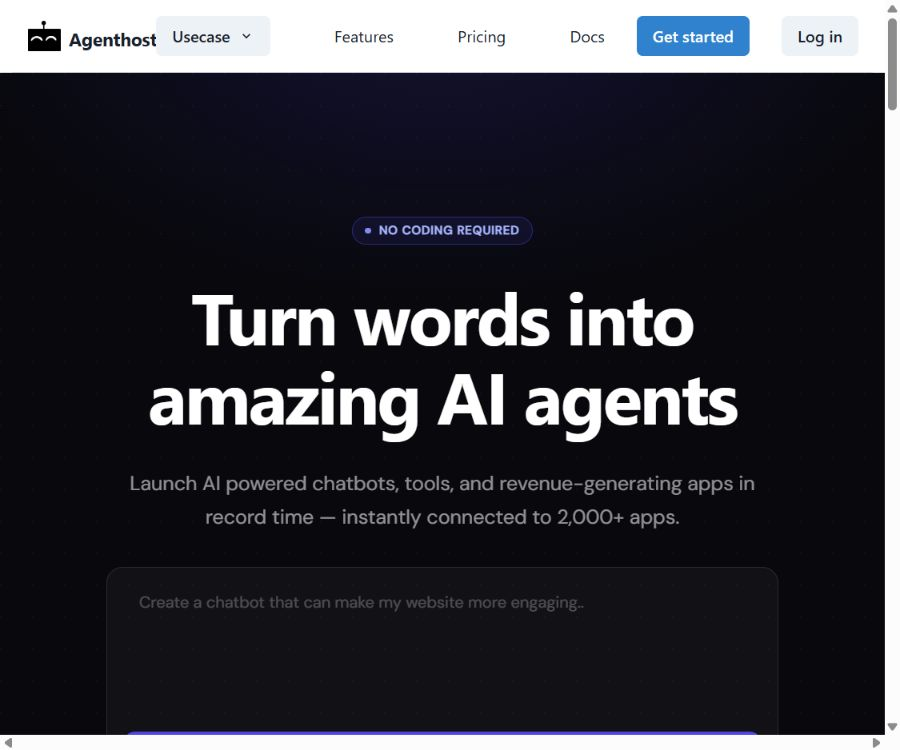
Tags:AI programming toolsAgenthost is a code-free platform for creating and hosting AI agents, designed for creators, businesses, and digital service providers. Users can configure instructions and knowledge files to quickly deploy chatbots, which can then be delivered to end-users through website integration, custom domain names, or various other channels.
The platform also offers subscription-based paywalls, one-time payments, message quotas, brand customization, analytics, and the ability to connect with external applications. It is more akin to a platform for turning AI agents into commercial products, rather than just an internal robot editor.
What is Agenthost?
Agenthost helps users combine prompts, knowledge materials, and model capabilities to create AI applications that are accessible to the public. It enables the creation, hosting, distribution, monetization, and operational analysis of such applications without the need to develop complete front-end and back-end systems.
- Create AI Agents using natural language and configuration options
- Import an existing OpenAI Assistant or migrate an existing GPT approach
- Upload files to create a knowledge base tailored for specific businesses.
- Embed in a website or bind to a custom domain name
- Connect to external applications and execute custom actions
- Set subscription options, one-time payments, and message limits for the Agent.
- View analysis data such as conversations, usage amounts, and popular questions
Code-free Agent creation
Users can set the Agent’s name, description, behavior instructions, model, and welcome message in the visual interface. It is suitable for quickly testing ideas related to customer service, consultation, training, and content assistance.
- Set roles, objectives, tone, and response boundaries
- Configure the welcome message, avatar, and interface colors.
- Select supported models and advanced options.
- Publish it publicly after testing the response.
- Centralized management of multiple Agents from the workspace
Knowledge base and file upload
Agenthost enables files to be added to the Agent knowledge base, so that responses can draw on corporate materials, course content, product descriptions, or common questions. The number and size of files are limited by the Agent version and the account package.
| Agent type or package | Number of files | Single-file limits and format |
|---|---|---|
| Free package | Up to 3 files per Agent | The specific size depends on the Agent version. |
| V1 Paid Agent | The official help documentation states that a maximum of 15 files are allowed. | The maximum size for a single file is 100 MB, with a wide range of supported formats. |
| V2 Paid Agent | Up to 30 files | The size of a single file should not exceed 35 MB; formats supported include HWP, PDF, DOCX, PPTX, PPT, PPTM, CSV, and MD. |
On the official website’s package page, the knowledge bases for Pro and Growth are indicated as allowing a maximum of 30 files per agent; this differs from the instructions in the older V1 version. When creating content, it is necessary to follow the limitations specified for the agent version in the account as well as those displayed on the upload interface.
Website embedding and custom domain names
- Use iframes to embed the chat interface within an existing website.
- Adjust the width of the embedded area and hide some sidebars.
- Bind a brand-specific subdomain to the Agent.
- Domain name verification and configuration are carried out through DNS records.
- After the domain name is verified, the platform sets up a secure connection.
- Paid plans allow for the use of a custom brand to reduce the visibility of the platform’s identity.
Multi-channel distribution
In addition to web chat links, Agenthost also highlights other channels for communication such as email, Telegram, website chat widgets, and downloadable shortcuts. The availability of different channels and integration features may be subject to restrictions based on the package chosen, the region, or configuration settings.
| Channels | Primary uses | Deployment tips |
|---|---|---|
| Public chat page | Quick Sharing Agent | Suitable for demonstrations and small-scale testing |
| Website iframe | Embed on the official website or member page | It is necessary to adjust the page height and its display on mobile devices. |
| Custom domain name | Create an independent brand entry point | DNS configuration is required; it is not available in the free version. |
| Interact with the Agent via email | A dedicated Agent channel needs to be configured. | |
| Telegram | Providing services in the instant messaging context | Test permissions and message formats before going live. |
| Mobile shortcut | To enable users to open the Agent quickly. | It is not an independent native app store package. |
External applications and workflows
The platform can use Zapier to connect Agents to a large number of third-party applications; it also supports the creation of custom actions using the OpenAPI standard. As a result, Agents can query systems, submit forms, or trigger automated processes within the scope of their permissions.
- Connect CRM, spreadsheets, email, and project tools using Zapier
- Create an API key and authorize Agenthost integration.
- Use OpenAPI Schema to describe custom actions.
- Save the required authentication credentials for operational security.
- Specify in the Agent instructions when to invoke external operations.
- Abnormal situations such as test failures, timeouts, and repeated executions
Custom actions
Custom actions allow agents to call external APIs, and they are suitable for tasks such as checking orders, creating tickets, querying inventory, or submitting leads. A valid OpenAPI structure is required for configuration, and the structure validation for Agenthost may be stricter than that specified for OpenAI actions.
- Specify the external interfaces that the Agent needs to call and its business permissions.
- Prepare and verify the OpenAPI Schema to meet the requirements.
- Create a custom action on the management page of the target Agent.
- Enter the action name and paste the Schema.
- Configure tokens or other authentication credentials.
- Reference the identified operation name in the Agent command.
- Use a test account to verify parameters, error handling, and authorization boundaries.
Commercialization of agents and paywalls
Creators can establish various access plans for Agents and use Stripe to handle payments. These plans allow for setting prices, payment intervals, differences in features, and limits on the number of messages sent; they are suitable for turning consultation robots or specialized knowledge assistants into digital services.
- Create a recurring subscription with weekly or monthly billing.
- Set up a one-time purchase access plan
- Set message limits for different price tiers
- Provide additional commands or functions in the paid tier.
- Create discount codes or plans that are displayed solely based on codes.
- Collect payments in supported countries and currencies through Stripe.
How to create a paid plan
- Select the Agent that needs to be commercialized in the workspace.
- Go to the management page and open Agent Plans.
- Fill in the plan name, description, price, and access benefits.
- Choose a payment cycle of weekly, monthly, or one-time.
- Set the amount of messages users can send and additional features.
- Connect to and check the Stripe payment account.
- Test the purchase, login, quota, and cancellation processes as a regular user.
- After publication, continuously monitor issues related to refunds, taxes, and customer support.
Brand and white-label capabilities
Agenthost allows for the modification of colors, avatars, welcome messages, and the overall chat experience; the paid plans offer the additional possibility of using a custom domain name and a custom brand. The white-label solution intended for agencies includes features for customer management and the removal of the Agenthost brand.
- Configure the brand logo, color scheme, and interface text.
- Provide Agent services under your own domain name.
- Create separate agents and knowledge bases for different customers.
- Manage customer projects from a unified backend.
- Set up differentiated packages and usage restrictions for customers.
- The white-label scope and commercial rights shall be determined in accordance with the contract.
Analysis and operational data
- Check the Agent usage and message consumption.
- Browse user conversations to identify common issues.
- Analyze popular questions and keywords
- Collect user email addresses that have been approved for submission.
- Add instructions and knowledge documents based on the failed responses.
- Compare the conversion and usage rates of different paid plans
Dialogue analysis may involve personal information or business data. Operators should clarify the purpose of such data at the entry point for conversations, and establish appropriate access controls, retention periods, and deletion procedures.
Team collaboration
Paid plans allow users to invite collaborators to help manage the Agent, while Growth is designed for a larger number of robots and members. Once in full operation, it is necessary to assign roles responsible for editing, publishing, handling bills, and managing credentials.
| Collaborative projects | Free | Pro | Growth |
|---|---|---|---|
| Bots can be created. | 1 | 5 | 50 |
| Collaborator | None | 1 person | 5 or more |
| Custom domain name | Not supported | Support | Support |
| Custom brand | Only light and dark theme | Support | Support |
| Agent monetization | Not supported | Support | Support |
Agenthost price
Agenthost currently offers three plans: free, Pro, and Growth. The official website indicates that an annual payment can save 25%, but the price listed for the Pro plan is the monthly price as shown on the page; taxes may be additional.
| Package | Price | Bot and message quota | Primary interests |
|---|---|---|---|
| Free | Free | 1 bot; 50 message credits per month | Website embedding, email collection, 3 knowledge files; no domain name, collaborators, or revenue generation |
| Pro | $ | 5 bots; 5,000 message credits per month | Custom domain name, 1 collaborator, monetization, branding, file uploading, and web search |
| Growth | Custom quote | 50 bots; over 15,000 messages per month, along with Credits. | 5 or more collaborators and the main functions of Pro |
How are message Credits calculated?
Agenthost does not consider a complete conversation as a single message. Both user inputs and Agent responses consume quota; content longer than 230 characters is counted as multiple messages.
- One input or output not exceeding 230 characters is considered one message.
- A response of 460 characters can be counted as two messages.
- Both the content sent by the user and the content generated by the Agent are counted toward the limit.
- The old help documentation states that high-cost models consume resources at a higher multiplier.
- The actual model scale should be based on the current instructions in the account.
- Long-answer agents should be allocated more turns than those for normal conversations.
Excess pay-as-you-go plan
According to the help center, Pro and Growth plans allow for the addition of a pay-as-you-go option, enabling continued operation once the message quota for that plan has been exhausted. The price specified in the official rules is $7 per 1,000 messages, with billing done on a weekly basis.
| Project | Public rules | Precautions |
|---|---|---|
| Applicable packages | Pro or Growth add-ons | The free version cannot rely on this solution for scaling up. |
| Trigger conditions | Once the message quota for the package is used up | Usage monitoring should be implemented to avoid unexpected bills. |
| Reference rate | 7 dollars per 1,000 messages | Consumed based on message definition and model scale factor |
| Settlement cycle | Weekly | It is subject to the settings of the real-time account billing. |
Fine-tuning feature
The official documentation labels the fine-tuning feature as a testing feature, limiting its use to the Pro and Growth versions of V1 Agent. The older version of these instructions supported only specific models, and training and invocation costs were calculated at twice the rate applicable to ordinary, low-cost model transactions.
- Select at least 10 appropriate dialogue messages as training material.
- The training process can last from a few minutes to several hours.
- After completion, it is necessary to select the model for fine-tuning in the Agent’s advanced settings.
- Training samples must undergo privacy and copyright checks.
- The model and billing details are updated frequently; it is necessary to follow the current information available in the backend.
Applicable scenarios
- Customer service on the company’s official website, product FAQs, and collection of pre-sales inquiries
- Course questions, study coaching, and training knowledge assistant
- Consultants package their expertise as paid Q&A services.
- Content creators’ membership-based vertical Agent
- The agency delivers brand chatbots to various clients.
- The e-commerce team provides product recommendations and answers to common questions.
- The internal team uses agents to connect tables, CRM systems, and automated processes.
Tutorial on Creating an Agent from Scratch
- Register an account and create a workspace.
- Create a new agent by entering its name, purpose, and target users.
- Provide clear instructions outlining the scope of responses, the tone to be used, and the rules for declining requests.
- Upload the organized knowledge files and test the referencing functionality.
- Select the model, welcome message, interface colors, and avatar.
- Identify common design issues, and test correct responses as well as out-of-bound problems.
- Choose to publish using a public link, website embedding, or a custom domain name.
- After going live, check the usage of conversations and messages to continuously improve the knowledge base.
Pre-launch checklist
- Verify that the knowledge document contains no keys, private information, or expired content.
- Testing error issues, misleading questions, and requests that go beyond the allowed scope
- Check the embedding height on mobile devices, loading speed, and input experience.
- Set minimum permissions for external actions and define clear confirmation steps.
- Verify subscription, one-time payment, refund, and cancellation processes
- At the entrance, display the AI policy, privacy rules, and contact information for human staff.
- Set up alerts for message usage and estimate the additional consumption associated with long responses.
Product advantages
- AI Agents can be created and hosted without the need for full development.
- A relatively complete closed loop is formed, from the knowledge base and publication to commercialization.
- Supports website embedding, custom domain names, and multi-channel delivery.
- Subscriptions and one-time payments can be set up through Stripe.
- Zapier and custom actions enhance the capabilities for business automation.
- Provides conversation history, frequently asked questions, and usage analysis.
- Suitable for agencies to manage multiple client Agents.
Usage restrictions and precautions
- The free version includes only 1 bot and 50 message credits per month.
- Both input and output are charged, and long responses will consume more quota more quickly.
- Some of the assistance content is still based on V1, V2, and older models.
- The number of knowledge documents varies between the package page and the older version of the help documentation.
- When custom actions involve external systems, it is essential to strictly control credential permissions.
- AI may generate incorrect content, and it cannot replace medical, legal, or financial experts.
- The cash-out feature is available in regions supported by Stripe and involves tax and refund responsibilities.
- The core hosting services of the platform are not open source; migration and supplier dependencies need to be assessed.
GitHub and open source
During this verification, no official source code repository for the core platform provided by Agenthost.ai was found. The projects with the same name that appeared in the search results belong to other organizations or products, and therefore cannot be used as evidence of Agenthost.ai’s use of open-source code.
| Components | Status | Explanation |
|---|---|---|
| Agenthost platform | Commercial closed-source | The backend for construction, hosting, and commercialization does not have its source code made public. |
| Agent runtime service | Cloud hosting | Relies on platform accounts, packages, and model services |
| Custom actions | Open interface configuration | Using OpenAPI to connect to external services does not mean that the platform is open source. |
| Zapier integration | Third-party automation | Connect to the account using an API key. |
| Official core GitHub | Not verified. | Warehouses with the same name owned by third parties cannot be used interchangeably. |
Basic information
| field | Content |
|---|---|
| Tool name | Agenthost |
| Tool type | Platform for building, hosting, and monetizing code-free AI Agents |
| Core functions | Agent creation, knowledge base, embedding, domain names, actions, and paywalls |
| Primary users | Creators, businesses, consultants, educators, and agencies |
| Integration method | iframe, OpenAPI custom actions, and Zapier |
| Commercialization | Stripe subscriptions, one-time payments, and message limits |
| Free plan | 1 bot, 50 message credits per month |
| Minimum payment amount | Pro costs $29.99 per month, with taxes added separately. |
| Growth | Custom quote |
| Is it open source? | No, no official core source code repository was found. |
Recommendation score
4.4 / 5. Agenthost is suitable for individuals and organizations that wish to quickly deploy, integrate AI assistants and generate revenue from them; it offers comprehensive commercial and branding features. However, the way messages are processed, the limitations related to versioned files, and the reliance on third-party services need to be carefully considered.
Frequently Asked Questions
What is Agenthost mainly used for?
It helps users create, host, and publish AI Agents without writing any code, and it offers a knowledge base, website embedding, subscription plans, analysis tools, as well as the ability to perform external actions.
Is Agenthost free?
A free plan is available: it allows you to create 1 bot and receive 50 message credits per month, but it does not include a custom domain name, collaboration features, or the option to monetize agents.
How much is the Pro package?
The official website shows that the Pro version costs $29.99 per month, plus local taxes; the annual payment option indicates a 25% discount, and the final amount will be as indicated on the settlement page.
Can Agenthost be embedded in a website?
Yes, it is possible to include the chat page on a website using iframes; Pro and Growth also support the use of custom domain names.
Can a fee be charged to the Agent?
Yes, the paid plans allow for the creation of weekly, monthly, or one-time subscriptions via Stripe, with the option to set different message volumes and benefits.
How is the message quota calculated?
Both the user’s input and the Agent’s output are taken into account; content exceeding 230 characters can be split into multiple messages, so the quota is not equal to a fixed number of conversation turns.
Can I upload my own materials?
Yes, it is possible to add files to the Agent’s knowledge base; the number of files, their size, and format depend on whether a free or paid plan is being used, as well as on whether it is the V1 or V2 version of the Agent.
Does Agenthost support custom actions?
Yes, it is possible to use OpenAPI Schema to describe external interfaces and configure authentication details, thereby allowing the Agent to call APIs within specified boundaries.
Is Agenthost suitable for agencies?
It is suitable; its white-label functionality supports brand, domain name, customer agent management, and commercialization, but full white-label rights need to be confirmed with sales.
Is Agenthost open source?
No. No official core source code repository was identified this time, and external integrations and open interfaces do not mean that the hosting platform itself is open source.
Tools similar to Agenthost



 Guigong Network Security Registration No. 45132202000164