






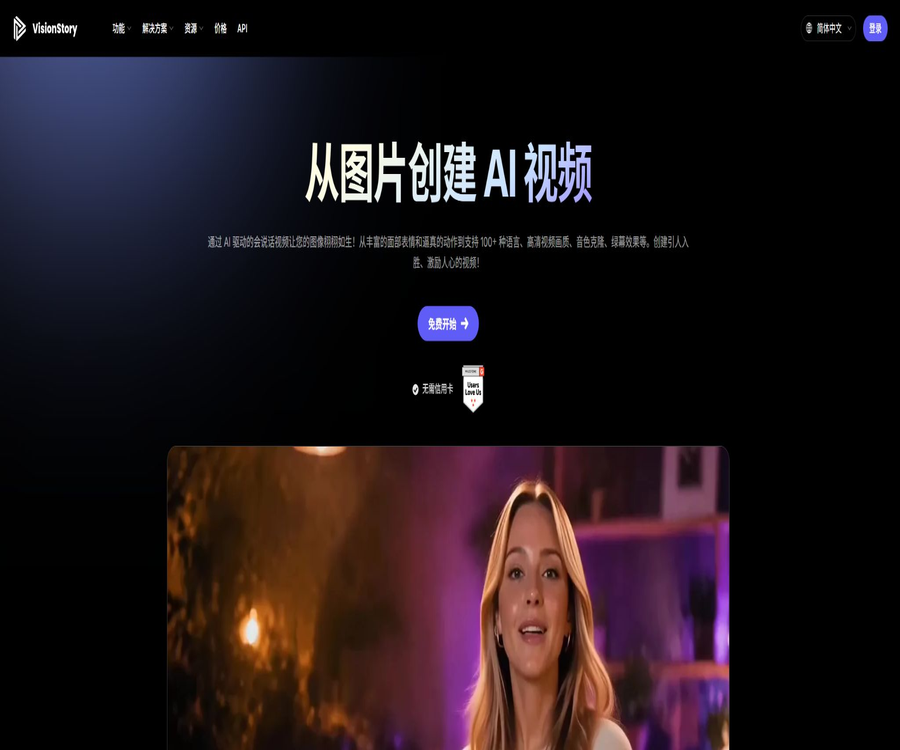
visionstory_AI
@visionstory_AI, an intelligent tool focused on AI programming
Tags:AI programming toolsWhat is VisionStory?
VisionStory is an online creation platform that focuses on AI digital avatars and voice-over videos. Users can upload images of characters or enter scripts and audio files, and the platform will generate video footage in which those characters speak, with corresponding lip movements, expressions, and actions.
The platform also offers features such as video podcasts, PPT to video conversion, AI-driven UGC advertising, virtual influencers, voice cloning, translation, green screen technology, and high-definition enhancement; it is designed for content creators, marketing, sales, training, and media teams.
Main functions
- Talking photos: Convert a single image of a person into a video with lip movements and expressions.
- Custom digital avatar: Upload a character image and save it as a reusable profile picture.
- Script to video: After entering text, voiceover and character performances are generated automatically.
- Video podcast: Convert audio into a visual podcast for one or two people.
- AI demonstration: Upload a PowerPoint file to create a presentation video with an AI avatar providing explanations.
- AI UGC ads: Create marketing videos with a realistic feel, based on products and scripts.
- AI virtual influencers: maintain a consistent character image and create content for multiple platforms.
- Voice cloning: Create personalized voice tones using authorized voice samples.
- Multilingual: Supports over 100 languages and thousands of voice tones.
- Green screen and high definition: Export backgrounds that are easy to use for further editing, and improve the clarity of the video.
- Image and video tools: include functions such as image creation, face swapping, voice alteration, noise reduction, and enhancement.
- Open interfaces: Provide programmable capabilities for mass production and business system integration.
Talking photos
Talking photos constitute the core workflow of VisionStory. After uploading a clear image of a person’s face, the user can select the voice, language, expression, and output settings; the system then generates corresponding lip movements and actions.
- Suitable for real photos, virtual characters, illustrations, or brand characters.
- The face of the person should be clear, with no significant obscuration and a sufficient resolution.
- Script syntax and punctuation affect pauses, rhythm, and performance.
- Different character styles can have a significant impact on the naturalness of movements.
- Before official release, check for lip shapes, teeth, hand artifacts, and edge artifacts.
- Using real photos requires the person’s permission, and they cannot be used for impersonation or deception.
V-Talk and V-Character
The official scoring guidelines differentiate between the V-Talk and V-Character models: V-Talk consumes 1 point per 15 seconds at 480p, while V-Character consumes 3 points per 15 seconds at the same resolution.
| Model | Basic consumption at 480p | Suitable direction | Precautions |
|---|---|---|---|
| V-Talk | 1 point every 15 seconds | Standard narration, tutorials, and quick content | Higher resolution and additional options increase the score. |
| V-Character | 3 points every 15 seconds | More emphasis is placed on character portrayal and role-related videos. | The base cost is higher for videos of the same length. |
Video podcast
The video podcast feature allows uploaded audio to be converted into podcast videos that include visual representations of the speakers. For audio with two speakers, the platform attempts to identify different voice segments and assign them to the corresponding characters.
- Upgrade existing audio programs into content suitable for video platforms.
- Select the appropriate role for a solo narration or a two-person interview.
- Reduce the time required for manual lens switching and speaker matching.
- Double-shot footage can be used as needed.
- Noise, interrupting others, and similar vocal tones can affect the identification of speakers.
- Being in the same frame as another person, using V-Characters, and having a higher resolution all contribute to increasing the score.
AI demonstrations and PPT to video conversion
Users can upload PowerPoint files, and by combining the script for each page with the corresponding slide, they can create videos featuring a digital avatar giving explanations. Pages without a script will be handled according to the default duration; such videos are suitable for use in courses, training sessions, sales presentations, and project updates.
- Convert static PPTs into presentation videos with narration, avatars, and animations.
- Edit the script for different slides and adjust their order.
- Use personal photos and cloned voices to create a unified narrator.
- It can be used for internal training, customer education, and asynchronous reporting.
- Complex animations, fonts, or embedded objects may need to be reviewed again.
- The packages set different maximum limits on the number of PPT pages that can be processed.
AI UGC and video ads
VisionStory enables the creation of UGC-style ads based on products, scripts, and characters, allowing for the testing of different characters, selling points, and languages at a low cost. It is suitable for producing creative drafts and multiple versions of content, but it cannot replace compliance reviews for ads.
- Create various opening hooks and selling points for different audiences.
- Have virtual characters demonstrate or explain the products.
- Quickly generate multilingual ad versions.
- Unify the image and content rhythm of virtual influencers.
- Prepare materials for different aspect ratios and channels.
- Before publishing, verify the product details, price, benefits, and the platform’s advertising policies.
AI virtual influencers
The AI Influencer feature is suitable for creating content around a fixed character on a continuous basis. Teams can define the character’s appearance, voice, and style of expression, and then generate videos for various themes.
- Maintain consistency in the character image and brand tone across multiple channels.
- Avoid the need for a real person, a location, and equipment for every shoot.
- To quickly create localized content for different regions.
- Suitable for virtual brand ambassadors, show hosts, and educational roles.
- It is necessary to clearly disclose that the content was generated by AI, in order to avoid misleading the audience.
- The appearance and voice of the characters must not infringe on the rights of real persons or other brands.
Voice cloning and text-to-speech
The paid plan offers voice cloning and advanced vocal tones, enabling scripts to be converted into voices in multiple languages. The platform supports over 1,000 different vocal tones in 88 languages, as stated by the developers; on the homepage, the multilingual capabilities are highlighted with options in more than 100 languages.
- Clone one’s own authorized voice for use in series videos.
- Choose a stable synthetic timbre for the brand character.
- Create localized voiceovers in different languages.
- Preview the audio first, then decide whether to create a full video.
- Check the pronunciation of names, numbers, abbreviations, and specialized terms.
- Cloning someone else’s voice or fabricating statements without permission is strictly prohibited.
Translation and multilingual videos
- Translate the same script into multiple market versions.
- Select the natural timbre corresponding to the target language.
- Generate digital human videos whose lip movements match the target audio.
- Create a manual glossary for subtitles, brand names, and technical terms.
- Native speakers review the semantics, tone, and cultural appropriateness.
- When it comes to legal, medical, and financial matters, one cannot rely solely on machine translation.
Green screen, resolution, and aspect ratio
Green screen output makes it easy to replace the background in editing software, while the aspect ratio setting is used to adapt the content for horizontal, vertical, or square formats. The paid plans allow export in 720p, 1080p, or 2K resolution, with the specific limits depending on the package chosen.
| Plan | Highest resolution | Longest single video | Parallel tasks |
|---|---|---|---|
| Free | 480p | 30 seconds | 1 |
| Pro | 720p | 3 minutes | 4 |
| Advanced | 1080p, 2K | 10 minutes | 6 |
| Ultra | 1080p, 2K | 10 minutes | 10 |
Image, face-swapping, and enhancement tools
- AI image generation: Create images for characters, scenes, and marketing materials.
- Video face swapping: Replacing the faces of people in a video within the limits of authorization.
- Image face swapping: Creating variations of characters or innovative visuals.
- Video upscaling: Increases the output resolution of low-resolution videos.
- Voice modulation: Changing the timbre of the audio.
- Noise reduction: Improves the background noise in uploaded audio.
- These functions involve risks related to deep synthesis; therefore, authorization from the rights holders is required along with appropriate disclosure.
Which users are it suitable for
- Content creators who need to produce short video clips for spoken narration quickly.
- E-commerce and marketing teams that wish to conduct batch testing of UGC ads.
- The departments of teachers and training that convert courses and PPTs into videos.
- A sales team responsible for creating product presentations, following up with clients, and conducting demonstrations.
- Customer Success teams that need multilingual customer education materials.
- Marketing and production agencies that deliver videos to clients in bulk.
- Podcast creators who wish to distribute their audio programs on video platforms.
- Media and entertainment teams that need virtual hosts and character content.
Typical use cases
- Convert a portrait photo into a news report, piece of information, or narrated story.
- Automatically convert dual-track audio into a visual interview.
- Convert corporate training PPTs into videos that employees can watch at any time.
- Create different ad versions with various characters and openings for the same product.
- Translate the sales instructions and add voiceovers for multiple regional versions.
- Maintain the brand account by using a fixed virtual character.
- Export the green-screen digital human and combine it with a professional background in video editing software.
- Generate personalized videos in bulk through the interface.
Tutorial on creating talking photos
- Use clear, positive, well-lit images of people for which you have permission to use them.
- Create a digital avatar and select available models such as V-Talk or V-Character.
- Enter a script or upload audio, and select the language, voice, and delivery style.
- First, preview the audio to check the pronunciation, pauses, names, and numbers.
- Select output options such as resolution, aspect ratio, and green screen.
- After generation, check the synchronization of lip movements, facial expressions, gestures, edges, and voice.
- Download and publish after confirming the commercial rights and AI disclosure requirements.
PPT video tutorial creation
- Organize the slides by reducing small text, complex animations, and unsupported fonts.
- Write a brief script for each page, and clarify the transitions between pages.
- Upload the PPT, and select the digital avatar, voice, and target language.
- Check whether each page’s script matches the corresponding slide, and adjust the duration if necessary.
- Select the output resolution and generate a preview.
- Check the charts, subtitles, technical terms, and page transitions.
- After exporting, it is played in its entirety on a real device, and then used for training or for external distribution.
Prices and packages
As of this verification, VisionStory offers Free, Pro, Advanced, Ultra, and Enterprise plans. The monthly prices are 0, 9.99, 29.9, 99.9, and 1999 dollars respectively; the annual price is calculated based on 10 months’ worth of fees, which equates to two free months.
| Package | Monthly price | Points per issue | Video of approximately the same length | Digital human | Voice cloning |
|---|---|---|---|---|---|
| Free | $ | 10 points for registration | About 1 minute | Up to 2 | Preview only |
| Pro | 9.99 dollars | 120 points | About 8 minutes | No restrictions | 10 |
| Advanced | $ | 480 points | About 30 minutes | No restrictions | 20 |
| Ultra | 99.9 dollars | 1920 points | About 120 minutes | No restrictions | 50 |
| Enterprise | 1,999 dollars | There is no limit on the points required for page labeling. | According to the enterprise plan | Customization | Customization |
Other benefits included in each package
| Project | Free | Pro | Advanced | Ultra |
|---|---|---|---|---|
| Weekly visit rewards | 4 points | 8 points | 20 points | 60 points |
| Number of pages in the AI demonstration | Not supported | 20 pages | 50 pages | 100 pages |
| No watermark | Not supported | Support | Support | Support |
| Commercial use | Not supported | Support | Support | Support |
| Task priority | Low | High speed | High speed | High speed |
Method of calculating integrals
- V-Talk consumes 1 point every 15 seconds at 480p; if the time is less than 15 seconds, it is still counted as one interval.
- V-Character consumes 3 points every 15 seconds at 480p.
- Choose 720p: 1 additional point for every 15 seconds.
- Select 1080p: an additional 1.5 points are added every 15 seconds.
- Video podcasts consume 2 points every 15 seconds at V-Talk 720p.
- For podcasts, 1080p resolution earns 0.5 points per 15 seconds, while V-Character adds 1 additional point.
- The points required for podcast clips featuring two people together are doubled.
- If the calculation result includes decimals, it is rounded up.
Validity period of points and carryover
- While the subscription is valid, any unused subscription credits can be carried over to the next period.
- With each renewal, a maximum of twice the monthly quota in terms of historical subscription points can be retained.
- Subscription points that exceed the carry-over limit will become invalid when new points are issued.
- Reward points from registration, events, invitations, etc. do not expire.
- Permanent points purchased separately do not expire.
- When a membership is terminated due to cancellation or a payment failure, any unused subscription credits will be reclaimed.
- Points are automatically refunded for failed tasks, while issues with successful tasks can be submitted for review.
Upgrade, downgrade, and cancellation
- The upgrade takes effect immediately, and the discount is calculated based on the smaller of the unused points or the remaining days.
- After the upgrade, any unused points from the old scheme will be revoked and replaced with points issued under the new scheme.
- The downgrade takes effect at the start of the next billing cycle.
- After cancellation, the membership remains valid until the end of the paid period, after which the subscription points are reclaimed.
- Pay-as-you-go mode can be enabled; a bill will be generated once the excess usage reaches 5 dollars.
- Payments are currently accepted via Stripe; PayPal and bank transfers are not supported.
- Prices and rules may change; the information on the real-time settlement page shall prevail.
How to choose a package
| Demand | Recommended package | Reason for selection |
|---|---|---|
| First test of short videos | Free | You can try the basic V-Talk process for free. |
| A small amount of watermark-free commercial content per month | Pro | Low price and access to advanced features along with 720p resolution. |
| Courses, advertisements, or moderate-frequency production | Advanced | 480 points, 10 minutes, and 2K output |
| High-frequency batch creation | Ultra | 1920 points and 10 parallel tasks |
| Large-scale teams or customization capabilities | Enterprise | Exclusive services, customized features, and enterprise quotas |
Product advantages
- Access a variety of video workflows via images, scripts, audio, and PPTs.
- Talking photos, podcasts, and presentation features meet the common needs for content creation.
- It supports multiple languages, voice cloning, and a variety of sound tones, facilitating content localization.
- Pro version comes with watermark-free content and commercial usage rights, offering a low entry cost.
- Advanced and Ultra support 1080p and 2K, as well as videos up to 10 minutes in length.
- The rules regarding points, resolution, and additional options are quite transparent.
- It also provides web tools and open interfaces, suitable for both manual and batch production.
Usage restrictions and precautions
- With a digital population, the appearance of the face and movements may still be unnatural, or visual artifacts may occur.
- Higher resolution, V-Character, green screen, and dual-podcast features will significantly increase the points.
- Free videos are up to 30 seconds long, contain watermarks, and cannot be used for commercial purposes.
- Subscription points are reclaimed at the end of the membership period, and there is also a limit of twice the monthly quota for carrying over such points.
- Voice cloning, face swapping, and real-person photos can be easily misused, so explicit permission must be obtained.
- AI translation and voice-over may misinterpret technical terms; important content should be reviewed by a native speaker.
- The enterprise version is more expensive, and the so-called unlimited credit limit is still subject to the fair use terms specified in the contract.
- Medical, financial, political, and news content must be explicitly marked as AI-generated and have their facts verified.
Security, copyright, and ethics checks
- Confirm that you have the rights to use the uploaded images, audio files, PPTs, music, and logos.
- Obtain clear, verifiable authorization for the cloned voice and the person whose face is being used.
- It is prohibited to create content that is deceptive, fraudulent, involves non-consensual pornography, or is misleading in a political context.
- The prices, results, reviews, and identities of the people mentioned in advertisements must be verifiable.
- Mark media generated or synthesized by AI as required on the applicable platforms and in the relevant regions.
- Comply with privacy and guardian consent requirements when handling data of employees, customers, or children.
- Delete materials that are no longer needed, and regularly check the account and API keys.
GitHub and the open-source status
The “Open Source” section on VisionStory’s official website focuses on third-party open-source projects such as OpenMontage, LongCat-Video-Avatar, Kokoro TTS, and LivePortrait, and compares self-developed tools with those hosted by others. This section does not imply that the VisionStory commercial platform itself is open source.
| Project | Status | Explanation |
|---|---|---|
| VisionStory platform | Closed-source online services | The core generation, account management, billing, and hosting systems are not fully open-source. |
| Open interface | Provided by the authorities | It is used for programmed generation; specific permissions and prices are subject to those specified in the console. |
| Open-source section on the official website | Knowledge content | Introduction and testing of third-party open-source video and audio projects |
| LongCat-Video-Avatar, and so on | Third-party open-source projects | License and maintenance responsibilities fall under each respective project. |
| Full model weights | It has not been made available as part of the VisionStory platform. | Managed services cannot be marked as open source. |
Basic information
| field | Content |
|---|---|
| Tool name | VisionStory |
| Tool type | AI digital avatars, voice-over video platforms, and marketing video platforms |
| Input method | Images, text scripts, audio, and PowerPoint |
| Main output | Talking photos, podcasts, presentations, UGC ads, and multilingual videos |
| Price pattern | Free version, four subscription tiers, and pay-as-you-go options |
| Initial pricing | Pro costs $9.99 per month. |
| Highest publicly available personal profile | Ultra costs $99.9 per month. |
| Whether an interface is provided | Yes |
| Is it open source? | Commercial platforms are not open source. |
Recommendation score
4.5 / 5. VisionStory caters to a wide range of creators through comprehensive options such as image-based narration, video podcasts, PPT presentations, multilingual content, and UGC advertising, and it provides detailed rules for earning points; however, high-quality models and high-definition outputs increase costs, and synthetic content featuring real people requires careful handling in terms of licensing, disclosure, and fact-checking.
Frequently Asked Questions
What does VisionStory mainly do?
It converts images, scripts, audio, or PPTs into videos that feature digital avatars, voiceovers, lip movements, and actions.
Is VisionStory free?
There is a free version: registration grants 10 points, and 4 points are awarded for each weekly visit. However, each video can be at most 30 seconds long, in 480p resolution, and it comes with a watermark.
How much is VisionStory?
The monthly price is 9.99 dollars for Pro, 29.9 dollars for Advanced, and 99.9 dollars for Ultra; the Enterprise plan costs 1999 dollars.
Can the free version be used for commercial purposes?
No, the official package list lists watermark-free usage and commercial use as benefits available for Pro and higher tiers.
Can PPT be converted into a video?
Yes, Pro, Advanced, and Ultra support up to 20, 50, and 100 pages of AI presentations respectively.
Is voice cloning supported?
It is supported; Pro, Advanced, and Ultra allow for the cloning of 10, 20, and 50 sounds respectively, and permission from the rights holder of those sounds is required.
Do the points expire?
Subscription points can be carried over as long as the membership is valid, with a maximum limit of twice the monthly allowance; they are revoked once the membership is canceled. Rewards and permanently purchased points do not expire.
Will failing to generate something result in a loss of points?
According to the official guidelines, points are automatically refunded for failed tasks; in the case of problems with successful tasks, feedback can be submitted and the matter will be reviewed.
Does VisionStory provide APIs?
Open interface documentation is provided; specific models, quotas, and fees should be checked in the current console.
Is VisionStory open source?
The commercial platform does not have its source code made available publicly; the sections on the official website that discuss third-party projects and custom solutions do not indicate that the source code of the platform is accessible.
Tools similar to visionstory_AI



 Guigong Network Security Registration No. 45132202000164