






TrickleAI
@TrickleAI, an intelligent tool focused on AI programming
Tags:AI programming toolsWhat is Trickle AI?
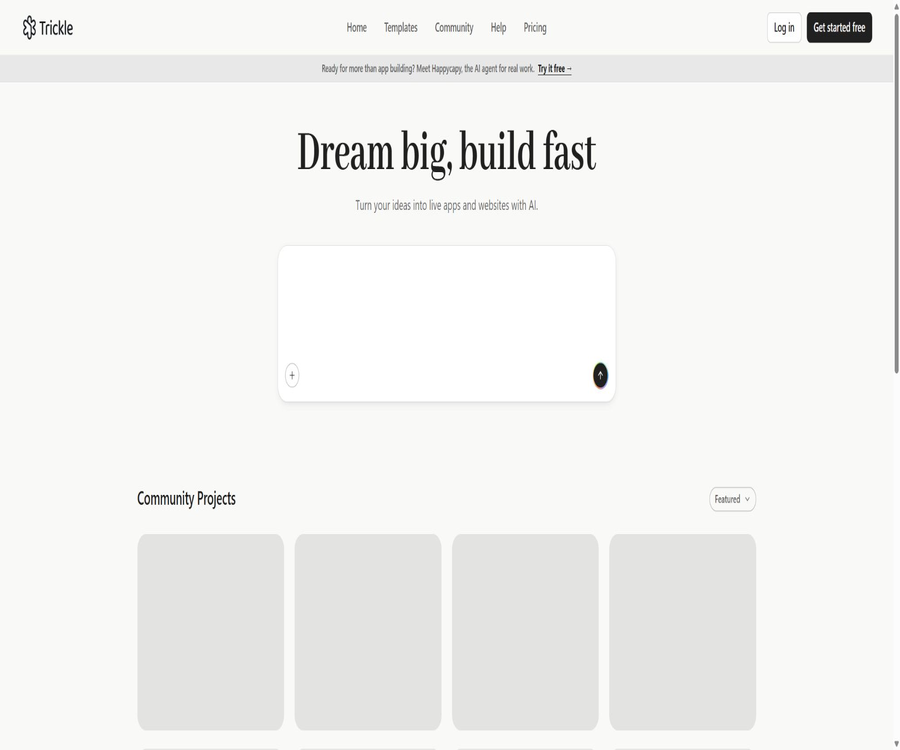
Trickle AI is a visual AI development platform used for creating websites, forms, and lightweight web applications; its core product is called Magic Canvas. Users can describe their requirements in natural language, and then view the resulting pages, reference materials, different versions, as well as the AI operations carried out on those pages directly within the canvas.
The official definition refers to it as an intelligent canvas designed for Vibe Coding; the focus is not merely on generating code, but rather on enabling users to work together with AI within a continuous visual environment to develop designs, functionalities, handle data, and carry out deployments.
How Magic Canvas works
Traditional AI programming tools separate chat, code, and previews, requiring users to repeatedly describe the locations on the page and the elements that need to be modified. Magic Canvas puts the page, rules, images, sketches, and previous versions in one single space, allowing the canvas itself to serve as the context through which the AI understands the project.
- Creation in natural language: Describe products, pages, and features; AI generates a functional preliminary version.
- Visual context: Place reference diagrams, rules, and pages on a canvas to use together.
- Multi-page management: Organize pages such as the home page, detail page, and login page within the same project.
- Direct editing: Select page elements to modify text, style, or position, without having to be prompted each time.
- Version organization: It allows different generation results to be retained, and earlier versions can be restored.
- Code synchronization: Visual modifications are synchronized to the underlying project code.
- One-click publishing: Once completed, it can be published to the platform’s domain name or a custom domain name.
Main functions
- Creation of AI websites and applications: Generating page structures, styles, and interactions from textual requirements.
- Built-in database: Stores form submissions and dynamic content, eliminating the need to set up a separate backend.
- AI Image Mode: Create, edit, and manage visual elements for pages.
- Material management: Upload images, use materials from the image library, or work with wireframe sketches.
- Multiple pages and versions: Expand pages within the canvas and restore previous iterations.
- Direct editing and moving: Allow for precise adjustments to the selected elements, thereby reducing the amount of feedback displayed.
- Website hosting: Both free and paid plans include platform hosting.
- Domain names and analysis: The paid version allows for the use of custom domain names, and access data can be viewed in the backend.
- SEO settings: Configure the title, description, site icon, and social sharing information.
- Third-party integration: The official documentation provides guidance on integrating Supabase, Stripe, and Three.js.
What products can be created
- The product’s official website, personal homepage, and marketing landing pages.
- Pages for new product launches, promotional events, and waiting lists.
- Questionnaires, quizzes, registrations, and AI-enhanced forms.
- Internal dashboards, data entry, and lightweight business tools.
- A Web application with login functionality, data handling, and a multi-page structure.
- Portfolio, interactive stories, and brand presentation experiences.
- The minimum viable product used to validate market demand.
- A commercial prototype that connects external databases with payment services.
Built-in database
Trickle’s built-in database allows for the creation of collections via prompts, and it enables real-time saving of form or application data. For use in registration processes, feedback systems, waiting lists, and small content management systems, it reduces the need to set up a separate backend.
- Create fields and data sets for form submission.
- Read and display dynamic content on the application page.
- Add or adjust data structures using natural language.
- View and manage the collected records in the project backend.
- The free version allows up to 100 lines, the Pro version supports 1,000 lines, and the Premium version allows 10,000 lines.
- For sensitive or highly concurrent production data, it is still necessary to assess permissions, backup requirements, and scalability needs.
Image generation and asset management
Image Mode is a separate visual workspace that can be used to create, edit, and organize images, with the resulting files being usable in website projects. The official documentation also allows for uploading one’s own assets, using images from Unsplash as references, and drawing wireframes.
- Generate the main visual, illustrations, and interface elements for the homepage.
- Modify the subject, background, or style of the existing image according to the instructions.
- Place the reference visual on the canvas to help the AI understand the desired direction.
- Upload brand logos, product images, and custom design assets.
- Use simple sketches to illustrate the layout, rather than relying solely on textual descriptions.
- Before going live, it is necessary to verify the image licensing, portrait rights, and brand usage rights.
Directly edit and move elements
Direct Edit allows users to select elements on the AI-generated page and modify their content and styles directly. Move Element is used to adjust the position of elements; such manual operations do not require new prompts, nor do they consume additional points for fixing errors.
- Modify titles, buttons, explanatory text, and other page contents.
- Adjust colors, font size, spacing, and visual details.
- Move elements to improve the layout on desktop or mobile devices.
- First, carry out manual fine-tuning for the specific areas, and then use AI to handle larger structural changes.
- It reduces the likelihood of unexpected changes across the entire page due to repeated prompts.
Versions and multi-page projects
Magic Canvas combines version history and page management in the same visual interface. Users can maintain different versions, create new pages, or restore previous versions, making it suitable for gradually expanding projects.
- Create separate pages for the home page, feature page, pricing page, and contact page.
- Compare different design and content options without immediately replacing the old version.
- Restore to a previous version in case of an error or incorrect direction.
- Organize references, pages, and versions based on their spatial relationships to maintain the project context.
- It is still recommended to verify that the data and external services will not suffer irreversible damage before making significant changes.
Domain names, hosting, and website analysis
All packages include website hosting; the paid plans offer varying numbers of platform domains and custom domains. To connect a domain, it is usually necessary to add a CNAME record and undergo verification on the platform.
| Ability | Free | Pro | Premium |
|---|---|---|---|
| Website hosting | Includes | Includes | Includes |
| Platform domain name | Publishing capabilities based on free options | 3 | 10 |
| Custom domain name | Not listed | 1 | 3 |
| Remove the Trickle identifier. | Not supported | Support | Support |
| Private projects | Not listed | Support | Support |
The Analytics panel allows you to view data such as page views, unique visitors, traffic trends, and geographical locations. It is suitable for basic evaluations, but for complex attribution tasks, handling privacy issues, and conducting business analyses, other tools may be necessary.
SEO and sharing settings
- Set the page title so that search results can accurately reflect the page’s topic.
- Write meta descriptions that summarize the value of the page rather than stuffing in keywords.
- Upload the site icon to standardize browser tabs and brand recognition.
- Configure Open Graph metadata to improve the preview when sharing on social media platforms.
- After going live, check the index, mobile performance, speed, and actual search results.
- Pages generated by AI do not automatically gain rankings; content and site quality remain key factors.
Supabase integration
When the capacity of the built-in database or the requirements of the backend are insufficient, it is possible to connect to Supabase following the official guidelines. It is suitable for projects that require authentication, relational data, and more comprehensive backend control.
- Use a separate project to save application data.
- Design the table structure and access strategies based on business requirements.
- It provides controlled data reading and writing for logged-in users.
- Configure row-level security and environment keys before going live.
- Do not expose service keys with high permissions in the browser.
Stripe payment integration
The official documentation provides guidance on integrating Stripe for payments, which can be used for purchasing products, subscribing to services, or for other payment scenarios. Since payment functions involve real money and customer data, it is not sufficient to merely ensure that the buttons on the page are clickable.
- First, verify the products, amounts, and payment process in a testing environment.
- The server verifies the payment result, without relying on the browser page to make such judgments.
- Properly handle failures, cancellations, refunds, and duplicate notifications.
- Configure taxes, currencies, terms, and customer support processes.
- Before going live, check the keys, callbacks, permissions, and regional compliance requirements.
Three.js and interactive experiences
Trickle allows Three.js to be integrated according to the official guidelines, for use in 3D displays and interactive pages. Such effects enhance the visual appearance, but they also increase the requirements regarding loading speed, compatibility with mobile devices, and usability.
- 3D product display and spatial branding pages.
- Interactive portfolios, experimental projects, and visual stories.
- A page for releasing animations or for creative campaigns.
- A simplified version should be provided for low-performance devices.
- Important information and buttons should not rely solely on complex animations to be presented.
Which users are it suitable for
- Entrepreneurs and independent developers who need to quickly test their product ideas.
- Marketers who wish to create their own landing pages and event pages.
- Designers who place emphasis on visual editing but are not familiar with the full range of front-end technologies.
- Business teams that need to develop internal tools and forms.
- Product managers who wish to accelerate prototype development using natural language.
- Freelancers who need to quickly complete the initial version of a client’s website.
- Engineers who are willing to review security and code, and to use AI as a development assistant.
Typical use cases
- Complete the new product’s official website and the waiting list within one day.
- Convert the event requirements into a registration page and backend data tables.
- Create interactive tools with quizzes, result pages, and data collection.
- Develop a lightweight application for internal teams to enter and display information.
- Generate multiple versions of landing pages for testing purposes and for design review.
- Connect to Supabase to build an MVP with login functionality and dynamic data.
- Connects to Stripe to verify the payment process for products or subscriptions.
Trickle AI website setup tutorial
- Define the website’s goals, target audience, list of pages, and the user actions that must be carried out.
- Create a project and describe the brand, structure, style, and functions in Magic Canvas.
- Place the logo, product images, reference pages, and rules on the canvas as context.
- Let AI generate the first page, then use direct editing to adjust the text and visual details.
- Create additional pages and check the navigation, links, as well as the mobile and accessibility experience.
- When data needs to be collected, configure an internal database or connect to an external backend.
- Add SEO, domain name, and analysis settings; after completing the form and security tests, publish it.
Web application deployment process
- Complete the core pathways using test data, including registration, submission, payment, or backend operations.
- Check the database access rules to ensure that users cannot read or modify other people’s data.
- Verify all environment keys to prevent high-privilege credentials from being exposed to the frontend.
- Handling of failed network tests, duplicate submissions, empty data, and abnormal inputs.
- Prepare official pages for privacy, terms, refunds, and customer support.
- Connect to the domain name and verify the performance on desktops, mobile devices, and major browsers.
- After going live, monitor errors, points, database capacity, and access trends to facilitate timely iterations.
Prices and packages
As of this verification, Trickle offers three monthly subscription plans: Free, Pro, and Premium. The official pricing page indicates that the Pro plan costs $17 per month, while the Premium plan costs $42 per month; additional point packages can be purchased separately.
| Package | Price | Integration | Project | Database | Domain name |
|---|---|---|---|---|---|
| Free | $ | 70 per day, up to 350 per month | Up to 3 | 100 lines | Includes hosting |
| Pro | 17 dollars per month | 1500 per month plus 350 free points | No restrictions; private projects are supported. | 1000 lines | 3 platform domain names, 1 custom domain name |
| Premium | $ | 3,750 per month plus 350 free points | No restrictions; private projects are supported. | 10,000 lines | 10 platform domain names, 3 custom domain names |
Additional points package
| Points package | Reference price | Suitable situations |
|---|---|---|
| 750 points | 10 dollars | Temporarily increase the capacity for one project iteration |
| 1500 points | 20 dollars | A package already exists, but there is a high demand for services in this month. |
How are points consumed?
- The platform first uses the free points available each month, then the points from packages, and finally the additional points.
- The amount consumed per prompt is displayed in the AI response area.
- No additional points are consumed when using the Fix error option to correct mistakes.
- The resource consumption for different tasks may vary; this should be observed in actual projects.
- The free version has a daily limit on the points earned, and a maximum of 350 points can be accumulated per month.
- Prices, points, and benefits may change; the information displayed on the account and settlement pages in real time shall prevail.
How to choose a package
| Demand | Suggested solution | Reason |
|---|---|---|
| Experience building a website with AI or creating a small number of pages. | Free | Zero cost is sufficient to verify basic generation and hosting. |
| Ongoing website development or the need for private projects | Pro | There are no restrictions on the project; it is possible to remove the identifier and connect to a custom domain name. |
| Multiple official websites and large amounts of data | Premium | Higher points, domain names, and database capacity |
| Only a temporary excess in a certain month | Additional points for purchase | There is no need to upgrade to a long-term plan immediately. |
| Complex backends or high-concurrency applications | Evaluate the external backend first. | Database capacity is not the only production requirement. |
Product advantages
- The canvas transforms pages, assets, rules, and versions into a continuously visible project context.
- Combining natural language generation with direct editing, it offers both speed and fine-grained control.
- Built-in database, hosting, domain names, analytics, and SEO – reducing the need to combine various tools from different sources.
- It supports image generation and visual references, making it suitable for users who place importance on page design.
- Multi-page and version recovery are more suitable for continuous iteration than single-chat generation.
- Supabase, Stripe, and Three.js provide tools that enable the expansion of backend capabilities, payment processing, and interactive functions.
- The free version allows you to test the actual output before making a payment.
Usage restrictions and precautions
- Natural language generation cannot guarantee the correctness of business logic, permissions, and payment security.
- The free version offers limited project space, database capacity, and points, so complex projects will reach their limits more quickly.
- AI may affect other pages when modifying local requirements, which necessitates version control and regression testing.
- Built-in databases are suitable for lightweight use cases; high concurrency, complex relationships, and strict access controls require separate evaluation.
- Custom domain names are available only with paid plans, and their number is limited by the package chosen.
- External integration introduces risks related to keys, callbacks, privacy, and dependency on suppliers.
- When creating images and page content, it is still necessary to verify copyright, trademark, and portrait usage permissions.
- Platform hosting and closed-source capabilities create dependency on suppliers; important projects should have migration plans in place.
Differences from traditional no-code website builders
| Comparison items | Trickle AI | Traditional code-free website building tools |
|---|---|---|
| Creation method | Natural language generation with a visual canvas | It is primarily built manually using components and templates. |
| AI context | The canvas holds pages, references, rules, and versions. | AI is usually a tool for assisting with local copywriting or design. |
| Edit directly | After creation, it is possible to select the element for fine-tuning and moving. | Usually, components are manually edited from the very beginning. |
| Application ability | Built-in database with support for external backends and payment systems | Capabilities depend on platform plugins and packages. |
| Key points of learning | Requirement specification, verification, and security review | Components, layout, and platform configuration |
| Main risks | AI generates logical errors and unexpected modifications. | Manual configuration errors and slow development speed |
GitHub and the open-source status
Trickle has a GitHub organization named trickleai that hosts a small number of repositories, but Magic Canvas, the hosting service, the built-in database, and the commercial platform have not been released as complete open-source projects. There are also several Web3, Python, or bandwidth-related tools with the same name available in search results, but these cannot be considered to be the source code for this product.
| Project | Status | Explanation |
|---|---|---|
| Trickle business platform | Closed-source SaaS | Magic Canvas is operated by the official team, along with handling hosting and billing tasks. |
| TrickleAI organization | There are public warehouses available. | It is necessary to check the purpose of each warehouse and its license individually. |
| Complete Magic Canvas source code | Not disclosed | It cannot be labeled as an open-source AI website building platform. |
| Third-party warehouse with the same name | No clear relationship. | Projects such as Web3 Trickle are not part of this product. |
| Project code control | It is subject to the actual export capabilities of the platform. | It is necessary to verify backup and migration requirements before making a purchase. |
Basic information
| field | Content |
|---|---|
| Tool name | Trickle AI |
| Core products | Magic Canvas |
| Tool type | AI websites, web applications, and form building platforms |
| Main method | Natural language generation, visualization canvas, and direct editing |
| Built-in capabilities | Databases, images, hosting, domain names, analytics, and SEO |
| Price pattern | Free version, Pro and Premium subscriptions, additional point packs |
| Initial pricing | Pro costs $17 per month. |
| Is it open source? | Commercial platforms are not open source. |
Recommendation score
4.4 / 5. Trickle AI’s Magic Canvas brings together prompts, design elements, materials, versions, and releases in a single visual interface, making it suitable for quickly creating websites and lightweight applications; however, when it comes to accounts, payments, sensitive data, and complex backends, professional security reviews and thorough testing are still necessary.
Frequently Asked Questions
What is Trickle AI mainly used for?
It generates publishable websites, forms, landing pages, internal tools, and lightweight web applications through natural language and visual canvases.
Is Trickle AI free?
There is a free plan that provides 70 points per day, up to 350 points per month; it allows for the creation of up to 3 projects and the use of a database with 100 rows.
How much is the Pro package?
The official figure shown is $17 per month, which includes 1,500 package points, 350 free points, unlimited projects, and 1 custom domain name.
Can I connect my own domain name?
Yes, Pro supports 1 custom domain name, while Premium supports 3; typically, it is necessary to configure and verify CNAME records.
Is it possible to create a multi-page website?
Yes, Magic Canvas allows multiple pages to be created and organized within the same project, with different versions preserved.
Is there a database?
It has a built-in database: the free version supports 100 rows, the Pro version supports 1,000 rows, and the Premium version supports 10,000 rows; it is also possible to connect to Supabase as needed.
Is it possible to integrate Stripe for payment collection?
The official source provides guidelines for integrating Stripe, but it is necessary to test server-side verification, callbacks, refunds, and key security before going live.
Does direct editing consume points?
According to the official instructions, directly editing and moving elements can be used to refine a page; the action of fixing errors does not consume any additional points.
Is Trickle suitable for use in production environments?
Real products can be released, but account management, payment processes, sensitive data, and complex permission settings require engineering, security, and compliance reviews.
Is Trickle AI open source?
It is not a fully open-source platform; the public repositories on the official GitHub do not contain all the source code for Magic Canvas and the commercial services.
Tools similar to TrickleAI



 Guigong Network Security Registration No. 45132202000164