






Tabby
Tabby, an intelligent tool focused on AI programming
Tags:AI programming toolsWhat is Tabby?
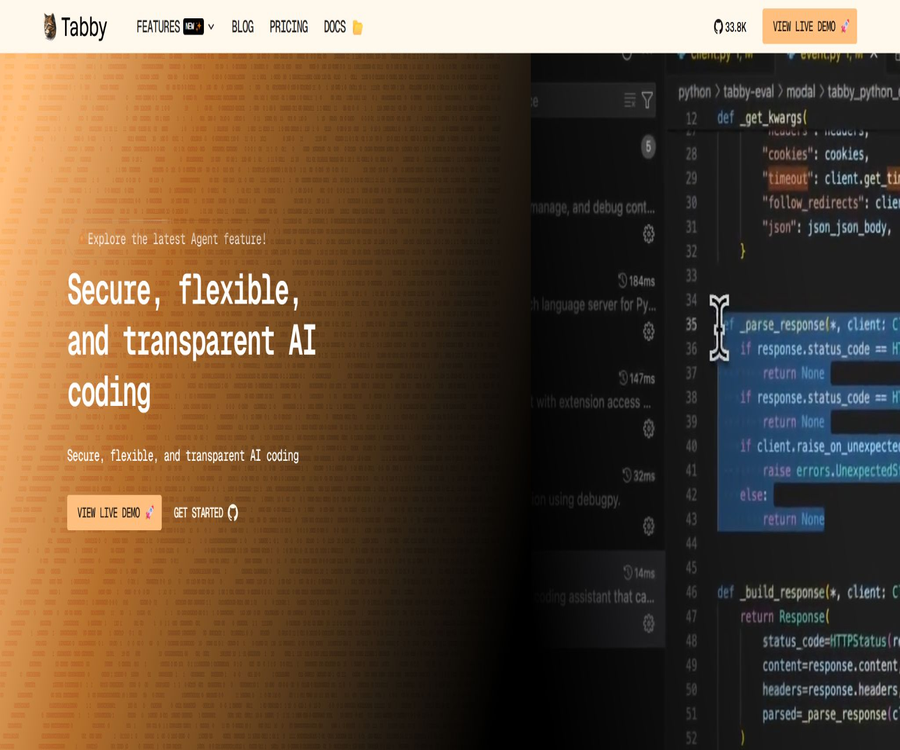
Tabby is an open-source, self-hosted AI programming assistant developed by TabbyML; it can serve as a private alternative to cloud-based tools such as GitHub Copilot. Teams can run the models and server-side components on local servers, private clouds, or their own infrastructure.
It is not a standalone large language model; rather, it is a complete system that includes model services, code context, a management backend, APIs, and editor plugins. The actual performance depends on the chosen completion model, chat model, embedding model, as well as the hardware and code library configurations.
Main functions
- Real-time multi-line code completion is provided in the editor.
- Answer development questions related to the code repository and provide relevant context.
- Explain, modify, and generate code through in-line chat.
- Search for repositories and view symbol relationships in the code browser.
- Connect to Git repositories, development documentation, and other source of context.
- Configure the completion, chat, and embedding models separately.
- It supports local models as well as various OpenAI-compatible model interfaces.
- Provides the team with management of users, access, and usage.
- Connect to cloud-based IDEs or internal development platforms via OpenAPI.
- It can be deployed using Docker, Linux executables, and various cloud platforms.
- Connects VS Code, JetBrains, Vim, and other editors.
Core components
| Components | Main responsibilities | Deployment location |
|---|---|---|
| Tabby Server | Hosting models, indexes, APIs, and management interfaces | Local server or cloud infrastructure |
| Complete the model | Predict the next segment of code with low latency | Usually a local GPU or the Tabby server. |
| Chat model | Code Q&A, explanations, and in-line conversations | Local model or compatible with external APIs |
| Embedded model | Create semantic indexes for code and documentation. | Tabby server |
| Context provider | Import warehouses, documents, and external knowledge | Configured by the administrator |
| IDE plugins | Collect and edit the context, and display completions and conversations. | Developer’s computer |
| Admin dashboard | Users, licenses, integration, and usage management | Tabby Web interface |
Code completion
Tabby generates real-time suggestions based on the current file, the code surrounding the cursor, and the context of the project. The developers emphasize low-latency, stream-based completion as well as the ability to cancel requests; they also optimize the context of the suggestions by using caching and Tree-sitter code tags.
- Complete a single line or multiple consecutive lines of code.
- Prediction function bodies, conditional branches, and repetition patterns.
- Follow the naming and coding style of the current file.
- Continue to update suggestions once the developer accepts or rejects them.
- It can be used within the existing editing workflow through an IDE plugin.
- Administrators are allowed to choose a dedicated code completion model.
Suggestions for improving quality through completion
- Choose a Fill-in-the-Middle model that supports the target programming language.
- Priority is given to ensuring low latency, with the model parameter size being increased afterward.
- Ensure that file names, function names, and comments clearly convey the intended purpose.
- Reduce overly large functions to prevent the context from being filled with irrelevant code.
- Test the acceptance rate of common languages and frameworks separately.
- Include the generated code in the formatting, static analysis, and testing processes.
Answer Engine and code Q&A
The Answer Engine allows developers to directly ask about the structure, implementation, and usage of a code repository. The system reads the relevant files or sources of information to generate answers that include references to those sources, thereby reducing the need to switch between the repository, documentation, and tickets.
- Explain the responsibilities of a certain module or function.
- Find the locations where the interface is called and its dependencies.
- Generate a new database migration based on the existing migration files.
- Summarize the frameworks and conventions used in the codebase.
- Answer configuration questions by referring to the development documentation.
- Provide code navigation and guidance to help new members get started.
In-chat communication
The in-line chat feature places natural language commands alongside the currently selected code in the same editing area. It is useful for explaining code, restructuring it, generating tests, or adding comments; however, any changes should first have their differences reviewed before being accepted.
- Explain the logic and boundary conditions of the selected code.
- Refactor duplicate code or improve readability.
- Generate unit tests and test data.
- Change the language, framework, or API call method.
- Add documentation strings, types, and error handling.
- Modify the local code in accordance with the project specifications.
Context provider
Context providers are used to integrate code repositories, development documentation, and other team knowledge into Tabby. The context obtained in this way enhances the relevance of answers to coding-related questions, but it also increases the range of permissions and indexes that need to be managed.
- Import from GitHub, GitLab, or a standard Git repository.
- Fetch developer documentation and internal technical specifications.
- Create separate contexts for different projects.
- Have the responses cite code and documentation rather than relying solely on the model’s memory.
- Control the visible warehouses based on team permissions.
- Regularly synchronize and update, as well as remove outdated information.
Context security list
- Do not index keys, certificates, production configurations, and customer data.
- Set minimum read permissions for the warehouse.
- It is confirmed that different teams cannot access each other’s private projects.
- Access is revoked immediately upon employee departure or project completion.
- Re-synchronize regularly and delete outdated sensitive content.
- Set a domain whitelist for external document scraping.
Supported editors
The official website lists VS Code, Neovim, IntelliJ IDEA, Eclipse, Android Studio, as well as several other JetBrains IDEs. The maturity level of the functions provided by different plugins and the version requirements may vary; it is advisable to consult the relevant documentation before installing them.
| Editor category | Examples of public support | Common abilities |
|---|---|---|
| Visual Studio Code | VS Code and compatible editors | Completion, chatting, and code context |
| JetBrains | IntelliJ, PyCharm, WebStorm, GoLand, CLion, Rider, and others | Completion and IDE integration |
| Vim ecosystem | Vim and Neovim | Code completion and quick invocation |
| Eclipse ecosystem | Eclipse | Code assistance within the editor |
| Mobile development | Android Studio and AppCode | Assistance with moving project code |
Model and hardware selection
Tabby separates the configuration of the completion model, the chat model, and the embedding model. The completion model has the highest requirements regarding latency, while the chat model places more emphasis on the quality of reasoning and context; the embedding model is responsible for code and document retrieval.
| Model type | Function | Official configuration instructions |
|---|---|---|
| Complete the model | Real-time code continuation and FIM completion | 1B to 3B can start at the T4 or Apple M1 level. |
| Chat model | Q&A, explanations, and industry discussions | It is recommended to use at least 1B parameters, and select larger models based on quality. |
| Embedded model | Create semantic indexes for code and documentation. | Optional Nomic or Jina code for embedding models |
The official model catalog recommends that models with 7B to 13B parameters use V100, A100, or newer 30/40 series GPUs. The amount of video memory required is also influenced by quantization, context length, concurrency, and the model architecture; it is necessary to conduct testing on a real project before deployment.
Docker Deployment Tutorial
- Prepare a Linux server, Docker, and a persistent disk.
- When an NVIDIA GPU is required, install the drivers and container toolkit.
- Select completion, chat, and embedding models from the official model catalog.
- Create a separate data directory and set the appropriate access permissions.
- Start the Tabby Server using the official container image.
- Map service ports and data volumes, and specify the device on which they will run.
- Access the management interface to create administrator and secure access configurations.
- Install the IDE plugin and enter the server address and token.
- Use the test repository to verify the completion, chat, and indexing results.
- Configure reverse proxy, TLS, backup, logging, and monitoring.
Production deployment check
- Do not expose unencrypted management ports directly to the public internet.
- Use TLS, strong passwords, and controlled network access points.
- Store the model cache, indexes, and database in persistent storage.
- Restrict container permissions and scan images for vulnerabilities and dependencies.
- Log the GPU memory, request latency, and error rate.
- Back up and test the database migration before upgrading.
- Prepare rollback plans for failures and insufficient capacity.
Independent Linux installation
In addition to Docker, the official version also provides standalone Linux executables, available for compilation using CPU, CUDA, and Vulkan. CUDA deployment typically requires CUDA version 11 or higher, while non-NVIDIA GPUs can use the Vulkan version.
- Select the Linux compression package corresponding to the hardware from the official release.
- For CPU environments, choose the CPU-based build; for NVIDIA environments, select the build that supports CUDA.
- Check the Vulkan build and driver requirements when additional GPUs are needed.
- Unzip the file and grant execution permissions to Tabby and the model service program.
- Specify the completion model, chat model, ports, and devices for starting services.
- Check the logs and access the management page from the local machine.
- The team can be made available for use only after authentication, network, and persistence configurations have been completed.
External model API
Tabby can connect to certain external chat model services through OpenAI-compatible interfaces, but code completion may not necessarily make use of the same interface. For example, the compatible APIs listed in the official documentation for Hugging Face Inference Providers do not provide FIM completion models; therefore, local models are still required for completion tasks.
- Confirm which interface the service provider supports: chat, completion, or embedding.
- Do not assume that compatibility with OpenAI implies support for all Tabby features.
- Store the API key in the server’s secure configuration.
- Evaluate whether the code will be sent to third-party areas.
- Set budgets, rate limits, and fallback options in case of failures.
- Verify the data retention and training policies of the model supplier.
Team management and corporate functions
Tabby offers three types of licenses: Community, Team, and Enterprise. Secure access, Answer Engine, and code browser are the basic features, while governance capabilities such as usage reporting, telemetry policies, authentication domains, and single sign-on are available only in the paid plans.
| Ability | Community | Team | Enterprise |
|---|---|---|---|
| Number of users | Up to 5 people | Up to 50 people | Unlimited; as specified in the contract. |
| Secure access | Support | Support | Support |
| Answer Engine | Support | Support | Support |
| Code Browser | Support | Support | Support |
| Context provider | Support | Support | Support |
| Usage reports and analysis | Not included | Support | Support |
| Forced IDE telemetry policy | Not included | Support | Support |
| Authentication domain | Not included | Support | Support |
| Single sign-on | Not included | Not included | Support |
| Support services | community | Exclusive Slack access and priority for the roadmap |
Packages and prices
As of August 20, 2026, the official pricing page indicates that Community is available free of charge; Team costs $19 per user per month; for Enterprise, it is necessary to contact sales for a customized annual pricing plan. In addition to the software license, costs related to models, GPUs, storage, networking, and maintenance must also be taken into account.
| Plan | Software price | Limit on the number of people | Main positioning |
|---|---|---|---|
| Community | $ | Up to 5 users | Self-deployment for individuals and small teams |
| Team | $ | Up to 50 users | Analysis, strategy, and team management are required. |
| Enterprise | Contact sales | No restrictions | Single sign-on, customized deployment, and dedicated support |
Costs of Tabby Cloud and Pochi
The official pricing page provides a separate section for Tabby Cloud’s pay-as-you-go pricing; it is stated that Pochi is charged based on the cost of the large model tokens used, with a $20 credit provided each month. Cloud-based Tab Completion is currently available for free, but very high usage levels may require a credit card to prevent abuse.
Pochi is TabbyML’s agent programming product; it is not subject to the same billing mechanism as the self-hosted Tabby license. When making a choice, it is necessary to consider separately the costs associated with cloud-based models, team licenses, and local infrastructure.
True cost of self-hosting
| Cost items | Possible expenses | Control method |
|---|---|---|
| GPU or CPU | Purchase, leasing, and depreciation | Select based on concurrency and model scale. |
| Model API | Pay by Token or request | Set budget and routing policies |
| Storage | Model weights, indexes, and backups | Lifecycle and compression management |
| Operation and maintenance | Upgrades, monitoring, fault handling, and security | Automated deployment and alerts |
| Internet | Model download and cross-regional traffic | Caching and regional access |
| License | Team or Enterprise tier | Purchase based on actual user needs and governance requirements. |
What use cases are suitable?
- For teams that do not wish for their code to be sent to public AI services by default.
- Companies that need to deploy programming assistants on an intranet or private cloud.
- Organizations that have GPUs and wish to control model and inference costs.
- Teams that need to connect to private code repositories and internal development documentation.
- A platform team that aims to provide unified management of the AI experience across multiple editors.
- Developers who study code completion models, retrieval, and prompt optimization.
- Small teams of up to 5 people can use the free community version.
- Platforms that require OpenAPI to connect to cloud-based IDEs or internal tools.
Situations where direct use is not appropriate
- Individual users who lack servers, models, and operational capabilities.
- It is hoped that the top-tier cloud models can be used without any configuration after downloading the plugin.
- Teams that cannot afford the costs associated with GPUs, electricity, or external APIs.
- The generated code is required to be ready for deployment without any review or testing.
- The company needs SSO but is not ready to purchase an Enterprise license.
- All enterprise directory codes are required to be redistributable projects under Apache 2.0.
- An environment that aims to be completely offline yet relies on external models and document extraction.
Product advantages
- The core services are open source, and the deployment architecture as well as the code can be inspected.
- It supports controlling code and data locally, on the intranet, and in a private cloud.
- It does not rely on external databases or cloud services as a necessity.
- Completion, chatting, and embedding models can be selected separately.
- Consumer-grade GPUs can also be deployed starting with small models.
- The IDE, model services, and context retrieval together form a complete pipeline.
- It supports code Q&A, in-line chatting, and a code browser.
- The context provider can connect the team repository to documents.
- OpenAPI facilitates integration with existing development infrastructure.
- The Community plan is suitable for small teams to try out for free.
Usage restrictions and precautions
- Self-hosting does not mean zero cost; GPU and operational expenses can be high.
- Small models may have a weaker ability to understand complex code compared to large cloud models.
- The completion delay is affected by the model, video memory, concurrency, and network.
- Code indexes may contain keys, personal information, and trade secrets.
- The external chat API sends the relevant code to third-party service providers.
- The generated code may contain vulnerabilities, incorrect dependencies, and licensing risks.
- The functions of different IDE plugins and their update schedules are not entirely consistent.
- A Team can have up to 50 users; if the scale exceeds this, Enterprise should be considered.
- SSO belongs to Enterprise, rather than Community or Team.
- The model weights come with their own licenses; it is not sufficient to consider only the Tabby code license.
- The enterprise directory uses a separate commercial license.
- It is necessary to verify the compatibility of configurations, indexes, and the database before upgrading.
Code security and governance
- The generated code must undergo manual review and automated testing.
- Run vulnerability and license scans for dependent packages.
- Adding keys and production credentials to the prompt context is prohibited.
- Set minimum permissions for administrators, warehouse staff, and regular developers.
- Record the model, prompt version, and source of code changes.
- External model routing that has not been approved is disabled for high-risk warehouses.
- Establish procedures for responding to incorrect recommendations, data breaches, and service interruptions.
- Regularly audit telemetry policies, log retention, and user seats.
GitHub and open-source licenses
The official Tabby repository is maintained by TabbyML; the primary licensing scheme applied there is the Apache License 2.0. The main license file for the repository specifies that the enterprise-specific components are governed by separate licenses contained within it, while third-party components remain subject to their original licenses.
The code of the enterprise directory can be copied and modified for development and testing purposes, but for production use a valid Tabby Enterprise license along with the correct number of licenses is required. Therefore, Tabby should be described as an open-core product, as not all of its functions are covered by the same open-source license.
| Code scope | License status | Usage tips |
|---|---|---|
| Core code | Apache 2.0 | License retention, change, and ownership statements |
| Enterprise directory | Tabby Enterprise License | Effective enterprise subscription is required for production use. |
| Third-party components | Their respective original licenses | Verify each dependency and model license individually. |
| Model weights | Decided by the model publisher. | Check the terms for commercial use and redistribution |
Basic information
| field | Content |
|---|---|
| Tool name | Tabby |
| Development team | TabbyML |
| Tool type | Self-hosted AI programming assistant |
| Core competencies | Code completion, code Q&A, in-line chat, and context retrieval |
| Deployment method | Docker, Linux executables, and cloud platforms |
| Editor | VS Code, JetBrains, Vim, Neovim, and Eclipse, etc. |
| Price pattern | Community is free, Team offers subscription options, and Enterprise provides customized solutions. |
| Whether API is provided | Yes, OpenAPI is provided. |
| Is it open source? | Open core; the enterprise directory is subject to a commercial license. |
| Core license | Apache 2.0 |
Recommendation score
4.7 / 5. Tabby offers a complete self-hosted solution that includes model services, code retrieval, and IDE plugins; it is suitable for teams that place importance on data control and configurability. However, the limitations of corporate licenses, hardware costs, and ongoing maintenance requirements all need to be carefully considered.
Frequently Asked Questions
Can Tabby be used for free?
Yes. The Community plan offers free access for up to 5 users, but the costs related to servers, GPUs, storage, and maintenance still have to be borne by the user themselves.
What is the difference between Tabby and GitHub Copilot?
Tabby emphasizes an open-source core, self-hosting, and model configurability, while Copilot is primarily a cloud-based hosted service. The two differ in terms of model quality, management experience, and cost structure.
Is a GPU really necessary?
Not necessarily; small models can run on CPUs or Apple Silicon, but a real-time completion experience generally relies more on GPUs with low latency. Stress testing should be conducted before the team starts using them concurrently.
Can it be connected to external large models?
It is possible to connect to some OpenAI-compatible chat interfaces, but the compatibility of these interfaces for completion and embedding purposes varies. It cannot be assumed that a single API will support all model components.
How much does the Team plan cost?
As of the verification date, the cost is $19 per user per month, with a maximum of 50 users. Prices and benefits may change; please refer to the official subscription page for the most up-to-date information.
Does Tabby support SSO?
It is supported, but the official pricing page lists single sign-on as an Enterprise feature; Community and Team versions do not include this feature.
Does Tabby provide an API?
Available. The official documentation includes OpenAPI references that can be used for integration with IDEs, cloud-based development environments, and internal platforms.
Is Tabby completely open source?
Not all directories use the same open-source license. The core code is primarily licensed under Apache 2.0, while enterprise directories are covered by the Tabby Enterprise License.
Tools similar to Tabby



 Guigong Network Security Registration No. 45132202000164