






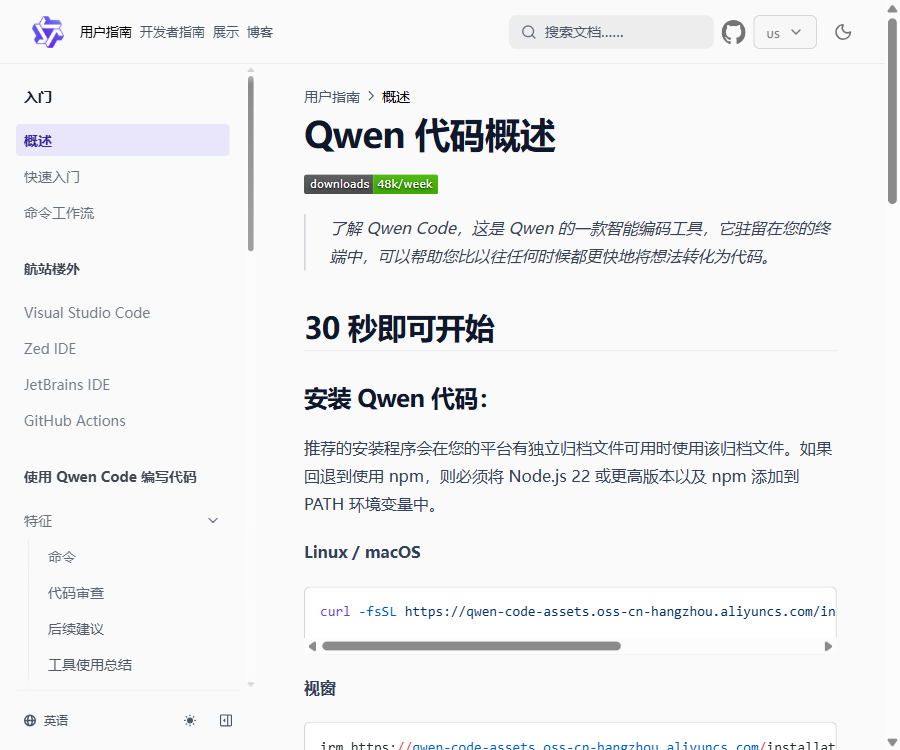
Qwen Code
An open-source intelligent programming agent that enables ideas to be quickly turned into code on terminals, IDEs, and desktop systems.
Tags:AI programming toolsWhat is Qwen Code?
Qwen Code is an open-source AI programming agent developed by the Tongyi Qianwen team; it operates primarily in terminals and project directories. It can read code, analyze projects, modify files, and execute commands, converting natural language requests into actionable development steps.
This tool is not merely a code completion plugin; it is a programming assistant that enables continuous planning around a specific goal, the invocation of various tools, and the verification of results. It is suitable for reading code, fixing errors, developing new functions, generating tests, refactoring code, and automating development processes.
The main functions of Qwen Code
- Code repository understanding: Retrieving project files, analyzing call relationships, and answering questions regarding architecture, modules, and implementation logic.
- File editing: Create or modify code as required, display the changes, and allow users to review them before proceeding.
- Commands and testing: Execute build, test, format, and version control commands after authorization.
- Task planning: First, break down complex requirements, and then implement them step by step, checking and correcting the results along the way.
- Multi-agent collaboration: Different tasks are assigned to specialized execution units through sub-agents and Agent Teams.
- MCP extension: Connects to documents, tickets, databases, or internal team tools to expand available functionalities.
- Skills and extensions: Package common standards, tips, and tools into reusable workflows.
- Multi-model integration: Supports Alibaba Cloud Model Studio, third-party model services, and compatible interfaces.
- IDE integration: It can be used in conjunction with development environments such as VS Code, JetBrains, and Zed.
- Automated operation: It offers a interface-free mode, session management, as well as GitHub Actions and SDK capabilities.
How to use Qwen Code
Install and complete the initial configuration.
- Verify that a supported Node.js environment is installed on the computer; you can also opt for the official one-click installation method.
- Install Qwen Code globally using npm; after the installation, check whether the version is displayed correctly.
- Navigate to the directory containing the project that is to be processed and start qwen; when running it for the first time, select the model provider.
- Configure the Coding Plan, Model Studio API Key, third-party services, or custom compatible interfaces as guided.
- First, use the tool to explain the project structure, and then submit the specific tasks; this avoids asking for extensive changes from the very beginning.
Complete a secure code modification
- Describe the objectives, the modules involved, the acceptance criteria, and the aspects that cannot be changed.
- Qwen Code is required to first locate the relevant files and provide an implementation plan.
- Review the plan before authorizing file editing or running the necessary commands.
- Run tests, static checks, and build processes to identify the causes of failures and the process for fixing them.
- Finally, check for code differences to ensure that no keys, configurations, or unrelated files have been accidentally modified.
Qwen Code prices and pricing model
The Qwen Code client is available free of charge and is open-source, but the inference of cloud-based models usually requires separate payment. The costs associated with different connection methods, as well as the available models and data processing rules, vary.
| Plan | Reference price | Billing features | Suitable for |
|---|---|---|---|
| Open-source client | Free | There is no software subscription fee for installing and using the CLI. | Developers who wish to choose their own models |
| Alibaba Cloud Coding Plan Pro | 50 dollars per month | A quota of 6,000 calls per 5 hours, 45,000 calls per week, and 90,000 calls per month for model invocations. | High-frequency interactive programming |
| Model Studio API | Charged based on model usage and token consumption | Using a generic API key, the cost varies depending on the model, as well as the volume of input and output. | Pay-as-you-go invocation or team access |
| Third-party or self-built models | Determined by the service provider or computing costs. | It can be connected to compatible interfaces, for local inference, and with other model platforms. | Users who need flexible routing and a private environment |
The free cloud quota associated with Qwen OAuth ceased to be available on April 15, 2026; new users should opt for the Coding Plan, API Key, or other services that are currently available. The Coding Plan is suitable only for interactive AI programming and should not be used as a backend for applications or for batch processing tasks.
Which users are it suitable for
- Developers who need to read, fix, and refactor code in a terminal.
- Teams that wish to use Qwen Coder or choose a model provider on their own.
- Engineering teams that need to package development standards as Skills, Hooks, or extensions.
- Projects that aim to automatically generate documentation, review changes, or handle low-risk tasks as part of the continuous integration process.
- Technical users who value open source, configurability, and the ability to integrate with local toolchains.
Product advantages
- The client is licensed under the Apache 2.0 license; its source code is available for inspection and allows for further development.
- It forms a complete closed loop, ranging from project analysis to file modification, command execution, and test verification.
- It supports MCP, Skills, Hooks, sub-proxies, LSP, and various automation modes.
- There is flexibility in choosing model providers, without the need to be tied to a single inference platform.
- It covers terminals, desktop versions, as well as common IDE workflows.
Usage restrictions and precautions
- Code generated by AI may contain logical errors, security flaws, or implementations that do not comply with project specifications.
- The code context read by the tool and the results of the commands may be sent to the selected model service provider.
- Before enabling automatic approval, computer-driven operations, or high-privilege commands, it is necessary to restrict access to directories and sensitive credentials.
- Complex tasks involve multiple model calls, and the actual resource consumption is usually higher than that of a simple question-and-answer session.
- The stability of experimental LSPs, third-party extensions, and MCP services needs to be evaluated separately.
Frequently Asked Questions
Is Qwen Code free?
The Qwen Code client is available freely and openly, but to use the cloud-based models it may be necessary to purchase a Coding Plan or pay API fees on a usage-based basis. When using local models, costs related to equipment and computing power must still be covered.
Can Qwen Code be used on Windows?
Yes, it is possible. It supports Windows, macOS, and Linux, and can be used through a terminal, desktop applications, or the appropriate IDEs.
Can it only be used with the Tongyi Qianwen model?
No. In addition to Alibaba Cloud’s models, it can also connect to third-party providers that are built into the system, custom-compatible interfaces, and certain local inference services.
Is Qwen Code suitable for directly submitting code automatically?
It is not recommended to submit directly in the absence of review and testing. A safer approach is to limit the scope of the task, maintain confirmation of permissions, and check for differences and test results before merging.
Tools similar to Qwen Code



 Guigong Network Security Registration No. 45132202000164