






Firebase Studio
A full-stack AI application development platform that integrates Gemini, cloud-based IDEs, and Firebase services.
Tags:AI programming toolsCurrent status of Firebase Studio
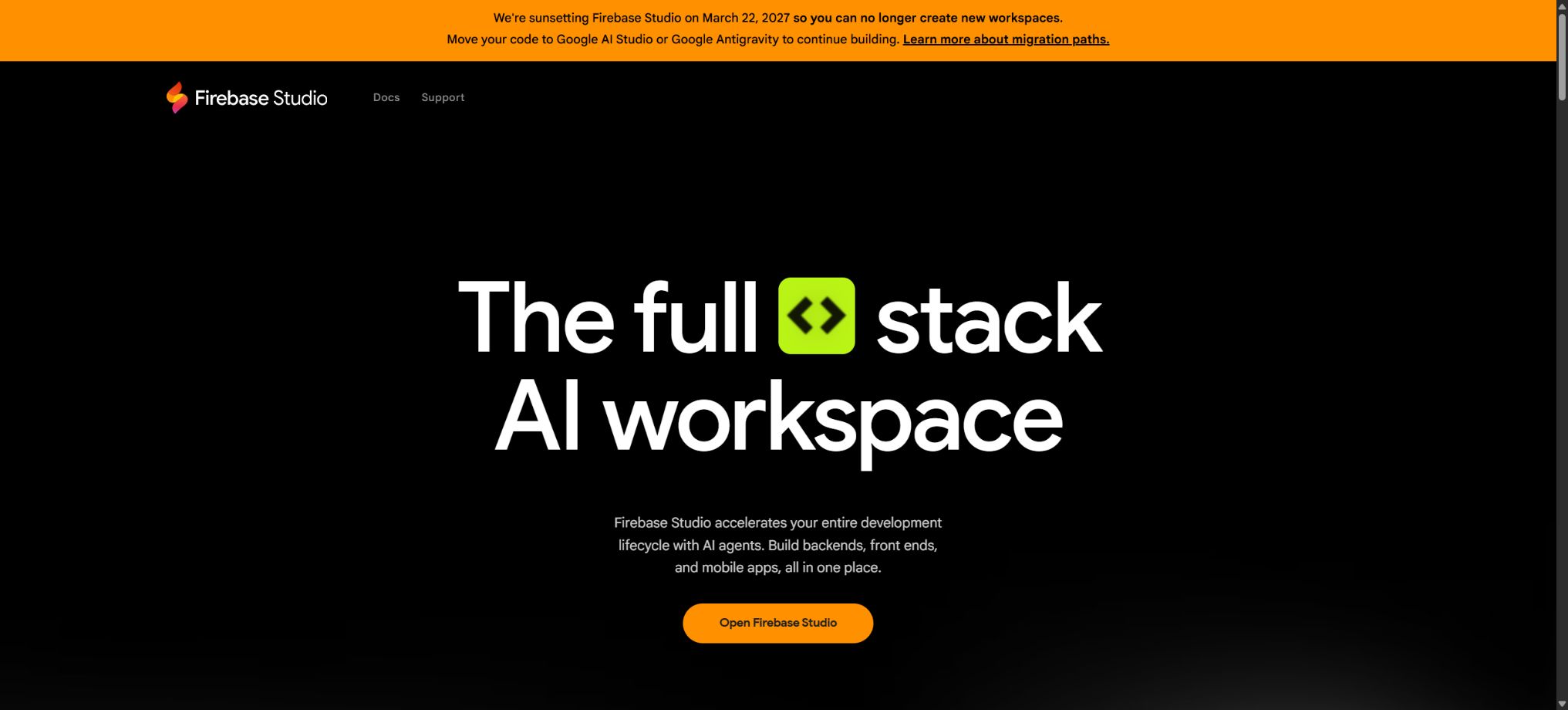
Firebase Studio is a browser-based Agentic development environment launched by Google; it integrated Project IDX, Gemini programming assistance, App Prototyping Agent, and Firebase deployment. It enables the creation and development of full-stack Web, mobile, backend, and AI applications.
Important reminder:Firebase Studio is in the process of being discontinued. According to the official statements, new user registrations and the creation of new workspaces will be halted starting from June 22, 2026, with the service set to be shut down on March 22, 2027.
Existing workspaces can still be accessed, modified, and migrated before they are discontinued. Applications that have been deployed to Firebase will continue to run, and Firebase’s core services such as Firestore, Authentication, and App Hosting are not affected by the discontinuation of Firebase Studio.
Downtime and affected scope
| Time or object | Official arrangements | User actions required |
|---|---|---|
| June 22, 2026 | Stop new user registrations and the creation of new workspaces. | New users should switch to Google AI Studio or Antigravity. |
| Current workspace | Access and migration can still be carried out before it goes offline. | Back up the code as soon as possible and select a migration target. |
| March 22, 2027 | The Firebase Studio service is set to be discontinued. | Complete the migration and acceptance by this date. |
| Application deployed | Continue running after going offline | Continue managing it in Firebase or Google Cloud. |
| Core Firebase products | Not affected by the shutdown of Studio | Continue to use it with the original billing and console. |
Key features of Firebase Studio’s history feature
- Cloud workspace:It provides a code editor, terminal, preview, and a full virtual machine within the browser.
- App Prototyping Agent:Create Next.js full-stack application prototypes using text, images, or sketches.
- Gemini programming assistance:It offers chat, code generation, explanation, completion, and inline operations.
- Agent operations:After user review, modify the files, run terminal commands, and explain the results of their execution.
- Firebase integration:Connects Firestore, Authentication, App Hosting, and Gemini API.
- Project import:Import projects from a source code repository, a local compressed file, or a Figma design.
- Templates and examples:It covers areas such as Next.js, React, Angular, Vue, Flutter, Android, Go, and Python.
- Nix environment:Install system packages, extensions, services, and project dependencies through declarative configuration.
- Application preview:Run the Web application in the workspace to generate a temporary share preview.
- Deployment release:Connect the Firebase project to the prototype workflow and publish it to App Hosting.
- Collaborative sharing:Access the workspace from any device and share the development environment with team members.
- Code control:It supports AI rule files, a switch for code indexing, and exclusion file configuration.
How to choose the migration target
| Project features | Recommended migration direction | Reason |
|---|---|---|
| It is primarily generated by the App Prototyping Agent. | Google AI Studio | The path to building a full-stack application by building on the prompt is more direct. |
| Place importance on rapid visual prototyping. | Google AI Studio | Suitable for agents to generate, preview, and continue iterating on applications. |
| Create from a template or Git repository | Google Antigravity | More suitable for code-first Agentic development workflows |
| Long-term use of Code View | Google Antigravity | Emphasis on code repository control, multi-Agent systems, and IDE or terminal experience |
| Not yet decided | First, export it to the Git repository. | Keep the complete version history available for use in other environments later on. |
Differences between Google AI Studio and Antigravity
| Dimension | Google AI Studio | Google Antigravity |
|---|---|---|
| Main entrance | Prompt and application development for web interfaces | Code development environment prioritizing agents |
| Suitable for users | Prototypists, product specialists, and full-stack developers | Professional developers who wish to have thorough control over the codebase |
| Migration target | App Prototyping category of projects | Templates, importing repositories, and Code View projects |
| Model direction | Primarily based on Gemini and Google App Services. | Supports multiple Agent and model workflows |
| Subsequent switching | It can be exported from the Code tag to Antigravity. | Suitable for continuing local or Agentic engineering development. |
Firebase Studio pricing and workspace limitations
Firebase Studio is free to use during the preview phase, but new user registrations and the creation of new workspaces have been discontinued; the number of existing workspaces can no longer serve as a basis for new users to make purchases. Existing users should still pay attention to the deadline for migration, rather than opting for a long-term subscription to additional Studio workspaces.
| Historical access types | Maximum history workspace size | Current significance |
|---|---|---|
| No Google Developer Program profile available. | 3 per user | Available only for understanding existing accounts; new account creation is no longer permitted. |
| Google Developer Program Standard | 10 per user | Standard is free, but Studio no longer accepts new creations. |
| Google Developer Program Premium | 30 per user | Subscribing cannot change the scheduled shutdown of Studio. |
Users who are not Premium can have a total of up to 2 workspaces for Flutter, React Native, and Expo. This limitation is relevant only in terms of existing workspaces; when migrating, it is important to save the code, configurations, and associated Firebase projects.
Why can a free workspace still incur costs?
- App Hosting:Publishing an application may require integration with Cloud Billing, and charges are applied based on the actual amount of resources used.
- Blaze plan:Once a workspace is linked to a Firebase project that involves billing, the project is upgraded to a pay-as-you-go model.
- Gemini Developer API:After associating a paid service, API usage may fall under the paid tier.
- Firestore:Reading, writing, deleting, and storage that exceeds the free quota will incur costs.
- Authentication:Some authentication methods and any excess usage are billed in accordance with Firebase’s current rules.
- Cloud services:Builds, networks, logs, functions, storage, and other Google Cloud resources may be billed separately.
The fact that Firebase Studio is free means that the development environment itself is not charged during the preview phase; it does not mean that the deployed applications and all backend services are also free. After migration, the existing Firebase projects still require the setting of budgets, alerts, and resource cleanup procedures.
Tutorial on migrating to Google AI Studio
- Backup code:First, submit all changes to the Git repository, and download the necessary files and configurations.
- Inspection items:Records the current Firebase project ID, environment variables, services, and deployment status.
- Start migration:Select Move now at the top of the current workspace.
- Preparation items:Select Prepare for AI Studio and wait for the compatibility check to be completed.
- Execute move:Click Move to Google AI Studio to access the new application development environment.
- Reconfigure:Check the Secrets, Firebase connections, Gemini Key, and build scripts.
- Full acceptance:Test logging in, the database, security rules, APIs, as well as preview and production deployment.
Tutorial on migrating to Google Antigravity
- Save the existing code, branches, and uncommitted changes entirely in the Git repository.
- Records the Nix environment, system dependencies, extensions, ports, and local service configurations.
- On the migration page of Firebase Studio, select the code-first Antigravity path.
- Reopen or import the repository in the new environment, and install the toolchain required for the project.
- Migrate AI rules, exclude files, and apply team development conventions, while also checking Agent permissions.
- Reconnect the Firebase project, Cloud account, and short-term Secrets.
- Run the build, testing, Emulator, and deployment processes to verify that everything is consistent with the old environment.
Pre-migration checklist
- Whether the code, Git branches, untracked files, and large local resources have been backed up;
- Are there secure records of migrating environment variables, API keys, and service accounts?
- Which Firebase and Google Cloud projects are associated with the current workspace?
- Whether Firestore rules, indexes, Authentication configurations, and App Hosting settings are exported;
- Can the Nix configuration, OpenVSX extensions, as well as Docker and local services be re-created in the new environment?
- Check whether the preview domain name, production domain name, callback address, and OAuth settings need to be updated;
- After the migration, were end-to-end tests, billing alerts, and team permission checks completed?
Development capabilities still available to existing users
- Continue editing existing code in Code View and running terminal commands;
- Use Gemini for chatting, code completion, inline editing, and workspace agents;
- Fix bugs, complete testing, and prepare the documents needed for migration before going offline;
- Continue to maintain the associated Firestore, Authentication, and App Hosting configurations;
- Save the project to a Git repository and switch to AI Studio or Antigravity;
- Published apps continue to be managed through the Firebase Console and Google Cloud.
Data and security considerations
The Gemini feature in Firebase Studio is subject to the terms of service for the free Gemini API. According to the official guidelines, if you do not want your prompts and responses to be used for improving the model, you should not use the App Prototyping Agent or the Gemini assistant in the workspace.
If you do not want the code to be used for related improvements, you should turn off code completion and the code repository indexing. Even when the AI functions are disabled, the migration process still needs to check whether sensitive data is present in the Git history, compressed files, logs, and environment settings.
- Do not submit the production key directly to the target repository for migration;
- After migration, rotate long-term Secrets, service account keys, and third-party tokens;
- Check the Firestore security rules generated by AI to prevent read and write access from being enabled by default;
- Remove members that are no longer in use, as well as public preview links, from the old workspace;
- Before shutting down, ensure that the organization has administrator rights for the code and the Firebase project;
- Retain the final migration date, test results, and rollback plan.
GitHub and open-source explanations
Firebase maintains the firebase-studio-examples repository, offering examples, templates, and Codelab files generated by the App Prototyping Agent; these materials are distributed under the Apache 2.0 license. Firebase explicitly states that these examples are not intended for use in production environments and should only serve as a starting point.
The Firebase Studio online development environment is not, in itself, an open-source product that can be fully self-hosted. Tools such as Firebase CLI and MCP Server do have official open-source repositories, but these cannot be considered equivalent to the complete source code of the Firebase Studio platform.
Frequently Asked Questions
Can Firebase Studio still be registered?
It’s not possible. The authorities stopped accepting new user registrations and creating new workspaces on June 22, 2026; existing users can only continue to use these platforms and migrate their existing projects.
When will Firebase Studio be shut down?
The authorities plan to shut down Firebase Studio on March 22, 2027. It is recommended not to wait until the last moment; instead, code backups, migrations, and production testing should be completed in advance.
Will published Firebase apps stop working?
It will not stop automatically just because the Studio service is no longer available. The deployed applications, along with core services such as Firestore, Authentication, and App Hosting, will continue to operate, and they will be managed and billed in accordance with the usual rules.
Where should it be migrated to
The App Prototyping approach is generally suitable for Google AI Studio, while approaches that prioritize coding, as well as those that use templates or imported repository projects, are better suited for Google Antigravity. In either case, it’s necessary to save the work in Git first.
Is Firebase Studio open source?
The complete online platform is not an open-source product that can be self-hosted. The official example repositories, Firebase CLI, and certain development tools are available under an open-source license, but this does not include Firebase Studio itself.
Tools similar to Firebase Studio



 Guigong Network Security Registration No. 45132202000164