






Zed
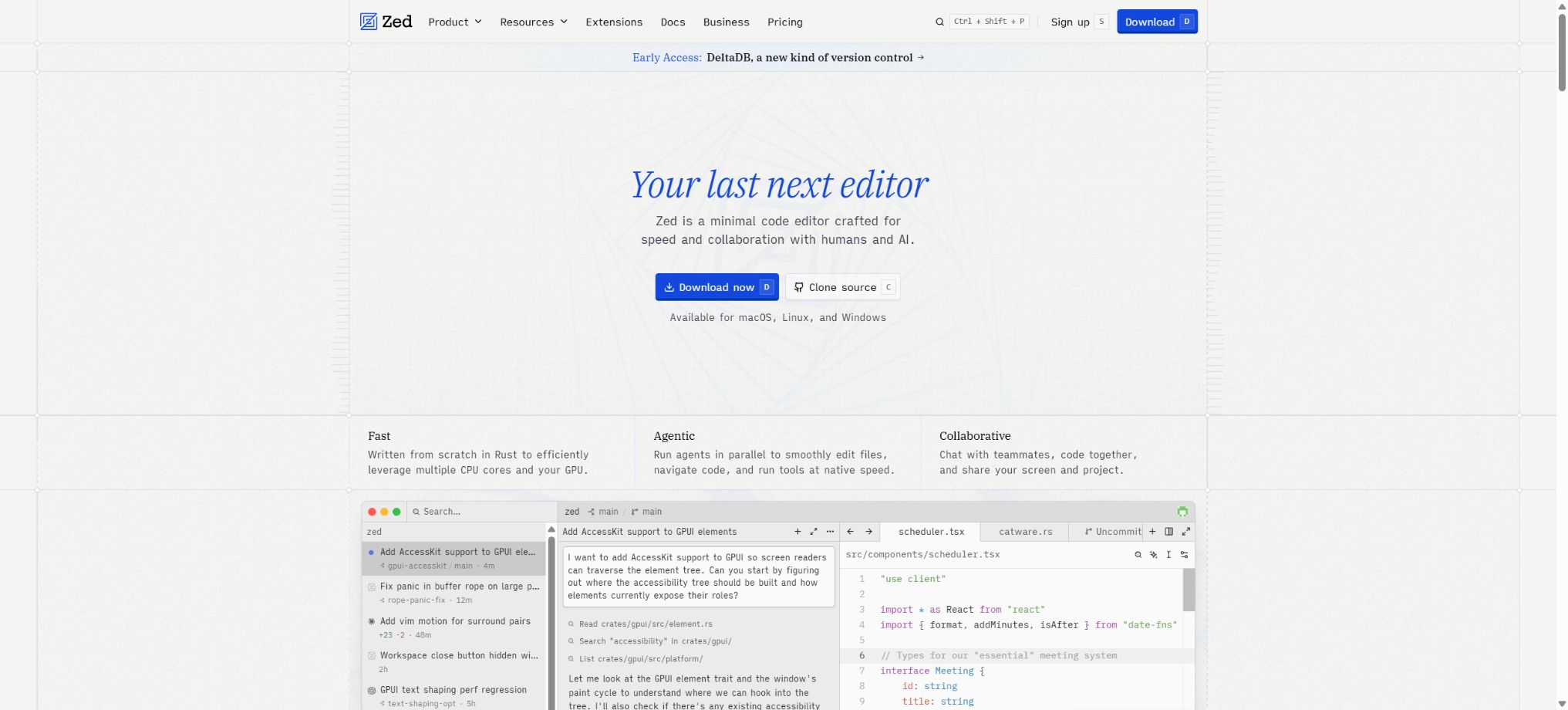
An open-source code editor that combines high performance, real-time collaboration, and AI agents.
Tags:AI programming toolsWhat is Zed?
Zed is a high-performance open-source code editor developed by members of the Atom and Tree-sitter teams; it emphasizes low latency, multi-user collaboration, and a modern development experience. It is built using Rust and is available for macOS, Linux, and Windows.
Zed’s AI capabilities are focused on Agent Panel, Inline Assistant, and Edit Prediction. Users can either use the models provided by Zed, or they can set up their own API keys, as well as install external agents such as Codex, Claude, and OpenCode.
Zed’s main functions
- High-performance editing:Fast startup, low-latency input, multi-buffer editing, and GPU-accelerated interface.
- Language support:Code understanding is provided through Tree-sitter, LSP, debuggers, and extensions.
- Collaboration among multiple people:Sharing projects, real-time editing, voice communication, and tracking collaborators’ locations.
- Zed Agent:Read items, edit files, run a terminal, and invoke tools in the Agent Panel.
- External Agents:Tools such as Codex, Claude Agent, OpenCode, and Copilot can be installed via ACP.
- Terminal Threads:Run the CLI or TUI Agent directly within the threads supported by the terminal.
- Parallel Agents:Multiple independent Agent threads can run simultaneously across projects and within Worktree.
- Edit Prediction:Predict the next modification based on the current editing context and accept it quickly.
- Inline Assistant:Provide direct explanation, rewriting, and conversion of the selected code or text.
- MCP:Connect to a local or remote MCP server to add external tools for the Agent.
- Multi-model access:It supports the Zed hosting model, official API providers, and compatible endpoints.
- Git integration:View changes, generate commit messages, and perform common version control operations within the editor.
Comparison of Zed AI’s capabilities
| Functions | Interaction method | Suitable for tasks |
|---|---|---|
| Edit Prediction | Predict the next code change during editing | Continuous minor modifications, completions, and repeated edits |
| Inline Assistant | Apply AI commands directly to the electoral district. | Rewriting functions, explaining code, and local transformations |
| Zed Agent | Call models and tools in the Agent Panel | Multiple file modifications, terminal verification, and project tasks |
| External Agent | Run independent Agent processes via ACP | Use existing subscriptions or configurations such as Codex and Claude. |
| Terminal Thread | Support running CLI/TUI in terminal threads | Preserve the original command-line experience of external agents |
| Parallel Agents | Multiple threads operate in parallel with Worktree. | Handle unrelated issues simultaneously |
Price of the Zed package
The following are the reference monthly prices in USD as displayed on the official pricing page for verification purposes. Packages, lists of models, the price per Token, and any promotions may change; the final amounts will be those indicated on the account and organization billing page.
| Package | Price | AI quota | Key capabilities |
|---|---|---|---|
| Personal | $ | 2,000 edits to predictions have been applied. | Full editor that allows use of custom keys along with external agents |
| Pro | 10 dollars per month | Unlimited Edit Predictions, with 5 dollars’ worth of Tokens per month | Zed hosting model and additional pay-as-you-go pricing |
| Business | $ | The LLM quota is not fixed and bundled. | Organize model policies, data control, unified spending, and role permissions |
For any excess usage of the Pro hosting model, the cost is calculated at the price specified for that API plus 10%; it is possible to set a maximum spending limit. Business is a management solution that operates at the organizational level, and members can still retain their own Pro subscriptions or use their own model keys in accordance with the organization’s policies.
Free trial and excess billing
| Project | Official rules | Precautions |
|---|---|---|
| Pro trial | Two weeks, including 20 dollar Token Credits | It ends when the quota is used up or after two weeks. |
| Trial model | Open partial hosting model | Some of the more expensive Claude and GPT Pro models are not available for trial use. |
| The Pro monthly plan includes | 5-dollar Tokens | The dosage is calculated based on the actual input and output of different models. |
| Pro excess | Add 10% to the API price | Deduction at the end of the month or every time $10 is added. |
| BYOK | Zed does not charge a fee for the corresponding hosting model. | The fees are settled directly by the model provider. |
| External Agent | Authentication and billing are managed by an external agent. | Comply with the subscription and data terms of the respective provider. |
How to choose between Personal, Pro, and Business?
| Demand | Recommended package | Reason |
|---|---|---|
| A high-performance editor is all that’s needed. | Personal | Free access to core editing and collaboration features |
| Existing model API Key | Personal plus BYOK | The cost of the model is settled directly in the provider’s account. |
| Already have Codex or Claude Agent | Personal plus External Agent | Reuse existing tools through ACP or terminal threads |
| Individuals hope for AI that is ready to use out of the box. | Pro | Managed model, unlimited predictions, and 5 dollars worth of Tokens per month |
| Unify the team’s AI and data policies | Business | Organizational model constraints, data governance, and centralized visibility |
Installation and basic configuration tutorial
- Select platform:Download the official version for macOS, Linux, or Windows, or use a package manager.
- Open project:Load the code directory to verify that the language server, formatting tools, and terminal are working properly.
- Migration settings:Import themes, key mappings, and extensions as needed, and check the project-level configurations.
- Configure Git:Verify the warehouse identity, branches, Diff, and commit workflow.
- Enable AI:Choose Zed Hosted, your own API Key, or the External Agent path.
- Set boundaries:Check the permissions of the Agent tool, MCP, data sharing, and spending limits.
- Step-by-step verification:First, test editing, collaboration, and Agent behavior in small warehouses, before applying them to core projects.
Zed Agent Usage Guide
- Open the Agent Panel and create a new thread; select the model along with the appropriate configuration file.
- Use file references, districts, diagnostics, or images to provide direct context for the task.
- Specify the objectives, constraints, test commands, as well as the files or interfaces that cannot be modified.
- Observe the process of the Agent invoking tools, editing files, and running commands, and deny high-risk operations when necessary.
- Use Checkpoint and Diff to examine the changes; if unsatisfied, restore or provide further instructions.
- Have the Agent run tests, type checking, and formatting, and indicate the unverified parts.
- Review the code manually before submitting it, to prevent the model’s outputs from being directly merged into the protected branch.
Install external Codex or Claude Agent
- Select Agent:Find the required external tool in the ACP Registry or Agent settings.
- Complete installation:Install the corresponding Agent as indicated, as well as any local dependencies.
- Login authentication:Authorization is carried out using subscription login supported by an external agent or an API key.
- Create new thread:Select the External Agent from the Agent Panel or Threads Sidebar.
- Verify configuration:Check the model, project directory, native configuration files, and tool permissions.
- Confirm bill:The costs, retention fees, and legal terms related to External Agent are the responsibility of its provider.
- Testing task:First, perform a read-only analysis, and then gradually enable editing and terminal operations.
Multi-person collaboration tutorial
- Create a collaborative project or invite members, and confirm each member’s access rights to the repository.
- Synchronize the current work area through real-time cursors, follow mode, and voice communication.
- Break down large tasks into different files, branches, or Worktrees to reduce conflicts that arise from simultaneous modifications.
- Share the location of the code that needs review, the terminal output, and the Agent thread context.
- Use the standard Git review process to validate changes; do not treat collaboration sessions as boundaries for permissions.
- After it is completed, revoke the temporary access and check the sessions, shared resources, and sensitive outputs.
Which users are suitable for Zed?
- Developers focused on performance:Fast startup, low latency, and a native editing experience are required.
- AI programming users:It is hoped to use managed models, BYOK, and external Agents within the same editor.
- Pair programming team:Real-time collaboration, voice communication, and shared project context are required.
- Multi-Agent developer:Run multiple threads, Worktrees, and different Agents simultaneously.
- Open-source contributors:Study the Rust editor, GPUI, and collaboration infrastructure.
- Corporate team:Model policies, data sharing controls, and a unified expenditure view are required.
Product advantages
- It features a highly performant native editor that is deeply integrated with AI Agents, and it is not merely a browser wrapper.
- The core editor is free, and users can choose freely between hosted models, BYOK, or external agents;
- ACP enables agents such as Codex and Claude to operate within a unified panel and thread sidebar;
- Parallel Agents and Worktree are suitable for parallel processing of independently developed tasks;
- Multi-user editing, voice, and follow modes are directly integrated into the development environment;
- The source code is made public and is updated frequently, allowing the community to review it and make contributions;
- Pro offers transparent pricing; any excess hosting is charged at the API rate plus 10%.
Data, bills, and security considerations
- The Zed Hosted model, one’s own API Key, and External Agents have different entities responsible for data processing;
- When using an External Agent, authentication, billing, retention, and legal terms are determined by the respective provider.
- BYOK should be securely stored through settings or environment variables, and not committed to the repository;
- Set a spending limit for Pro to prevent unexpected overages due to long-running tasks and expensive models.
- When using the agent to access terminals, MCP, and edit files, the principle of minimum permissions should be applied along with manual verification;
- Before sharing collaborative projects and threads, check for sensitive data in the source code, logs, and environment variables;
- The organization should specify which models, data sharing options, and external agents can be used.
Usage restrictions and precautions
- The 2,000 Edit Predictions for Personal are not part of the usage quota allocated to infinite AI Agents;
- Pro includes only 5 dollars’ worth of monthly tokens; expensive models and large contexts may quickly exceed this limit.
- The cost is $30 per seat for Business plans; fixed LLM Credits are not included, and additional payment is required for using the models.
- Different External Agents have varying capabilities in terms of historical recovery, Checkpoint, and Token display.
- When a long thread approaches the context limit, it is automatically compressed, and earlier details may be summarized.
- Models and ACP extensions are updated rapidly, so critical projects should use fixed versions along with fallback options.
- A Windows version is already available, but compatibility with extensions, the Shell, and remote environments still requires practical testing.
Open-source license details
According to the official Zed repository documentation, the source code of the editor is licensed under GPL-3.0-or-later; certain components are licensed under Apache-2.0. Although AGPL was mentioned in previous documents regarding the server side, the licensing terms that apply in current use or for any derivative development should be determined based on the license labels present in the specific files and directories within the repository.
The fact that it is an open-source editor does not mean that the Zed hosting model, account billing, and all online collaboration services can be set up free of charge. Before using it for commercial purposes, distributing modified versions, or deploying related services, it is necessary to assess the obligations imposed by the respective open-source licenses.
Frequently Asked Questions
Is Zed free?
The Personal plan is available permanently at no cost; it includes a core editor, support for multi-user collaboration, and 2,000 uses of Edit Predictions. When using one’s own API key or an external agent, the cost associated with the models is charged by the respective provider.
How much is the Zed Pro?
The Pro plan costs $10 per month and includes unlimited edits to predictions, as well as 5 model tokens per month; any excess usage is charged at the corresponding API rate plus 10%.
Does Zed support Codex and Claude?
Supported. It is possible to install Codex, Claude Agent, and similar tools as External Agents via ACP, or run the corresponding CLI tools in Terminal Threads.
Does Zed support Windows?
Support is available; an official Windows version has been provided, in addition to support for macOS and Linux. The compatibility of specific language toolchains and extensions must be verified on a per-project basis.
Is Zed open source?
Yes, the official repository has made the source code of the editor available; it is licensed under GPL-3.0-or-later, with some components using Apache-2.0. Zed’s commercial hosting services do not automatically turn into self-hosted open-source services as a result of this.
Tools similar to Zed



 Guigong Network Security Registration No. 45132202000164