






Qoder
An autonomous programming agent platform for real-world software engineering tasks
Tags:AI programming toolsWhat is Qoder?
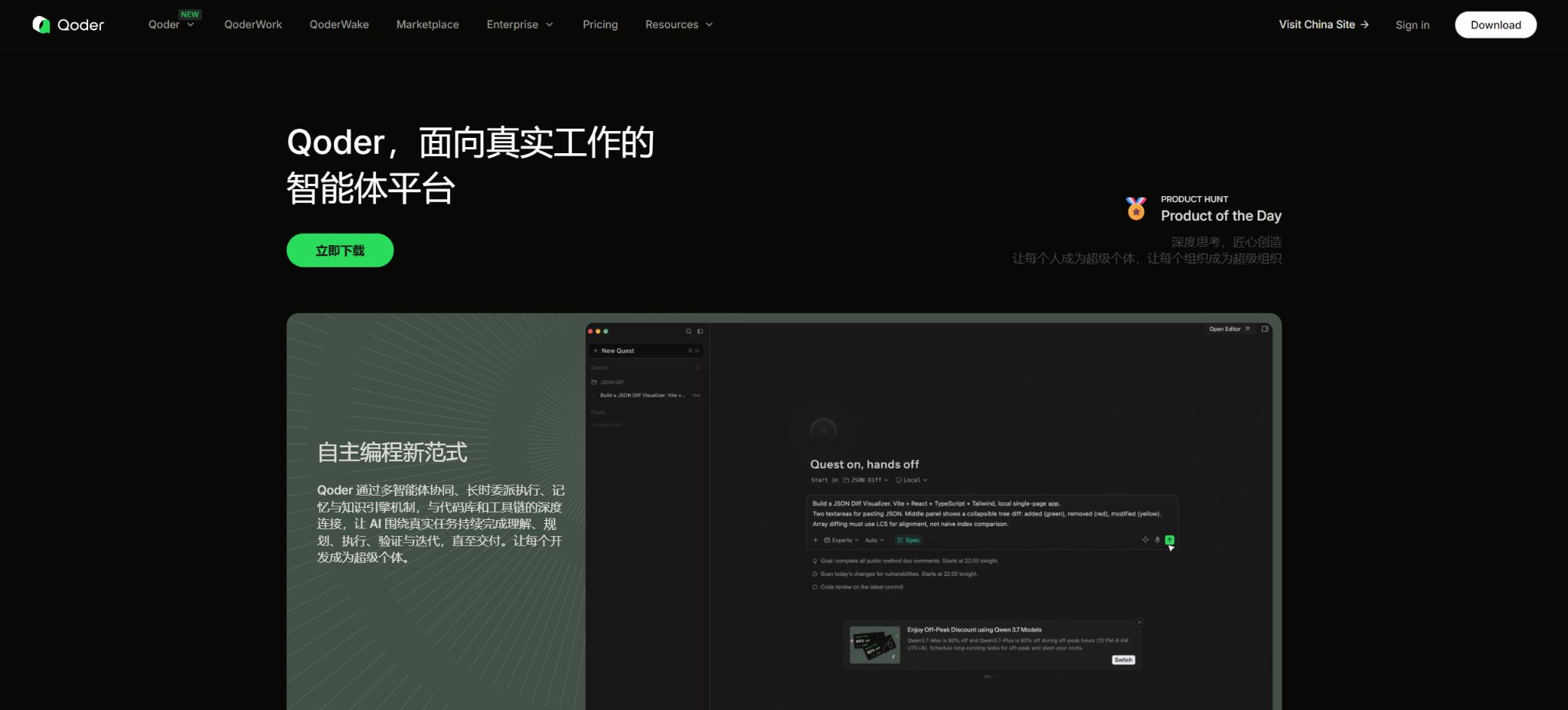
Qoder is an AI programming platform designed for software developers and teams; its offerings include desktop IDEs, JetBrains plugins, CLI tools, Cloud Agents, mobile applications, as well as capabilities for organization management.
It offers code completion and Next Edit Suggestions, as well as support for chat-based Q&A, autonomous agent modifications, long-term Quest tasks, multi-agent collaboration via Experts, Repo Wiki, and Knowledge Cards.
Qoder’s strength lies in combining the understanding of code libraries with task execution: it provides inline suggestions during regular coding, while complex requirements can be handed over to Quest for analysis, planning, implementation, and verification; Repo Wiki generates structured documentation based on the repository. Different functions utilize either the basic model or the Premium model, with costs deducted based on credits and multipliers.
Qoder’s core functions
Code completion and Next Edit Suggestions
When editing code, Qoder offers in-line completion based on the current file and project context, as well as predictions of the next locations that might need to be modified. The Next Edit Suggestions feature is useful for renaming elements sequentially, completing parameters, and synchronizing related code.
It is still recommended to review each item individually, especially database migration, permissions, and error handling.
Chat and Agent modes
Chat is suitable for explaining code, identifying problems, and discussing solutions; Agents can search repositories, edit multiple files, run commands, and conduct tests.
Users should specify in the instructions the scope of the task, the acceptance criteria, the test commands, and the areas that must not be modified, in order to prevent the Agent from making unnecessary changes.
Quest long task
Quest is used for assigning long-duration development tasks; it allows for the creation of plans around specific goals and their subsequent implementation, and it is more suitable for tasks involving cross-file functionality, code restructuring, and comprehensive repairs. The official recommendation is that users who frequently run long-duration tasks should choose Ultra.
Quest involves multiple rounds of model and tool calls, and its credit consumption can be significantly higher than that of regular Q&A sessions.
Experts Mode
Expert Mode breaks down complex tasks using multiple Agents, covering planning, implementation, testing, and quality inspection. Parallel operation of multiple Agents does not necessarily result in lower costs, as each sub-Agent invokes specific models and is charged separately.
When the task scale is small, a single agent is often faster and cheaper.
Repo Wiki and Knowledge Card
Repo Wiki analyzes the code repository to create structured project documentation, which can be updated continuously as the code and documentation change. Knowledge Cards are used to document project rules and knowledge, helping Agents to better understand the established conventions.
Automatic documents may omit dynamic configurations, external services, and historical design reasons, and cannot replace the verification by maintenance personnel.
CLI, JetBrains, and Cloud Agents
Qoder CLI is compatible with Windows, macOS, and Linux, and allows the use of Agent workflows in the terminal; the JetBrains plugin is suitable for users who already have an IDE.
Cloud Agents can execute asynchronous tasks in the cloud. The features of different clients and their version update schedules may not be identical; it is necessary to consult the corresponding Release Notes.
Enterprise management and OpenAPI
Teams and Enterprise offer centralized billing, member roles, SSO, quota management, privacy modes, and usage statistics. Enterprise adds additional features such as grouping, model routing policies, content security, audit logs, centralized distribution of plugins and Skills, as well as extended OpenAPI capabilities – making it suitable for development organizations that require AI governance.
Comparison of Qoder individual package prices
The following shows the current monthly fee in US dollars as stated in the official documentation. The credits available under the paid plan are valid only during the current subscription period and are reset once that period ends.
Once the quota is used up, it automatically switches to the basic model, which still has a daily limit on the number of messages that can be sent.
| Package | Price | Premium Credits/month | Primary interests | Suitable for users |
|---|---|---|---|---|
| Free | Free | Limited messages for the base model | Limited completion options, as well as NES, BYOK, and a two-week Pro trial for new users | Trial and lightweight coding |
| Pro | $ | 2,000 | More completions for NES, Chat, Agent, Quest, Repo Wiki, Knowledge Card | Daily development and lightweight agents |
| Pro+ | $ | 6,000 | Same advanced features as Pro, with a higher quota for the Premium version. | Frequent use of autonomous coding agents |
| Ultra | $ | 20,000 | The highest individual limit, suitable for long-duration quests and frequent use of advanced models. | Users with heavy Agent usage and long tasks |
New users who log in to the latest client for the first time receive a 14-day Pro trial period along with 300 credits; this trial includes unlimited use of features such as Next Edits, Chat, Agent, Experts, Quest, Repo Wiki, and Knowledge Card. The trial is not available for virtual machines, and it can only be used once per user – repeated attempts to utilize the trial may result in the account being frozen.
Qoder Organization: Package Price Comparison
| Project | Teams | Enterprise |
|---|---|---|
| Seat price | $ | $ |
| Includes computing power | 3,000 credits per seat per month | No credits included; shared usage quota must be purchased separately. |
| Basic management | SSO, roles, centralized billing, quota management, statistics, and privacy mode | All included |
| Advanced organization | Basic capabilities | Groups, tiered billing, domain name control |
| AI governance | Foundation | Model routing policies, content security policies, audit logs |
| Extended management | Plugin and Skill Sharing | Centralized distribution, Marketplace, and more comprehensive APIs |
| Product range | IDE, QoderWork, QoderWake, JetBrains, CLI, Cloud Agents, and Mobile | Same coverage |
The lower price of the Enterprise plan is due to the fact that it does not include any monthly AI computing capacity; therefore, it cannot be considered cheaper than Teams. Teams and Enterprise represent separate organizational solutions that do not support seamless upgrades or downgrades. It is necessary to choose between them before creating an organization, based on factors such as scale, governance requirements, and the pricing model for credits.
Prices and validity periods of Credit Packs
| Limit type | Price | Quantity | Validity period | Refunds and sharing |
|---|---|---|---|---|
| Personal Add-on Credits | 20 dollars | 1,500 credits | 1 month after purchase | No refund; can be stacked; for personal use |
| Organize Shared Add-on Credits | 40 dollars | 3,000 credits | Within 1 year after purchase or exchange | No refunds, no transfers; shared among organization members |
| Pro plan quota | Included in the $20 monthly fee | 2,000/month | Current subscription period | Reset at the end of the cycle |
| Pro+ plan quota | Included in the $60 monthly fee | 6,000/month | Current subscription period | Reset at the end of the cycle |
| Ultra plan quota | Included in the $200 monthly fee | 20,000/month | Current subscription period | Reset at the end of the cycle |
When multiple credit packages coexist, Qoder prioritizes using the credits that expire first. When a team member makes a request, the monthly quota allocated to the team is deducted first, followed by the credits from the individual packages, and finally those from the team’s shared pool.
Administrators can set a limit on the amount of shared credits that each member can use.
How are Credits calculated?
Qoder deducts credits based on the model level and the actual number of times a task is executed, rather than deducting a fixed amount for each message sent. Advanced models may use multipliers; for example, the official documentation indicates that the standard multiplier for Ultimate is 1.6 times.
Certain Experts and sub-Agent tasks will automatically invoke the specified model and generate separate details.
Event discounts have a specific expiration date and cannot be considered as permanent prices.
The monthly subscription fee corresponds to a certain value of Premium model resources and may include additional rewards; therefore, “2,000 credits” cannot be simply converted into 2,000 requests. Long contexts, complex quests, multiple sub-Agents, and repeated attempts all lead to a faster consumption of these credits, so users should check the detailed breakdown on the Usage page.
Qoder usage tutorial
- Download the appropriate client:Select the desktop IDE, JetBrains plugin, or CLI based on the workflow, and confirm the operating system and CPU architecture.
- Log in and try it out:Upon first login, check whether a 14-day Pro trial period and 300 credits have been credited to your account.
- Open separate branch:Load the project into a clean Git branch, and first check for uncommitted changes.
- Establish project context:Use Qoder to index the repository and check whether the Repo Wiki and Knowledge Cards are accurate.
- Start with small tasks:First, use completion, Ask, or a regular Agent to fix issues with clear scope.
- Use Quest for complex tasks:Specify the objectives, acceptance criteria, test commands, prohibited areas, and whether the installation of dependencies is allowed.
- Monitoring execution:Monitor file differences, commands, models, and credit details; stop immediately in case of any abnormalities.
- Manual verification:Run comprehensive tests, static analysis, and security reviews before submitting or creating a PR.
How to choose between Quest and Experts Mode?
| Pattern | Features | Suitable for tasks | Costs and risks |
|---|---|---|---|
| Chat / Ask | It focuses mainly on explanations and suggestions. | Understanding code, discussing solutions, analyzing errors | The cost is low; it’s not necessarily necessary to modify the files directly. |
| Agent | A single Agent handles both editing and commands. | Clarify repair, testing, and medium-sized features | It is necessary to review the tool permissions and the scope of the changes. |
| Quest | Continuous planning and execution for long-duration tasks | Cross-file functionality, refactoring, and long-running tasks | Multiple calls result in high consumption of credits. |
| Experts Mode | Multiple agents work in parallel with divided tasks | Complex tasks that require planning, implementation, testing, and review | Sub-agents are billed independently, with more coordination and error handling required. |
Suggestions for using Repo Wiki
Repo Wiki is useful for beginners to understand the directory structure, modules, and their interconnections; it also provides agents with background information on ongoing projects. Once created, it should be supplemented by the maintainers with details regarding deployment, external dependencies, data migration, permission settings, and past decisions.
Large warehouses may be affected by the range of indexes and the number of files; for sensitive items, it is necessary to verify the privacy settings as well as the company’s data policies.
Qoder usage tutorial
Create reusable professional workflows
- Select a low-risk, real-world project as a template;
- Fix the order of code completion, Next Edit Suggestions, Chat and Agent modes, as well as the use of Quest for long-term tasks;
- Record the environment, model, prompts, and failure conditions;
- Set up manual approval for write, deploy, and delete actions;
- Compare speed, cost, test pass rate, and the amount of rework;
- Expand to a team or production environment only after stability has been verified;
Safety and privacy considerations
- The Agent runs only on independent branches; it is not allowed to be automatically submitted to protected branches or deployed in production.
- Restrict permissions for terminals, files, networks, and MCP; production keys should not be stored in repositories or conversations.
- Third-party Issues, README files, and web pages may contain prompt injection attempts, and should be treated as untrusted content.
- For enterprise codes, the privacy model, data location, logging, SSO, and audit requirements are assessed first;
- Check the license, security vulnerabilities, test coverage, and source of dependencies of the AI-generated code;
- Set limits on the number of members for credits and shared pools to prevent long-running tasks from causing budget overruns.
Is it open source?
Qoder IDE, the cloud-based model services, and the complete platform are commercial products and not fully open source. The official GitHub repository provides repositories such as Better Harness, Qoder Action, SDK examples, changelogs, and Cloud Agents reference projects; however, these components do not constitute the complete source code for the Qoder client or server.
Which users are it suitable for
- Daily developers who wish to use AI for completion, Next Edit, and code Q&A;
- Engineers who need an Agent to make modifications across files and to run tests;
- Power users who delegate complex tasks to Quest or Experts for execution;
- Project teams that wish to automatically create Repo Wikis and team knowledge cards;
- Enterprises that require SSO, auditing, model policies, and centralized quota management.
Advantages and usage limitations
- The advantage of Qoder is its comprehensive range of products, which covers IDEs, JetBrains, and CLI tools, as well as cloud agents, knowledge engines, and enterprise governance solutions.
- Quest, Experts, and RepoWiki are suitable for complex codebases and long-term tasks;
- There are also detailed official documents regarding the credits rules for individuals and organizations;
- The limitation is that advanced models and multi-Agent tasks consume credits more rapidly; the quota allocated under a plan cannot be simply understood as the number of requests, and individual add-on packages are valid only for one month.
- AI code can still introduce regressions, security vulnerabilities, and inappropriate dependencies; therefore, teams must maintain Git review, testing, and approval processes.
Frequently Asked Questions
Is Qoder free?
There is a Free plan that includes limited completion, Next Edits, BYOK, and basic model messages. New users also receive a 14-day Pro trial period along with 300 credits.
How much is Qoder Pro?
Pro costs $20 per month and includes 2,000 credits; Pro+ costs $60 and includes 6,000 credits.
Ultra costs $200 and includes 20,000.
Can it still be used after the credits are used up?
It will automatically switch to the base model with a daily limit; you can also upgrade or purchase Add-on Credits. Once the daily limit of the base model is reached, you have to wait until the next day to continue using it.
Which is cheaper, Teams or Enterprise?
One should not consider only the price per seat. Teams costs $40 per seat and includes 3,000 credits;
Enterprise costs $20 per seat, but it does not include any AI computing power; shared credits must be purchased separately.
Is Qoder open source?
The full commercial platform is not open-source; the vendor only makes available certain Action examples, SDKs, plugins, and reference projects.
Tools similar to Qoder



 Guigong Network Security Registration No. 45132202000164