






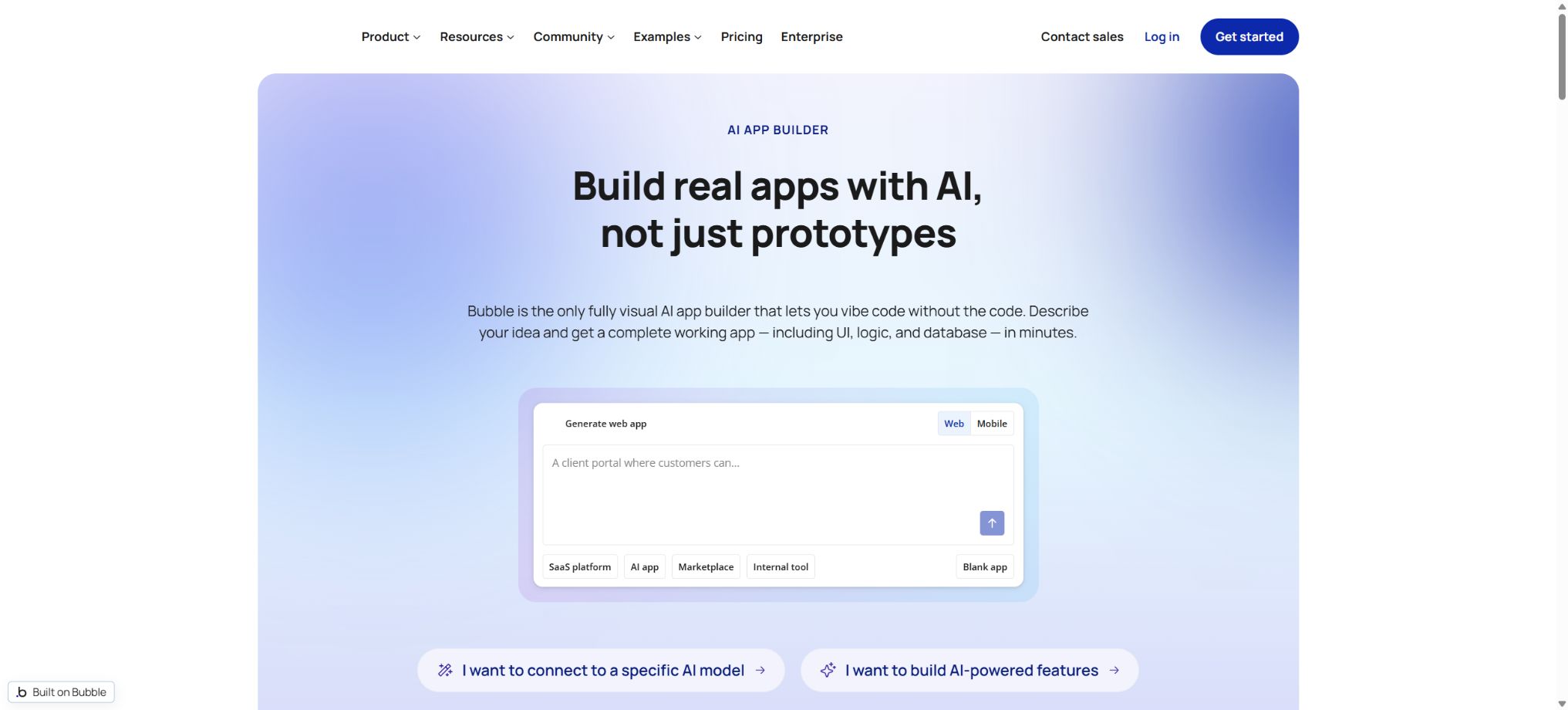
Bubble AI
A platform for building web applications through prompts and visualization logic
Tags:AI programming toolsWhat is Bubble AI?
Bubble AI is the AI-driven generation and development assistance feature built into the no-code application development platform Bubble. Users can describe the product, target audience, and key functions in natural language, and the system will create a starting point for a functional application that includes pages, elements, a database, workflows, and sample data; thereafter, users can continue to modify it and publish it using Bubble’s visual editor.
Bubble is not just a tool for generating web pages from a single sentence. It offers database capabilities, user authentication, front-end and back-end workflows, privacy rules, plugins, API connectors, hosting services, and version control; it can be used to create membership systems, market platforms, internal tools, SaaS applications, booking services, and communities.
The current solution covers Web, iOS, and Android simultaneously; the backend, database, and business logic can be shared across web and mobile platforms.
Core functions of Bubble AI
AI Application Generator
After entering the application type, user role, key processes, and visual orientation, the AI first organizes the functions that need to be implemented, then creates a basic application. Unlike tools that only provide code or static prototypes, the resulting output is placed in the Bubble editor, where users can continue to work on the data structure, workflows, and pages.
AI is suitable for creating the initial structure from scratch, but it cannot replace the determination of product requirements, the design of permissions, or the process of testing before deployment.
Bubble AI Agent
The AI Agent built into the editor can answer questions and explain logical concepts by taking into account the context of the current application, and it can also assist in creating or modifying pages, elements, data types, and workflows. Users can select specific components before asking questions, which helps to clarify the scope of the task.
The Agent inherits the permissions of the initiator: read-only collaborators cannot gain editing capabilities through the Agent, and database access can also be controlled via the collaboration settings.
Visual page editing
After it is generated, the layout, responsive rules, styles, conditional display, and interactions can be adjusted by dragging and dropping or using the property panel, without the need to edit the source code directly. AI-powered page design can help create a visual starting point, but some of its design functions are still in the testing phase; complex components and brand-specific designs usually require further refinement by humans.
Built-in database and privacy rules
The Bubble database allows for the definition of data types, fields, and relationships, and enables workflows to create, query, and modify records. Privacy rules determine which data the current user can see; they are one of the most important security settings in any application.
Hiding elements on a page does not protect the database; sensitive fields must be restricted through server-side privacy rules and access controls.
Front-end and back-end workflows
Workflows are used to handle clicks, logins, payments, notifications, database updates, and scheduled tasks. Backend workflows can continue to run even after the user leaves the page, while repetitive workflows are suitable for subscriptions, reminders, and batch processing.
Complex or inefficient queries, loops, and plugin calls increase Workload Units; therefore, it is necessary to take into account both functionality and operational costs during design.
API and plugin ecosystem
API Connector enables connections to external AI, payment, email, mapping, and business services, while the plugin market offers ready-made components. Keys should be set as private server parameters and must not be placed in locations that can be accessed from the pages.
The security, maintenance, and billing of third-party plugins are determined by the plugin developers; for official projects, it is necessary to check the update history, permissions, and alternative options.
Web and native mobile apps
Bubble allows for the creation of Web, iOS, and Android versions within a single project; the mobile versions and the web version share the same database and workflow. The mobile solution includes device testing, build submissions, available online versions, and OTA updates, but different packages offer varying numbers of build submissions and simultaneous online versions that can be maintained.
To publish on the app store, a separate developer account and platform review are required.
Comparison of prices for Bubble Web & Mobile packages
The following shows the monthly price equivalent to an annual subscription, as displayed on the official pricing page; the currency is the US dollar. The monthly price is usually higher, and taxes, plugins, additional workload, third-party API fees, and app store account charges are not included in the basic subscription. It is necessary to refer to the billing page before making a payment.
| Package | Annualized price | Workload/month | Editors and branches | Benefits for mobile releases |
|---|---|---|---|---|
| Free | $ | 50K WU | 1 editor; development version | Native mobile editor, debugging, and device testing; no official release capabilities included |
| Starter | $ | 175K WU | 1 editor; basic version control | 5 builds and submissions per month, 3 online versions, unlimited OTA updates |
| Growth | $ | 250K WU | 2 editors; 10 custom branches; advanced version control | 10 builds submitted per month, 5 online versions, unlimited OTA updates |
| Team | $ | 500K WU | 5 editors; 25 custom branches; support for Sub apps | 20 builds submitted per month, 8 online versions, unlimited OTA updates |
| Enterprise | Contact sales for customization | Customize | Enterprise-level teams, security, and support | Number of custom builds and online version |
Differences in package features
| Project | Free | Starter | Growth | Team / Enterprise |
|---|---|---|---|---|
| Applicable phase | Learning and Development | Single-player mode is now officially available. | Small team collaboration | Large-scale teams and enterprises |
| Official website and custom domain name | Not included | Includes | Includes | Includes |
| Repeat workflow | Not included | Includes | Includes | Includes |
| Two-factor authentication | Basic account capabilities | Go to the package page | The package clearly includes | Companies can implement additional controls such as SSO. |
| Server logs | 6 hours | 2 days | 14 days | The team period is 20 days; companies follow the terms of the contract. |
| Managed area | Standard | Standard | Standard | Enterprise can choose the hosting location. |
| Support | Standard resources | Standard support | Standard support | Dedicated support team for Enterprise |
How are Workload Units billed?
Workload Units, abbreviated as WU, are a unified metric used by Bubble to quantify server resource consumption. Operations such as database queries, workflows, file processing, API calls, and backend tasks all consume WU in accordance with certain rules.
Web and mobile apps share the same backend, so the usage generated on both sides is accumulated under the same project.
Each package includes a fixed monthly workload capacity; additional Workload tiers can be purchased as usage increases. Users can enable overage protection to prevent the project from continuing to consume resources beyond the total limit set by the package and additional add-ons, thus avoiding unexpected charges. However, reaching this limit may affect the operation of the application.
Before going live, use the usage statistics provided by the Free plan to test the actual process, and then estimate the costs for the production package.
Tutorial for creating applications with Bubble AI
- Clarify the requirements:Describe the application type, target users, core elements, main processes, and visual style; do not simply state that it is about creating a beautiful app.
- Confirm the list of functions:Check the pages, roles, and functions organized by AI, remove unnecessary modules, and add any that are missing.
- Generate first version:Let the system create pages, databases, workflows, and sample data to experience the main user pathways first.
- Check the data model:Verify the field types, data relationships, uniqueness, and deletion rules to avoid having to restructure things once a large amount of data already exists.
- Configure privacy rules:Read and modify permissions were tested using tourists, regular users, administrators, and data owners respectively.
- Modify page:Use the visual editor to adjust the layout, responsive behavior, colors, fonts, and empty states.
- Improve workflows:Handles exceptions such as loading issues, failures, duplicate clicks, lack of permissions, and third-party interface timeouts.
- Testing and release:Conduct thorough testing on the development version before upgrading to Starter or a higher plan to connect domain names, deploy web pages, or submit mobile builds.
How to write high-quality AI prompts
An effective prompt should include information such as \"who uses it, what problem it solves, what the key elements are, what actions need to be carried out, and what style is required.\" For example, it could describe an appointment application for independent coaches, involving coaches, clients, courses, and orders; clients can make appointments and pay, while coaches can manage their available time slots, using a simple dark-themed interface.
When there are many functions, it is necessary to first create the core feedback loop and then add additional functions in stages.
When editing an existing application, assign only one specific task to the Agent at a time; reference the page, elements, data types, or workflow names directly, and indicate the parts that must not be changed. After making any modifications, it is necessary to check the data and behavior, as chat responses should not be considered as verified implementations.
Is it possible to export the source code?
Bubble is a hosted, proprietary platform; the application logic runs on Bubble’s infrastructure, and there is no standard way to export the entire project as traditional front-end and back-end source code for independent deployment. Users own their own application content and data, but they need to take into account the platform dependencies when making a choice.
Migration risks can be reduced through data export, APIs, and clear data models, but this does not equate to code portability.
Is it open source?
The Bubble platform, the AI application generator, and the runtime are not open-source software. The official team has made available some tools and documentation-related code, but these repositories do not include the full Bubble editor, hosting platform, or application execution engine; as a result, they cannot be used to deploy similar services on one’s own.
Bubble AI Usage Guide
Create reusable professional workflows
- Select a low-risk, real-world project as a template;
- Fix the order of use for the AI application generator, Bubble AI Agent, and visual page editor;
- Record the environment, model, prompts, and failure conditions;
- Set up manual approval for write, deploy, and delete actions;
- Compare speed, cost, test pass rate, and the amount of rework;
- Expand to a team or production environment only after stability has been verified;
Which users are it suitable for
- Entrepreneurs who want to quickly test SaaS, market platform, and community-based products;
- The business team responsible for developing the internal approval processes, the operational backend, and the customer portal;
- Product professionals without full programming experience but willing to learn about data and logic;
- Freelancers and agencies that deliver code-free applications to clients;
- Small and medium-sized teams that need to share a backend across web and mobile platforms.
Advantages and usage limitations
- The advantage of Bubble is that AI is used for initial creation, with ongoing visual development, along with a database, business logic, and hosting services that form a complete integrated system.
- Even without knowing how to write code, users can create applications that go beyond the limits of static web pages;
- Experienced developers can also expand functionality through APIs and plugins;
- The limitations include the fact that it takes time to learn how to work with complex databases and workflows, the performance of the application as well as its costs are affected by WU and the design approach, and it is not possible to export the source code of a complete project freely.
- Permissions, data models, and workflows generated by AI may have defects, and scenarios involving sensitive data in areas such as payments, privacy, healthcare, finance, and business require professional review.
Frequently Asked Questions
Is Bubble AI free?
The Free plan allows for free development and testing; it includes 50K WU per month, but it is not possible to launch a full commercial project using a custom domain name. The process usually starts with the Starter plan.
Can Bubble be used to create mobile apps?
It is possible to develop Web, iOS, and Android applications on the same platform, while sharing databases and workflows. To submit an application to app stores officially, a paid subscription, an appropriate developer account, and approval processes are required.
What does WU mean in the price of Bubble?
WU is a unit used to measure the workload of a server, and it serves to standardize the calculation of resource consumption related to databases, workflows, and backend operations. Each package includes a fixed quota; if this quota is exceeded, it is possible to purchase additional services or stop any excess usage.
Can Bubble AI be modified after it has been generated?
Yes. The generated results can be brought into a visual editor, where it is possible to continue modifying the page, database, workflows, plugins, and API connections. This is also a key difference between Bubble and one-time prototype generators.
Is Bubble open source?
No. It is a proprietary, hosted code-free platform; the existence of some public documentation or tool repositories does not mean that the entire platform is open source.
Tools similar to Bubble AI



 Guigong Network Security Registration No. 45132202000164