






OpenHands
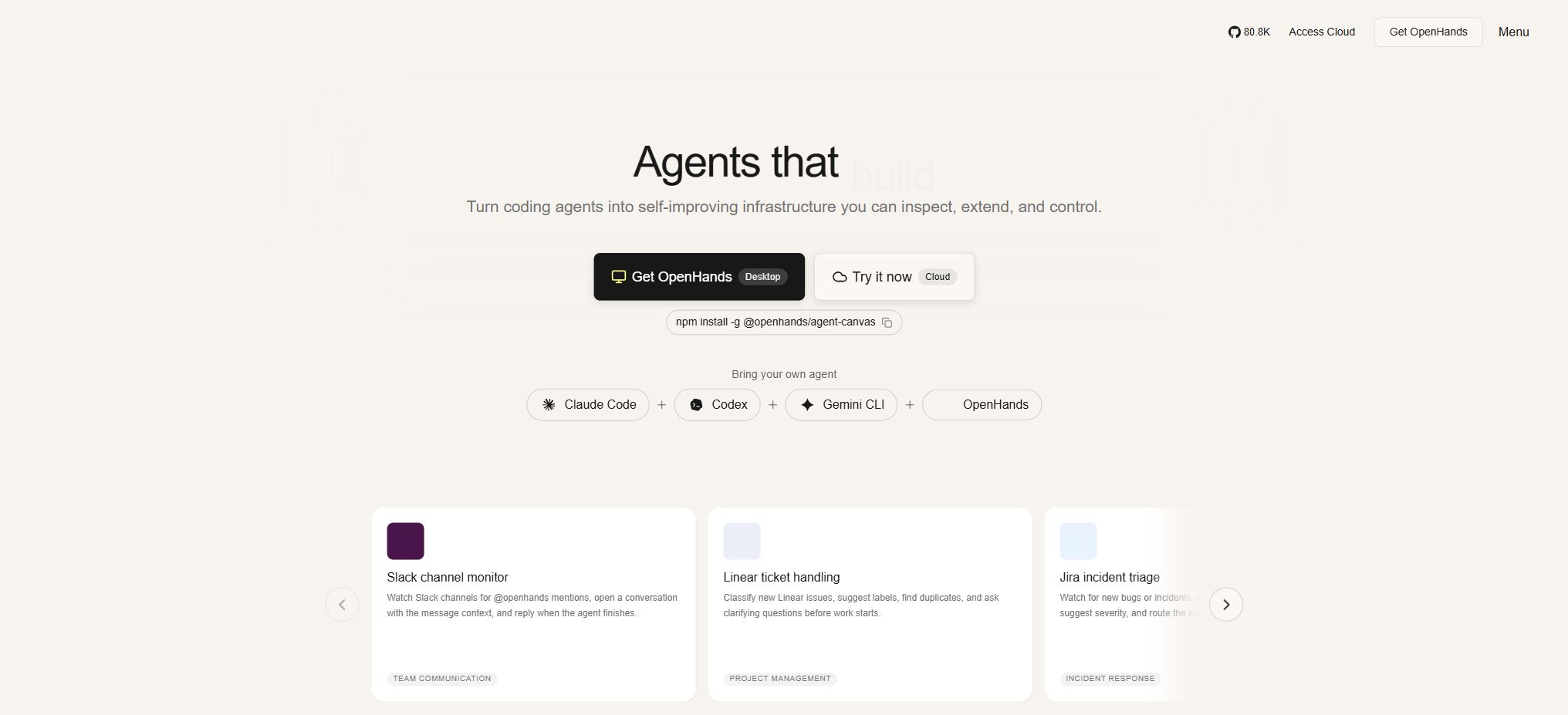
An open-source AI development agent platform capable of carrying out software engineering tasks
Tags:AI programming toolsWhat is OpenHands?
OpenHands is an open-source AI Agent platform designed for software development; its earlier version was named OpenDevin. It doesn’t merely complete code within a chat interface – it can understand development tasks, read code repositories, outline steps, edit files, execute terminal commands, run tests, and make further corrections based on the results.
Users can use it through a web interface, a terminal interface, CLI, or the Software Agent SDK; they can also opt for the official cloud services.
OpenHands features a model-agnostic design that allows it to connect to services such as OpenAI, Anthropic, and other compatible model platforms; it also supports local models suitable for agent-based tasks. The core open-source version is better suited for individual developers to use in a trusted environment.
Team permissions, centralized billing, ticket and collaboration integration, large-scale concurrency, and private cloud support fall under the Cloud or Enterprise categories.
Core functions of OpenHands
Complete development tasks independently.
Users can submit tasks such as “Fix this error,” “Add tests for the interface,” or “Upgrade dependent versions.” The Agent will read the repository, search for relevant files, modify the code, and carry out verification. It is suitable for tasks with clear boundaries that can be checked through testing, but it cannot guarantee that each change will be correct.
Complex architecture design, production incidents, and security-sensitive modifications still require engineer review.
Terminal capabilities, file editing, and browsing functions
OpenHands provides agents with capabilities for executing commands, reading and writing files, browsing web pages, and using development tools; this allows models to observe the actual results of their operations, rather than only receiving code snippets. Due to these powerful functions, the execution environment must be isolated, with only the directories truly necessary for a task being mounted.
Git repository integration
The platform can operate with code repositories such as GitHub, GitLab, and Bitbucket, allowing for the retrieval of branches, the creation of commits, or the processing of tasks through cloud-based workflows. When connecting to repositories, tokens with the minimum required permissions should be used.
For external contributions or untrusted issues, it is necessary to guard against injection attacks and malicious scripts, and the Agent must not be allowed to access production keys automatically.
Agent Canvas, web interface, and CLI
Agent Canvas offers a browser interface as well as backend connection capabilities, allowing users to switch between different Agent Servers from a single frontend. Developers who prefer a terminal-based workflow can use the CLI, and teams can ensure that tasks continue to run even after the computers are turned off, thanks to remote servers.
The methods for launching different versions are constantly evolving; when installing, it is necessary to follow the documentation for the current stable version.
Software Agent SDK
The OpenHands Software Agent SDK offers Python and REST interfaces for defining agents, tools, and workflows, which can be run locally or in the cloud. The Agent Server also provides service endpoints compatible with common chat clients.
SDKs are suitable for implementing code reviews, dependency updates, issue handling, and automation of internal development; they are not equivalent to simple model-chatting SDKs.
MCP and external integration
OpenHands supports the MCP tool architecture, enabling Agents to utilize additional data sources and services. Cloud and Enterprise versions also offer integrations via APIs, Slack, Jira, and other tools.
Each additional tool expands the range of access; it is necessary to assign separate credentials and permissions for different warehouses, teams, and environments.
Comparison of OpenHands prices and packages
The following shows the current options available on the official pricing page. The fact that the OpenHands software is free does not mean that its use incurs no costs at all: for the local version, fees are still required for model APIs, servers, or GPUs.
For the cloud Individual version, it is possible to use one’s own model keys, or purchase OpenHands LLM credits to utilize the models at their cost price.
| Plan | Price | Users and sessions | Key capabilities | Suitable for |
|---|---|---|---|---|
| Open Source | Free | 1 user; unlimited local sessions | Local operation, web GUI, terminal interface, CLI, Git integration, SDK, MCP, built-in model keys | Individual developers and open-source research |
| Cloud Individual | The platform layer is free; models are billed on a usage basis or come with built-in keys. | 1 user; up to 10 sessions per day | Managed runtime environment, mobile and desktop access, Cloud API, Git, Jira, Slack integration | Individuals who do not wish to maintain the environment on their own |
| Enterprise | Custom quote | There is no limit on the number of users; each user can have an unlimited number of concurrent sessions. | SaaS or private VPC, self-hosting, RBAC, centralized billing, SAML/SSO, SDKs for large codebases, and priority support | Organizations that require governance and scalable concurrency |
The OpenHands LLM Provider charges at the cost price of the model provider, without any additional surcharges; the price per input, cached input, and output token varies depending on the model chosen. Before generating an OpenHands LLL Key, the official documentation requires that the account have at least 10 dollars in Cloud credits.
Cloud API Keys and LLM Keys serve different purposes: the former is used to access OpenHands Cloud, while the latter is used to access its model provisioning layer; they should not be used interchangeably.
Comparison of deployment versions
| Operation mode | Location of code and data | Maintenance costs | Main risks or limitations |
|---|---|---|---|
| Run directly on this device. | Local directory and processes | Low to medium | Agents may directly read from and write to host files, resulting in the weakest level of isolation. |
| Local Docker sandbox | Containers and explicitly mounted directories | Middle | The mounted directory can still be modified or deleted; it is necessary to restrict ports. |
| OpenHands Cloud | Official managed runtime environment | Low | Affected by daily session costs, cloud-based rules, and model fees. |
| Build your own VM or server | On-premises servers or cloud servers | Medium to highest | Authentication, network isolation, logging, and key management are required. |
| Enterprise private VPC | VPCs or infrastructure under enterprise control | High, with official support. | A commercial license, Kubernetes, and enterprise operations capabilities are required. |
Differences between open-source licenses and enterprise versions
The core components of OpenHands are licensed under the MIT license, allowing them to be viewed, modified, and used in commercial projects. The open-source version is intended for single-user local use and includes the core agent, user interface, CLI, and SDK.
Enterprise’s self-hosted cloud components are of the source-available type; the source code can be viewed, but a license must be purchased to use them beyond the trial period. Just because the code is accessible does not mean they are MIT-style software.
The enterprise version offers a 30-day trial period, and it includes features such as multi-user support, permission control, centralized policy management, auditing capabilities, private VPCs, as well as integration and support services. Teams should not expose single-user open-source instances without any enhancements as public services for multiple users, as such basic instances do not inherently possess full multi-tenant authentication, isolation, and scalability features.
OpenHands local installation guide
- Check the environment:Prepare Node.js, Python toolchains, and Docker that meet the requirements of this document; Windows users should also check virtualization as well as Docker Desktop.
- Select a stable version:Give priority to installing the official stable release; do not use builds from the main branch directly in important projects.
- Prepare a separate project directory:Place only the warehouses that need to be processed in a dedicated directory; do not mount the entire user directory or the system drive to the Agent.
- Start the sandbox:Prefer to use Docker for isolated execution, and bind the services to the local loopback address to prevent direct access from the local network or the public internet.
- Configuration model:Add a separate model API Key in the settings, and first set up alerts for low usage levels and consumption.
- Load to warehouse:Start from a clean branch, check the Git status, and back up any important changes.
- Submit small tasks:Provide the acceptance criteria, relevant documents, and testing commands, and first observe the planning and execution scope of the Agent.
- Manual review:Check for differences, run full tests, perform security scans, and go through the build process before deciding whether to submit or merge.
Usage process of OpenHands Cloud
- Register for a Cloud Individual account and connect to the Git provider you need to use.
- Choose to use the built-in model keys, or purchase a small amount of credits to utilize the layers provided by the OpenHands model.
- Only the target repository is authorized; the submission identity and necessary environment variables are set.
- Create a session to describe the scope of the task, the desired behavior, the testing methods, and the areas that must not be modified.
- Check the terminal output, file differences, and test results; do not rely solely on the agent’s status reports.
- After confirming that the changes are safe, create a commit or pull request, which should then be reviewed by the code owner.
How to choose a model
Programming agents have high requirements regarding tool calls, long contexts, error recovery, and command compliance; low-cost models do not necessarily reduce the overall cost – if failures occur repeatedly or a large number of invalid tokens are generated, the final cost can end up being higher. For small formatting tasks, document processing, and simple testing tasks, economical models can be used.
Cross-file refactoring, complex debugging, and architecture analysis are better suited for more capable models.
Local models can reduce external data transmission, but they require sufficient video memory, fast inference speeds, and compatible interfaces. Before using them, it is necessary to evaluate the success rate of tasks, execution time, context length, and total cost in a non-sensitive environment; it is not enough to consider only the cost per million tokens.
Safety precautions
- Agents can execute commands and modify files; it is always necessary to use sandboxes, virtual machines, or accounts with limited permissions.
- Only the target repository is mounted; access to personal documents, SSH directories, cloud credentials, and production databases is prohibited.
- Local services are bound to loopback addresses, and when they are made accessible from outside, additional API keys, authentication mechanisms, and network access controls are implemented.
- Warehouse contents, Issues, and web pages may all contain prompt injection attacks; external inputs should be treated as untrusted data.
- The key should be stored in a secure configuration to prevent it from appearing in prompts, logs, submissions, or screenshots.
- High-risk operations require manual approval; agents are not allowed to automatically deploy to the production environment or merge main branches.
Which users are it suitable for
- Developers who wish to have AI actually modify, execute, and test code;
- Open-source teams that need automated handling of issues, dependency updates, and code maintenance;
- Researchers who wish to develop specialized software agents based on open-source SDKs;
- Enterprise R&D organizations that require a private VPC, permission management, and the ability to handle large numbers of concurrent tasks;
- Engineers willing to review Agent behavior and with knowledge of Git, containers, and security fundamentals.
Advantages and usage limitations
- The advantages of OpenHands are its open-source nature, independence from specific models, and the possibility of local deployment. It also offers a complete set of solutions ranging from interaction interfaces to SDKs and enterprise cloud services.
- It can access real warehouses and modify code based on the feedback received, making it more suitable for end-to-end development tasks than chat tools that only provide suggestions.
- The limitations are that autonomous execution entails higher levels of authority and associated risk of costs, while the time required to complete tasks and their quality depend heavily on the model, the structure of the repository, and the quality of testing.
- Local deployment requires containers and security configurations, while free cloud accounts have session limits.
- AI-generated code can introduce vulnerabilities, licensing issues, and hidden regressions; manual code review cannot be bypassed.
Frequently Asked Questions
Is OpenHands free?
Both the core open-source version and the Cloud Individual platform are free of charge, but model APIs, Cloud credits, as well as local servers or GPUs may incur costs. Enterprise versions come with customized pricing.
Is OpenHands open source?
The core OpenHands project is licensed under the MIT license. The cloud components that are hosted by enterprises are available in source form; for their long-term use a commercial license is required – it is important to distinguish between these two options.
Does OpenHands support local models?
It supports connection to compatible local model services, but Agent tasks require substantial resources, including adequate hardware as well as proven capabilities for making tool calls.
Will OpenHands modify the code directly?
Yes. It can edit files in the mounted directory and execute commands; therefore, it should run in a separate branch or sandbox, and after completion all differences and tests should be checked.
What is the difference between OpenHands and regular AI code completion?
Traditional completion mainly predicts code within an editor; OpenHands can plan multi-step tasks, manage repositories, run terminals, and conduct tests, making it more akin to an executable software development agent.
Tools similar to OpenHands



 Guigong Network Security Registration No. 45132202000164