






Softr AI
A code-free platform that enables the rapid development of business applications using data sources and AI.
Tags:AI programming toolsWhat is Softr AI?
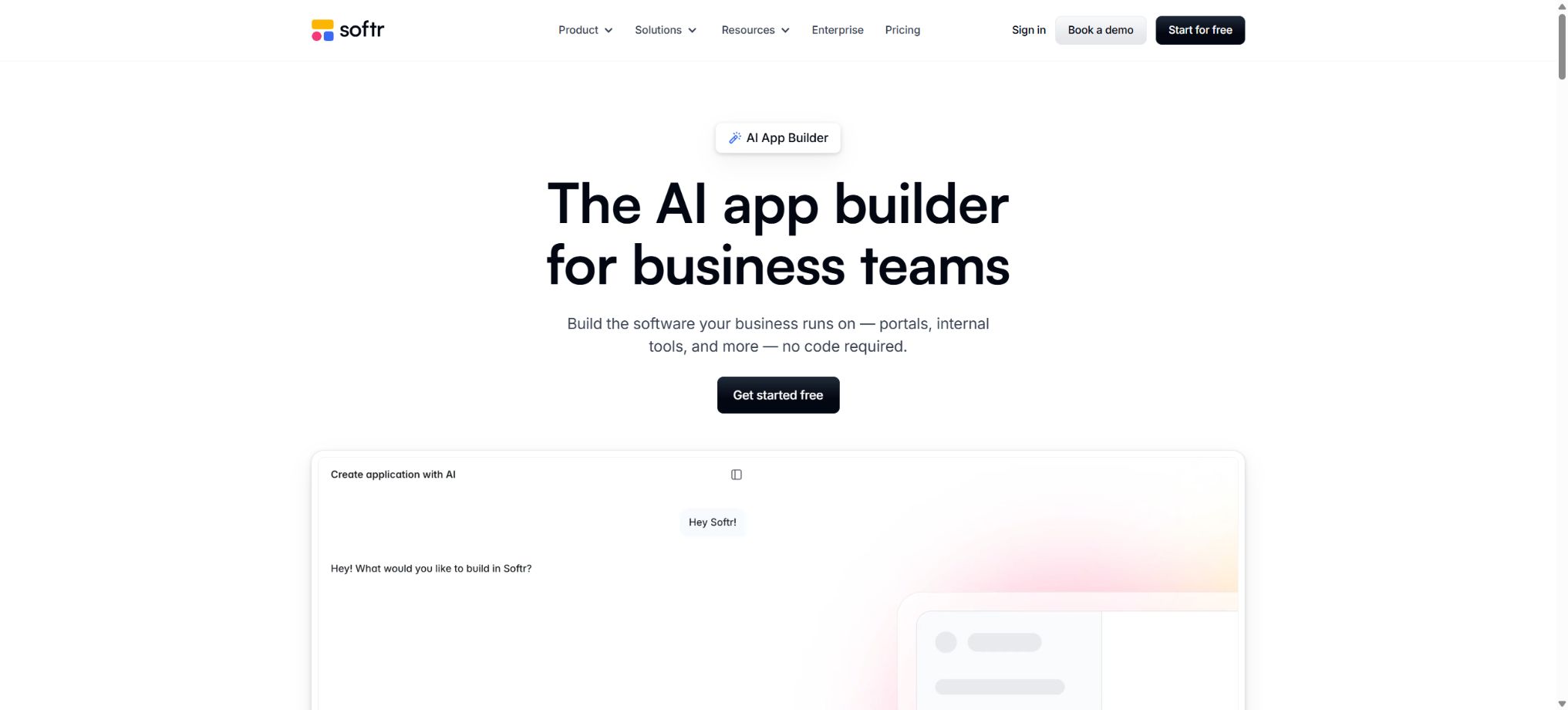
Softr AI is a code-free AI development platform designed for business applications. Once users describe the customer portal, internal employee network, CRM system, project management tools, inventory management systems, knowledge bases, or operational systems they need, the AI Co-Builder can simultaneously create the necessary pages, relational databases, user roles, permissions, and basic workflows.
It does not merely generate a set of web page screenshots; the results are created using actual data and with an authenticated user, and they can be further modified in Softr Studio via a visual editor.
Even in the absence of AI credits, users can still build and maintain applications using conventional, code-free methods.
Generated by the AI Co-Builder app
When creating an application, select \"Generate with AI\" and enter the type of business, the objects to be tracked, and the user roles. The AI may ask 2 to 3 additional questions for clarification, after which it will generate the data architecture, the interface, the permissions, the logic, and the automation elements.
The detailed instructions should specify who will be using them, which records need to be managed, what each role can view, and the key operations to perform. AI can create simple workflows, but for more complex, multi-step automations, manual adjustments may still be required.
Interface and page generation
Co-Builder selects the initial layout and theme for lists, details, forms, dashboards, and navigation, thereby creating a complete data interface with interconnected elements. All the generated blocks, pages, text, and styles can be edited directly.
System pages such as the sign-in page have dedicated settings, and certain custom blocks cannot be added directly by AI. Before official release, it is necessary to check the mobile version, the empty state, error messages, and accessibility features.
AI Vibe-coding Blocks
Softr’s Vibe-coding Block enables the creation of interactive interfaces beyond standard components through prompts, such as Gantt charts, pivot tables, batch editing, calculators, heatmaps, and word clouds, which can then be used to work with project data.
The advanced components that are generated should still limit the data that can be accessed and the actions that can be performed. Bulk deletion, price calculations, and external calls require confirmation, verification, and permission control.
Softr Databases
Softr Databases is a native relational database for the platform; it allows for the creation of fields, linking of records, use of Lookup functions, Rollup functions, and formulas, and it can be integrated directly with applications, Forms, and Workflows. It is a better option for scaling up complex business processes compared to using spreadsheets for such purposes.
Existing data can be imported from CSV and Airtable. Before migration, it is necessary to clean up unique identifiers, dates, attachment fields, and relationship fields, as well as create backups of important data.
AI-generated database architecture
AI can infer entities such as customers, orders, tasks, and projects based on the application ideas it has, and establish fields and relationships between them. It reduces the time required for modeling, making it particularly suitable for business professionals who have not yet designed data tables.
Automatic architectures may overlook audit fields, status history, and many-to-many relationships. Before going live, the data model should be reviewed by someone who is familiar with the business, in order to avoid large-scale migration issues later on.
Airtable app
Softr can be connected to Airtable Base, allowing Lists, Grids, Tables, and Forms to be mapped to existing tables; Personal Access Tokens can be used to restrict access. It is suitable for teams that already manage clients, projects, and content in Airtable.
Airtable permissions, API restrictions, and table structure can affect Softr. When establishing a connection, only the necessary Base and Scope should be granted; test for synchronization delays and concurrency issues before going into production.
Google Sheets data source
Google Sheets can serve as a simple and familiar data source for use in small catalogs, project tracking, and forms. Softr uses Record IDs to maintain the relationship between records and to handle additions or updates.
Sheets lacks complete field types and transaction capabilities, making it unsuitable for high-concurrency scenarios and complex permission management. Do not remove the ID columns that Softr requires; for sensitive applications, it is better to use a native database or a server-side data source.
SQL, Supabase, and advanced data sources
Larger-scale projects can connect to data sources such as Supabase, Xano, PostgreSQL, MySQL, SQL Server, MariaDB, BigQuery, or REST APIs. SQL connections are currently available primarily for Business and Enterprise tiers.
Database credentials should be assigned to accounts that have only the necessary permissions, and the sources from which access is allowed should be restricted. Softr is able to display a large number of records, but its actual performance depends on the plan selected, the queries performed, and the data source used.
Integration with HubSpot, Notion, and business systems
Softr also supports data sources and services such as HubSpot, Notion, Coda, monday.com, SmartSuite, ClickUp, etc., enabling teams to create portals and workspaces based on their existing data.
The read/write ranges and package requirements vary for each connector. Before deployment, it is necessary to check the OAuth permissions, rate limits, field mappings, and the behavior after the connection is severed.
User login and grouping
- The application can invite users to log in, and it distinguishes between different roles such as administrators, employees, customers, and suppliers based on UserGroups.
- Pro allows OTP and Google login, while Business adds 2FA and restrictions on registering corporate domain names;
- Each role should only be given the actions necessary to complete its tasks;
- When testing, real accounts with limited permissions should be used; it is not sufficient to rely solely on the Builder or administrator accounts for previewing.
Fine-grained permissions
Pro offers more detailed control over block visibility and user permissions, while Business includes Global Data Restrictions and Filtered User Sync. Rules are executed on the server side, allowing users to view or modify only the data that is related to them.
Hiding the interface does not guarantee data security. It is necessary to set limits on reading, creating, updating, and deleting data for each table, as well as to verify the APIs and export pathways.
Forms table
Softr Forms can collect data related to registrations, applications, feedback, and business activities, and store this data in the Softr Database or external data sources. Basic offers Conditional Form Logic, which allows different fields or paths to be displayed depending on the responses given.
Forms require a verification code, field validation, controls to prevent duplicate submissions, and privacy notices. External Webhooks also need to have signatures or authentication mechanisms in place.
Workflow automation
Workflows are composed of triggers, actions, and flow controls; they can be used to update data after new records are created, forms are submitted, scheduled tasks are executed, or Webhooks are received, as well as to send emails, call APIs, and run code. AI Co-Builder enables the creation of workflow drafts from natural language instructions.
Triggers and flow controls are not included in the Action quota; only the actual actions performed are counted. Once the quota is exhausted, the workflow will be paused, and it will be necessary to wait for renewal or an upgrade.
Complex workflows and manual approval
Advanced workflows support conditional branching, data transformation, waiting periods, interactive messages, and approval processes with human involvement. For example, AI first classifies the expenses, then asks a manager to approve them via Slack; finally, the status is updated and the person who submitted the request is informed.
For long-duration waits and external callbacks, it is necessary to implement idempotent handling, timeout mechanisms, and exception handling to prevent the repeated execution of the same business operation.
Ask AI data Q&A
Ask AI allows application users to ask questions about accessible data in natural language, and it generates summaries and answers. It is suitable for quick queries of sales pipelines, projects, knowledge bases, and operational records.
AI can only access data for which it has permission to do so, but it may still misinterpret the statistical parameters. For important figures, the original records, filtering criteria, and time range should be provided for verification.
Database AI Agents
The database AI Agent can generate summaries, classifications, extract fields, or add text when records are created or updated. Users can choose from various models such as Anthropic, OpenAI, and Gemini, and view the results along with the estimated amount of credits required in a preview.
Run it only if the filter can help reduce unnecessary executions. With manual editing enabled, the team can review the results before they are written into the official fields.
Built-in model key
Workflows can make use of Softr’s built-in LLMs, or it is possible to use custom API keys. The OpenAI integration also provides application users with the ability to generate text or images.
The billing for models that come with their own keys is handled by the provider. These keys should be stored in Secrets or within integration settings, and must not be exposed on public pages.
Softr API
Plans starting from Basic offer the Softr API, which enables programmatic management of databases, application users, and certain resources. Different endpoints may require higher-tier plans; it is advisable to consult the current API documentation before use.
API Tokens grant access to data manipulation; it is necessary to limit their scope as much as possible, to rotate them regularly, and to avoid using them in browsers or public repositories.
MCP connects to AI tools
Softr offers MCP capabilities, which enable AI tools such as Claude to access Softr databases and application resources upon authorization. It allows for querying structures using natural language, performing operations, and integrating with external development agents.
MCP may allow agents to directly read and write business data. Dedicated credentials, a testing Workspace, and manual verification should be used; deletion or batch updates should not be performed by default.
n8n integration
The official GitHub organization has made available the n8n Softr community node, which allows for monitoring of Softr Database records, as well as for creating or updating such records and managing application users. This node makes use of the Softr Public API and is licensed under the MIT license.
The compatible versions and credential permissions for community nodes need to be managed separately. Just because it is open source does not mean that the core Softr platform is also open source.
Custom code and API Connector
Plans Pro and above allow the use of Custom Code and API Connectors, which enable the addition of functions that are not covered by the built-in blocks and connectors. Custom JavaScript, CSS, and external APIs enhance flexibility.
Custom code can lead to XSS issues, performance problems, and compatibility issues with upgrades. It is necessary to restrict third-party scripts, use content security policies, and keep track of version changes.
Brands and custom domain names
Basic allows connection to a custom domain name, while Pro enables the removal of the Softr brand. An additional fee of 15 dollars per month applies for a custom domain name; when paying annually, this amount reduces to 13 dollars per month. The extra cost will be confirmed at the time of connection.
At the time of deployment, it is necessary to configure DNS, HTTPS, SEO metadata, and redirection. Domain name registration is generally not included in the Softr subscription.
PWA and push notifications
Business offers the ability to install PWA and Push Notifications, allowing users to add web applications to their desktop or phone home screens. It is suitable for internal tools and portals, but it is not equivalent to full native iOS or Android applications.
PWA has browser-based limitations regarding backend capabilities, distribution through app stores, and device APIs; moreover, push notifications require user authorization as well as a compatible environment.
Security and corporate governance
Softr offers SOC 2 Type II and GDPR compliance as standard features; the Enterprise version includes additional options such as SAML or OpenID SSO, SCIM, audit logs, custom protocols, and SLAs. The Business version provides 2FA, global restrictions, and priority support.
Compliance certification does not automatically ensure that customer applications are compliant. Data minimization, retention periods, access controls, and supplier contracts remain the responsibility of the party implementing them.
Price and version comparison
| Package or version | Prices, quotas, and core benefits |
|---|---|
| Free free version | The free version is permanently priced at $0; it allows the creation of an unlimited number of Apps, Databases, Workflows, and Forms. Up to 3 Builders, 5 App users, 5,000 records in the Softr Database, and 500 Workflow Actions per month are available, along with 5 AI credits per month and 38 integration options. The free version is suitable for prototyping and small-scale internal use. Upon first registration, a 7-day trial of the Business features is provided automatically, without the need for a credit card. |
| Basic price | The Basic plan costs $19 per month and includes 1 Builder; an additional Builder costs $5 per month. It provides 5 Team users and 5 Client users, as well as 50,000 database records, 2,500 Workflow Actions per month, and 10 AI credits. Custom domain names, conditional forms, Softr API, and MCP are also available. The Basic plan is suitable for lightweight internal tools; it does not include features such as brand removal or the fine-grained permissions offered by the Pro plan. |
| Pro price | The Pro plan costs $99 per month and includes 2 Builders; an additional Builder costs $10 per month. It provides access to 10 Team users and 50 Client users, as well as 500,000 records, 10,000 Workflow Actions per month, and 50 AI credits. The Pro plan offers additional features such as the ability to remove branding elements, OTP verification, Google login, fine-grained permission settings, advanced user actions, comments, custom code, and API Connectors. Additional App users are charged separately on a monthly basis. |
| Business price | The Business plan costs $329 per month and includes 3 Builders; an additional Builder costs $20 per month. It provides access to 30 Team users and 100 Client users, as well as 1 million records, 25,000 Workflow Actions per month, and 100 AI credits. The Business plan also offers features such as Filtered User Sync, 2FA, domain registration restrictions, Global Data Restrictions, SQL data sources, PWA support, Push Notifications, priority support, and an onboarding process. |
| Enterprise price | Enterprise provides quotes on demand, offering custom quotas, SSO, SCIM, advanced security governance, audit logs, custom protocols and SLAs, customer success managers, and integration as needed. When making a purchase, it is necessary to clarify the number of app users, builders, database records, actions available, AI credits, data sources, and the scope of support. |
| Charging for Builders and App users | A Builder is someone who can access the Studio to create applications, databases, and workflows; an App user is the end-user who logs in to the applications that have been released. A Builder can also act as an App user without using up the quota allocated for end-users. The same email address is counted only once, even if it is used in multiple Softr applications. Team users share the corporate email domain with Builders, while free email addresses such as Gmail are considered Client users; users at the Pro level and above can have additional users added according to specific rules. |
Free free version
The Free plan costs $0 forever; it allows the creation of an unlimited number of Apps, Databases, Workflows, and Forms. Up to 3 Builders, 5 App users, 5,000 records in the Softr Database, and 500 Workflow Actions per month are available, along with 5 AI credits per month and 38 integration options.
The free version is suitable for prototyping and limited internal use. Upon first registration, you automatically receive a 7-day trial of the Business features, without the need for a credit card.
Basic price
The Basic plan costs $19 per month and includes 1 Builder; an additional Builder costs $5 per month. It includes 5 Team users and 5 Client users.
50,000 database records, 2,500 Workflow Actions per month, and 10 AI credits. Custom domain names, conditional forms, Softr API, and MCP are also available.
Basic is suitable for lightweight internal tools; it does not include the capabilities for removing branding or the fine-grained permissions available in Pro.
Pro price
The Pro plan costs $99 per month and includes 2 Builders; an additional Builder costs $10 per month. It also includes 10 Team users and 50 Client users.
500,000 records, 10,000 Workflow Actions per month, and 50 AI credits.
Pro adds the ability to remove brands, OTP, Google login, fine-grained permissions, advanced user actions, comments, custom code, and API Connectors. Additional app users are charged on a monthly basis.
Business price
The Business plan costs $329 per month and includes 3 Builders; an additional Builder costs $20 per month. It also provides access to 30 Team users and 100 Client users.
1 million records, 25,000 Workflow Actions per month, and 100 AI credits.
Business adds Filtered User Sync, 2FA, domain name registration restrictions, Global Data Restrictions, SQL data sources, PWA, Push Notifications, as well as priority support and Onboarding.
Enterprise price
Enterprise offers quotes on demand, providing custom quotas, SSO, SCIM, advanced security governance, audit logs, custom protocols and SLAs, a customer success manager, and on-demand integration.
When making a purchase, it is necessary to confirm the App users, Builders, database records, Actions, AI credits, data sources, and scope of support.
Annual payment, discounts, and refunds
The annual payment is equivalent to a discount of 2 months. Eligible non-profit organizations and educational institutions can apply for a 50% discount.
A full refund can be requested in accordance with the official refund policy within 14 days for the first monthly payment, and within 30 days for the first annual payment.
Fees and the local currency are as specified on the settlement page; Enterprise can make payments via invoices, purchase orders, wire transfers, or ACH.
AI credits rules
The AI credits built into each plan are reset on a monthly basis; any unused credits do not carry over. Once these credits are exhausted, the AI functions are suspended, but normal code-free editing can still be continued.
Any additional credits that are not used can be carried over for another month.
Different models and AI operations have varying consumption levels, and the Database Agent can display the estimated usage during preview. Conditional filtering should be used to reduce unnecessary calls.
Charging for Builders and App users
A Builder is someone who can access the Studio to create applications, databases, and workflows; an App user is the end-user who logs in to the published applications.
Builder can also act as an app user without using up the quota allocated to end users.
The same email address is counted only once if it appears in multiple Softr applications. Team users share the company’s email domain name, while free email services such as Gmail are considered Client users.
Users at the Pro level and above can purchase additional seats according to the rules.
Is it open source?
Softr Studio, AI Co-Builder, Databases, Workflows, and the hosting platform are closed-source SaaS solutions. The developers have made available only a small amount of integration code, such as those related to the n8n community nodes, but they have not disclosed the source code for the full editor, the backend, or the AI platform.
Users can extend Softr using APIs and MCP, but they cannot use this to label the entire platform as open source or to deploy it in a private manner.
Softr AI usage guide
Complete a basic task.
- Define the code tasks to be carried out in Softr AI, the scope of the repository, and the acceptance criteria.
- Connect to or import the test project, and first back up the current branch;
- First, use the AI Co-Builder application to create a generation plan, and then verify the modified files.
- Use the interface and page generation to make minor changes;
- Run tests, static checks, and builds; unverified code is not accepted directly.
- Manually check permissions, keys, dependencies, and handle exceptions before merging;
Create reusable professional workflows
- Select a low-risk, real-world project as a template;
- Fix the order of generating the AI Co-Builder application, creating interfaces and pages, and using AI Vibe-coding Blocks;
- Record the environment, model, prompts, and failure conditions;
- Set up manual approval for write, deploy, and delete actions;
- Compare speed, cost, test pass rate, and the amount of rework;
- Expand to a team or production environment only after stability has been verified;
Which users is it suitable for?
- Companies that create portals for customers, suppliers, and members;
- Operations team responsible for developing CRM, project management, and inventory systems;
- Users who create interfaces in Airtable or Google Sheets;
- Internal tools that require permissions, workflows, and manual approval;
- Code-free developers who hope to use AI for rapid modeling followed by manual fine-tuning;
- Organizations that require SQL, SSO, auditing, and corporate governance.
Product advantages
- The interface, database, permissions, and workflows are generated simultaneously based on the prompts;
- After the AI is used up, development can continue in the visual editor;
- Supports native databases as well as a wide range of external data sources;
- It features server-side data restrictions and a multi-role portal capability;
- Integrates Ask AI, Database Agents, APIs, and MCP;
- The free version allows you to create an unlimited number of applications and workflows.
Restrictions and Precautions
- The cost of a package is determined by Builders, Teamusers, Clientusers, database records, WorkflowActions, AIcredits, and domain names.
- PWA is not the same as a native app; complex custom functions may still require code.
- AI-generated permissions and data models must be reviewed manually, and external spreadsheets can also become a performance bottleneck in scenarios with high concurrency.
Frequently Asked Questions
Is Softr AI free?
There is a permanent free version that includes 5 AI credits, 5 app users, 5,000 records, and 500 actions per month; it allows for the creation of an unlimited number of apps, databases, workflows, and forms.
How much is Softr?
The monthly rates are $19 for Basic, $99 for Pro, and $329 for Business; a quote is available for Enterprise. An approximate discount of 2 months is applied for annual payment, and additional fees may apply for users and domain names.
Can Softr connect Airtable and Google Sheets?
Yes, it is supported; it can work with data sources such as Softr Databases, HubSpot, Notion, Supabase, Xano, and SQL. The specific permissions depend on the package chosen.
Can Softr serve as a customer portal?
Yes. It supports logging in, user groups, fine-grained visibility, and server-side data restrictions, making it suitable for customer, employee, and supplier portals.
Does Softr support APIs and MCP?
Plans Basic and above offer Softr API and MCP; some endpoints and advanced data sources require higher-tier plans.
Is Softr open source?
The core platform is not open-source. The official version provides n8n integration nodes under the MIT license, but it does not include the source code for the Softr editor, databases, or the AI platform.
Tools similar to Softr AI



 Guigong Network Security Registration No. 45132202000164