






FlutterFlow AI
A cross-platform application builder that combines visual development tools with AI-driven generation capabilities
Tags:AI programming toolsWhat is FlutterFlow AI?
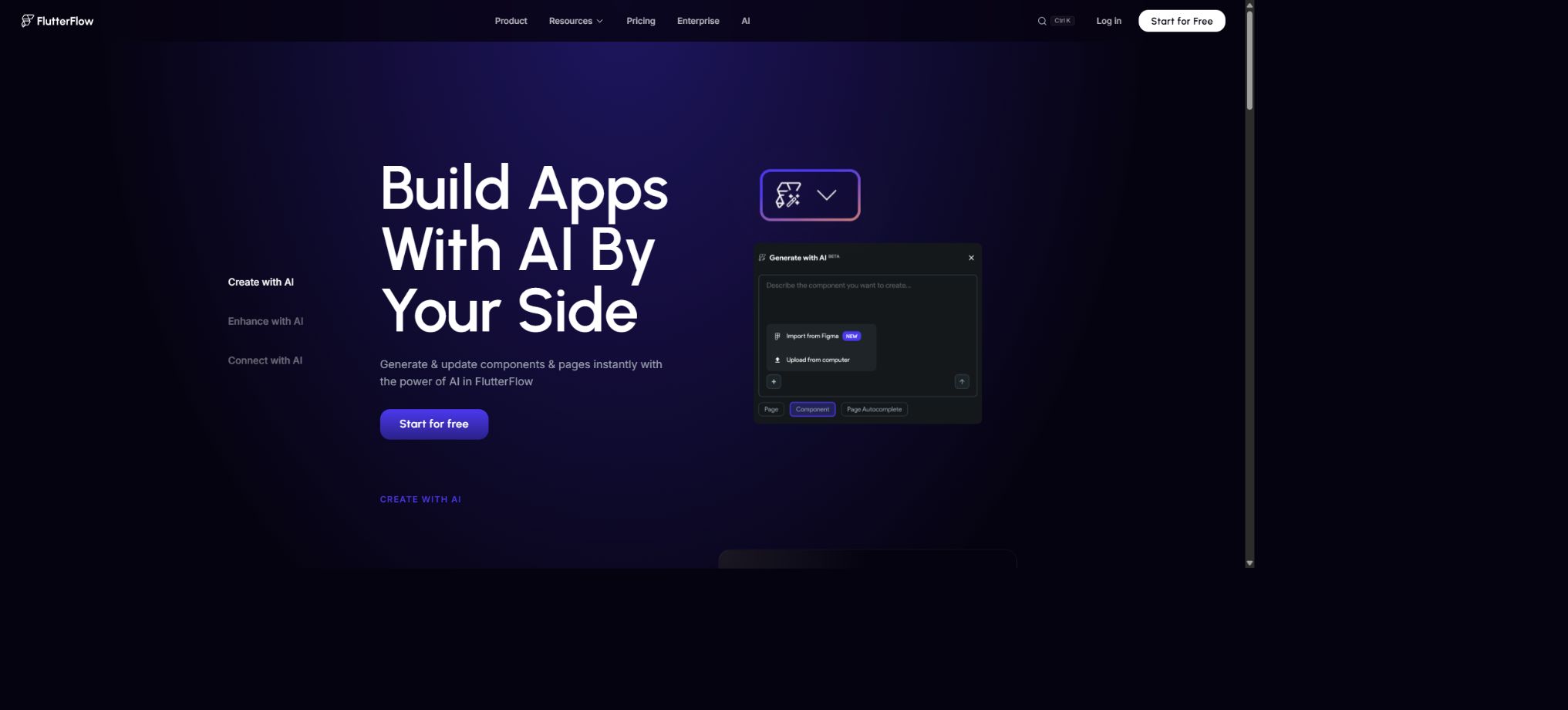
FlutterFlow AI is the set of artificial intelligence capabilities integrated into FlutterFlow’s visual cross-platform application development platform. It can generate Flutter pages and components based on prompts, convert screen captures or Figma designs into editable structures, and also enable the use of chat, image, voice, and video models as AI Agents within users’ own applications.
FlutterFlow generates Flutter projects that can be used for iOS, Android, Web, and desktop platforms. AI speeds up the creation of interfaces and functions, but users can still adjust widgets, states, actions, APIs, databases, and custom code within the visual editor; in paid plans, it is possible to export the source code for further development.
Prompt to Page indicates the generation of a page.
Users can describe the purpose, structure, style, and main elements of a page, and the AI will generate a complete page. It is suitable for quickly creating common interfaces such as login pages, home pages, product detail pages, settings pages, dashboards, and forms; once generated, these interfaces can be further modified in the Widget Tree and property panels.
It is advisable to specify the target platform, the navigation method, the data status, the empty state, and the error state. What is generated by AI is an initial implementation; for complex applications, it is still necessary to set up various actions, backend queries, and status management mechanisms.
Prompt to Component generates components.
Prompt to Component is used to create reusable FlutterFlow components, such as product cards, user profile sections, statistics panels, and custom navigation elements. These components can be used on multiple pages, and they accept text, images, status information, and callbacks via parameters.
Repetitive structures should be turned into components first, rather than being created separately for each page. Component parameters, responsive constraints, and handling of null values require manual verification to prevent inconsistencies when making subsequent changes.
Image to Component: Convert images into components
Users can upload screenshots of interfaces, wireframes, or layout sketches; the AI analyzes the visual hierarchy and generates corresponding FlutterFlow components. It is ideal for converting reference images into editable Widget structures, rather than leaving only an uninteractive image behind.
Screenshots cannot convey the actual data, interactions, accessibility, or different screen sizes. After they are created, it is necessary to rebuild the navigation, click actions, dynamic content, and responsive layout; moreover, it is important to avoid copying designs that are protected by copyright.
Figma import
FlutterFlow can generate pages or components from Figma themes and Frame files; the colors used will correspond to those in the FlutterFlow theme, and relevant assets can also be imported. The Business plan includes a larger allowance for importing Figma Frame files, while the import capabilities of other plans depend on the pricing schedule.
In the design files, it is necessary to organize Auto Layout, layer names, components, and fonts first. A disorganized Figma page can result in the creation of numerous widgets that use absolute positioning or are difficult to maintain.
FlutterFlow Designer
FlutterFlow Designer is a standalone design tool designed for exploring interfaces and facilitating the handover of design elements. It allows users to create and modify frames using natural language, and then export the results as FlutterFlow projects, PNG files, or readable text descriptions. It can also be integrated with Claude, Gemini, Codex, and certain IDEs.
The visual drafts in the designer tool and the actual runnable application are not at the same stage of development. After the handover, it is still necessary to configure the data, logic, navigation elements, and conduct testing; a visually appealing frame cannot be considered a complete product.
Visualizing Flutter development
The platform offers a Widget tree, property panels, themes, responsive breakpoints, animations, and action flows, allowing users to build applications without having to write most of the Dart code manually. The AI-generated results are placed in the same editing environment, enabling further fine-tuning.
Visual development does not mean that it is unnecessary to understand the application logic. For large-scale projects, it is still necessary to plan for state boundaries, data models, component reuse, error handling, and performance.
Firebase and Supabase
FlutterFlow can be connected to Firebase and Supabase, enabling the setup of user authentication, database queries, storage, and backend functions. AI-generated pages can be linked to real data, and operations such as adding, modifying, deleting, and filtering can be carried out through action flows.
Database security rules must be set on the server side. Simply hiding the management buttons on the page is not sufficient to prevent unauthorized access; in production environments, it is necessary to test the permissions of anonymous users, regular users, and administrators separately.
API and OpenAPI import
Users can configure REST APIs to map parameters, request headers, and response fields to FlutterFlow variables and pages. Versions Growth and higher support import from Swagger or OpenAPI, making it easy to integrate with existing backends.
Keys should not be embedded directly in the client. Calls that require confidentiality should be handled through Cloud Functions or custom server proxies, with timeout settings, retry mechanisms, and error messages in place.
AI Agent Builder
AI Agent Builder enables users to create configurable AI services within FlutterFlow, which can then be invoked from application actions. It currently supports providers such as OpenAI, Google, Anthropic, and ElevenLabs, allowing the creation of functions for chat, image generation, text-to-speech, speech-to-text, and video generation.
Basic allows for the creation of 1 AI Agent, while Growth and higher-tier plans permit the creation of an unlimited number of agents. The API fees, rate limits, and content policies set by the model providers are usually independent of the FlutterFlow subscription.
GenUI dynamically generates interfaces
GenUI Chat is FlutterFlow’s implementation of the A2UI protocol. Developers can specify the list of components that the AI is allowed to render, as well as the Action Blocks that can be invoked, thereby enabling the agent to generate interactive interfaces in a structured manner, rather than executing arbitrary code.
Available components and tools must be included in an allowed list. Action Blocks related to payments, deletions, external messages, or sensitive data require confirmation and server-side authorization.
External AI encoding agent
FlutterFlow allows external agents such as Claude Code, Gemini CLI, or Codex to read the project context, make modifications, run tests, and push those changes back to the visual editor through project-binding tools. The desktop version also provides an AI Agent interface for checking and configuring the necessary CLI tools.
An encoding agent may modify multiple resources at the same time. It is necessary to identify the target project and branch before running it, to limit the scope of modifications, and to review the differences and test results prior to pushing the changes.
CLI and MCP
The new FlutterFlow AI workflow enables the creation or editing of applications through CLI and project-level MCP support. The CLI can also be used to export the project’s source code, select branches, and deploy to Firebase.
API tokens are available only to users with valid subscriptions.
Tokens should be stored in environment variables or secure credential files; they must not be included in repositories, prompts, or screenshots. When MCP has the capability to write to projects, manual approval and branch isolation should still be maintained.
Custom code
FlutterFlow supports Custom Functions, Custom Actions, Custom Widgets, custom classes, and third-party Dart packages, which are used to implement functionalities that cannot be covered by visual actions. Versions Growth and above also come with a VS Code extension that facilitates the downloading, editing, and deployment of custom code within the supported scope.
Custom code increases the risk of conflicts during upgrades and generation. It should be added only within established boundaries, the dependent versions must be recorded, and full tests should be run after regenerating in FlutterFlow.
Source code and APK download
Starting from version Basic and above, it is possible to download the Flutter project source code and APKs, in order to run them in a local Flutter environment or to deploy them independently. Code export enables teams to integrate native plugins, use separate CI processes, and publish applications to app stores.
Exporting the code does not mean that all cloud services are provided along with the source code; Firebase, Supabase, third-party APIs, keys, store certificates, and platform accounts require separate configuration.
GitHub integration
Growth and higher versions support pushing changes to GitHub. FlutterFlow pushes the generated changes to a branch named flutterflow; the official recommendation is to avoid making direct edits to this branch, as the next push might overwrite those changes.
Custom modifications should be placed in a separate branch and processed following the official merging process.
GitHub integration does not involve real-time, two-way synchronization in any direction without conflicts. Teams need to establish rules for creating branches, working on them, and merging them, in order to prevent updates from the design tool from overwriting local code.
Branching and real-time collaboration
Free and Basic have only a main branch and are designed primarily for individual use; Growth supports 2 editors as well as 2 additional branches per project.
Business supports up to 5 editors and 5 additional open branches, and it is possible to purchase more project collaborators.
When working together in a team, it is necessary to create separate branches for different functions, and avoid making changes to the same page or data structure at the same time. After merging the branches, it is required to run the generation, build, and integration tests again.
Automated testing and Test Pilot
Growth allows for the assignment of 1 automated test per project, while Business supports up to 3 such tests. Test Pilot is used to assist in creating and running tests, covering user actions and key processes.
A small number of end-to-end tests cannot replace unit tests, interface tests, permission tests, and tests on actual devices. Login, payment, offline functionality, push notifications, and deep linking require thorough verification.
One-click localization
Growth and higher tiers offer One-Click Localization, which allows adding multilingual content to applications. AI translation can speed up the creation of a preliminary version, but the length of the text, plurals, dates, currencies, and cultural expressions still need to be reviewed.
App store copy, privacy statements, and legal terms should not be written using unverified machine translation.
Web publishing and custom domain names
Free allows the deployment of web applications, while Basic adds the option to use a custom domain name for deployment. For mobile applications, it is possible to download APK files, obtain the source code, and use a one-click deployment process through a store.
Store approval, developer accounts, signing certificates, privacy policies, and in-app purchase rules are still determined by Apple and Google; one-click deployment does not mean automatic approval.
Price and version comparison
| Package or version | Prices, quotas, and core benefits |
|---|---|
| Free free version | The free version costs $0; it provides access to a visual development environment, templates, APIs and data integration tools, as well as web publishing capabilities, and allows for the creation of up to 2 projects. It includes 10 Lite credits, and AI Generation offers 5 requests for life. The free version does not permit the download of the complete source code or APK files, nor does it support GitHub integration or multi-user collaboration; it is suitable for learning and testing small prototypes. |
| Basic price | The Basic plan costs $39 per month and offers unlimited projects, access to source code for download, APK downloads, a custom domain name, testing on real devices, and one-click deployment to app stores. It includes 100 Lite credits per month as well as 50 AI generation requests, plus the possibility of creating 1 AI Agent. The annual payment option indicates a savings of around 25%, though the actual cost may vary depending on taxes and location. |
| Growth price | For Growth, the premium tier costs $80 per month and the second tier costs $55 per month; both include the Basic features, in addition to GitHub integration, real-time collaboration for two users, 2 additional branches per project, one-click localization, OpenAPI import, and VS Code extensions. Each subscription includes 200 Lite credits per month, as well as 200 AI generation requests per month. Projects that require local development and team collaboration are usually evaluated starting with the Growth tier. Additional collaborators, model APIs, and backend services incur extra costs. |
| Business price | The Business monthly plan costs $150 for the top seat, while the second through fifth seats each cost $85. It supports up to 5 editors, 5 additional branches, a maximum of 3 automated tests per project, Figma Frame Import, custom formatting presets, and a CLI. Each seat includes 400 Lite credits per month, with 500 AI generation requests available per month. The Business plan is suitable for more complex teams; however, the total cost is calculated based on the number of seats, and the $150 price does not represent a package deal for five users. |
Free free version
The free version costs $0; it provides access to a visual environment, templates, APIs and data integration tools, as well as Web publishing capabilities, with a limit of 2 projects that can be created. There are currently 10 Lite credits available, and AI Generation allows for 5 requests for life.
The free version does not allow downloading the complete source code or APK files, and it lacks GitHub integration as well as multi-user collaboration; it is suitable for learning and testing small prototypes.
Basic price
The Basic plan costs $39 per month and offers unlimited projects, access to source code for download, APK downloads, a custom domain name, testing on real devices, and one-click deployment to app stores. It includes 100 Lite credits and 50 AI generation requests per month, as well as the possibility of creating 1 AI Agent.
The annual payment page indicates an overall savings of around 25%, but the actual amount to be paid may vary depending on taxes and the region.
Growth price
For the Growth monthly plan, the first seat costs $80 and the second seat costs $55; both include the Basic features, as well as GitHub integration, real-time collaboration for two users, 2 additional branches per project, one-click localization, OpenAPI import, and VS Code extensions. Each seat comes with 200 Lite credits per month, and AI Generation is available 200 times per month.
Projects that require local development and team collaboration are typically evaluated starting from Growth. Additional costs are applied for extra collaborators, model APIs, and backend services.
Business price
The Business monthly plan offers a top position for $150; the second through fifth positions cost $85 each. It supports up to 5 editors, 5 additional branches, a maximum of 3 automated tests per project, Figma Frame Import, custom formatting presets, and a CLI. Each position includes 400 Lite credits per month, while AI Generation provides 500 uses per month.
Business is suitable for more complex teams, but the total price still needs to be calculated based on the number of seats; the amount of $150 should not be interpreted as a package price for five people.
Enterprise and education programs
Enterprise offers quotes based on the organizational needs, targeting customers with higher requirements in terms of security, scale, procurement, and support. FlutterFlow also provides solutions for educational use; the qualifications and benefits are as specified on the current application page.
When evaluating a company, one should ask about single sign-on, auditing, data processing, support response times, private dependencies, the development process, and available resources.
Difference between AI Generation and Lite credits
The price list shows the number of AI Generation requests and the amount of Lite credits separately. The former is used for operations such as generating content via the platform’s AI interface, while the latter is used for the AI-related workflows associated with FlutterFlow Lite.
The two types of limits cannot be simply regarded as the same balance.
The consumption of various AI functions is adjusted; to find out the actual remaining quota and the rules for resetting it, you should check the account usage page.
Third-party model and cloud service costs
OpenAI, Anthropic, Google, ElevenLabs, Firebase, Supabase, as well as app store accounts may incur separate fees. The FlutterFlow package includes a development platform along with a certain amount of usage rights, but it does not provide unlimited access to all external services.
AI applications should establish budgets, rate limits, content filtering, and fallback mechanisms for model calls, in order to prevent end-users from incurring uncontrollable costs.
Official GitHub and open-source status
FlutterFlow’s core visual editing tool and hosting services are not open-source products. The official GitHub repository provides projects such as flutterflow-cli, flutterflow-ui, the VS Code extension, documentation, examples, and Codex plugins; the CLI and some of these tools are licensed under permits such as BSD 3-Clause.
The availability of these public tools does not mean that the entire FlutterFlow platform is open source. Users can export the Flutter source code of their projects, but they are not able to deploy a complete FlutterFlow editing environment on their own.
FlutterFlow AI Tutorial
Complete a basic task.
- Define the code tasks to be carried out in FlutterFlow AI, the scope of the repository, and the acceptance criteria.
- Connect to or import the test project, and first back up the current branch;
- First, use Prompt to Page to generate a page creation plan, and then confirm the files that need to be modified.
- Use Prompt to Component to generate components for making minor changes;
- Run tests, static checks, and builds; unverified code is not accepted directly.
- Manually check permissions, keys, dependencies, and handle exceptions before merging;
Create reusable professional workflows
- Select a low-risk, real-world project as a template;
- Fix the order of use: Prompt to Page for generating pages, Prompt to Component for creating components, and Image to Component for converting images into components.
- Record the environment, model, prompts, and failure conditions;
- Set up manual approval for write, deploy, and delete actions;
- Compare speed, cost, test pass rate, and the amount of rework;
- Expand to a team or production environment only after stability has been verified;
Which users is it suitable for?
- Entrepreneurs who wish to develop iOS, Android, and Web applications quickly;
- Teams that are familiar with products and design but do not want to write Flutter code from scratch;
- Designers who need to convert Figma files or screenshots into editable interfaces;
- Application developers who need Firebase, Supabase, and API integration;
- Teams that wish to incorporate AI for chat, images, voice, or video into their applications;
- Professional developers who need source code, GitHub, CLI, and external coding proxies.
Product advantages
- The AI-generated results can be directly imported into the Flutter visualization editor;
- Supports multiple platforms including mobile, Web, and desktop;
- Covers pages, components, screenshots, Figma, and AI Agents;
- It is possible to export the standard Flutter source code and connect it to GitHub;
- It features API, database, custom code, and testing capabilities;
- It supports external AI agent workflows such as CLI, MCP, and Codex.
Restrictions and Precautions
- The free version imposes limits on the number of items and does not allow exporting the complete source code.
- Team collaboration, GitHub, CLI, and advanced Figma import options are available at different pricing levels, while costs related to models and the backend need to be calculated separately.
- An AI-generated interface does not equate to the completion of the task;
- Data permissions, status management, native plugins, performance, compliance with app stores, and testing on real devices still require development experience.
Frequently Asked Questions
Is FlutterFlow AI free?
There is a free version that allows creating 2 projects, along with 10 Lite credits and 5 lifetime requests for AI generation; however, downloading the source code, APK files, and using GitHub require payment.
Can FlutterFlow generate Flutter source code?
Yes. Versions Basic and above allow the downloading of the project’s source code, while versions Growth and above support pushing it to GitHub.
Can FlutterFlow AI generate a complete app?
It is possible to create page, component, and application skeletons, as well as to connect databases, APIs, and AI Agents; however, complex logic, security aspects, and store deployment still require manual configuration and testing.
How much does FlutterFlow cost?
The monthly Basic plan costs $39; the Growth plan costs $80 for the primary account and $55 for the second account.
The price for the top Business position is $150, while the prices for positions 2 through 5 are $85 each. An annual payment saves around 25%.
Does FlutterFlow support Codex?
Supported. The official platform provides plugins for Codex as well as CLI/MCP workflows; it is possible to create or edit projects using natural language, but a valid subscription and an API token are required.
Is FlutterFlow open source?
The core platform is not open source. The official CLI, UI utility packages, extensions, and plugins have their source code made available publicly, and users can also export their own Flutter projects under paid plans.
Tools similar to FlutterFlow AI



 Guigong Network Security Registration No. 45132202000164