






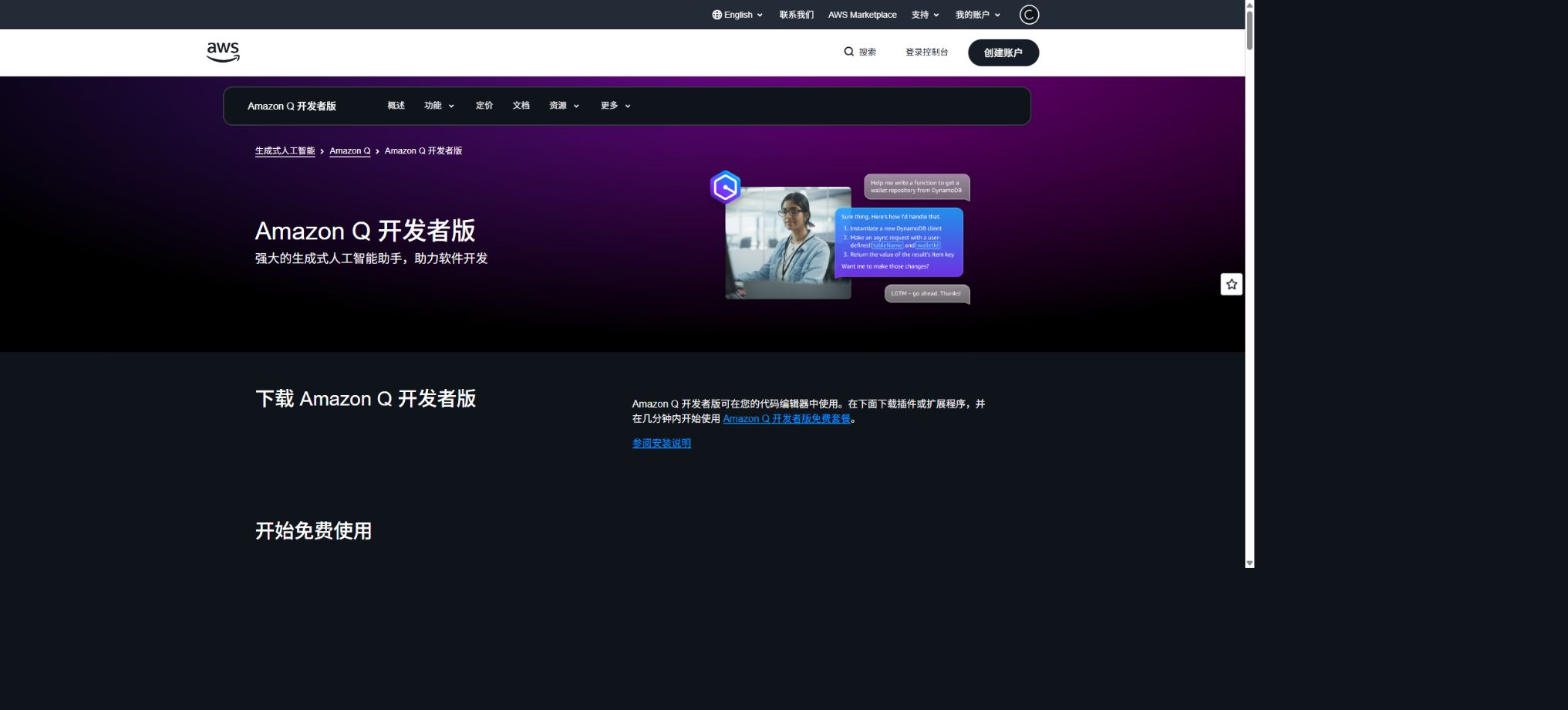
Amazon Q Developer
Generative AI assistant for AWS and software development processes
Tags:AI programming toolsWhat is Amazon Q Developer?
Amazon Q Developer is a generative AI assistant provided by Amazon Web Services for software developers and cloud operations professionals. It is built on Amazon Bedrock and takes into account AWS documentation, architectural best practices, as well as account-specific details; it covers tasks such as code writing, testing, review, upgrading, querying cloud resources, cost analysis, and troubleshooting.
It is not Amazon Q Business. Q Developer is designed to support the software development lifecycle and AWS operations, while Q Business is aimed at enterprise-level knowledge retrieval and office-related queries; the permissions, pricing, and data sources of the two are different.
IDE code completion
Amazon Q Developer can provide real-time code suggestions based on comments, the current file, and the project context, ranging from line completion to entire functions. Users can accept, modify, or ignore these suggestions within the editor.
Code completion does not guarantee that the code is correct. The generated content may reference incorrect APIs, outdated AWS service parameters, or unsafe dependencies; it must be verified through type checking, testing, and manual review.
IDE chat and inline editing
In the IDE, developers can pose questions related to the selected code, the current file, or the entire workspace, requesting explanations, code restructuring, test generation, and error correction. When using the workspace context, Q is able to analyze the project structure, authentication processes, and service dependencies, and to generate architecture documentation.
The code and files that are incorporated into the context will be processed by the service. For enterprise projects, it is necessary to first configure identity settings, data policies, and code-related guidelines before making the entire workspace accessible.
Procedural programming
Proxy-based experiences allow complex requirements to be broken down into multiple steps: files can be read and written automatically, differences can be identified, Shell commands can be executed, and the process can be iterated upon based on user feedback. This approach is suitable for adding new functions, completing testing, updating documentation, conducting code reviews, and performing code refactoring.
The fact that agents can execute commands implies higher risks. Users should verify high-risk tools one by one, restrict production credentials, deployment permissions, and deletion operations, and work on separate Git branches.
Amazon Q command line and Kiro CLI
Amazon Q Developer used to provide the Q CLI, which enabled natural language queries and answers, command completion, file editing, AWS API calls, and proxy development in the terminal. AWS has shifted the new local proxy experience, as well as the model and tool capabilities, to Kiro CLI; the q commands and configurations mentioned in older tutorials may be phased out over time.
For new projects, it is recommended to first review the current installation, authentication, and billing information related to Kiro CLI; teams that are still using Q CLI should test the compatibility of commands, hooks, configuration directories, and automation scripts to avoid any disruptive changes after upgrading.
Kiro CLI capabilities
Kiro CLI supports local files and terminal tools, MCP, custom proxies, prompt files, session management, image input, voice, headless operation, and the Agent Client Protocol. It can be used as an ACP proxy to connect to compatible editors such as JetBrains and Zed.
Headless mode can be used for CI code reviews, test generation, and build debugging, but it requires that permissions be granted to the tool in advance. In automated processes, only the necessary read and write privileges should be trusted; not all tools should have full access by default.
Reminder for discontinued IDE plugin support
AWS has announced that support for the Amazon Q Developer IDE plugin will cease on April 30, 2027, and recommends that users who need the latest modeling capabilities, proxy programming, chat functions, and MCP features consider using Kiro. The existing interfaces for VS Code, JetBrains, Visual Studio, and Eclipse will still be available up to that date.
Companies should no longer rely on old IDE plugins as the sole solution for procurement and training purposes; instead, they need to plan in advance for the migration to Kiro, ensure compatibility, establish appropriate permission policies, and provide training for developers.
Code review
Amazon Q allows for the examination of current file changes, either individual files or the entire project; it uses generative AI along with rule-based detection to identify security and quality issues. By default, it first checks for Git differences, and only if no such differences are found does it analyze the full files or the workspace.
The review results include suggestions and applicable fixes, but they cannot replace human reviewers, static analysis, dependency audits, and CI. Automatic fixes may alter behavior, so it is necessary to examine the differences.
Security scan
The security review covers SAST source code vulnerabilities, hardcoded secrets, Infrastructure as Code configurations, code quality, deployment risks, and software composition analysis. The rules for detection are based on the security practices developed by AWS and Amazon.
The scanning process filters out languages that are not supported, test code, and certain open-source materials; as a result, there are areas that may go unnoticed. The absence of detected issues does not mean that there are no vulnerabilities, and critical systems still require professional security testing.
GitHub integration
The GitHub app for Amazon Q Developer can receive development tasks through issues, create code changes and Pull Requests; it can also perform automatic reviews when new PRs are created or reopened, and run reviews again via commands.
During installation, only the necessary repositories should be authorized; check the application’s permissions regarding issues, code, PRs, and workflows. Even when a PR is generated automatically, it still needs to be reviewed by the maintainer and approved by CI before it can be merged.
GitLab Duo integration
Self-hosted customers of GitLab Ultimate can take advantage of the preview version of GitLab Duo with Amazon Q to utilize advanced proxies within their existing GitLab workflows for handling multi-step development and code conversion.
The areas where the preview function is available, as well as the related licensing and support constraints, may change; therefore it should not be relied on as a core element in production before the contract is finalized.
Upgrade of Java version
Amazon Q Developer’s conversion agent can analyze buildable Java projects, generate upgrade plans to migrate from older Java versions to newer ones, modify dependencies and code, and provide a summary of the conversion along with the differences for review.
For conversion to be possible, the project must be compilable and must have all its dependencies available. Large monolithic projects should first be broken down into modular components that can be built separately; after the upgrade, tests for functionality, integration, performance, and compatibility should be carried out.
.NET porting
Amazon Q can assist in migrating.NET applications from Windows to Linux by identifying Windows-specific dependencies and modifying projects and configurations, thereby reducing operational costs and modernizing the applications. AWS Transform is increasingly being used as the tool for carrying out large-scale web migrations.
Automatic migration cannot resolve all dependencies related to third-party components, the registry, COM technologies, and enterprise authentication; a thorough validation is required in the target Linux environment.
AWS Console Assistant
After logging in to the AWS console, users can ask questions regarding service selection, architecture, resource configuration, and documentation; Q can also be used to examine certain relationships between resources based on the account context. It helps in selecting EC2 instances, understanding permission issues, and locating configurations.
The answer may be incomplete or require additional permissions. Before making any changes to the resources, it is necessary to check the actual control panel, CLI output, and CloudTrail records.
Cost analysis
Amazon Q, in combination with Cost Explorer, can help answer questions regarding the main sources of costs, changes over time, and resource expenditures, enabling users to quickly identify any abnormalities in their bills and determine areas for optimization.
Cost responses serve as a tool for analysis only; they do not replace financial statements automatically. Companies should verify the time range, amortization, taxes, reserved instances, and the parameters related to Savings Plans.
Operation and troubleshooting
Q Developer can help diagnose errors in the console, issues related to VPC network accessibility, as well as problems with services such as Lambda and API Gateway; it also provides guidance on how to investigate these issues and offers recommendations based on runbooks. It can likewise assist teams in handling operational incidents within Microsoft Teams and Slack.
For high-risk failures, AI should not be allowed to carry out unreviewed repairs. Read-only investigations, change approvals, and rollback plans should be used to prevent the incident from worsening.
AWS resource query
Once they have the appropriate IAM permissions, users can ask questions in natural language regarding the resources that are running, the configuration relationships, and certain account details. The Free tier imposes monthly limits on the number of resource queries that can be performed per account, while the Pro tier offers higher limits or unlimited access.
Minimum permissions remain the cornerstone. Do not grant administrator rights just so that assistants can answer all questions; access across accounts should be governed through organization and role-based controls.
Customization of private code
Pro enterprise users can securely connect to private repositories, enabling code suggestions that are more in line with the company’s repository standards, internal APIs, and engineering guidelines. Administrators can manage data sources and code suggestion policies.
Before connecting, it is necessary to remove expired and sensitive warehouses, and to define clear processes for indexing, retention, permission synchronization, and deletion. The internal code context can also lead to the old patterns being carried over into new code.
Reference tracking and suggestions for open-source code
Amazon Q offers reference tracking and enables organizations to suppress suggestions that are similar to existing code, thus helping developers identify potential sources and licensing risks. Pro also includes protections related to intellectual property rights.
Reference tracking cannot replace open-source compliance. It is still necessary to examine the license, NOTICE, and dependency requirements before accepting larger code snippets.
Supported languages and environments
Q Developer can answer questions in various languages such as Chinese, English, French, German, Japanese, and Korean, and it supports major programming languages. The IDE options include VS Code, JetBrains, Visual Studio, and Eclipse, while the command-line interfaces are available for Windows, macOS, and Linux environments.
The specific functions vary slightly across different IDEs, programming languages, and regions. For information on code conversion, security scanning, and proxy capabilities, please refer to the respective compatibility tables.
Price and version comparison
| Package or version | Prices, quotas, and core benefits |
|---|---|
| Free version | Amazon Q Developer offers a free tier that is available indefinitely, and can be accessed using an AWS Builder ID or IAM credentials. Starting from August 2025, the free version includes 50 proxy interactions per month; these interactions involve questions and answers within an IDE or the command line, as well as requests for proxy-based programming. The free tier also provides a limited amount of access to AWS resources for querying and code conversion. The count of available interactions is refreshed on a monthly basis, and once the limit is reached, one must wait for it to be reset or upgrade to a higher plan. |
| Pro price | Amazon Q Developer Pro currently costs $19 per user per month. Starting in August 2025, it will include 1,000 proxy interactions per month, as well as features such as enterprise identity management, administrative controls, the ability to customize private code, improvements to the automatic logout functionality, and intellectual property protection. The first month’s fee is calculated based on the remaining days; access is terminated immediately upon cancellation, but the full monthly fee is still charged. Personal Builder IDs and IAM Identity Center subscriptions offer differences in terms of certain enterprise-level features. |
| Identity and subscription management | Individual developers can use a Builder ID, while companies typically use IAM Identity Center to enable Pro accounts for their employees, as well as to cancel these accounts in bulk and monitor their usage. Downloading extensions or logging in does not trigger any charges; it is only when Pro features such as proxy usage, code conversion, or code completion are employed that a subscription is activated. Corporate administrators should regularly revoke the accounts of employees who leave the company. Cancellation midway through the billing period does not result in a refund of the fees for that month, so it is best to make plans before the end of the billing cycle. |
Free version
Amazon Q Developer offers a long-term free tier that can be accessed using an AWS Builder ID or an IAM identity. Starting from August 2025, the free tier will include 50 proxy interactions per month; these interactions involve queries and answers within an IDE or the command line, as well as requests for proxy-based programming.
The free version also provides a limited amount of access to AWS resources for querying and code conversion; the number of uses is refreshed on a monthly basis, and once the limit is reached, one must wait for a reset or upgrade.
Pro price
Amazon Q Developer Pro currently costs $19 per user per month; as of August 2025, it will include 1,000 proxy interactions per month, and it offers enterprise identity management, administrative controls, the ability to customize private code, improvements to the automatic logout functionality, and protection for intellectual property rights.
In the first month, the charge is calculated based on the proportion of remaining days; access will be terminated immediately upon cancellation, but the full monthly fee will still be applied.
There are differences between a personal Builder ID and an IAM Identity Center subscription in terms of certain enterprise features.
Code conversion fees
In the Free tier, each user can convert 1,000 lines of code per month. The Pro tier provides 4,000 lines per month per subscription, with the amounts being aggregated based on the AWS payment account.
Beyond the included quota, a charge of $0.003 per line applies.
Only code lines are counted; comments and empty lines are not taken into account. When the amount exceeds the set limit, billing on a pay-as-you-go basis will be applied automatically, and alerts should be set up using AWS Budgets and cost reports.
Identity and subscription management
Individual developers can use a Builder ID, while companies typically use IAM Identity Center to enable Pro access for their employees, as well as to cancel subscriptions in bulk and monitor usage. Downloading extensions or logging in does not trigger any charges; it is only when Pro features such as proxies, transformations, or code completion are used that a subscription is activated.
Enterprise administrators should regularly reclaim the seats of employees who have left the company. If cancellation occurs midway, the fees for that month will not be refunded; it is best to make plans before the end of the billing period.
Data Use and Privacy
Free and Pro handle issues, responses, code snippets, file opening, and console context. Pro and Amazon Q Business do not use customer content to improve their services;
Free may use some of the content for debugging, service improvement, or model training, but users can choose to opt out depending on their environment.
For enterprise codes, Pro and organizational policies should be used as a priority, with attention paid to data from regional systems, logging tools, and chat applications. Secrets, customer data, and production configurations should not be included in the context without proper filtering.
GitHub and the open-source status
AWS has made available the source code repository for amazon-q-developer-cli, under both MIT and Apache 2.0 licenses; the AWS Toolkit for VS Code along with its related extensions also come with official open-source code.
Developers can view, build, and contribute to these client components.
Amazon Q server, Bedrock models, the enterprise console, and full cloud capabilities are not open-source projects. The fact that the CLI is open-source does not mean that equivalent model services can be obtained offline, nor does it imply that Pro features are available for free.
Amazon Q Developer User Guide
Complete a basic task.
- Define the code tasks to be carried out in Amazon Q Developer, the scope of the repository, and the acceptance criteria.
- Connect to or import the test project, and first back up the current branch;
- First, use IDE code completion to generate the plan, and then verify the modified files.
- Use the IDE for chatting and inline editing to make minor changes;
- Run tests, static checks, and builds; unverified code is not accepted directly.
- Manually check permissions, keys, dependencies, and handle exceptions before merging;
Create reusable professional workflows
- Select a low-risk, real-world project as a template;
- Fix the order of use for IDE code completion, IDE chat and inline editing, as well as proxy programming;
- Record the environment, model, prompts, and failure conditions;
- Set up manual approval for write, deploy, and delete actions;
- Compare speed, cost, test pass rate, and the amount of rework;
- Expand to a team or production environment only after stability has been verified;
Which users is it suitable for?
- Engineers who develop, deploy, and maintain applications on AWS;
- Developers who need IDE completion, proxy programming, and terminal assistance;
- Companies that need a Java upgrade or a.NET migration to Linux;
- Teams that wish to have automatic code review and security scanning in PRs;
- Operations staff who need to query AWS resources, costs, and issues using natural language.
Product advantages
- Encoding is closely integrated with the context of AWS cloud resources;
- Covers IDEs, terminals, consoles, GitHub, and chat applications;
- It supports proxy-based development, code review, and security scanning;
- Offers capabilities for modernizing conversions from Java to .NET;
- Pro offers enterprise-level security, as well as protection for private code and data.
- The CLI client and certain IDE components have been officially made open source.
Restrictions and Precautions
- The product is currently in the process of migration from AmazonQ to Kiro; the old plugins will cease to be supported by 2027, and the commands, prices, and access points for various functions may change.
- The new deployment should simultaneously evaluate Kiro and take into account the migration time;
- AI suggestions may be incorrect; agents and MCPs can perform local or cloud-based operations.
- Minimum permissions must be used, along with Git review, testing, budget alerts, and manual approval;
Frequently Asked Questions
Is Amazon Q Developer free?
There is a long-term free tier that includes 50 proxy interactions per month, as well as limited access to resource queries and code conversion services.
How much does Amazon Q Developer Pro cost?
The current price is 19 dollars per user per month; this includes 1,000 proxy interactions per month, as well as enhanced capabilities for enterprise management and protection.
What is the relationship between Amazon Q and Kiro?
AWS is shifting the latest local proxy programming experience to Kiro. Support for the Amazon Q IDE plugin will cease on April 30, 2027; existing Q CLI users should also consider migrating to Kiro.
Is it possible to upgrade a Java project?
Yes, the conversion agent will create an upgrade plan, modify the code, and show the differences. The Free version includes 1,000 lines per month, while the Pro version provides 4,000 lines per subscription; any additional lines are charged at a per-line rate.
Can Amazon Q identify security vulnerabilities?
Yes, it covers SAST, secrets, IaC, dependencies, and code quality, but it cannot replace comprehensive security testing.
Is Amazon Q Developer open source?
The CLI and some IDE clients are open source, while the full cloud services and models are not.
Tools similar to Amazon Q Developer



 Guigong Network Security Registration No. 45132202000164