






Qodo
A development platform centered on AI code review, test generation, and quality management.
Tags:AI programming toolsWhat is Qodo?
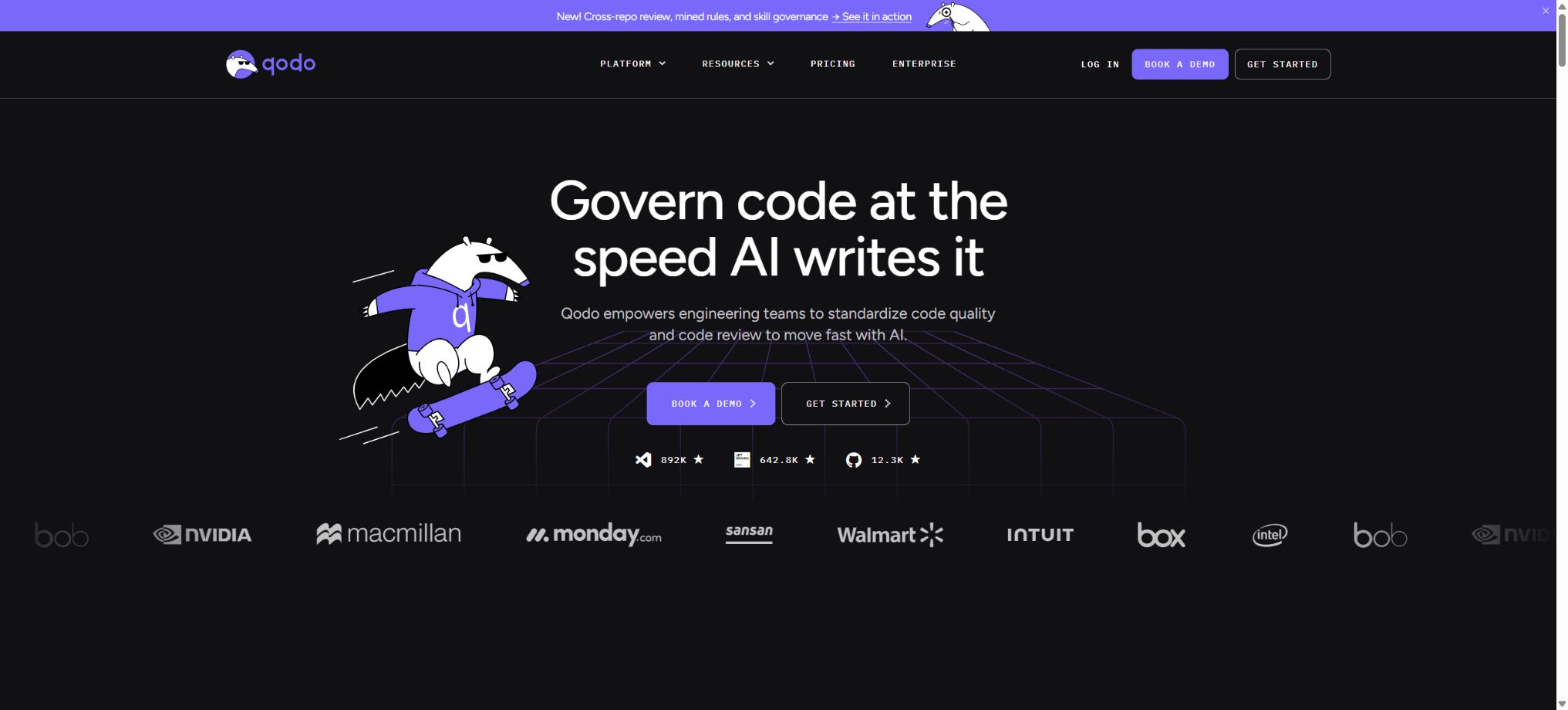
Qodo is an AI-based code review and code quality management platform designed for software development teams; it was originally named CodiumAI. It analyzes code changes through Git platforms, IDEs, and CLI tools to identify logical defects, potential regressions, rule violations, and impacts across different repositories, and it provides suggestions directly within the developers’ existing Pull Requests and local development processes.
At present, Qodo’s main focus is not on enabling developers to write more code quickly; rather, it aims to help teams ensure that the code generated by AI is reviewable, meets relevant standards, and can be integrated safely, especially given the rapid increase in the amount of code generated by AI. Qodo 2, which will be released in 2026, incorporates multi-Agent review mechanisms, awareness of the context within the codebase, information on previous pull requests, as well as rule-based systems, with an emphasis on identifying critical issues and implementing organizational-level governance.
Important change: The code generation capability is being phased out.
In April 2026, Qodo’s official team announced the discontinuation of its existing code generation feature. Users will no longer be able to use the auto-completion functionality within the Qodo IDE plugin, nor can they use chat as a means to generate code.
IDE plugins will still be retained, but they are primarily used for making local changes and reviewing them before submission.
This change has already been applied to free users; Teams users will switch to a review-only mode around the end of March 2026. Many old reviews still describe Qodo as an “AI tool for generating tests and providing code completion,” but this description is no longer up to date.
A more accurate description at present is AI code review, rule enforcement, and SDLC governance.
The product names have been standardized.
Qodo no longer uses Qodo Merge, Qodo Gen, Qodo Command, and Qodo Aware as separate main product names; instead, they are all integrated into the Qodo Platform.
- Qodo Merge:It is now part of the Git integration and is responsible for code review of Pull Requests;
- Qodo Gen:It is now part of the IDE experience, with an emphasis on review before submission and collaborative issue resolution;
- Qodo Command:It is now part of CLI and is used for terminal workflows and custom Agents;
- Qodo Aware:Now, as a Context Engine, it provides the underlying context for cross-warehouse understanding.
Old commands, old documents, and third-party tutorials may still use these names. When searching, the Qodo 2 documentation should be used as a reference; the Qodo v1 documentation is only intended for maintaining older deployments.
Core functions
1. Agentic Pull Request code review
After connecting to the Git platform, Qodo analyzes the differences, the full context of the repository, and related history whenever a Pull Request is created or updated, in order to identify specific issues that may affect correctness, security, maintainability, and compatibility. Qodo 2 employs a multi-Agent architecture, with different agents responsible for detection, verification, and recommendation, thereby reducing generic comments and those of low value.
Each finding is usually associated with a specific location in the code, and it includes information on its severity, the cause behind it, and suggestions for how to fix it. AI-generated comments do not constitute an approval; the team still needs to consider testing results, business context, threat models, and human reviews before deciding whether to accept such findings.
2. Rule system
Teams can use a rule-based system to define coding standards, architectural constraints, compliance requirements, and project practices in a centralized manner, and then apply these rules on a per-organization, per-repository, or per-scope basis. The system enables the generation of rules from natural language, the identification of potential rules from code repositories and pull request histories, as well as the detection of duplicates, conflicts, usage rates, and violations.
Rules are useful for turning the various requirements that are currently scattered across wikis and the experience of experienced engineers into systematic checks – such as prohibiting certain types of dependencies, requiring authentication, restricting module boundaries, or ensuring that ticket information is complete. These rules need to be maintained by the team; incorrect or overly broad rules can cause problems and obstacles.
3. Review before submitting to the IDE
The Qodo IDE plugin allows for the review of local changes, whether they have been submitted or not, before code is committed or a PR is created; this helps to identify issues at an early stage in the development process. Developers can address obvious defects first, before moving on to formal team review, thereby reducing the need for repeated modifications.
The new version of the IDE can also be connected to Claude Code, Codex, Cursor CLI, or custom CLI coding agents; these tools are used to identify and fix issues based on Qodo’s findings. Qodo is responsible for checking, while the external agents handle the actual implementation, but the final changes still need to be approved by the developer.
The old versions of auto-completion and direct chat generation are no longer available as permanent features.
4. Cross-warehouse Context Engine
The Context Engine can index multiple repositories and understand shared libraries, microservices, interfaces, and dependencies. When changes in the function signatures or contracts of a repository might disrupt downstream services, Qodo can utilize cross-repository context to identify the resulting impacts.
Cross-warehouse analysis requires proper assignment of access rights as well as up-to-date indices. Dynamic configuration, runtime service discovery, external warehouses, and systems that are not integrated into the system may not be part of the context; therefore, the absence of any issues should not be interpreted as an indication of no compatibility risks.
5. Learning PR history
Qodo 2.2 includes a PR Knowledge System and a Finding Recommendation Agent; it makes use of past Pull Requests, feedback, and the team’s approaches to enhance the relevance of its recommendations. It is able to identify which issues are frequently accepted or ignored by the team, thereby reducing comments that do not align with the team’s practices.
This feature was initially available in beta version for GitHub, with gradual expansion to GitLab, Bitbucket, and Azure DevOps. The availability of this feature may vary across different Git platforms; it is necessary to check the relevant documentation before making a purchase.
6. Shift-left review skills
Qodo offers review capabilities that can be used prior to performing PRs, allowing for security, testing, documentation, and rule checks to be carried out within the IDE or CLI. Teams can also use Playbooks, Commands, and Skills to customize specific workflows, such as generating test suggestions, checking descriptions, validating tickets, or carrying out custom reviews.
Custom skills carry out the prompts and tool workflows defined by the team, and they must undergo version control and security reviews. Skills from public repositories cannot be considered reliable production rules outright.
7. Dashboard and Analysis
The management panel displays the Credits balance, usage, review activities, rule application, and issue trends. The enterprise version offers more advanced governance analytics, helping managers identify warehouses where problems occur repeatedly, determine whether rules are being enforced, and assess whether AI-based reviews add value.
Metrics are suitable for improving processes, and should not be used simply to evaluate individual developers. The size of PRs, the type of code, legacy systems, and the project stage all influence the number of issues and the amount of Credits consumed; ranking developers based solely on the number of comments can lead to incorrect incentives.
Supported Git and development platforms
Qodo Git integration supports GitHub, GitLab, and Bitbucket cloud platforms; older documentation also listed GitHub Enterprise, GitLab Self-Managed, and Bitbucket Data Center. Enterprise capabilities extend to Azure DevOps and Gerrit, with the specific levels of support and deployment methods to be determined based on the current setup.
The IDE side mainly includes VS Code and the JetBrains series. The CLI is used for terminals, automation, and collaboration with other coding agents.
Different entrances share the same rules and context, but their functions are not exactly identical.
14-day trial and Pro Team prices
At present, Qodo does not offer a permanent free plan for ordinary private projects. New teams can use it for a full 14-day trial period without the need for a credit card; during this trial period, there are no restrictions on revisions and an unlimited supply of Credits is provided.
The review is suspended after it ends; you need to select a payment plan to proceed.
Eligible open-source projects can apply for free use of Qodo for Open Source.
Pro Team is billed on a Credits basis; the current price on the official website is 0.012 dollars per Credit, with the Credits being shared among team members. The main monthly subscription packages are:
| Package or version | Prices, quotas, and core benefits |
|---|---|
| Team | 14-day trial and ProTeam pricing: At the moment, Qodo does not offer a permanent free version for ordinary private projects. ProTeam is billed based on Credits; the current price on the official website is 0.012 dollars per Credit, with these Credits being shared among team members. The cost for ProTeam is 0.012 dollars per Credit, resulting in monthly fees of 30 dollars for 2500 Credits, 60 dollars for 5000 Credits, and 240 dollars for 20000 Credits. |
| Enterprise Edition | Inquiry for Enterprise Edition. |
The number of reviews required depends on the size and complexity of the PR, so \"around 18 reviews\" is not a fixed figure. Pro Team is designed for up to about 30 users; there are no strict limits on the number of repositories or reviews. The actual constraints lie in the Credits available and the monthly excess usage limit set by the team.
Once the basic Credits are used up, any additional usage will be charged at the same rate, without any extra surcharge, until the monthly limit set by the team is reached. Unused monthly Credits expire at the end of the period and are not carried over.
The official website also states that it is possible to change the Credit package at any time; Pro Team requires a monthly payment, with no need for an annual contract.
Enterprise business solution
Enterprise is designed for organizations with 30 or more employees, or those that have more stringent requirements in terms of governance, security, and deployment; it relies on annual contracts and negotiated pricing. Compared to Pro Team, it includes the following additional features:
- SSO, SAML, and audit logs;
- Advanced governance analytics and self-learning capabilities;
- Cross-warehouse functions and custom Agent workflows;
- BYOK: you can use your own models from OpenAI, Anthropic, Azure OpenAI, or self-hosted models.
- Single-tenant SaaS, on-premises deployment, or deployment in an isolated network;
- Support for Gerrit and broader enterprise platforms;
- Priority support, SLAs, and dedicated account success managers.
Local or air-gapped deployment can reduce the risk of code leakage, but aspects such as models, updates, telemetry, license verification, and support channels still need to be specified in the architecture review and contracts.
Data security and privacy
Qodo’s official statements indicate that customer codes are not used to train AI models. The security guidelines on their website emphasize that no data is retained: the codes are discarded immediately after being used for review, and they are neither stored nor recorded, nor used for training purposes.
Companies can also choose BYOK, single-tenant, or on-premises deployment.
The platform indicates that it holds SOC 2 Type II certification.
Git integration requires reading the content of Pull Requests and writing comments back to the repository; therefore, administrative privileges are usually needed during installation. Teams should check the permissions related to GitHub Apps or Git platforms, as well as those concerning repositories, network exits, third-party models, logs, and data areas, and they should regularly remove any installations that are no longer in use.
Open-source projects and the open-source status of products
The official Qodo GitHub organization, which has had its domain name verified, has released several open-source projects, but these projects use different licensing agreements. For example, Qodo-Cover is a tool for generating automated tests and measuring coverage levels, and it is licensed under AGPL-3.0.
Repositories such as agents, qodo-skills, and open-aware use or have used the MIT license; there are also CLI, modular templates, and research Agent projects.
The existence of these warehouses does not mean that the entire Qodo business platform is open-source; cloud-based multi-Agent review, rule-based governance, Context Engine, Dashboard, and enterprise deployment still constitute commercial products.
Before using open-source repositories, it is necessary to examine each license and the maintenance status carefully; the requirements related to the use of these projects over the internet as well as their modification and distribution require legal evaluation.
Qodo Usage Guide
Complete a basic task.
- Define the code tasks to be completed in Qodo, the scope of the repository, and the acceptance criteria.
- Connect to or import the test project, and first back up the current branch;
- First, use the Agentic Pull Request code review tool to generate a plan, and then confirm the files that need to be modified.
- Use a rule system to make minor changes;
- Run tests, static checks, and builds; unverified code is not accepted directly.
- Manually check permissions, keys, dependencies, and handle exceptions before merging;
Create reusable professional workflows
- Select a low-risk, real-world project as a template;
- Fix the order of use for Agentic Pull Request code reviews, rule systems, and IDE pre-submission checks;
- Record the environment, model, prompts, and failure conditions;
- Set up manual approval for write, deploy, and delete actions;
- Compare speed, cost, test pass rate, and the amount of rework;
- Expand to a team or production environment only after stability has been verified;
Which teams are suitable?
- R&D teams whose use of AI coding tools has led to a significant increase in the number of PRs and the speed at which changes are made;
- Teams that wish to automatically detect high-risk defects in GitHub, GitLab, or Bitbucket;
- Organizations that need to apply unified architecture, compliance, and coding standards across multiple repositories;
- Microservices, shared libraries, or multi-repository dependencies are complex and require teams that can work across different repository contexts;
- Developers who hope to identify issues in the IDE before submission, thereby reducing the number of back-and-forth rounds during formal review;
- Large enterprises that require SSO, auditing, BYOK, single-tenant deployment, or on-premises installation.
Product advantages
- Focus on code review and governance, rather than continuing to generate unverified code;
- A multi-Agent discovery and verification mechanism, aimed at improving the quality of problem signals;
- A rule-based system can transform team standards into continuous, measurable checks.
- It covers IDE pre-review, Git PR review, as well as CLI and management analysis;
- The cross-warehouse Context Engine is suitable for microservice and platform engineering scenarios;
- Charging is based on usage rather than the traditional per-seat model, and Credits can be shared among team members;
- The company offers BYOK, single-tenant, on-premises, and isolated network deployments.
Limitations and precautions
- AI code review can lead to false positives, false negatives, and an inadequate understanding of the business semantics;
- It cannot replace the code owner, threat modeling, performance testing, dependency scanning, and manual architecture review.
- An excessive number of automatic comments may also lead developers to develop a habit of ignoring them; it is therefore necessary to continuously adjust the rules and the thresholds for considering something serious.
- The amount of Credits consumed is related to the size and complexity of PRs – larger PRs result in higher costs and also reduce the accuracy of the review process.
- The team should encourage small-scale changes, measure the actual monthly volume of reviews during a trial period, and then decide on the appropriate Credit package.
- Learning about PR history may reinforce existing team habits, including those that are not ideal.
- Key security, compliance, and architectural rules should be explicitly defined by the organization; the system should not rely solely on historical acceptance rates to determine them.
- The retirement of code generation will affect users who still rely on Qodo for autocompletion and code writing via chat.
- When code generation is needed, other IDE assistants should be chosen;
- Qodo can connect to external CLIAgents in order to fix the issues identified during review, but it no longer relies on its own generation capabilities as its core function.
Frequently Asked Questions
Is Qodo still an AI code generation tool?
Currently, that is not the main focus. Qodo has shifted its attention to code review and governance; by 2026, the IDE’s auto-completion and generative code chat features will be discontinued, while IDE plugins will continue to be used for review before code submission.
Where has Qodo Merge gone?
Qodo Merge has been integrated into the Git integration of the unified platform. The old name and v1 documentation are still available, but the new version of the product is organized by Git, IDE, CLI, and Context Engine.
Is Qodo free?
Ordinary proprietary projects do not offer a permanently free version; they provide a 14-day trial period with unlimited reviews and Credits. Open-source projects that meet the criteria can apply for the free plan.
How much is Qodo?
Pro Team charges $0.012 per credit; the monthly fees for 2500, 5000, and 20000 credits are $30, $60, and $240 respectively. A quote is available for the Enterprise version.
How many Credits are consumed per PR review?
It depends on the size and complexity of the PR. The officials estimate that 2500 Credits are required for around 18 reviews, but this is not a fixed conversion rate; the actual amount used can be seen on the Dashboard.
Is it compatible with GitHub, GitLab, and Bitbucket?
Supported. Companies can also use self-hosted platforms, Azure DevOps, or Gerrit according to their plans.
The release dates for new features on different platforms may vary.
Does Qodo use code to train models?
The authorities have clearly stated that customer codes will not be used to train models, and they emphasize strict or zero data retention. Companies can opt for BYOK, single-tenant setups, and local deployment.
Is Qodo open source?
The entire commercial platform is not open source, but the official GitHub repository offers Qodo-Cover, agents, skills, and other open-source projects. Each repository has its own licensing terms, so partial openness of certain components cannot represent the whole platform as being open source.
Tools similar to Qodo



 Guigong Network Security Registration No. 45132202000164