






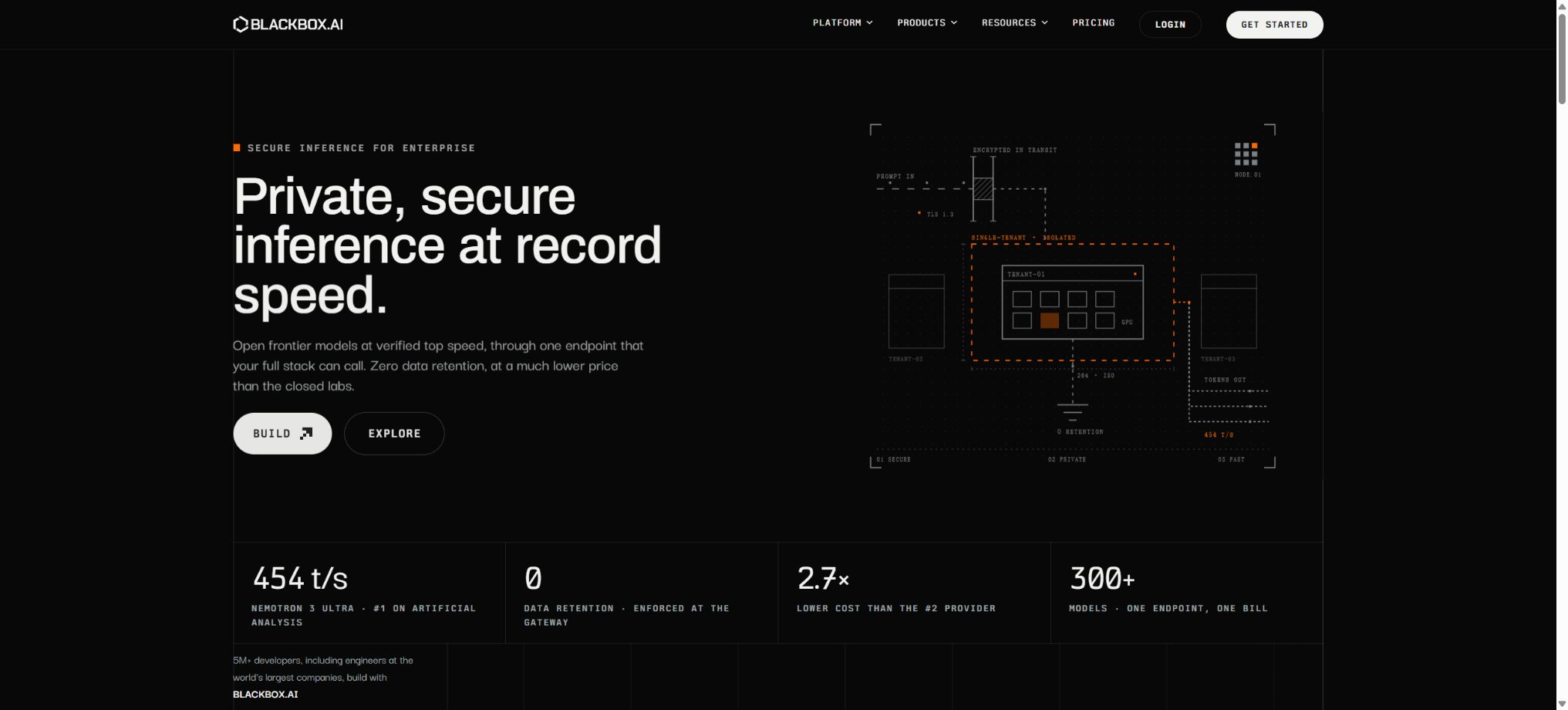
BLACKBOX AI
An AI development platform that covers code generation, search, editing, and model invocation.
Tags:AI programming toolsWhat is BLACKBOX AI?
BLACKBOX AI is an AI programming platform designed for developers, operated by Blackbox AI Technologies. It first gained attention for its code search, code completion, and browser plugins functions; today it has evolved into a comprehensive development tool that covers the Web, VS Code and other IDEs, terminal CLI, remote Agents, App Builder, model APIs, and Agent APIs.
Users can ask for code just as they would with a chat assistant; they can also have the Agent read the entire repository, edit multiple files, run terminal commands, execute tests, and make further corrections based on the results. The platform aggregates various models from OpenAI, Anthropic, Google, xAI, and other providers, allowing teams to select or compare these models within a single account and workflow.
Core functions
1. Understanding of code repositories and Q&A
BLACKBOX AI can analyze project directories, source files, configurations, dependencies, and commit history to answer questions such as “How does this module work?” “Where do the data come from?” and “At which stage might a certain error occur?” It is suitable for taking on unfamiliar projects, identifying call relationships, generating documentation, and preparing for refactoring.
When the codebase is large, the Agent typically selects relevant context by searching and summarizing, rather than reading all files each time a response is generated. Ignored configurations, the code that is generated, sub-modules, and the runtime environment can affect the outcomes; therefore, important analyses should involve searching, testing, and manual review.
2. Agent-based code modification
In VS Code, the web, or the terminal, users can describe the desired functions, and the Agent will then create projects, add files, modify existing code, generate configurations, add tests, fix errors, and write documentation. Unlike systems that merely return code snippets, the Agent can make the necessary changes to the workspace once authorized, and it can also read command outputs to make further adjustments on its own.
The greater the execution capability, the higher the risk. Before installing dependencies, running migrations, modifying environment variables, deleting files, releasing versions, or accessing production resources, it is necessary to examine the commands and their potential impacts.
It is recommended to run it in a separate branch, container, or testing environment, while maintaining a recoverable version control status.
3. Running commands and testing the feedback loop
The Agent can invoke the terminal to carry out tasks such as building, testing, formatting, package installation, and running scripts; it can also make further modifications after detecting errors. This \"edit—run—observe—fix\" cycle enables handling of more complex tasks than a single round of code generation, such as fixing failed tests, upgrading dependencies, or creating a new project structure.
The results of automation are still subject to test coverage and environmental constraints. A successful test does not guarantee that security, performance, compatibility, and business logic are all correct;
When dealing with databases, cloud resources, keys, and external interfaces, it is necessary to restrict permissions and to check the scripts before running them.
4. Multi-model chatting and programming
BLACKBOX AI combines multiple models; the current website and plugins list Claude, GPT, Gemini, Grok, MiniMax, Kimi, GLM, and other models. The specific models available change frequently, and the list of options depends on the plan chosen, the allocated quota, and the pace of releases. Therefore, a particular model should not be considered the default option at all times.
Aggregation platforms make it easy to compare speed, cost, and code quality, but a BLACKBOX subscription does not entail having separate accounts from the various model providers or access to their native APIs. The context, tool calls, content policies, and output speed may also differ from those of the models offered by their original manufacturers.
5. Parallel execution by multiple agents
Plans Pro Plus and above offer Multi-Agent Execution, which enables different agents or models to work in parallel on separate Git branches on the same task before comparing the results. The configurable agents listed in the CLI documentation include Blackbox, Claude, Codex, Gemini, Goose, OpenCode, and Qwen; some of these external agents require separate configuration of corresponding keys or environments.
Parallel approaches increase the costs associated with tokens, time, and merging. Multiple agents may modify the same module at the same time, use different dependencies, or result in incompatible architectures; as a result, developers still need to examine the differences, run comprehensive tests, and decide which version to merge.
6. BLACKBOX CLI
The official CLI offers features such as dialogue, code editing, command execution, Agent switching, skill management, remote tasks, and multi-Agent commands in the terminal, and it is suitable for developers who prefer the command line or need to work in a server environment. It can be installed on macOS, Linux, and Windows, although there are fewer agents available in the native Windows environment.
According to the official statements, in order to make use of complete proxy combinations such as Codex, Gemini, Goose, OpenCode, and Qwen, Windows users usually need WSL; moreover, processes related to Claude may also require Git Bash.
The official installation examples make use of network-based installation scripts. In corporate or security-sensitive environments, unknown scripts should not be executed directly; instead, they must first be downloaded for review, and their source and version must be verified, after which they can be installed through the standard software distribution process.
7. VS Code Agent and MCP
The official VS Code extensions allow for creating projects, completing code, fixing errors, running commands, and managing existing repositories; they also support MCP servers for connecting to external tools, databases, APIs, and services. After installation, you can start using them by logging in with your BLACKBOX account – no need to enter an API Key for basic use.
MCP expands the range of data and operations that an Agent can access. When connecting to databases, cloud services, ticketing systems, or internal APIs, it is necessary to use the minimum required permissions, test accounts, and a defined list of allowed tools, in order to prevent injection attacks or accidental actions.
8. Voice Agent
VS Code Agent offers a voice mode supported by ElevenLabs, which allows users to ask questions about repositories, request changes, and perform debugging and development tasks via voice; results are received either in audio form or as text. Voice processing relies on third-party services, and sensitive code as well as internal names should not be spoken in an open environment.
9. App Builder and Figma to Code
App Builder is used to create application prototypes or projects from natural language descriptions, while Figma to Code helps convert design drafts into functional front-end implementations. These tools are suitable for quickly developing user interfaces and testing ideas, but the resulting applications still require handling of responsive layouts, design tokens, accessibility considerations, state management, backend security, and production deployment.
10. Remote Agent and GitHub tasks
Remote Agents can perform data analysis or coding tasks within cloud sandboxes. The Agent API enables the creation, querying, resumption, and cancellation of tasks, as well as stream-based logging, management of sandbox files, and connection to GitHub repositories, branches, and personal access tokens.
Tasks related to GitHub require an explicit account connection.
Do not provide agents with personal access tokens that grant excessive permissions. Instead, create tokens with a limited scope, which can be revoked and have a short validity period, and restrict access to specific repositories and branches.
After a remote task is completed, check the submission, logs, dependencies, and residual keys.
Model API and Agent API
BLACKBOX AI offers model APIs that are compatible with the OpenAI format. Developers can continue to use the standard OpenAI SDKs, by simply changing the base address, model ID, and credentials.
The interface supports stream output, tool calls, and multiple rounds of messaging; it offers various models for chat, images, and videos. The cost is calculated based on the specific model as well as the input and output tokens.
The model pricing page shows the unit price for inputs and outputs on a per 1 million Token basis; the number of models and their prices change dynamically, so it is necessary to check the real-time model list before making a request. The model Credits indicated in the subscription plan may follow different billing rules compared to API usage or free Agent requests, and the monthly fee cannot be considered to equate to an unlimited supply of Tokens.
The Agent API is used to create tasks that actually operate on sandboxes or code repositories, which is different from regular Chat Completion. To obtain an Agent API key, a corresponding subscription is required; additionally, GitHub tasks need access tokens as well.
Enterprise customers use separate endpoints, which grants them greater control over their data and deployment.
Free version and subscription prices
BLACKBOX AI offers basic functions that can be used for free; the specific free models, the frequency of requests, and the limits on the number of Agents may vary depending on promotions and workload levels. The current monthly subscription option available on the official website is as follows:
| Package or version | Prices, quotas, and core benefits |
|---|---|
| Pro: $10 per month, | The comparison table on the official website indicates 20 dollars worth of model Credits; it allows use of the chat model and the Voice Agent, and includes a certain number of free Agent requests. |
| Pro Plus: 20 dollars per month, | The current model comes with 40 dollars worth of Credits, and it includes App Builder, multiple Agent types, over 35 coding agents for IDEs, web platforms, and terminals, an agent for remote data analysis, Slack integration, priority handling for peak loads, and end-to-end chat encryption. |
| Pro Max: 40 dollars per month, | The current model is priced at 80 dollars in terms of Credits; it offers enhanced Agent benefits on top of the Pro Plus features, including Figma to Code, team collaboration, centralized billing, security controls, SAML SSO, as well as priority support and usage analytics. |
| Enterprise: Request for quote, | It offers the option of not performing training by default, along with custom SLAs, dedicated support, custom integrations, and local deployment options. |
The official website indicates a discount of around 20% for annual payments, and a discount on the first month may also be offered. The wording used regarding Credits and “Unlimited Agent Requests” can change depending on promotions, updates to free models and plans; therefore, it is necessary to check the actual amount, the range of models available, as well as the rules regarding automatic recharging and fair use on the payment page before making a purchase.
Credits are used in the paid models, and different models require different amounts of credits; “free Agent requests” are usually related to specific free models or platform rules, and they do not mean that all Claude, GPT, Gemini tasks can be used indefinitely.
For Pro Plus and Pro Max, it is necessary to check before purchase whether Auto-Refill is enabled by default and under what conditions charges will continue to be deducted.
Enterprise security and on-premises deployment
The Pro Plus and higher versions offer end-to-end encryption for chats; the enterprise versions also provide options such as training exit functions, SAML SSO, advanced security controls, custom SLAs, and local deployment. The official website states that local deployment allows the software to run within the customer’s own infrastructure, thereby ensuring data sovereignty. The specific components, models, network requirements, logging aspects, and maintenance responsibilities must be specified in the enterprise contract.
The current privacy policy states that the Pro version implements zero data retention, and the code is not stored by BLACKBOX or any third party nor used for training purposes; meanwhile, the latest pricing page lists end-to-end encryption as a feature available in Pro Plus and higher versions.
Since the privacy documents and the package structures are updated at different times, it is necessary to ask the authorities to confirm the actual data retention and training policies based on the current contract, data processing agreements, and relevant documentation before working with the confidential codes.
Supported platforms
BLACKBOX AI covers web applications, VS Code extensions, integration with 35+ IDEs, terminal CLI, desktop and mobile interfaces, Slack, Figma, model APIs, and Agent APIs. The models, Agent tools, quotas, and update speeds available through these different interfaces are not exactly the same.
VS Code is suitable for everyday local development, CLI is appropriate for use in the terminal and for automation, Web is ideal for quick communication and remote tasks, while APIs are used for product integration. Teams should choose only the necessary tools, and ensure unified account management, key management, extension permissions, and version control.
Open-source status and GitHub details
The BLACKBOX AI platform, cloud-based Agents, model gateways, IDE services, and commercial APIs are proprietary products; they are not open-source systems that can be deployed entirely on one’s own. Although there is information available online referring to the GitHub repository of BLACKBOX CLI, this address cannot be considered a stable and verifiable official repository, so the platform cannot be classified as open source based on that.
On GitHub, there are numerous repositories with names such as blackbox, blackbox-cli, or Pi; these are related to database backups, third-party clients, or other tools, and they have no connection to BLACKBOX AI Technologies. When identifying official projects, it is necessary to check the links to the official documentation, the identity of the organization, the person who releases the software package, and the license used.
BLACKBOX AI Usage Guide
Complete a basic task.
- Define the code tasks to be carried out in BLACKBOX AI, the scope of the repository, and the acceptance criteria.
- Connect to or import the test project, and first back up the current branch;
- First, use the code library to understand the Q&A generation plan, and then verify the files that need to be modified;
- Use agent-based code to make small modifications to the execution;
- Run tests, static checks, and builds; unverified code is not accepted directly.
- Manually check permissions, keys, dependencies, and handle exceptions before merging;
Create reusable professional workflows
- Select a low-risk, real-world project as a template;
- Understand the fixed codebase, handle questions and answers, perform agent-based code modifications, and use the sequence of commands for execution and testing;
- Record the environment, model, prompts, and failure conditions;
- Set up manual approval for write, deploy, and delete actions;
- Compare speed, cost, test pass rate, and the amount of rework;
- Expand to a team or production environment only after stability has been verified;
Which users is it suitable for?
- Developers who need to complete repository-related tasks, make code changes, and conduct testing in VS Code;
- Advanced users who prefer the CLI and wish to switch between various programming agents;
- Product teams that need to rapidly create prototypes, applications, or front-end pages based on requirements;
- Teams that wish to compare the code output of various models such as Claude, GPT, and Gemini;
- Developers who need to integrate models or remote coding agents into internal systems;
- Enterprises that require SSO, centralized billing, data control, or local deployment.
Product advantages
- A complete toolchain that extends from completion to IDEs, CLI, remote agents, and APIs;
- It allows for editing files, running commands, reading test results, and continuing with repairs;
- Aggregates a large number of models, facilitating selection and comparison on the same platform;
- Supports parallel execution of multiple agents and comparison of results;
- Provides connections to MCP, Slack, Figma, and GitHub;
- The API is compatible with the OpenAI format, making it easy to migrate existing SDKs.
- Enterprises can choose SSO, advanced security controls, or local deployment.
Usage restrictions and security recommendations
- AI-generated code may contain security vulnerabilities, outdated libraries, license conflicts, faulty APIs, and unverified dependencies;
- All changes must undergo code review, static analysis, testing, and dependency scanning;
- Authentication, payment, permissions, encryption, and data migration cannot be accepted directly;
- The agent will execute commands and may have access to the entire workspace;
- Do not attempt testing directly in the directory that contains the production keys; use a separate branch or copy, restrict the permissions of Shell and MCP, and review each action with high impact.
- Database migration and deployment must first be tested in a test environment;
- Multi-model aggregation means that the code and prompts may pass through a BLACKBOX as well as the selected model provider;
- Before using the company code, it is necessary to verify the data retention policies, procedures for terminating training processes, cross-border handling mechanisms, and any third-party processors involved; one should not rely solely on the word “encryption” mentioned on the marketing pages.
- The connection between remote agents and GitHub increases supply chain risks;
- Tokens should be restricted to the necessary warehouses; it is prohibited to include long-term administrator tokens in prompts, configuration files, or chat records, and such tokens must be revoked promptly once the task is completed.
Frequently Asked Questions
Can BLACKBOX AI be used for free?
You can start using the basic features for free, but there are dynamic limits on the number of free models, Agent requests, and their frequency. Professional models, multiple Agents, App Builder, and team capabilities require a paid plan.
Can BLACKBOX AI modify code directly?
Yes. VS Code, the CLI, and the Agent can read repositories, modify files, execute commands, and run tests.
Version control should be used and permissions checked before execution.
How much is BLACKBOX AI?
Currently, the monthly rates are $10 for Pro, $20 for Pro Plus, and $40 for Pro Max; a quote is available for Enterprise plans. The annual payment option comes with a discount of around 20%, as indicated on the page.
The model Credits and Agent benefits are subject to the settlement page.
Which IDEs are supported?
The official website states that Coding Agent supports more than 35 different IDEs, web environments, and terminals, with VS Code offering the most comprehensive documentation. For information on the level of functionality available in a particular editor, it is necessary to check the relevant integration page.
Is there an API?
Yes. It offers multi-model APIs that are compatible with the OpenAI format, as well as Agent APIs that enable the creation and monitoring of remote tasks; pricing is applied based on the model tokens and the respective plans.
Is MCP supported?
Supported. The VS Code Agent can connect to MCP servers in order to access external tools and services; when using it, it is necessary to restrict permissions and guard against prompt injection attacks.
Can it be deployed privately?
The enterprise version offers an option for local deployment; specific models, components, costs, and data boundaries must be confirmed by contacting sales.
Is BLACKBOX AI open source?
The entire platform is not open source. Do not label the commercial agent, API, and model gateway as open source just because similar GitHub repositories or third-party CLI tools exist.
Tools similar to BLACKBOX AI



 Guigong Network Security Registration No. 45132202000164