






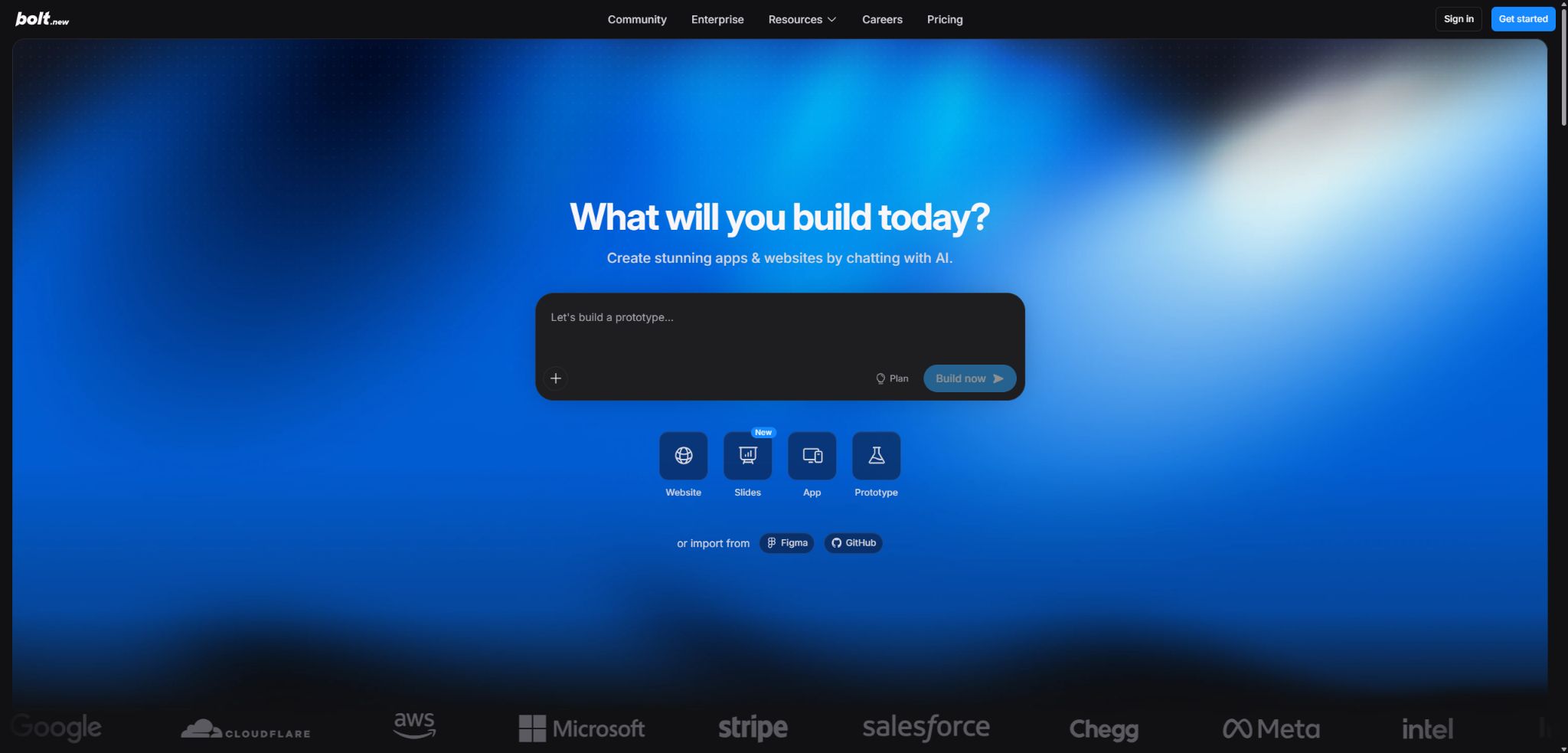
Bolt.new
Build and publish a complete application in natural language within a browser.
Tags:AI programming toolsWhat is Bolt.new?
Bolt.new is a browser-based AI platform for website and application development, launched by StackBlitz. After users describe their product requirements, the intelligent system can create project files, install necessary dependencies, run Node.js services, detect errors, and make ongoing adjustments.
It provides a development environment within the browser thanks to WebContainers technology, eliminating the need to install any tools locally first. It allows for the creation of websites, full-stack Web applications, and mobile apps built with Expo; meanwhile, Bolt Cloud is used for managing databases, hosting, and domain names.
Main functions of Bolt.new
- Based on natural language generation websites, SaaS, backends, stores, and interactive tools;
- Run Node.js, package managers, file systems, and development servers within the browser;
- You can switch to the AI agent to directly view and edit the complete source code;
- Import projects from Figma, Google Stitch, GitHub, or Lovable;
- Create and publish iOS and Android mobile applications using Expo;
- Bolt Database provides data tables, authentication, files, logs, and server-side functions;
- Bolt Hosting offers free subdomains, HTTPS, and built-in publishing capabilities;
- Pro allows the use of custom domain names, removal of the brand name, and activation of SEO Boost;
- Supports Stripe, Supabase, GitHub, Google SSO, and MCP;
- Real-time collaboration for multiple users, team templates, and design system knowledge are suitable for organizations to use.
Full-stack development environment within the browser
Bolt makes use of WebContainers to run Node.js servers, terminals, package managers, and file systems within browser tabs. AI is not only capable of generating code; it can also start applications, read errors from the console, and make changes to the same project.
This environment is particularly suitable for the JavaScript and Node.js ecosystems; the official recommendation is to use Chromium-based browsers such as Chrome, Edge, Brave, or Opera. Traditional native backends, toolchains that cannot run in browsers, or special system requirements may necessitate an external environment.
Dialogue generation and code view
Beginners can make use of the dialogue-based editing function, while developers can access Code View to directly edit files, install packages, and check versions. The instructions should specify the technology stack, data model, pages, user roles, and acceptance criteria.
Large projects synchronize more files with each message, which results in a greater consumption of Tokens. By using ignore files to exclude dependencies, build outputs, and irrelevant directories, it is possible to reduce context-related issues and errors.
Figma, Stitch, and project import
Bolt can be built starting from Figma designs, Google Stitch, GitHub repositories, or Lovable projects. Importing visual elements is suitable for quickly establishing the structure of a page, but responsiveness, interactivity, fonts, and design tokens still need to be adjusted on a page-by-page basis.
Bolt Database and authentication
When an application requires persistent data, Bolt can automatically create a database and manage tables, users, authentication mechanisms, files, keys, logs, and server-side functions within the project. Users can also choose Supabase at the beginning or specify that only local storage should be used.
There is no limit to the number of databases, but capacity, bandwidth, and other resources are subject to the constraints of the plan. Rolling back a project version does not result in the restoration of the databases; it is necessary to create separate backups of the data and prepare rollback scripts before performing important migrations.
Bolt Hosting and domain names
Both free and paid users can publish to the free subdomain bolt.host; starting with the Pro plan, it is possible to use a custom domain name and remove the Bolt brand. New projects use Bolt Hosting by default, but Netlify can also be chosen before the first publication.
Limits are set for managed requests, file uploads, and database capacity within the various packages; when these limits are exceeded, it is necessary to upgrade the service or adjust the architecture. Production applications should also be equipped with monitoring systems, error alerts, backup mechanisms, and security response procedures, rather than relying solely on notifications indicating a successful deployment.
Expo mobile app
Bolt enables the creation of cross-platform mobile applications through Expo integration; it allows for the development of user interfaces, navigation systems, and business logic, with the ability to preview these elements on devices. To submit the application to the App Store or Google Play, however, a developer account, a signature, privacy-related information, and approval from the store are required.
GitHub and collaborative work with multiple people
GitHub integration is used for importing, synchronizing, backing up, and continuing local development. The multi-user mode allows projects and integrations to be shared, while Teams provides additional features such as team permissions, templates, private NPM repositories, and design system resources.
Team packages are charged based on the number of members, with each paying member having its own token quota that cannot be shared among members. For code merging and production deployment, branch protection, testing, and manual review should still be employed.
Comparison of Bolt.new features
| Ability | Primary uses | Running or storage location | Precautions |
|---|---|---|---|
| WebContainers | Run Node.js and development tools | Browser sandbox | Favoring the JavaScript ecosystem |
| AI Agent | Generate, debug, and modify code | Project session | Large projects consume more Tokens. |
| Bolt Database | Data, authentication, files, and functions | Bolt Cloud | Code rollback does not restore data. |
| Bolt Hosting | Publishing websites and web applications | Cloud | Due to requests and capacity constraints |
| Expo | Build a mobile app | Web projects and Expo services | Listing requires an external developer account. |
| GitHub | Version control and local handoff | User repository | Branches and permissions need to be managed. |
Price of Bolt.new
Bolt offers Free, Pro, Teams, and Enterprise plans based on AI Tokens and cloud resources. The table below shows the current monthly pricing in dollars on the official website; the Pro plan provides higher token quotas, and annual billing can save up to 28% – the actual price is subject to what is stated on the subscription page.
| Package | Price | AI Token | Primary interests |
|---|---|---|---|
| Free | $ | 1 million per month; up to 300,000 per day | Public and private projects, Bolt brand, 10MB uploads, hosting, and unlimited databases |
| Pro | $ | Starting from 10 million per month, with no daily limit | Remove branding, 100MB upload limit, private sharing, custom domain names, and additional cloud storage capacity |
| Teams | $ | Allocated according to each member’s package; not shared. | Centralized billing, permissions, organizational sharing, private NPMs, and design system knowledge |
| Enterprise | Custom quote | Configure according to the contract | SSO, auditing, compliance, data governance, SLAs, and 24/7 support |
Token and cloud resource rules
| Project | Free | Pro start | Rules |
|---|---|---|---|
| AI Token | 1 million per month, 300,000 per day | 10 million per month | Reading, thinking, generating, and synchronizing projects all consume resources. |
| Token carryover | Do not carry forward | An additional cycle can be retained. | Once issued, it is valid for a maximum of two months, and payment must be continued. |
| Website request | Up to about 333,000 | Pro starts at around 1 million. | The actual limitations in the cloud vary depending on the package plan. |
| File upload | The maximum per transaction is 10MB. | Pro starts at 100MB | It is not equivalent to the total capacity of databases and object storage. |
| Database | There is no limit on the quantity. | No limit on quantity, increased capacity | The resource quota is still subject to the account plan restrictions. |
For paid monthly tokens, a first-in-first-out system is applied, and any unused quota can be carried over for one additional cycle, with a maximum period of two months starting from the date it was issued. Access to the carried-over quota is lost in the event of cancellation or payment failure.
When subscribing again, the unused quota that has not expired can be restored.
For certain highest-tier monthly plans and annual Pro plans, it is possible to purchase non-expiring Reload Tokens, with the price indicated alongside the plan details. Members whose quotas are tied to a Teams Token are not included in the team’s shared quota pool.
Bolt.new Tutorial
Create a full-stack web application from scratch
- List the user roles, core pages, data tables, and a main workflow;
- Specify the framework, style, and mobile requirements in the first prompt;
- Generate the minimal viable skeleton first, without adding all features at once;
- Add authentication, database, and server permissions gradually;
- Use a test account to verify normal, error, and unauthorized paths;
- Review keys, dependencies, and generated code in Code View;
- Release a preview version; once security and functional checks are completed, the official domain name can be assigned.
Save Tokens to complete complex projects
- Prepare a brief document outlining the requirements and technical constraints for the project;
- Use ignore files to exclude dependencies, build outputs, and large files;
- Break down the task into smaller steps related to the interface, data, permissions, and testing;
- Similar simple modifications are combined into a single, clear instruction.
- Avoid repeatedly pasting the entire context in long sessions;
- Verify each step before moving on, thereby reducing the need for rework and repeated creation.
- Synchronize with GitHub regularly and carry out major modifications on new branches.
Release a secure database application
- Distinguish between development and production keys, and use accounts with the minimum required permissions;
- Design server-side authorization and input validation for each table;
- Enable authentication and test the boundaries between regular users and administrators;
- Check the file upload type, size, and access controls;
- Back up the production data and test the rollback of the migration;
- Configure domain names, HTTPS, as well as logging and error monitoring;
- Manually review the generated code before allowing real users access.
Who is Bolt.new suitable for?
- Creators with no coding skills: create functional products through dialogue;
- Entrepreneurs: Quickly test websites, SaaS solutions, and business processes;
- Product manager: Create interactive prototypes for the team to test;
- Developer: Accelerates scaffolding, interfaces, debugging, and integration;
- Designer: Develop Figma or Stitch designs into applications;
- Marketing and agency firms: Create event pages and client projects;
- Mobile app team: Use Expo to test cross-platform app ideas.
The advantages of Bolt.new
- It is possible to generate, run, and edit full-stack code without the need for local installation;
- WebContainers enables AI to operate directly on the actual development environment;
- Bolt Cloud integrates databases, authentication, hosting, and domain names.
- It supports output in the form of Web applications and Expo mobile applications;
- It can import from Figma, GitHub, Stitch, and Lovable;
- Users can generate code, which can be downloaded or synchronized with GitHub;
- The official team has made the core example code for Bolt available, to facilitate research and further development by developers.
Usage restrictions and precautions
- The larger the project, the more Tokens are consumed per message for synchronizing files;
- The free version has a limit of 300,000 tokens per day, which may disrupt continuous development;
- The generated code may contain vulnerabilities related to privilege escalation, injection attacks, dependencies, and business logic issues.
- The browser environment imposes limitations on non-JavaScript technology stacks and system dependencies;
- Restoring the project version will not restore the database, and improper actions may affect the actual data;
- Although hosting, databases, and request volume are built-in, there are still capacity limits.
- AI-generated mobile apps do not automatically pass the review process in app stores;
- Third-party services, domain names, and store developer accounts may incur additional fees.
Security, privacy, and code ownership
The Bolt project runs within the browser’s WebContainer, which reduces the reliance on remote virtual machines for ordinary development tasks; however, database management, hosting, AI requests, and integration still require cloud-based services. For sensitive projects, it is necessary to review the current privacy policies, team control options, and Enterprise data governance features.
The official statement specifies that users own the code created in Bolt and can use it for legitimate business projects. This right does not extend to third-party materials, trademarks, unauthorized data, or content that relies on licenses; the publisher is still responsible for conducting its own audits.
- Do not enter production keys in prompts, front-end code, or public repositories;
- Databases must implement server-side row-level and role-based permissions;
- External MCP and NPM packages should have their source, permissions, and maintenance status reviewed;
- Enable branch protection, key scanning, and dependency checking for GitHub;
- Important databases are backed up separately before any structural changes are made;
- For enterprise projects, consultation is available on SSO, auditing, retention policies, and compliance support.
GitHub, API, and open-source information
StackBlitz has made the Bolt open-source code library available on GitHub; this library includes the interfaces and server-side components needed to develop AI tools for browsers, and it makes use of the WebContainer API. WebContainers can be used for personal and open-source purposes in accordance with the relevant terms, while commercial products require verification of a commercial license.
The commercial managed service Bolt.new offers continuously updated models, cloud resources, collaboration tools, and enterprise-grade functionalities; it cannot be considered equivalent to a repository snapshot. The vendor does not provide a stable, universal public API for all of Bolt.new’s features, so automated integration should be carried out in accordance with the current official documentation and corporate solutions.
Frequently Asked Questions
Is Bolt.new free?
Free provides 1 million tokens per month, with a maximum of 300,000 tokens per day; it includes project hosting, database hosting, and basic hosting services. The free version allows the use of the Bolt brand on the website, but no custom domain name can be used.
How much is Bolt.new Pro?
The Pro plan starts at $25 per month and includes 10 million Tokens per month; higher quantities of Tokens come at corresponding higher prices.
The annual payment discount and the current tier shall be based on the settlement page.
Can Bolt.new be used to develop mobile apps?
Cross-platform mobile applications can be created using Expo and tested on devices. To be released officially, however, an Apple or Google developer account, a signature, a privacy policy, and approval from the app store are required.
Does Bolt.new include a database and hosting?
Bolt Cloud can automatically create databases and provide authentication services, as well as file storage, logging capabilities, and server-side functions; Bolt Hosting allows content to be published using free subdomains. The capacity and number of requests vary depending on the package chosen.
Is Bolt.new open source?
The core example code library for Bolt is available on GitHub, but the cloud services offered by the commercial Bolt.new platform, along with its current models and all features, are not equivalent to the complete open-source, self-hosted version.
Tools similar to Bolt.new



 Guigong Network Security Registration No. 45132202000164