






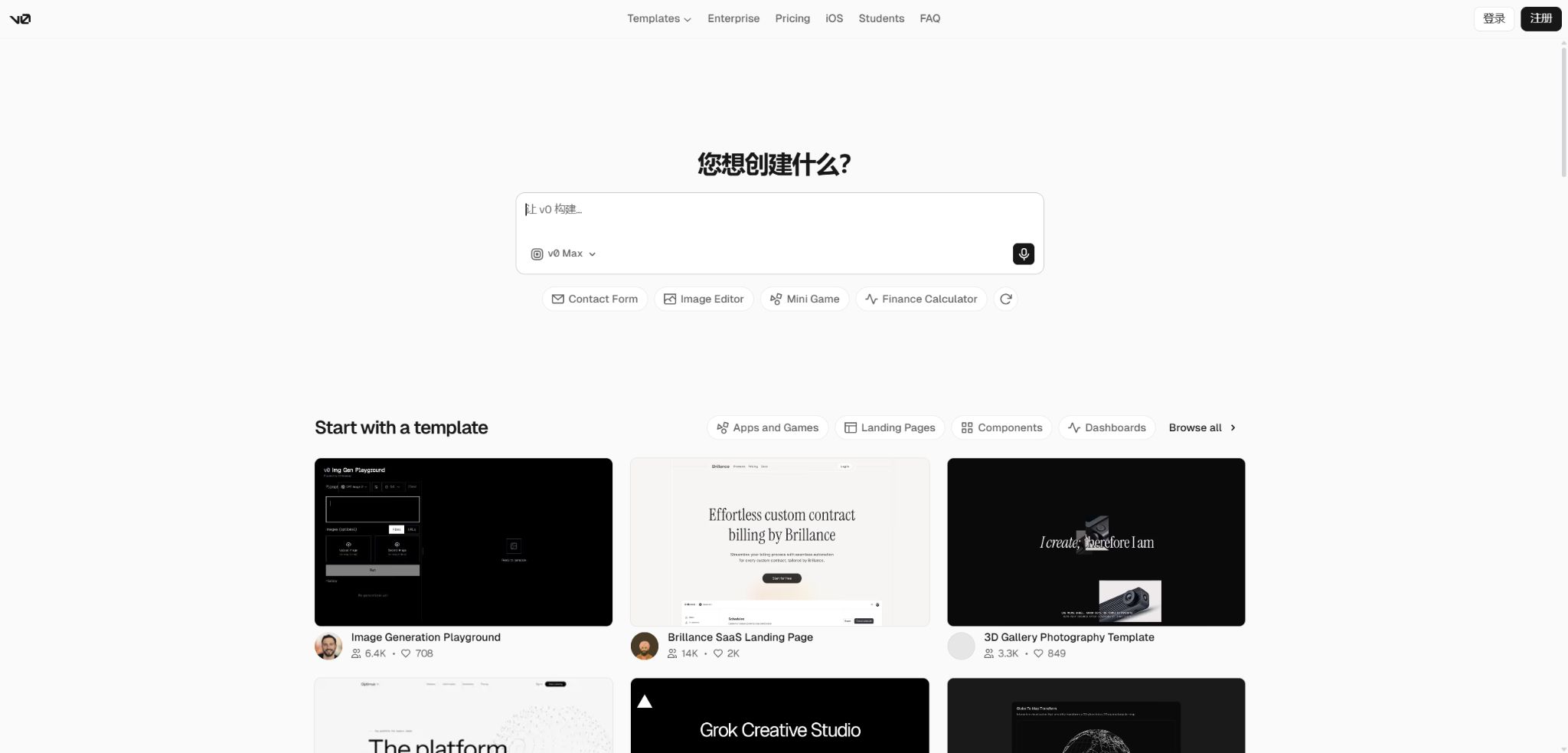
v0
Design, generate, and deploy full-stack web applications through dialogue.
Tags:AI programming toolsWhat is v0?
v0 is an AI-driven full-stack application development platform launched by Vercel; it enables the creation of functional web page code based on natural language inputs, screenshots, wireframes, or Figma designs. Initially focused on generating React interfaces, it has since expanded to cover back-end logic, databases, external APIs, testing, and production deployment.
Users can iterate between chatting, the code editor, and real-time preview, and they can also connect their projects to GitHub to continue development locally. v0 is better suited for modern web applications, and it excels particularly with Next.js, React, Tailwind CSS, and the Vercel ecosystem.
Main functions of v0
- Create landing pages, backends, and full-stack applications in Chinese or other natural languages;
- Recreate a high-fidelity interface based on screenshots, wireframes, and Figma files;
- It includes a full-code editor, real-time preview, and version comparison features;
- In Design Mode, it is possible to select elements directly and adjust their styles and content;
- Agents can search web pages, operate browsers, execute terminal commands, and fix errors;
- Connect databases, payment systems, AI models, external APIs to Vercel Marketplace;
- Supports MCP servers and pre-installed agent extension tools;
- GitHub’s two-way integration allows for importing repositories, creating branches, and submitting changes;
- One-click deployment to Vercel, along with the ability to configure domain names, environment variables, and preview deployments;
- Integrate the generation capability into workflows through the v0 API and TypeScript SDK.
Generating real applications from prompts
Users can describe the page’s objectives, user roles, visual style, data structure, and interaction flow; version 0 will generate project files and start a preview. The result is editable code, rather than just a conceptual interface design consisting of images.
Clear business rules and acceptance criteria are usually more effective than a stack-style approach. Complex products should be broken down into pages, data models, permissions, and key processes, with each part being developed step by step.
Screenshots, wireframes, and code generation from Figma
v0 can read the uploaded visual references to create similar layouts, and it can also connect to Figma to obtain design context. It is suitable for quickly developing high-fidelity prototypes, but elements such as fonts, responsive breakpoints, complex animations, and details related to design systems still require manual adjustment.
Visual editing in Design Mode
Design Mode allows elements to be selected in real-time preview, enabling adjustments to font, color, spacing, borders, rounded corners, shadows, and text. Natural language commands can also be used to make structural changes to the selected area.
After clicking Apply, the changes will result in a new version of the code; it is possible to view the differences, proceed with further iterations, or revert to the previous version. This mode is available only for the latest preview runtime and the most up-to-date version of the chat interface, and it does not support read-only chats nor mobile viewports.
Agents, browsers, and terminals
The v0 agent is capable of searching for information in real time, opening applications built within it, operating a browser and taking screenshots for inspection; it can also run tests and read deployment logs. Automatic error correction takes place to address issues related to dependencies, syntax, imports, and runtime problems.
The terminal offers three permission modes: Ask, Auto, and Full. By default, the Auto mode determines whether to ask for confirmation based on predefined rules. For production data or sensitive repositories, the Ask mode should be selected, along with clear rules for allowing, asking for confirmation, and rejecting requests.
Full-stack data integration with third parties
v0 can be connected to Neon, Supabase, Upstash, Stripe, AI models, and other Vercel Marketplace services; it is also capable of calling external APIs. The environment variables required for integration are added to the corresponding Vercel project, and the development preview can only access the Development environment variables.
Server-side keys should not contain the NEXT_PUBLIC prefix, as this will result in them ending up in the browser code. Even if warnings are provided by the system, developers still need to check permissions, server boundaries, input validation, and payment callbacks.
Two-way synchronization on GitHub
v0 can be imported from a GitHub repository or a new repository can be created for a new project, with the changes being saved in a working branch. Once connected, the GitHub repository becomes the actual source of the code; v0 no longer holds an independent copy of the code.
If the base branch is also the Vercel production branch, merging it may automatically trigger deployment. Teams need to use branch protection, preview deployments, testing, and manual approval to prevent AI-generated changes from being released directly to production.
One-click deployment with Vercel
By clicking Publish, you can create or update a Vercel project and obtain HTTPS, global distribution capabilities, as well as production addresses. Domain names, environment variables, analytics features, deployment protection, and advanced runtime settings need to be managed within the Vercel project.
The v0 subscription is separate from the Vercel hosting plans; purchasing Vercel Pro does not automatically increase the v0 quota. Additional costs may also arise for bandwidth, functions, databases, and third-party services once the application goes live.
Comparison of core capabilities of v0
| Ability | Enter | Output | Suitable scenarios |
|---|---|---|---|
| AI Chat | Requirements and constraints | Full code and iterative versions | Developing products from ideas |
| Visual input | Screenshots, wireframes, Figma | High-fidelity front end | Design restoration and prototyping |
| Design Mode | Elements in the preview | Style codes that can be reviewed | Detail adjustments |
| Agent tool | Tasks, web pages, and logs | Test, repair, and operation records | Complex development and debugging |
| GitHub | Existing or new warehouses | Branches, commits, and pull requests | Team development |
| Vercel deployment | Project version | Preview or production application | Rapid deployment |
v0 price
Currently, v0 offers versions Free, Plus, Business, and Enterprise; new users can no longer purchase the Premium version, which is being discontinued. The table below shows the official monthly prices in US dollars.
The costs associated with Vercel hosting, domain names, databases, models, and other external services are not included in the v0 subscription.
| Package | Price | Monthly points | Primary interests |
|---|---|---|---|
| Free | $ | Equivalent to 5 dollars; up to 7 messages per day. | Personal exploration, basic usage, and analysis |
| Premium | $ | Equivalent to 20 dollars | The old individual plans are being phased out gradually and are no longer available to new users. |
| Plus | $ | $ | Shared projects, shared point pools, centralized billing, and team analytics |
| Business | $ | $ | It has Plus features, and it allows content to be used without it being included in data training. |
| Enterprise | Custom quote | Contractual agreement | RBAC, SAML SSO, advanced analytics, priority access, and enterprise security |
Points, Tokens, and Validity Period
The balance is a prepaid amount that is reduced each time a new generation is performed, based on the input and output tokens processed by the selected model. Chat history, project files, and any context related to Vercel can also be considered part of the input; as a result, longer conversations and larger projects result in higher consumption of this balance.
| Limit type | Usage rules | Validity period |
|---|---|---|
| Monthly points for the package | Issued on a monthly basis; suspension occurs once it is used up. | It can be carried forward; it becomes due 65 days after issuance. |
| Buy additional points | A valid paid plan must be maintained to use it. | It expires 1 year after purchase. |
| Individual monthly points | Plus and Business are allocated per member. | Given priority over consumption from the shared point pool. |
| Shared points pool | Once an individual’s quota is exhausted, the team members can use it together. | It expires 1 year after purchase. |
| Free messages | Apart from points, there is a limit of 7 messages per day. | Reset daily |
For Premium, Plus, and Business plans, additional points can be purchased at any time; for the Enterprise plan, it is necessary to contact a customer manager. The number of tokens that can be processed per point varies depending on the plan type, and the exact rate can be viewed in real time on the plan selector and usage panel.
v0 Usage Guide
Create a website from scratch
- First, clarify the website’s objectives, target audience, pages, and key conversion actions.
- Explain the brand colors, font styles, reference styles, and requirements for mobile devices;
- Let v0 first generate the page structure and a complete key workflow;
- Test the navigation, forms, and responsive layout page by page in the preview;
- Use Design Mode to adjust spacing, text, and visual hierarchy;
- Additional information on accessibility, error states, loading status, and SEO is required;
- Release a preview for relevant personnel to review; it is only after approval that it can be put into production.
Build a database application
- Define data tables, fields, user roles, and read/write permissions;
- Connect to the required database from the project integration panel;
- Place the server key in a protected environment variable;
- v0 is required to handle authentication, input validation, and server-side authorization;
- Use test data to verify addition, querying, updating, and deletion;
- Check for unauthorized access, duplicate submissions, incorrect rollbacks, and logs;
- Configure separate development and production environments before proceeding with deployment.
Collaborate with the GitHub team
- Install the Vercel GitHub App and grant permissions only to the necessary repositories;
- Import it into the repository at v0 to have the system create a separate working branch;
- First, explain the code standards, testing commands, and areas that must not be modified;
- Break down the functions into smaller parts, so that each generation handles only one target;
- View differences, test results, and preview the deployment;
- Create a pull request and have human reviewers check the security and business logic;
- Observe production deployment and monitoring through protected branch merging.
Which users are suitable for v0?
- Product manager: Quickly create interactive prototypes and validate processes;
- Designer: Turn Figma files, screenshots, and wireframes into actual user interfaces;
- Front-end developer: Creates components, pages, and responsive layouts;
- Full-stack engineer: Sets up databases, authentication systems, APIs, and backend logic;
- Entrepreneur: Turning an idea into a minimal viable product that can be demonstrated quickly;
- Marketing team: Creates event pages, calculators, and tools for acquiring customers;
- Data team: Creating dashboards, visualizations, and data applications.
The advantages of v0
- The process spans from natural language to actual code, including preview and deployment;
- Profound support for the Next.js, React, and Vercel ecosystems;
- Visual generation combined with Design Mode enables both rapid setup and fine-tuning;
- Agents can use web pages, browsers, terminals, and external tools;
- It can be connected to databases, payment systems, AI models, and MCP services;
- GitHub’s two-way synchronization facilitates integration into standard project workflows;
- APIs and an open-source TypeScript SDK are provided for automated integration.
Usage restrictions and precautions
- The generated results may appear visually similar but not fully comply with the design specifications;
- Complex business logic, permissions, payment processes, and concurrency issues still require review by engineers.
- Long conversations and large code contexts increase the amount of points consumed;
- The v0 subscription does not cover all costs associated with Vercel hosting and third-party services.
- When the base branch on GitHub is identical to the production branch, merging may result in an immediate deployment;
- Full terminal permissions allow the execution of unconfirmed commands, which is not suitable for sensitive projects;
- It is not possible to opt out of model training at the package level for Free and Plus plans.
- The product is more oriented toward modern Web stacks; it is not a builder designed specifically for native mobile or desktop applications.
Privacy, security, and code ownership
v0 runs in an isolated sandbox to generate code, and performs security analysis on that code; the server-side functions, once deployed, are also executed in Vercel’s isolated environment.
The platform is covered by Vercel’s SOC 2 Type 2 audit, and it offers environment variables, shared permissions, and version history.
According to the official statements, Vercel provides version v0 using both public and private datasets. The content available in the Business and Enterprise plans is not used for data training, while the Free and Plus plans do not offer an option to opt out at the plan level. Before entering customer source code, trade secrets, or personal data, it is necessary to choose the appropriate approach in accordance with the contractual and privacy requirements.
- The key is stored only in the server’s environment variables, and is not included in prompts or code repositories.
- Do not add the NEXT_PUBLIC prefix to sensitive variables;
- Use database accounts with the minimum required permissions and short-lived external service tokens;
- Enable branch protection, review, and status checks for GitHub;
- Conduct manual security testing on AI-generated authentication, authorization, and payment codes;
- Enterprises can enhance governance through RBAC, SSO, auditing, and private workspaces.
API, GitHub, and open-source information
v0 offers an official API and a TypeScript v0-sdk that enable the creation of chats, management of projects, sending of messages, streaming of results, and triggering of deployments. The API is suitable for internal builders, CI processes, and custom development tools; the costs and permissions associated with its use are determined by the console.
The v0 hosting platform and the core generation model are not open-source projects, but the official v0-sdk is available on GitHub. Users can export the code they generate and modify it locally; however, the rights related to that generated code are still subject to the service terms, the licenses of any third-party dependencies, and the permissions associated with the input materials.
Frequently Asked Questions
Can v0 be used for free?
Yes, Free includes 5 dollars’ worth of credits per month, as well as a limit of 7 messages per day. This quota is sufficient for testing and creating simple prototypes; more complex applications usually require a paid subscription.
How much are v0 Plus and Business?
Plus costs $30 per user per month, while Business costs $100; both plans include 30 dollars worth of credits per member per month. Business is intended for teams that place a high value on data privacy.
Can v0 be used to develop a complete backend?
It is possible to create server-side logic, database access mechanisms, authentication systems, APIs, and external integrations, and to deploy them on Vercel. However, tasks related to production-level permissions, data migration, monitoring, and security still require the expertise of professionals.
Can the code generated by v0 be exported?
Yes, it is possible to make modifications in the built-in editor, or to continue developing locally after setting up two-way synchronization with GitHub. Once the repository is connected, GitHub becomes the authoritative source of the code.
Is v0 open source?
The v0 platform and the generation models are not open-source products; however, the official TypeScript SDK has its source code made available publicly. The frameworks and dependencies used in user-generated projects are governed by their respective open-source licenses.
Tools similar to v0



 Guigong Network Security Registration No. 45132202000164