






Cursor
An AI code editor that integrates intelligent completion and autonomous agents
Tags:AI programming toolsWhat is a cursor?
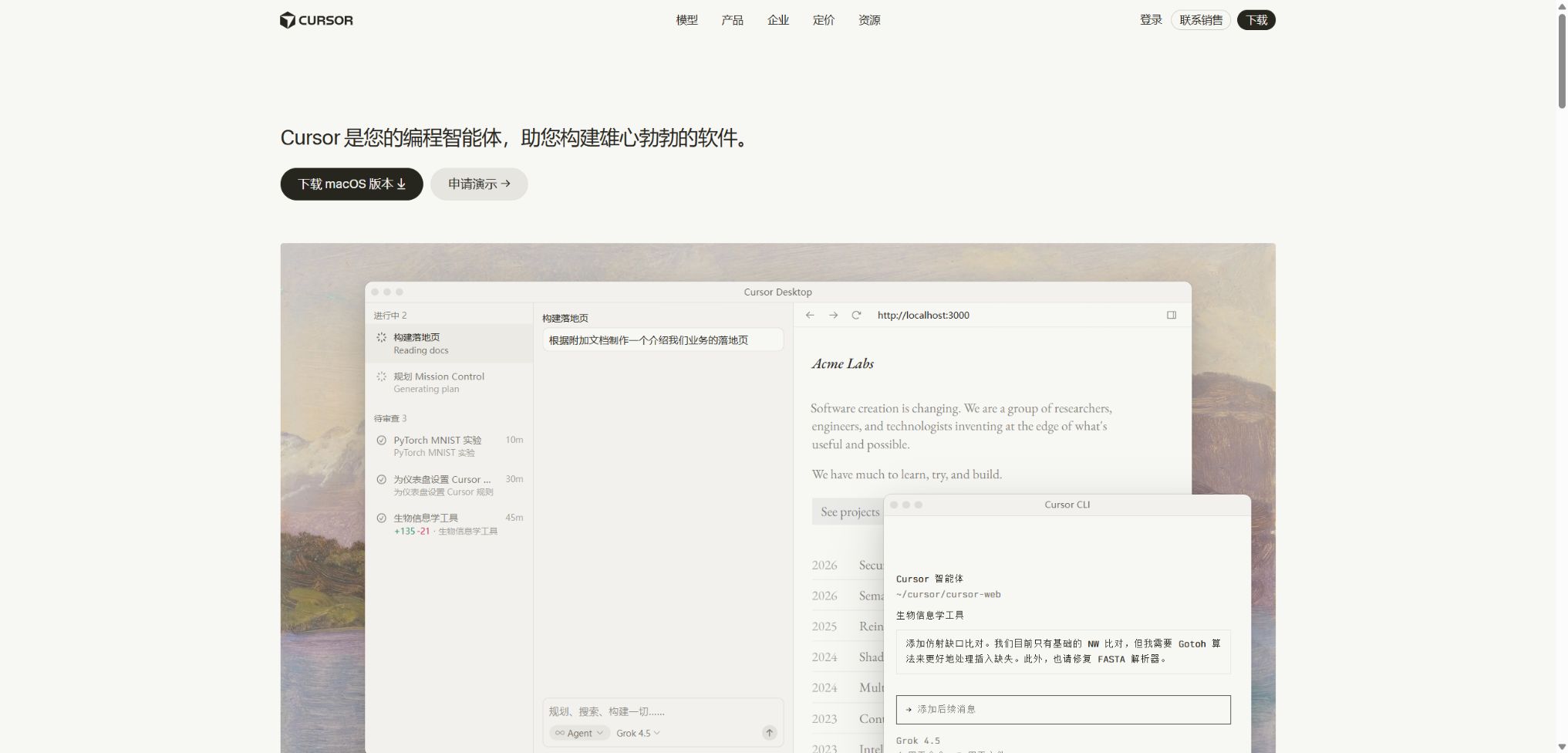
Cursor is an AI-powered code editor developed by Anysphere, built on top of Visual Studio Code. It combines code completion, natural language querying, multi-file editing, terminal execution, and code repository search within a single development environment.
Unlike chat assistants that only provide code snippets, Cursor Agent can understand the context of a project, determine the necessary steps, edit files, and invoke various tools. The current version of this product also offers cloud-based agents, command-line functionality, remote control from mobile devices, automation features, as well as the ability to review pull requests.
Main functions of Cursor
- Tab predicts the next piece of code and the cursor position based on the current file and recent edits;
- The Agent can search through code repositories, modify multiple files, execute terminal commands, and check the results;
- Composer offers an autonomous programming model for complex development tasks;
- The code library index, reference files, and rule system help the model understand the project;
- Cloud Agents can process tasks in parallel within isolated remote environments;
- Automations can trigger repeated development workflows based on events or schedules.
- CLI allows interactive agents or non-interactive tasks to be launched in the terminal;
- Bugbot can identify potential defects in pull requests and provide suggestions for fixes.
- MCP, Skills, and Hooks can connect to external tools and regulate the execution process;
- The Team version offers centralized billing, SSO, usage analysis, and management controls.
Tab smart completion
Tab not only completes the current line, but also predicts changes across lines based on the existing code, recent modifications, and the cursor position. Developers can accept the suggestions one by one, which is suitable for template code, similar refactoring tasks, and continuous editing.
The completion speed is high, but it is still possible for incorrect patterns to be replicated or for business constraints to be ignored. When security, amounts, permissions, and concurrency logic are involved, it should be regarded as a draft rather than something ready for final approval.
Agent and Composer
Agent is well-suited for carrying out cross-file tasks starting from natural language instructions, such as adding new interfaces, fixing tests, or refactoring modules. It can search for information, edit content, execute commands, and read error messages, then proceed with further iterations based on the results obtained.
Composer is a series of programming models developed by Cursor, focusing on fast execution by intelligent agents. Users can also choose third-party cutting-edge models; the model selected will affect quality, latency, and the rate at which resources are consumed.
Code library indexing and project context
Cursor creates indexes for projects, facilitating semantic search and enabling agents to locate relevant code. Users can explicitly reference files, folders, documents, Git history, or terminal output, thereby reducing the need for the model to guess based solely on the current page.
Rules, Skills, and the team marketplace allow for the establishment of project-specific conventions, such as directory structures, testing commands, the technical stack, and areas that are prohibited from being modified. Rules should remain concise and verifiable; too many conflicting instructions can reduce the stability of execution.
Cloud Agents and Automations
Cloud Agents clone code and execute tasks in a remotely isolated environment; users can have multiple agents work in parallel on pending tasks. Once the tasks are completed, it is possible to view the changes made, the execution records, and the branches created, before deciding whether to merge them.
Automations can be initiated by schedules, code events, or external triggers, and they are suitable for tasks that involve updates, testing fixes, and routine maintenance. Running code automatically increases the risks related to permissions and data leakage; therefore, companies should restrict access to keys, network exits, and the repositories that can be accessed.
Cursor CLI and mobile versions
Cursor CLI brings agents to the terminal, enabling interactive coding, scripted testing, and CI support. The mobile version is primarily used for starting, viewing, and remotely controlling Cloud Agents; it is not a complete replacement for desktop IDEs.
Bugbot code review
After connecting to a GitHub pull request, Bugbot can analyze the changes and identify logical errors, security risks, or potential regressions. It serves as a complement to manual review, but it cannot replace testing, static analysis, dependency scanning, or approval by domain experts.
MCP, Skills, and Hooks
MCP enables Agents to use contextual tools such as databases, documents, design systems, and internal services. Skills are used to encapsulate reusable processes, while Hooks allow for validation and control to be carried out at the time of tool invocation or at specific points in the lifecycle.
Third-party MCP servers may have access to source code, credentials, and customer data; it is necessary to examine the publisher, permissions, and scope of data transmission before installing such servers. Do not allow unverified tools to obtain production keys or broad write permissions.
Comparison of Cursor functions
| Functions | Operation location | Primary uses | It is necessary to pay attention. |
|---|---|---|---|
| Tab | Desktop editor | Real-time continuation and continuous modification | Each suggestion needs to be reviewed individually. |
| Agent | Local editor | Search, modify files, execute commands | Control terminal and file permissions |
| Cloud Agents | Remote environment | Complete long tasks in parallel | It will store the context required for operation. |
| Automations | Cloud or team workflows | Event-driven and scheduled maintenance | Restrict networks and keys |
| CLI | Local terminal or CI | Command-line agents and scripting | Non-interactive tasks require exit conditions. |
| Bugbot | GitHub pull request | Intelligent code review | It cannot replace a complete quality access control system. |
Cursor price
Cursor charges a subscription fee based on a plan, and it sets a monthly usage limit for calling models. The current monthly pricing in dollars is available on the official website; taxes and fees for individual and team plans, as well as annual payment discounts and regional options, are indicated on the payment page.
| Package | Price | Includes usage amount | Primary interests |
|---|---|---|---|
| Hobby | Free | Limited Agent requests | Basic access to Composer – no credit card required |
| Start | In India, it costs ₹649 per month, including taxes. | Sufficient supply of Cursor Models, excluding third-party model pools | Cloud Agents, MCP, Hooks, and Skills; Bugbot and Automations are not included. |
| Pro | $ | The third-party model pool costs $20, plus the usage fee for Cursor Models. | Unlimited tabs, higher agent quotas, as well as access to Cloud Agents and Bugbot |
| Pro Plus | $ | The third-party model pool costs $70, and the agent limit is approximately three times that of Pro. | Suitable for frequent daily use of agents |
| Ultra | $ | The third-party model pool costs $400, and the agent limit is approximately 20 times that of Pro. | Suitable for users who work heavily with multi-agent systems and automation. |
| Teams Standard | $ | Configured according to team seats | Centralized management, team market, SSO, analytics, and team privacy mode |
| Teams Premium | $ | The limit for Agents is approximately 5 times that of Standard. | Add high usage on top of Standard. |
| Enterprise | Contact sales | As stipulated in the contract, aggregate usage allowed | SCIM, auditing, access control, invoicing, and priority support |
Model usage and excess billing
Pro, Pro Plus, and Ultra include two separate usage pools: Cursor Models and Other Models, which are reset at the end of each billing cycle. Third-party models are charged according to their API rates; the more expensive a model is and the longer the context, the faster its usage quota is typically consumed.
| Billing items | Rules | How should users manage it |
|---|---|---|
| Cursor Models pool | Sufficient amount of coverage for Cursor’s proprietary models or those developed in collaboration with others | Check the remaining quota on the usage panel. |
| Other Models pool | Deduction is made according to the API pricing of third-party models. | The high-cost model is used only for critical tasks. |
| On-demand | Includes post-payment at the same rate once the quota is exhausted. | Set budgets and reminders before activation. |
| Teams third-party models | In addition, a fee of $0.25 per million tokens applies to the Cursor Token rate. | Compare the costs of the Auto mode and the direct selection model. |
| Regional data residency | The price of models that meet the criteria increases by 10%. | The total cost is taken into account before the enterprise carries out the deployment. |
Officials recommend using only Tab and a small number of agents; such users generally fall within the Pro category. Typical daily spending for users who use agents amounts to around 60 to 100 dollars, while those who make use of multiple agents and advanced automation features may spend more than 200 dollars. The actual cost depends on the models used, the context, the number of retries, and the length of the tasks.
Cursor usage tutorial
Start using it with existing projects.
- Install Cursor and log in serta subscribe only through official channels;
- Open the existing repository, check the Git status first and create a working branch;
- Wait for the indexing of the necessary code libraries to be completed, and exclude keys as well as large generation directories;
- Write short rules for the items, including test commands and the areas that are prohibited from being modified;
- First, use questions and answers to have the Agent explain the structure, without allowing extensive changes right away;
- Choose a small task with clear boundaries, requiring that the steps for carrying it out be specified first;
- Review the differences, run tests, and submit changes manually – do not accept all modifications blindly.
Use an Agent to complete a reliable task.
- Describe the objectives, acceptance criteria, relevant documents, and actions that cannot be changed;
- The Agent is required to first search for existing implementations and tests before proposing a solution.
- Break the task into smaller batches, and check for differences after making changes to each batch;
- Only the minimum necessary commands are allowed to be executed, and no permissions for unrelated systems are granted.
- Have the Agent add or update tests and carry out the actual checks;
- Continue to fix the issues related to failure logs, rather than simply hiding the errors;
- Finally, manual checks are conducted for safety, performance, compatibility, and rollback methods.
Use Cloud Agents safely
- Only connect the repositories and branches that are necessary for the task;
- Use short-term, low-privilege credentials, and do not upload long-term production keys;
- Restrictions on network outbound traffic, automatically executed commands, and accessible MCPs;
- Enable Privacy Mode and check the data retention requirements of the selected model;
- Run tests and static checks on the agent in an isolated environment;
- Review the complete run history, as well as submission and dependency changes;
- Merges and deployments are approved manually, and temporary credentials are revoked promptly.
Who is Cursor suitable for?
- Individual developers: Quickly create template code, carry out debugging and refactoring;
- Full-stack team: Collaboration across front-end, back-end, databases, and testing;
- Maintainers of large codebases: Use indexes to understand unfamiliar modules and dependencies;
- Technical Lead: Establish project rules, skills requirements, and review processes;
- Startup team: Parallel verification of functions and handling of backlog tasks;
- Corporate R&D organizations: Use SSO, SCIM, auditing, and access policies;
- Powerful end-users: Integrate AI into their local development processes via CLI.
The advantages of Cursor
- The editor, code repository search, terminal, and AI editing are tightly integrated together;
- Tab is suitable for low-friction, everyday completion tasks, while Agent is suited for complex tasks.
- It supports a variety of cutting-edge models, and also offers a pool of resources for the Cursor model.
- Rules, MCP, Skills, and Hooks facilitate the customization of workflows;
- Cloud Agents and Automations can handle long-running tasks in parallel;
- Bugbot introduces AI checks into pull requests;
- Teams and Enterprise meet the needs related to identity, permissions, and governance.
Usage restrictions and precautions
- An agent may generate code that is executable but contains errors in its business logic;
- Automatic modifications across files can amplify errors; version control must be used.
- Model calls are charged based on usage, and this does not mean that all models can be used indefinitely after subscription.
- Long contexts, expensive models, and repeated attempts can quickly deplete the quota.
- The code repository index may miss generated code, sub-modules, or excluded files;
- Cloud Agents require storage for the data needed to carry out tasks, and they are not suitable for projects that prohibit the storage of code in the cloud.
- External MCPs, plugins, and Hooks can pose risks related to the supply chain and the transfer of data outside the system.
- Mobile devices are suitable for managing tasks in the cloud, but they cannot replace full desktop development.
Privacy, Security, and Corporate Governance
Both individual users and teams can enable Privacy Mode. Once enabled, Cursor commits not to using code data to train its models, nor will model providers use such data for training; however, certain cloud-based functions still require the storage of context needed for operation.
Most models operate under a zero-data-retention policy, while those that require the provider to retain data must be approved by privacy-mode users or enterprise administrators. When built-in API keys are used, data processing is governed by the policies of the respective model provider, and it does not benefit from Cursor’s zero-retention guarantee.
- Cursor has disclosed that it has undergone SOC 2 Type II auditing as well as annual penetration testing;
- Encryption is used for both transmitted and static data; companies can consult about regional hosting and CMEK.
- The team can enforce Privacy Mode, SAML/OIDC SSO, and model access policies;
- Enterprise adds SCIM, audit logs, service accounts, and network controls;
- Organizations that prohibit the storage of source code in the cloud should not enable Cloud Agents.
- For confidential projects, the principle of least privilege, key rotation, and manual approval processes should all be employed.
API, GitHub, and open-source information
Cursor offers APIs designed for Cloud Agents as well as an enterprise AI Code Tracking API, which are used for creating remote tasks or tracking the usage of AI code. These are not universal APIs that cover all the capabilities of Cursor’s core models or editor; permissions and availability depend on the chosen package.
The core editor of Cursor, as well as its agent services and models, are not open-source products. The official GitHub repository is used primarily for issue tracking or for releasing certain components; the fact that Cursor is built on the open-source VS Code does not mean that the entire source code of the product is available publicly.
Frequently Asked Questions
Is Cursor free?
Hobby can be used for free, offering a limited number of Agent requests and access to Composer. High-frequency use of Agents, advanced models, Cloud Agents, and team management features typically require paid plans.
How much is Cursor Pro?
Pro costs $20 per month, Pro Plus costs $60, and Ultra costs $200. The packages include different amounts of usage; if that amount is exceeded, a pay-as-you-go option is available, which means the total monthly cost could be higher than the subscription fee.
What is the relationship between Cursor and VS Code?
Built on the open-source code of VS Code, Cursor has a similar interface, set of shortcut keys, and various ways of using extensions. It adds proprietary AI editing capabilities, Agents, cloud services, and a billing system.
Will Cursor use code to train models?
Once Privacy Mode is enabled, Cursor guarantees that it and the providers of its models will not use code data to train those models. Functions such as Cloud Agents will still save the necessary data for their operation, while BYOK follows the policies set by its respective providers.
Is Cursor open source?
No, the complete Cursor product and its core AI services are not open source. The VS Code foundation and the public GitHub projects cannot be considered as the entire source code of Cursor.
Tools similar to Cursor



 Guigong Network Security Registration No. 45132202000164