






epigos.ai
epigos.ai – makes AI models work more efficiently and simply.
Tags:AI training modelsWhat is Epigos AI?
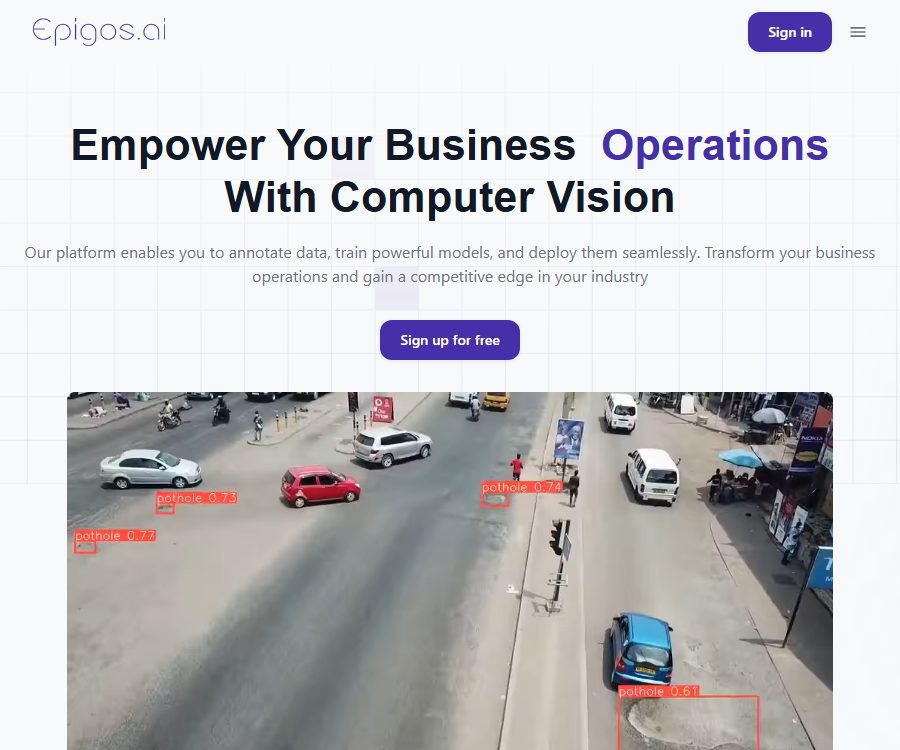
Epigos AI is an end-to-end computer vision platform operated by Epigos LTD, a company based in the United Kingdom. It helps teams to transform raw images into labeled datasets, train models for image classification or object detection, and then deploy these models through web interfaces, APIs, SDKs, or edge devices.
The product is aimed at companies, developers, and data teams that wish to shorten the development timeline of computer vision projects. The platform offers hosted GPUs and visualization tools, but users still need to define business-related tags, prepare reliable samples, and verify whether the models meet the required standards.
Overview of main functions
| Phase | Main functions | Enter | Output |
|---|---|---|---|
| Data preparation | Upload, filter, split, and version management | Image files and label definitions | Trainable dataset version |
| Data annotation | Classification, bounding boxes, automatic annotation, and review | Images, categories, and annotation details | Category labels or target boxes |
| Model training | Hosting GPUs, model libraries, and training tasks | Dataset version and training configuration | Classification or detection models |
| Model evaluation | Metrics, training curves, and example inference | Training results and test images | Accuracy, mAP, precision, and recall |
| Deployment | Managed endpoints, web pages, SDKs, and model downloads | Trained model | Predicted results or deployable model files |
| Professional services | Artificial data annotation and custom integration | Project data and quality requirements | Reviewed annotated plans or implementation schemes |
Workspaces, projects, and teams
After registration, it is necessary to create a workspace first, and then establish computer vision projects within that workspace. The workspace serves to manage members, projects, API keys, subscriptions, resource usage, and permissions in a centralized manner.
- Register via email or a Google account and access the dashboard.
- Create separate projects for different teams, customers, or business scenarios.
- Set the project name, purpose, model type, tags, and description.
- View storage, training, inference, and other quota usage in the workspace.
- Invite members to collaborate via a package; the maximum number of members varies depending on the plan.
Projects within the same workspace may contain customer images, production samples, and model files. Administrators should assign members API keys with the minimum level of permissions required, and revoke access promptly when employees leave or a project comes to an end.
Dataset management
Epigos AI allows users to upload batches of images from their computers, after which they can view, sort, filter, and split those images. The current quick-start documentation clearly states that the upload function supports certain image formats; therefore, other media types mentioned in older marketing articles should not be considered as valid input formats.
- Batch upload: Import images from the same scene or acquisition task as a group.
- Data filtering: Search for samples that are pending processing or have already been labeled, based on status, tags, or batch.
- Training split: Divide the data into training, validation, and testing subsets to reduce evaluation data leakage.
- Version control: Keep different versions of the dataset for various annotations and splits, to facilitate the reproduction of experiments.
- Quality check: Identify missing, incorrect, or inconsistent annotations before training.
- Data augmentation: Training samples are expanded through transformations, but the methods of augmentation must be consistent with the actual deployment environment.
Supported model tasks
| Task | Marking method | Model output | Suitable scenarios |
|---|---|---|---|
| Image classification | Select a category for the entire image. | Predicted category and confidence level | Product grading, image archiving, status recognition |
| Object detection | Draw a bounding box around the target in the image and select its category. | Target category, confidence, position, and size | Defect detection, counting, object positioning, and monitoring |
Semantic segmentation, key point detection, video tracking, and 3D vision are not explicitly listed as standard project types in the documentation for this project. When these tasks are needed, it is necessary to consult the team first; one should not try to deduce them based on the name of the computer vision platform.
Image annotation
The annotation interface displays the images that need to be processed along with the predefined categories. After the user selects a category or draws a bounding box around the target, the system proceeds to the next image. Clear definitions for labels and rules regarding boundaries are more important than simply increasing the speed of annotation.
- Define categories within the project that are non-overlapping and have business significance.
- Prepare annotation descriptions for positive examples, negative examples, occlusions, blurring, and edge cases.
- Select an upload batch and initiate the annotation task.
- Select a whole-image label for classification tasks, and draw bounding boxes around the objects to assign them categories.
- Check whether the checkbox matches the target and whether the category is consistent, then submit the annotation.
- Sample-check the results from different annotators, and then generate a new version of the dataset.
Automatic annotation and manual services
Automatic annotation can first generate candidate results, which can then be revised by humans; this method is suitable for data for which certain models or patterns already exist. The package offers a certain number of points for automatic annotation on a monthly basis, and the number of images or actions corresponding to one point is specified in the account details.
The team also offers professional data annotation services, whereby human annotators can process the data in accordance with the project specifications. The price of this service, as well as details regarding sampling for quality inspection, rework, confidentiality measures, and the format of the delivered results, need to be agreed upon separately; they are not assumed to be included in a standard subscription.
Cloud-based model training
Once the dataset is ready, the user selects a version of the data and initiates the training process; the platform assigns GPUs in the background to carry out this task. The training time can vary depending on the number of images, the complexity of the task, and the waiting time for available resources. The typical range indicated in the quick start guide is between 1 and 12 hours.
- Confirm that the dataset has been completed with labeling, review, and split into training and validation sets.
- In the project, select the training model and specify the dataset version.
- Check the available configurations such as the number of training iterations, batch size, learning rate, and model architecture.
- Start the background training and wait for the completion notification; do not modify the corresponding version while it is running.
- Open the model details page to view metrics, curves, and configurations.
- Perform inference using test images that were not involved in the training, and then decide whether to deploy it.
“One-click training” only simplifies the operations related to infrastructure; it does not automatically correct incorrect labels, sample biases, or unreasonable category designs. A production-ready model still requires data governance, proper documentation of experiments, and on-site verification.
Training results and model evaluation
| Indicators | Explanation | Usage notes |
|---|---|---|
| Classification accuracy | Proportion of images with correct classification | When the categories are unbalanced, it is not possible to assess the quality of the model on its own. |
| mAP | Evaluation of detection performance across different categories and confidence thresholds | It is necessary to confirm the merge ratio threshold and the calculation settings. |
| Precision | Predict how many of the target results are true. | Pay attention to tasks with high costs associated with false positives. |
| Recall rate | How many of the actual targets were identified by the model? | Pay attention to tasks with high costs associated with missed detections. |
| Loss curve | Changes in the objective function during training | Used to detect signs of non-convergence or overfitting. |
| Example reasoning | View the prediction box and confidence level on the new image. | It should cover real light rays, angles, as well as devices and the environment. |
In fields such as healthcare, industrial quality control, safety monitoring, and agricultural decision-making, it is not sufficient to rely on just one average indicator. Teams should set thresholds based on the actual cost of errors, and assess performance in different categories, locations, devices, and demographic conditions.
Model deployment method
After the training is complete, it is possible to upload sample tests directly to the dashboard, or create hosted inference interfaces or web pages. The product also offers options for model downloading as well as integration with various edge devices; the specific conversion formats, hardware acceleration capabilities, and offline functionality depend on the model and the chosen solution.
| Deployment method | Suitable uses | Main points to note |
|---|---|---|
| Dashboard testing | Quick check of new image predictions | Suitable for verification, not a full production system. |
| Managed Web UI | Allow the tester to upload images through the page. | Those who possess the link may access it; sensitive models need to be controlled. |
| Managed REST API | Access to websites, services, and business systems | Limited by reasoning capacity, network latency, and API keys. |
| Python SDK | Data science and backend applications | Version verification, exception handling, and licensing |
| Node.js SDK | JavaScript services and web backend | Keys cannot be included in the public frontend code. |
| Model download | Self-hosted, offline, or further optimized | The export format and runtime compatibility need to be verified in practice. |
| Edge devices | Jetson, OAK, Raspberry Pi, mobile devices or browsers | Conversion, quantification, and custom integration may be required. |
REST API and API Key
In the workspace, API Keys can be created, and the scope – Project or Inference – can be selected based on the intended use. The Project scope allows for project management, data uploading, training, and prediction, while the Inference scope is used primarily for invoking trained models.
- Create separate keys for development, testing, and production; do not use the same key over an extended period.
- Only the minimum scope required for the caller to complete the task is granted.
- Save the Secret in a secure key management tool as soon as it is generated.
- Do not submit Secrets to GitHub, mobile app packages, or the browser frontend.
- In the event of a key leak, it should be deleted immediately and regenerated at the end of the project.
- Public reasoning applications should also utilize their own backend for calls, in order to prevent the exposure of the platform’s keys to visitors.
API integration process
- Create an API Key with an Inference scope in the workspace settings.
- Select the trained and validated model, and record its identifier and version.
- Use a small number of test images to call the inference interface, in order to check for timeouts, format issues, confidence levels, and error responses.
- Add checks for file size, format, and access permissions in the business system.
- Set up retries, logging, rate limiting, and quota alerts to prevent infinite repeated requests.
- Save the model version and prediction time to facilitate tracing in case of issues.
Python and Node.js SDKs
Epigos AI’s official GitHub organization has undergone domain verification, and the epigos-python and epigos-ts repositories have been made public. Both are licensed under the MIT license, which facilitates model management and inference calls.
- The Python SDK is suitable for data pipelines, batch predictions, server-side applications, and experimental scripts.
- The TypeScript SDK is suitable for integration with Node.js backends and the JavaScript ecosystem.
- The SDK is merely client-side code; to make calls, an Epigos account, an API Key, and the appropriate quotas are still required.
- The open source nature of the SDK does not mean that the hosting training platform, model infrastructure, or server-side code are also open source.
- Before upgrading the SDK, it is necessary to check for changes, compatibility, and locked versions to prevent sudden changes in the production interfaces.
Prices and packages
The pricing page currently shows the monthly subscription costs for the Free, Starter, and Teams plans; it also offers the option to pay annually, with an annual payment saving of 20%. The exact total amount due for annual payment, as well as any taxes and additional services, shall be based on the actual settlement page or sales quote.
| Package or version | Price | Billing cycle | Core benefits or quota | Suitable for users |
|---|---|---|---|---|
| Free | $ | Free plan | 1 project, 5 members, 1000 images, 100 automatic annotations per month, 5 training points, 100 inference points per month | Individuals, teaching, and proof of concept |
| Starter | 150 dollars | Monthly | 5 projects, 10 members, 10,000 images, 5,000 automatic annotations per month, 20 training points, 10,000 inference points per month | Small businesses and formal pilots |
| Teams | 350 dollars | Monthly | 20 projects, 50 members, 50,000 images, 10,000 automatic annotations per month, 50 training points, 50,000 inference points per month | Multi-project team |
| Annual payment | The settlement page is the authoritative source. | Prepayment on an annual basis | The page indicates a 20% savings compared to monthly payments; the actual amount and benefits need to be confirmed. | Long-term stable users |
| Labeling and custom deployment | Contact sales | Project or contract | Manual annotation, more resources for training and inference, dedicated support, and embedded integration | Corporate production projects |
Understanding the credit limit
- The upper limit for images indicates the capacity of the dataset; however, how deletions, archiving, or version copies are counted should be confirmed in the account settings.
- Training credits are not equivalent to a fixed number of GPU hours; the pricing rules for model size and training tasks can be found on the usage page.
- It is not clearly explained on the pricing page whether the reasoning integration fee is charged based on calls, or per image, per batch, or based on the amount of computation.
- The automatically assigned credit limit is updated on a monthly basis; it is not yet clear whether any unused credit remains available after each update.
- Does the free version include model downloads, all deployment formats, and technical support? The information provided on the page is ambiguous; it should be determined based on the account permissions.
Payment, cancellation, and refunds
The platform accepts credit cards and debit cards via Stripe; payments can be made on a monthly or annual basis. Users can cancel their subscription from the account settings or by contacting support, and it is stated clearly that no hidden fees or penalties will be charged for cancellation.
The timing of cancellation, whether the paid periods can still be used, what to do with any remaining credits, and whether a refund will be provided are not clearly explained on the public page. Before making a purchase, especially for annual subscriptions, manual annotation services, or customized deployments, it is necessary to obtain written terms regarding refunds and delivery.
Suitable for users and use cases
- Manufacturing enterprises: Identify scratches, cracks, missing parts, and packaging defects, and count the number of products.
- Agricultural team: Identifies crops, livestock, disease spots, or other elements in the fields, to assist with inspections and classification.
- Warehouse logistics: Classifying or locating goods, packaging, and inventory images.
- Retail team: Analyzes shelf layout, product availability, and in-store visual elements.
- Medical research and development: Prototypes for image classification or detection are developed, but they cannot be used for clinical diagnosis without first being validated.
- Security team: Detects specific objects or abnormal areas, while complying with regulations regarding privacy, surveillance, and facial data.
- AI development team: Uses APIs and SDKs to integrate custom visual models into existing products.
Privacy and data security
The platform collects account and contact information, payment details, IP addresses, device information, browser details, visited pages, and Cookie data, which is used for service delivery, processing payments, communicating with users, as well as for research and analysis. Third-party service providers may process this information for specified purposes, and legal requirements may also compel the disclosure of such data.
- The privacy policy states that secure encryption protocols are used, and data access is restricted to authorized personnel only.
- Personal information is retained for as long as necessary to achieve the intended purposes and to meet legal obligations, but no exact deadline is specified.
- Data may be transmitted and stored outside the European Economic Area, and companies need to evaluate cross-border mechanisms.
- Users can request access to, update, correct, or delete personal information that is no longer needed.
- The public materials do not list all the sub-processors, data center locations, backup intervals, or specific security certifications.
- Before industrial images, medical images, and surveillance data are put into use, a data processing agreement must be signed and a risk assessment completed.
Content rights and commercial usage notes
Users must ensure that the images, labels, and other content they upload are subject to legitimate licensing. The terms grant Epigos exclusive-free, worldwide, royalty-free, transferable, and sublicensable rights to use, copy, modify, distribute, and display users’ content for the purpose of providing services.
- Images involving individuals, patients, employees, or consumers require consent in accordance with applicable laws or some other legal basis.
- Medical and biological data must first undergo de-identification, ethical assessment, confidentiality handling, and cross-border review.
- When a client commissions annotation, it is necessary to clarify the ownership of the original data, the annotated results, and the training model, as well as the requirements regarding their deletion.
- Model predictions are not guaranteed to be accurate; therefore, safety, quality, and diagnostic processes must include mechanisms for manual review and termination.
- Access control should be verified before deploying to a public web page, as those who possess the sharing link may be able to submit deductions.
Open-source status
| Components | Status | License or instructions |
|---|---|---|
| Epigos hosting platform | Non-open-source products | The intellectual property rights for the platforms and services belong to Epigos. |
| Python SDK | Public code | MIT License |
| TypeScript SDK | Public code | MIT License |
| Users train models | It can be downloaded as part of a package. | Export and usage rights need to be confirmed in conjunction with the account and contract. |
| The basic model used by the platform | Not fully made public yet | It is not possible to infer that the training infrastructure is open-source based on the openness of the SDK. |
Main advantages
- It covers data preparation, annotation, training, evaluation, and deployment, reducing the need to assemble multiple tools separately.
- It supports two common visual tasks: image classification and object detection, and its interface is suitable for beginners who are not experts.
- Managed GPUs eliminate the need to purchase and maintain training infrastructure upfront.
- It provides managed APIs, model downloads, and paths to edge devices, enabling adaptation to various production conditions.
- Public Python and TypeScript SDKs are provided to facilitate integration with the server side and data pipelines.
- The package lists the projects, members, images, automatic annotation features, as well as the quotas for training and inference, making it easy to conduct a preliminary comparison.
Capacity limits and risks
- The current standard for uploading specifies that images are the primary format, while videos, segmentation, pose estimation, and 3D tasks have not been fully defined.
- Automatic annotation may amplify the biases present in existing models, and it must be reviewed manually.
- The published price does not explain the full conversion of points nor the price per extra unit; the actual cost must be determined through pilot measurements.
- A good performance of a model on the test set does not mean it will be able to adapt to new cameras, lighting conditions, locations, and populations.
- Managed inference relies on network connectivity, platform availability, and quotas, and it is not suitable for critical controls that do not have a fault-tolerance design.
- Edge deployment may require quantization, conversion, and hardware optimization; it is not always possible to simply download it and run it directly.
- The disclosures on privacy and security are relatively general; sensitive industries require additional contractual details.
Recommendations for selection and deployment
- Select a low-risk scenario with a clear category and where ground truth values can be obtained for purpose of concept validation.
- Use the Free plan to test the processes of uploading, annotating, training, and inference, while also keeping track of the amount of resources consumed at each stage.
- An independent test set is created, and evaluations are conducted by grouping devices, locations, and challenging conditions based on their actual characteristics.
- Verify the model export format, inference latency, device compatibility, and offline strategy.
- Set minimum permissions and deletion procedures for data, annotations, models, API keys, and sharing pages.
- Before making the payment, verify the excess cost, the total annual fee, refunds, technical support, and the scope of custom deployment.
Frequently Asked Questions
Which computer vision tasks does Epigos AI support?
The current project documentation explicitly lists image classification and object detection. Other tasks have not been recognized as standard project types, so it is necessary to verify this with the product team.
Can it be used for free?
Yes. The Free plan does not require a credit card; it includes 1 project, 5 members, 1000 dataset images, 5 training credits, and 100 inference credits per month.
Do I need to prepare my own GPU to train a model?
It’s not necessary; the platform allocates training resources in the cloud and handles the operations in the background. For complex projects, the training time and the amount of energy required still depend on the volume of data, the configuration settings, and the available resources.
Can the model be deployed on one’s own device?
The platform offers model downloads and provides information on Jetson, OAK, Raspberry Pi, mobile devices, browsers, and cloud solutions. The actual format, precision, speed, and compatibility must be verified using the target hardware.
Does Epigos AI provide APIs and SDKs?
It provides REST APIs as well as Python and TypeScript SDKs. The API keys can have a scope set to Project or Inference, and both SDK repositories are licensed under the MIT license.
Is Epigos AI itself open source?
The hosting platform is not an open-source product. What is made available is the client SDK code; it cannot be inferred from this that the server side, the training system, or the model library are open source.
What are the rules for annual payments and refunds?
The annual payment page indicates a 20% savings compared to monthly payment, but the exact amount is subject to what is shown on the settlement page. It is possible to cancel the subscription; the public page does not provide complete information regarding refund rules and remaining credit limits, so it is necessary to obtain written confirmation before making a purchase.
Is it suitable for direct use in medical diagnosis?
Platform models should not be used directly for diagnosis; medical applications require de-identification, ethical and regulatory reviews, as well as external validation, clinical assessment, and manual verification.
Tools similar to epigos.ai



 Guigong Network Security Registration No. 45132202000164