






Chatworm
Chatworm – makes AI models work more efficiently and simply.
Tags:AI training modelsWhat is Chatworm?
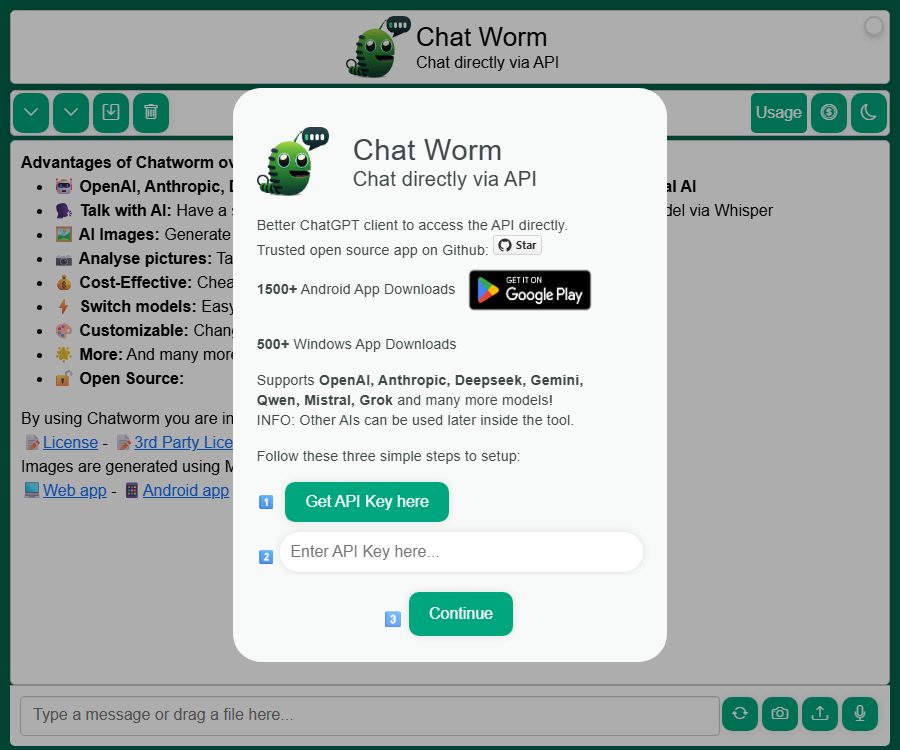
Chatworm is an open-source multi-model AI dialogue client that requires users to enter their own API Key. It allows direct access from a browser to services provided by providers such as OpenAI, Anthropic, Google Gemini, DeepSeek, Alibaba Qwen, xAI Grok, Mistral AI, and StepFun.
This project is a single-page front-end application; the official documentation states that the browser communicates directly with the model’s API, without any Chatworm conversation server in between. This does not mean that data will not be sent outside – prompts and files are still transmitted to the AI provider chosen by the user.
A one-sentence summary
Chatworm is a free, MIT-open-source conversation client for Web, Android, and Windows that allows direct connection to various AI models using its own API keys.
Main functions
Multi-model dialogue
Users can assign separate API Keys to different providers and switch between models from a single interface. When a particular service is slow, experiencing temporary issues, or not suitable for the current task, it is possible to use another model instead.
Model parameter adjustment
The interface allows for adjusting settings such as randomness, maximum output, reasoning intensity, chat history, and quick sending. Whether these parameters are available depends on the capabilities supported by the current model API.
Voice dialogue
Chatworm can use speech recognition to convert users’ spoken words into text, and then transform the AI-generated responses back into speech. The speech functionality incurs costs related to specific APIs, and it may be affected by microphone permissions, noise levels, accents, and browser compatibility.
AI image generation
Clients can use image APIs such as DALL·E 3 to create images. Image requests are typically billed separately from text-based interactions, and users should check the resolution and price per request before generating an image.
Image understanding
Users can take photos or select existing images, and then use vision-based models to conduct question-and-answer sessions. Faces, documents, addresses, and device information contained in these images may be considered sensitive data; therefore, authorization must be obtained and such data must be anonymized before they are uploaded.
Local personalization
Users can choose between dark mode, voice functionality, quick sending options, and chat settings. Like the API Key, these settings are primarily stored in the browser’s local storage.
PWA and app store versions
Chatworm can be used directly in the web, and there are also Android and Windows applications available. These clients are based on the same progressive web application concept; their functionality and update frequency can be affected by store reviews and caching mechanisms.
Supported model providers
| Provider | Key capabilities | Required credentials |
|---|---|---|
| OpenAI | Text, reasoning, vision, speech, and images | OpenAI API Key |
| Anthropic | Claude: Dialogue, Writing, and Reasoning | Anthropic API Key |
| Gemini Text and Multimodal | Gemini API Key | |
| DeepSeek | General dialogue, reasoning, and programming | DeepSeek API Key |
| Alibaba Cloud | Qwen series models | Qwen-related API Key |
| xAI | Grok series models | xAI API Key |
| Mistral AI | Mistral series models | Mistral API Key |
| StepFun | Step Star Model | StepFun API Key |
The model providers, versions, and parameter support may change as the project is updated. Before entering the key, it is necessary to verify in the corresponding provider’s console that API billing and the required models are available for your account.
Price and actual cost
As of August 24, 2026, the Chatworm application is free to use; there is no fixed monthly fee or membership charge. Users send requests to the model providers using their own API keys, and the costs are determined according to each provider’s real-time pricing rules.
| Cost items | Chatworm charges a fee | Actual billing party | Common billing units |
|---|---|---|---|
| Applications and source code | $ | Not applicable | Free and open source |
| Text dialogue | $ | Model provider | Input and output tokens |
| Inference model | $ | Model provider | Token or specific request |
| Visual analysis | $ | Model provider | Token, image, or resolution |
| Speech recognition and synthesis | $ | Model provider | Duration, characters, or tokens |
| Image generation | $ | Model provider | Number of sheets, size, and weight |
The price differences between different models can be significant, and pricing may change frequently. It is recommended to set a low budget, usage alerts, and hard limits for each provider, and to check the prices before initiating long conversations, processing large images, or performing costly computations.
Quick Start Guide
- Select a model provider and create an API Key dedicated to Chatworm.
- Set a low budget, model permissions, and usage alerts in the provider’s console.
- Open the web application, or install the Android and Windows versions from official app stores.
- Enter the key of the corresponding provider in the API Key settings.
- Choose a low-cost model and send a test message that does not contain sensitive information first.
- Open the provider usage page to verify that the request is being billed correctly.
- Adjust the model, randomness, output length, and reasoning strength according to the task.
- When the device is no longer in use, the local key is deleted and revoked in the provider’s console.
Self-deployment tutorial
- View the MIT license and the list of third-party licenses.
- Obtain the code from the official repository and check the current branch and dependencies.
- Install the front-end dependencies and start the development server locally.
- Use the test key to verify cross-domain requests and streaming output for the required models.
- Update dependencies before deployment, conduct security reviews, and generate a production build.
- Use controlled domain names, content security policies, and a strict list of third-party scripts.
- Verify the storage of encryption keys, API targets, as well as the caches related to dependencies and service workflows after each update.
API Key security
The current source code of Chatworm stores the API keys of various providers in the browser’s local storage, without any additional encryption of those key values. The credentials stored locally can be stolen by malicious scripts within the same website, local malware, over-privileged extensions, or anyone who has access to the device.
Key protection list
- Create a separate key for Chatworm, one that is not shared with the server or the team.
- Set a minimum budget, usage alerts, a model whitelist, and available organizational projects.
- Keys are stored only on personal and trusted devices and within browser configurations.
- Do not enter keys on shared computers, public terminals, and remote presentation devices.
- Before installing a browser extension, check its permissions for web page reading and script injection.
- Revoke the key immediately if abnormal charges are detected, the webpage is altered, or the device is lost.
- Rotate keys regularly and delete site data before disabling browser configurations.
Privacy and data flow
| Data | Main location or recipient | Main risks |
|---|---|---|
| API Key | Browser local storage | Risks of local theft, scripts, and extensions |
| Prompting and dialogue | Corresponding AI provider | Retention, training, regional and compliance differences |
| Images and audio | Corresponding AI provider | Transmission of biometric data, addresses, facial images, and document information |
| Error log | Third-party libraries or service providers | IP address, device, system version, and usage time |
| Interface settings | Browser local storage | Cache cleanup, shared configuration, and device access |
The project’s privacy policy states that some identifiable information remains on the device, but third-party services can collect error logs and device data. This policy is rather brief; users must also check each AI provider’s terms regarding data usage and storage.
Product advantages
- The application itself is free; users only need to bear the actual API costs.
- The source code is available publicly, allowing for review, modification, and self-deployment.
- The same client can be configured to use multiple AI providers.
- A pure front-end architecture eliminates additional intermediary service layers.
- It supports text, voice, visual, and image generation.
- Multiple access options are available, including Web, Android, and Windows.
- It is possible to adjust the model, randomness, output length, and reasoning intensity.
Usage restrictions and precautions
- Users must apply for, top up, and manage the API accounts of each model provider separately.
- API billing is based on usage, and long conversations, large images, audio, and inference models can lead to rapid increases in costs.
- The key is stored in the browser’s local storage, making it unsuitable for public or shared devices.
- For a pure front-end direct connection, it is required that the model API permits cross-domain requests from the corresponding browser.
- When the upstream API changes the model, alters parameters, or disables an interface, the client may become unavailable temporarily.
- The application lacks enterprise account management, centralized key storage, auditing, and organization-level permissions.
- AI responses, image recognition, and speech transcription can be inaccurate; therefore they should not be used for high-risk decisions that require no human oversight.
- The project relies on multiple third-party front-end packages, and those who deploy it are required to continuously fix any vulnerabilities in these dependencies.
Open source and GitHub status
The official public repository for Chatworm is the chatgpt-api project under the name UnknownEnergy, and it is licensed under the MIT license. As of the date of verification, this repository has not been archived; the last code update was in February 2026, and there is a section available for submitting feedback on issues.
The MIT license permits use, modification, and distribution, provided that the copyright and license notices are retained. The model APIs, third-party front-end libraries, app store packages, and the generated content are governed by their respective terms; they are not automatically made available just because the main project is under the MIT license.
Basic information
| Project | Content |
|---|---|
| Tool name | Chatworm |
| Developer | Daniel Schweiger |
| Tool type | Open-source multi-model AI dialogue client |
| Product architecture | A pure front-end single-page application, with direct connection to the model API through the browser. |
| Platform | Web, Android, and Windows |
| Price pattern | The application is free to use, while third-party APIs are charged on a pay-as-you-go basis. |
| Key-based method | Users should provide their own API Key, which is stored in the browser’s local storage. |
| Is a Chatworm account required? | Pure front-end usage does not require a central account. |
| Is it open source? | Yes, MIT license. |
| Recommendation score | 4.2 points |
Frequently Asked Questions
Is Chatworm free?
The applications and source code are available free of charge, and there is no fixed membership fee for Chatworm. Actual conversations, voice calls, as well as requests for images and visual content are billed on a pay-as-you-go basis by the respective AI providers.
Is it necessary to use my own API Key?
Yes, users need to enter the corresponding key for the model provider they wish to use. Keys that are not associated with a billing plan or that do not grant access to a model may result in a rejection response or an error related to quota limits.
Will the API Key be sent to the Chatworm server?
According to the public architecture documentation and the source code, the keys are stored in the browser’s local storage, and requests are sent directly to the AI provider. However, this local storage is not encrypted, so the device and the browser environment must be reliable.
Can Chatworm be deployed on its own?
Yes, the warehouse provides complete front-end code along with instructions for local development and building. Those who carry out self-deployment are responsible for handling the domain name, front-end dependencies, content security policies, as well as updates and vulnerability fixes.
Is Chatworm an open-source tool?
Yes, official projects are licensed under the MIT license. Users still need to comply separately with the terms set by AI providers, third-party dependencies, app stores, and the content generated.
Summary
Chatworm is suitable for individuals and developers who already have an account for accessing model APIs and wish to switch between different AI services using a single open-source client. Its pure front-end architecture along with the MIT license facilitate auditing and self-deployment, but users are responsible for managing local plaintext keys, billing for multiple APIs, as well as ensuring the security of dependencies and any changes in the underlying systems.
Tools similar to Chatworm



 Guigong Network Security Registration No. 45132202000164