






IMMERSE
IMMERSE: an intelligent tool focused on AI model training
Tags:AI training modelsA one-sentence summary
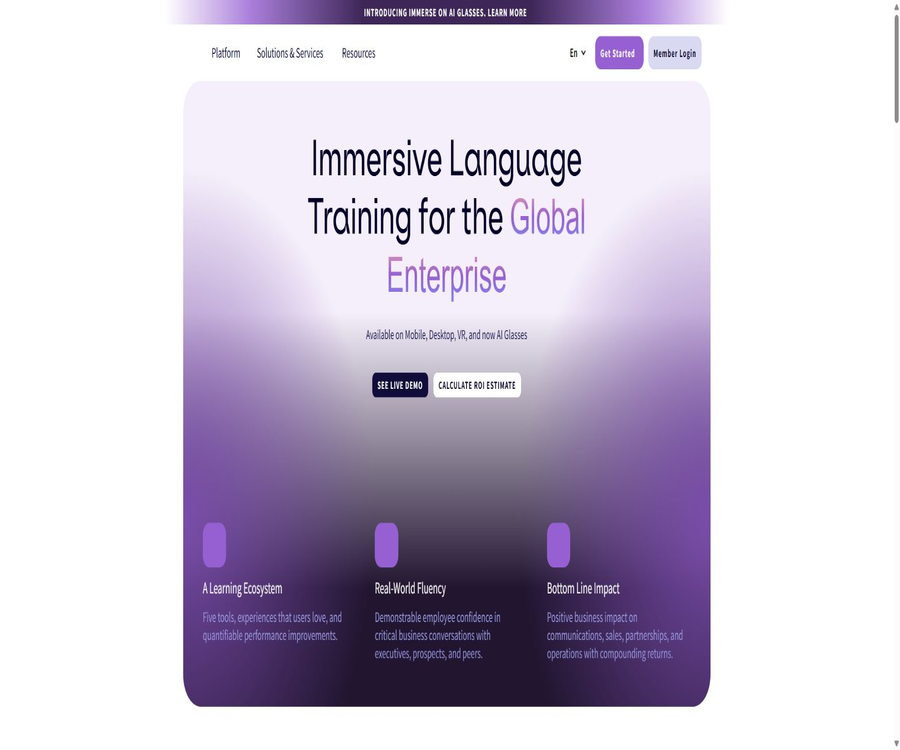
IMMERSE is an immersive language learning platform that works on smartphones, desktops, VR devices, and AI glasses; it uses AI virtual tutors and small groups of real people to facilitate interactive training for real-life spoken communication.
Tool Introduction
IMMERSE is operated by the American company Immerse Inc.; it offers training in spoken language and workplace communication for adult learners, corporate employees, and educational institutions. It focuses on completing tasks in simulated situations, rather than simply memorizing words, grammar rules, and fixed phrases.
Individual users can purchase the Essential or Pro version, while businesses can combine self-study options, live courses, management dashboards, SSO, and skill assessments. There is also the Capture feature, which converts real conversations saved by users into materials for further learning.
Do not confuse it with Immersed.
| Name | Product direction | Primary uses | Identification method |
|---|---|---|---|
| IMMERSE | Immersive language learning | AI speech training, live courses, VR simulations, and corporate training | The name is in all capital letters, intended for assessing language fluency. |
| Immersed | VR virtual desktop | Using multiple computer screens and remote collaboration in headsets | The focus is on productivity and virtual displays. |
Both have similar names and can be used within the Meta Quest ecosystem, but their accounts, subscriptions, and features are entirely different. When looking for language courses, make sure that the app developer is Immerse Inc.
Supported languages and levels
| Project | Currently supported | Explanation |
|---|---|---|
| Learning a language | English, Spanish, French, and Portuguese | All platforms and solutions are based on these four core elements. |
| Level 1 | Pre-A1 | Basics before getting started |
| Level 2 | A1 | Basic user |
| Level 3 | A2 | Basic communication |
| Level 4 | B1 | Independent communication |
| Level 5 | B2 | More complex communication |
| Level 6 | C1 | Advanced communication |
The levels correspond to the CEFR framework, with reference also to the Global Scale of English and the ACTFL competency framework. Users can change the language options and proficiency levels in their account, but the depth of coverage for the courses varies depending on the language and level.
Learning methods
Communicative Language Teaching
The course is designed to help learners complete real-life communication tasks, such as making requests, describing things, apologizing, negotiating, or communicating in a professional setting. The system first determines the desired outcome of the communication and then selects the language structures that learners need to use in order to accomplish those tasks.
Task-based learning
Learners use the target language in simulated scenarios such as restaurants, offices, while traveling, or in social situations, rather than just choosing answers. The complexity of the tasks increases as the level progresses.
Scaffolding-style progression
The course begins with listening and reading inputs along with the necessary guidance, before gradually moving on to require oral output. The same communication skills are presented at different levels, with more complex vocabulary and scenarios added.
Safe trial and error
AI coaches and virtual environments allow learners to try again and again, reducing the anxiety associated with making mistakes in front of a real person. However, the feedback provided by AI may not always be accurate; important grammar points, pronunciation, and cultural expressions should be verified with a human coach.
Main functions
AI virtual coach self-study course
Each self-study session is guided by an AI avatar coach, who helps the user complete scenario-based exercises in accordance with a personalized learning path. The system keeps track of the interactions and progress made, which is used to recommend further review and training activities.
Geo Learning Partner
Geo is a learning companion in personalized learning plans, used to guide tasks, provide practice suggestions, and keep track of progress in the courses. It is suitable for practicing at any time, but it cannot replace a human teacher in identifying complex errors.
Live group courses
Pro offers unlimited sessions of face-to-face group lessons, led by language immersion coaches who conduct simulated exercises and provide immediate feedback. Users can book these sessions in advance or attend them even before they have completed the corresponding self-study courses.
Community language exchange
Members can access public or private community spaces to interact with learners from different countries, play games, and participate in activities. The people they interact with are real users, so it is necessary to abide by the community rules and protect personal information.
Immersive 3D scenes
The platform offers interactive spaces related to daily life and work, allowing learners to practice in an environment filled with visual and spatial cues. Pro provides access to more complete 3D locations, while VR devices enhance the sense of immersion.
Pronunciation and real-time feedback
The system can convert speech into text, analyze pronunciation, and provide immediate feedback on the way one speaks. Pronunciation assessment is influenced by accent, microphone quality, background noise, and the recognition model; therefore it should not be regarded as an absolute score.
Progress and capability tracking
Individual members can view their progress in improving fluency, while enterprise administrators can compare various exercises, simulation assessments, and the standards required for specific job roles. This data is useful for identifying areas that need further training, but it should not be used alone to decide on promotions or other personnel decisions.
Enterprise management and impact analysis
Fluency Mapping, Intelligence, and Impact provide metrics for assessing an organization’s capabilities, its behavioral practices, and the impact on business operations. Organizations need to define in advance the tasks associated with each position, the required standards, as well as appropriate boundaries for data usage.
LMS integration with SSO
The Enterprise version allows for SSO or integration of learning processes with systems such as Workday, Degreed, SAP SuccessFactors, Cornerstone, Docebo, Absorb, TalentLMS, Canvas, and Blackboard. The specific interfaces and associated costs are determined based on the enterprise order.
Personal learning process
- Choose English, Spanish, French, or Portuguese.
- Select the appropriate level from Pre-A1 to C1 based on your current ability.
- Create a personal account using the 14-day trial period and confirm the payment conversion date.
- Complete one self-study course on AI coaching within the Learning Path.
- Review course vocabulary, expressions, and AI feedback.
- Pro users can book live group classes and participate in interactive scenarios.
- Enter the community space to conduct additional oral practice with other learners.
- Check the progress and adjust subsequent courses based on areas with poor communication.
Enterprise deployment process
- Identify the positions, languages, and key business conversations that require improvement.
- Assess the learner’s current level, device, network, and time zone.
- Decided on a combination of self-study, face-to-face group sessions, private lessons, and executive coaching.
- Configure enterprise accounts, SSO, LMS, and administrator permissions.
- Map job competency standards to simulation tasks and learning paths.
- Conduct small-scale pilots to assess participation rates, data quality, and device compatibility.
- Expand to more teams, regions, and languages based on feedback.
- Regularly review learning performance and business metrics, avoiding a focus solely on the number of logins.
Comparison between Essential and Pro
| Ability | Essential | Pro |
|---|---|---|
| Self-study course for AI coaches | Includes | Includes |
| Geo Learning Partner | Includes | Includes |
| Fluency progress tracking | Includes | Includes |
| Community space | Includes | Includes |
| Face-to-face group classes | Not included | No limit on the number of times |
| A fully immersive 3D space | Basic community space | More interactive locations |
| Feedback from real-life coaches | Not included | Includes |
| 14-day trial | Support | Support |
Personal version price
The price information was verified on August 23, 2026; the actual amounts, taxes, exchange rates, and discounts may vary, and the final figures will be those displayed on the settlement page.
The individual plan is available in monthly and annual billing options; the annual option is presented at a lower equivalent monthly price and is billed on an annual basis. A trial period may require adding a payment method first, and if it is not canceled upon expiration, it will automatically convert to a paid subscription.
| Plan | Monthly payment | Annual equivalent monthly price | Understanding of the annual payment amount | Core rights and interests | Suitable for users |
|---|---|---|---|---|---|
| Essential | $ | $ | About $135 per year | AI self-study, Geo, progress, and community | Learners who rely primarily on independent practice |
| Pro | 35 dollars per month | $ | Approximately 324.96 dollars per year | All Essential features, unlimited one-on-one classes with real teachers, and more in 3D space | Learners who need high-frequency feedback in natural spoken language |
The annual total amount is an approximate figure calculated based on the equivalent monthly price per page; the final bill, taxes, and prices depending on the region will be as indicated on the settlement page. There are no fixed public pricing rates for Business, Private, and Executive plans – quotes need to be determined based on the number of users, the services required, and the duration of the contract.
Companies and specific plans
| Plan or service | Main content | Public price | Suitable for |
|---|---|---|---|
| Enterprise | Platforms, management dashboards, SSO, LMS, and organizational analysis | Contact sales | Cross-regional enterprises and institutions |
| Private | More personalized one-on-one language support | Not disclosed | Learners who need private tutoring arrangements |
| Executive Coaching | One-on-one coaching by real expert executives | Custom quote | Communication with senior executives and in high-risk business contexts |
| Education | Course integration, VR and AI-based speaking practice | Custom quote | Universities and educational programs |
Trial, renewal, and cancellation
| Matters | Current rules | Users should pay attention. |
|---|---|---|
| Free trial | 14 days | Payment methods may be required. |
| Try it free, then pay | Automatic renewal upon expiration | If you do not wish to continue, cancel in advance. |
| Automatic renewal | Based on the selected billing cycle | The charge is made at the current price at the time of renewal. |
| Reminder email | It is usually sent 7 days and 48 hours before the deduction. | Verify that the email address can receive messages properly. |
| Cancel | It can be done in account settings or by contacting support. | The rights and interests remain valid until the end of the current cycle. |
| Pause | Resuming after pausing is not supported. | Cancel without extending the remaining time |
| Payment failed | Payment methods are updated approximately every 48 hours. | Untreated cases may result in the subscription being terminated. |
| Cancel trial | Trial data may be deleted. | First, save the necessary learning records. |
Refund policy
Personal subscriptions purchased through the website using Stripe are, in principle, non-refundable, and no partial refund is provided for unused time. In special cases such as persistent technical issues or clear instances of repeated or incorrect charges, it is possible to submit an application for a case-by-case review.
| Purchase channels | General refund rules | Exceptions or handling methods |
|---|---|---|
| Stripe subscription on the website | The subscription fee is usually not refundable. | Technical failures, billing errors, or special circumstances allow for an appeal for review. |
| Meta Quest subscription | Managed by Meta | You need to contact Meta support and comply with the store rules. |
| Apple or Google mobile subscriptions | It is handled by the corresponding store or payment method. | Subject to the store account policy. |
| Approve the refund | Return to the original payment method | It usually takes 5 to 10 business days to process. |
| Enterprise prepaid expenses | Early termination usually does not result in a refund. | As agreed in the order and company terms |
Supported platforms
| Platform | Access method | Key capabilities | Requirements or restrictions |
|---|---|---|---|
| Desktop browser | Web applications | Self-study, courses, community, and management | Supports Chrome, Safari, and Edge |
| iPhone and iPad | Immerse mobile app | Learning Path, course reservations, review, and Capture | The current minimum version for iOS is 15.2. |
| Android | Immerse mobile app | Self-study, booking, review, and Capture | Device and region compatibility varies. |
| Meta Quest | VR applications | Complete immersive scenarios and interaction with real people | Quest 2 and newer devices |
| AI glasses | Pair with a mobile app | Capture real conversations and generate practice exercises. | A camera, microphone, and explicit consent are required. |
| Corporate LMS | SSO and platform integration | Account allocation and learning data | Requires configuration by the enterprise. |
Desktop and network requirements
The desktop help documentation lists 64-bit Windows 7 or newer systems, and recommends a network speed of at least 15 Mbps for 720p at 60 frames per second, and at least 25 Mbps for 1080p at 60 frames per second. Browser settings, cloud streaming services, and enterprise network policies can all affect the performance of the microphone as well as the quality of the 3D experience.
Requirements for VR devices
The current VR version is compatible with the Meta Quest 2 and newer headsets. Before use, it is necessary to clear the area around it, stay away from stairs and obstacles, and prevent people or pets from entering suddenly.
Mobile apps
Immerse: Language Fluency was developed by Immerse Inc.; it is designed for use on mobile devices to help users follow a self-study path, schedule one-on-one lessons, review material between lessons, and record real-life language examples using a smartphone or paired AI glasses. The iOS and Android apps can be downloaded for free, but full access to the services requires a valid membership or authorization from an organization.
- Complete the self-study courses within the personalized Learning Path.
- Arrange live classes and join via Web or VR.
- Review the course content to strengthen memory.
- Use your smartphone to actively save snippets of real-world language.
- Use Capture in conjunction with compatible AI glasses.
- Convert real-life conversations into personalized review and preparation for the next time.
How Capture works
Capture is an optional feature: once a user activates it and saves a moment of real-time speech, the system creates a static image along with a transcription of the audio. The AI coach then transforms this content into material suitable for review, practice, and preparation for future conversations.
| Processing stage | Specific actions | Privacy boundaries |
|---|---|---|
| Enable | The user actively enables Capture. | It is disabled by default; there is no background monitoring. |
| Collection | The camera and microphone detect the current scene. | It is not allowed to use in places where recording is prohibited. |
| Save | At each moment, one static image and one transcript are retained. | Do not save the video. |
| Local storage | It is saved on the device by default. | Users can view and delete. |
| Cloud synchronization | Enable cross-device use or upload when creating courses. | Access the platform and the processor’s system |
| Real-time transcription | Processing by Google Gemini | To prevent abuse, it is retained for a maximum of 55 days. |
| Training purposes | Generate personalized learning materials | The Capture data is not used for training AI models. |
Consent from bystanders and recorders
Users must comply with the laws regarding recording, eavesdropping, and privacy in their respective regions, and obtain the consent of any other persons appearing in the footage or audio when necessary. The platform does not perform facial recognition, nor does it generate biometric identities from the captured content.
Scenarios where Capture should not be used
- When driving, operating machinery, or when continuous attention is required.
- Bathrooms, changing rooms, medical facilities, childcare areas, and other private spaces.
- Areas where filming is prohibited by the government, for security reasons, or otherwise.
- Conversations involving sensitive, explicit, illegal, or protected content.
- Scenarios involving multiple people for which consent for recording audio and video cannot be obtained.
- Contains company secrets, customer data, or information subject to confidentiality agreements.
AI, voice, and model processing
IMMERSE makes use of services such as OpenAI, Google Gemini, Deepgram, and Microsoft Azure Speech to create courses, provide real-time tutoring, offer text transcription, and conduct pronunciation assessments. Text requests have names, email addresses, and account numbers removed as much as possible, but the same text filtering cannot be applied to images and audio files.
| Processor | Uses | Content | Default retention and training |
|---|---|---|---|
| OpenAI | Course generation, answer evaluation, and voice | Interactive text, without direct account identifiers | Protection against abuse for up to 30 days; not intended for training. |
| Google Gemini | Real-time voice and visual guidance | Real-time audio, video, and Capture transcription | Up to 55 days of protection against abuse; not intended for training. |
| Deepgram | Real-time speech-to-text | Live audio | By default, it is not retained and is not used for training. |
| Microsoft Azure Speech | Evaluation of pronunciation accuracy | Pronunciation audio | It is not retained by default. |
| Langfuse | Tracking the quality of AI prompts and responses | Hints and response records | In Germany, it is handled and stored according to the account expiration date. |
Voice, VR, and biometric data
| Data | Uses | Save rules | User control |
|---|---|---|---|
| Voice in public rooms | Content security and management | Up to 30 days after anonymization | It is possible to choose not to engage in public interactions. |
| Voice in private rooms | Real-time communication | It is usually not stored or provided to third parties. | Subject to exceptions imposed by other specific functions. |
| Asynchronous course transcription | Delivery and personalized learning | During the account’s validity period, unless a deletion request is submitted | Manageable accounts and deletion requests |
| Head and face animation data | Drive avatar interaction | Up to 30 days after anonymization | Related to device permissions |
| Eye movement, touch, and spatial intention | VR interaction | It is usually retained only during the session. | Explicit consent is required for research purposes. |
| Course recording | Internal training and academic research | During the course or project | Notifications are sent when enabled; it is possible to choose to leave. |
Privacy and account deletion
Personal account identifiers are usually retained for the duration of the account’s validity and for a reasonable period thereafter, while anonymized and aggregated data may be kept for an extended time. Users can access, correct, or delete their personal information either through their account or by contacting support.
- Capture is disabled by default; you can revoke consent at any time in the settings.
- The saved times can be viewed and deleted by the user.
- Enterprise data is primarily governed by orders, DPA, and related appendices.
- After a company ceases to operate, there is usually a 30-day period during which an application can be submitted to export the progress data.
- Cross-device synchronization changes the fact that Capture is saved only locally.
- AI suppliers do not use the input data to train models by default, but there is a security retention period.
- The voice rules vary for public rooms, asynchronous courses, and private sessions.
Reasonable expectations regarding learning outcomes
| Goal | IMMERSE can provide | The user still needs to complete it. |
|---|---|---|
| Reduce anxiety about speaking in public | Repetitive practice using AI and simulation environments | Keep participating and being willing to make mistakes. |
| Improve spoken language | Tasks, voice input, and human feedback | Apply it actively in real life |
| Build a vocabulary | Repeats according to the context | Review and migrate to the new scenario |
| Business communication | Job simulation and executive coaching | Combining company terminology with actual processes |
| Pronunciation | Automatic assessment and coach feedback | Identify model misjudgments and practice regularly. |
| Reach the level | CEFR-aligned pathway | It’s not possible to obtain it automatically just by purchasing a membership. |
The participation rates, speeds, and return on investment shown on the website are related to specific projects or aggregated metrics; they do not guarantee that every individual or company will achieve the same results. The speed of learning depends on one’s starting point, the time invested, interaction with others, practical application in real situations, and the quality of the equipment used.
Which users are it suitable for
- Adults who want to focus on improving their speaking skills rather than just memorizing vocabulary.
- Learners who, due to nervousness, rarely speak in real-life situations.
- Users who own a Meta Quest and wish to practice languages using VR.
- Pro members who need frequent in-person group sessions and coaching feedback.
- Multinational teams, customer service, sales, and operations staff.
- HR and L&D teams that need training in capability data planning languages.
- Universities that wish to combine classroom instruction with immersive oral practice.
- For learners who need to learn English, Spanish, French, or Portuguese.
Situations that are not very suitable
- The main targets are Chinese, Japanese, German, or other languages that are not yet available.
- I only want to use completely free long-term courses.
- It is not possible to use the microphone, network, or compatible devices stably.
- Learners who are unwilling to participate in voice interactions and situational exercises.
- Individual consumers who are under 18 years of age and do not have any institutional or guardianship arrangements in place.
- Scenarios where voice, transcription, and third-party AI processing are not acceptable.
- Users who wish to use the learning platform for formal translation or professional legal advice.
Main advantages
- A combination of self-learning with AI, live group sessions, and a global community.
- It supports a clear scale path from Pre-A1 to C1.
- The courses focus on real communication tasks rather than isolated grammar rules.
- It supports smartphones, desktops, Meta Quest, and AI glasses.
- Pro offers unlimited live group classes.
- The Enterprise version offers role capability mapping, SSO, LMS, and impact analysis.
- Capture can turn actively saved real conversations into review materials.
- The privacy document specifies the main AI processors and the retention periods.
Usage restrictions and precautions
- Currently, only English, Spanish, French, and Portuguese are supported.
- For individual long-term use, a subscription is required; the trial period will automatically convert to a paid subscription.
- Subscriptions are generally non-refundable, nor is any refund given based on the unused time.
- VR requires a Quest 2 or newer headset as well as a sufficient amount of space for safe movement.
- AI feedback may be inaccurate or incomplete.
- The quality of live classes and communities is affected by time zones, the number of participants, and the people with whom one interacts.
- Capture involves real people, consent for recording, and risks related to sensitive locations.
- Audio, visual content, and transcripts are handled by multiple processors.
- The personal version grants a license for individual, non-commercial educational use only.
- Corporate metrics cannot be used directly as a basis for HR decisions in isolation from the context.
API, GitHub, and open-source status
- No public learning API available for individual developers has been identified.
- Enterprises can configure SSO, LMS, and data integration, but this requires a contract and implementation.
- No official GitHub repository for the core code of the IMMERSE platform was found.
- There are no public SDKs, model weights, or self-hosted servers available.
- 3D environments, courses, feedback algorithms, and AI workflows are considered proprietary assets.
- The terms prohibit crawling, reverse engineering, and extracting model parameters.
- Exporting corporate data does not equate to providing open, real-time development interfaces.
Basic information
| Project | Content |
|---|---|
| Tool name | IMMERSE |
| Operating entity | Immerse Inc. |
| Product type | AI and VR for immersive language learning |
| Supported languages | English, Spanish, French, and Portuguese |
| Ability level | Pre-A1 to C1 |
| Personal plan | Essential and Pro |
| Monthly price | 15 dollars or 35 dollars per month |
| Annual equivalent monthly price | $ |
| Free trial | 14 days |
| Platform | Web, iOS, Android, and Meta Quest |
| VR devices | Meta Quest 2 and newer models |
| Functions of AI glasses | Capture |
| Age | The personal account holder must be at least 18 years old. |
| Public API | Not confirmed |
| Open-source status | Not open source |
Frequently Asked Questions
Is IMMERSE free?
The personal version is not a permanently free product; Essential and Pro offer a 14-day trial period. A payment method may be required for this trial, and if it is not canceled upon expiration, the subscription will be renewed automatically.
Which languages is IMMERSE compatible with?
The core languages at present are English, Spanish, French, and Portuguese. Other languages may be requested based on the needs of the company, but they cannot be offered as ready-made courses.
Is a VR headset really necessary?
It’s not necessary. IMMERSE can be used on smartphones, tablets, and desktop browsers; VR is merely one way to achieve full spatial interaction.
Which VR devices are supported?
Currently, Meta Quest 2 and newer headsets are supported. Other VR brands cannot assume compatibility based on general standards.
What is the difference between Essential and Pro?
Both options offer AI-driven self-learning, geographic features, progress tracking, and a community; the Pro version additionally includes unlimited live group lessons, more immersive 3D environments, and feedback from coaches.
How much is it per year?
Essential costs $11.25 per month, with an annual charge of around $135; Pro costs $27.08 per month, resulting in an annual cost of approximately $324.96. The final total amount, including any taxes, will be determined at the time of settlement.
Can it be canceled at any time?
Cancellation can be done through account settings or by contacting support; once canceled, the subscription remains valid until the end of the current period. Subscriptions cannot be paused, and no refund is provided for unused time.
Can I get a refund?
Refunds are generally not provided for individual subscriptions; however, in cases of prolonged technical issues, billing errors, or special circumstances, an application for individual review can be submitted. Subscriptions purchased through Meta or the mobile store are handled by those respective platforms.
Will Capture keep recording continuously?
No. Capture is disabled by default and must be activated manually by the user; it saves individual static images and transcripts, but not videos.
Will AI use my conversations to train the model?
According to the current policy, major AI providers do not use input data for training their models by default; however, a safety measure against misuse is in place for a period of up to 30 days or 55 days. The platform’s own transcription results may also be retained for as long as the account remains active.
Is it suitable for children?
Personal consumer accounts require the holder to be at least 18 years old. When educational institutions use such accounts with minors, appropriate arrangements must be put in place through institutional, guardianship, and data protection agreements.
Are API or open-source versions available?
No public APIs, SDKs, official open-source repositories, or self-hosted versions have been identified. Enterprise integration must be implemented through SSO, LMS, and contractual arrangements.
Summary
IMMERSE integrates AI virtual coaches, live group sessions, community interactions, VR environments, corporate capability analysis, and real-time dialogue capture into a learning system that focuses on oral expression; it is suitable for adults who are willing to speak frequently and apply what they have learned in real work situations.
The choice between Essential and Pro depends mainly on whether unlimited access to live courses is needed; companies, on the other hand, should consider factors such as equipment, LMS systems, data requirements, and job-related specifications. Before trying out the service, it’s important to keep in mind that automatic renewal applies and refunds are usually not provided, as well as the issues related to data collection and the need for consent from observers when using voice, VR, and AI glasses.
Tools similar to IMMERSE



 Guigong Network Security Registration No. 45132202000164