






Backflip AI
Backflip AI: an intelligent tool focused on the training of AI models.
Tags:AI training modelsWhat is Backflip AI?
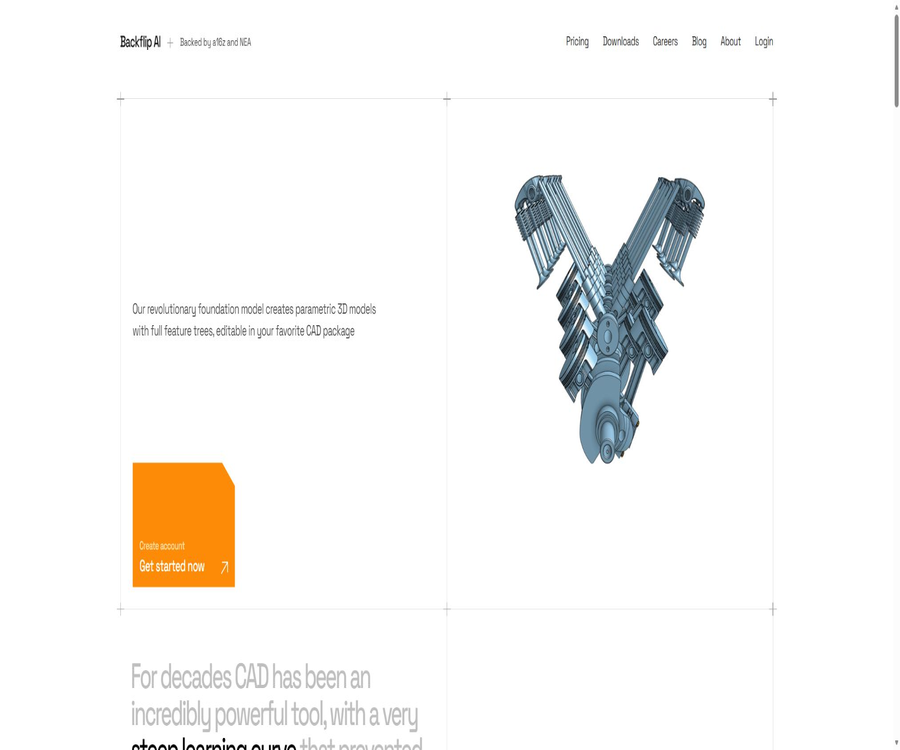
Backflip AI is an AI CAD tool designed for mechanical design, reverse engineering, and product development. Its main capability lies in converting 3D scans or triangular mesh models into editable parametric CAD models, rather than merely generating polygonal meshes that resemble the original shape.
The system attempts to infer the modeling steps carried out by the engineer, and generates features such as stretching, rotation, arraying, chamfering, and rounding. The result is a feature tree that includes sketches, constraints, and design history; this tree can also be exported in STEP format for use in existing manufacturing processes.
Who is Backflip AI suitable for?
- Mechanical engineer: Reconstructs the scanned data into parametric parts that can be further modified.
- Product designer: Quickly convert the physical prototype into a foundation for subsequent design work.
- Reverse engineering team: reduces the time required to manually redraw sketches and features from meshes.
- 3D scanning services: deliver CAD models that are easier to edit for clients.
- Manufacturing companies: Transfer old parts, spare components, and on-site scanning data into digital formats.
- Additive manufacturing users: Revise the scan model before performing the manufacturability check and printing.
- Education and maker users: Learn about the relationship between scanning, feature modeling, and CAD editing.
- Hardware startup teams: accelerate prototype iteration, component adaptation, and design validation.
Current main functions
- 3D scanning to CAD: Automatically reconstructing the scanned mesh into engineering geometry.
- Parametric feature tree: It retains the modeling steps, making it easy to return to the feature level for modifications.
- Logical sketch constraints: Attempt to establish dimensions, geometric relationships, and external references.
- Engineering feature inference: Combining operations such as stretching, rotation, arraying, chamfering, and rounding.
- Fusion plugin: Utilizes AI-based reconstruction capabilities within the Autodesk Fusion workflow.
- Web application: It is possible to submit tasks and view results without first installing a complete plugin.
- STEP export: Transfer the results to other common CAD and manufacturing software.
- Task mode selection: Use Fast Mode or Thinking Mode to balance cost and the depth of reasoning.
Supported input and output formats
| Type | Format or result | Uses |
|---|---|---|
| Enter grid | STL | Common 3D printing and scanning meshes |
| Enter grid | OBJ | Exchangeable triangular mesh model |
| Enter grid | GLB, GLTF | 3D format containing scene and grid information |
| Enter point cloud or mesh | PLY | Common formats for scanning and research workflows |
| Native output | Parametric CAD feature tree | Continue editing in the supported CAD environment. |
| General output | STEP | Exchanging solid geometry across CAD software |
What is the difference between parametric CAD and regular grids?
| Comparison items | Regular scanning grid | Parametric CAD reconstructed via backflip |
|---|---|---|
| Geometric representation | The surface is approximated by a large number of triangular facets. | It is composed of sketches, surfaces, solids, and engineering features. |
| Modification method | Move grid points or reprocess the surface | Adjust sketch dimensions, constraints, or feature parameters. |
| Design history | There are usually no engineering modeling steps. | Attempt to generate an understandable feature tree. |
| Create connections | It is often necessary to clean and rebuild. | More suitable for further engineering modifications and drawing production |
| Sources of error | Scan noise, occlusion, and patch quality | AI-based reconstruction judgment, feature recognition, and size fitting |
Fast Mode and Thinking Mode
In Fast Mode, 10 points are spent per task, making it suitable for models with a simple structure or those that require rapid trial and error. In Thinking Mode, 50 points are spent per task, which is appropriate for situations where the system is expected to allocate more computing resources to handle complex structures.
| Pattern | Single integration | Suitable for tasks | Usage suggestions |
|---|---|---|---|
| Fast Mode | 10 points | Simple components, direction verification, and initial batch screening | First, verify the scanning quality and the reconstruction path. |
| Thinking Mode | 50 points | Complex features, critical components, and high-value tasks | Use it only when the Fast results are insufficient. |
How to use the web interface to convert scans into CAD format
- Register for a Backflip account and access the web application.
- Prepare STL, OBJ, GLB, GLTF, or PLY files, and check the orientation and integrity of the model.
- Remove irrelevant backgrounds, floating patches, and obvious scanning noise.
- Upload the grid and select either Fast or Thinking mode based on the complexity of the structure.
- Wait for the system to generate the parametric model and feature tree.
- Check whether the sketches, dimensions, references, stretches, rotations, and arrays meet the design requirements.
- Export the native result or STEP file to make further modifications in CAD software.
- It is used in production only after size verification, interference checks, and manufacturing validation have been completed.
Usage process of the Fusion plugin
- Verify that the Fusion version, operating system, and organizational installation permissions meet the requirements of the plugin.
- Obtain and install the official Fusion plugin from the Backflip account.
- Open the target project in Fusion and activate the Backflip function panel.
- Import or select the scan mesh that needs to be reconstructed.
- Submit the task and select the appropriate generation mode.
- Load the generated results into the design environment and examine the timeline and sketch constraints layer by layer.
- Redesignate the critical dimensions and correct any unreasonable references or feature orders.
- Save a version first, then proceed to the assembly, simulation, engineering drawing, or manufacturing modules.
Increase the success rate of converting scans to CAD.
- Complete coverage: Data is collected from multiple angles to minimize gaps and severe occlusions.
- Accurate proportions: Known dimensions or reference objects are retained to facilitate verification of the actual size.
- Noise is controllable: outliers, background objects, and floating geometry are removed.
- Clear surface: Prevent scanning errors caused by reflections, transparency, and insufficient texture.
- Appropriate orientation: Aligning the main plane with the coordinate axes reduces the difficulty of feature recognition.
- Moderate simplification: Control the number of surface patches while retaining holes, rounded corners, and key boundaries.
- Component separation: Complex assemblies should be broken down into individual components for separate reconstruction.
- Keep the original file: Any cleaning up or simplification is done on a copy, allowing for easy attempts again.
Models suitable for processing
- Mechanical parts with planar, cylindrical, perforated shapes and symmetrical structures.
- Common engineering models that consist of stretching, rotation, arraying, chamfering, and rounding.
- Old parts with a history of design changes, as well as spare parts that are no longer in production, need to be restored.
- A physical prototype that has been scanned properly and features clear boundaries.
- Manufacturing parts that need to be imported using Fusion or processed through STEP.
- Parts that require adjustments to their dimensions or the addition of features based on their original shape.
Models that are not very suitable
- Highly irregular shapes such as hair, fabric, plants, and natural rocks.
- Scan data with many missing areas, damaged topology, or severe noise.
- Artistic models that contain numerous fine textures but lack distinct engineering features.
- A complex assembly scan in which multiple parts are interwoven with one another without being separated.
- A vehicle exterior that requires strict surface continuity and Class A surface quality.
- Safety-critical components that must be produced in a single batch to enable immediate deployment.
Typical use cases
- Replication of spare parts: Scanning is used to retrieve parts for which the original drawings are not available, in order to create editable models.
- Fixture adaptation: Design matching fixtures based on the scanning of objects or workpieces on site.
- Product modification: Adjusting the hole positions, dimensions, or mounting interfaces based on the existing product.
- Quality analysis: The scan results are converted into CAD format and compared with the nominal design.
- Ergonomic design: The physical contact surfaces are used to assist in creating subsequent engineering models.
- Repair and maintenance: Create digital part catalogs for older equipment.
- Prototype digitization: Converting manual models or rapidly printed versions into a basis for design.
- Educational demonstration: Shows the differences between grids, entities, feature trees, and constraints.
Comparison of package prices
Backflip operates on a monthly subscription model along with the use of points; the subscription is renewed automatically. The monthly fee and the amount of points required are shown on the official pricing page for verification, and packages and prices may change.
| Package | Monthly fee | Monthly points | It is capable of running Fast tasks. | It can roughly handle Thinking tasks. |
|---|---|---|---|---|
| Builder | 20 dollars | 100 | 10 times | 2 times |
| Pro | 50 dollars | 300 | 30 times | 6 times |
| Business | 380 dollars | 2,500 | 250 times | 50 times |
| Enterprise | Contact sales | Customize | In accordance with the contract | In accordance with the contract |
Points and subscription rules
- In Fast Mode, each task costs 10 points.
- Thinking Mode costs 50 points per task.
- Monthly points are not carried over to the following month.
- Subscriptions are automatically renewed at the selected interval until the user cancels them.
- The upgrade takes effect immediately, and any additional costs will be handled in accordance with the relevant terms.
- The downgrade usually takes effect starting from the next renewal cycle.
- Once canceled, it can be used until the end of the current payment cycle; generally, no refund is given on a pro rata basis.
- The requirements for earning points, the benefits included in packages, and prices may be adjusted by the platform.
How to choose among different packages
- Builder: Suitable for individual designers and learners who occasionally need to convert single parts.
- Pros: Suitable for engineers and small teams that need to work on projects on a monthly basis.
- Business: Suitable for companies with a steady volume of scans and multi-person production processes.
- Enterprise: Suitable for large organizations that require customized credit limits, procurement support, organizational management, and security guarantees.
Product advantages
- The results are editable: the goal is native parametric CAD, rather than incomprehensible triangular meshes.
- Preserve engineering logic: Attempt to generate sketch constraints and a meaningful feature tree.
- The input format is quite comprehensive: it supports various common scan and grid files.
- Workflow integration: Offers Fusion plugins and standalone web applications.
- Universal exchange: STEP output can be imported into various CAD and manufacturing software.
- Available modes: You can choose between speed, cumulative cost, and reasoning depth.
- Reduce repetitive tasks: It is suitable for replacing extensive manual drawing and the reconstruction of basic features.
- For engineering applications: the focus of the product is on geometries that can be further designed, rather than visual 3D assets.
Usage restrictions
- The generated output is not guaranteed to be accurate: features, dimensions, radii, and hole positions may be identified incorrectly.
- High dependence on input: Damage, noise, and occlusion can reduce the quality of reconstruction.
- Complex free-form surfaces present challenges: organic shapes and high-order surfaces may require extensive manual correction.
- Points are not carried over: Any unused monthly quota expires at the end of the cycle.
- Thinking is costly: complex tasks require 50 points per attempt.
- Limited CAD compatibility: Currently, only Fusion plugins and a web interface are available; other plugins are still in the planning stage.
- It cannot replace verification: AI models should not be incorporated into manufacturing or safety-critical designs without being checked first.
- Cloud processing: Scanned documents and design data need to be uploaded to the service provider’s environment.
Data privacy and model training
The official website states that corporate customer data is encrypted both during transmission and when stored statically; access to such data is restricted based on organizational criteria, and it is not used to train models. The specific scope of protection provided to enterprises shall be determined in accordance with the contracts signed and the privacy settings applied.
The General Terms of Service distinguish between Privacy Mode and Private Library Mode. When either of these modes is not activated, the user’s content may be used to improve the models or included in shared content collections; therefore, it is necessary to check the benefits associated with each plan before uploading confidential material.
Privacy Mode and Private Library Mode
| Pattern | Main function | Matters still to be confirmed |
|---|---|---|
| Privacy Mode | Restrict the use of user content for training or developing underlying models. | Whether it is included in the current package and has been actively enabled |
| Private Library Mode | Restrict output from being shared, reused, or provided to other users. | Whether to cover all team accounts and historical content |
| Enterprise data protection | The official website guarantees organization of isolation, transmission, and static encryption, and it is not used for training purposes. | Subject to the enterprise contracts, configurations, and security attachments. |
Content rights and commercial use
Terms note: Backflip does not claim ownership over the data entered and output by users; users retain their respective rights in this relationship. The AI-generated outputs may be similar to those of other users, and no guarantee is provided regarding their protectability, exclusivity, or non-violation of third-party rights.
Before using someone else’s scans, patented products, facial features, or protected designs, it is necessary to ensure that the required permissions are in place. When manufacturing, selling, or distributing AI-generated components, users are also responsible for carrying out checks regarding safety, regulations, and intellectual property rights.
Precautions for engineering safety
- Use calipers, coordinate measuring machines, or other measurement tools to verify the critical dimensions.
- Check that the sketch is fully constrained and confirm that no external references are invalid.
- Check each hole, thread, fit, tolerance, chamfer, and round corner individually.
- Conduct interference, assembly, strength, and manufacturability analyses.
- First, create low-risk prototypes to carry out trial assembly and functional testing.
- Appropriate certification procedures are carried out in cases involving healthcare, aviation, automotive industries, and load-bearing structures.
- Retain the original scan, generated versions, manual modifications, and approval records.
How to evaluate generation quality
- Overlay the generated entity on the original scan to observe the overall deviation.
- Measure key benchmarks, hole spacing, angles, radii, and mating surfaces.
- Check whether the feature tree can be recalculated in a logical order.
- Modify a critical dimension to ensure that the downstream features are updated correctly.
- Export the STEP file and re-import it into the target CAD system.
- Check entity closure, surface continuity, and geometric repair suggestions.
- Have engineers who are familiar with the uses of the components carry out the final review.
Supported platforms
| Platform or method | Current status | Explanation |
|---|---|---|
| Web page version | Already provided | Upload grids, submit tasks, and obtain results |
| Autodesk Fusion plugin | Already provided | Use in the existing Fusion design process |
| STEP export | Already provided | Used for exchanging data between CAD and manufacturing systems |
| Onshape plugin | The official website states that it will be launched soon. | It cannot be described as being officially open. |
| Other CAD plugins | In planning | The specific software and release date are subject to official updates. |
API and automation capabilities
The current official website does not provide the public with complete developer APIs, SDKs, or documentation related to batch automation. Teams that need to integrate scanning functions into their corporate workflows should consult the sales team to understand the interface specifications, upload restrictions, concurrency limits, output formats, and service levels.
Open source and GitHub status
The Backflip AI products, the CAD base models, and the Fusion plugins have not been officially labeled as open source; moreover, the official website does not provide a verifiable link to the official GitHub repository. GitHub projects with similar names are not related to Backflip Company, and therefore cannot be used as evidence of their open source status.
Basic information
| field | Content |
|---|---|
| Tool name | Backflip AI |
| Development company | Backflip AI, Inc. |
| Tool type | AI scanning to CAD and parametric modeling tools |
| Main inputs | STL, OBJ, GLB, GLTF, and PLY |
| Main output | Native parametric feature tree or STEP |
| Usage method | Web version and Autodesk Fusion plugin |
| Billing method | Monthly subscription and task points |
| Is registration required? | It is necessary. |
| Whether a public API is provided | No public documents were found. |
| Is it open source? | No |
Recommendation score
The comprehensive recommendation score is 4.3 out of 5 points. Backflip AI excels at converting scanned grids into editable feature trees; it is suitable for teams that wish to reduce the time required for reverse engineering. However, any output generated must undergo verification with regard to dimensions, features, materials, and manufacturing safety.
Frequently Asked Questions
What is Backflip AI mainly used for?
It reconstructs 3D scan or mesh files into parametric CAD models with sketches, constraints, and a feature tree.
What input formats are supported?
The current official website lists STL, OBJ, GLB, GLTF, and PLY.
Can STEP be exported?
Yes, STEP is suitable for exchanging solid models between different CAD and manufacturing systems.
How many points are required for Fast Mode?
Each Fast task consumes 10 points.
How many points are required for Thinking Mode?
Each Thinking task costs 50 points.
Are monthly points carried over?
No, the official pricing page clearly states that points are not carried over to the next month.
Is Fusion supported?
Supported – currently, the Autodesk Fusion plugin is available, as well as a standalone web application.
Is Onshape supported?
The current homepage describes the Onshape plugin as soon to be available; the actual date of availability will be indicated on the latest product page.
Is Backflip AI open source?
It is not open source; no official source code for the product, nor source code for the underlying models or plugins has been made available.
Will the model be trained using the uploaded content?
Depending on the account and privacy settings, separate guarantees apply to corporate data; regular users should check the Privacy Mode and Private Library Mode.
Can the generated result be used for direct manufacturing?
It is not possible to proceed with manufacturing directly by default; it is necessary to complete verifications regarding dimensions, tolerances, materials, assembly, and safety.
Is a public API available?
No complete public developer API or SDK documentation has been found at the moment.
Tools similar to Backflip AI



 Guigong Network Security Registration No. 45132202000164