






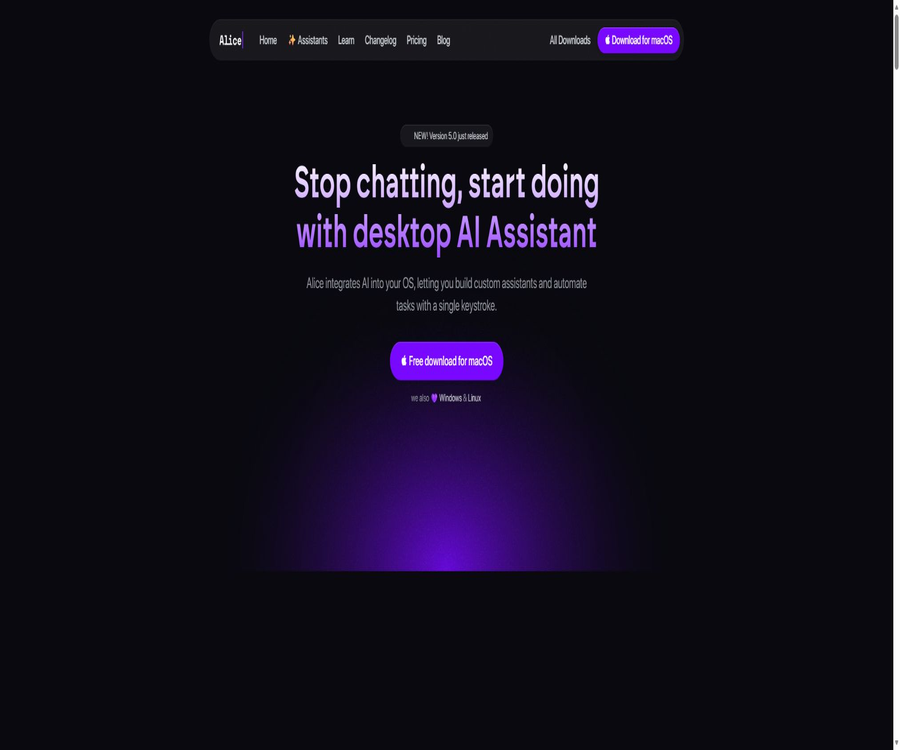
Alice
Alice: an intelligent tool focused on AI model training.
Tags:AI training modelsWhat is Alice?
Alice is a native AI desktop assistant designed for macOS, Windows, and Linux; it allows users to access models from OpenAI, Anthropic, Google, xAI, Groq, and other providers through a unified interface. It features shortcut invocation, reusable Skills, dedicated assistants, file memory, and cross-application automation.
Alice allows users to either make use of the AI quota included in the official subscription or to enter their own model API key. For users who prioritize privacy, it also supports connection to local backends or offline models, so that chat data does not have to pass through Alice’s servers.
The difference between Alice and ordinary AI chat tools
Regular chat tools are mainly used for temporary questions and answers, while Alice focuses on saving common prompts and external actions as reusable workflows. Users can have the assistant read local CSV files, generate personalized emails, and then use automated services to create subsequent tasks.
Core functions
- Switch between multiple AI models in a desktop application.
- Create dedicated AI assistants for different tasks.
- Save the high-frequency prompts as Skills.
- Use the global shortcut key to summon the AI at any time.
- Connect the MCP server to invoke tools and access data.
- Automation is carried out through Webhook, Zapier, Make, and n8n.
- Personalize responses using files, memory, and project context.
- Perform online searches, image comprehension, and image generation.
- Use voice input, voice output, and a code interpreter.
- Connect to local models to enhance privacy control.
Unified use of multiple models
Alice allows users to choose different models based on the task at hand, without the need to switch between various web pages and applications. The official website currently showcases capabilities such as GPT, Claude, Gemini, Grok, Groq, Perplexity, as well as some open-source models; the specific models available may change as new ones are introduced by the providers.
- When writing, choose a model with stronger expressive capabilities.
- When encoding, choose a model that is good at generating code.
- Search tasks utilize models or tools that support internet connectivity.
- Low-cost tasks use lightweight models.
- Sensitive tasks are connected to local open models.
- Select a model that can accommodate the data based on its length.
Built-in API Key
Users who purchase one-time licenses need to provide their own model API Key and pay the provider directly for each invocation. BYOK offers greater control over models and costs, but users are required to manage accounts, balances, limits, and data terms separately.
Alice AI quota
Individual and team subscriptions include access to AI services based on mainstream models, and users do not need to configure keys for each supplier separately. These subscriptions are subject to fair use policies; if the usage exceeds the limits set by the platform, the relevant key may be suspended until the next renewal.
Special assistant for assistants
Users can create different assistants for tasks such as research, writing, sales, programming, or design, and configure their names, roles, system instructions, default models, and available skills. The context and tools associated with each assistant should be separated by task, in order to prevent irrelevant or sensitive information from ending up in the wrong process.
- Assign clear responsibilities to each assistant.
- Set the level of professionalism and communication style.
- Select the default AI model.
- Link dedicated files to memories.
- Limit the Skills and tools that can be invoked.
- Use digital shortcut keys to switch between assistants quickly.
- Use different avatars to distinguish between job roles.
Assistants and Skills store
Alice offers an installation library containing more than 50 assistants and over 200 skills, covering tasks such as sales, research, meetings, writing, QA, and software development. Some of the contents available in these stores are part of subscription benefits or require separate payment; a one-time license does not include access to these stores by default.
Skills and saved prompt phrases
Skills saves the verified prompts, input formats, and external operations as commands that can be executed repeatedly. Users can assign tasks such as translation, abbreviation creation, code correction, or generation of weekly reports to shortcut keys, eliminating the need to re-enter the instructions each time.
- Save the stable system instructions and output format.
- Assign memorable keyboard shortcuts to Skills.
- Use the selected text as dynamic input.
- Call the Webhook or local backend.
- Combine multiple steps into a single operation.
- Reuse proven working methods within the team.
Global shortcut keys
Alice can be summoned from any location within the operating system using shortcut keys, and users can define their own shortcut combinations for grammar correction, translation, summarization, and other functions. Global shortcut keys should avoid conflicts with system or specialized software.
MCP server
Alice supports the Model Context Protocol, which enables assistants to connect to files, databases, CRM systems, calendars, and other MCP tools. Once connected, the model can not only answer questions but also read data or perform certain actions; therefore, it is necessary to assign the minimum required permissions based on the server and the tools being used.
- Query customer and follow-up records in CRM.
- Allow the calendar to create or adjust time blocks.
- Read the approved local project files.
- Call the database to perform structured queries.
- Integrate external tools into the assistant workflow.
- The user is required to confirm before performing a write operation.
Automation with Zapier, Make, and n8n
Alice can send the structured data generated by the model to Zapier, Make, or n8n; these automation platforms then connect to CRM systems, task management tools, email services, and other applications. The connection is established through Webhooks and standard requests, and users need to verify fields, handle authentication, and attempt retries in case of errors.
Remote operation
Remote Actions enable Alice to initiate actions with external services, such as creating tasks, sending data, or starting workflows. For irreversible operations like sending emails, publishing content, deleting records, and making payments, explicit confirmation should be obtained before execution.
Voice operation
Alice supports voice input, text-to-speech conversion, and voice-triggered actions, making it suitable for jotting down ideas and avoiding the need to use one’s hands. When using voice automation, it is important to prevent misrecognitions that could lead to the execution of actions with significant consequences.
Files and documents
Users can use project documents, notes, CSV files, and other files as context for the assistant, so that the output is more aligned with the specific work at hand. The files may still be sent to the selected model provider, unless a backend that runs locally is used.
Memory function
Alice can store user preferences, project details, and long-term context, thereby reducing the need to repeat explanations. Its memory function is constantly evolving, so users should regularly check and delete any information that has become outdated or should not be retained for long periods.
Online search and image capabilities
- Search web pages to obtain more up-to-date public information.
- Read the screenshot and extract the data from it.
- Analyze the objects or interface in the image.
- Generate visual content based on the prompt.
- Use the search results for writing and research.
- Generate a comprehensive answer by combining documents and online resources.
Code interpreter and Artifacts
Alice Academy considers the code interpreter and Artifacts to be advanced features that can be used for processing data, generating interactive results, or presenting structured outputs. Before executing code, it is necessary to check file access rights, network permissions, and the security of the scripts being used.
Multi-agent collaboration
Alice supports multi-assistant collaboration, allowing different roles to carry out tasks such as research, analysis, writing, or error checking. Multiple intelligent agents increase the amount of context required, as well as the number of calls and associated costs; therefore, verifiable output criteria and termination conditions should be set for each role.
Local and privacy architecture
The official documentation states that chat histories, files, and settings are saved by default on the user’s device; Alice connects directly to the selected model provider, without first storing the chats on Alice’s servers. When changing devices, the settings and history are not synchronized automatically and must be transferred manually.
- Chat records are saved locally by default.
- Set so that files are not automatically synchronized via the Alice account.
- Cloud model requests are sent directly to the respective supplier.
- The supplier will still process the data according to its own terms.
- Local models allow content to remain on the device.
- MCP and automated connections generate their own data streams.
Offline model
Users can access open models by using a custom local backend or Ollama, thereby carrying out inference on their devices. The performance offline depends on the hardware, the size of the model, and the context; image generation, searching, or third-party automation may still require an internet connection.
Supported platforms
| Platform | Support status | Suitable uses |
|---|---|---|
| macOS | Native support | Global shortcut keys, desktop AI, and automation |
| Windows | Support | Multi-model chatting and daily work flow |
| Linux | Support | Developers and local model scenarios |
| Web | It is not the main product format. | Official website, account, and assistant store |
| Mobile version | It is not displayed as a core client. | It is primarily based on desktop workflows. |
Which users are it suitable for
- Professional users who frequently switch between various large models.
- Desktop users who need system-level shortcuts to improve efficiency.
- Teams that wish to turn prompt guidelines into Skills.
- Those who use Zapier, Make, or n8n for automation.
- Developers who need an MCP connection to local and enterprise tools.
- Those who wish to use their own API Key to control costs.
- Users who value local chat history and offline models.
- Knowledge workers who need to set up multiple dedicated AI assistants.
Typical use cases
- Use hotkeys to quickly translate, summarize, or rewrite text.
- Read the sales CSV and generate personalized follow-up emails.
- Use the CRM assistant to identify customers who have not been in touch for a long time.
- Let the calendar schedule time for deep work.
- Use research assistants to combine web pages and project files.
- Save the code fixes and explanations as reusable Skills.
- Send the structured results to the automation platform via Webhook.
- Use local models to process more sensitive drafts.
It’s not very suitable for which situations
- Users who only have occasional brief conversations.
- Those who do not want to manage API keys or subscription quotas.
- Users who primarily work on smartphones and tablets.
- Teams that require multiple devices to automatically synchronize all chat records.
- Organizations that do not have the capability to review MCP and automation permissions.
- Developers who require the open-source source code for full desktop applications.
- Those who hope for a truly unlimited subscription without any limits on fair use.
Installation and first-time setup tutorial
- Download the Alice installation package that is compatible with the operating system.
- After installation, account and privacy prompts will appear.
- Use the trial quota to test basic chatting.
- Choose an AI subscription plan or add your own API Key.
- Set a global shortcut for making outgoing calls.
- Create the first dedicated assistant.
- Test the document context using non-sensitive files.
- Confirm the model costs and data transmission path.
Tutorial for creating assistants
- Ensure that the assistant is responsible for only one specific area.
- Fill in the name, responsibilities, and output standards.
- Select the default model suitable for the task.
- Add the necessary and authorized project materials.
- Bind a small number of verified Skills.
- Test using normal and edge cases.
- Restrict high-risk operations and enable manual confirmation.
Create a Skill tutorial
- Choose a task that needs to be carried out repeatedly.
- Prepare stable input instructions and output formats.
- Decide whether to read the currently selected text.
- If external actions are required, configure a Webhook.
- Assign non-conflicting shortcut keys to Skills.
- Use multiple inputs to check the consistency of the output.
- Record the version and retest after the model is updated.
Tutorial on Connecting to MCP
- Choose a MCP server that is reliable and has well-defined functionality.
- Check which resources it can read and modify.
- Connect using an account or key with the minimum required permissions.
- First, enable only the read-only tool for testing.
- Add confirmation for write, publish, and delete operations.
- Check the call logs and abnormal behaviors.
- Revoke the keys and server configuration when they are no longer in use.
Automated setup tutorial
- Determine the trigger input and the final business action.
- Create a Webhook endpoint using Zapier, Make, or n8n.
- Have Alice output structured data that meets the interface requirements.
- Configure authentication, field mapping, and error handling.
- Perform end-to-end verification using a test account.
- Add manual approval for irreversible operations.
- After going live, monitor the failure rate, costs, and repeated executions.
Price packages
| Package | Price | AI usage | Main features |
|---|---|---|---|
| Team subscription | A monthly fee of $10 plus tokens. | Each member can increase their quota as needed. | Administrator accounts, additional seats, store, and MCP |
| Individual subscription | Starting at $16 per month | Includes relatively generous limits for mainstream models. | You can upgrade to Max or Ultra to obtain more tokens. |
| One-time license | $ | No AI tokens included; BYOK is required. | One-time purchase, continuous updates, and multi-model clients |
| Trial | 21 days | An initial trial quota is provided. | Test system compatibility and functions before purchase. |
Differences in packages
| Ability | Team subscription | Individual subscription | One-time license |
|---|---|---|---|
| Software update | Includes | Includes | Includes |
| AI tokens | Basic quota plus optional purchases | Included, subject to fair use restrictions. | Not included |
| Built-in API Key | Support | Support | It is necessary. |
| Assistant Store | Includes | Includes | It is not included by default. |
| Administrator account | Includes | Not included | Not included |
| MCP and automation | Includes | Includes | Includes |
Fair Use Policy
The so-called unlimited features included in the subscription do not mean that there is no limit to the number of model calls that can be made. The authorities can adjust the threshold based on the overall token costs; once the balance between income and expenses reaches a certain limit, the platform keys may be suspended until the next renewal, and no refunds are provided after the subscription begins.
Actual usage cost
- A personal subscription includes a certain amount of AI usage quota.
- Higher usage may require an upgrade to Max or Ultra.
- The team plans to charge additional fees based on tokens, in addition to the base fee.
- A one-time license requires an additional fee for the model API.
- Image generation and the use of high-cost models generally proceed more quickly.
- Paid assistants or external APIs may incur additional fees.
- Automated services may have their own separate subscriptions.
Privacy and security considerations
- Distinguish between data stored locally and data sent to the model provider.
- Do not include the API Key in ordinary prompts.
- Restrict the directories and accounts that an MCP server can access.
- Set confirmation for automated write operations.
- Check third-party assistants and external services called by Skills.
- Confirm the supplier’s data terms before processing customer information.
- Regularly export or back up the necessary local configurations.
GitHub and the open-source status
The official Alice GitHub organization makes available custom application templates and some development tools to help expand the Alice ecosystem. The full Alice desktop client remains a commercial, closed-source software; the available templates do not mean that the main program and all commercial services are open source.
Product advantages
- A single client integrates multiple mainstream models.
- It offers a native desktop experience with fast responses to global shortcut keys.
- Prompt words, tools, and operations can be packaged as Skills.
- It supports over 50 assistants and more than 200 skill resources.
- Connects MCP, Zapier, Make, n8n, and Webhooks.
- Chats, files, and settings are saved locally by default.
- It also supports platform quotas, BYOK, and local models.
- Available for macOS, Windows, and Linux.
Usage restrictions
- Subscription usage is subject to dynamic fair use policies.
- One-time licenses do not include a quota for model calls.
- By default, a one-time license does not grant access to the assistant store.
- Local storage does not mean that cloud model requests are completely private.
- Chats and settings are not automatically synchronized across devices.
- MCP and automated scaling increase permission and security risks.
- The list of models, their names, and prices change frequently.
- Full desktop applications are not open-source software.
Basic information
| Project | Content |
|---|---|
| Tool name | Alice |
| Tool type | Multi-model AI desktop assistant and automation platform |
| Supported platforms | macOS, Windows, and Linux |
| Core competencies | Multiple models, Assistants, Skills, MCP, and automation |
| Price pattern | 21-day trial, individual subscription, team subscription, and one-time license |
| Data storage | Chats, files, and settings are saved locally by default. |
| Is BYOK supported? | Support |
| Is local model support available? | Supports custom local connections |
| Is it open source? | The main program is not open-source; some templates are available publicly. |
Recommendation score
The overall recommendation score is 4.6 out of 5 points. Alice is suitable for professional users who wish to combine multiple models, desktop shortcuts, and automation features in a single workspace; however, it is necessary to understand the subscription requirements, the data flow from third-party models, and the permissions related to MCP tools before using it.
Frequently Asked Questions
Which systems does Alice support?
It supports macOS, Windows, and Linux, and its primary role is to act as a native desktop AI assistant.
Do you need ChatGPT Plus?
It’s not necessary; you can purchase an Alice AI subscription, use your own model API key, or connect to a local model.
Which models does Alice support?
It supports OpenAI, Claude, Gemini, Grok, Groq, Perplexity, and various other open-source models; the list is subject to change.
Can Alice operate other applications?
External applications can be connected through MCP, Webhook, Zapier, Make, n8n, and remote operations.
Will the chat records be uploaded to Alice’s server?
The official documentation is saved locally by default, but requests for cloud models are still sent to the selected model provider.
How much is Alice?
Individual subscriptions start at $16 per month, while the basic team subscription costs $10 per month plus tokens; a one-time license costs $299.
Does a one-time license include an AI quota?
It is not included; the user must enter their own API Key and pay a fee to the model provider for making calls.
Is there a free trial for Alice?
A 21-day trial period is provided, along with an initial credit amount for testing the application and model connections.
Is Alice open source?
The full desktop application is not open source; the official GitHub page only makes some templates and ecosystem tools available to the public.
Tools similar to Alice



 Guigong Network Security Registration No. 45132202000164