






Chatgot
Chatgot, an intelligent tool focused on AI model training
Tags:AI training modelsWhat is ChatGOT?
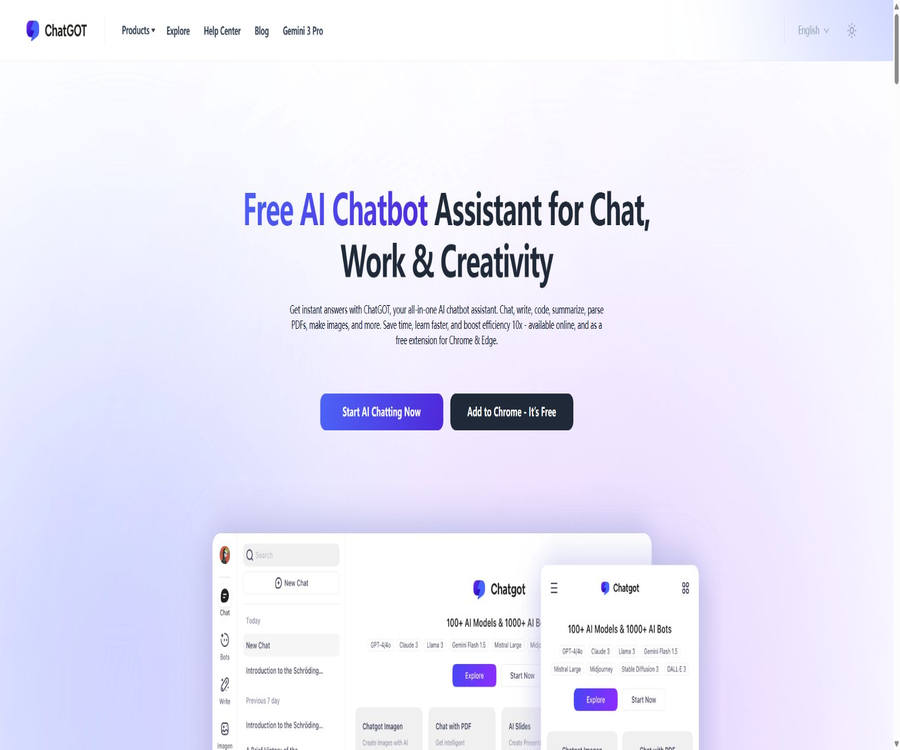
ChatGOT is a web-based multi-model AI assistant that brings together functions such as chatting, writing, coding, online searching, PDF analysis, image generation, and slide creation in one platform. Users can try out the basic chatting features right away; however, full recording capabilities, usage limits, and synchronization across multiple devices require account registration.
The platform aggregates models such as GPT, Claude, and Gemini, but they are not official products of the manufacturers of these models. The version of the models, the number of times they can be used, and advanced features vary depending on the package chosen and the platform in use.
What can ChatGOT do?
- Answer everyday questions and engage in continuous conversations on the same topic.
- Switch between various AI models to compare writing, analysis, and coding results.
- Enable online access to answer time-sensitive questions based on search results.
- Upload a PDF to generate summaries, outlines, translations, and document Q&A.
- Upload images for analysis, or generate new images based on text and reference images.
- Generate a presentation outline based on the theme, select a template, and make adjustments online.
- Create a custom AI Bot with a personality, prompts, and skills.
- Generate code, tables, mathematical formulas, and previewable Artifact content.
- Save and search through conversation history, allowing use of the same account on multiple devices.
- Invoke the AI assistant while browsing web pages through Chrome or Edge extensions.
Supported models
The official page currently highlights the GPT, Claude, and Gemini series of models; the free versions listed as examples include GPT-4o mini and Claude 3 Haiku. The model pages and promotional text may change with updates, so users should refer to what is displayed in the chat interface.
| Model type | Suitable for tasks | Usage tips |
|---|---|---|
| Standard Model | Daily Q&A, rewriting, summarization, and simple code | The main consumption relates to the standard query quota. |
| Advanced models | Complex reasoning, long documents, code, and high-quality writing | It usually consumes the quota for advanced queries. |
| Image model | Text-to-image generation, reference image creation, and visual tasks | The quotas for standard and high-quality images are calculated separately. |
| Networked mode | News, products, markets, and other time-sensitive topics | It is still necessary to open the original source for verification. |
Different models offer varying levels of support for context, files, images, and online functions. After switching to a different model, it is necessary to test its accuracy, speed, and resource consumption using the same prompt first.
Core functions
Multi-model AI chat
The chat interface allows users to select different models, save historical conversations, and regenerate responses. The AI can produce plain text, code blocks, tables, and mathematical formulas, and it can also continue the conversation based on voice input.
Real-time online access
Once Web Access is enabled, subsequent responses will take into account information from search engines. Being connected to the internet improves timeliness, but errors may still occur in selecting sources, understanding content, and drawing conclusions.
ChatPDF document Q&A
Users can upload or drag in PDF files; the system will generate reference questions and provide answers based on the content of those documents. The tool also supports automatic language detection, translation, as well as the option to display or hide the original PDF for comparison.
AI image generation and understanding
ChatGOT can generate images based on textual descriptions; it also allows users to upload reference images and adjust options such as size and style. Standard images and advanced images require separate quotas, and the quality of the generated images depends on the model and the prompt used.
AI slides
The Slides feature allows for the creation of presentation outlines based on a specific theme; users can regenerate these outlines, edit them online, and filter templates by style or theme color. Each time a slide is created, points are deducted, and the final layout still requires manual review.
Custom AI Bot
The Bot feature allows users to set roles, prompts, and skills for specific tasks such as writing, translation, tutoring, and travel planning. Once created, they can be tested, edited, or deleted on the user’s personal portfolio page.
Preview of Artifacts content
Artifacts allows results such as websites, SVG files, and code snippets to be displayed in a separate area for preview, with further modifications possible through natural language. Different models have varying capabilities in generating and executing code; it is necessary to check their security before using them in public contexts.
What use cases are suitable?
- Students use PDF Q&A formats to organize course materials, papers, and reading materials.
- Content creators generate topic ideas, article outlines, social media posts, and accompanying images.
- Workplace users draft emails, reports, meeting materials, and presentations.
- Developers explain code, generate examples, troubleshoot errors, and compare model outputs.
- Researchers use networked approaches to gather clues, and then return to the original sources for verification.
- Marketers create campaign ideas, product descriptions, and visual sketches.
- Language learners engage in translation, rewriting, oral practice, and grammar explanations.
- Users who perform many repetitive tasks create dedicated bots with fixed roles and output formats.
It is not very suitable for which users
- Organizations that require all data to be processed only on local or private servers.
- Teams that must enter into a direct contract with the model’s manufacturer and obtain a enterprise service level agreement.
- Users who need verifiable academic citations or research findings that can be published directly.
- Those who wish to use advanced models, images, and slide features indefinitely for free.
- Development teams that need the complete open-source code in order to carry out private deployment.
- Users who handle high-risk matters such as medical, legal, and financial decisions without any human review process.
Start using ChatGOT.
- Open the ChatGOT chat page and first test the Chinese-language responses using the basic mode that requires no registration.
- Register an account only when it is necessary to save records, use the paid quota, or sync across devices.
- Select a standard model in the model selector and pose a well-defined question.
- Enable online access when the latest information is needed, and check the original page on which the answer is based.
- Upload PDFs or images as required by the task; do not upload sensitive materials or those that cannot be processed.
- Save valid conversations in the history record, and delete content that is no longer needed.
- Compare Pro and Max only after the free quota is exhausted; do not make a purchase based solely on the total number of queries.
Steps to use ChatPDF
- Go to the PDF function, upload the file, and wait for the system to complete the parsing.
- First, read the automatically generated summary and reference questions to determine whether the recognition is correct.
- Ask a single, specific question regarding a chapter, a number, an opinion, or a conclusion.
- When translation is needed, select the target language and keep the original text for comparison.
- Check the key data on the original PDF page; do not cite unverified answers directly.
- Once completed, delete the document and related chat records as needed.
Steps to create a custom Bot
- Go to the Bot creation page and first determine a clear and single purpose for its use.
- Fill in the role, task boundaries, tone of response, and fixed output format.
- Choose the appropriate models and skills, and do not enable capabilities that are not needed for the task.
- Use normal questions, boundary cases, and error messages to test the responses respectively.
- Modify the prompt based on the test results to reduce ambiguous requirements and role conflicts.
- Remove personal information, keys, and copyrighted materials before publishing or sharing.
- Continue to edit on the personal portfolio page, or delete bots that are no longer in use.
Package and price comparison
The following shows the monthly plan as displayed on the official pricing page during verification. The page does not list any annual payment discounts; the currency, taxes, and promotions may vary depending on the region, and the payment page should be considered the definitive source of information.
| Equity | Free version | Pro | Max |
|---|---|---|---|
| Reference price | $ | $ | $ |
| Standard query | 10 times/day | 6,000 times per month | 8,000 times per month |
| Advanced Queries | Not provided | 400 times/month | 500 times/month |
| Standard image | Not provided | 300 pieces/month | 500 pieces/month |
| Advanced images | Not provided | 50 per month | 100 pieces/month |
| AI Slide Score | Not provided | 50 points per month | 100 points/month |
| Chat with PDFs and images | Restricted | Support | Support |
| Real-time networking and Pro Search | Restricted | Support | Support |
| Create a custom Bot | Restricted | Support | Support |
| Request limits during peak hours | May be restricted. | Not restricted by daily peak demand | Not restricted by daily peak demand |
| Response speed | Standard | Officially indicated as 2 times | Officially indicated as 2 times |
Standard queries, advanced queries, standard images, advanced images, and Slides credits have different quotas; they cannot be simply added together. The official website does not provide a clear explanation of how much quota is used per operation for each type of model, so it is necessary to conduct tests within the account before using them intensively.
How to choose a package
- For occasional questions and rewrites, the free standard queries available 10 times per day can be used first.
- Pro is a good choice when PDF files are needed, online searching is required, and there is a moderate amount of images.
- Use Max only when standard queries, as well as the requirements for images and slides, are higher.
- The increment for advanced queries is limited; before purchasing Max, verify whether you are indeed subject to this limit.
- Before using the team, verify the rules regarding account sharing, concurrency, commercial use, and data permissions.
- Before making the payment, check whether automatic renewal is enabled, the local taxes and fees, as well as the date when the monthly quota is reset.
Payment, changes, and refunds
- The official pricing page lists payment methods such as Visa, PayPal, Google Pay, and Stripe.
- After registering an account, you can view your purchase history on the subscription page within the settings.
- The current plan can be adjusted on the subscription page by using the Change Plan option.
- The same account can be logged in to from multiple devices such as computers, smartphones, and tablets.
- Inviting friends grants additional query credits; the reward rules are specified on the account page.
- If an invoice is needed, you can contact the official party and provide the necessary information for issuing it.
- Cancellations and refunds are subject to the terms of service; the pricing page does not guarantee unconditional refunds.
Product advantages
- Integrate chats, PDFs, images, search, slides, and bots into one platform.
- Free basic chatting doesn’t require immediate registration, and the threshold for trying it out is low.
- It supports switching between multiple models, facilitating the comparison of results for different tasks.
- Pro and Max specify various monthly quotas, making it relatively easy to estimate the costs.
- ChatPDF offers original text display, translation, and document-related questions.
- Custom Bots and Artifacts are suitable for consolidating repetitive workflows.
- Web versions as well as extensions for Chrome and Edge browsers are available.
- The same account supports logging in from multiple devices and synchronizing information.
Usage restrictions and precautions
- The platform aggregates third-party models; it is not an official client for GPT, Claude, or Gemini.
- The model version and actual capabilities may not be in sync with the updates on the promotional page.
- Points for various types of queries, images, and slides are calculated separately, and the rules regarding these quotas are quite complex.
- Online responses may still omit information, misinterpret it, or cite low-quality websites.
- PDF Q&A may contain errors in tables, scanned pages, footnotes, and complex layouts.
- AI-generated images may pose risks related to similarity, trademarks, portraits, and commercial licensing.
- The paid plans do not clearly outline on the pricing page the conditions for refunds and the way in which amounts can be carried over.
- Production teams lack public access control, auditing, and details regarding service levels.
Privacy and data security
According to the official privacy policy, chat messages are stored in an encrypted form on ChatGOT’s servers; when using a Google account to log in, the email address is saved as well. The website also employs Google Analytics, Microsoft Clarity, as well as technologies related to advertising and session replay, in order to analyze user behavior.
The policy states that data is retained only for as long as it is necessary to achieve the purposes of its collection, or as required by laws or reporting obligations; users can request access to, update, or delete such data. The data may also be transferred across borders to regions with different privacy laws.
- Do not upload client confidential information, identity details, passwords, or unpublished source code.
- Before submitting PDFs and images, ensure that you have the right to process and upload such materials.
- Sensitive data is first anonymized, and the files and conversations are deleted after use.
- Before installing a browser extension, check the permissions for webpage loading, clipboard access, and history.
- When behavior analysis is not required, unnecessary cookies can be restricted through the browser’s privacy settings.
- After logging in on multiple devices, log out of public devices promptly and enable secure account authentication.
- Before organizing the procurement, confirm the location where the data will be stored, the subcontractors involved, as well as the procedures for using and deleting the data.
Browser extensions
ChatGOT offers extensions for Chrome and Edge, which allow users to start conversations from the browser toolbar and take advantage of AI functions while browsing websites. The versions of these extensions as well as their permissions may change over time; it is therefore important to check the developer’s name and the official source before installing them.
The amount of web content that can be accessed through extensions may be greater than that on standalone chat pages. When dealing with internal systems, email accounts, and backend pages, it is necessary to first confirm whether the organization allows extensions to read those pages.
Official GitHub and open-source status
A real-time search on GitHub did not reveal any publicly available complete source code for the frontend, backend, or model services of ChatGOT. The repositories with similar names that appeared in the search results, as well as projects related to ChatGOT, do not indicate any connection to this platform.
Therefore, ChatGOT should be classified as a closed-source online service. It enables the creation of bots and code generation, but this does not mean that the platform itself is open source, nor does it imply that it can be deployed privately.
Platform and service status
| Project | Current situation |
|---|---|
| Web version | Supports chat, PDF, images, slides, bots, and search. |
| Chrome extensions | Provide |
| Edge extensions | Provide |
| Use across multiple devices | The same account can be logged in to using a computer, smartphone, or tablet. |
| Developer API | No documentation for public API products intended for ordinary developers was found. |
| Private deployment | Not supported |
| Is it open source? | No |
Basic information
| field | Content |
|---|---|
| Tool name | ChatGOT |
| Tool type | Multi-model AI assistant, document Q&A, and content generation platform |
| Key capabilities | Chat, web search, PDF, images, Slides, Bot, and Artifacts |
| Supported models | GPT, Claude, Gemini, etc.; the real-time list is as displayed on the interface. |
| Price pattern | Free version, Pro monthly plan, Max monthly plan |
| Free quota | 10 standard queries per day |
| Is registration required? | Basic chatting can be tried out immediately; synchronization and paid management require an account. |
| Is it open source? | No |
Recommendation score
4.3 / 5. ChatGOT offers a wide range of functions – PDFs, images, slides, and custom bots – making it suitable for use in one place; however, the various quotas are calculated separately, and it is still necessary to be careful when dealing with model identities, network connections, and sensitive data.
Frequently Asked Questions
Can ChatGOT be used for free?
Yes. The official service allows 10 standard queries per day; the details regarding free models and other features can be found on the account page.
What is the difference between Pro and Max?
Max provides more points for standard queries, images, and slides each month; the number of advanced queries allowed increases from 400 to 500. Before making a choice, one should consider which type of quota is used up the most frequently.
Can ChatGOT analyze PDFs?
Yes. ChatPDF supports summarization, creating outlines, answering questions about documents, as well as automatic speech recognition and translation; however, it is still necessary to check the important content on the original page.
Can PPTs be generated?
Yes. Slides allows you to create outlines, select templates, and edit content online; paid plans impose limits on usage based on the AI slide credits available.
Does ChatGOT provide an API?
The current official information focuses on web pages and browser extensions intended for end-users; no complete details regarding the developer APIs or pricing are available publicly.
Is ChatGOT open source?
It is not open source. No complete source code repository corresponding to the official platform has been found; projects with the same name on GitHub cannot be considered as the official code.
Tools similar to Chatgot



 Guigong Network Security Registration No. 45132202000164