






Boostpixels
Boostpixels, an intelligent tool focused on AI model training
Tags:AI training modelsWhat is BoostPixels?
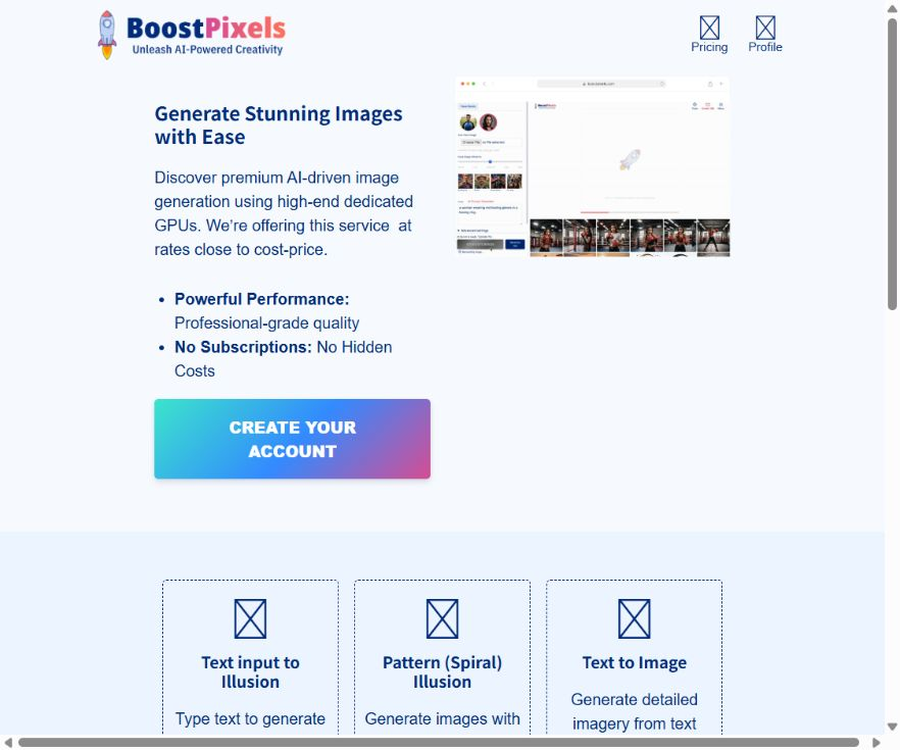
BoostPixels is an online AI image generation tool that relies on Stable Diffusion, custom generation pipelines, and ControlNet-based control functions. Its strength lies not in offering a large number of the latest models, but rather in providing dedicated interfaces for specific tasks such as text hallucination, spiral patterns, brand color schemes, face blending, and vector icons.
The platform uses a one-time purchase system for credits, with no subscription required. Users must register and make a payment before credits can be generated; the resulting images focus on creative effects, and the official website explicitly states that the images may have defects or physical inconsistencies.
Core functions
1. Text to Image – generating images from text
After the user enters a description of the image, it is possible to generate images that are realistic, in the style of illustrations, or as concept art. Advanced settings include options related to image quality, models, samplers, random seed values, guidance intensity, and negative prompts; these are suitable for users who wish to adjust various parameters.
2. Image to Image: Generating images from other images
Image-to-image generation uses existing images as a reference for structure or style, and then creates new versions by combining them with textual instructions. It can be used for concept transformation, style exploration, and creating visual variations, but it does not preserve all details of the original images with precision.
3. Text Input to Illusion
The text illusion tool integrates specified text into the generated image, so that hidden text appears when the image is viewed from a distance, zoomed in on, or viewed from a different angle. Users can choose the font, prompts, and the intensity of the effect.
4. Pattern and Spiral Illusion
The pattern illusion tool hides spirals, outlines, or other patterns within the generated image. The effect depends on the intensity of the setting and the accompanying prompts; too low an intensity may result in those patterns not being visible, while too high an intensity can destroy the natural appearance of the image.
5. Face Remix
Face Remix allows users to upload photos of faces and incorporate the features of those individuals into new generated scenes. It is suitable for creating creative portraits and trying out different character designs, but it is necessary to have permission to use the photos, and it cannot be used for deception, impersonation, or violation of portrait rights.
6. Brand Sync
Brand Sync extracts colors from the uploaded brand logos and then creates visual content that matches the brand’s color scheme. It can assist in creating concept diagrams and marketing drafts, but it cannot replace a complete set of brand design guidelines.
7. Outpainting – expanding the image
The image expansion tool allows new content to be added to the edges of the original image, and it offers vertical, horizontal, and square formats. Users can set prompts, steps, samplers, negative prompts, and guidance intensity.
8. Vector SVG icons and logos
The Vector tool is used to create scalable SVG-style logos and icons based on given prompts. The outputs generated can serve as a starting point for creative ideas, but official trademarks still require checks regarding usability, similarity to existing trademarks, and the quality of their design elements.
List of main functions
- Generate realistic, illustrative, conceptual, and marketing images from text prompts.
- Upload images and combine them with text to create style or content variations.
- Hide text within the texture of an image to create visual illusions.
- Control structural constraints such as spirals, edges, and posture are used to shape the generated results.
- Integrate authorized facial features into various scenarios to create creative portraits.
- Read the color scheme of the brand logo to create concept visuals with consistent colors.
- Extend and complete the image to accommodate various aspect ratios.
- Generate SVG-style logos, icons, and vector concept art.
- Adjust the model, sampler, seed, image quality, and prompt intensity.
How to choose a visual illusion tool
| Tools | Enter | Main effects | Suitable scenarios |
|---|---|---|---|
| Text Input to Illusion | Text, font, and scene cues | Hide recognizable text within the image. | Posters, social media images, creative communication |
| Pattern Illusion | Pattern or control structure | Integrate shapes into the texture and main subject. | Visual experiments, album covers, artistic illustrations |
| Spiral Illusion | Spiral structure and prompt words | Viewed from near or far, it presents different visual levels. | Eye-catching content and creative exercises |
| Face Remix | Face photos and scene cues | Retain some of the characters’ features while reconstructing the scene. | Authorization for portraits and character concepts |
| Brand Sync | Brand logo and prompt words | Make the generated image follow the brand’s main color. | Marketing sketches, event concepts |
Models and advanced settings
Some of the generation pages offer model choices such as Deliberate V2, Realistic Vision 5.1, and Stable Diffusion 1.5, and list control methods like QR Code Monster, Canny, Lineart, OpenPose, etc. The specific options may vary depending on the tool used.
- Image Quality: Select output resolutions such as 512, 768, or 1024 pixels.
- Sampler: Controls the diffusion sampling process; different samplers have varying details and speeds.
- Seed: Using a fixed random seed helps in further tweaking with similar compositions.
- CFG Scale: It controls the degree to which the model follows the instructions given; a value that is too high may result in awkward outputs.
- Pattern Influence: Adjust the impact of hidden text or patterns on the image.
- Negative Prompt: Exclude features such as blurriness, deformities, and text errors that are not desired.
- ControlNet: Controls composition through edges, line drawings, posture, or special patterns.
Which users are it suitable for
- Creators who want to experiment with text hiding, spiral patterns, and visual illusions.
- Individual users who need to create concept diagrams, covers, and social media images at a low cost.
- For operators who wish to quickly explore marketing visuals based on the brand’s color scheme.
- Design enthusiasts who create character portraits, poster drafts, and artistic experiments.
- For those who need to expand the edges of an original image or quickly adjust its aspect ratio.
- Beginners who want to understand the parameters of Stable Diffusion and the effects of ControlNet.
- Small project teams that need SVG icons and creative ideas for logos.
How to create text-based illusion images
- Registering an account and checking the balance of points allows one to complete the test.
- Enter the text hallucination tool and type the short text you wish to hide in the image.
- Choose a font with clear letters and not overly complex strokes.
- Enter scenario prompts that can integrate naturally with the shape of the text.
- First, create a test version using an intermediate pattern intensity.
- View it at reduced and enlarged sizes to determine whether the text is balanced with the main element.
- Adjust the impact intensity, seeds, and prompts to generate multiple candidate versions.
- Check for misinterpretations, flaws, copyright issues, and platform content guidelines before publishing.
How to use image-to-image generation or image expansion
- Select a clear original image for which you have the rights or have been authorized to use.
- According to the task, use the image-to-image or Outpainting tool and upload the file.
- Select the desired size and specify the image elements that need to be retained as well as those that need to be added.
- Set the model, number of steps, sampler, guidance strength, and negative prompts.
- First, create a preview at a lower cost to check whether the main elements are distorted or out of place.
- Fix the seeds of the satisfactory version, and then fine-tune the prompts and parameters.
- After downloading, use professional software to repair seams, hands, text, and minor defects.
Integral price and consumption
BoostPixels is currently available for purchase in packs of 500 credits, at a suggested price of 5 euros. The official website states that one 1024-pixel image requires 4 credits; based on this standard, it should be possible to create around 125 images. However, the actual number of credits needed for images of different sizes, as well as for using certain tools or when tasks fail, depends on the information provided on the generation page.
| Project | Current price or consumption | Explanation |
|---|---|---|
| 500-point package | €5 one-time purchase | Please note that prices may change; check the settlement page before making payment. |
| 1024-pixel image | 4 points per attempt | Theoretically around 125 times; in practice, it depends on the specific tool used. |
| Subscription fee | None | The official website emphasizes that it does not use a subscription model. |
| Refund | The points are non-refundable. | It cannot be exchanged or returned after purchase. |
| Validity period of points | The official deadline is 30 days. | The official website states that it has not yet expired automatically, but this should not be taken as an indication that it will remain valid indefinitely. |
What needs to be confirmed before purchasing points?
- Current price of the subscription package, taxes and fees, payment currency, and quantity received.
- The target tool generates the required points each time, rather than relying only on the 1024-image example.
- The 30-day official validity period for the points, as well as the expiration date shown on the account page.
- Whether points are deducted in case of generation failure, queue interruption, or content interception.
- Points are non-refundable; first purchase a small amount of the testing tool to verify whether it meets your needs.
Generation quality and server queue
The website indicates that the server may need to be warmed up, and it takes approximately 60 seconds to generate some pages. The waiting time is affected by factors such as the queue, the model used, the resolution, and the status of the GPU; therefore, the number of pages in the queue cannot be considered as an indication of a fixed loading speed.
The officials have made it clear that the generated photos may contain flaws and defects, as the model gives more emphasis to creative output rather than physical accuracy. The hands of the people depicted, the text, the structure of objects, as well as the paths of logos and the seams between elements all require manual inspection.
Business and corporate customization
BoostPixels offers customized AI image solutions for businesses, suitable for organizations that require specialized visual tasks or workflows. There are no standard corporate packages available on the public website; costs and scope of services need to be discussed separately.
| Service method | Price pattern | Scope of application |
|---|---|---|
| Standard web tools | Buy points | Individual and small-scale, on-demand generation |
| Corporate customization | Project quotation request | Dedicated generation of requirements, business processes, or custom models |
| Self-service API | No public documents were found. | It cannot be assumed that integral accounts can be accessed directly through API calls. |
Product advantages
- The access to the specialized tools is straightforward, making it easy to try out specific visual effects quickly.
- Texts and spiral illusions are highly distinguishable, setting them apart from ordinary text-to-image generation.
- It provides advanced parameters such as models, samplers, seeds, and ControlNet.
- A one-time point system; there is no need for ongoing subscription fees.
- The price for 500 points is low, making it suitable for conducting creative experiments with a limited budget.
- It covers image generation, image expansion, Face Remix, brand color schemes, and SVG concepts as well.
- The officials directly point out the flaws in the model as well as the rules for scoring, with relatively clear boundaries.
Usage restrictions and precautions
- All generations require the purchase of credits; the page does not offer any long-term free access.
- The validity period of the official points is 30 days from the date of purchase; even if they are not manually deleted at the moment, there is still a deadline in place.
- Credits purchased cannot be refunded, so it is not advisable to make large deposits before testing the workflow.
- The model and interface are based on the earlier Stable Diffusion workflow, rather than being part of the latest multi-model platforms.
- The generated results may contain physical errors, fake text, distorted faces, and edge defects.
- Servers need to be warmed up or queued, so the generation speed is not always consistent.
- Visual illusions require repeated adjustments to the intensity and prompting words; a clear result is not guaranteed from the first attempt.
- No public developer APIs or official source code have been found, making direct integration or privatization difficult.
Privacy, Portraits, and Copyright
- Face Remix can only be used with one’s own photos or portraits for which explicit permission has been obtained.
- Do not upload identification documents, client confidential information, unreleased brand assets, or personal photos.
- The creation of content related to the exploitation, harassment, or hatred of children, as well as any other illegal or unethical material, is prohibited.
- The brand color scheme feature does not grant rights to use the trademark; third-party logos remain protected by their respective rights.
- Logos generated by AI cannot be registered for use directly; it is necessary to first check for similar trademarks and ensure the originality of the logo.
- Save the prompt words, authorization entries, and manual modification records before commercial release.
- Uploading and generating content is processed in the cloud; sensitive projects require an assessment of data risks first.
Platform, API, and open-source status
| Project | Current situation |
|---|---|
| Product format | Web-based AI image toolset |
| Account requirements | The browsing tool can be used directly; to generate the desired content, registration is required and points must be purchased. |
| Mobile apps | No official independent app was found. |
| Browser extensions | No official extensions were found. |
| Developer API | No public API documentation was found. |
| GitHub | No official code repository that can be confirmed as belonging to BoostPixels was found. |
| Is it open source? | No, it is an online exclusive service. |
Basic information
| field | Content |
|---|---|
| Tool name | BoostPixels |
| Tool type | AI image generation and visual illusion tools |
| Key technologies | Stable Diffusion, custom pipelines, and control models |
| Special features | Text illusions, spiral patterns, Face Remix, Brand Sync |
| Other features | Text-to-image, image-to-image, image expansion, and SVG icons |
| Price pattern | One-time point package, no subscription required |
| Public price | 500 points equal 5 euros |
| Whether API is provided | Not disclosed |
| Is it open source? | No |
Recommendation score
3.8 / 5. BoostPixels stands out thanks to its text and pattern illusions, brand-specific color schemes, and low-cost credits, making it suitable for creative experiments; however, its model workflow is traditional, and issues such as the quality of the generated content, queueing problems, the validity period of credits, and the lack of a public API limit its use in professional production environments.
Frequently Asked Questions
Is BoostPixels free?
No. Users need to register and purchase points in order to create them; the package available on the official website currently costs 5 euros for 500 points.
How many images can be created with 500 points?
The official website states that each 1024-pixel image costs 4 points, so theoretically around 125 times can be processed. Other tools, different sizes, and various tasks may have different consumption rates; the actual amount will depend on the page being generated.
Is a subscription required for BoostPixels?
It’s not necessary. The official website states that there is no subscription required; users can purchase one-time credits as needed.
Will the purchased points expire?
The official validity period is 30 days from the date of purchase. The website states that, for now, points are not set to expire automatically, but this does not mean they are valid indefinitely; therefore, it is necessary to plan their use in accordance with the 30-day rule.
Can it be used to create a logo?
It is possible to create logos and icons in SVG style, but before they are used officially, it is necessary to check the quality of the paths, ensure their originality, and verify that they do not resemble any existing trademarks; the designer must then standardize them.
Is BoostPixels open-source or does it provide an API?
As of this verification, no official open-source repository or public developer API documentation has been found; therefore, it should be considered a closed-source web service.
Tools similar to Boostpixels



 Guigong Network Security Registration No. 45132202000164