






Together AI
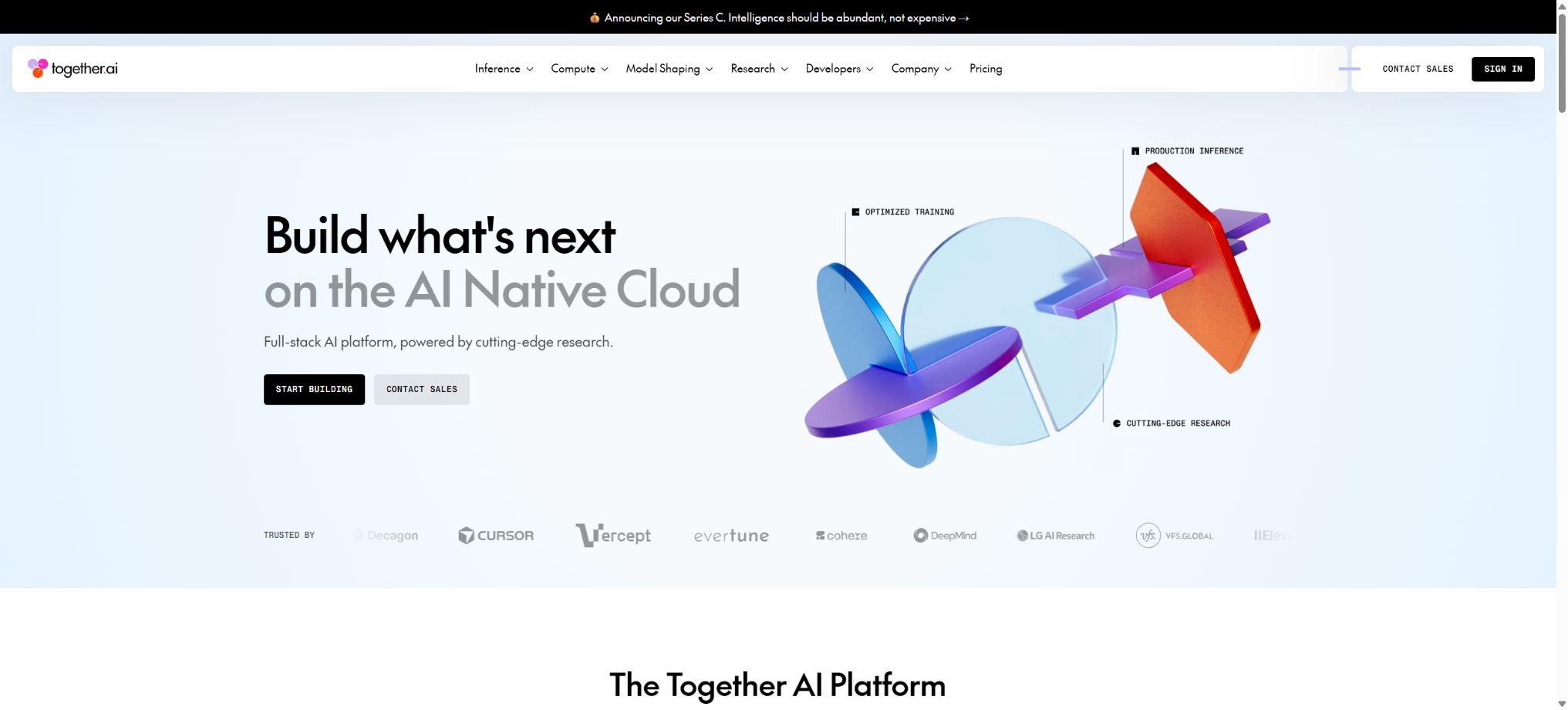
An AI-native cloud platform that offers open-source model inference, fine-tuning, and dedicated computing resources.
Tags:AI training modelsWhat is Together AI?
Together AI is an AI infrastructure platform designed for developers and enterprises, offering API services for large language models, images, videos, voice, Embedding, and security models. Users can start with serverless inference and later upgrade to Provisioned Throughput, Dedicated Inference, or GPU Cluster based on their needs.
The platform focuses on open-source and open-weight models, and it also offers model fine-tuning, Batch API, code Sandboxes, and high-performance storage. Developers can integrate these models into chat, search, Agent, and content-generation applications using REST, Python, or TypeScript SDKs.
Main functions of Together AI
- Serverless Inference:There is no need to manage GPUs; billing is based on the actual usage of tokens, images, videos, or audio.
- Model directory:Provides text, reasoning, code, visual, and multimodal models from various manufacturers.
- OpenAI-compatible interface:Reduce the costs associated with migrating existing chat and Completion applications.
- Batch API:It handles a large number of non-real-time requests in an asynchronous manner, making it suitable for offline tasks.
- Cached input:It supports prompt caching for certain models, thereby reducing the costs associated with repeated use of the same context.
- Provisioned Throughput:A fixed throughput capacity is reserved based on PTU, making it suitable for stable high-volume traffic.
- Dedicated Inference:Run models on single-tenant GPUs to achieve stable performance and greater control.
- GPU Clusters:Compute resources such as H100, H200, and B200 are used based on the number of GPU hours utilized.
- Fine-tuning:It supports training methods such as SFT, LoRA, full fine-tuning, and preference optimization.
- Images and videos:Multiple generation, editing, and multimedia models can be accessed through a unified API.
- Code Sandbox:It provides an isolated execution environment for generating code for Agents or models.
- Official SDK and Cookbook:Examples of Python, TypeScript, and reusable Agents are provided.
Comparison of inference deployment methods
| Method | Billing method | Suitable scenarios |
|---|---|---|
| Serverless | By Token or media generation unit | Testing, fluctuating flow rates, and rapid deployment |
| Batch API | Asynchronous batch price | Offline classification, summarization, evaluation, and data processing |
| Provisioned Throughput | Per minute, based on PTU | Stable high throughput and predictable performance |
| Dedicated Inference | Per-tenant GPU hours | Custom models, stable latency, and isolation requirements |
| GPU Cluster | By GPU hours and reservation period | Training, inference, custom workloads, and research |
Examples of pricing for Serverless text models
The table below shows the reference prices used for verification on the official pricing page, expressed in terms of dollars per 1 million tokens. Model availability, pricing, and unit costs can change frequently; it is therefore necessary to check the model page again before making any actual calls.
| Model | Enter | Cache input | Output |
|---|---|---|---|
| MiniMax M3 | 0.30 dollars | 0.06 dollars | 1.20 dollars |
| GLM-5.2 | 1.40 dollars | 0.26 dollars | 4.40 dollars |
| Kimi K3 | 3.00 dollars | 0.30 dollars | 15.00 dollars |
| DeepSeek V4 Flash 0731 | 0.14 dollars | 0.03 dollars | 0.28 dollars |
| gpt-oss-120B | 0.15 dollars | Not listed separately | 0.60 dollars |
| Llama 3.3 70B | 1.04 dollars | Not listed separately | 1.04 dollars |
| gpt-oss-20B | 0.05 dollars | Not listed separately | 0.20 dollars |
The input and output unit prices represent only the basic costs; Agent iterations, long contexts, tool outputs, and repeated requests all contribute to an increase in the number of tokens. Models with cached prices can enjoy corresponding discounts only when the requests meet the caching criteria.
Prices for Dedicated and GPU Cluster
The figures below represent the reference price in US dollars per hour for each GPU, on a demand-based basis; prices vary for dedicated inference services and clusters. Discounts are available for long-term reservations, and the actual available regions, inventory, and configurations are subject to what is displayed in the console.
| Hardware | Dedicated Inference | GPU Cluster on demand | Long-term reference for clusters |
|---|---|---|---|
| NVIDIA HGX H100 | 5.49 dollars | 3.99 dollars | $ |
| NVIDIA HGX H200 | Contact sales | $ | $ |
| NVIDIA HGX B200 | 8.99 dollars | 8.19 dollars | $ |
| NVIDIA HGX B300 | Contact sales | Contact sales | In accordance with the contract |
| NVIDIA GB200 or GB300 NVL72 | Contact sales | Contact sales | In accordance with the contract |
Fine-tuning and Sandbox prices
| Services | Reference price | Billing instructions |
|---|---|---|
| Full fine-tuning of SFT within 16B | 1.20 dollars | Every 1 million training tokens |
| SFT LoRA within 16B | 1.50 dollars | Every 1 million training tokens |
| Full fine-tuning of DPO within 16B | 3.75 dollars | Every 1 million training tokens |
| DPO LoRA within 16B | 3.20 dollars | Every 1 million training tokens |
| Minimum fee for standard fine-tuning | $ | The rules for specific large models may vary. |
| Code Interpreter | 0.03 dollars | Each session lasts up to 60 minutes |
| Sandbox vCPU | $ | Calculate resources based on allocation |
| Sandbox memory | 0.0149 dollars/GiB/hour | Added to the vCPU costs |
The fine-tuning cost is calculated by multiplying the number of tokens in the training data by the number of epochs, plus an optional fee based on the amount of validation data and the number of evaluation iterations. Additional costs may apply for inference using the trained model, as well as for dedicated endpoints and storage.
Creating an API Key and First Call Tutorial
- Create a project:Register in the console and create a separate development project.
- Set up the bill:Top up or set available payment methods, and define budgets and reminders.
- Generate key:Create an API Key and save it immediately in a secure Secrets system.
- Install SDK:Install the official Python or TypeScript libraries according to the technology stack.
- Select model:Compare context, capabilities, speed, licenses, and current unit price.
- Small-scale testing:Limit the maximum number of output tokens; first verify the response format, errors, and streaming output.
- Online monitoring:Record the Token, latency, status code, model version, and cost per request.
Model Selection Tutorial
- Use real business samples to create evaluation sets for quality, latency, security, and cost.
- First, use low-cost small models to test simple tasks such as classification, extraction, and routing.
- For complex reasoning, code, or long contexts, as well as larger models, it’s not enough to rely only on ranking scores.
- Check the model license, acceptable use policy, and requirements for commercial deployment.
- Test JSON, tool calls, stream output, concurrency, and context limits.
- Configure fallback alternatives for the main model, and establish a migration process for when the model is taken offline.
- Calculate the cost of successful tasks on a weekly basis, rather than merely comparing the price per million tokens.
Tutorials for fine-tuning models
- Confirm necessity:First, verify whether Prompt, RAG, and tool calls can already meet the requirements.
- Prepare data:Remove duplicates, mask sensitive data, standardize input and output formats, and divide the data into training and validation sets.
- Selection method:Generally, LoRA SFT is used first; full fine-tuning or DPO is considered only if there are clear reasons for it.
- Estimated cost:The training budget is calculated based on the data tokens, epochs, number of validation attempts, and minimum fee.
- Start task:Upload the data and record the base model, parameters, code, and data version.
- Independent assessment:Use the test set that was not involved in training to check quality, bias, and safe regression.
- Deploy monitoring:Release it at a low volume first, and continuously compare and fine-tune the model against the base model.
Who is Together AI suitable for?
- AI application developers:Multiple open models and multimedia capabilities can be accessed through a unified API.
- Agent Team:Combined reasoning, tools, Embedding, Sandbox, and multi-model routing.
- Data Team:Use Batch for large-scale classification, summarization, and structured extraction.
- Model team:Deploy SFT, LoRA, DPO, and custom models.
- High-volume products:Gradually upgrade from Serverless to PTU or Dedicated Inference.
- Research institution:Rent GPU clusters for conducting training, evaluation, and inference experiments.
- Multimedia products:Unified access to image, video, speech recognition, and synthesis models.
Product advantages
- Covers the full range of options including Serverless, Batch, PTU, Dedicated, and GPU Cluster;
- There is a wide range of model options, allowing comparison of various open-source models on the same platform;
- Supports text, images, videos, audio, Embedding, and security models;
- Some interfaces are compatible with the OpenAI format, resulting in low costs for migrating existing applications.
- Provides Agent infrastructure such as training, fine-tuning, code Sandboxes, and storage;
- The official Python and TypeScript SDKs, along with the Cookbook examples, are quite comprehensive;
- The pricing page reveals the tokens, GPUs, and training units, facilitating cost estimation.
Usage restrictions and cost considerations
- The model catalogs and unit prices change frequently, so it is not possible to fix the prices determined during a single verification process in a long-term budget.
- The tools invocation, JSON handling, visual capabilities, and contextual understanding of different models vary.
- In multi-round interactions, the agent keeps carrying the context, which can result in costs that are much higher than those of a single conversation.
- Dedicated GPUs are billed based on usage time, and even idle endpoints can generate costs.
- For scenarios in Sandbox that do not terminate automatically, a TTL value should be set and cleanup should be carried out proactively;
- Fine-tuning may retain sensitive information or reduce general capabilities, and it must be evaluated separately;
- Due to the different model licenses, calling the API does not automatically grant unlimited commercial usage rights.
Data security and production recommendations
- API Keys are stored only in the server-side Secrets, with separate entries created for each project and environment.
- Set separate budgets, rate limits, and permissions for development, testing, and production;
- Delete personal information, keys, and restricted content before uploading the fine-tuning data;
- Record the model ID, request parameters, and version to ensure that the issue can be reproduced;
- Limited retries and exponential backoff are used for 429 errors, timeouts, and service errors;
- For high-risk outputs, additional content filtering, fact verification, and manual approval are implemented;
- Regularly clean up unused endpoints, Sandboxes, datasets, and old API keys.
GitHub and open-source explanations
The official GitHub repository of Together AI provides Python and TypeScript SDKs, a Together Cookbook, a Sandbox tool, as well as various examples. Repositories such as the Cookbook and Sandbox are licensed under their respective open-source licenses, making them suitable for learning about APIs and Agent workflows.
The Together AI commercial cloud platform, the inference infrastructure, and all the server-side code do not constitute a fully open-source product. The models hosted on this platform belong to different developers and are subject to various licensing terms, which need to be checked individually before use.
Frequently Asked Questions
Is Together AI free?
The platform relies mainly on top-up payments or pay-as-you-go pricing; accounts may receive credits for promotions or trials, but the amount and eligibility for such credits can vary. For production use, it is necessary to budget based on the actual consumption of models, media, GPUs, and tools.
How does Together AI charge?
Text models are typically charged based on the number of input and output tokens, while images, videos, and audio are billed according to their respective units. Dedicated inference services and GPU clusters are charged per GPU hour, and fine-tuning is priced based on the number of training tokens.
Is OpenAI SDK supported?
Some chat and generation interfaces offer an OpenAI-compatible format, which facilitates the migration of existing applications. The model IDs, parameters, and specific features still need to be adjusted in accordance with the Together documentation.
Can open-source models be fine-tuned?
Yes, the platform offers capabilities such as SFT, LoRA, full fine-tuning, and DPO. The scope of support, prices, and minimum fees vary depending on the size and type of model.
Is Together AI open source?
The cloud platform itself is not a fully open-source product. The official SDKs, Cookbooks, and certain tools are available under open-source licenses, while the hosted models are subject to their respective model licenses.
Tools similar to Together AI



 Guigong Network Security Registration No. 45132202000164