






Arize AI
Arize AI: an intelligent tool focused on the evaluation of AI models.
Tags:AI model evaluationWhat is Arize AI?
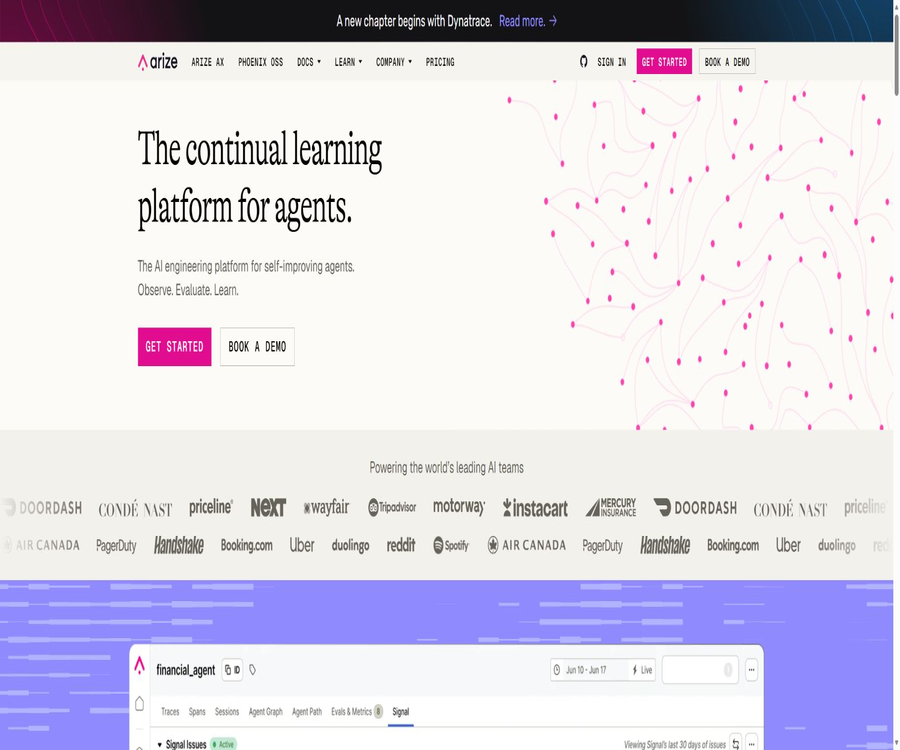
Arize AI is a platform designed for AI engineering teams, offering capabilities for monitoring, evaluation, and continuous improvement; it is used to track the usage of large models, analyze the behavior of agents, identify patterns of failure, and verify the impact of made changes.
The products include the managed service Arize AX and the open-source Phoenix with local priority; both are built around the OpenTelemetry and OpenInference standards.
Differences between Arize AX and Phoenix
| Products | Positioning | Deployment | Suitable for | Open-source status |
|---|---|---|---|---|
| Arize AX | Managed AI engineering platform | SaaS: enterprises can host it themselves | Production teams and large-scale enterprises | Commercial products |
| Arize Phoenix | Local-first observability and evaluation tools | Local, container, or self-hosted environment | Developers, research, and prototyping teams | Elastic License 2.0 |
Core functions
LLM and Agent Tracking
- Record model, tools, retrievers, and Agent call chains
- View input, output, latency, tokens, and costs
- Analyze behavior by Trace, Span, and Session.
- Supports multi-modal tracking of text, images, audio, and PDF.
- Display the paths and graph structure of Agent trajectories
- Integrate with existing systems via OpenTelemetry
Online and offline evaluation
- Conduct online evaluations for the generation of Trace and Span data.
- Offline evaluation of datasets and experimental runs
- Use LLM-as-a-Judge to evaluate quality.
- Use the code evaluator to verify deterministic rules.
- Evaluate RAG relevance, accuracy, and hallucinations
- Evaluate multiple rounds of sessions and the complete trajectory of the Agent
- Supports manual annotation and feedback queues.
Datasets and experiments
The team can organize real requests, failure cases, and boundary examples into datasets, and then conduct repeatable experiments on prompts, models, or Agent logic.
- Save the test input and expected results.
- Compare the evaluation scores of different experiments
- Calculate accuracy, precision, recall, and F1 score
- Replay production Trace to Playground
- Several sets of prompts side by side
- Manage and optimize prompt versions.
Production monitoring and Signal
Signal continuously analyzes production data and automatically identifies patterns of Agent failures, helping teams to pinpoint issues with the greatest impact among the large volume of Trace data.
- Automatic clustering and identification of failure patterns
- Create monitoring based on quality, latency, and cost.
- Observe trends through the dashboard.
- Connect exceptions to specific sessions and calls.
- The enterprise version can connect to code repositories and generate repair PRs.
- Supports managed debugging proxies and agent cluster observability.
Guardrails and safety assessment
The platform can monitor input and output thresholds, detect attempts at bypassing security measures, messages with low relevance or those that do not conform to the established policies, and record the processes of blocking or regenerating such messages.
Supported technology ecosystem
- OpenTelemetry and OpenInference
- OpenAI and Anthropic
- LangChain and LangGraph
- LlamaIndex and CrewAI
- OpenAI Agents SDK
- Common vector database and RAG frameworks
- Python, TypeScript, and CLI workflows
What use cases are suitable?
- Monitor the quality of multiple rounds of conversations with customer service agents
- Evaluate the relevance of RAG retrieval and the accuracy of the answers.
- Analysis tool invocation failure and recursive behavior
- Compare the model version and the prompt version
- Track tokens, latency, and call costs
- Build a regression test set from production failures
- Create a labeling queue for human reviewers.
- Use Phoenix to debug the prototype locally.
- Set up continuous quality controls for enterprise AI systems
Main advantages
- Observation, evaluation, experimentation, and improvement form a closed loop.
- Use open tracking standards to reduce framework dependencies.
- Supports unified analysis during both the development and production phases.
- There are dedicated views for Agent trajectories and multi-round conversations.
- The free version offers a complete basic workflow.
- There are no limits on the number of users or evaluation attempts for any of the options.
- Phoenix can run locally and manage data.
- Supports both SaaS and enterprise self-hosted options.
Usage restrictions and precautions
- Free includes only 25,000 Spans per month.
- Pro includes only 50,000 Spans per month.
- A single request from a complex Agent can generate a large number of Spans.
- LLM evaluation incurs additional model token costs.
- Trace may contain user input and sensitive business data.
- A retention period of 15 or 30 days may not be sufficient to support long-term audits.
- Self-hosting, SSO, and audit logs are part of the enterprise capabilities.
- The evaluator itself may also suffer from biases and misjudgments.
- Phoenix uses ELv2, which is not a permissively open license.
- Teams with high traffic volumes need to estimate in advance the growth of storage and spans.
Price of Arize AX package
| Plan | Price | Span/month | Storage | Retention period | Deployment |
|---|---|---|---|---|---|
| AX Free | Free | 25,000 | 1GB | 15 days | SaaS |
| AX Pro | $ | 50,000 | 10GB | 30 days | SaaS |
| AX Enterprise | Custom quote | Customization | Customization | Customization | SaaS or self-hosted |
All plans offer unlimited users, evaluation capabilities, experimentation options, manual annotation services, and annotation queues; the prices and quotas may vary.
Comparison of functional versions
| Ability | Free | Pro | Enterprise |
|---|---|---|---|
| OpenTelemetry tracing | Support | Support | Support |
| Signal issues/month | 10 | 25 | No restrictions |
| GDPR | Not listed | Support | Support |
| SOC 2 Type II | Not listed | Support | Support |
| Self-hosting | Not supported | Not supported | Support |
| Enterprise SSO and audit logs | Not supported | Not supported | Support |
| Custom code evaluator | Not supported | Not supported | Support |
| Managed debugging agent | Not supported | Not supported | Support |
| Support methods | community | Dedicated support |
Key points for cost estimation
- Calculate the average number of Spans generated per user request.
- Estimating tool calls, retries, and sub-Agent propagation
- Distinguish between the storage cost for traces and the cost of tokens used for model evaluation.
- Calculate the storage increase caused by multi-modal loads
- Determine the time period for which the data needs to be retained.
- Assess whether the number of users affects internal operational costs.
- Test the upper limit of the scheme using actual production samples
Quick Start to Arize AX
- Create a free account and set up a new Space.
- Select the language to be used by the application and the Agent framework.
- Install the corresponding OpenInference instrumentation components.
- Configure the Arize endpoint, Space ID, and API key.
- Run a few test requests and open the Trace view.
- Check whether the models, searches, tools, and Agent Spans are complete.
- Add delay, cost, and quality evaluators.
- Establish dashboards and anomaly monitoring before integrating into production.
RAG Evaluation Tutorial
- Enable tracking for the LLM, Retriever, and Embedding steps.
- Run a set of representative queries.
- Verify that the retrieved segments and the final answer fall within the correct Span.
- Add a retrieval relevance evaluator.
- Add an answer correctness and hallucination evaluator.
- Save the failed traces as dataset samples.
- Modify the search parameters, prompts, or model.
- Run the experiments and compare the various scores and costs.
Production Agent Improvement Tutorial
- Track the complete Agent trajectory by session.
- Enabling Signal reveals a pattern of repeated failure.
- Randomly select high-impact issues and perform manual labeling.
- Create evaluators for tool selection, final answers, and trajectories.
- Include typical failures in the regression dataset.
- Replay in Playground and modify the prompts or logic.
- Run control experiments to verify whether the changes improve performance.
- After going live, monitor to see if the same failure pattern occurs again.
Privacy and security
A trace usually includes prompt words, model outputs, retrieved text, tool parameters, and user feedback; therefore, data classification and anonymization must be carried out before integrating it into an observability platform.
- Avoid saving passwords, tokens, and full credentials.
- Mask personal information and business secrets.
- Set Space and organizational permissions by team.
- Select the data region for the United States, the European Union, or Canada based on regional requirements.
- Enterprise clients evaluate self-hosting, SSO, and audit logs.
- Define deletion, retention, and backup policies.
- Restrict the evaluation model from accessing sensitive traces.
Open-source status of Phoenix
The code for Arize Phoenix is available on GitHub; it enables tracking, evaluation, experimentation, and iterative refinement of prompts, and can be run locally or on one’s own infrastructure.
| Project | Status | Explanation |
|---|---|---|
| Arize AX | Commercial products | Hosting platforms and enterprise features |
| Arize Phoenix | The source code is publicly available. | Elastic License 2.0 is used. |
| OpenInference | Open standards and tools | Unified Generative AI Semantic Conventions |
| Phoenix Evals | Open-source evaluation library | Provide code and LLM evaluation workflows |
ELv2 permits wide use and modification, but it includes restrictions on uses such as hosting services; the license should be read before commercial redistribution.
Basic information
| Project | Content |
|---|---|
| Tool name | Arize AI |
| Core products | Arize AX and Arize Phoenix |
| Tool type | AI Observability, Evaluation, and Agent Improvement Platform |
| Primary users | AI engineers, machine learning engineers, and platform teams |
| Standard | OpenTelemetry and OpenInference |
| Free plan | 25,000 spans per month, 1 GB of storage, retention for 15 days |
| Minimum payment amount | AX Pro costs $50 per month. |
| Is registration required? | AX is required; local use of Phoenix does not depend on an AX account. |
| Is self-hosting supported? | Supported by Phoenix; AX enterprise solutions are also supported. |
| Is it open source? | AX is not open-source, while Phoenix uses ELv2. |
Recommendation score
The comprehensive recommendation score is 4.8 out of 5 points. Arize AI is suitable for teams that wish to create a closed loop linking production observability, offline evaluation, and Agent improvements; Phoenix, on the other hand, offers a mature solution for developers who prioritize local deployment.
Frequently Asked Questions
What problems does Arize AI mainly address?
It is used to track AI applications, evaluate the quality of outputs, identify production failures, and verify the effectiveness of improvements.
What is the difference between Arize AX and Phoenix?
AX is a hosted business platform, while Phoenix is an open-source tool for monitoring and evaluation that can be deployed locally.
Is Arize AX free?
The Free plan is free of charge; it includes 25,000 Spans per month, 1GB of storage, and a retention period of 15 days.
How much is Pro?
AX Pro currently costs $50 per month and includes 50,000 Spans, 10GB of storage, and 30 days of retention.
Are there limits on the number of evaluations?
The official plan table indicates that the evaluation criteria are not restricted, but using external models for evaluation still incurs costs related to model tokens.
Is agent monitoring supported?
Supported: It allows viewing the Agent’s trajectory, tool calls, and sessions, as well as using Signal to identify failure patterns.
Can it be self-hosted?
Phoenix can be deployed on its own, while Arize AX in self-hosted mode is part of the Enterprise solution.
What kind of license is Phoenix?
Phoenix uses the Elastic License 2.0, which is not a permissive license such as MIT or Apache.
Is it possible to monitor traditional machine learning models?
Yes, Arize also offers capabilities for classification, regression, computer vision, and the monitoring of traditional models.
Tools similar to Arize AI



 Guigong Network Security Registration No. 45132202000164