






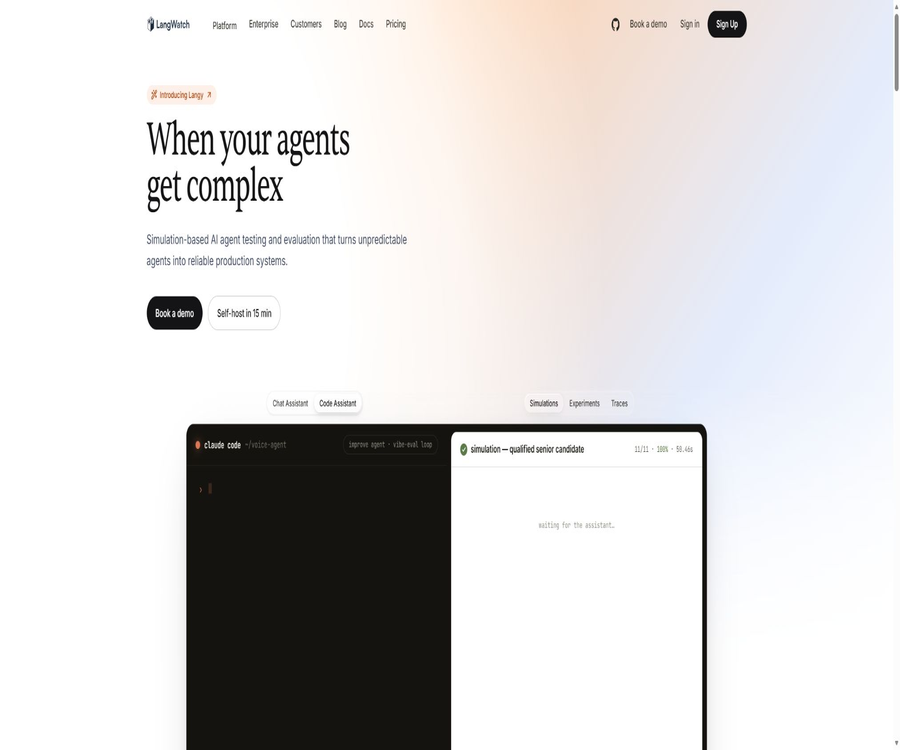
LangWatch
LangWatch, an intelligent tool dedicated to the evaluation of AI models
Tags:AI model evaluationWhat is LangWatch?
LangWatch is an open-source LLMOps platform designed for large language model applications and AI agents, operated by Reasoning Engine B.V. It integrates capabilities such as monitoring, evaluation, agent simulation, prompt management, AI Gateway, and governance, thereby assisting teams throughout the entire process from development and testing to operational deployment.
The platform utilizes OpenTelemetry to receive and organize tracking data, and it supports hosted cloud environments, fully self-hosted setups, enterprise-specific clouds, as well as hybrid deployment models. Developers can identify issues by examining model calls, tool usage, and user sessions, and they can then convert real-world scenarios into evaluations and testing cases.
Overview of key capabilities
| Capability module | Problems solved | Typical output |
|---|---|---|
| Observability | Understand how models, tools, and agents function. | Tracking, Span, metrics, costs, and alerts |
| Evaluations | Measuring quality, safety, and reliability | Experimental scores, online evaluations, Guardrails, and regression results |
| Agent Simulations | Test complete conversations and behaviors before going live. | Scenario execution, simulated users, reasons for failure, and test reports |
| Prompt Management | Centralized management of prompts and versions | Tips for templates, variables, versions, Playground, and optimization results |
| AI Gateway | Unified model invocation, budgeting, and routing | Virtual keys, routing, caching, limits, and safeguards |
| AI Governance | Control team access and production risks | Permissions, auditing, expenditures, and organizational governance |
LLM and agent observability
LangWatch automatically records calls to large language models, tool usage, searches, errors, and user interactions, and presents the complete execution pathway in its tracking reports. Teams can view input and output data, tokens, costs, delays, information related to the models, users, as well as custom metadata.
- Filter tracking by project, user, model, prompt, or version.
- View the execution order of nested Spans and proxy multi-step processes.
- Positioning tool failures, slow calls, and abnormal costs.
- Set up dashboards for production quality and business metrics.
- Feedback is linked to specific tracking through user events.
- Export the analyzed data to an external system.
- The quality of alerts and automated responses declines.
OpenTelemetry and integration
The tracking layer is built on OpenTelemetry; therefore, it allows the use of the LangWatch SDK as well as the reception of data generated by other compatible libraries. It offers direct integration with common proxy frameworks, model providers, and automation platforms.
| Integrated categories | Representative projects | Uses |
|---|---|---|
| Proxy and application frameworks | LangChain, LangGraph, Mastra, CrewAI, and Google ADK | Automatically capture model, tool, and agent Spans |
| Model provider | OpenAI, Anthropic, Azure, Google Cloud, AWS, and Groq | Log model requests, responses, Tokens, and costs |
| Local model | Ollama | Observe private or local inference processes |
| Low-code platforms | LangFlow, Flowise and n8n | Add tracking and evaluation to visualize the process. |
| Standard protocol | OTLP | Connect to other OpenTelemetry-compatible services |
Offline experiments
Experiments is used to run model, prompt, or proxy versions on fixed datasets before going live, while recording the output and score for each sample. Teams can conduct experiments through the interface, Python, or TypeScript, and then compare the quality, cost, and latency of various configurations.
- Create datasets that represent real tasks.
- Select the current production version as the baseline.
- Define the prompt, model, or agent configuration that needs to be compared.
- Configure built-in or custom evaluators for output.
- Run all samples in parallel and record the tracking.
- Compare scores, errors, delays, and costs.
- Include the failed samples in the regression dataset.
- Integrate the minimum quality requirements into the continuous integration gateway.
Online evaluation
Online Evaluation runs the designated evaluators automatically once production tracking data is available, in order to continuously monitor aspects such as authenticity, relevance, security, PII, or custom business metrics. It is useful for detecting any changes in quality that may arise as a result of changes in users, models, or data.
| Evaluation method | Execution timing | Suitable uses |
|---|---|---|
| Offline Experiment | For fixed datasets prior to release | Compare hints, model, and proxy versions |
| Online Evaluation | After production tracking arrives | Monitor quality trends and abnormal samples |
| Guardrail | Synchronous execution before and after model invocation | Real-time blocking of jailbreaks, PII, or illegal content |
| Manual Annotation | Review the selected tracks or data points | Expert tags, preferences, and controversial cases |
Guardrails real-time protective barriers
The evaluator can be executed synchronously within the application code as part of Guardrail, and it decides whether to allow or block execution based on whether certain conditions are met. It is suitable for detecting attempts at unauthorized access at the input side, performing security checks at the output side, and verifying critical business rules; however, it increases call latency and the amount of events generated.
- Detect jailbreaking and prompt injection.
- Identify PII and sensitive information.
- Check for toxic, harmful, or illegal content.
- Verify the fidelity and relevance of RAG responses.
- Execute LLM-as-a-judge or custom code scoring.
- Return a security message in case of failure, or redirect to manual handling.
Evaluators and workflows
LangWatch offers built-in evaluators such as RAGAS, Hallucination, Toxicity, PII, and Model Judging; it also allows teams to create reusable organization-level evaluators. Complex evaluations can be carried out by combining multiple steps and judgments within workflows, with custom scores being assigned to tracks or Spans.
Datasets and annotations
Datasets can be managed through SDKs and APIs, or they can be extracted from production tracking or generated with the assistance of AI. Annotation Inbox is used to assign samples to human reviewers, allowing business experts to add labels, target answers, and subjective quality assessments.
- Create a set of failure cases based on real-world tracking.
- Save evaluation inputs such as text and images.
- Create and query datasets in bulk through code.
- Use AI to quickly generate initial test samples.
- Record manual labels and automatic evaluations separately.
- Use the audit results for subsequent regression testing.
Agent Simulations
Agent Simulations verifies whether an agent can achieve its goals, adhere to rules, and use tools correctly in real conversations by simulating multiple rounds of interaction between the user and the agent under test. It is more suitable for assessing aspects such as state management, memory, tool utilization, and behavior in long conversations compared to evaluation based on a single round of input and output.
Scene structure
| Composition | Content | Function |
|---|---|---|
| Scenario | Initial conditions, user objectives, and constraints | Define the actual business tasks that need to be verified. |
| Agent Adapter | Connect to local, remote, or hosted proxies | Send the test message to the system under testing. |
| User Simulator | Generate multiple rounds of user behavior based on roles and objectives. | Covers various expressions, follow-up questions, and obstacles |
| Criteria | Success, failure, and safety assessments | Determine whether the scene passes or not. |
| Run Parameters | Concurrency, retries, number of models, and number of tests | Control costs and coverage area |
Supported proxy types
- Text chat agent.
- Remote agent that requires login or a token.
- Proxy functions in local development.
- Real-time proxies such as OpenAI Realtime.
- Voice agents such as ElevenLabs, Twilio, and Pipecat.
- Real-time multimodal agents such as Gemini Live.
Red team and security scenarios
Scenario testing can be used to create adversarial users, make unauthorized requests, and carry out prompt injection attacks, in order to observe the agent’s defensive capabilities across multiple rounds of interaction. The results of red-team testing should serve as input for improvements; they cannot be interpreted as indicating permanent security after just one test.
Scenario open-source library
The standalone Scenario repository provides proxy testing tools for Python and TypeScript, and is licensed under Apache Version 2. It can run locally as well as in continuous integration environments; it is not required that all tests be carried out in the LangWatch cloud.
Prompt management
Prompt Management allows prompt templates, variables, versions, and release status to be stored in one place, preventing these prompts from being scattered across code, tables, and interfaces. Developers can synchronize prompts using the SDK or CLI, and they can replace models and parameters in the Playground to conduct comparisons.
| Functions | Function | Typical user |
|---|---|---|
| Prompt Registry | Store naming suggestions and versions in one place. | Development and Product Teams |
| Variables | Fill in business data at runtime | Application developers |
| Playground | Test prompts, models, and parameters | Tips for engineering and business experts |
| CLI Sync | Include the prompt configuration in the code repository. | Platform engineering and continuous integration |
| Optimization Studio | Prompt improvement based on samples and targets | Teams that require systematic optimization |
| DSPy Optimization | Use programmed methods to search for better suggestions. | Research and Advanced Evaluation Team |
AI Gateway
AI Gateway enables unified access to multiple model providers, and it allows for the management of virtual keys, routing, budgets, caching, and Guardrails within an organization’s boundaries. When using a self-hosted setup, it is possible to have model traffic terminate within one’s own network boundaries.
- Isolate applications and teams using virtual keys.
- Route between multiple models or suppliers.
- Set hierarchical budgets for organizations, projects, or users.
- Use hint caching to reduce redundant reasoning.
- Implement real-time guardrails at the unified entry point.
- Centralize the logging of costs, failures, and model usage.
MCP, CLI, and Skills
LangWatch offers MCP, command-line tools, and skills designed for programming assistants, enabling AI assistants to help with access tracking, creating evaluations, running simulations, and managing prompts. Automated modifications still require human review, especially in the case of production keys, safeguards, and deployment settings.
Cloud pricing
The price information was verified on August 23, 2026; the actual amounts, taxes, exchange rates, and discounts may vary, and the final figures will be those displayed on the settlement page.
LangWatch Cloud is billed based on core seats and the amount of events processed; Growth charges a storage fee for data that is retained for more than 30 days. Lite users can view and collaborate on content, but the extent of their editing rights is determined by their current permissions.
| Package or version | Price | Billing cycle | Core benefits or quota | Suitable for users |
|---|---|---|---|---|
| Developer | Free | Permanently free, with the quota refreshed on a monthly basis. | 50,000-event scenario, 14 days of data access, 2 users, 3 scenarios, 3 simulations, and 3 custom evaluations | Individual developers and early prototypes |
| Growth | 29 euros per core slot | Monthly | Includes 200,000 events and a 30-day retention period; available for unlimited Lite users, as well as for testing, evaluation, and guidance purposes. | The team that puts AI applications into production |
| Enterprise | Custom quote | Contractual agreement | Hybrid, self-hosted, or on-premises deployment; custom retention, SSO, RBAC, auditing, SLAs, and dedicated engineering support | Regulation and large organizations |
Events and storage billing
Each model invocation, tool usage, retrieval, evaluation, or simulation step is counted as an event; therefore, a single user conversation typically involves multiple billing events. The first 200,000 events per month are included in the subscription fee, while an additional 5 euros is charged for every 100,000 subsequent events.
| Billing items | Amount included in Growth | premium price | Precautions |
|---|---|---|---|
| Core seats | Each seat is billed separately. | 29 euros per seat per month | The number of seats can be increased or decreased; for groups of 20 people or more, discounts on price and quantity can be requested. |
| Event | 200,000 per month | 5 euros per 100,000 events | Charges may apply to modeling, tools, retrieval, evaluation, and simulation steps. |
| Data access | 30 days | €3 per GB for the extended portion | Charging is applied only if it is retained for more than the included period. |
| Lite users | Infinity | Includes | The scope of permissions differs from that of core seats. |
| Model inference | Not included | Charged by the model provider | Simulation and LLM evaluation may result in numerous model calls. |
Bill estimation method
- Count the number of interactions with end users on a monthly basis.
- Measure how many models, tools, and retrieval events are involved in a typical interaction.
- Include events generated by online evaluations and Guardrail.
- Estimate the additional runtime for offline experiments and proxy simulations.
- Determine the number of core seats that require full access rights.
- Calculate the GB of data that still needs to be accessed after 30 days.
- There are additional costs for models, cloud storage, and self-hosted infrastructure.
- Set aside a budget for growth, backfilling, and abnormal traffic.
Open source and licenses
LangWatch adopts an open-core architecture; the core platform code is licensed under Apache License Version 2, while the Python and TypeScript SDKs as well as the MCP services are licensed under the MIT license. Enterprise-related modules such as SCIM, audit logs, licensing, and billing management are located in separate directories, and a commercial license is required for their use in production environments.
| Components | License | What can be done | Restrictions |
|---|---|---|---|
| LangWatch core platform | Apache Version 2 | View, modify, and self-host key features | The modules in the enterprise catalog are not under the same license. |
| Python SDK | MIT | Tracking, evaluation, and data access | It is still necessary to connect to a cloud-based or self-hosted service. |
| TypeScript SDK | MIT | Integrating platforms into Node and Web projects | Does not include managed infrastructure |
| MCP Server | MIT | Allow the AI client to operate LangWatch functions. | It is necessary to properly configure permissions and credentials. |
| Scenario | Apache Version 2 | Testing of the agent in local operation scenario | The costs related to the models and target agents are to be borne by the user. |
| Enterprise module | Business license | SSO, SCIM, auditing, and enterprise management | A license must be purchased for production and use. |
Self-hosted version
Without a corporate license, self-hosted LangWatch still allows an unlimited number of members, teams, projects, and custom content, and it runs the same core software as the cloud version. A corporate license enables SSO, RBAC, SCIM, audit logging, and support within the same deployment, without the need to use a separate version of the product.
Comparison of deployment modes
| Deployment mode | Who manages the application? | Data storage location | Suitable scenarios |
|---|---|---|---|
| LangWatch Cloud | LangWatch | Managed cloud | Quick start and no maintenance required |
| Self-Managed | Customers | Customer infrastructure | Complete data sovereignty and autonomous management |
| Cloud Enterprise | LangWatch | Dedicated instances in areas specified by the customer | Needs to be isolated and the owner does not want to handle its operation themselves. |
| Hybrid | LangWatch management control plane | ClickHouse and object storage are located within the customer’s network. | Tracking data cannot leave the corporate network. |
Self-hosted infrastructure
The current v3 production approach relies primarily on Kubernetes Helm; ClickHouse is used as the core storage for analysis, while object storage is employed to store cold data in a hierarchical manner. The Docker Compose-based solution is still mainly intended for v2, and old tutorials should not be followed when preparing to deploy v3.
- Use ClickHouse to save and query tracking and evaluation events.
- Event tracing ensures the tracking and evaluation of the processing order.
- Layer the old data into compatible object storage.
- Use ClickHouse’s native backup and recovery mechanisms.
- Adjust deployments of different scales using Helm Overlay.
- The AI Gateway sub-chart can be enabled optionally.
- It is necessary to manage the keys, network, backups, upgrades, and monitoring on one’s own.
Safety and compliance
LangWatch states explicitly that it complies with GDPR and holds ISO 27001 certification; enterprise clients can request relevant reports as well as data processing agreements. Since the platform may come into contact with prompts, outputs, tool parameters, and user data, the team still needs to carry out its own data classification and access control procedures.
- Remove unnecessary personal data and keys before embedding tracking points.
- Restrict who can view the original tracking and datasets.
- Set minimum permissions for export, MCP, and API.
- Review the cloud region, sub-processor, and retention period.
- Transmission and static encryption are enabled in self-hosted environments.
- Establish processes for auditing, deletion, backup, and incident response.
- For regulated activities, compliance responsibilities must be established through corporate contracts.
Which users are it suitable for
- Engineering teams that develop large language model applications and AI agents.
- The team responsible for model quality, regression, and security testing.
- Product teams that need to simulate user testing and multiple rounds of agent behavior.
- Organizations that wish to involve business experts in providing suggestions and performing manual annotation.
- Platform teams that require unified model gateways, budgets, and governance.
- Companies that wish to have open-source, self-hosted solutions and control over tracking data.
- Developers who use low-code tools such as n8n to create AI workflows.
Product advantages
- Observation, evaluation, simulation, and prompt management form a complete closed loop.
- Agent Simulations is suitable for verifying multi-round and tool-based agents.
- It supports offline experiments, online monitoring, and synchronized Guardrails.
- OpenTelemetry reduces reliance on a single SDK.
- The cloud-based pricing offers both a free option and low-cost upgrades for additional features.
- The main advantage of self-hosting is that there are no limits on the number of members or projects.
- The boundaries of the open-core license are clearly defined.
Restrictions and Precautions
- A single user interaction can generate multiple billing events.
- Simulation, online evaluation, and Guardrail increase the costs associated with models and events.
- LLM scorers and simulated users may make mistakes in their judgments.
- A complete quality system requires the maintenance of datasets, standards, and manual review.
- V3 self-hosting is based primarily on Kubernetes, and its operational complexity is higher than that of single-container tools.
- Although the enterprise module is located in the same warehouse, it is not subject to the Apache open-source license.
- The tracked content may contain sensitive business data and model prompts.
- The Developer version offers a limited number of scenarios, simulations, and custom evaluations.
Implementation process
- Choose LangWatch Cloud or plan for a self-hosted environment.
- Create a project and integrate OpenTelemetry or the official SDK.
- Use test requests to verify Span, costs, and user metadata.
- Establish core quality indicators and failure classifications.
- The first test dataset is created from real-world tracking data.
- Offline experiments are set up to indicate model changes.
- Use scenario simulation to test the behavior of multiple rounds of agents and tools.
- Add Guardrails for high-risk inputs and outputs.
- Configure online production evaluation, alerts, and budgets.
- Review the actual costs by event, seat, storage, and model fees.
Frequently Asked Questions
Is LangWatch free?
The Developer cloud package is available permanently at no cost; it includes 50,000 events per month, 14 days of data access, 2 users, as well as a limited number of scenarios, simulations, and custom evaluations. The self-hosted open-source version imposes no limits on the number of members, teams, or projects, but the user is responsible for covering the infrastructure costs.
What is a billing event?
Model invocation, tool invocation, retrieval, evaluation, and simulation steps can all give rise to events. A complete user session typically contains multiple events; therefore, estimation should be based on actual tracking data rather than simply counting the number of sessions.
Is LangWatch open source?
The main platform is licensed under the Apache Version 2 license, while the SDK and MCP are licensed under the MIT license. The enterprise modules come with a separate commercial license; therefore, it is more accurate to describe it as an open-core platform.
Can it be self-hosted?
Yes, for version 3 it is recommended to use Kubernetes along with the official Helm Charts. The core functionalities of the platform can be utilized without a license; however, features such as SSO, SCIM, RBAC, auditing, and enterprise support require a commercial license.
What is the difference between Agent Simulation and regular evaluation?
Traditional evaluations typically involve checking fixed inputs and outputs, while Agent Simulation allows simulated users to interact with agents over multiple rounds. The latter is more suitable for testing states, tools, voice functionality, handling of rejections, and the entire process of achieving business objectives.
Can it block harmful content in real time?
The evaluator can be used as Guardrail to be executed synchronously before and after model invocation, and based on the results, actions such as blocking or reverting to a fallback mode can be taken. Before going live, it is necessary to test latency, false positives, degradation logic, and exception handling.
Summary
LangWatch not only keeps track of LLM performance but also integrates offline experiments, online evaluations, real-time safeguards, agent scenario simulations, and prompt management into a single AI engineering workflow. It is particularly suitable for teams that need to conduct systematic verification of multiple rounds of agent interactions, rather than merely observing the responses of a single model.
The cloud-based Growth version starts at 29 euros per core, with additional charges applied for extra events and extended storage periods; the open-source self-hosted version offers greater control over the data, but deploying it in production version v3 requires expertise in Kubernetes management. Before adopting it, it is necessary to calculate the number of events, the costs associated with the models, and the storage requirements based on actual traffic levels.
Tools similar to LangWatch



 Guigong Network Security Registration No. 45132202000164