






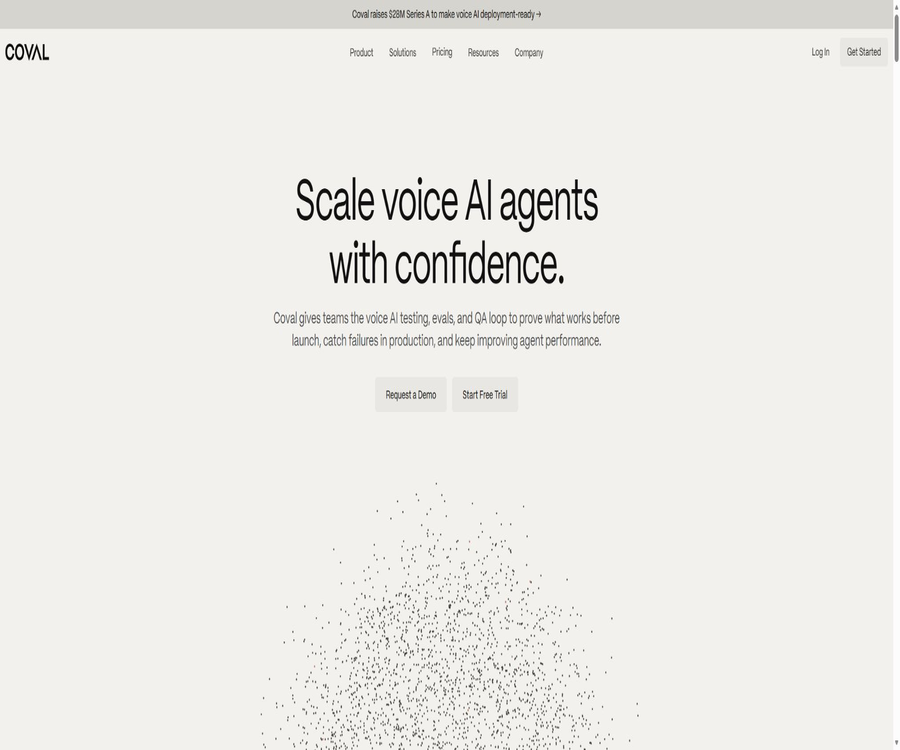
Coval
Coval, an intelligent tool focused on the evaluation of AI models
Tags:AI model evaluationA one-sentence summary
Coval is a platform designed for ensuring the continuous quality of AI voice and chat agents; it enables the simulation of numerous conversations before these agents go live, monitors actual calls after they are launched, and sends any failed examples for manual review and regression testing.
Tool Introduction
Coval is operated by Datawave Inc., a company based in Delaware, United States. Its main purpose is not to create customer service robots, but rather to test whether existing intelligent agents are capable of carrying out tasks, adhering to policies, and functioning reliably in complex audio environments.
The platform integrates simulation, automated evaluation, production monitoring, manual quality inspection, observability, and alerts into a single workflow. The product, QA, operations, and compliance teams can use unified metrics to determine whether a version meets the requirements for release.
Main functions
Large-scale dialogue simulation
Coval enables synthetic users to engage in conversations with the voice or chat AI being tested, covering both normal scenarios and edge cases. The simulation time is calculated based on the actual duration of the synthetic call, without rounding up to the nearest full minute.
Character and environment setup
The test subject can set prompts, voice, language, speaking speed, volume, waiting time, and who should speak first. In voice scenarios, background noises such as those from an office, airport, crowd, traffic, rain, or baby crying can also be included.
Scenarios and test sets
The team can organize business objectives, user behavior, abnormal paths, and prohibited actions into test sets that can be run repeatedly. Each time there is a change in prompts, models, tools, or suppliers, it is possible to execute the same scenarios again in order to compare the results.
Automatic evaluation metrics
The platform supports built-in and custom metrics for determining task completion, factual basis, authentication, upgrade processing, sentiment, latency, interruptions, tool calls, and compliant behavior. The number of metrics is limited by the package chosen.
Knowledge base comparison
Each agent can include FAQs, policies, or product documentation as a basis for evaluation, allowing the model to check whether the responses are consistent with authoritative sources. The knowledge base enhances the relevance of the criteria used for judgment, but manual verification of key metrics is still required.
Workflow visualization
Agents allow for the configuration of visual dialogue flows, with expected steps and decision points marked. Teams can use them to identify gaps in test coverage and to compare business processes with the actual course of conversations.
Production monitoring
Coval can perform evaluations on actual production calls, identifying issues such as quality degradation, repeated failures, and version regressions. The costs associated with monitoring calls and simulated calls are calculated separately; one quota cannot be used to replace the other.
Manual review queue
Failure metrics, specific scenarios, or sampling rules can direct calls to a queue for manual review. The review is carried out by the customer’s own team; Coval provides the queue, the interface, and metrics tracking, but it does not replace the company’s own quality control staff.
Observability and real-time alerts
The platform displays conversation histories, audio recordings, transcriptions, metrics, and reasons for failures in a centralized manner, and it is capable of generating alerts for high-risk events. Alert rules need to have noise control mechanisms in place; otherwise, a large number of low-value notifications may be generated.
Supplier comparison
The same set of scenarios can be run on different voice AI agents or model providers, and the success rates, latency, and error handling can be compared using consistent standards. The comparison results are valid only for the selected data, configurations, and time periods.
Test subjects and connection methods
| Connection type | Applicable recipients | Connection information | Key points for verification |
|---|---|---|---|
| Inbound voice | The AI agent that answers customer service calls | Phone number and authentication | The circuit is designed in compliance with recording standards. |
| Outbound voice message | Sales, booking, and notification agents | Phone connection and call configuration | Call approval and regional regulations |
| OpenAI-compatible interface | Text chat AI agent | Interface address and key | Request format, throttling, and data range |
| Chat WebSocket | Continuous text-based conversation | Connection address and authentication | Session status and disconnection handling |
| Real-time voice interface | End-to-end speech model | Real-time connection configuration | Delays, interruptions, and audio quality |
| Custom Webhook | Platforms or internal systems that are not pre-installed | Callback and authentication parameters | Signing, timeout, and retry |
Key evaluation dimensions
- Whether the task has been completed and whether the user’s goals have truly been met.
- The response is based on the knowledge base, with no hallucinations or unfounded promises.
- Check whether authentication, sensitive operations, and manual upgrades comply with the policies.
- Are delays, silence, interruptions, overlapping speech, and audio abnormalities acceptable?
- Whether the parameters for tool calls, result retrieval, and failure recovery are correct.
- Whether it remains stable under different accents, languages, speeds, emotions, and background noise.
- Check whether there is a regression in quality after changes to prompts, models, or suppliers.
- Whether high-risk cases are properly routed to the manual review and alert process.
Continuous quality workflow
- Connect to the intelligent agent under test, and use the testing connection function to verify that the interface, telephone line, or WebSocket is available.
- Define business workflows, success criteria, prohibited actions, and situations that require manual escalation.
- Create a test set consisting of characters, noise, accents, abnormal inputs, and edge cases.
- To set up automatic metrics and knowledge base criteria, first calibrate the scoring using a small number of conversations.
- Run simulations in batches, and analyze the results by failure type, version, and scenario.
- After fixing prompts, models, tools, or business processes, carry out regression testing.
- After going live, it is integrated with production monitoring, and critical failures are sent to a queue for manual review.
- The identified production defects are added to the test set, thereby creating a loop for continuous improvement.
Quick Start Guide
- Register for Coval and create a project; select either voice or chat connection based on the type of agent.
- Enter the API address, phone number, and any necessary authentication details, save them, and then carry out a connection test.
- Create test characters and set their goals, language, voice, and environmental noise.
- Create test scenarios that define user actions, expected outcomes, and prohibited outcomes.
- Add evaluation metrics such as task completion, factual accuracy, latency, and compliance.
- Run small-scale simulations and conduct manual spot checks to ensure that there are no systematic errors in the metrics.
- Expand the scale of testing, compare versions, and integrate the results into the release pipeline.
Regression Testing Tutorial
- A stable test set is compiled from historical failures, complaints, manual quality inspections, and product requirements.
- Lock in the characters, scenes, evaluation criteria, and key environmental parameters to record the baseline version.
- Run the same tests for every change to the prompt, model, voice provider, or toolchain.
- Observe the overall pass rate and high-risk scenarios separately, so that severe failures are not obscured by average scores.
- Manually review cases where automatic scoring failed or that are at the borderline.
- Publication is allowed only when the key metrics meet the thresholds and there are no blocking issues.
Production monitoring and manual quality inspection
- When monitoring actual conversations, first verify the legal basis for recording, transcribing, and handling personal information.
- Use failure-driven rules to prioritize cases related to compliance, identity, payments, or high losses for review.
- Integrate random sampling inspections to address new types of issues that are not detected by automated metrics.
- Feed the manual conclusions back into the metrics and test set, rather than simply closing the ticket.
- Export the necessary evidence in a timely manner according to the package’s retention period, to prevent the historical records from disappearing once their retention period expires.
- Configure responsible persons for alerts, response time limits, and escalation paths.
Packages and prices
| Package | Monthly price | Annual price | Simulated minutes/months | Calls monitored/month | Track retention |
|---|---|---|---|---|---|
| Starter | 100 dollars per month | $ | 100 minutes | 1,000 times | 30 days |
| Growth | $ | $ | 1,000 minutes | 10,000 times | 90 days |
| Enterprise | $ | Custom annual contract | Customization | Customization | Customization |
The annual fees for Starter and Growth plans are 20% off the total monthly price listed on the official website. The starting price for Enterprise plans is only a reference; factors such as virtual private networks, data residency, built-in storage, as well as support and service levels, will affect the final price.
Differences in packages
| Project | Starter | Growth | Enterprise |
|---|---|---|---|
| Number of projects | 1 | 5 | No restrictions |
| Seats | No restrictions | No restrictions | No restrictions |
| Concurrent simulation | 5 | 25 | Customization |
| Custom metrics | 50 | 250 | No restrictions and customizable |
| Character database | 10 | 50 | Customization |
| Speech model | Foundation | Advanced | Custom or bring your own |
| API throttling | 60 requests per minute | 300 requests per minute | Customization |
| Webhook | 5 per item | No restrictions | No restrictions |
| Single sign-on | None | Google SSO | SAML SSO |
| Audit logs | None | 30 days | Custom retention |
| Service level | No public commitments | 99% | Up to 99.99% |
| Support | Community and Mail | Priority emails and shared Slack | Dedicated channels and engineers |
Extra fees and trial rules
| Project | Starter | Growth | Enterprise |
|---|---|---|---|
| Excess simulation | $ | $ | Negotiation |
| Excessive monitoring | $ | $ | Negotiation |
| Free trial | 7 days, credit card required | 7 days, credit card required | Demonstration and contract |
| Trial period ended | Automatically switch to the selected plan | Automatically switch to the selected plan | In accordance with the contract |
| Payment methods | Bank card | Bank cards and ACH | Purchase orders or invoices, etc. |
The official website states that there is no charge during the trial period, and a reminder is sent two days before it ends; if it is not canceled, the plan selected at the time of registration will be applied. Upgrades take effect immediately and are billed proportionally, while downgrades take effect starting from the next billing cycle.
Renewal, cancellation, and refunds
- The monthly plan can be canceled within the app, and the service usually continues until the end of the current billing period.
- The annual payment plan is canceled at the end of the contract period; unused months cannot be terminated on a monthly basis.
- Enterprise’s cancellation rules are subject to the contract signed by both parties.
- The terms of service state that the amounts already paid cannot be refunded nor used to offset other charges.
- Unused annual capacity can be carried over within the same subscription period, whereas monthly capacity is subject to the limits of that particular month.
- Any excess usage is accumulated in real time, and a charge is applied at the corresponding unit price at the end of the billing period.
API, CLI, MCP, and automation
All public packages list REST API, CLI, MCP servers, and the skills framework. Teams can create characters and test sets, run tasks, read metrics, and integrate evaluations into continuous integration or intelligent coding workflows.
| Developer portal | Primary uses | Open-source status | Precautions |
|---|---|---|---|
| REST API | Manage agents, characters, as well as test and evaluation processes. | The platform’s interfaces are not open source. | Use the API key and comply with the rate limits set for the plan. |
| CLI | Start the evaluation in the terminal and development environment. | The official repository uses the MIT license. | A Coval account and services are still required. |
| MCP Server | Let the AI assistant manage tests and read metrics. | There are officially available warehouses. | Strictly limit the permissions of tools and keys. |
| GitHub Actions | Include testing in continuous integration | Official components are made public | Set failure thresholds and timeouts |
| External Skills | Reused agent evaluation process | The official repository uses the MIT license. | Review the actual application of each skill. |
| Benchmarks | Reproduce speech recognition and synthesis tests | Official methods and code are made public | The ranking does not equate to performance in actual business scenarios. |
Integration and compatibility
- Voice AI platform such as Vapi, Retell, ElevenLabs, and Twilio.
- It is compatible with OpenAI’s chat interface, OpenAI Realtime, and Gemini Live.
- Pipecat Cloud, LiveKit, and WebSocket agents.
- Phone numbers, standard interfaces, and custom Webhook connections.
- GitHub Actions, API, CLI, MCP, and Agent Skills.
- Systems not listed can be evaluated for standard phone or Webhook connections.
Data and Privacy
Coval will handle test scenarios, simulation results, transcription and recording of interactions, performance metrics, custom evaluation criteria, production monitoring data, as well as account information. The customer retains ownership of the Customer Data and authorizes Coval to process it for the purpose of providing services during the subscription period.
The terms state that the test sets, scenarios, and evaluation criteria are kept confidential; they are not shared with other customers nor used for training the Coval model. The privacy policy also specifies that individual customer data will not be used to train AI models that benefit other customers, but aggregated and anonymized data can be utilized to improve the services.
Safety and compliance
| Project | Starter | Growth | Enterprise |
|---|---|---|---|
| SOC 2 Type II | Includes | Includes | Includes |
| HIPAA infrastructure | Available | Available | Available and BAA can be signed |
| GDPR | Standard support | Standard support | A custom DPA can be signed. |
| Role permissions | Foundation | Standard | Customization |
| IP allowlist | None | None | Available |
| Data residency | The United States defaults. | The United States defaults. | Optional area |
| Private or VPC deployment | None | None | Available |
| SCIM | None | None | Available |
The official website lists HIPAA-ready as an option in all packages, but signing a BAA is required for the Enterprise tier. Before handling actual protected health information, it is not sufficient to rely on page badges to determine compliance; contracts, permissions, data flows, and organizational processes must also be in place.
GitHub and the open-source status
Coval has an official GitHub organization that hosts repositories containing the CLI, MCP servers, evaluation examples, external skills, GitHub Actions scripts, installation instructions, and speech benchmarks. Some of these repositories are licensed under the MIT or Apache-2.0 licenses.
The commercial platforms, hosting services, and the complete evaluation infrastructure are not made available under an open-source license as a whole. The catalog should indicate that the core products are not open source, while some development tools and benchmarking projects are; the CLI license cannot be applied to all Coval services.
Product advantages
- It covers simulation before going live, monitoring after going live, manual review, and regression testing.
- Special consideration is given to latency, interruptions, noise, accents, and tool invocation in speech.
- Available knowledge bases and custom metrics can be used to express specific business and compliance requirements.
- The same scenario can be used for version regression and multi-vendor comparison.
- It provides APIs, CLI, MCP, skills, and continuous integration components.
- The package clearly specifies the usage amount, the price per unit for excess usage, the retention period, and the security features.
- Enterprise meets requirements such as BAA, data residency, VPC, and on-premises storage.
Usage restrictions and precautions
- Automatic metrics can be inaccurate on their own; therefore, calibration using a manually labeled dataset is necessary before using them for official access control.
- Simulated users and noise cannot fully represent real users and telephone networks.
- Simulation minutes and production monitoring are billed separately; costs can increase rapidly as the scale expands.
- The 7-day trial requires a credit card, and if it is not canceled, it will automatically convert to a paid plan.
- Recording, transcription, and production data may contain sensitive information, and notification and authorization requirements must be met.
- Starter and Growth use the U.S. data location by default; other regions require Enterprise.
- Being HIPAA-ready does not mean that a BAA has been signed; for regulated use, the contractual procedures must be completed.
- The core of the product is not open source; self-hosting is available only in Enterprise customized solutions.
Which users are it suitable for
- A team responsible for developing AI agents for telephone customer service, sales, scheduling, and notifications.
- It is necessary to establish a product and QA department for releasing voice-based intelligent agents for access control.
- Companies that manage a large number of real calls and wish to continuously detect any changes in call quality.
- A compliance team that is responsible for verifying identities, ensuring disclosure, handling upgrades, and ensuring adherence to policies.
- Compare the procurement teams for Vapi, Retell, Twilio, or various other model solutions.
- Engineering teams that wish to automate the evaluation of agents using APIs or continuous integration.
It’s not very suitable for which situations
- It is only necessary to create a simple chatbot, without the need for any system evaluation.
- Early projects that lack clear success criteria, test data, or personnel for manual review.
- The budget does not cover the monthly fees, costs related to excessive simulation usage, and expenses associated with excessive production monitoring.
- Organizations that must be deployed entirely locally but are not willing to purchase the Enterprise version.
- Teams that hope to demonstrate, through a small number of synthetic calls, that all legitimate business activities comply with the regulations.
Basic information
| field | Content |
|---|---|
| Tool name | Coval |
| Operating company | Datawave Inc. |
| Tool type | Platform for testing, evaluating, and monitoring AI voice and chat bots |
| Core link | Simulation, evaluation, monitoring, manual review, and alerts |
| Public starting price | Starter: $100 per month |
| Free trial | 7-day trial, a credit card is required |
| Default data area | United States |
| Public API | Yes |
| Official CLI | Yes |
| MCP Server | Yes |
| Official GitHub | Yes |
| Is it open source? | The core platform is not open source; some tools and benchmark projects are open source. |
| Private deployment | Enterprise is optional |
Recommendation score
Its rating is 4.4 out of 5 points. Coval offers comprehensive capabilities in the areas of voice agent simulation, production monitoring, manual review, and integration into engineering systems; moreover, its pricing and usage details are clearly disclosed.
It is more suitable for teams that already have agents and wish to establish a quality management system, rather than for beginners using robot generators. Cost, the reliability of automated scoring, and compliance with production standards are the three key factors that must be verified before making a purchase.
Frequently Asked Questions
What does Coval do?
It is used to test and monitor existing AI voice or chat bots, identifying failures through synthetic conversations, evaluation metrics, and manual review. It does not create business robots for users directly.
Does Coval offer a free plan?
The current pricing page offers a 7-day free trial; no long-term free subscription plans are listed. A credit card is required for the trial, and once it ends, the account will automatically switch to the selected paid plan.
How much is the starter?
The Starter plan costs $100 per month or $960 per year; it includes 100 simulated minutes and 1,000 monitoring calls per month. There is a charge of $0.40 per additional simulated minute.
How is simulated time in minutes calculated?
A call generated by Coval characters and voice agents that lasts a few minutes consumes those same few minutes; the official website states that the time is not rounded up to the next full minute.
Which voice platforms are supported?
The official website lists top integration services such as Vapi, Retell, ElevenLabs, and Twilio; it also supports calls as well as custom Webhooks. It is necessary to conduct actual connection tests to determine whether a particular platform is compatible.
Is it possible to monitor actual calls?
Yes, the platform is able to monitor the performance metrics of production conversations and detect any deviations or failures. There are separate quotas for production monitoring, as well as a separate price for exceeding those quotas.
Will Coval use customer data to train models?
The official terms state that the test set is not intended for training proprietary models, and the privacy policy also specifies that individual customer data will not be used to train models that benefit other customers. The platform can use aggregated, anonymized data to improve its services.
Is API and MCP supported?
Yes, all public plans list REST API, CLI, MCP server, and skills. Call throttling and certain features vary depending on the plan.
Is Coval open source?
The core business platform is not open-source. The official GitHub repository provides the CLI, MCP, benchmarks, examples, and continuous integration components; the specific licensing terms must be checked for each repository.
Can it be deployed privately?
Enterprise offers options for private or VPC deployment, data residency, and on-premises storage. The architecture, costs, and maintenance responsibilities need to be confirmed in writing with the sales team.
Summary
Coval has expanded the testing of AI voice and chatbots from a small number of manual calls to a closed-loop system that includes repeatable simulations, automatic evaluation, production monitoring, and human review, making it suitable for establishing standards for official releases.
Before making a purchase, it is necessary to estimate the usage for both types based on the actual duration of calls, to adjust the automatic metrics, and to verify the requirements related to recording, transcription, data retention, as well as BAA or DPA agreements. In high-risk scenarios, a system cannot be put into use solely based on the automatic approval rate.
Tools similar to Coval



 Guigong Network Security Registration No. 45132202000164