






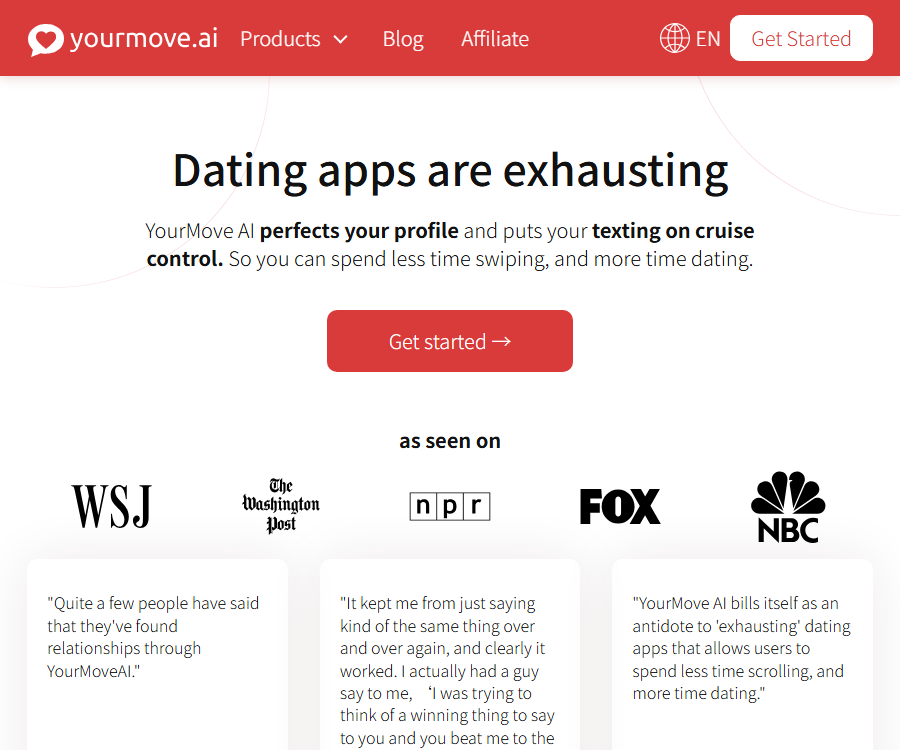
YourMove Translation Site
YourMove offers interactive services generated by artificial intelligence, which enable the creation of thoughtful and well-considered responses and opening remarks. This way, you can spend less time sending text messages and more time on dating. It helps you figure out how to date others – so go ahead and find a partner, young people! Keep it up!
Tags:AI improves efficiencyWhat is YourMove AI?
YourMove AI is not a general translation service; it is an AI dating assistant developed by Squip AI LLC. It helps users come up with opening lines and replies for conversations, draft dating profiles, review photos and personal bios, and provide advice on communication in relationships.
The product can read the topics entered by the user, the messages received, date-related information, or screenshots, and then generate candidate expressions. It cannot understand the actual relationships between people, nor can it guarantee accurate matches, responses, or successful dates.
Main functions
| Functions | Main inputs | Generate results | Suitable for tasks |
|---|---|---|---|
| Chat Assistant | Data topics or screenshots | Three personalized opening phrases | Start a new conversation |
| Reply Generator | The messages received and their tone | Multiple candidate responses | Continue the chat |
| Profile Writer | Interests, characteristics, and style | Brief introduction to dating profile information | Rewrite the personal introduction |
| Profile Review | Photos, brief descriptions, and suggested answers | Scores, photo order, and improvement plans | Optimize the overall data |
| AI Photos | My photo | Enhanced or generated dating photos | Additional visual information |
| Dating Coach | Questions, chats, or screenshots of documents | Communication suggestions and wording | Red flags, conflict, and communication in breakups |
How to create an opening statement
Users can enter the interests, suggested replies, or other topics listed in the other person’s profile, or they can upload screenshots of that profile. After analyzing the context, the system generates three personalized opening sentences; the target time for displaying these sentences on the page is within five seconds.
- Choose data segments or topics that do not involve privacy.
- Enter the content manually, or upload a cropped screenshot.
- Choose a tone that matches your own way of expressing yourself.
- Generate three candidate opening phrases.
- Remove exaggerations, insults, or incorrect assumptions.
- Rewrite it in your own words before sending.
Chat Response Assistant
Upon receiving the message, the user can submit text or screenshots of conversations to the system, which will then provide responses that are playful, friendly, direct, or more restrained. The suggested replies are useful for dealing with situations where one does not know how to phrase things properly, but they cannot replace genuine intentions or help in communicating boundaries.
- Retain only the parts of the conversation that truly need to be answered.
- Remove name, phone number, address, and account information.
- Select a tone that matches the current stage of the relationship.
- Check whether the system misinterprets irony, rejection, or emotions.
- Do not send things that you would not say in real life.
- In the face of threats, harassment, or fraud, it is best to cease contact and seek help immediately.
Personal profile generator
Profile Writer creates brief profiles for dates based on interests, lifestyle, personality traits, and the desired tone. It is useful for filling in empty pages, but users should ensure that their experiences, career, hobbies, and intentions regarding relationships are accurate.
- Fill in your genuine interests and personal characteristics.
- Choose the tone you wish to use.
- Generate a brief version.
- Remove clichés and inaccurate descriptions.
- Additions can provide specific details that lead to a dialogue.
- Adjust according to the character limit of the target dating app.
What is done during data review?
The Profile Review analyzes the user’s photos, profile description, and overall appearance, comparing them with sample data available on the platform. The results include suggestions for selecting and ordering photos, feedback on the profile details, and a step-by-step plan for improvement.
- Determine whether the first photo is clear enough to allow the person to be recognized.
- Check the photos for any changes in scene and clothing.
- Assess whether the introduction is specific, natural, and easy to respond to.
- Point out the elements in the information that may lead to misunderstandings.
- Suggests the order of photos and types of missing information.
The ratings and improvement suggestions are based on data from the models and the platform, and they do not represent an objective measure of social outcomes. Differences in region, culture, sexual orientation, and dating goals may render these suggestions ineffective.
AI dating photos
AI Photos uses photos uploaded by users to create or enhance the visual elements of dating profiles; it also provides tools for removing former partners from images, adding various elements, and adapting photos for different use cases. The results generated can alter features, physique, clothing, or the background, and it is necessary to check their authenticity before posting them.
- Only upload photos of yourself or those for which you have explicit permission.
- Do not upload images of partners, friends, or children without their consent.
- Avoid creating photos that differ too much from the actual appearance.
- Check for common errors such as fingers, teeth, text, and background.
- Comply with the rules regarding synthetic content in dating apps.
- Save the original image and order details for handling deletions or refunds.
Dating Coach – a coach for dating matters
Dating Coach can provide real-time advice on identifying red flags, flirting, awkward situations, arguments, communication skills, and the right ways to end a relationship. Users can describe their problems directly or upload screenshots of conversations or messages to continue the discussion.
The tool is indicated on its page as being available for free use, but it does not constitute certified psychological counseling, legal advice, or crisis services. In cases involving stalking, violence, self-harm, coercion, or serious mental health issues, one should contact local professionals and emergency services.
Other tools
| Category | Example | Use value | Restrictions |
|---|---|---|---|
| Data writing | Introduction to Tinder, Hinge, Bumble, Raya, Feeld | Adapts to different document formats | It does not mean a partnership with the platform. |
| Data review | Reviews of Tinder, Bumble, Hinge | Get suggestions for photos and copywriting | The results are affected by sample bias. |
| Relationship advice | Dating ideas, communication, and compatibility | Generate discussion directions | True compatibility cannot be predicted. |
| Photo editing | Enhance, remove people, add elements | Quickly modify the visuals | It may lead to misunderstanding. |
Use the workflow in its entirety
- Clarify whether the goal is to start a conversation, respond, provide information, share photos, or offer relationship advice.
- Only the minimum information necessary to complete the task is provided.
- Crop the screenshot and cover the name, profile picture, and contact information.
- Select a tone and generate multiple candidates.
- Check facts, respect, boundaries, and personal authenticity.
- Rewrite it in a way that reflects your natural way of expressing yourself.
- After sending, continue the communication based on the actual responses.
- Regularly delete account content and check the subscription status.
Free version and paid version
| Package or version | Price | Billing cycle | Core benefits or quota | Suitable for users |
|---|---|---|---|---|
| Free version of the website | $ | Long-term free tier | 3 opening statements per day, 1 summary generation, suggestions for basic information | Low-frequency experience |
| Web Pro | The settlement page shall prevail. | Subscribe | No restrictions on opening remarks, rewritten summaries, or feedback on complete information | Frequent users |
| iPhone Premium Weekly Plan | 4.99 dollars | In-app purchases weekly | For the Premium subscription, the actual benefits depend on the specific application. | Short-term use |
| iPhone Premium | 9.99 dollars | In-app purchase items | The store lists multiple items with the same name; the cycle needs to be confirmed through settlement. | Mobile users |
| iPhone Premium annual plan | 49.99 dollars | In-app purchases are made every year. | Premium subscription | Long-term use |
| AI photos | Buy separately | According to the tablet product | Generate or enhance stock photos | Those who need visual materials |
The website currently outlines the features of the free version and the Pro version, but it does not provide a fixed and publicly available price for the Pro version. The various in-app purchase options, their durations, and prices listed in the iPhone App Store do not always correspond to those listed on the website; moreover, the prices on Android vary depending on the region and the account used.
Before making a purchase, it is necessary to check on the actual payment page the currency, subscription period, automatic renewal options, trial periods, taxes, and available benefits. Do not estimate the local costs based on the prices shown in app stores in other regions.
Notes on refunds and cancellations
The AI photo page offers a result guarantee: if there is no significant improvement in the number of matches or in the quality of those matches, users can contact online support to request a full refund. The page does not specify what constitutes a \"significant improvement,\" so users should ask about the deadline for making such a request, as well as the required evidence and the orders that are eligible for this guarantee, before making a purchase.
The details regarding refunds for general subscriptions and cancellations of the Pro website plan are not fully outlined in the existing terms. When purchasing through Apple or Google, cancellations and refunds are also subject to the subscription procedures of those respective stores.
- Take a screenshot before purchasing to save the price, duration, and refund policy.
- Confirm the auto-renewal date in the system subscription settings.
- Deleting an app does not equate to canceling a subscription.
- First, submit a refund request to the actual payment channel.
- For refunds related to photos, it is necessary to keep the order details and records of communication with support.
Supported platforms
| Platform | Current status | Key capabilities | Precautions |
|---|---|---|---|
| Web application | Currently available | Chat, documents, reviews, photos, and coaching | Some tools have their own dedicated pages as well as options for purchase. |
| iPhone keyboard app | Available for download | Opening remarks, responses, and document generation | iOS 16 is required; the latest display updates are older. |
| Android apps | Available for download | Dating assistant, tips for information and relationships | Includes in-app purchases |
| iPad and the desktop native version | Not confirmed | Not yet made public | Do not consider web page visits as native applications. |
| Browser extensions | Not confirmed | Not yet made public | Avoid third-party extensions with the same name |
Language support
The iPhone App Store lists the language of apps as English; the website contains pages in some other languages, but there is no comprehensive list of all the languages supported by the translation tool. When a response in Chinese or another language is needed, it is advisable to first test the semantic accuracy, courtesy, and cultural appropriateness using the free version of the tool.
YourMove is capable of generating expressions based on text, but it should not be considered a professional translation service. For translations related to contracts, medical documents, immigration matters, or other high-risk areas, professional translation services along with human review are necessary.
Privacy and photo storage
The privacy policy states that AI-powered photo processing is used to create personalized results, and the uploaded photos are deleted automatically after seven days. Temporarily trained models as well as the generated photos are permanently removed after thirty days.
The chat screenshots generated in response to messages are stored in the database and deleted on a weekly basis. Users should understand “weekly deletion” as a periodic process, rather than immediate deletion right after upload.
- Subscription and Google login will collect the email address.
- Address auto-completion services may be used for settlement.
- The website keeps logs of IP addresses, browsers, visit times, clicks, and more.
- The website uses web analytics, advertising cookies, and third-party advertising technologies.
- Android claims to encrypt data transmission and to support request deletion.
- Do not upload private messages or photos that the other person has not agreed to share.
Contradictions in the privacy policy
The Dating Coach page states that chats are completely private and cannot be accessed by employees, and it claims that no user data is stored; however, the overall privacy policy specifies that screenshots of chats are saved in a database and deleted on a weekly basis. These two statements do not exactly match each other.
Before using it in sensitive contexts, it is necessary to consult support to find out how long text chats, screenshots, logs, model inputs, and backups are stored, as well as who has access to them. If a clear answer cannot be obtained, one should avoid submitting information related to personal relationships, health, location, and identity.
Content rights and commercial use
The existing terms stipulate that the materials on the website are owned by Squip AI LLC or its licensors, and are intended for personal use only; resale, further licensing, or redistribution is not permitted. The terms do not clearly distinguish between user-inputted content and AI-generated output, nor do they provide a license for general commercial use.
This product is designed primarily for personal use in dating scenarios; it is not suitable for mass generation of content, impersonation of others, or handling of third-party information without consent. AI-generated photos and text must also comply with the platform’s rules regarding authenticity, harassment, copyright, and synthetic content.
API, SDK, and open-source status
| Project | Current status | Explanation |
|---|---|---|
| Public API | Not confirmed yet | There are no developer endpoints or billing instructions. |
| SDK | Not confirmed yet | There are no current official software packages available. |
| GitHub | The official warehouse has not been confirmed. | Projects with the same name cannot be used as product codes. |
| Open-source product | Closed-source services | The open-source license has not been confirmed. |
| Third-party integration | Available through screenshots and keyboard input. | It does not mean a formal partnership with dating apps. |
Which users are it suitable for
- Those who don’t know how to start or continue a conversation on a dating app.
- Users who wish to organize their interests into a concise personal profile.
- New users who need photo sorting and suggestions for improving their information.
- Those who want to compare various ways of phrasing their messages but still decide on it themselves.
- Adults who are willing to remove sensitive information and manually review the results.
Scenarios that are not suitable
- Impersonating others, engaging in bulk harassment, or manipulating matched partners.
- Uploading others’ photos and private messages without permission.
- Psychological diagnosis, crisis intervention, or legal advice is needed.
- AI photos drastically alter one’s true appearance.
- Professional multilingual translation or licensing for commercial content is required.
- Development projects that require APIs, SDKs, or open-source deployment.
Main advantages
- It covers the opening remarks, responses, introduction, reviews, and photos at the same time.
- It is possible to directly read the relevant data or chat screenshots to provide contextual suggestions.
- There are current entry points available for web pages, iPhone, and Android.
- The free tier is sufficient for testing key capabilities with low risk.
- Photo input and temporary models reveal the specific deletion cycle.
Capacity boundaries
- No guarantees can be provided regarding matches, responses, dates, or relationships.
- Suggestions may contain stereotypes, cultural biases, or misinterpretations.
- AI-generated photos may not resemble the actual person and could mislead others.
- The prices and benefits in web stores and app stores are not uniform.
- The privacy page contains conflicting statements regarding the storage of chats.
- The explanations regarding general refunds and AI output rights are not comprehensive enough.
- The API, SDK, GitHub, or open-source license have not been confirmed.
Frequently Asked Questions
Is YourMove AI a translation tool?
No. It is an assistant for dating conversations, information provision, and relationship advice; although it can generate text, it is not designed as a professional translation service.
Can I upload chat screenshots?
It can be used for introductions, responses, or coaching advice, but the name, profile picture, phone number, and other personal details must first be removed, and the necessary consent obtained.
Is YourMove AI free?
The website offers a free tier that provides an opening statement three times a day, a summary once a day, and basic suggestions; the Dating Coach page is also marked as free. For more usage and comprehensive feedback, Pro or in-app purchases are required.
Will the generated reply be sent automatically?
The core process involves generating candidate content for users to choose from and copy. Users should check it themselves and decide whether to send it or not.
How long are AI-generated photos stored?
Photos uploaded are deleted after seven days, while temporarily trained models and the photos they generate are removed after thirty days. Chat screenshots are deleted on a weekly basis.
Is it supported on both iPhone and Android?
Both stores offer the current versions of these apps provided by Squip AI. The version for iPhone is a keyboard app, while the version for Android comes in the form of a dating assistant.
Can AI-generated photos be refunded?
The photo page offers a refund guarantee related to improved matching quality, but no specific quantitative criteria are specified. It is necessary to check the application deadline, required evidence, and scope of application before making a purchase.
Does YourMove AI provide an API?
At present, there are no confirmed public APIs, SDKs, development documentation, or open-source licenses available. Developers should not use unofficial packages to integrate with the system.
How to add a FAQ Schema
This page already provides the available FAQs; the site template can use these questions and answers to generate structured FAQ data. Script tags are not included in the main text in order to meet the security requirements for content fields.
- Only use the questions and answers that are visible directly to the user on the page.
- The page object is set to FAQPage.
- Each question is set as Question.
- The answer is written to acceptedAnswer and set as Answer.
- The price, shelf life, and refund policies must be consistent with the main text.
- The visible FAQs are updated in sync after application or policy changes.
- Check for grammar, duplicates, and search engine guidelines before publishing.
Summary
YourMove AI is designed to be a tool for dating communication and profile optimization, rather than a translation service. It brings together features such as screenshot introductions, possible replies, profiles, profile evaluations, AI-generated photos, and dating advice in both web versions and mobile apps.
The most reliable approach is to have the AI suggest several possible ways of expression, while the user retains control over the original voice, facts, and boundaries. Before uploading screenshots or photos, it is necessary to minimize the use of third-party data; before making a payment, one should check the rules regarding subscriptions, automatic renewals, refunds, and deletion through the respective platform.
Tools similar to the YourMove translation website



 Guigong Network Security Registration No. 45132202000164